OpenAI GPT-Realtime-Translate vs BibiGPT Subtitle Translation — 2026 Which to Pick
GPT-Realtime-Translate vs BibiGPT Subtitle Translation: Which to Pick
As of 2026-05-21: OpenAI shipped gpt-realtime-translate (bi-directional realtime voice translation) in 2026. BibiGPT has long offered video subtitle translation + burn-in. They don’t solve the same problem, but both touch “translation” so they get conflated. Five real scenarios to decide which fits.
60-Second Decision Card
Pick gpt-realtime-translate: You need realtime voice interpretation for face-to-face or phone scenarios — they speak, AI translates instantly into your language (and vice versa). Latency-sensitive, no text output needed.
Pick BibiGPT: You need to translate video/audio content (YouTube, podcasts, local files) into multilingual subtitles. Non-realtime acceptable; you want high accuracy + text outputs for follow-up creation.
Core Differences
| Dimension | gpt-realtime-translate | BibiGPT subtitle translation |
|---|---|---|
| Input | Realtime mic / phone audio | Video/audio files + URLs |
| Output | Realtime synthesized speech | Multi-language subtitles (srt/vtt/txt) + video burn-in |
| Latency | ~600ms end-to-end | Non-realtime (1-3 min, depends on length) |
| Text retention | Manual transcription needed | Bilingual side-by-side retained by default |
| Platform native support | DIY / API only | 30+ platforms (YouTube/Bilibili/…) paste-and-go |
| Video burn-in | ❌ Not in scope | ✅ Bilingual subtitle burn-in |
| Chinese audio/video | Standard OpenAI coverage | Chinese-native optimization |
Practical rule: Want realtime “listening” → gpt-realtime-translate. Want subtitle “reading” output → BibiGPT.
5 Typical Scenarios
Scenario 1: Cross-border Client Phone Call
Pick gpt-realtime-translate. Client speaks English, your headphone gives you Chinese instantly; you speak Chinese, theirs gives English. After the call, use BibiGPT to process the recording for minutes.
Scenario 2: Add Chinese Subtitles to a YouTube English Tutorial
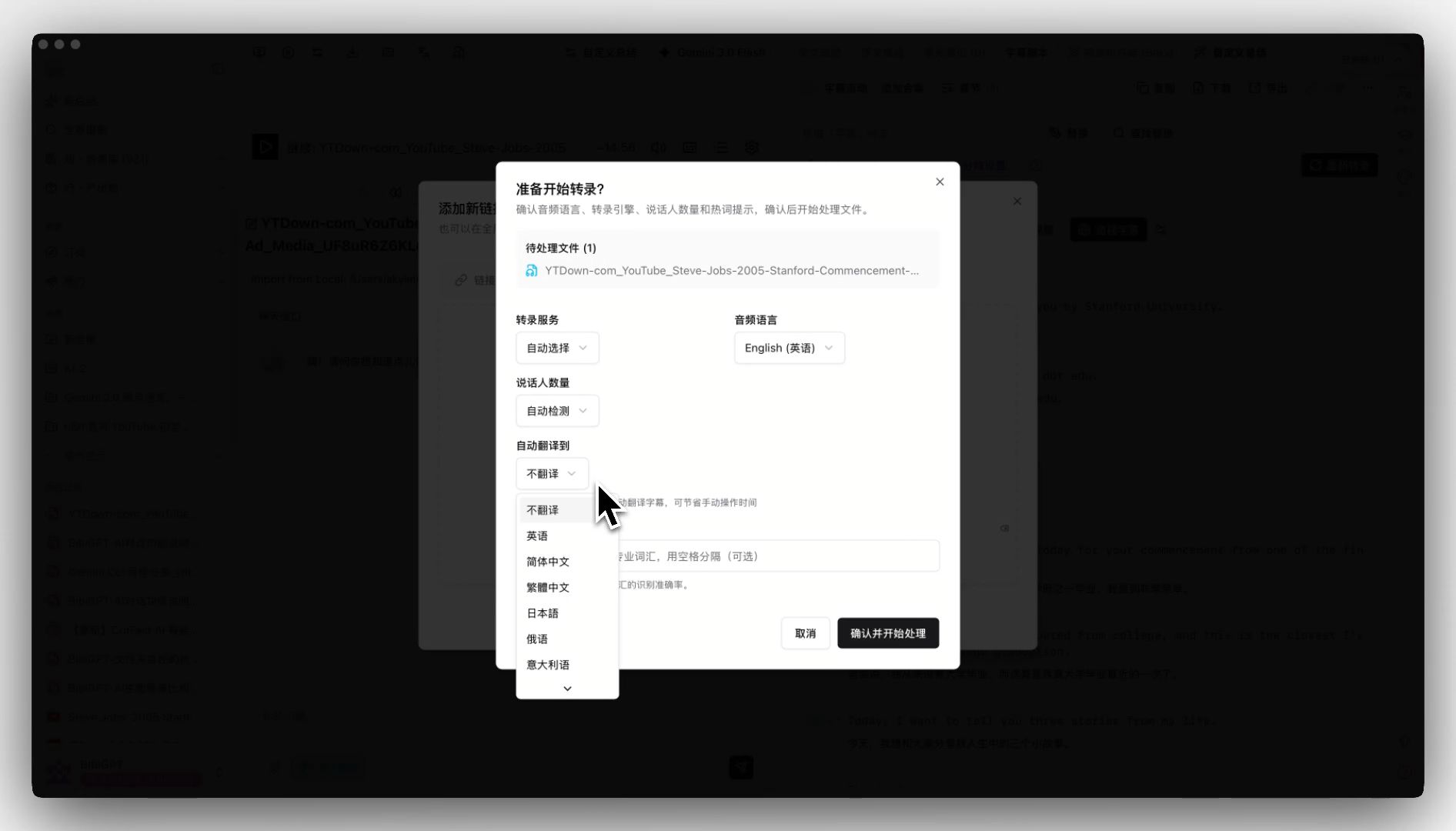
Pick BibiGPT. Paste the YouTube link → BibiGPT auto-detects source + translates to Chinese + outputs bilingual subtitles → export srt or burn into the video.
Scenario 3: Burn Japanese Subtitles into a Bilibili Lecture (for Japanese friends)
Pick BibiGPT. Auto-translate on upload → pick target language → BibiGPT outputs the video with Japanese subtitles. gpt-realtime-translate doesn’t handle video files.
Scenario 4: Understand an Overseas Livestream in Real Time
Pick gpt-realtime-translate. Realtime is the priority. If the livestream has a recording afterward, layer BibiGPT for post-event summary.
Scenario 5: Skim 10 English Podcasts for Key Points
Pick BibiGPT. You want “text summary + search” not “listening.” BibiGPT paste-podcast-link → timestamped Chinese summary + bilingual transcript → use Collections AI Chat for cross-episode search.
Can They Work Together?
Yes, often complementary:
- Livestream + post-event: gpt-realtime-translate listens live, BibiGPT summarizes the recording
- Cross-border meeting suite: gpt-realtime-translate for live interpretation, BibiGPT for post-meeting multilingual minutes from the recording
- Course delivery: BibiGPT burns Chinese subtitles into English course videos for team viewing; gpt-realtime-translate handles realtime Q&A sessions
Pricing & Availability
- gpt-realtime-translate: API-token-priced, requires self-built app or third-party client
- BibiGPT: Subscription (Pricing), out-of-the-box, trusted by over 1 million users with over 5 million AI summaries generated
Practical rule: Engineering team + custom integration → OpenAI API. Individual or small team + ready-to-use → BibiGPT is clearly more cost-effective.
FAQ
Q1: Does BibiGPT support realtime subtitles? A: Current subtitle translation is file/link → process → output, non-realtime. For realtime interpretation use gpt-realtime-translate; for video subtitle output use BibiGPT.
Q2: Which language pairs does BibiGPT support? A: Chinese, English, Japanese, Korean, and other major pairs. See Auto-translate.
Q3: Can I use gpt-realtime-translate’s translation directly as video subtitles? A: Technically yes via transcription, but accuracy lags behind BibiGPT’s subtitle pipeline (optimized for video content with multi-model routing). For video subtitles prefer BibiGPT.
Q4: How much does bilingual burn-in inflate file size? A: BibiGPT uses standard ffmpeg flow with controlled size increase. See Subtitle burn-in.
Q5: Which is friendlier to Chinese dialects (Cantonese / Shanghainese)? A: BibiGPT’s Chinese-native optimization + model switching is more stable on dialects. gpt-realtime-translate currently focuses on standard Mandarin / English.
Closing
Practical rule: Don’t let the word “translation” lead you wrong — the core question is “realtime listening” vs “video subtitles.”
gpt-realtime-translate solves “cross-language realtime dialogue.” BibiGPT solves “video/audio subtitle translation + text output.” Two different tools in your toolbox — pick the right one and save time.
If your primary need is video/podcast subtitle translation, try BibiGPT free — paste a link, get bilingual subtitles in 3 seconds, then decide if you want to subscribe.
—— BibiGPT Team