How to Revise Lecture Recordings Efficiently: A Student Workflow with Cornell Notes + Spaced Repetition + AI Summaries
How to Revise Lecture Recordings Efficiently: A Student Workflow with Cornell Notes + Spaced Repetition + AI Summaries
As of June 2, 2026: When finals season arrives, students always have a pile of unwatched lecture recordings. Many choose to “fast-forward through everything in the week before the exam,” only to forget it all and blank out in the exam room. The problem isn’t the recordings — it’s the method. Simply rewatching a recording has very low retention. This post strings three proven study methods into a workflow you can use directly: Cornell note-taking handles structure, spaced repetition handles retention, and AI video summarization handles saving time.
Want to skip the “watch it all again” step first? Let AI summarize the recording into key points, then revise with the method below — it’s far more efficient.
1. Why “rewatching the recording once” is inefficient revision
First, the problem. Rewatching is inefficient for two reasons:
- Passive input: your eyes are on the screen but your brain isn’t actively processing; the “familiarity” of having watched tricks you into thinking you remember
- No retrieval: memory strengthens with each “recall.” Watching without practicing recall means it never truly went in
Students are tight on time, too. After watching a two-hour recording, you may be left with only scattered impressions. Effective revision swaps “passive watching” for “active recall,” and repeats at the right time points.
Practical rule: Revision effectiveness isn’t about how many times you watched — it’s about how many times you actively recalled it from your head.
2. Cornell notes: give recording content a structure
The Cornell method splits a page into three blocks. According to the Cornell University Learning Strategies Center, the structure is:
- Right main column: record the course’s core content and key points
- Left cue column: after class, add keywords and questions as “recall triggers”
- Bottom summary: sum up the whole page in a sentence or two
The clever part: the left cue column is naturally a tool for “active recall” — cover the right side and recall the content from the left keywords. This solves the “no retrieval” issue from section 1.
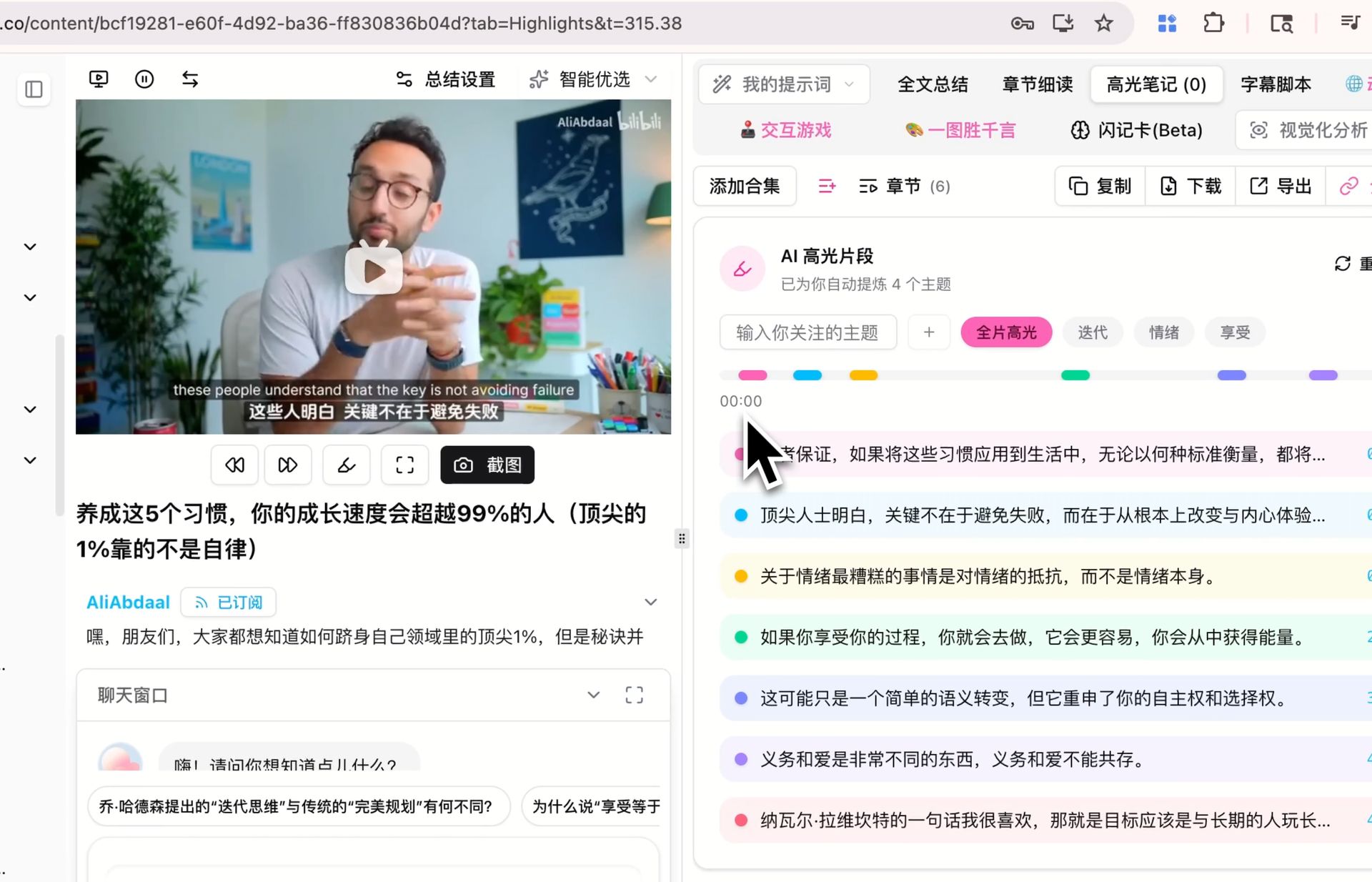
Below is what organizing recording key points with the AI highlight-notes feature looks like — its structure follows the Cornell main column:
Screenshot: BibiGPT · AI highlight-notes feature demo
3. Spaced repetition: review again right when you’re about to forget
Structure alone isn’t enough; you also need to review at the right time. Spaced repetition is a repeatedly validated memory method. According to Wikipedia’s overview of spaced repetition, its core is: review a piece of knowledge again just as you’re about to forget it, lengthening the interval each time.
For students’ finals revision, this simplifies into a rhythm:
- Day 1: watch the recording, organize Cornell notes
- Day 2: cover the main column and self-test once using the cue column
- Day 4: self-test again, mark what won’t stick
- Day before the exam: only go over the marked tough points
The key to this rhythm isn’t “spending more time” but “spending a little time at the right moments.”
Practical rule: The essence of spaced repetition is little but precise — rather than cramming a whole night before the exam, do four sessions of 20 minutes each.
4. AI summaries: cut “organizing notes” from an hour to minutes
The first two methods are great, but there’s a real problem: organizing Cornell notes is time-consuming in itself — a two-hour recording could take an hour to organize by hand. This is exactly where AI video summarization helps.
The full workflow:
- Paste the recording link, AI produces points — BibiGPT summarizes the recording into structured key points in seconds, effectively filling the main column of your Cornell notes
- You fill the cue column — based on AI’s points, write your own keywords and questions (you must do this step yourself, because this is active processing)
- Generate a mind map to see overall structure — turn the points into a mind map to see the logic across chapters at a glance
- Self-test on the spaced-repetition rhythm — cover the main column with the cue column, self-test across days
This demo lets you directly see step 1, “paste link → produce points”:
Below is the mind map generated in step 3, laying out the entire lecture’s logical skeleton at a glance:
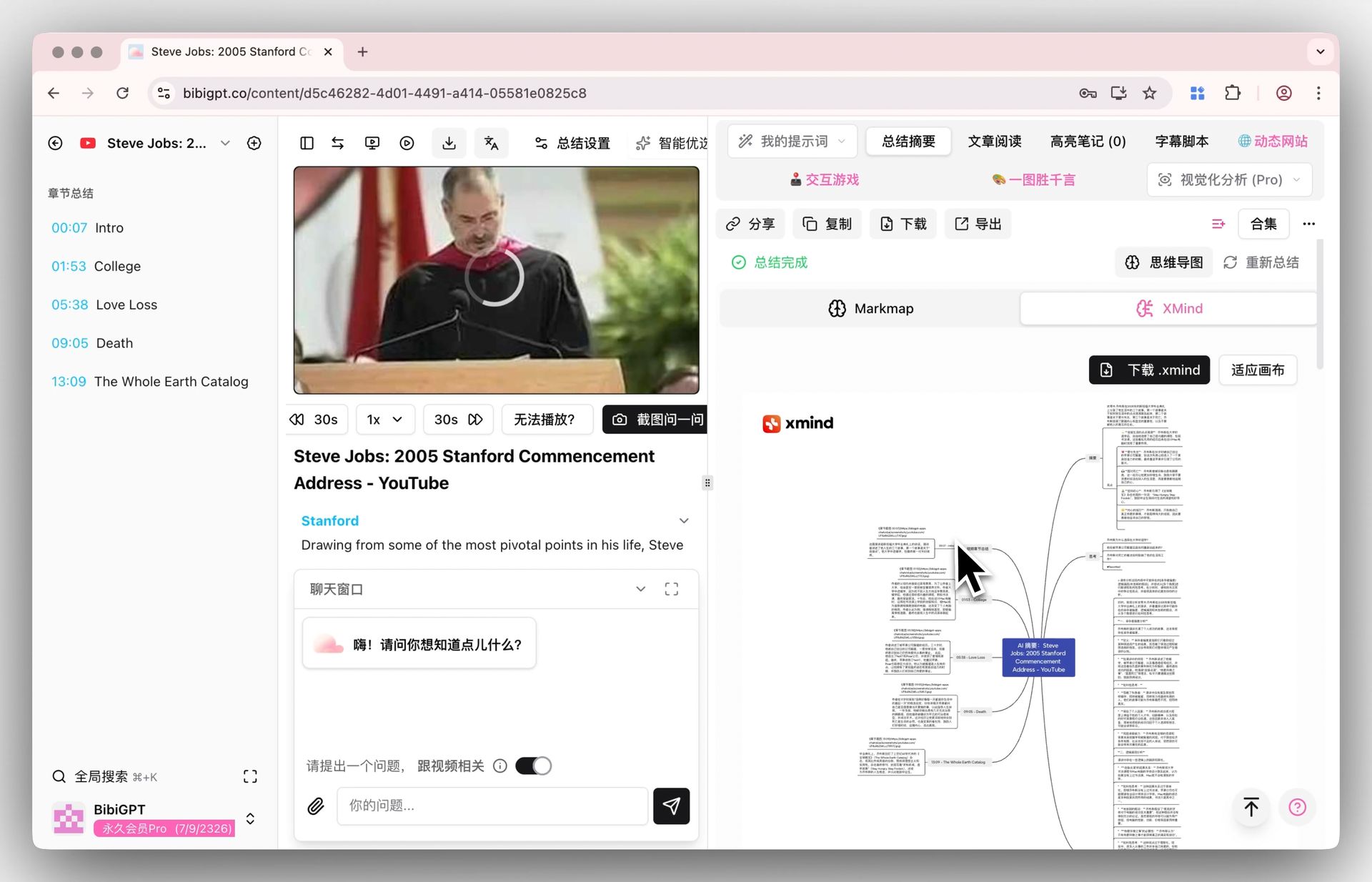
Screenshot: BibiGPT · mind map feature demo
Summarize any video in seconds
Pick a sample below to see the AI summary — TL;DR, key points, and jump-to timestamps.
TL;DR: Karpathy builds a GPT-style language model from scratch in code, explaining every piece — from a tiny character-level model up to the full Transformer.
Key points
- Start with a bigram model, then add self-attention so tokens can "talk" to each other
- A Transformer block = multi-head attention + feed-forward + residual connections + layer norm
- Training is just predicting the next token; scale and data do the rest
- The same architecture behind nanoGPT is what scales up to ChatGPT
Jump to
- 00:07 Why build GPT from scratch
- 08:23 Self-attention, intuitively
- 1:00:00 Assembling the Transformer block
- 1:35:00 From nanoGPT to ChatGPT
The mind map in step 3 is especially useful for clarifying the logic of a whole lecture — try this interactive demo:
Turn a video into a mind map
A linear talk becomes a structured tree. Drag to pan, click nodes to fold.
Note: AI handles “removing mechanical organizing,” while the most crucial part — “active recall” — is still yours to do. AI frees you from copying so you can spend time on the self-testing that actually forms memory.
5. Put this workflow to use
Finally, a finals-season tip for putting it into practice:
- Don’t wait until the week before the exam: summarize the recording into points the day it’s out, and fill the cue column while it’s fresh
- Build a “tough points list”: each self-test, mark what won’t stick; during spaced repetition, attack only these
- Translate cross-language recordings first: for foreign-language lectures, let AI produce points in your language first, then run the same flow
The essence of this method: use AI to save mechanical labor, and invest the saved time into “active recall” — that’s the key to retaining knowledge. The model helps you go fast, but remembering it firmly always relies on your own active recall.
6. FAQ
Q1: Will AI summaries make me lazy and unable to remember? No — as long as you don’t skip “filling the cue column yourself + self-testing.” AI replaces copying, not thinking.
Q2: Do Cornell notes have to be handwritten? Not necessarily. Organizing points with AI highlight notes is equally structured; the key is keeping the “cover the main column and self-test” action.
Q3: How do I set spaced-repetition intervals? For finals revision, the simplified “1-2-4 days + day before the exam” rhythm is enough; you don’t need complex algorithms.
Q4: How do I run this flow for foreign-language lectures? First use BibiGPT’s subtitle translation to produce points in your language from the foreign-language recording, then revise with the same Cornell + spaced-repetition flow.
Q5: What if I have several lecture recordings a day and not enough time? Prioritize batch-summarizing all recordings into points with AI to build a global structure first, then allocate spaced-repetition time by difficulty.
Try it now
Instead of rewatching the recording from scratch before the exam, let AI summarize it into key points first, then lock them in with Cornell + spaced repetition.
Open BibiGPT and turn lecture recordings into revision points
BibiGPT Team