How to Take Notes from a Video Automatically? The Complete 2026 AI Video Notes Guide
How to Take Notes from a Video Automatically? The Complete 2026 AI Video Notes Guide
As of June 2, 2026: Want to learn from a video, but a single watch-through rarely sticks? Yet taking notes while watching means constant pausing and rewinding — a one-hour video often takes two hours to organize. The good news: AI can now turn a video into structured notes automatically. Just paste a link, and key points, chapters, and mind maps all come out. This guide explains the whole method to double your learning-from-video efficiency.
Want to dive in? Paste a video link and let AI generate notes automatically, and see the result in seconds.
1. Three pain points of taking video notes by hand
To see the topic in motion, the video below is worth a few minutes:
Video source: YouTube · Blink’s AI Notes · Let AI Map Your Knowledge Network with Obsidian CLI
First, why taking notes by hand is so tiring:
- Constant pausing: hear a key point, pause, type, resume — your rhythm is broken
- Can’t keep up with the density: in fast videos, by the time you’ve noted one sentence the next has passed
- Reorganizing afterward: after jotting scattered notes, you still spend time restructuring them
The root of all three is the same: the human brain can’t both “listen to content” and “organize structure” at once. And that’s exactly what AI is good at — it listens once, understands, then organizes into structure.
Practical rule: The biggest waste in video note-taking is spending time on “transcribing” instead of “understanding.”
2. How AI video notes work
The core flow of AI video notes is actually simple:
- Extract content: AI first extracts the speech and on-screen info from the video
- Understand structure: identify which parts are core points, which are examples, and how chapters split
- Generate notes: output layered key points, mind maps, even original timestamps
For you, all of this is just “paste one link.” This interactive demo lets you directly feel the path from link to key points:
Summarize any video in seconds
Pick a sample below to see the AI summary — TL;DR, key points, and jump-to timestamps.
TL;DR: Karpathy builds a GPT-style language model from scratch in code, explaining every piece — from a tiny character-level model up to the full Transformer.
Key points
- Start with a bigram model, then add self-attention so tokens can "talk" to each other
- A Transformer block = multi-head attention + feed-forward + residual connections + layer norm
- Training is just predicting the next token; scale and data do the rest
- The same architecture behind nanoGPT is what scales up to ChatGPT
Jump to
- 00:07 Why build GPT from scratch
- 08:23 Self-attention, intuitively
- 1:00:00 Assembling the Transformer block
- 1:35:00 From nanoGPT to ChatGPT
BibiGPT already serves over 1 million users, has generated over 5 million summaries, and supports 30+ platforms, so this “paste link → notes” flow works on YouTube, Bilibili, podcasts, and more.
3. Four forms of AI video notes — pick by need
Different scenarios suit different note forms. Four common ones:
① Structured key points. The most common form, splitting a video by chapter into layered points — good for quick review.
② Mind map. Best when you want to see the logical skeleton of a whole video — chapter relationships at a glance.
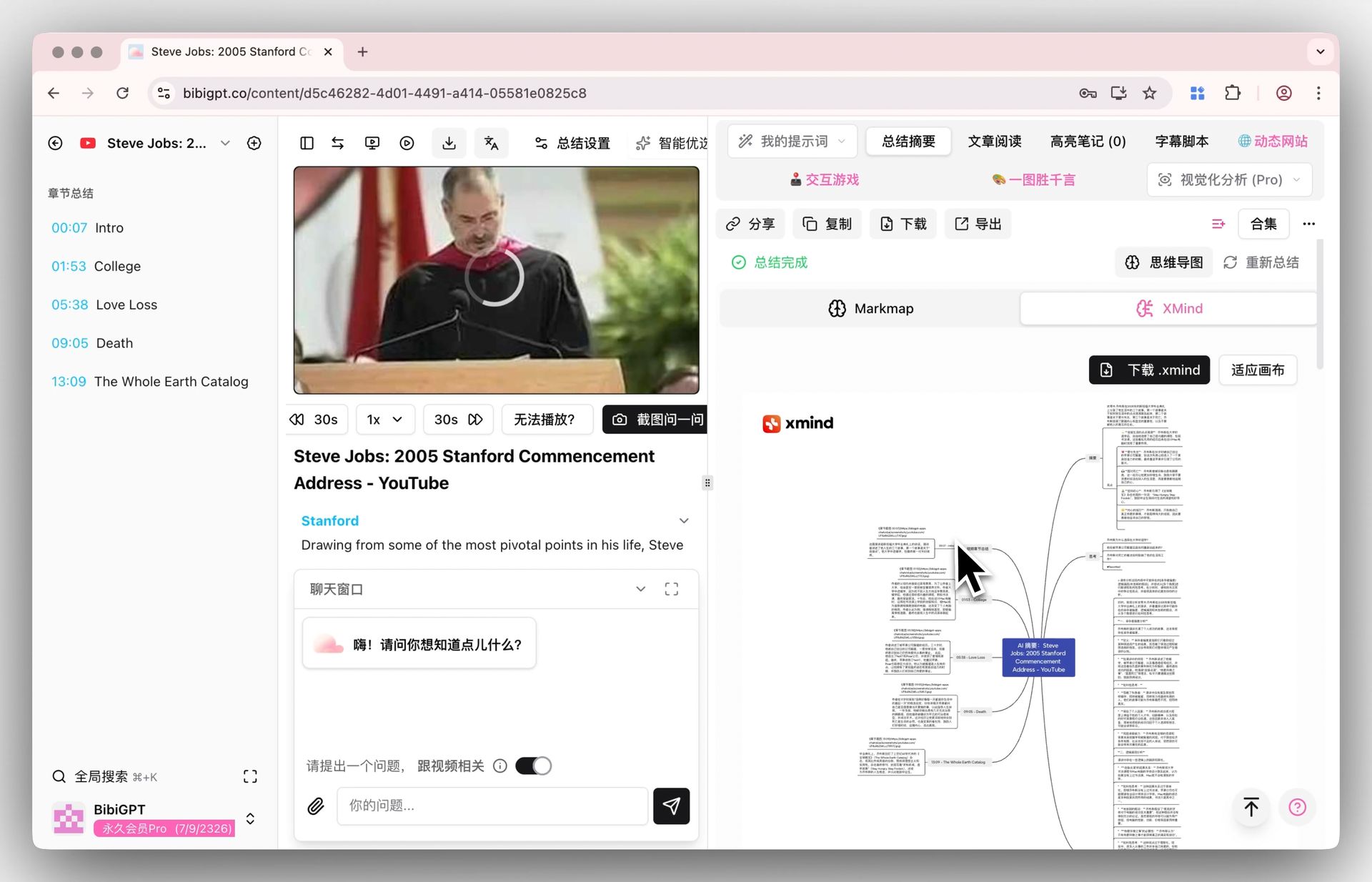
Screenshot: BibiGPT · mind map feature demo
This demo lets you interactively experience how a mind map is generated from a video:
Turn a video into a mind map
A linear talk becomes a structured tree. Drag to pan, click nodes to fold.
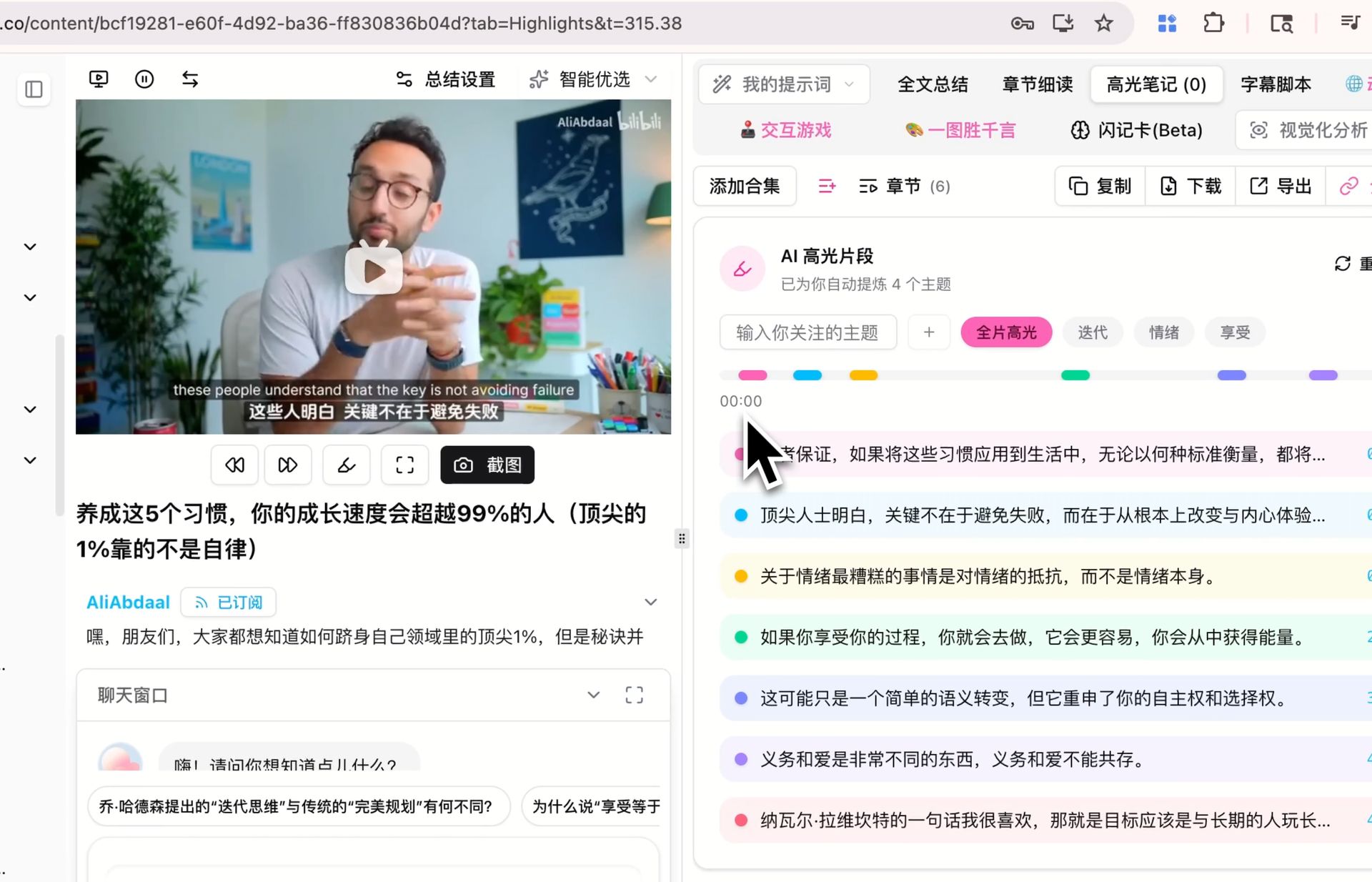
③ Highlight notes. Highlight key passages as you watch, and AI organizes them into notes — good for closely reading key videos. Try AI highlight notes.
Screenshot: BibiGPT · AI highlight-notes feature demo
④ Exportable documents. Export notes in various formats and paste into your favorite note app to keep editing.
4. Four steps to turn a video into usable notes
String the forms above into one actionable flow:
- Paste the link — paste a video link; AI extracts content and generates structured key points
- Pick a form — quick review → key points; understand structure → mind map; close reading → highlight notes
- Add and edit — add your own understanding on top of AI’s notes; AI handles the skeleton, you the flesh
- Export and archive — one-click export, paste into your note app for long-term storage
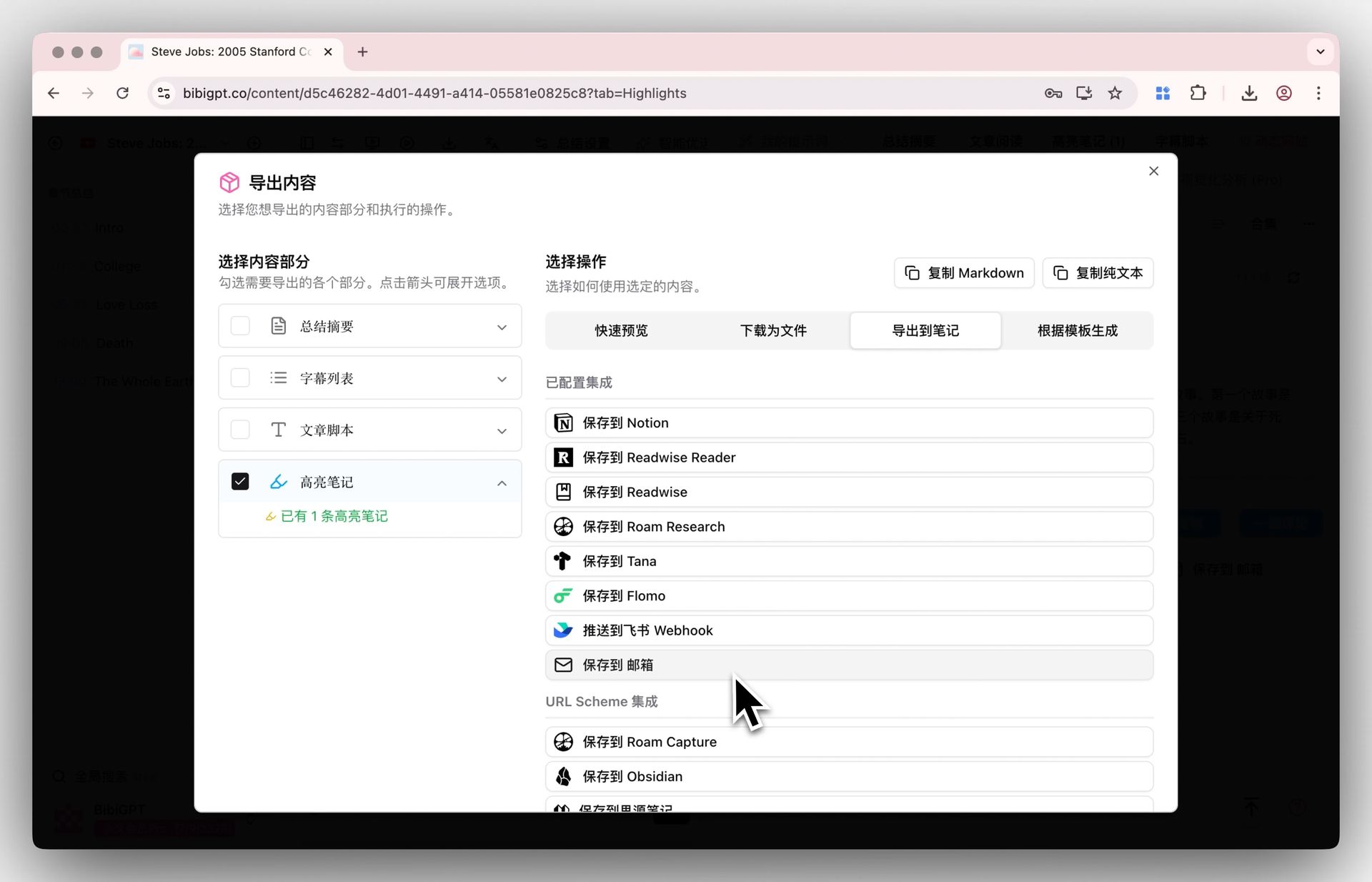
Screenshot: BibiGPT · note export feature demo
Practical rule: AI-generated notes are a first draft, not a final one — adding your own understanding is what truly makes them “your” notes.
5. When AI video notes fit best
Not every video needs AI notes, but these scenarios are especially worth it:
- Online courses / open courses: high information density; point distillation saves lots of time
- Industry talks / lectures: quickly grab the core views without watching everything
- Tutorial videos: split into steps for easier following
- Foreign-language videos: with subtitle translation, foreign content can produce notes in your language too
Conversely, pure entertainment and narrative videos don’t need it — those are meant to be “experienced,” not “distilled.”
6. FAQ
Q1: Are AI video notes accurate? Mainstream tools are quite accurate on clear speech. Treat AI notes as a first draft and verify key content against the original video — BibiGPT’s points come with timestamps for easy checking.
Q2: Can long videos generate notes automatically too? Yes. BibiGPT supports chapter-level deep reading, splitting long videos into segments with key points, so nothing is lost just because it’s long.
Q3: Can I export to my favorite note app? Yes. BibiGPT supports multiple export formats; just paste into your favorite note app to keep editing.
Q4: Can foreign-language videos produce notes in my language? Yes. With subtitle translation, foreign-language videos can produce points in your language.
Q5: Is it free? BibiGPT offers a free quota; paste a link to experience automatic note generation.
Try it now
Stop scrambling to take notes while watching — paste a link and let AI turn the video into structured notes in seconds.
Open BibiGPT and turn videos into notes automatically
BibiGPT Team