
BibiGPT Update v4.201.0: Clearer AI Image Generation, Smoother Automation, and Enhanced Creative Workflow
Explore BibiGPT v4.201.0 major updates, including AI image generation resolution and aspect ratio selection, folder monitoring optimization, desktop drag-and-drop upload, and more core features that enhance your AI audio-video summary and creative experience.
BibiGPT Update v4.201.0: Clearer AI Image Generation, Smoother Automation, and Enhanced Creative Workflow
Dear BibiGPT users,
In version v4.201.0, we continue to refine the user experience around our core principles: "Watch Faster, Find Smarter, Use Better".
This update focuses more on creative clarity, automated workflows, and smoothness in real-world usage scenarios.
Let's take a look at what's new in this update.
Experience BibiGPT now
Ready to try these powerful features? Visit BibiGPT and start your intelligent audio/video summarization journey!
Get started👀 Watch Faster: AI Image Generation is Clearer, Sizes are Finally Controllable
- AI Image Generation Supports Resolution and Aspect Ratio Selection
In the creative panel, AI image generation now includes resolution options (1K / 2K / 4K) and multiple aspect ratio options (1:1, 9:16, 16:9, etc.).
It should be noted that whether resolution options are available depends on the selected model: Models that support high-resolution can make corresponding selections, with specific capabilities subject to the model's actual support.
When supported, whether it's cover images, vertical content, or horizontal illustrations, you can directly generate more appropriate sizes, reducing post-processing cropping and adjustments.
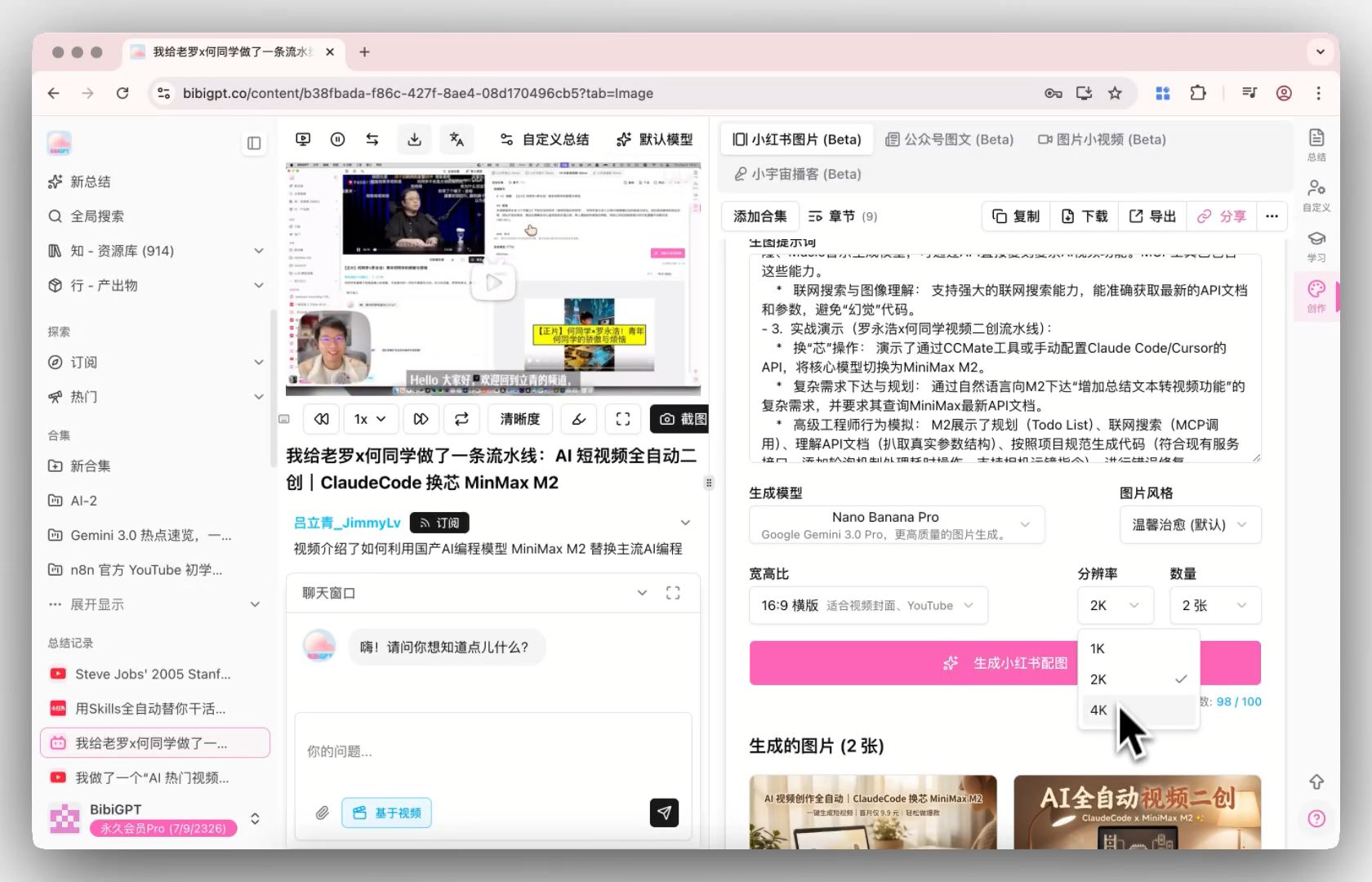 AI Image Generation Resolution Selection
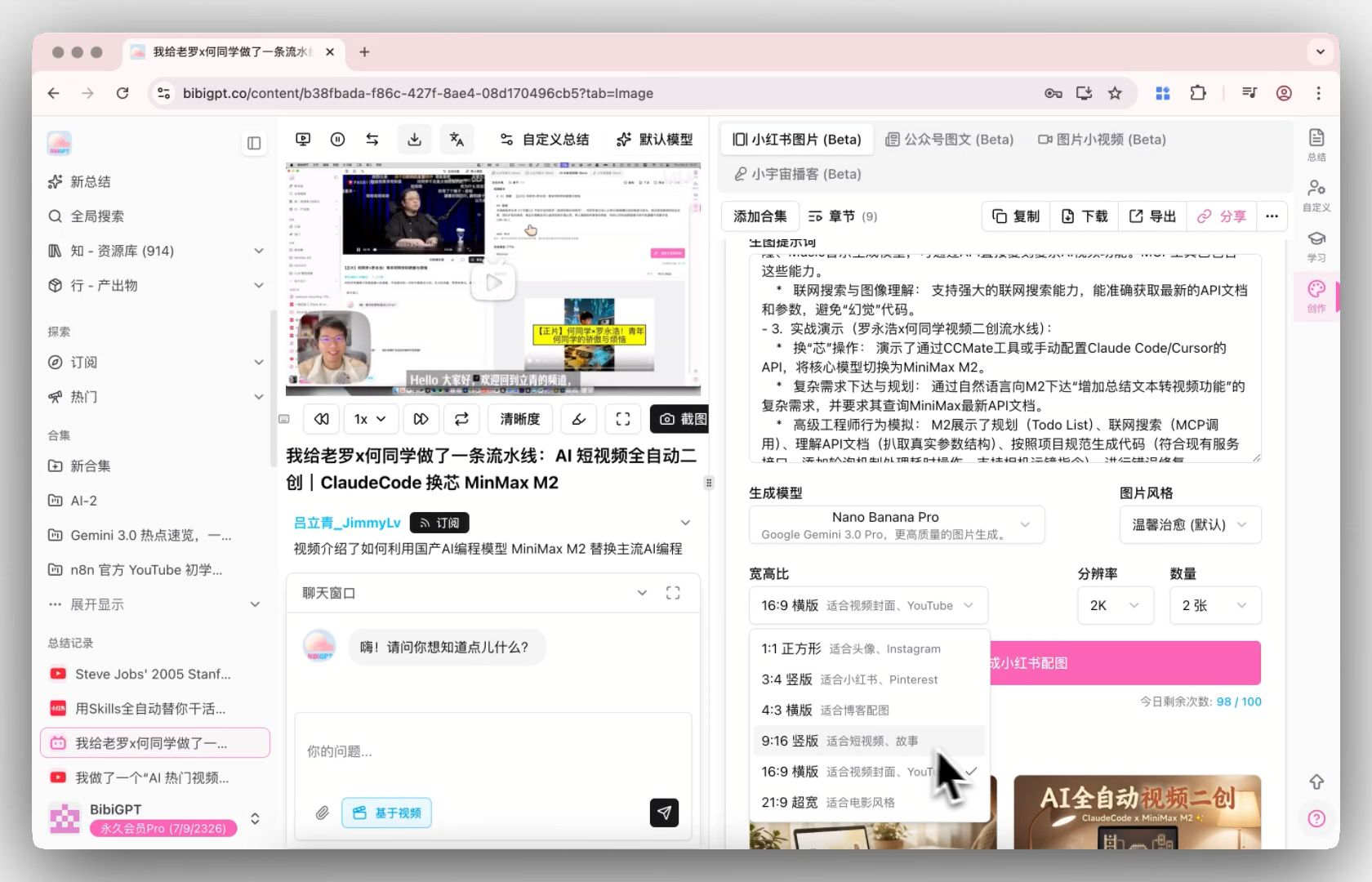 AI Image Generation Aspect Ratio Selection
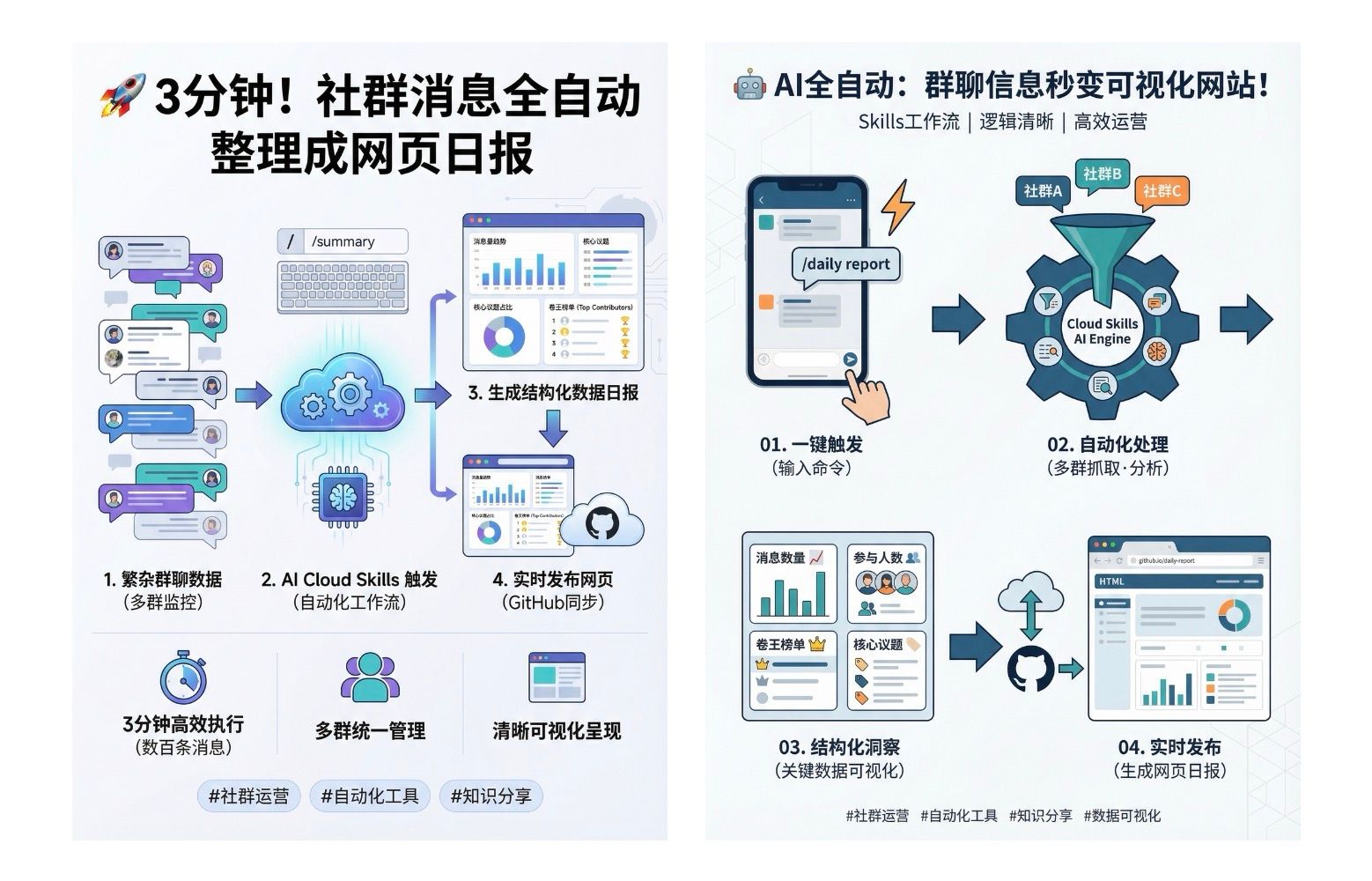 AI Image Generation Example
This feature greatly improves the efficiency of content creators, making the AI image generation feature more practical. If you want to learn more about AI audio-video summary tools, you can check out our features page.
🔍 Find Smarter: Automatic Local File Processing, Easier Configuration
-
Folder Monitoring Workflow Optimization
Desktop folder monitoring is now clearer in configuration and processing feedback, making it easier to confirm and manage the status of new files. -
New "Use Case" Quick Presets
For common sources (such as sync drives, screen recording tools, meeting recordings, etc.), you can directly select preset scenarios to complete configuration,
no longer needing to manually find complex paths, making it more suitable for frequently used local workflows.
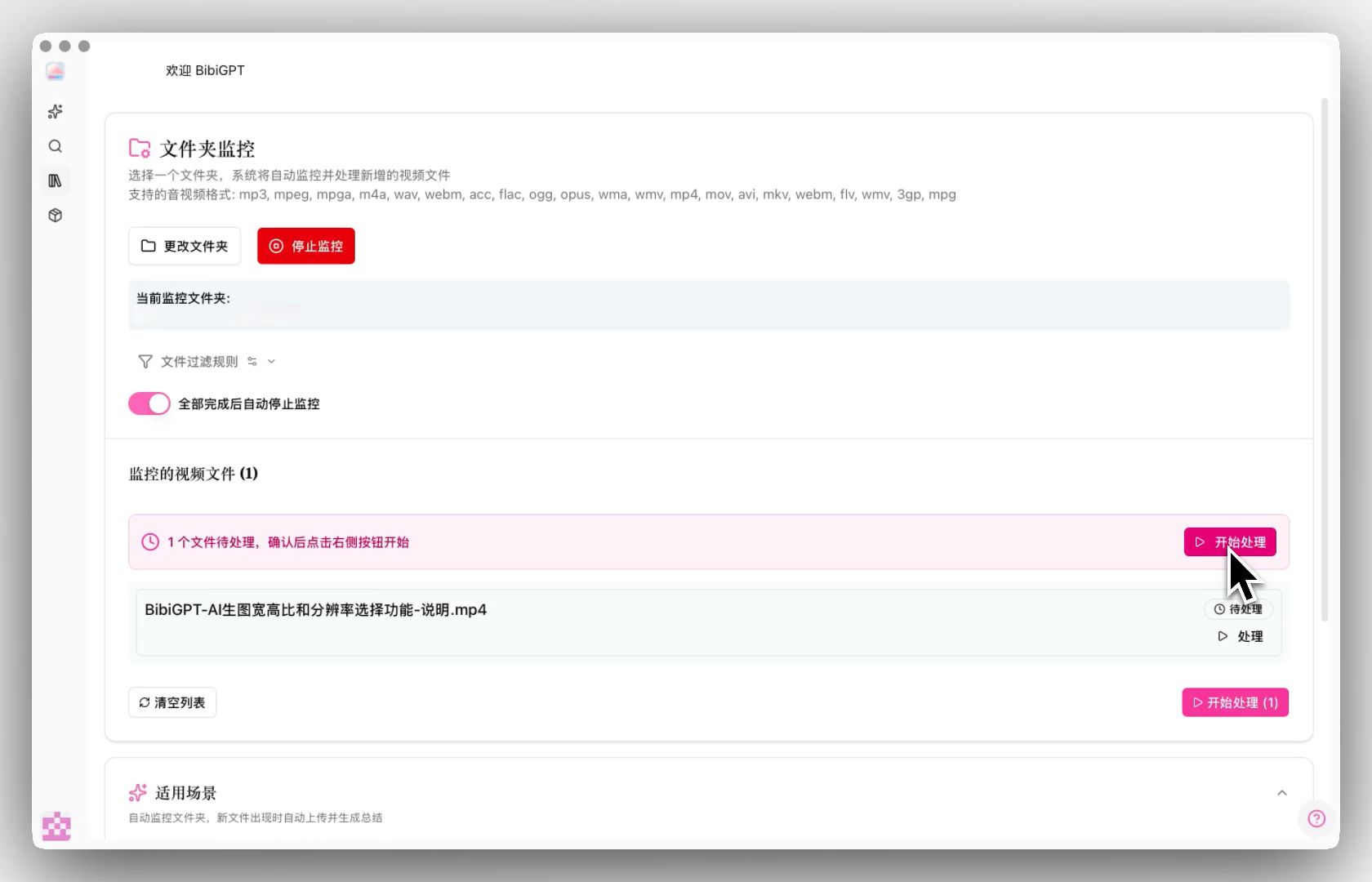 Folder Monitoring Optimization Introduction
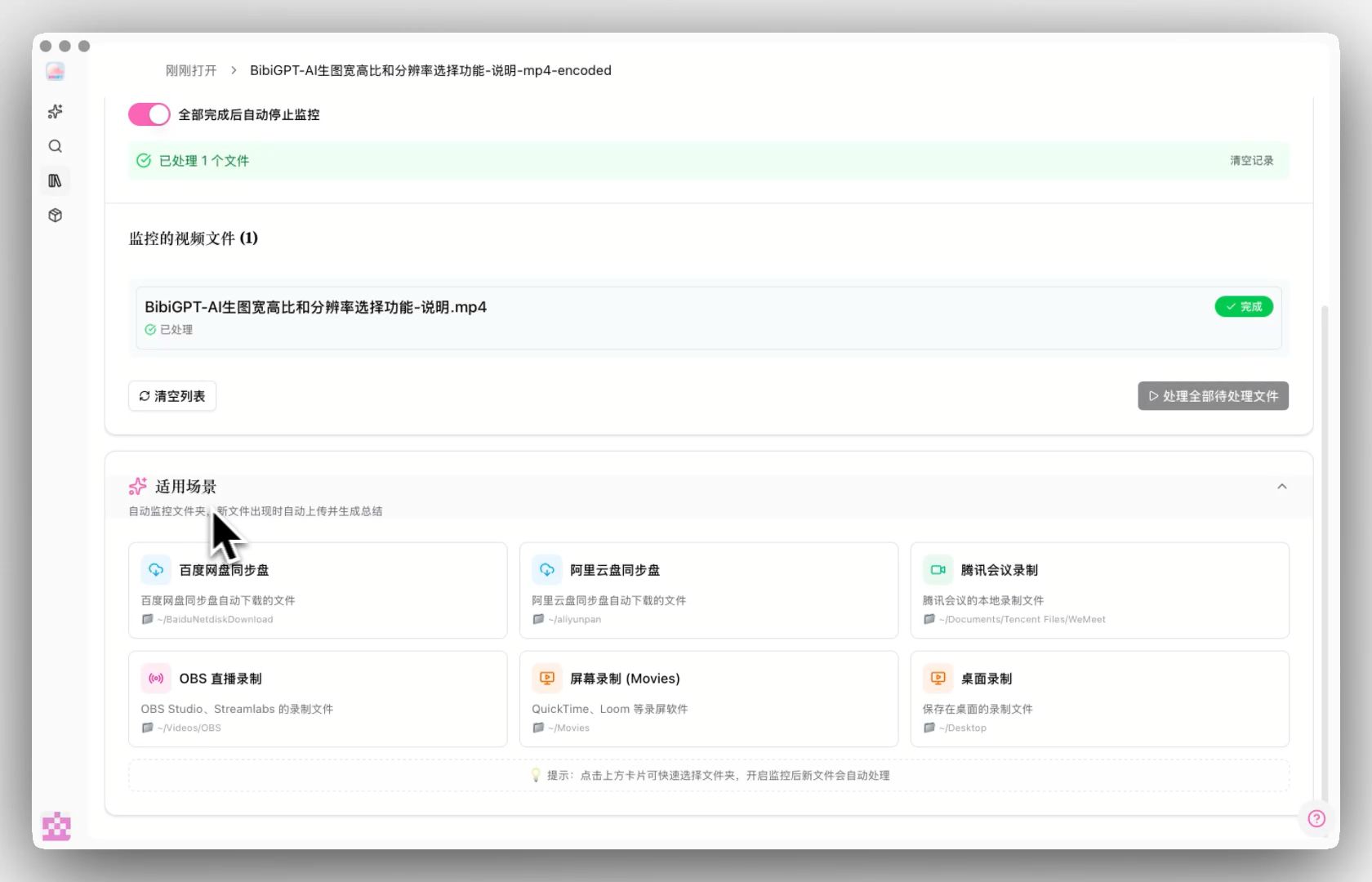 Folder Monitoring Use Case Presets
The optimization of the folder monitoring feature makes AI summarization of local files more automated, especially suitable for users who need to batch process audio-video content. Learn more about local file speech-to-text features.
🛠️ Use Better: From Import, Minimize Interruptions to Your Workflow
- Desktop Client Supports Drag-and-Drop Upload of Audio-Video Files
In the desktop client, you can directly drag local audio-video files into BibiGPT, release to start the upload process.
For users who frequently organize materials and batch process content, this is a very convenient small improvement.
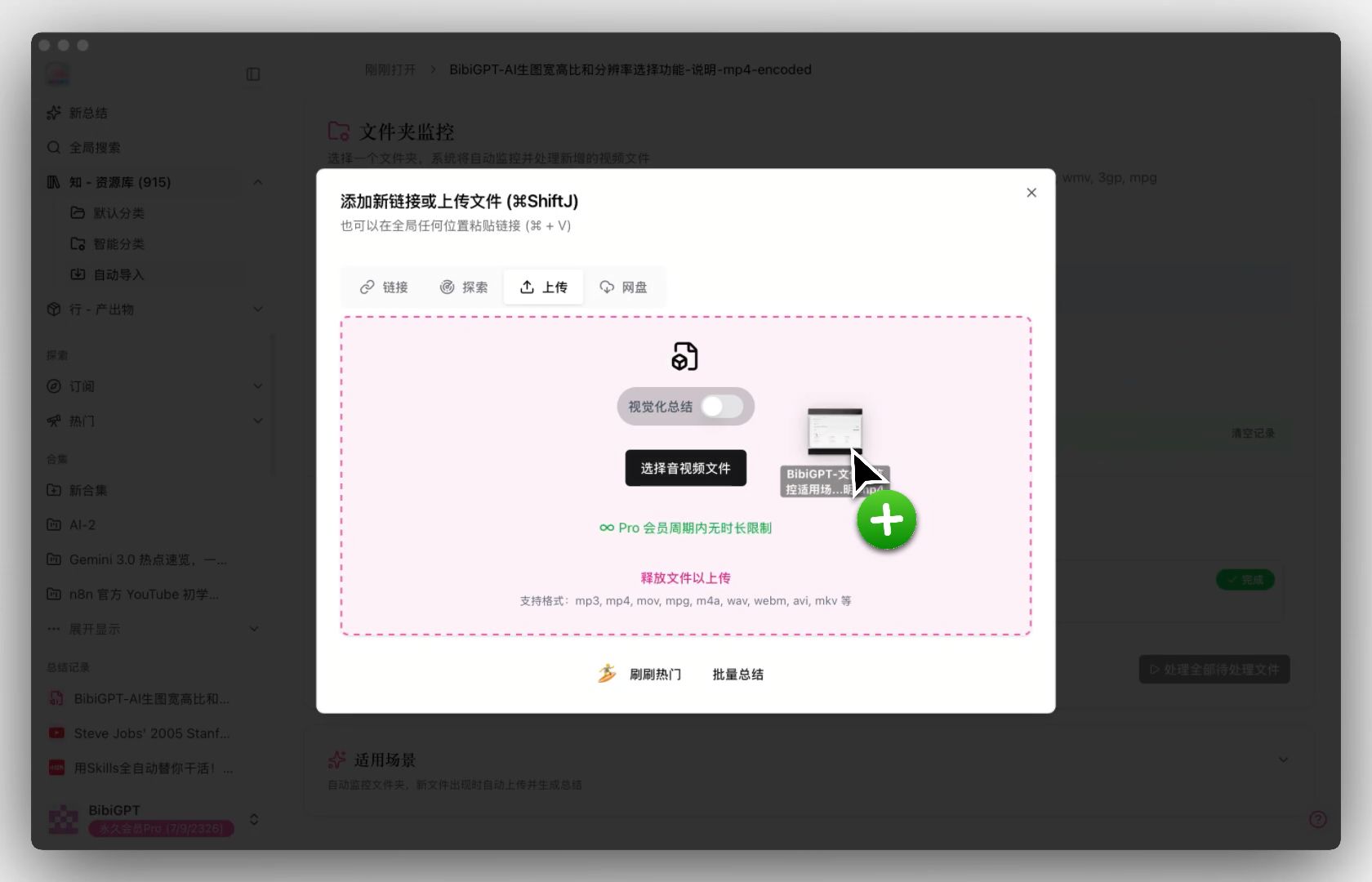 Desktop Client Drag-and-Drop Upload
The drag-and-drop upload feature makes file import more intuitive and efficient, further optimizing the user workflow. If you haven't tried BibiGPT's desktop client yet, you can download and experience it.
✂️ CutFast Progress Update: Make Editing Truly Start from "Understanding Content"
In the content creation workflow, we are also continuously advancing the capabilities of CutFast, an intelligent editing tool that works in conjunction with BibiGPT.
CutFast currently focuses on supporting:
- Automatically identify highlight segments and emotional points in videos, quickly locate editable content
- Intelligent subtitle generation with word-by-word highlighting, suitable for knowledge and tutorial videos
- Automatically identify and remove filler words and unnecessary pauses, significantly reducing fine-tuning time
- Text-based quick rough cuts, with fine adjustments combined with timeline
- Support video link import and quick export, facilitating secondary creation and multi-platform distribution
If you want to understand CutFast's design philosophy and usage more intuitively, we've prepared a more complete video.
Welcome to experience CutFast directly.
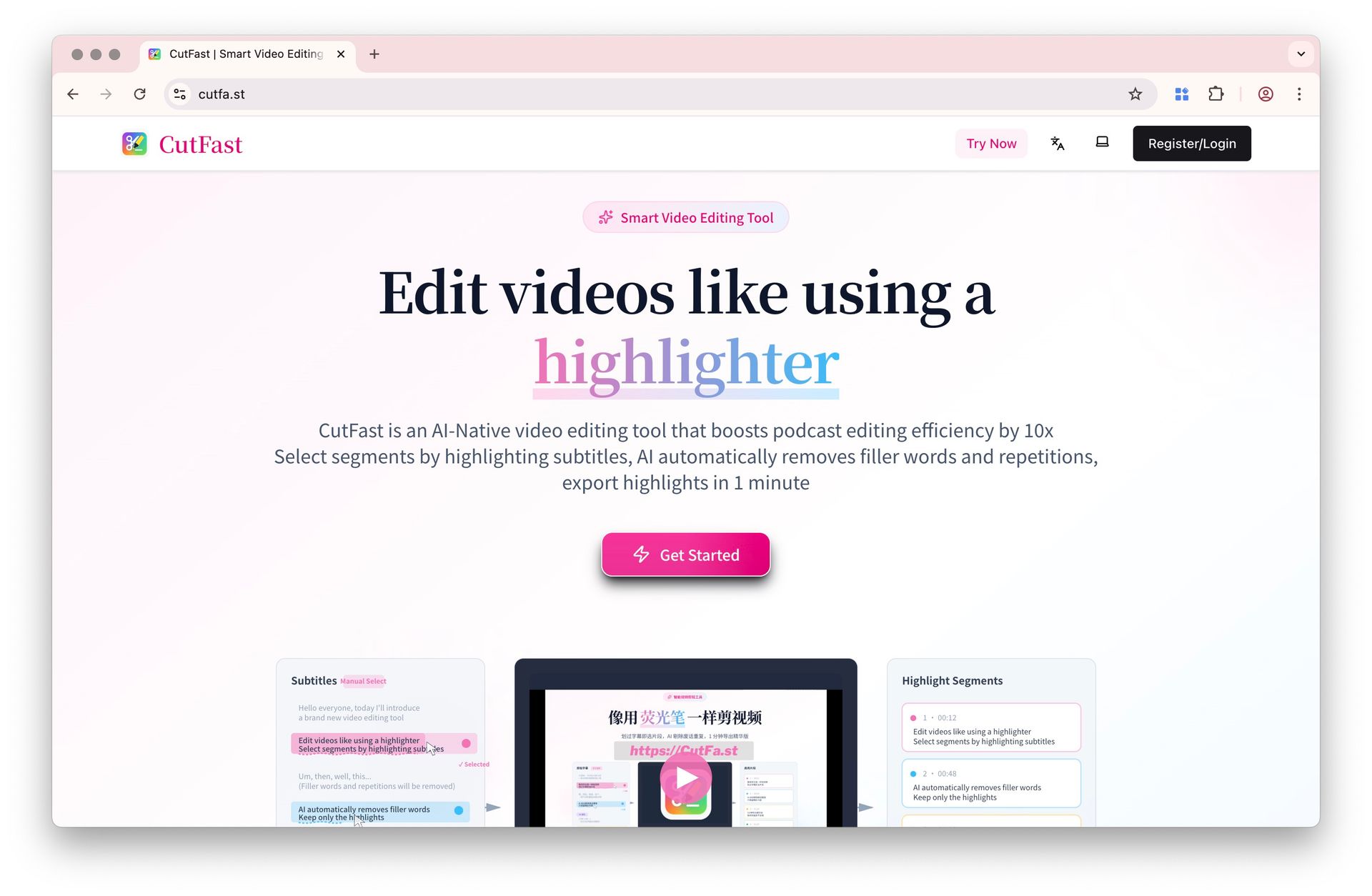 CutFast Homepage
📱 Mobile App Updates: More Unified, More Convenient
-
More Consistent Interface Experience
Common UI components are gradually unified, making the overall visual and operational experience more stable. -
Smoother Content Loading and Output
When viewing summaries and browsing content, the overall experience is more coherent and natural.
Welcome to download the mobile app.
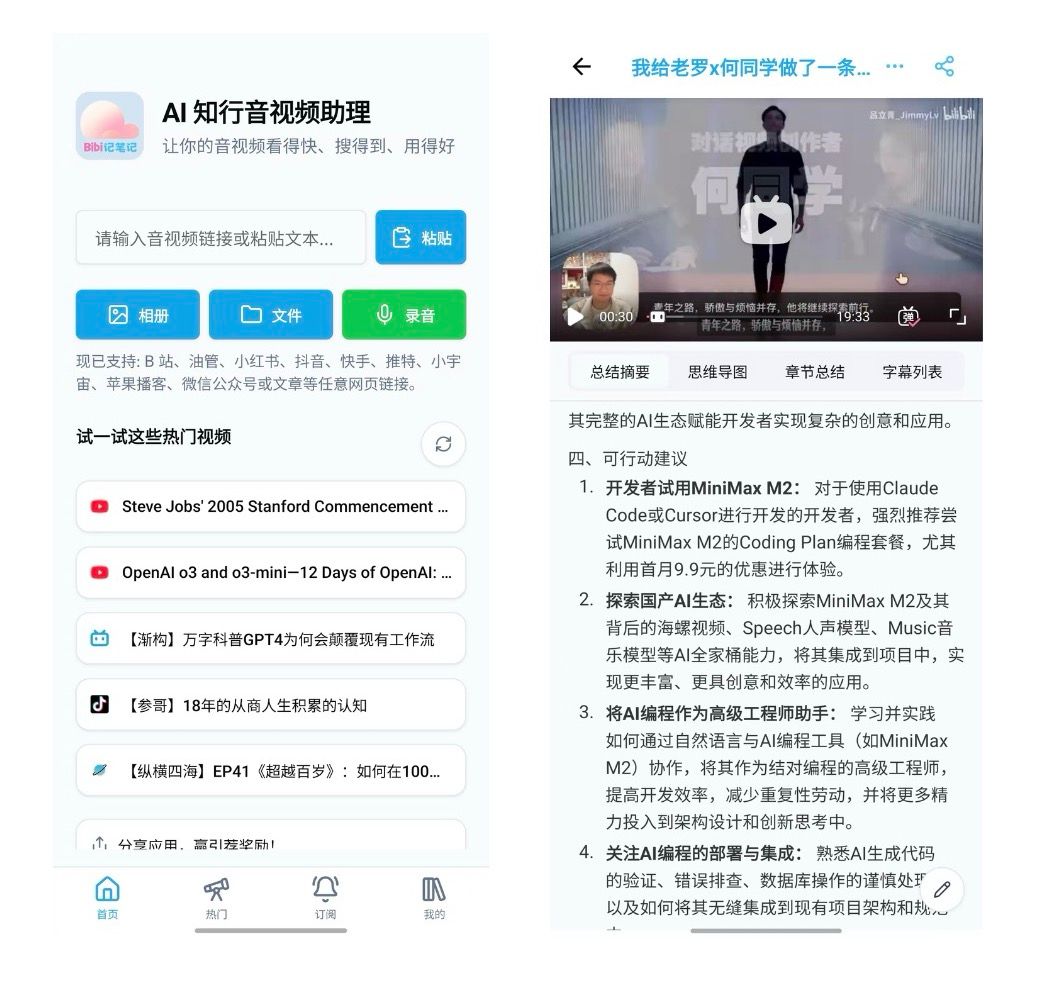 Mobile App UI Update
Mobile optimizations allow you to efficiently use BibiGPT for AI audio-video summarization anytime, anywhere, making knowledge acquisition more convenient.
💬 Thank You for Your Feedback
Many adjustments in this update come from user feedback and suggestions from real-world usage.
Thank you for your continued support and recognition, which helps us continuously refine the product.
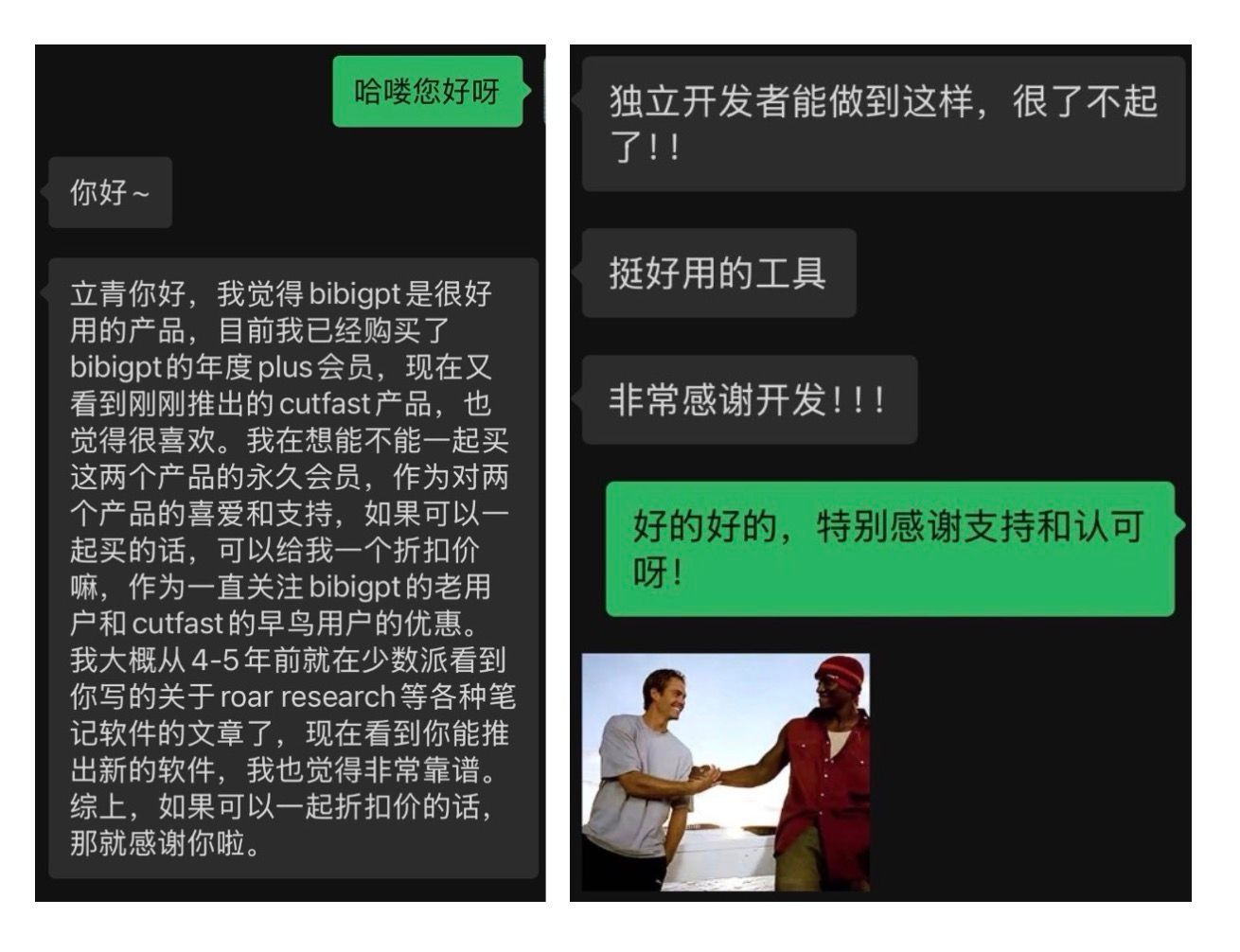 User Feedback
Have feedback or ideas?
We value your input! If you encounter issues or have suggestions, please let us know anytime.
Submit feedbackSummary
BibiGPT v4.201.0 updates, from improved AI image generation clarity to automated folder monitoring optimization, to convenient drag-and-drop upload experience, every feature revolves around the core principles of "Watch Faster, Find Smarter, Use Better," continuously enhancing your AI audio-video summary and creative experience.
Whether you're a content creator, student, or professional, BibiGPT can help you process audio-video content more efficiently, transforming videos into knowledge assets.
Experience BibiGPT's powerful features now and elevate your AI audio-video summary efficiency to new heights!
Happy using!
Experience BibiGPT now
Ready to try these powerful features? Visit BibiGPT and start your intelligent audio/video summarization journey!
Get startedBibiGPT Team