
BibiGPT v4.107.0 Update: Collection AI Dialogues, Flexible Chat Layouts, Cross-Platform Share Posters
BibiGPT v4.107.0 introduces Collection AI Dialogues for cross-video Q&A, a fully resizable chat window, and four free social-share card generators so creators can publish takeaways in seconds.
BibiGPT v4.107.0 Update: Collection AI Dialogues, Flexible Chat Layouts, Cross-Platform Share Posters
Dear BibiGPT community,
Thank you for your continued support and feedback. We know how crucial efficient knowledge intake and management are for you, so the BibiGPT team keeps polishing the product to deliver a smoother and more capable audio and video learning experience.
This release focuses on deep learning workflows, cross-video knowledge management, and effortless sharing. Guided by our core framework of “Watch Faster, Find Smarter, Act Better,” we have prepared a detailed breakdown of the new capabilities below.
As an ever-evolving AI media assistant toolkit, BibiGPT now covers even more of the end-to-end learning chain—from sourcing content to producing actionable knowledge assets.
Experience BibiGPT now
Ready to try these powerful features? Visit BibiGPT and start your intelligent audio/video summarization journey!
Get started1. Watch Faster: An Immersive Learning Interface
We refined the UI so you can enjoy a flexible, distraction-free space whenever you dive into long-form Q&A or deep study sessions.
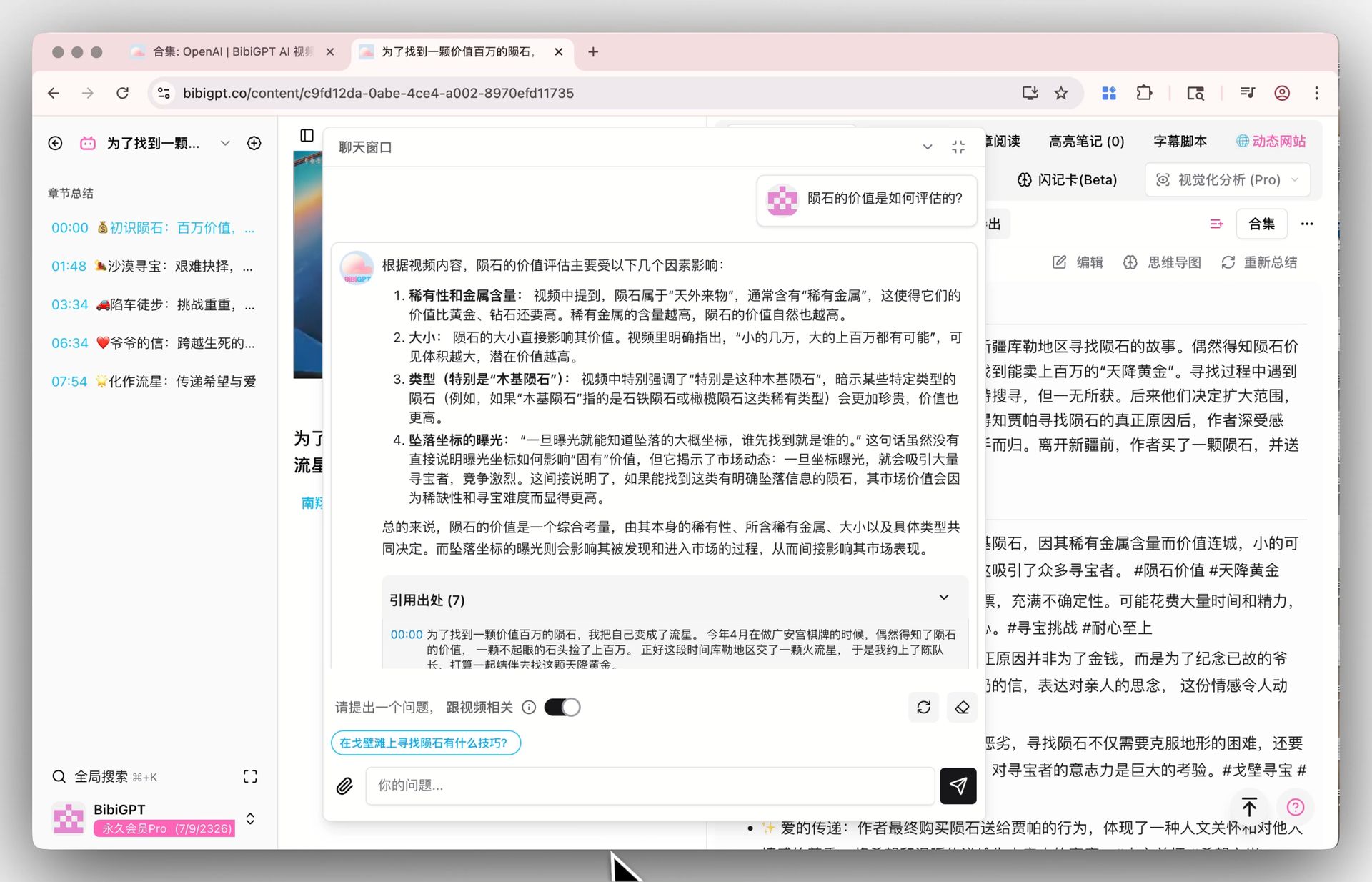
AI Chat Window with Flexible Layout (Fullscreen, Move, Resize)
You told us the chat panel felt cramped and clipped longer answers, so we fixed it. On any video detail page you can now toggle fullscreen, drag the chat around, and resize it freely. Long-form questioning and reflective thinking now happen in a spacious, immersive dialogue environment.
2. Find Smarter: Build a Cross-Video Knowledge Base
Stop treating every video as an island. Playlists now behave like collaborative knowledge bases so you can search and compare insights across episodes instantly.
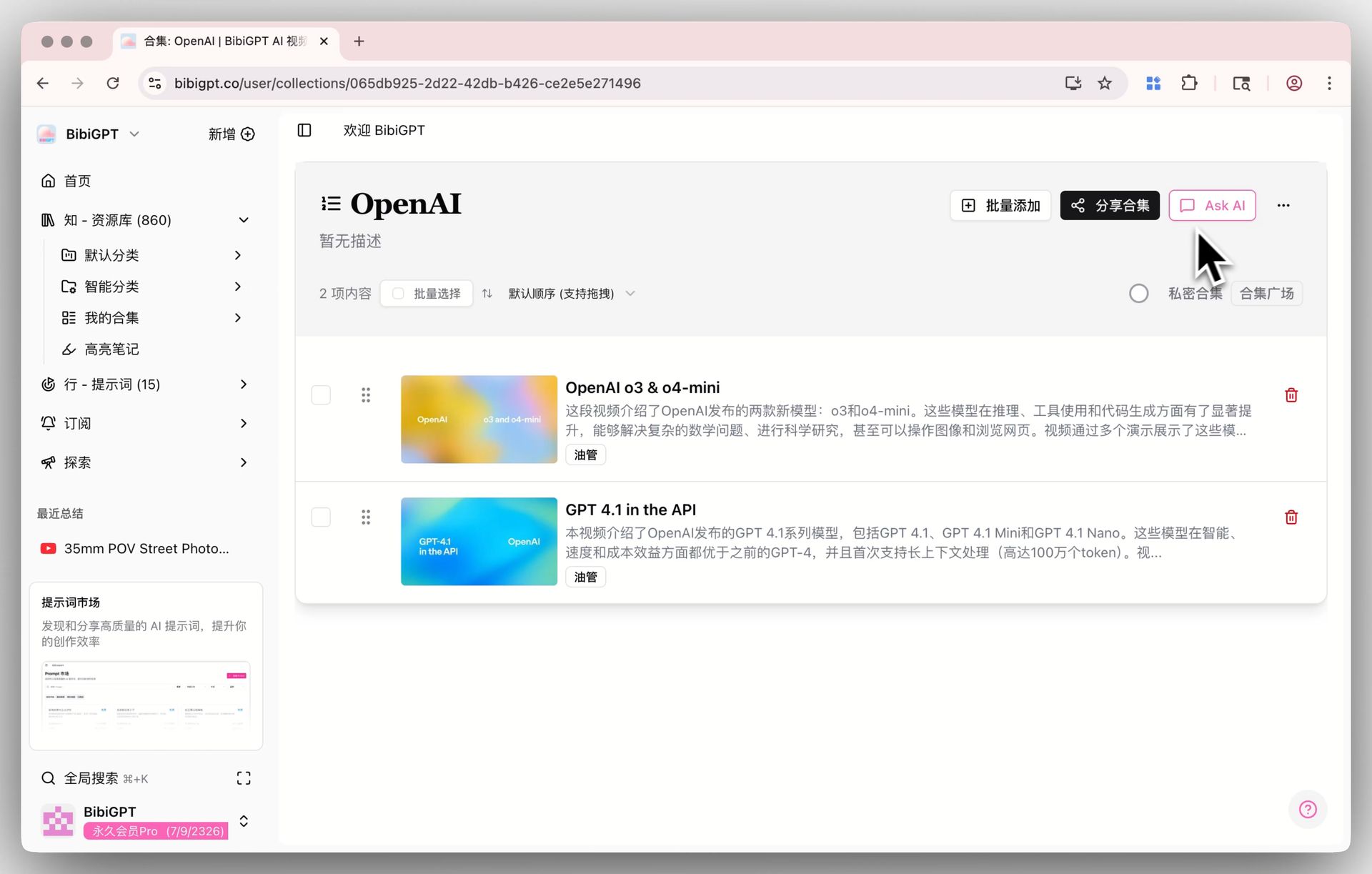
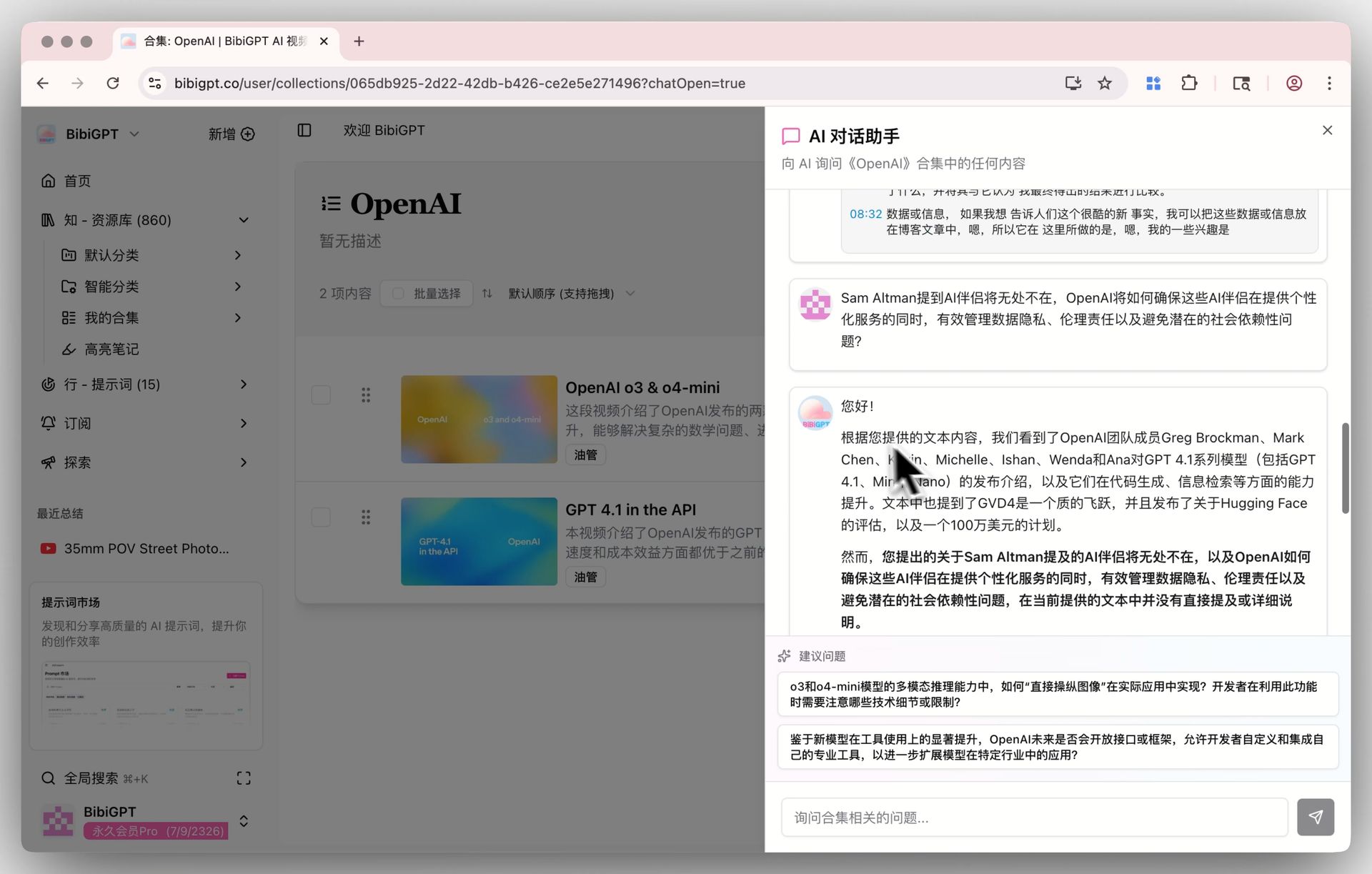
Collection AI Dialogues (Ask AI in Collections)
If you save course series, interview playlists, or any themed batch of videos, you can now click “Ask AI” on the collection page and query the entire set at once. The assistant fuses content from all videos to deliver precise answers, compare viewpoints, and extract highlights—supercharging research and batch learning.
Pair this with the YouTube summary feature to review each video quickly before escalating to deeper, collection-level questions that connect the dots.
3. Act Better: Distribute Learnings in One Click
Sharing is the final mile of learning. We added a free-sharing toolkit so your insights look great on every social platform without extra design work.
Multi-Platform Share Cards and Poster Generators
Four built-in image generators solve the biggest pain point in content distribution—finding on-brand visuals fast:
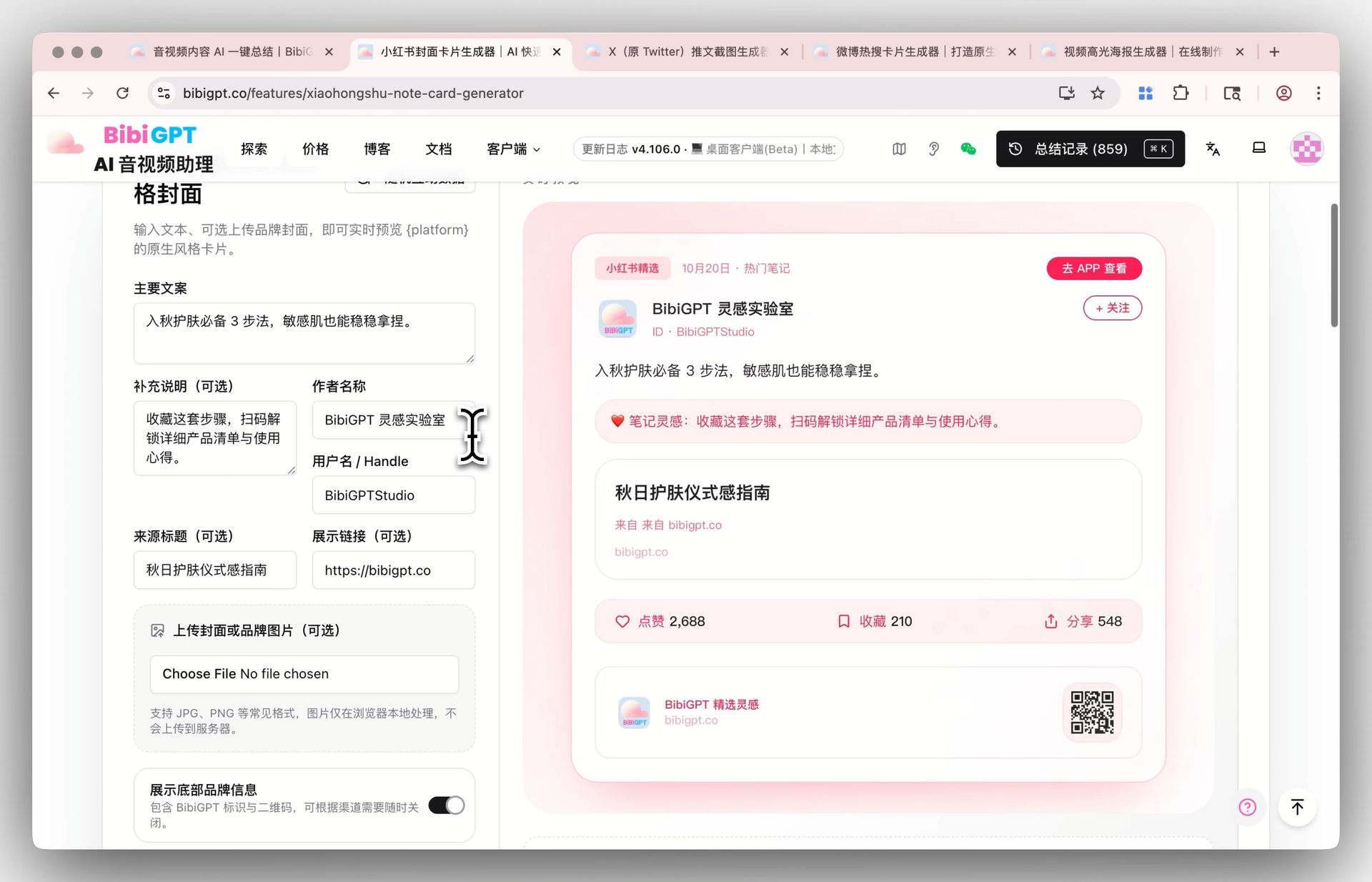
Xiaohongshu Cover Card Generator
Generate clean, Xiaohongshu-ready covers in a single click.
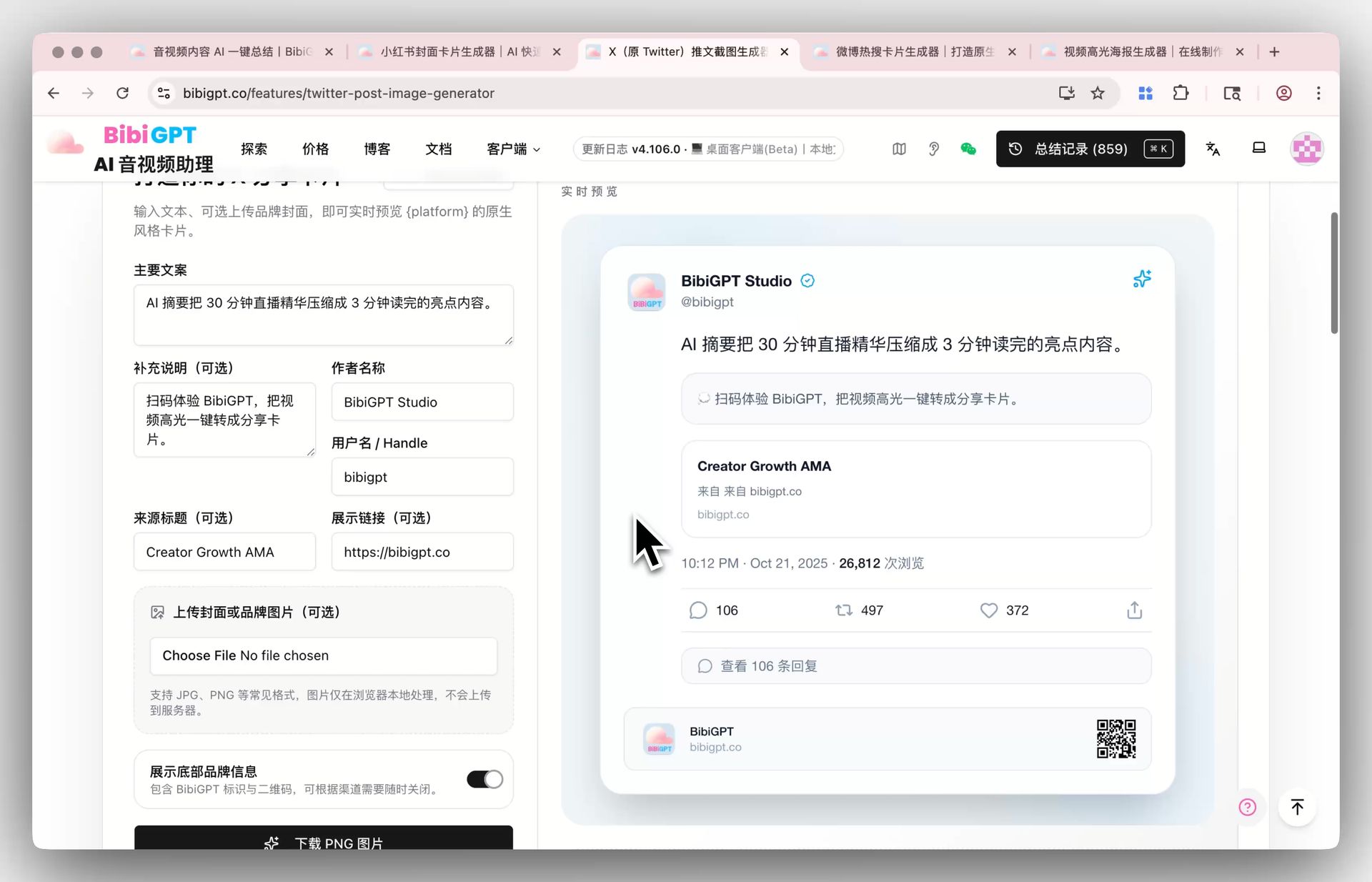
X (Twitter) Tweet Screenshot Generator
Create polished tweet mockups tailor-made for global audiences.
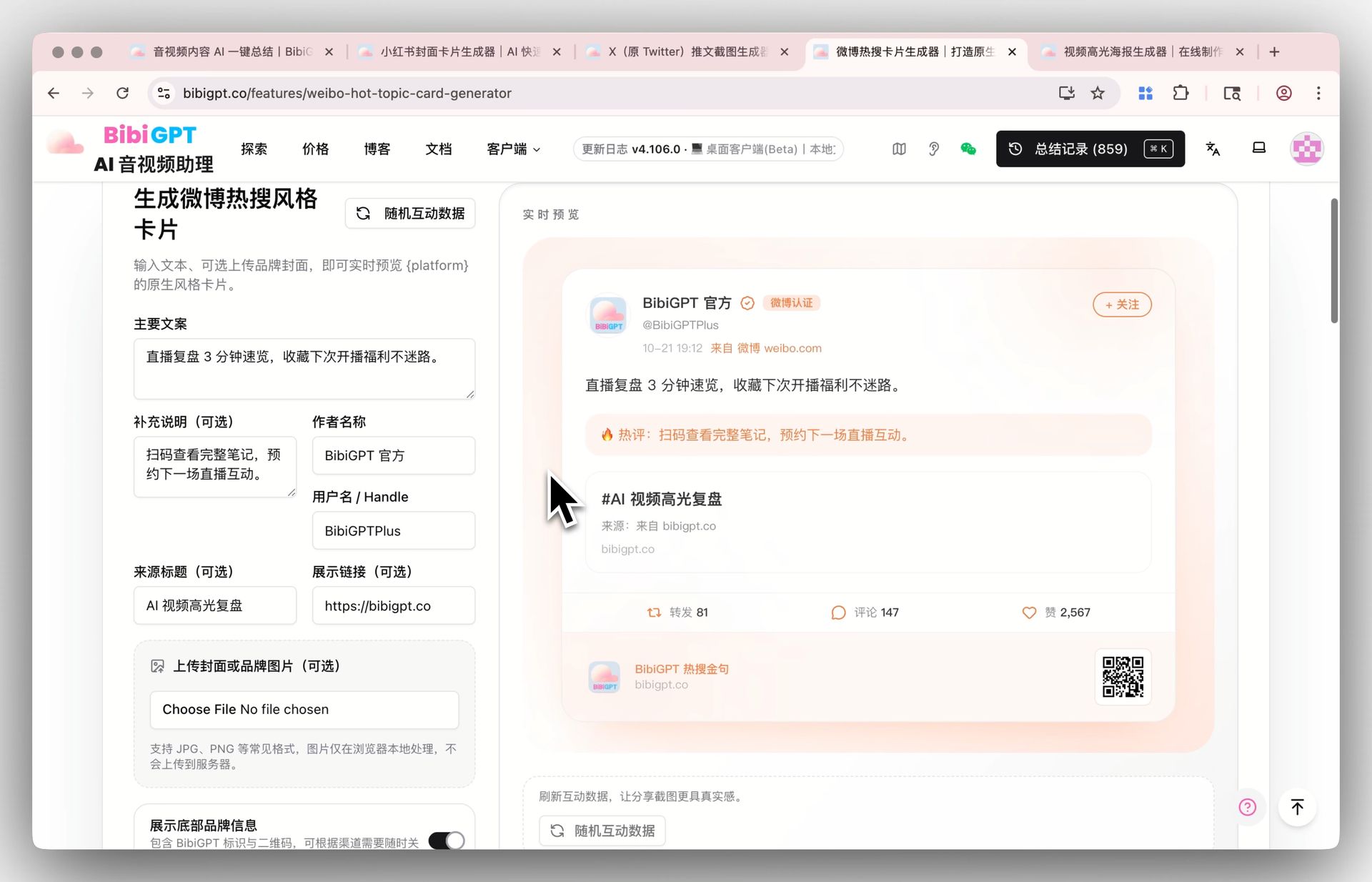
Weibo Trending Card Generator
Mimic the look of a trending Weibo post so your content blends into high-traffic feeds.
Video Highlight Poster Generator
Extract “golden quotes” or climax moments from any video, then export a branded poster with QR code in seconds.
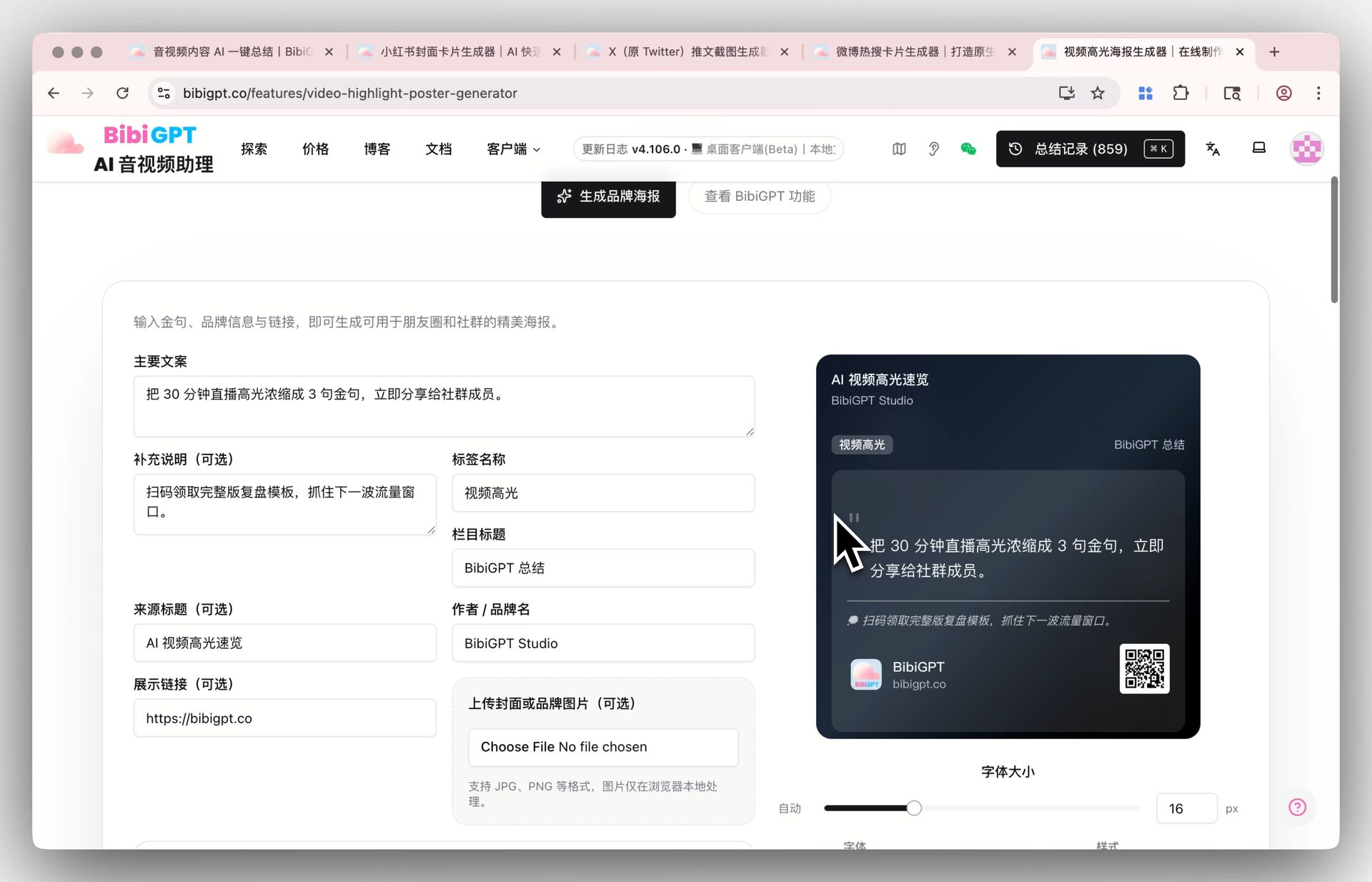
All templates support custom copy, author credits, and high-resolution PNG downloads—dramatically reducing the time it takes to ship a campaign.
Pair them with the AI Q&A assistant to surface the most share-worthy takeaways before you design, and your publishing workflow becomes instant.
Feature Highlights
Immersive Learning
- Flexible chat layout: Fullscreen, drag, and resize the dialogue window to create more space to think.
Cross-Video Intelligence
- Collection AI dialogues: Fuse multiple videos into one searchable, comparable conversation.
Efficient Sharing
- Four free share tools: Xiaohongshu, Twitter, Weibo, and video highlight poster generators.
- One-click visuals: Customize text and branding while exporting polished assets in seconds.
Our Take: How AI Summaries Reshape the Learning Timeline
Throughout development we kept asking ourselves: What does an AI summary actually change about learning?
From user feedback and our own workflows, we found that the goal is not to replace study sessions, but to make them more meaningful, effective, and flexible. Let’s walk through the learning timeline to see why.
Before Watching: Curate the Essentials, Arrive with Questions
Previously we would click on a video blindly, unsure if it deserved our time. Now a quick AI summary reveals the core ideas in seconds, letting you pre-select truly valuable content.
Better yet, you can arrive with explicit questions and expectations. Learning with intent makes every minute feel purposeful and rewarding.
During Watching: Immerse Yourself, Focus on Thinking
This is the heart of the update: AI summaries remove the burden of note-taking so you can focus on comprehension.
Knowing that AI will capture and organize details later, you can dedicate your mental energy to understanding, reflecting, and synthesizing. That freedom often unlocks deeper insights and inspiration.
Learning is about thinking—not transcribing. With AI handling the mechanical chores, your brain stays on the high-value activities.
After Watching: Summaries That Cement Knowledge
Finishing a video is just the beginning. With BibiGPT’s summaries and dialogues you can:
- Map the key points into a structured knowledge outline
- Dive deeper with follow-up questions that uncover hidden logic
- Connect the dots with what you already know to grow your personal knowledge network
Loose clips turn into assets you can reuse in decision-making, teaching, or creation.
When Reviewing Later: Retrieve the Exact Moment Instantly
Months later when you recall a concept vaguely linked to a video, you no longer have to rewatch everything. Ask BibiGPT and the AI will pinpoint the relevant segment so you can refresh the knowledge on demand.
This “knowledge-point search” ensures every study session compounds over time.
AI will not erase the learning journey—it will make every step more intentional.
By offloading rote tasks, you can spend more time on creative exploration, critical thinking, and deep understanding. That is the transformation BibiGPT aims to deliver for every learner.
Experience BibiGPT v4.107.0 Today
All of these upgrades are live—no manual updates needed. Just log in and try them. We are confident they will elevate how you learn from audio and video content and how you share what you know.
Your ongoing use powers our progress, and we hope these features bring you a smoother, more delightful learning and creation flow.
Keep Exploring BibiGPT
Want to weave the latest features into your daily workflow? The AI media assistant toolkit is ready to combine playlists, summaries, and dialogues into your personal knowledge engine.
Have feedback or ideas?
We value your input! If you encounter issues or have suggestions, please let us know anytime.
Submit feedbackExperience BibiGPT now
Ready to try these powerful features? Visit BibiGPT and start your intelligent audio/video summarization journey!
Get startedVisit the BibiGPT website today and experience faster, more insightful AI-powered media summaries.
Happy learning!
The BibiGPT Team