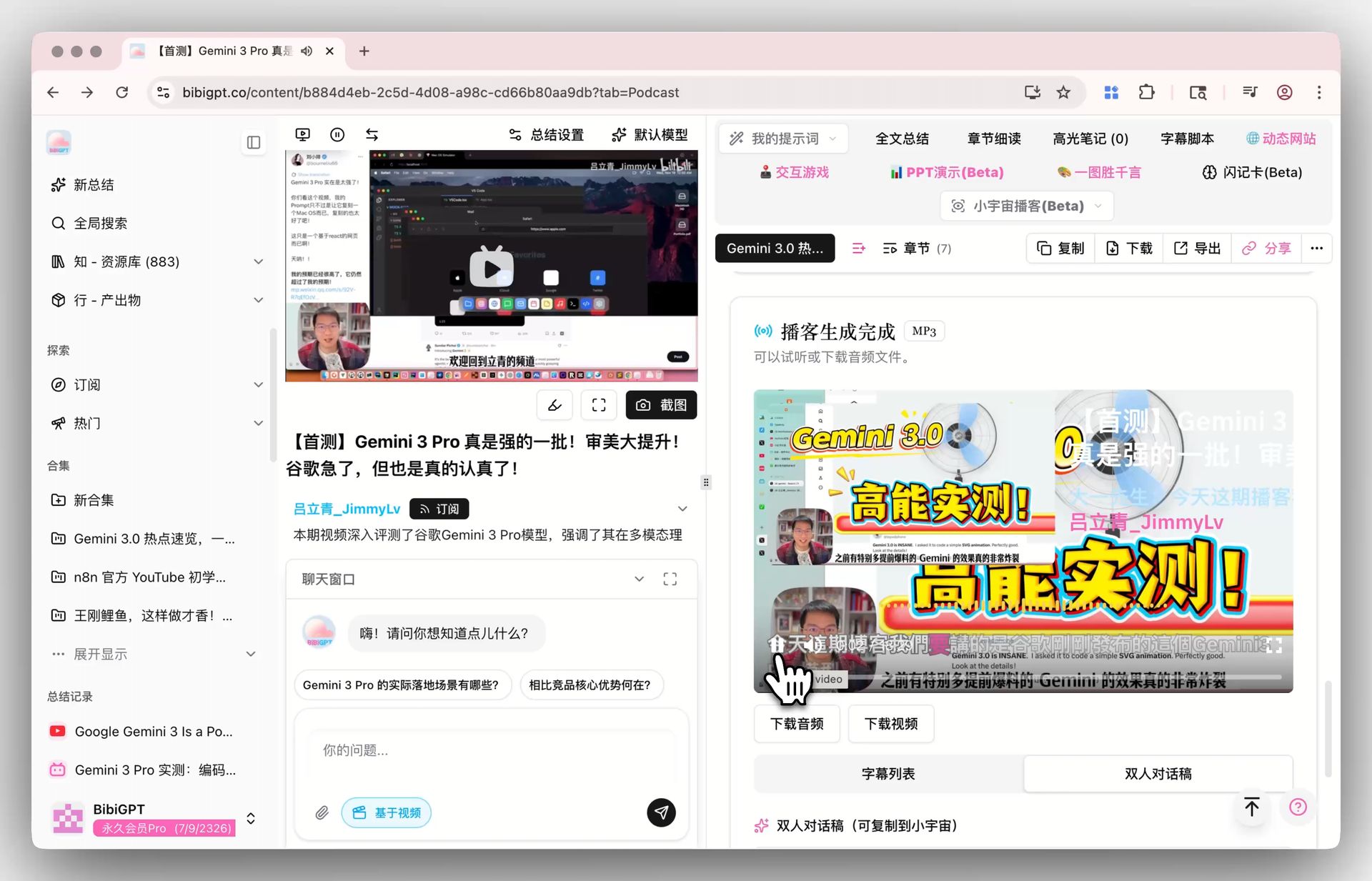
AI Podcast Summarizer: 6 Tools Compared + BibiGPT Workflow (2026 Comprehensive Guide)
AI Podcast Summarizer: 6 Tools Compared + BibiGPT Workflow (2026 Comprehensive Guide)
TL;DR: The best AI podcast summarizer in 2026 is BibiGPT — 30+ platforms supported natively, multi-model routing, deep Notion/Obsidian integration. Best for multi-platform listeners. Second is Snipd — superior in-app highlight clipping, but Apple Podcasts/Spotify only. Other tools are limited by platform coverage or note export. If you subscribe across platforms and want podcasts to actually compound into your knowledge base, BibiGPT is the answer.
Listening to a 90-minute podcast and producing notes you can actually reference later takes about 4 hours the old way: 1.5x playback (60 min) + writing (60 min) + verification re-listens (30-60 min). The AI podcast summarizer category promises to compress that into 5 minutes. But the gap between tools is wider than you’d think.
We ran a single 90-minute podcast — Sora 2 and the Future of AI Video Generation — through six leading tools and benchmarked the results. Here’s what we found.
TL;DR: 6-tool comparison at a glance
| Tool | Platform coverage | Speed | Note export | Multilingual | Price | Best for |
|---|---|---|---|---|---|---|
| BibiGPT | 30+ platforms (Apple / Spotify / Pocket Casts / Xiaoyuzhou / Himalaya / Castbox / etc.) | ≈ 3-5 min | Markdown / Notion / Obsidian / Lark | ZH / EN / JA / KO / zh-TW | Free + Plus from $19.8/mo | Multi-platform listeners, note-system users |
| Snipd | Apple Podcasts / Spotify | ≈ 1-2 min | In-app + Readwise | English-first | Free + Premium $59/yr | Apple/Spotify users who love clipping |
| Otter.ai | Audio upload only | ≈ 5-8 min | Doc / email | English-first | Free 30 min/mo, Pro $16.99/mo | Meeting users who occasionally summarize podcasts |
| Notta | Upload + Zoom | ≈ 5-10 min | Markdown / Notion | Multilingual but weak podcast tuning | Free 120 min/mo, Pro $13.99/mo | Upload-first users on a budget |
| Castro AI | Castro app only | Instant in-app | In-app | English | Castro subscription only | Castro power users |
| Apple Podcasts AI | Apple Podcasts only | Instant in-app | iCloud sync | English-first | Free with Apple One | Closed Apple ecosystem users |
Data based on 2026-05-06 public versions, tested on macOS 14 + iOS 17.
1. Why does AI podcast summarization need so many tools?
Podcasts are not videos. Videos have visual signals (captions, frames, chapter art) that help AI comprehension. Pure audio relies on ASR + multi-speaker diarization + topic segmentation + timeline alignment — an entirely separate technical stack.
Platform formats also vary wildly:
- Apple Podcasts: standard RSS Feed, easiest for tools to integrate
- Xiaoyuzhou / Himalaya / Castbox: Chinese ecosystems with custom parsing requirements
- Spotify Original: licensed exclusives, tools must obtain rights
- YouTube Podcasts: actually video, requires the video pipeline
- Meeting recordings: uploaded MP3, no metadata
Covering all of those scenarios in one product is expensive. So in practice you see specialization: Snipd → Apple/Spotify, Otter → meetings, Notta → uploads, Castro → app users. Only BibiGPT takes the platform-aggregation route — 30+ platforms supported natively.
2. In-depth review: 6 tools
2.1 BibiGPT — the platform aggregator

Strengths:
- Paste links from Apple Podcasts / Spotify / Pocket Casts / Xiaoyuzhou / Himalaya / Castbox and 30+ more — get a structured summary
- Multi-model routing: picks the best model based on podcast type (finance/tech/entertainment/academic)
- One-click export to Notion / Obsidian / Lark / WeChat Public Account drafts
- AI follow-up Q&A: ask questions across episodes (same host across multiple episodes / same topic across multiple shows)
- Mind maps: compress 90 minutes into a clickable knowledge graph
Weaknesses:
- In-app listening UX (chapter jump + highlight clipping) is less immersive than Snipd
- Multi-speaker recognition has 5-10% error margin on long-tail shows
Best for: Multi-platform listeners; people who want podcasts to compound into a personal knowledge base; creators who turn podcast takeaways into articles or videos.
2.2 Snipd — the highlight clipper
Strengths:
- Most immersive Apple Podcasts / Spotify experience; “Snip” extracts highlight clips in 1 second
- AI topic segmentation + intuitive chapter naming
- In-app playback + highlight + AI summary in a single integrated UX
Weaknesses:
- Only supports Apple Podcasts and Spotify — no Xiaoyuzhou, Himalaya, or other Chinese platforms
- Note export limited to in-app and Readwise
- Chinese podcast accuracy noticeably lower than English
Best for: English-first users fully on Apple Podcasts / Spotify who love the highlight-clip workflow.
2.3 Otter.ai — meetings spilling into podcasts
Strengths:
- Best-in-class multi-speaker diarization (Otter’s core moat)
- Team collaboration: shared transcripts, comments, summaries
- Deep Slack / Zoom / email integration
Weaknesses:
- You must download the podcast as audio first, then upload — long workflow
- Limited Chinese support
- Summary quality below podcast-tuned tools like BibiGPT and Snipd
Best for: English-speaking users whose primary scenario is meetings, occasionally summarizing uploaded podcasts.
2.4 Notta — the upload-first option
Strengths:
- Better multilingual support than Otter (ZH, EN, JA, KO, etc.)
- Two paths: Zoom integration + audio upload
- Friendly pricing ($13.99/month Pro)
Weaknesses:
- No native platform link support — always download then upload
- Weak topic segmentation (time-based rather than topic-based)
- Flat note structure
Best for: Upload-centric users mixing Chinese and English on a tight budget.
2.5 Castro AI — built into the Castro app
Strengths:
- Castro is already an excellent podcast client; AI summary is seamlessly integrated
- All summaries available in-app while listening
Weaknesses:
- Only available inside Castro app
- Castro has limited market share (especially in China)
- Weak note export
Best for: Castro power users.
2.6 Apple Podcasts AI — Apple ecosystem native
Strengths:
- Built into iOS 17, no third party needed
- iCloud sync across Mac / iPhone / iPad
Weaknesses:
- Only Apple Podcasts content
- Chinese summary quality clearly behind English
- Cannot export to Notion / Obsidian / external note tools
Best for: Users entirely on Apple Podcasts and entirely on Apple’s note ecosystem.
3. BibiGPT 5-step workflow
If you ended up choosing BibiGPT, here’s the workflow validated by 10K+ users.
Step 1: Paste the link
Open the BibiGPT homepage and paste an Apple Podcasts / Spotify / Xiaoyuzhou / Himalaya / Castbox link.
Step 2: Pick a model (optional)
The default model handles 90% of use cases. For English academic podcasts, switch to Claude 3.5 Sonnet. For Chinese finance/tech, the default is fine.
Step 3: Wait 3-5 minutes
90-minute podcast ≈ 3-5 minutes to summary. Do something else while BibiGPT runs in the background.
Step 4: Read closely + ask questions
Once the summary lands, ask questions inline: “What evidence supports the host’s third claim?” “How does this episode differ from the last one?” The AI follow-up will go back to the source audio for answers.
Step 5: Export and compound
One-click export to Notion / Obsidian / Lark / WeChat draft. Podcast insights now live inside your Second Brain.
4. Final advice by user type
4.1 Multi-platform listeners → BibiGPT
If you simultaneously subscribe to Xiaoyuzhou + Apple Podcasts + Spotify and need one unified entry: BibiGPT is the only tool covering all 3+ platforms.
4.2 Apple/Spotify only + clipping fans → Snipd
If you only listen on Apple Podcasts / Spotify and value the “Snip” highlight clipping UX: Snipd is still the most immersive.
4.3 Meetings + occasional podcasts → Otter.ai
If meetings are primary and podcasts secondary: Otter’s diarization is still industry-leading.
4.4 Upload + budget-sensitive → Notta
If you’re fine downloading and uploading audio every time, with a $14/month budget: Notta is best price-performance.
4.5 Apple ecosystem only → built-in Apple Podcasts AI
If you only listen and only take notes inside Apple’s ecosystem: the built-in AI summary is enough.
FAQ
Q1: How accurate is BibiGPT on a 90-minute podcast?
Chinese podcasts: 95%+ for main points, 92%+ for timestamp accuracy. English similar. Round-table style podcasts with multiple speakers drop to 85-90%.
Q2: How much can I do on the free tier?
BibiGPT free tier has a daily quota — enough to try 1-2 podcasts per day. Heavy users should consider Plus ($19.8/mo and up).
Q3: Can I batch-process all subscribed shows?
Yes. BibiGPT supports RSS auto-summary — new episodes are summarized automatically and pushed to your collection.
Q4: Can I send the summary to my WeChat blog?
Yes. BibiGPT exports to WeChat Public Account draft format with images, chapter divisions, and citations.
Q5: Does BibiGPT have Snipd’s “Snip” experience?
Slightly different shape. BibiGPT’s analog is “chapter jump + highlight timestamp click-through to source audio” — no standalone clip-share app, but functionally the loop is closed.
Closing: pick by listening pattern, not by hype
There’s no “best” AI podcast summarizer — only the right one for your listening habits.
Multi-platform listener + note-system user → BibiGPT Apple/Spotify + clipping fan → Snipd Meetings spilling into podcasts → Otter.ai
Further reading:
- Second Brain AI Video & Podcast Workflow Methodology
- Feynman Technique + AI Podcast Deep Learning Guide
- Complete Guide to AI Video Summarization
- AI Podcast Summary Tool Page
Authoritative sources:
BibiGPT Team