
How to Find Viral TikTok Trends with AI: The AI-Native Workflow for Short-Video Growth (2026)
How to Find Viral TikTok Trends with AI: The AI-Native Workflow for Short-Video Growth
Quick answer: Stop hunting for viral TikTok trends by scrolling the feed and going on gut feel. The faster way is an AI-native workflow with four steps: (1) spot trends that are still spreading, (2) judge whether the effect can be replicated with editing or AI tools, (3) pull the ready-made recipes already sitting in the comments, and (4) batch-produce look-alikes to ride the wave and drive growth. This guide breaks down all four steps and shows how BibiGPT’s TikTok Viral Finder automates them in one click.
If you’re a content creator, a multi-account operator, or you run overseas user acquisition for an app like CapCut, an AI avatar tool, or an AI comic app, this workflow is written for you.
Why Manually Scrolling TikTok for Viral Content No Longer Works
Let’s start with something a lot of teams don’t want to admit: finding content ideas is quietly eating the most valuable hours of an operator’s day.
The global average is 95 minutes a day on TikTok, and the typical user burns roughly 34 hours a month scrolling (Time Spent on TikTok Statistics, Awisee). What makes it worse for operators is that the feed is engineered to keep you hooked, so the line between “productive research” and “mindless consumption” is nearly invisible — you open the app to check analytics, and 45 minutes later you’re watching cooking videos (Stormy AI Blog).
The deeper problem is that “going on feel” is unreliable by design:
- The sample is too small. One person can only seriously watch a few hundred videos a day, nowhere near enough to cover what’s actually spreading in a niche.
- The read is too late. By the time something “feels viral” to you, the window to replicate it has often already closed.
- It doesn’t scale. A hit you picked on instinct today can’t be handed off tomorrow — the experience lives in one person’s head, not in a process.
Practical rule: Treat finding ideas as a pipeline a tool can carry, not a craft that depends on talent. Only things a process can absorb can be scaled and compounded.
That’s exactly where AI comes in. The four-step workflow below is really just “scrolling the feed on instinct” broken into four stages that AI can each accelerate.
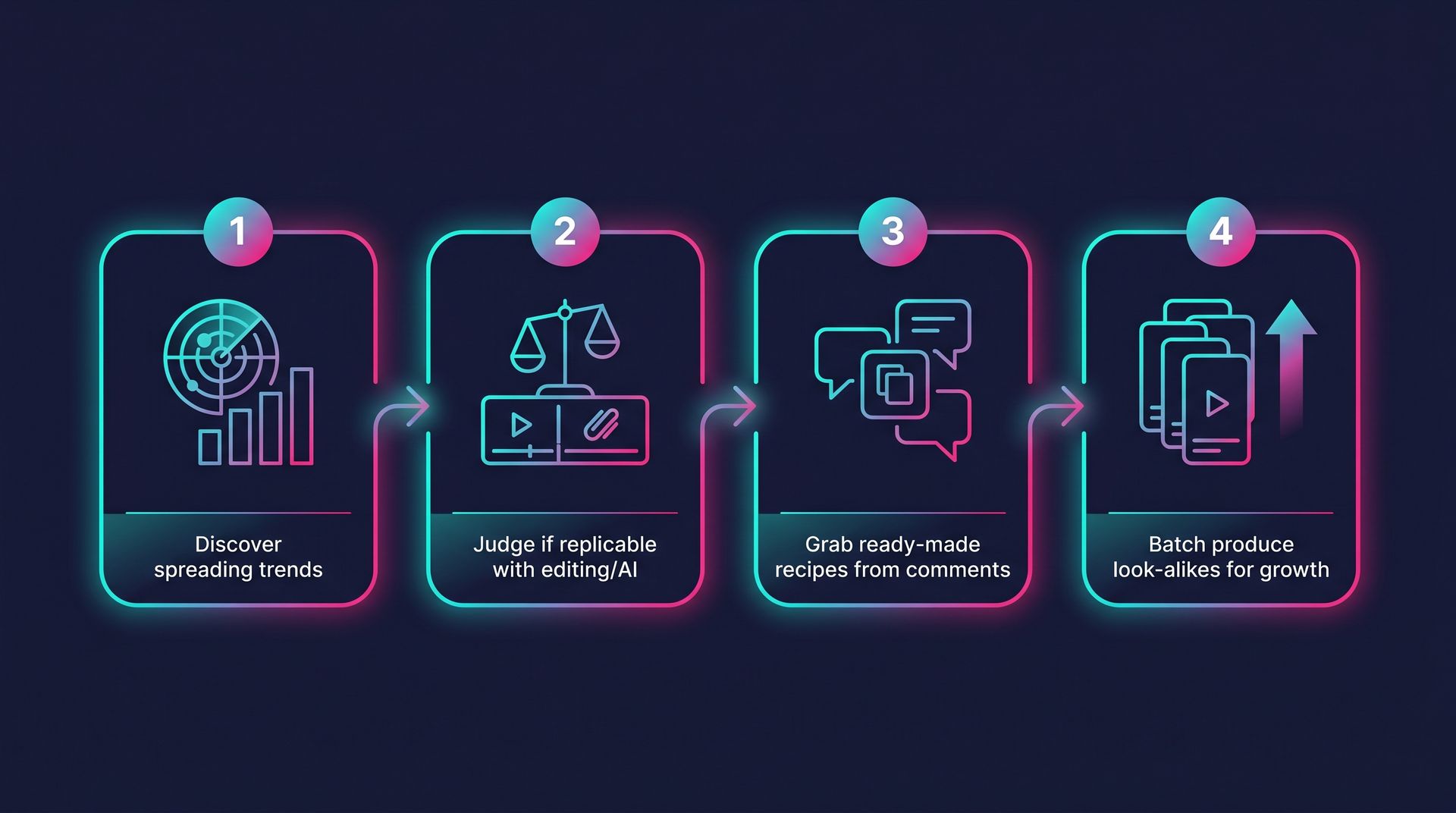
Step 1: Spot Trends That Are Still Spreading, Not Ones That Already Peaked
The biggest beginner mistake is chasing videos that have already gone viral. By the time a topic hits the trending charts, the window to replicate it is usually just a few days. The signal that actually matters is something still spreading — content that’s just starting to gain steam and hasn’t been copied to death yet.
How do you spot what’s still spreading? A few methods are widely agreed on:
- When the same sound or format shows up three or more times in a single scroll session, a trend is forming and you should save it immediately — a signal TikTok itself highlights in Creator Search Insights.
- Shift from “finding famous people” to “finding high-velocity content.” In 2026, discovery isn’t about big accounts — it’s about videos that are clearly outperforming their creator’s own average. When a creator with a few thousand followers suddenly lands a video with hundreds of thousands of likes, the format is driving the reach, not the follower base.
- Look for low-follower, high-engagement videos. Even a brand-new account with zero followers can go viral if the engagement signal is strong enough. A like-to-view ratio of 5%–10% is a healthy signal (MediaMister). Low-follower, high-engagement videos are the most replicable goldmine, because they prove the content can take off on its own merits, not on account authority.
Practical rule: Prioritize low-follower, high-engagement videos. A big account’s hit rides on account momentum you can’t copy; a no-name creator’s hit rides on the format itself, which you can.
Official tools are moving this way too: the TikTok Creative Center Trend Discovery tool lets you browse rising topics, sounds, and creators by region and industry, and it’s completely free. Its Videos tab deliberately surfaces trending videos “regardless of how many followers the creator has” — built exactly for finding replicable, no-name hits.
Step 2: Judge Whether You Can Replicate the Effect with Editing or AI Tools
Found a hit that’s still spreading? Don’t rush to copy it. Step 2 is a replicability check — and it’s where beginners and pros separate.
A video can go viral for completely different reasons, and the cost to replicate each one varies wildly:
| What’s driving the hit | Difficulty to replicate | Best fit |
|---|---|---|
| An editing trick / transition / beat-sync (e.g. a CapCut template) | Low | Multi-account & growth teams |
| An AI effect / filter / style (e.g. an AI avatar or transformation effect) | Low–Medium | AI tool app acquisition |
| A fixed script structure / hook | Medium | Content creators |
| Real talent / looks / exclusive footage | High | Usually skip |
For growth teams, the test is crystal clear: can I mass-produce this effect with the editing or AI tools I already have? If a hit’s core is just “this transition plus this beat-synced track,” a tool like CapCut lets you skip pro editing skills entirely — drop in your clips and apply ready-made transitions and trending formats automatically (Adilo Blog). If the core is an AI effect, it’s naturally the best acquisition material for an AI tool app — users see the effect and want to download the app to make their own.
Practical rule: Before copying a hit, ask why it went viral. If it’s the format, the cost to replicate is low and it’s worth doing. If it’s the person, the cost is high — drop it.
This is hard to judge fast by eye alone. A more efficient approach is to let AI “understand” what the hit video is actually doing first — what’s on screen, what effects are used, how the pacing is built. BibiGPT’s visual frame analysis lets AI not just hear the audio but read the key frames on screen, so you can quickly break down “where exactly is this hit replicable.”
Step 3: Grab the Ready-Made Recipes Already in the Comments
This is the most counterintuitive and highest-value step in the whole workflow: the comments under a viral video often hide a “how-to manual” someone already wrote for you.
Open the comments under any hit and you’ll almost always see:
- “Tutorial please!” / “How did you do this?” — a demand signal telling you a lot of people want the same thing, so making it gets you traffic.
- “It’s the XX filter” / “Third template in XX” / “Do XX, then XX” — ready-made recipes, where people have handed you the filter names, template numbers, and steps for free.
- Lots of saves and “@friend” tags — a sign the content is worth spreading, so the algorithm keeps pushing it (CapCut Explore).
In other words, the comments answer two questions at once: what people are asking for (whether to make it) and what the recipe is (how to make it). That’s far more efficient than figuring it out alone.
Practical rule: Treat the comments as free demand research plus a free tutorial. The more people asking for a tutorial, the more it’s worth replicating; the more specific the recipe, the lower your cost to copy it.
The catch: reading comments one by one is still too slow. A real AI-native workflow should let AI automatically read what the comments are asking for and extract the recipes already in them — instead of making you scroll through hundreds of replies by hand. That’s the efficiency problem Step 4 solves.
Step 4: Use AI to Chain All Four Steps into One Pipeline (TikTok Viral Finder in Action)
If the first three steps are scattered across the TikTok app, Creative Center, an editor, and the comments — switching back and forth by hand — you can still only process a few dozen videos a day. A true AI-native workflow folds all four steps into one entry point you run in a single click. That’s why BibiGPT shipped the TikTok Viral Finder.
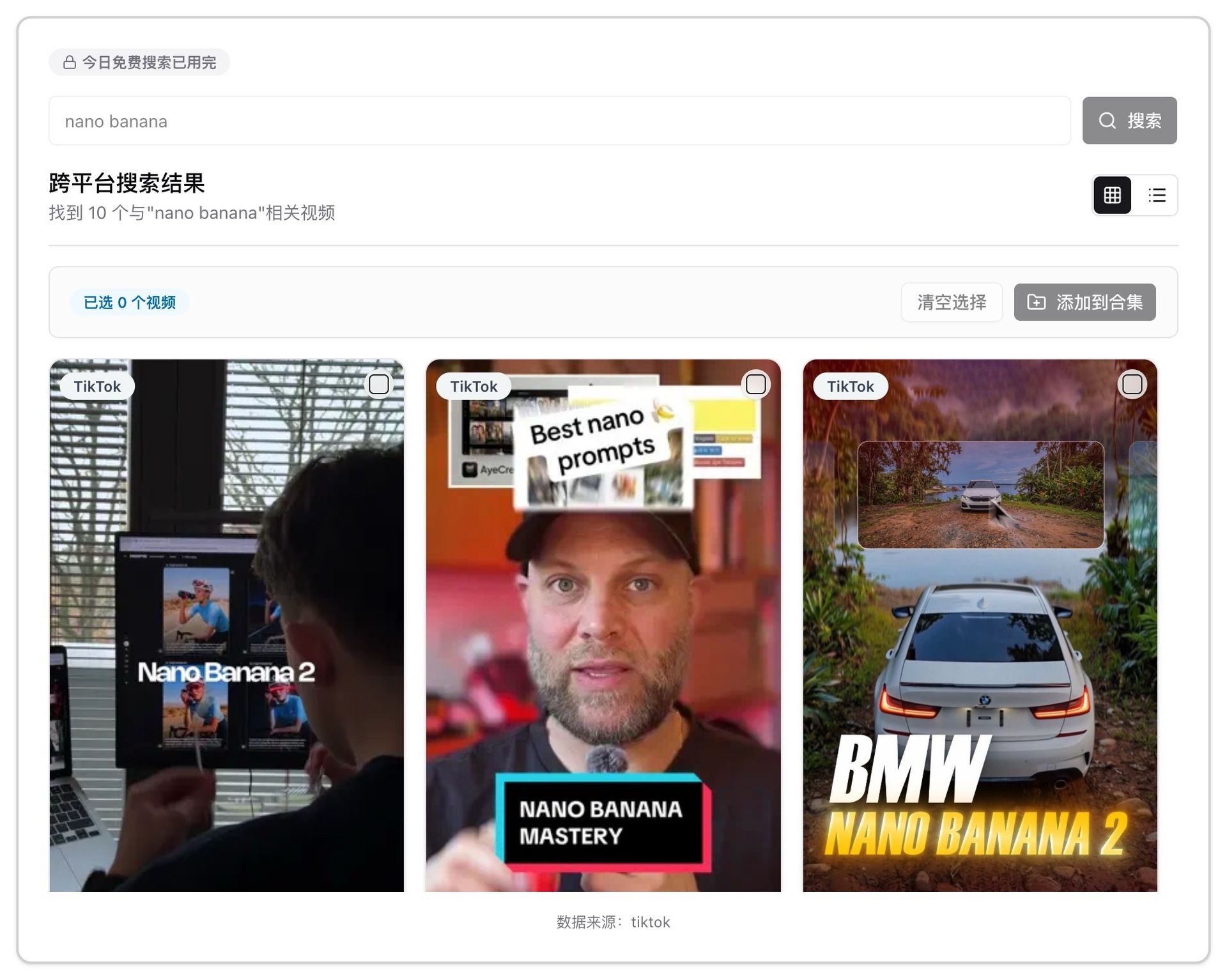
The way to use it is simple — type in a topic and let AI do the rest:
- Auto-scan recent hits. AI scans the TikTok content spreading around your topic, so you don’t scroll the feed yourself.
- Read what the comments are asking for. AI analyzes the comments and tells you which tutorials and look-alikes people are requesting — exactly the “demand signal” from Step 3.
- Extract the ready-made recipes. AI pulls out the recipes people already shared in the comments (filters, templates, steps), saving you from reading them one by one.
- Rank everything by a heat score. All results are sorted into a leaderboard, so you instantly see which formats are most worth replicating right now — not on a hunch.
Compressing Steps 1 through 3 into a single search is what gives you back those 6 hours a day of manual scrolling. The official demo below shows BibiGPT’s core idea — “paste content, let AI understand it for you”:
https://www.youtube.com/embed/SbgNX3sMSXQ
Once you have the leaderboard, the rest is batch production:
- Growth teams / multi-account operators: take the most replicable formats off the board, batch-fill them into CapCut-style templates, and ship a dozen look-alikes a day while the trend window is open.
- Content creators: take the hooks and structures you pulled from the hits, combine them with BibiGPT’s AI video-to-article, and repurpose the video into blog posts and social graphics for multi-platform distribution.
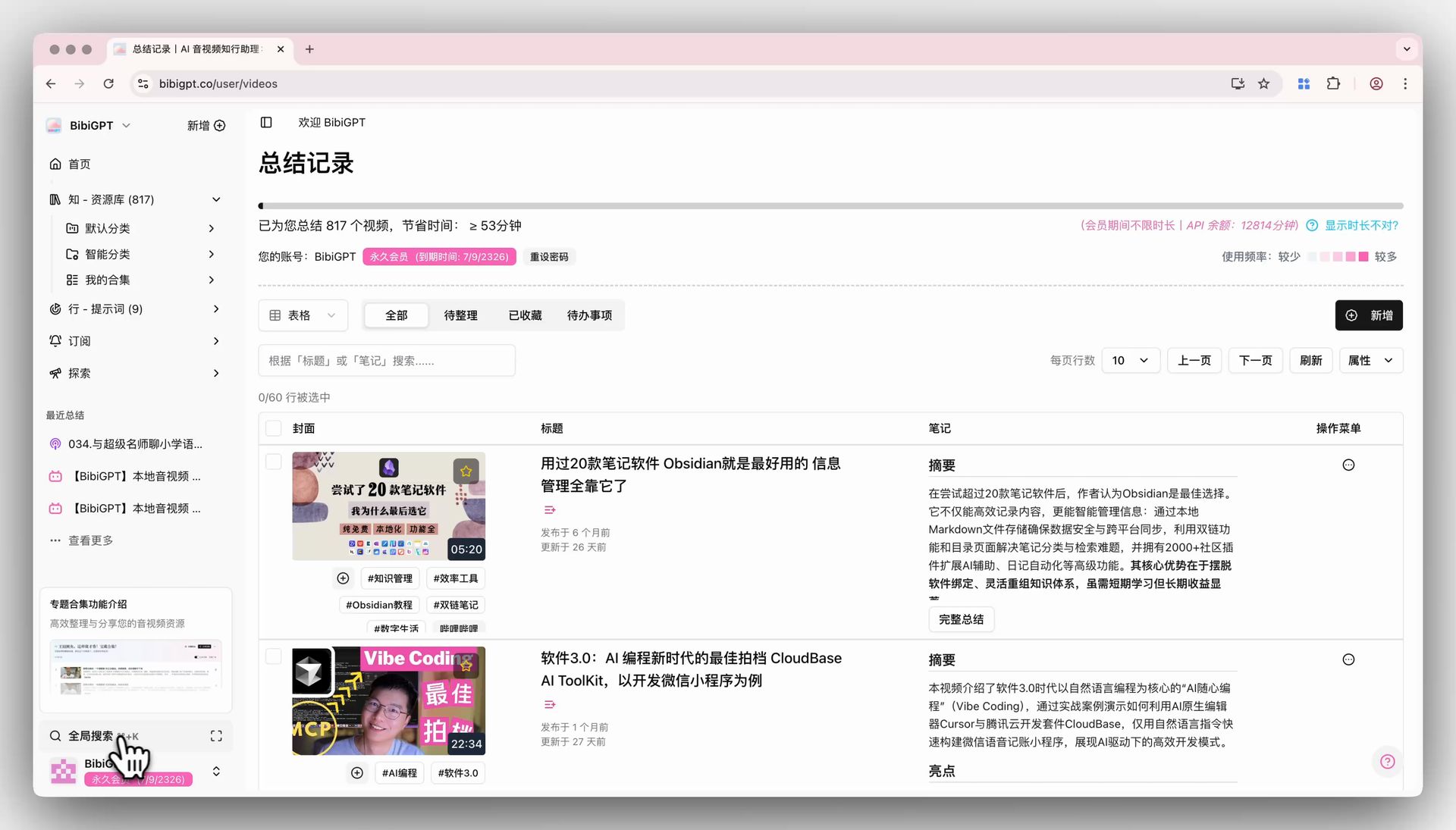
More importantly, everything you search, replicate, and produce ends up building your own knowledge base. With BibiGPT’s global search, every hit you’ve broken down and every comment recipe you’ve saved can be pulled back instantly with one keyword next time — for the first time, your idea-finding experience becomes a reusable team asset instead of a feel that lives in one person’s head.
Frequently Asked Questions (FAQ)
Are free tools enough to find viral TikTok trends?
Often, yes. The TikTok Creative Center is completely free and shows trending topics, sounds, and rising videos; BibiGPT’s TikTok tools also include a daily free search quota. Free tools are great for getting started and validating. When you need automation — “read all the comment demand, extract the recipes, and rank by heat in one pass” — that’s when it’s worth reaching for more advanced capabilities.
How is this workflow different from tools like Douyin’s Hot Spot Hub or Ocean Engine analytics?
Tools like Douyin Hot Spot Hub (热点宝) and Ocean Engine analytics are excellent domestic tools, strong at giving you huge leaderboards and data (hot lists, video charts, keyword data) to show you “what’s hot.” This workflow goes two steps further: it doesn’t just tell you what’s hot — it also helps you judge whether you can replicate it and hands you the ready-made recipes from the comments. It’s more “grab it and go,” and it’s built for overseas platforms like TikTok.
Why are low-follower, high-engagement hits more worth replicating than big-account hits?
Because a big account’s hit rides heavily on account authority and an existing follower base. Without the same account momentum, you can copy it and still fail to reproduce the result. A no-name hit (especially one a zero-follower account can land) proves the reach comes from the format itself, independent of the account. TikTok’s recommendation system doesn’t care how many followers you have — it cares whether the content sparks engagement (MediaMister) — so a no-name hit’s format is the most replicable.
How do I use this workflow to drive overseas user acquisition for an app?
The logic is simple: use the Viral Finder to find no-name hits whose core is an AI effect, filter, or editing trick (these are naturally tool-replicable), confirm your product can produce the same effect, then batch-produce look-alike short videos that naturally point viewers to your app. The viewer sees the effect in the feed, wants the same one, and downloads your app — and the acquisition handoff is complete.
After finding a hit, how do I quickly turn it into my own content?
Finding and replicating is just the start. After pulling the hooks and script structure out of a video, you can use BibiGPT’s AI video-to-article to repurpose one video into blog posts and social graphics for multi-platform distribution; everything you break down can also be saved into global search, turning your idea-finding experience into a reusable team asset.
Final Thoughts: Turn Finding Ideas from a Craft into a Pipeline
Back to the pain point we opened with: spending 6 hours a day scrolling the feed and picking ideas on instinct is both inefficient and impossible to reuse. What this AI-native workflow does is break that into four stages AI can carry — spot, judge, grab the recipe, batch-produce — so you move from being “the person scrolling the feed” to “the person directing the AI.”
If you want to skip the manual steps entirely, BibiGPT’s TikTok Viral Finder already automates all four — type in a topic, and AI scans recent hits, reads the comment demand, extracts the ready-made recipes, and ranks them by a heat score. Spend the hours you save on the part of content that actually needs creativity.
BibiGPT Team