Monica vs BibiGPT for AI Video Summarization (2026 Comparison): AI Browser Path vs Dedicated Workspace
Monica vs BibiGPT for AI Video Summarization (2026 Comparison): AI Browser Path vs Dedicated Workspace
You probably saw Monica evolve from a Chrome extension into a full AI Browser—a browser with AI baked into the chrome itself. It sounds slick: ask any webpage, summarize any video, read any PDF. Does that mean you don’t need a dedicated video summary tool anymore?
Short answer: it depends on whether your workflow is “do everything inside the browser” or “produce assets inside a dedicated workspace.” Pushed to extremes, these are two different products. Monica takes the first path; BibiGPT takes the second.
This piece skips the “which is better” cliché. It compares them across five dimensions—positioning, pricing, platforms, summary depth, PKM integration—and ends with concrete picks per role: creators, students, researchers, paid decision-makers.
Why this comparison is worth taking seriously
Monica is one of the most aggressive plays in the AI assistant space. In 2026 it shipped a full AI Browser—a standalone browser bundling webpage Q&A, PDF reading, video summary, AI writing, AI translation, and a dozen other things. The bet is “embed AI into the browsing act itself.”
BibiGPT bets the other side: a dedicated workspace for deep audio and video processing, covering 30+ platforms, producing reusable knowledge assets.
Both paths gathered real users in 2026—Monica’s global growth came from “one assistant for every web surface,” while BibiGPT’s core users come from “heavy audio and video consumption” who need depth.
Practical rule: Tool selection isn’t “which can do more.” It’s “which one nails the thing you do most.”
Dimension 1: positioning and design intent
Monica’s positioning
All-purpose AI assistant browser. Monica wants AI everywhere in the browsing act:
- Ask any webpage from a sidebar
- Summarize any PDF
- Get a summary button next to YouTube videos
- One-click AI polish when drafting emails
- Compare prices on shopping sites with AI
Its design philosophy: don’t switch tools—do everything inside the browser.
BibiGPT’s positioning
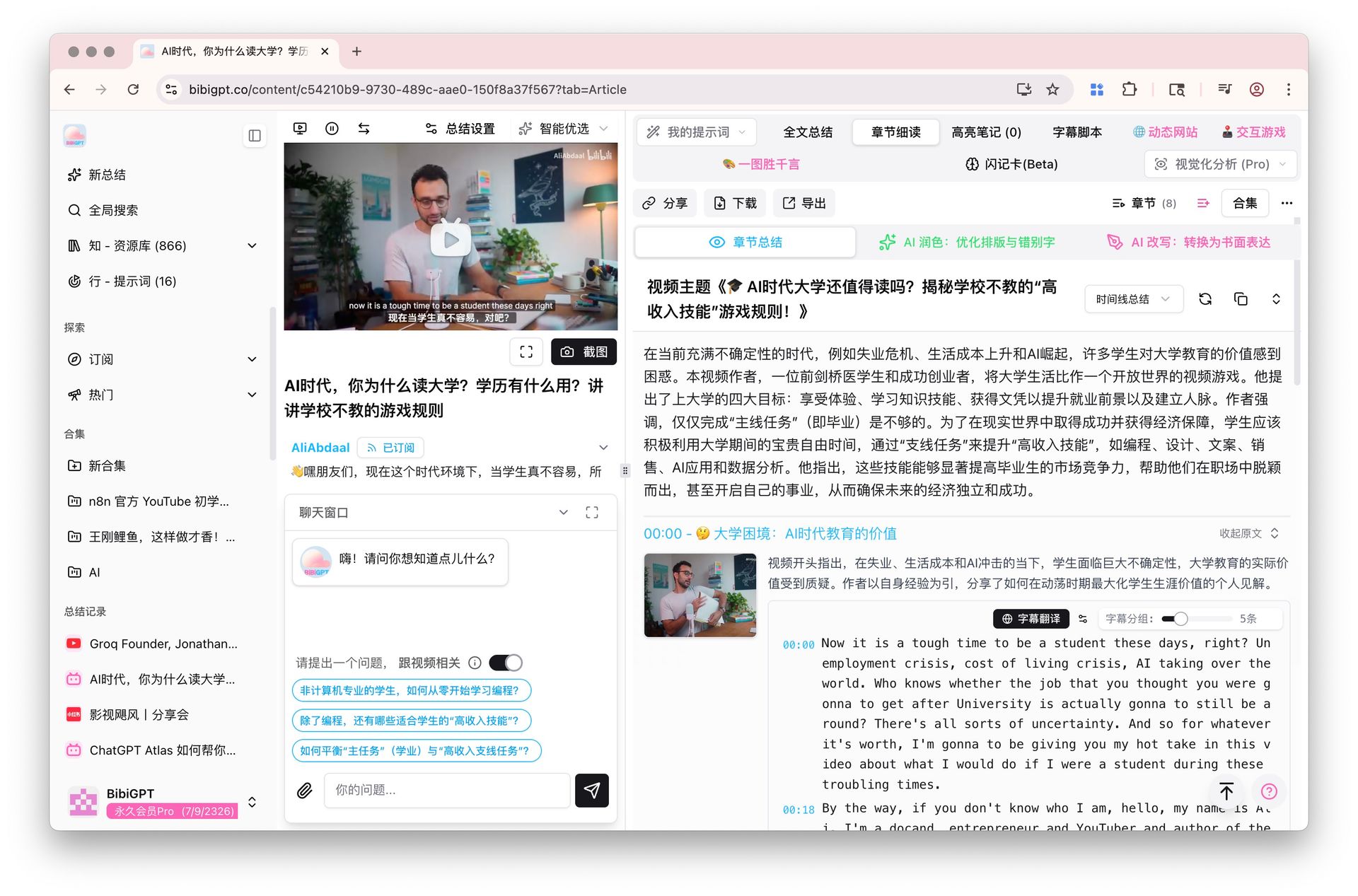
Audio and video deep-processing workspace. BibiGPT doesn’t try to cover every AI scenario. It concentrates all product energy on one job: turn audio and video into reusable knowledge assets.
- One inbox for 30+ platforms
- Smart deep summary, mindmap, AI chat, collection analytics
- Output as illustrated articles, PPT, subtitle translation, Anki cards
- Deep integration with Notion / Obsidian / Logseq PKM tools
Its design philosophy: nail one job at industry-leading depth—everything else is out of scope.
Decision filter: 70% of your workflow is “lightweight cross-surface AI”? → Monica. 70% is “deep video digestion and output”? → BibiGPT.
Dimension 2: pricing
Monica goes for an AI Browser subscription because it has to fund many AI capabilities at once, so the price is higher than dedicated tools—reasonable. BibiGPT goes for a dedicated workspace where the free tier already covers the whole five-step workflow; paid plans unlock premium models and heavy-use quotas.
Both adjust pricing often—check the official sites:
Practical rule: Before looking at price, count “how many times per month will I actually use this.” A 5-times-per-month tool? Free tier wins. 100 times? Paid is cheaper in total cost.
Dimension 3: platform coverage
This is the biggest gap.
Monica’s video summary coverage
Primarily YouTube. Other platforms (Bilibili, TikTok, podcasts) vary—you might be able to paste a URL but the summary quality is lower than for YouTube, or the platform isn’t supported.
Reason: Monica treats video summary as one of many AI Browser features. It hasn’t optimized per-platform depth.
BibiGPT’s coverage
- Global: YouTube, TikTok, Vimeo, Apple Podcasts, Spotify Podcasts
- China: Bilibili, Douyin, Xiaohongshu, Kuaishou, Ximalaya
- Other: local video files, cloud drives (Baidu, Aliyun, Box, Dropbox), enterprise drives
Each platform has dedicated subtitle extraction, chapter segmentation, and keyword detection.
Practical rule: If more than 30% of your daily videos are off YouTube, you don’t need Monica—you need BibiGPT. Platform coverage isn’t “more is better”; it’s “no gap is necessary.”
Dimension 4: summary depth
Monica’s video summary output
Typically a “bullet list + timestamps” summary. Quality is consistent, but structure is relatively flat—fits “I want to quickly know what this video is about” use cases.
BibiGPT’s video summary output
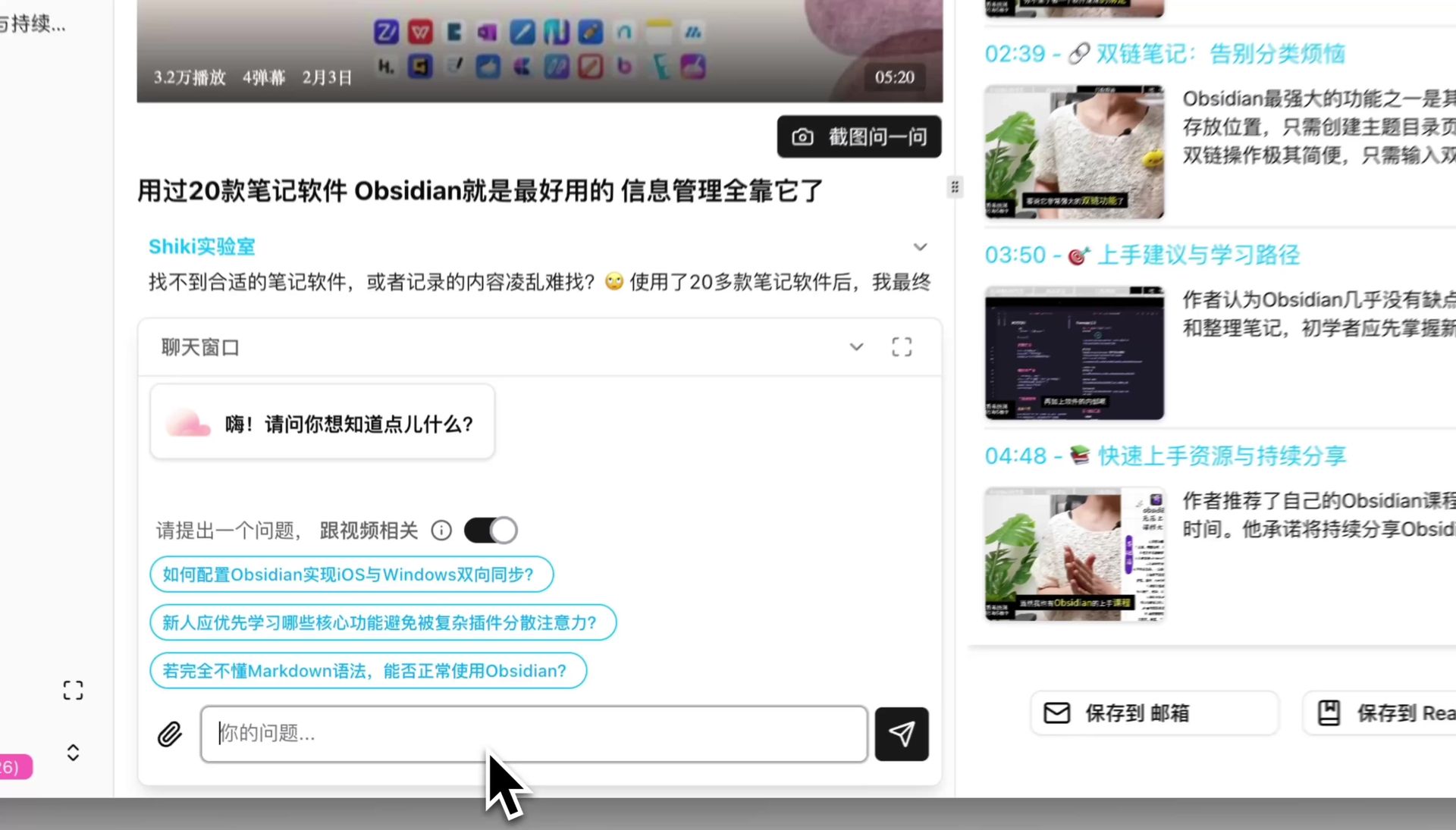
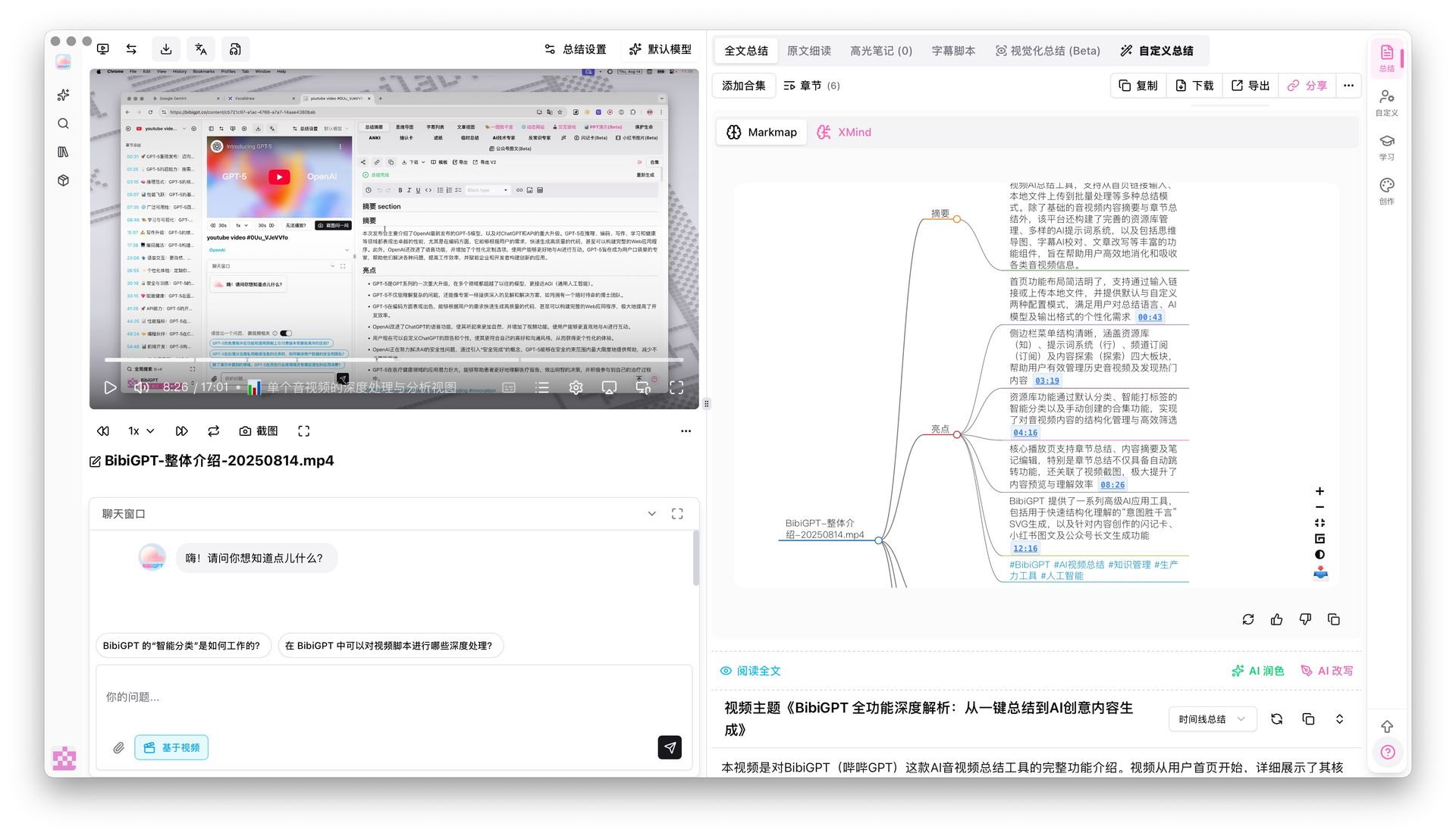
Smart deep summary outputs a multi-layer structure:
- Core summary: 3–5 paragraphs covering the video’s key arguments and conclusions
- Highlights: key takeaways worth remembering
- Thinking questions: 3–5 reflective prompts (for Feynman technique or spaced repetition)
- Glossary: automatic explanation of professional terms in the video
- Chapter deep reading: per-chapter summary + subtitle + AI polish + AI rewrite
- Mindmap: clickable timestamps that jump back to the source video
- AI chat: follow-up questions about the video content, answers come with timestamp evidence
Practical rule: The gap in summary depth isn’t word count—it’s whether the output lets you do the next thing. BibiGPT’s multi-layer structure is built for people who will actually use it; Monica’s flat structure is for people who want to quickly know.

Demo reference (a typical AI video summary depth showcase):
https://www.youtube.com/embed/dQw4w9WgXcQ
Dimension 5: PKM integration and output
Monica’s output capability
You can copy summaries out, or export Markdown. But no dedicated PKM integration—Monica isn’t designed for “land it in Notion / Obsidian”; it’s designed for “use it inside the browser.”
BibiGPT’s output and PKM integration
BibiGPT integrates deeply with PKM tools:
- Notion: one-click sync of the full video summary, including images, timestamps, embedded mindmaps
- Obsidian / Logseq: auto-generated Markdown with backlinks
- Anki / Mochi / RemNote: flashcard export for spaced repetition
- Xiaohongshu / WeChat blog: one-click illustrated articles for repurposing
- Cubox / Evernote / Siyuan: standardized exports
Decision filter: Does your workflow include “video summary → PKM”? Yes → BibiGPT is the only option. No → Monica’s in-browser loop is enough.
Five-dimension recap
| Dimension | Monica AI Browser | BibiGPT |
|---|---|---|
| Core positioning | All-purpose AI browser | Audio and video workspace |
| Platforms | YouTube primary, others uneven | 30+ platforms, all optimized |
| Summary depth | Flat bullet list | Multi-layer + mindmap + chapter deep reading |
| AI chat | Generic webpage Q&A | Video-content-specific chat with timestamp evidence |
| Cross-video search | Not supported | Collections, subscriptions, global search |
| PKM integration | Copy/paste only | Notion / Obsidian / Logseq deep links |
| Repurposing output | Generic AI writing | Illustrated article / PPT / flashcards / subtitle translation |
| Best fit | “One browser for all AI” | Heavy AV consumers, content creators |
Practical rule: Don’t count check marks. Look at the “Best fit” row and decide which description sounds more like you.
Picks by role
Creators: BibiGPT
You don’t need “ask any webpage.” You need “turn a video into something I can ship as a post, video, or deck.” BibiGPT’s video-to-article, Xiaohongshu pitch packs, and cross-video synthesis are core. Monica’s video summary is good enough for “I want to know what this video is about” but won’t produce shippable content for you.
Students: depends on your learning approach
If your method is “skim a lot, fast” → Monica’s flat summary is enough. If your method is “deep internalization + spaced repetition + long-term memory” → BibiGPT’s multi-layer structure + Anki export + timestamp evidence is required. See Spaced repetition × AI video knowledge management and Feynman technique + BibiGPT.
Researchers and consultants: BibiGPT
Your core need is “synthesize across videos” and “collection analytics.” Monica can only handle one webpage at a time—not an option. BibiGPT’s collections, subscribed-channel knowledge base, and cross-video search are the only viable path—see How a consultant mined 50 YouTube interviews with BibiGPT.
Paid decision-makers: run the “minimum viable test”
Don’t trust any review’s conclusion. Use a real task from your actual work to test both:
- Pick one YouTube video you have to watch this week
- Process it once with Monica, once with BibiGPT
- Check which output is still useful to you the next day
That’s the only judgment method no review can bias.
An often-skipped point: you can run both
Most comparison articles imply a binary choice. The reality is the boundaries are different enough that heavy AI users often run both:
- Monica for cross-surface lightweight AI—browsing, PDFs, emails
- BibiGPT for dedicated audio and video digestion—YouTube learning, podcast notes, collection analytics
Buzzsprout’s 2026 creator survey found heavy content workers use 3–5 AI tools concurrently on average—specialized division beats one-size-fits-all today.
Practical rule: Resist the “one tool does everything” temptation. The most prolific people in history use a tool suite, not a Swiss Army knife.
Closing: picking a tool is picking your workflow
Monica and BibiGPT are both good products on different tracks. The decision isn’t about the product—it’s about you. The ratio in your workflow of “lightweight cross-surface AI” to “deep audio and video output” determines which to install, or whether to install both.
If 90% of your videos are on YouTube and the need is “what is this video about” → Monica is enough. If you process 30+ platforms daily and need persistent knowledge assets → go straight to BibiGPT.
Further reading:
- YouTube Ask AI guided search vs BibiGPT deep dive (native vs third-party AI)
- Best YouTube Video Summarizer 2026
- Best AI Summarizer Multi-Model Comparison
Start your AI efficient learning journey now:
- 🌐 Official Website: https://aitodo.co
- 📱 Mobile Download: https://aitodo.co/app
- 💻 Desktop Download: https://aitodo.co/download/desktop
- ✨ Learn More Features: https://aitodo.co/features
—— BibiGPT Team