Readwise Triple Drop: How Lookup + GPT-5.5 + MCP Create a New AI Reading Loop for BibiGPT Users
Readwise Triple Drop: How Lookup + GPT-5.5 + MCP Create a New AI Reading Loop for BibiGPT Users
If you use BibiGPT to summarize Bilibili, YouTube, or podcast videos into structured highlights and push them to Readwise Reader via webhook, the dense release cadence Readwise kept up from March to May 2026 has raised the ceiling on “dumping highlights into Readwise” by a full order of magnitude. These aren’t surface-level UI tweaks—they advance three directions at once: expand comprehension in the moment of reading, apply stronger AI models to go deeper on content, and let external AI tools access your highlight library directly.
I. Readwise’s Key Updates in 2026
Here’s a timeline of the most important releases over the past three months:
- 2026-05-22 · Lookup in Reader — select any word in Reader and get an instant definition without opening the Ghostreader sidebar; reading flow stays unbroken
- 2026-05-15 · Ghostreader supports GPT-5.5 — connect your own OpenAI API key and use the latest GPT-5.5 model inside Ghostreader for summaries, Q&A, and rewriting
- 2026-05-08 · EPUB chapter title fix — improved chapter-navigation accuracy for EPUB documents
- 2026-05-01 · Faster document chat — noticeably faster response times for in-Reader document chat
- 2026-04-24 · Tag highlight list — Reader mobile adds a view to browse highlights by tag, making cross-document theme grouping much smoother
- 2026-04-17 · Improved MCP efficiency — Claude can now retrieve more highlights per MCP request, reducing round trips for paginated results
- 2026-03-20 · Readwise MCP and CLI launch — Claude, ChatGPT, and other external AI tools can access your highlight library and full documents directly via MCP
- 2026-03-13 · Faster YouTube parsing — Reader fetches YouTube transcripts and metadata more quickly
Full changelog: Readwise Docs Changelog
In one sentence: every update Readwise shipped over these three months points in the same direction—letting AI embed naturally inside your reading behavior, rather than remaining a separate feature you have to deliberately open.
II. What This Means for BibiGPT Users — My Take
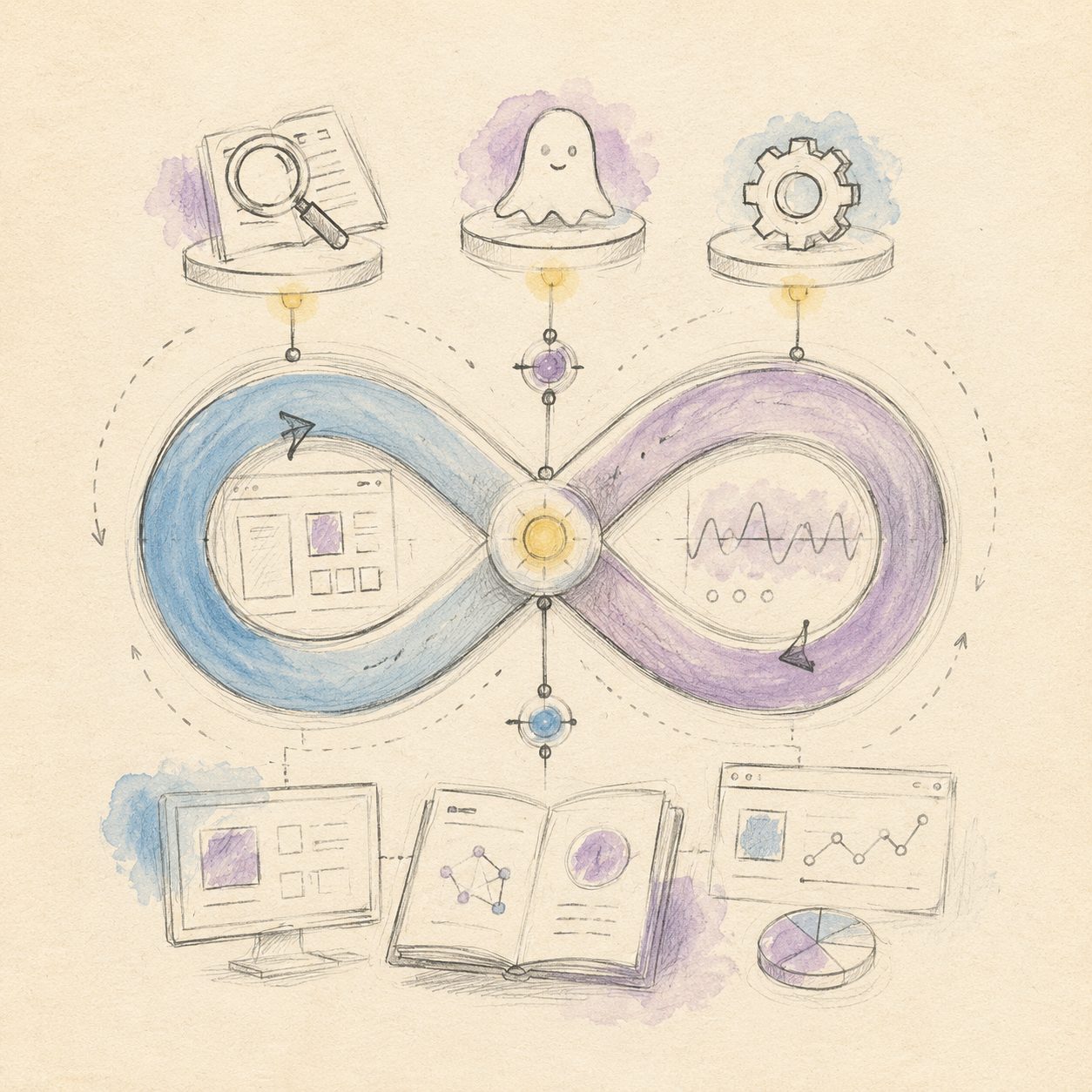
A quick sketch to put the idea on paper — the diagram below maps the key flow:
Illustration: drawn by the BibiGPT team
After going through this wave of updates, two conclusions felt worth a dedicated article.
These Three Features Point at the Same Thing
On the surface, Lookup is “instant word definitions,” Ghostreader GPT-5.5 is “upgraded AI model,” and MCP is “open-protocol access”—three seemingly unrelated things. But look at them together:
- Lookup eliminates friction in the moment of reading—when you hit an unfamiliar concept, you used to either push through or tab out to search, breaking your flow. Lookup compresses that action to select-and-get; reading continuity is preserved.
- Ghostreader GPT-5.5 raises the ceiling on AI processing quality—Ghostreader is Readwise’s built-in AI assistant, and supporting your own key means you can process your documents with the latest available model instead of being locked to a default.
- MCP solves the most important problem: can external AI tools actually reach your knowledge base? In the past, Claude knew what you asked it to do but had no idea what was in your Readwise. Now, via MCP, Claude can search your highlights and read your documents—bringing your personal knowledge base into the AI’s reasoning context for real.
My take: The essence of Readwise’s triple drop is “letting external AI access your personal knowledge base directly via protocol.” Lookup, the Ghostreader upgrade, and MCP all push in this direction. This is a fundamentally different product philosophy from “add another AI button.” The former is “AI embedded in your existing reading flow”; the latter is “you go find and click an AI button.” From a UX standpoint, that’s a shift from tool to flow.
What Kind of Loop Can BibiGPT + Readwise MCP Form?
Some background worth spelling out: BibiGPT has long supported pushing video summaries to Readwise Reader. Paste a YouTube link, BibiGPT generates a structured summary, one click to sync, and Readwise gains a “video note document” complete with chapter outline, key highlights, and timestamps.
But with Readwise MCP, the second half of that workflow has fundamentally changed.
Before: You’d ask Claude “What are the common conclusions from those AI Agent videos I watched last month?”—Claude had no idea what was in your Readwise, so you had to go dig through it yourself, copy-paste, then feed it back to Claude. That costs time, and the act of digging is itself a filtering barrier: you only retrieve what you can remember, and genuinely valuable low-frequency videos slip through the cracks.
Now: Claude connects to your Readwise via MCP. You ask directly, and Claude automatically searches all relevant passages across your video highlights—comparing, synthesizing, drilling deeper—all in a single Claude conversation without leaving the interface.
My take: After BibiGPT pushes video summaries to Readwise Reader, Readwise MCP lets Claude search those video highlights directly—forming a “video → highlights → AI cross-video follow-up” loop. BibiGPT can’t close this loop alone (BibiGPT focuses on single-video comprehension and doesn’t manage note libraries), and Readwise can’t either (Readwise has no video transcription or structured extraction). The two have a clean division of labor that happens to be perfectly complementary. That’s not a coincidence; it’s the puzzle-piece effect that emerges when two focused products each get excellent at their own thing.
A Boundary Worth Watching
MCP’s value depends on the quality of what’s inside your Readwise. If the video notes you import are just raw transcripts with no structured highlights or summaries, Claude will surface a wall of raw text—low signal-to-noise, poor follow-up quality. BibiGPT’s value here isn’t just “content was imported”—it’s that “AI-organized content with chapter structure was imported.” That’s the prerequisite for MCP to work well.
III. Practical Workflow: Configuring the BibiGPT × Readwise MCP Loop
This workflow is designed for “push video notes from BibiGPT into Readwise, then use MCP to let Claude run cross-video follow-up queries.” Seven steps:
Step 1: Paste a video link in BibiGPT, generate a structured summary
Open BibiGPT and paste a Bilibili, YouTube, or podcast link. The AI automatically extracts the transcript and generates a chapter outline + key highlights + core conclusions. This step is the origin of the whole loop—quality starts here.
Recommended: enable “highlight extraction” in BibiGPT settings so each video summary includes annotated key sentences rather than just paragraph-level summaries. That way each highlight in Readwise is a self-contained, independently readable conclusion rather than a fragment that requires context to make sense.
Step 2: One-click export to Readwise Reader (webhook setup)
In BibiGPT’s Export Settings, find the Readwise integration, and enter your Readwise API Token (find it under your Readwise account settings → Access Token). Once configured, you can click “Export to Readwise” after each summary, or enable auto-sync in settings.
After import, Readwise Reader treats the video note as a standard document—full support for highlighting, comments, and tagging.
Step 3: Use tag highlight lists in Reader mobile to file content
After importing for a while you’ll accumulate dozens or hundreds of video notes in Reader. This is where the April 24 “tag highlight list” view pays off: browse on mobile by your custom tags—“AI Agent,” “productivity,” “investing”—and you get a cross-document highlight list at a glance, no need to open notes one by one.
Step 4: Configure Readwise MCP in Claude or ChatGPT
This is the key step. Go to Readwise account settings, find the MCP / CLI configuration area, and retrieve your MCP credentials. In the Claude desktop app’s “Extensions” settings, add a Readwise MCP server configuration (server address + credentials). Once configured, new Claude conversations will show Readwise as a connected tool.
ChatGPT works similarly—find the Readwise MCP configuration entry under “Explore GPTs” → “Plugins & Tools.”
Step 5: Let Claude search highlights across videos and drill into deep content
Now ask directly in Claude: “Among all the highlights tagged ‘product growth’ in my Readwise, which viewpoints contradict each other?” or “Summarize the core conclusions about ‘AI tools’ from all video notes I imported in the past 30 days.”
Claude searches your Readwise library via MCP and returns specific highlights, source documents, and surrounding context. The April 17 “improved MCP efficiency” update lets Claude retrieve more content per request, so cross-video comparisons don’t require repeated pagination.
Step 6 (optional): Run GPT-5.5 in Ghostreader for deep summaries
If you have an OpenAI API key, bind it in Readwise settings and Ghostreader will switch to GPT-5.5 for your documents. For long-form video notes imported from BibiGPT—say, a two-hour financial interview summary—the improvement in GPT-5.5’s summarization is noticeable, especially for synthesizing deeply nested arguments.
Step 7 (optional): Cross-reference with BibiGPT mind maps
BibiGPT’s mind map feature visualizes the argument structure of an individual video. When you’re running cross-video queries in Claude, you can cross-reference a single video’s mind map to verify whether a conclusion came from the main argument or a tangential aside—very useful for precise attribution of “did this guest actually say that?”
Haven’t tried BibiGPT yet? Try BibiGPT for free and experience the complete loop—paste a link, summary in 30 seconds, one-click sync to Readwise.
IV. The Complete Loop for Video Learning + AI Reading
Once you try BibiGPT for free, you’ll realize that “video comprehension” and “reading retention” were never meant to be separate. BibiGPT handles the upstream—turning a 90-minute interview into structured highlights you can read in 5 minutes. Readwise handles the downstream—turning highlights into a searchable, queryable, cross-document personal knowledge base. Readwise’s triple drop means the downstream AI capabilities have finally caught up to the upstream content quality.
Two products, each focused and excellent at its own thing, fit together into a complete cognitive flywheel: watch video → AI extracts highlights → settle into Readwise → Claude cross-video follow-up → genuine internalized knowledge.
Want more note app × BibiGPT workflows? Browse our Note Apps blog category — every app gets its own 1+1>2 workflow breakdown.
Drop a comment to share your workflow—how do you use Readwise + AI tools to handle video notes?