Snipd vs BibiGPT: Podcast Highlight Cards vs Cross-Platform Speed Reading — A 6-Dimension Review (2026)
Snipd vs BibiGPT: Podcast Highlight Cards vs Cross-Platform Speed Reading — A 6-Dimension Review (2026)
You subscribe to a pile of podcasts and enjoy them on your commute, but you never seem to remember anything afterward. That one line from an interview that really hit you—a couple of days later you can’t recall which episode it was in. So you start hunting for tools: some recommend Snipd—triple-tap your headphones to “clip” the moment into a highlight card; others say try BibiGPT—paste a link and the whole episode becomes a readable summary.
These two tools are actually doing different things. Snipd is a podcast-native deep-listening app focused on turning “listening” into “active learning”; BibiGPT is a cross-platform speed-reading tool focused on turning “video and audio” quickly into “readable, searchable, summarizable text.”
This review takes the perspective of an everyday user who “just wants to actually retain what they’ve listened to,” putting the two side by side across 6 dimensions so you can see where your needs land.
100-word answer: As of 2026, Snipd suits “heavy podcast listeners”—triple-tap your headphones while listening to save highlights, turn them into cards synced to your notes, and turn commute listening into long-term knowledge. BibiGPT suits people with “mixed content sources”—podcasts, YouTube, Bilibili, online courses, local files can all be pasted in for a timestamped speed-read summary in seconds. Listen-first, read-light → Snipd; read-first, listen-light → BibiGPT.
This isn’t a “who’s stronger” shouting match. The two serve different habits; this article helps you find your fit.
1. The Demo First: What Speed-Reading Content Looks Like
Before comparing, build some intuition. “Audio/video speed reading” means turning content you don’t have time to hear from start to finish into “TL;DR + bullet points + timestamps” in seconds, so you can quickly judge what’s worth listening to closely.
Source: YouTube · Audio/video speed-reading demo
In the interactive demo below, pick a sample and see what a tool built for speed reading outputs:
Summarize any video in seconds
Pick a sample below to see the AI summary — TL;DR, key points, and jump-to timestamps.
TL;DR: Karpathy builds a GPT-style language model from scratch in code, explaining every piece — from a tiny character-level model up to the full Transformer.
Key points
- Start with a bigram model, then add self-attention so tokens can "talk" to each other
- A Transformer block = multi-head attention + feed-forward + residual connections + layer norm
- Training is just predicting the next token; scale and data do the rest
- The same architecture behind nanoGPT is what scales up to ChatGPT
Jump to
- 00:07 Why build GPT from scratch
- 08:23 Self-attention, intuitively
- 1:00:00 Assembling the Transformer block
- 1:35:00 From nanoGPT to ChatGPT
Practical rule: Before choosing a tool, get clear on whether you’re “listen-first” or “read-first”—that one thing directly decides whether Snipd or BibiGPT fits you better.
2. Dimension One: Content Range — Podcasts Only, or Anything?
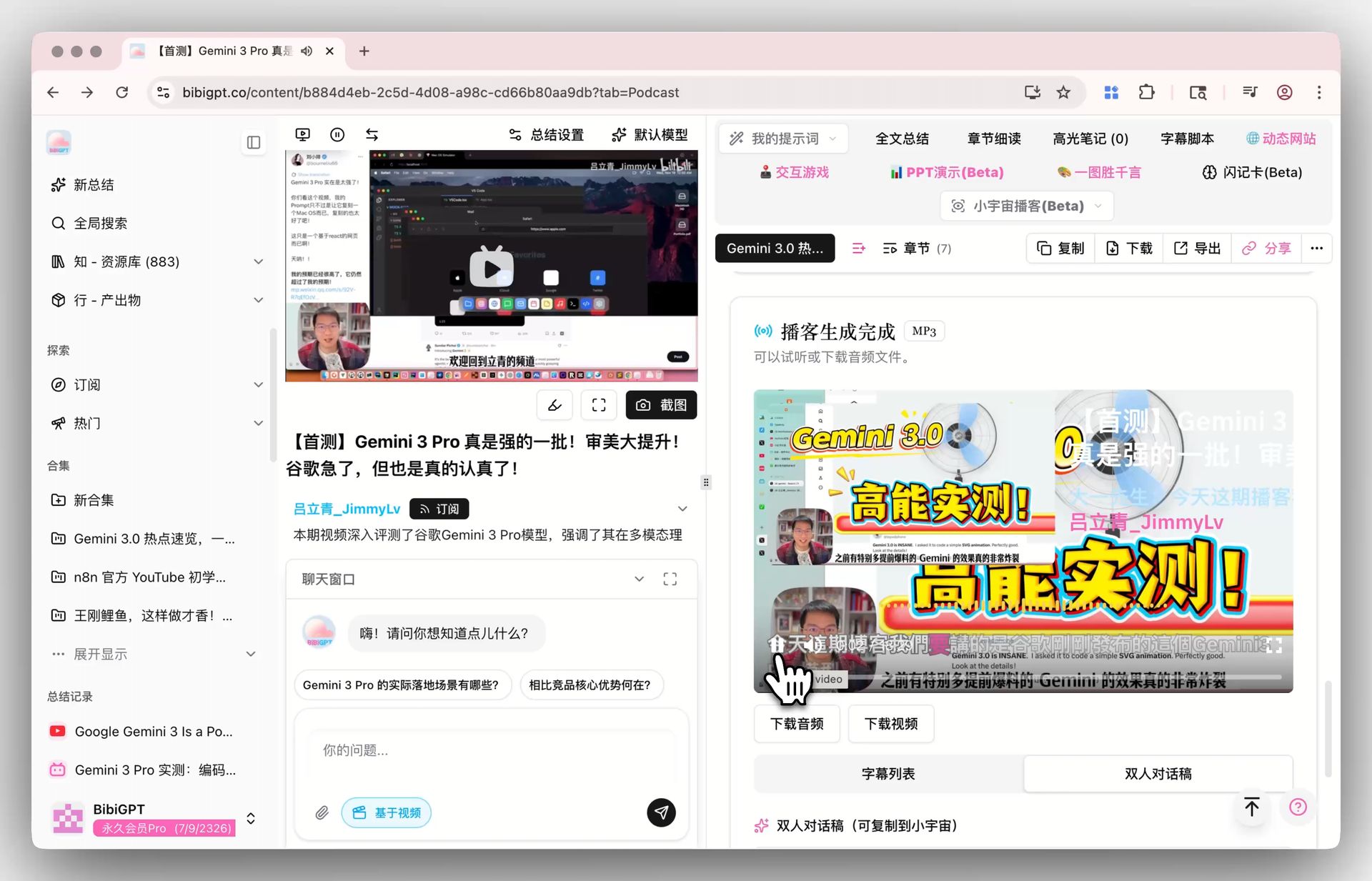
Here’s how BibiGPT handles the same thing — see the screenshot below:
Screenshot: BibiGPT
This is the most fundamental difference.
Snipd is a podcast-native app; its strength is the audio podcast listening experience: built-in player, subscriptions, discovery—it perfects “listening.” Its AI capabilities (transcription, chapters, highlights) all revolve around podcast audio.
BibiGPT has a wider range: 30+ platforms like YouTube, Bilibili, Douyin, TikTok, Xiaohongshu, and podcasts can all be pasted directly, and local video and audio files can be uploaded. For people whose “content sources are mixed—both podcasts and YouTube lectures and online courses,” this dimension matters in practice.
Practical rule: If 90% of your content is podcasts and you rely heavily on phone listening, Snipd’s podcast-native experience is smoother; if your content spans video and audio across many platforms, BibiGPT’s “one entry for everything” saves more hassle.
3. Dimension Two: Highlight Capture vs Whole-Episode Speed Read — Two Retention Philosophies
This is each tool’s signature move, with completely different philosophies.
Snipd’s highlight cards: when you hear a striking passage, triple-tap your headphones to save it, automatically attaching the transcript and speaker, formatted into a beautiful quote card for easy sharing and review. It’s “capture while listening”—pinning down a flash of insight.
BibiGPT’s whole-episode speed read: paste in an episode, and in seconds get “what this episode covered + 5 to 8 key points + a timestamp for each.” It’s “speed read, then decide”—spend 1 minute reading the summary to judge whether the episode is worth an hour of listening.
The follow-up demo below shows that after getting the summary, you can keep asking the AI questions to dig in fully:
Ask the video a question
Watched it but still unsure? Ask follow-ups and get answers grounded in the transcript.
Tap a question:
Practical rule: To pin down “good lines you’ve heard,” Snipd’s cards are handier; to “decide before listening whether it’s worth your time,” BibiGPT’s speed-read summary is more efficient.
4. Dimension Three: Source Tracing — Can You Verify Points Against the Original?
The biggest risk with AI summaries is fabrication. Whether one is trustworthy hinges on whether you can verify the source.
Both do well here: Snipd’s highlights carry the original transcript and time point, jumping back to the episode; BibiGPT’s every key point carries a timestamp, one click to jump back to the spot in the video/audio to verify.
The difference is coverage: Snipd’s source tracing targets podcast audio; BibiGPT’s timestamp jumps apply to video and audio across all platforms. If you often watch YouTube lectures, BibiGPT’s “key point → jump back to the video frame” is more universal.
Further reading: to turn a podcast into a transcript first, see how to download a podcast transcript for free; to compare podcast transcription tools side by side, see the best AI podcast transcription tools.
5. Dimensions Four to Six: Visual Analysis, Note Export, Ease of Use
Let’s compare the remaining three dimensions together.
Visual analysis (Dimension Four): podcasts are pure audio, so Snipd doesn’t deal with visuals. Because BibiGPT handles video, it can do visual content analysis—reading charts, slides, on-screen subtitles, and other visual information in a video. If your content includes video (lectures, tutorials), this is something Snipd can’t give.
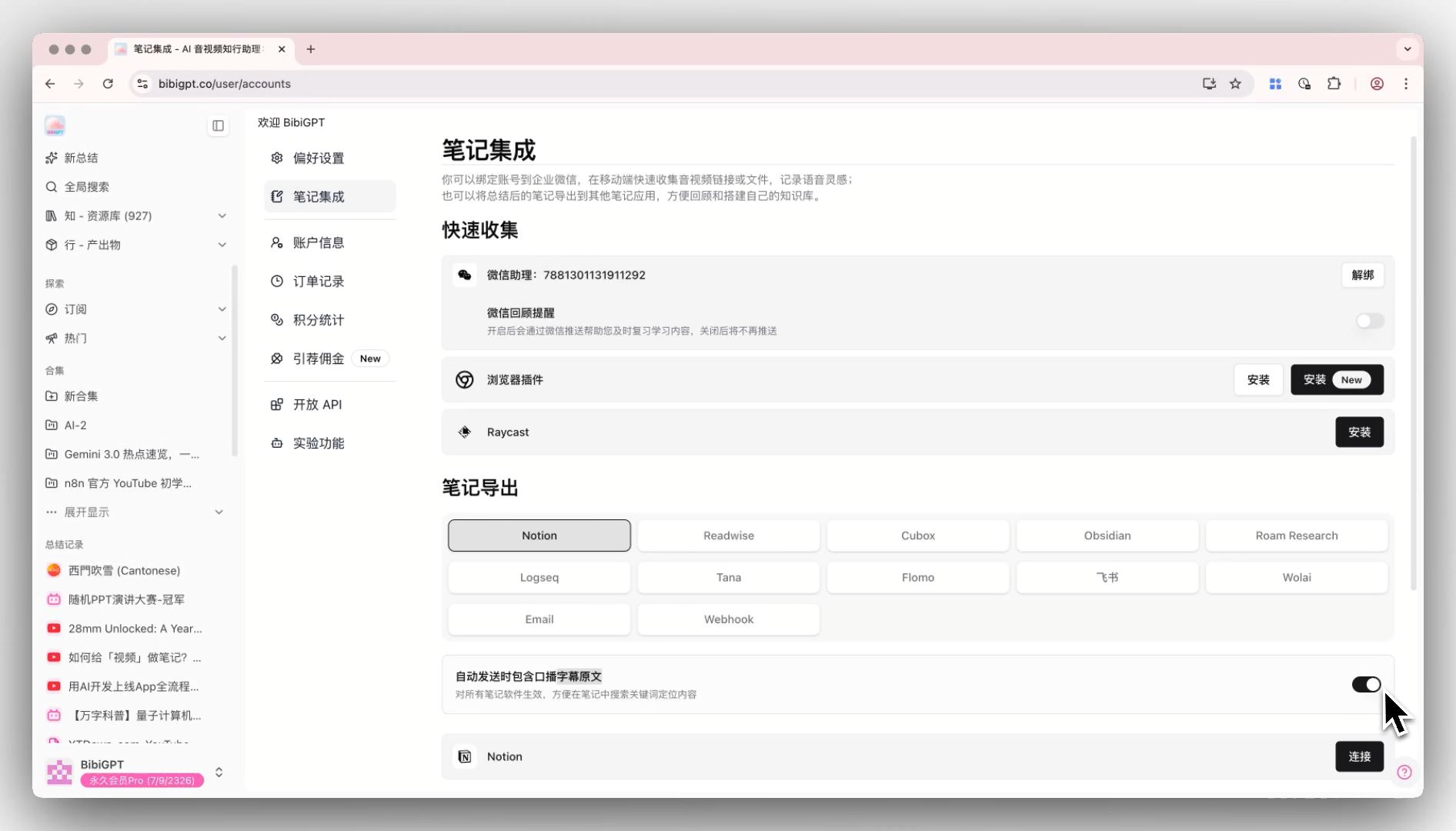
Note export (Dimension Five): both value it. Snipd syncs highlights into note tools like Notion, Readwise, and Obsidian, and exports Markdown. BibiGPT’s summaries and transcripts likewise export to Markdown and text for your note apps, with Notion and Obsidian integration.
Ease of use (Dimension Six): Snipd is an app—you install it on your phone and migrate your listening habit over. BibiGPT is “paste a link and go,” runs in the browser, and requires no change to your existing listening habits—ideal for “occasionally needing a quick speed read.”
Six-Dimension Table
| Dimension | Snipd | BibiGPT |
|---|---|---|
| Content range | Mainly podcast audio | Video + audio, 30+ platforms |
| Signature move | Triple-tap to save highlight cards | Whole-episode speed-read summary in seconds |
| Source tracing | Podcast highlights with time points | All content key points with timestamps |
| Visual analysis | Not applicable (pure audio) | Supports video visual analysis |
| Note export | Notion/Readwise/Obsidian + Markdown | Markdown/text + Notion/Obsidian integration |
| Ease of use | App, migrate listening habit | Paste link and go, runs in browser |
Decision filter: Heavy podcast listener treating commute listening as your main learning channel → Snipd; mixed sources, want to “speed read first then decide whether to listen,” and also handle video → BibiGPT. The two can actually pair up: use Snipd to listen, and BibiGPT to speed-read your videos and online courses too.
6. Frequently Asked Questions (FAQ)
Q1: Can Snipd and BibiGPT be used together? A: Yes, and they’re very complementary. Use Snipd for deep podcast listening and saving highlights; use BibiGPT for speed-read summaries of YouTube lectures, online courses, and local video. Play to each one’s strength.
Q2: Can BibiGPT make highlight cards like Snipd? A: BibiGPT’s focus is “whole-episode speed-read summary + timestamped key points,” not capturing single-line cards while listening. If your core need is “saving heard golden lines into cards,” Snipd is more specialized.
Q3: I mostly watch YouTube lectures and rarely listen to podcasts—which one? A: Choose BibiGPT. It specializes in cross-platform video/audio speed reading; YouTube, Bilibili, etc. just need a link, plus it can do visual analysis. Snipd is a podcast-native app and doesn’t cover video.
Q4: Do both export notes into Notion? A: Both can. Snipd syncs highlights into Notion/Readwise/Obsidian; BibiGPT’s summaries and transcripts can be exported to Markdown and saved into Notion, Obsidian.
Q5: Which is faster to get started with? A: BibiGPT runs in the browser with paste-and-go and near-zero migration cost; Snipd requires installing an app and migrating your listening habit, suited to people willing to go deep on podcast listening.
Want to “speed read first, then decide” across podcasts, YouTube lectures, and online courses, getting timestamped key points in seconds? Paste a link into BibiGPT cross-platform speed-read summary and see the result before you decide.
BibiGPT Team