AI Lecture Video Summarizer for Students: Watch a Whole Semester in a Week (2026 Guide)
AI Lecture Video Summarizer for Students: Watch a Whole Semester in a Week (2026 Guide)
Quick answer: To catch up on a whole semester of lecture recordings before finals, the fastest path isn’t pulling all-nighters replaying every session — it’s using an AI lecture video summarizer to first turn each class into a summary, key timestamps, and review cards, then only rewatching the parts you don’t understand. Paste your Zoom lecture recording or Coursera video link into BibiGPT and get structured notes in a minute — the most efficient starting point for exam season in 2026.
Why International Students Need Lecture Video Summaries Most
If you’re doing undergrad in the U.S., a master’s in the UK, or studying in Australia or Canada, this scenario will feel familiar:
You started the term determined to keep up with every live lecture, then got buried in assignments, a part-time job, and group projects, and the recordings piled up. Come finals, you realize you have to catch up on 12 weeks — 3 sessions a week, 1-2 hours each — in a single week. Dozens of hours of video, and brute-forcing it just doesn’t work.
Take U.S. students as an example: not a single F1 required-course recording can be skipped, and you have to digest a full 12 weeks in the week before midterms — there’s never enough time. Falling behind live and not finishing replays is a pain point nearly every international student shares.
Practical rule: The bottleneck in exam-season review is never “not understanding” — it’s “not finishing.” First use AI to compress each class into a 5-minute readable summary, then save your precious deep-reading time for the real hard parts.
That’s the value of an AI lecture summarizer: it doesn’t learn for you, but it helps you see the whole picture first, then invest precisely — spending limited review time where it counts.
Full Platform Coverage: Zoom / Coursera / edX / Udemy / YouTube
International students’ lecture sources are scattered, so whether one tool can handle them all decides how useful it is.
| Platform | Typical scenario | What AI summary does |
|---|---|---|
| Zoom lecture recording | Cloud-recorded replays of live lectures | Turn into a summary + key timestamps, skip the small talk |
| Coursera | MOOC electives, professional certificates | One-click summary; even long videos give quick takeaways |
| edX | Top-university open courses, micro-degrees | Structured notes + term explanations |
| Udemy | Skill courses, supplementary material | Break long videos into chapter takeaways |
| YouTube open courses | MIT OCW, Stanford open courses, teaching aids | Paste the URL and get a summary and mind map |
No matter which platform your recording is on, the idea is the same: get the video link (or downloaded recording), let AI generate a summary, then decide whether to rewatch.
A Three-Step Workflow: Turn One Lecture into Reviewable Notes
Step 1: Paste a link, get a summary
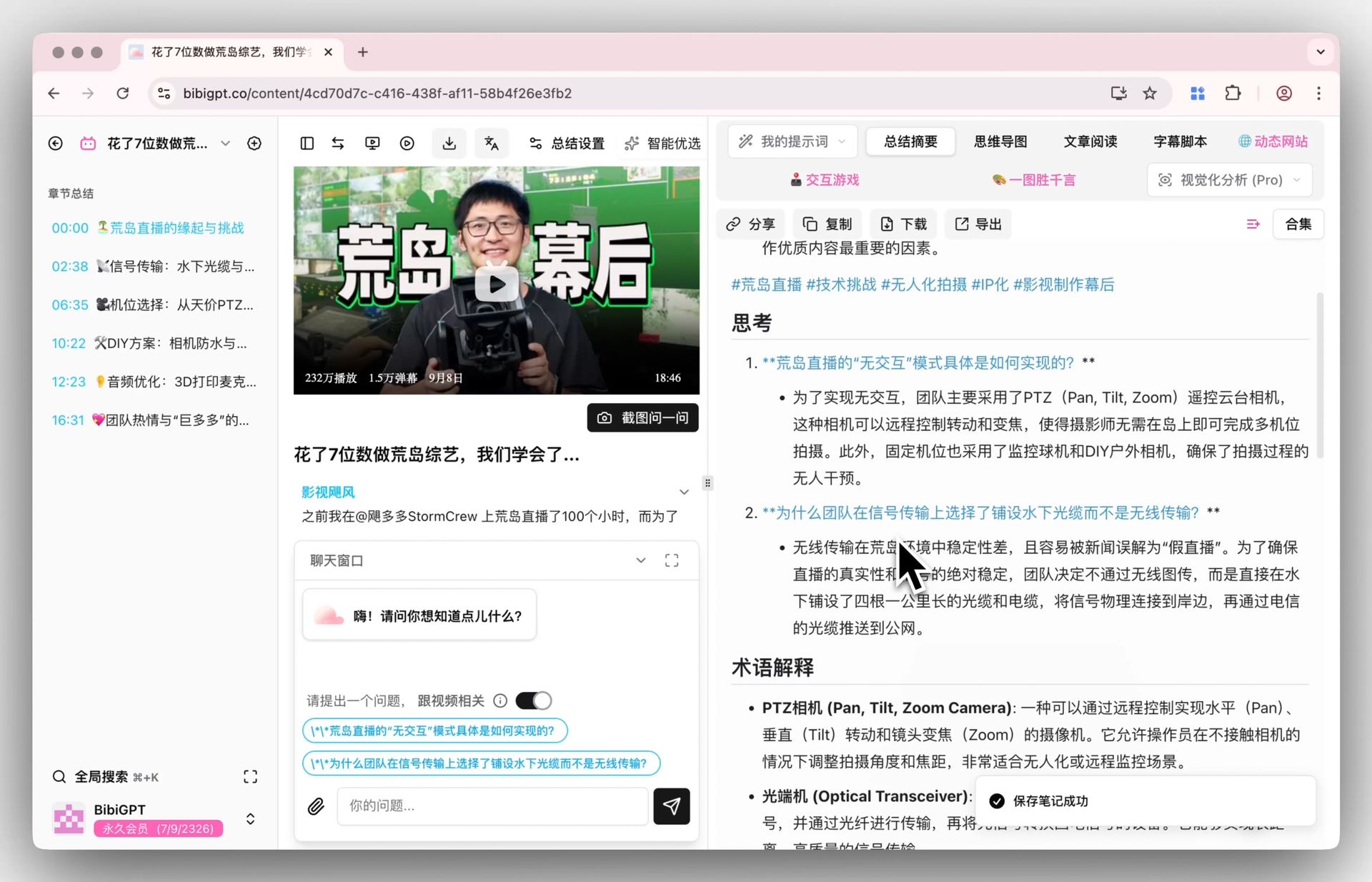
Copy your lecture recording or Coursera/edX video link, paste it into BibiGPT, and in seconds get a Smart Deep Summary with a core summary, key highlights, thought-provoking Q&A, and term explanations. An English lecture summarizes into your preferred language directly — a hard-to-follow professor’s accent is no problem, because AI reads the content, not the pronunciation.
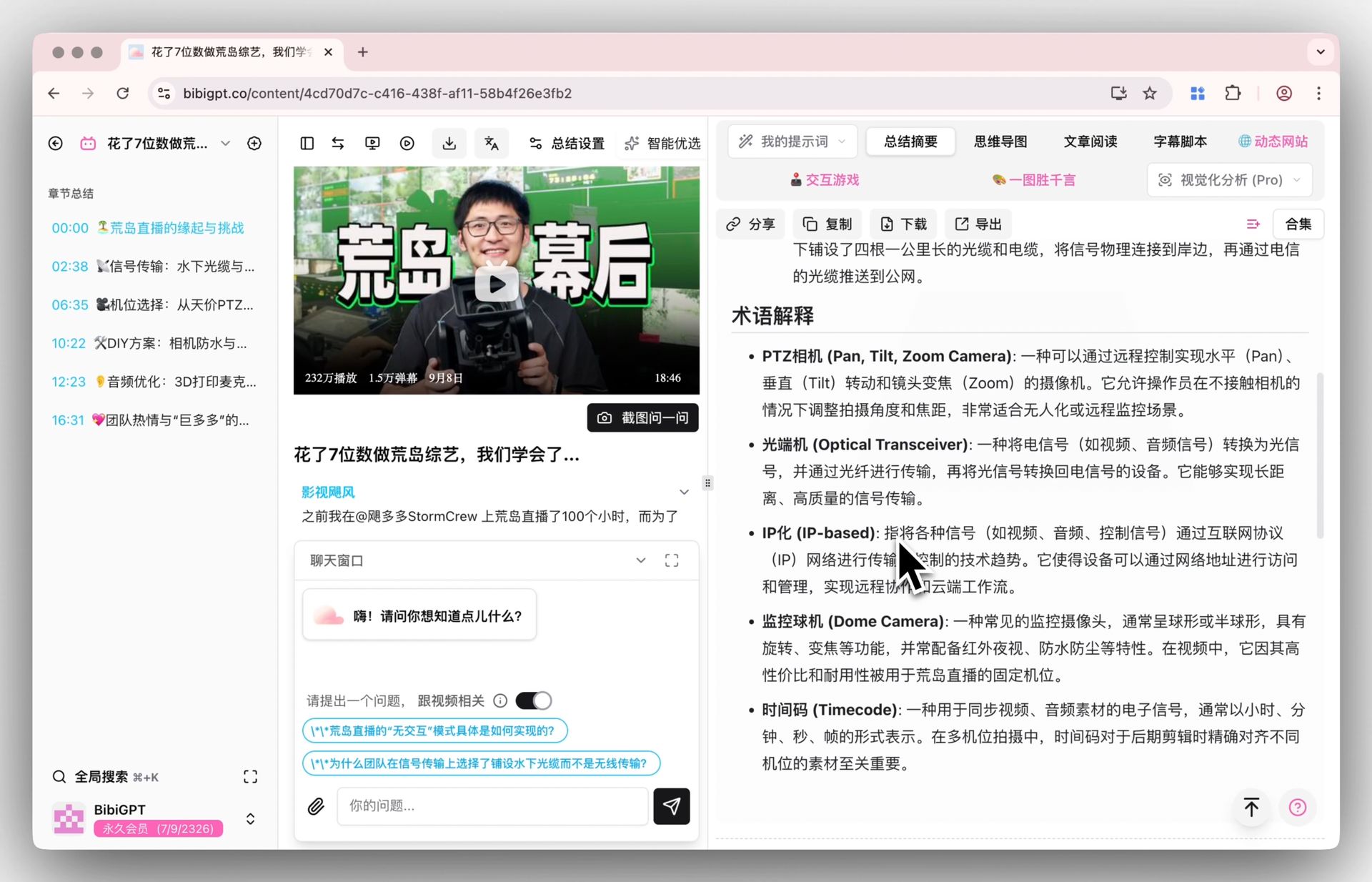
The image below shows the auto-generated term explanations in the summary — those fleeting jargon terms in specialized courses get annotated one by one, saving dictionary time.
Step 2: Switch to the mind map and see this class’s skeleton
Which topics a lecture covers and how they relate is clear at a glance in a mind map. Review the skeleton first, then fill in details — far more memory-efficient than linear replay.
Step 3: Batch-process a whole course
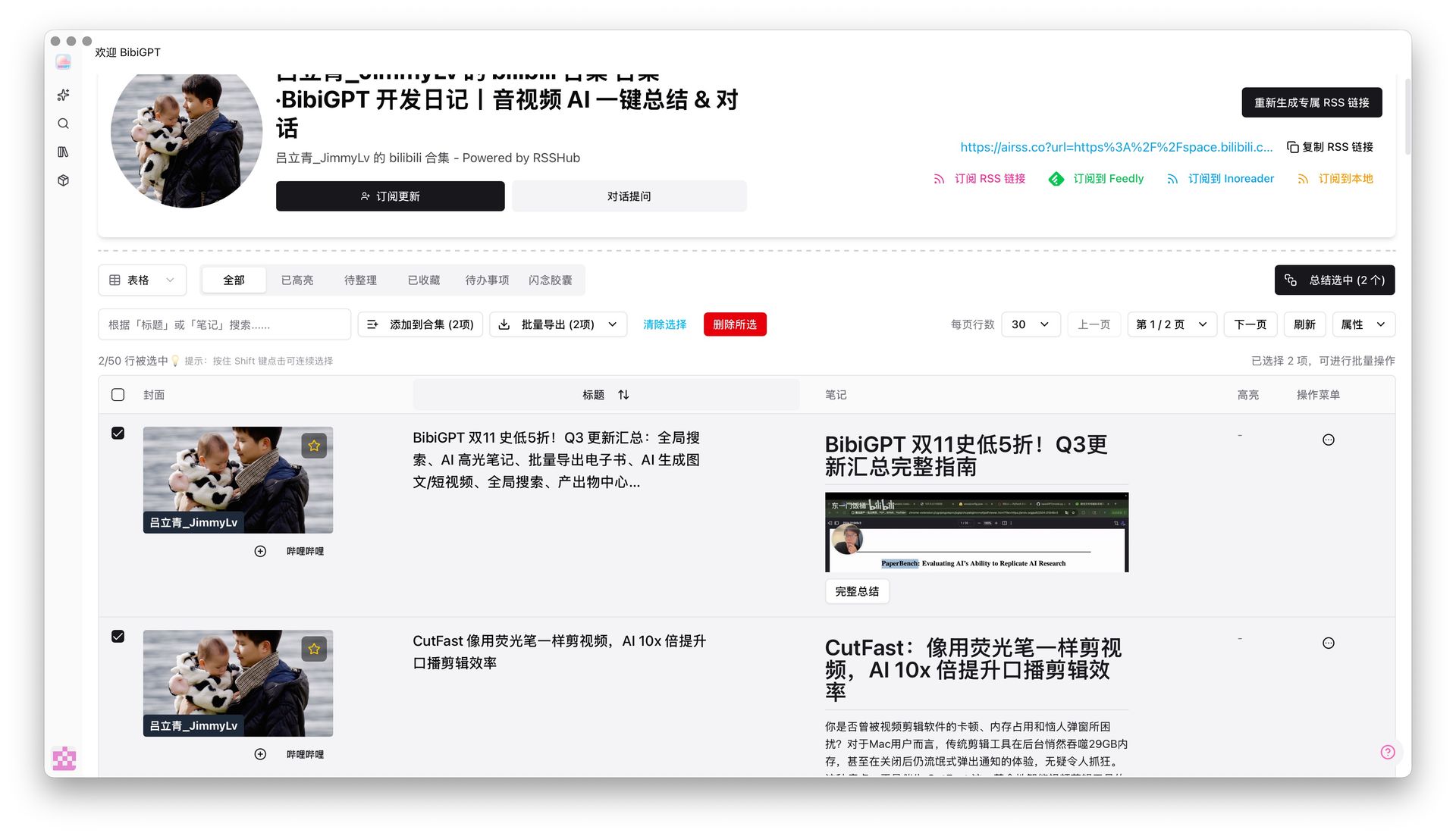
What you need to catch up on at exam time isn’t one class but a whole course’s recordings. BibiGPT’s selective playlist summary lets you tick off a course’s recording playlist and batch-generate notes — no going one by one; an entire course’s notes are ready in the time it takes to drink a coffee.
Real Scenarios for Students in Different Countries
Review pain points vary by country, but AI summaries handle them all:
- U.S. students: Many F1 required-course recordings; catch up on 12 weeks the week before midterms — use batch summaries to scan the whole picture first, then deep-read.
- UK students: PgDip seminar recordings and handouts are often incomplete and tutors’ accents are hard to follow — AI transcription + summary solve both “can’t hear clearly” and “can’t keep up.”
- Australian students: Final exams cluster together, and time zones make live lectures hard to follow, so you need quick rewatch — AI summary turns “rewatch an hour” into “read five minutes.”
- Canadian students: Co-op placements clash with online class times, leaving fragmented time — reading summaries on your phone and jumping to key timestamps fits best.
Wherever you are, the logic is the same: let AI compress the video into notes first, then use the time you save to tackle the hard parts.
Advanced: Use AI Follow-Up Questions to Nail What You Don’t Understand
A summary is just the start. Still don’t get a concept after reading? Use BibiGPT’s AI follow-up chat to ask directly — it answers based on the video content and jumps to the corresponding timestamp in the original recording, so you locate exactly where the professor explained it.
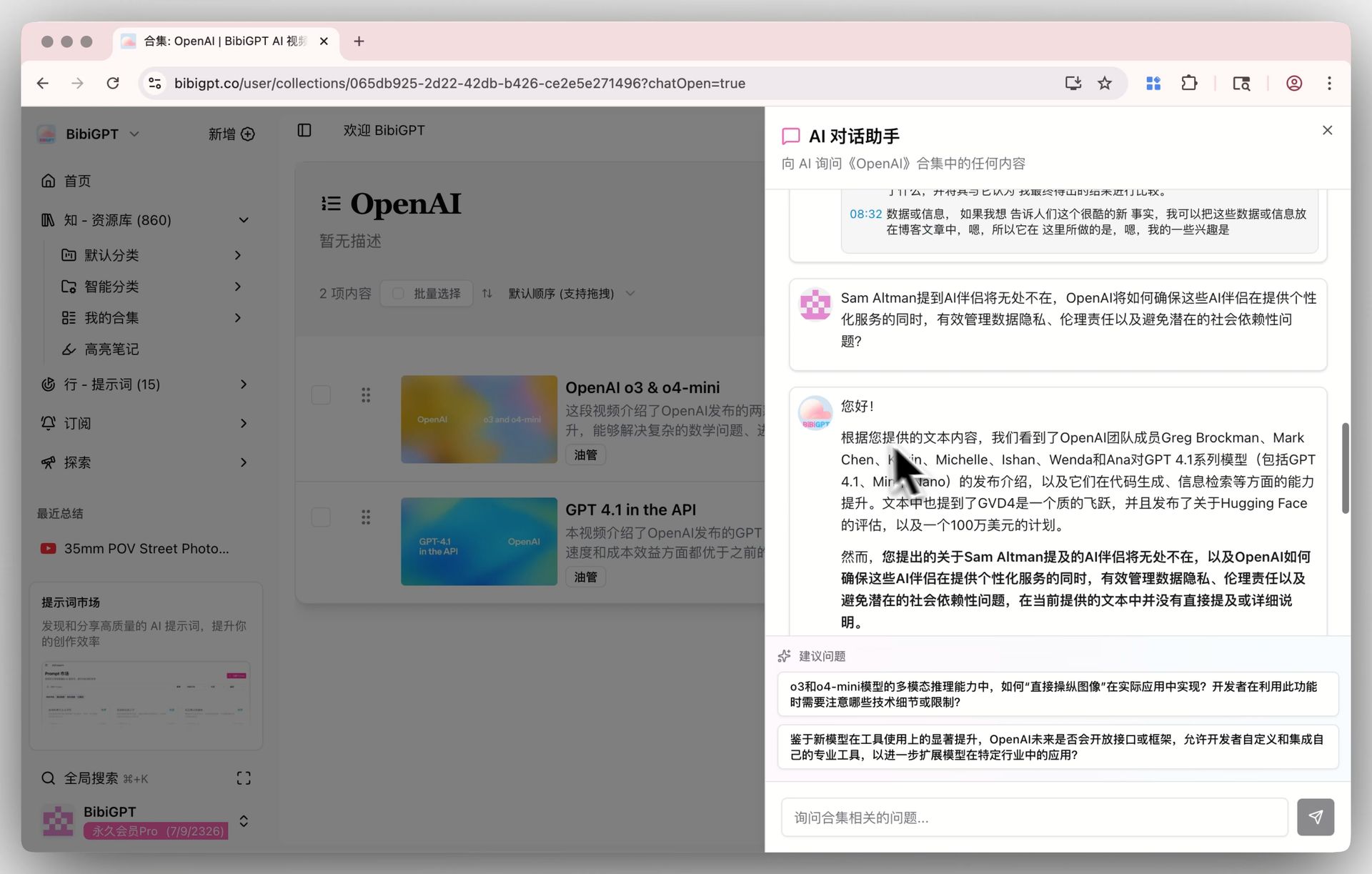
Before the exam, run through each class’s “thought Q&A” once — skip what you can explain, rewatch what you can’t. That’s the most efficient active review there is.
FAQ
Q1: Can English lecture recordings generate non-English summaries? Yes. BibiGPT supports Chinese, English, Japanese, and Korean — English lectures and Coursera/edX videos can output summaries with key timestamps directly.
Q2: How do I summarize a Zoom cloud recording? Get the Zoom recording’s share link or the downloaded video file and hand it to BibiGPT to generate a summary.
Q3: Can a whole course’s recordings be batch-processed? Yes. Use the selective playlist summary to tick off a course’s multiple recordings and batch-generate notes — no going one by one.
Q4: Are AI summaries accurate? Will they miss key points? Summaries are generated from the video content and include timestamps so you can jump back to the original anytime. Pairing “read the summary to locate key points + rewatch hard parts” is safer than relying on the summary alone.
Q5: Is it free to use? New users can try it free — paste one lecture video link to experience the full “video → notes” flow before deciding whether to use it long-term.
Try It Now
Paste your Zoom lecture recording, Coursera video, or YouTube open-course link — get a summary and review cards in a minute, and compress a semester of recordings into a week of watching.
Paste a lecture recording and generate review notes
BibiGPT Team