How to Use AI to Learn from Videos: A Practical 2026 Workflow for Students & Self-Learners
How to Use AI to Learn from Videos: A Practical 2026 Workflow for Students & Self-Learners
Last updated: June 2026
Quick answer: To learn from videos with AI in 2026, paste the link into an AI video tool, generate a structured summary with timestamps, turn the key points into questions for active recall, then sync the notes into Notion, Obsidian, or Anki. The fastest path is to start with an AI summary plus inline mind map so the whole lecture’s logic is visible before you try to memorize anything.
Most people “learn” from video by watching once, nodding along, and forgetting 90% within a day. The problem isn’t effort — it’s that linear video is the worst possible format for memory. This guide shows the exact 2026 workflow that fixes it: AI does the distillation, you do the thinking, and your notes app does the remembering.
Why video is hard to learn from (and why AI changes the math)
Video plays at one speed, in one direction, with no structure you can scan. A two-hour lecture buries its three useful ideas inside 117 minutes of context, examples, and tangents. You can’t skim it the way you skim a textbook, and rewinding to “that part about gradients” means scrubbing blindly.
AI breaks this open by reading the entire transcript at once and returning a structured, timestamped outline in seconds. Suddenly the video behaves like a document: scannable, searchable, and jumpable. That single shift — from timeline to structure — is what makes everything downstream possible.
Practical rule: Never learn directly from a raw timeline. Convert the video into structure first, then study the structure.
The economics matter too. Hand-distilling a 45-minute lecture into clean notes takes 30–60 minutes. AI does the first pass in under a minute, so you spend your time judging and remembering instead of transcribing.
Step 1: Turn the video into a structured summary
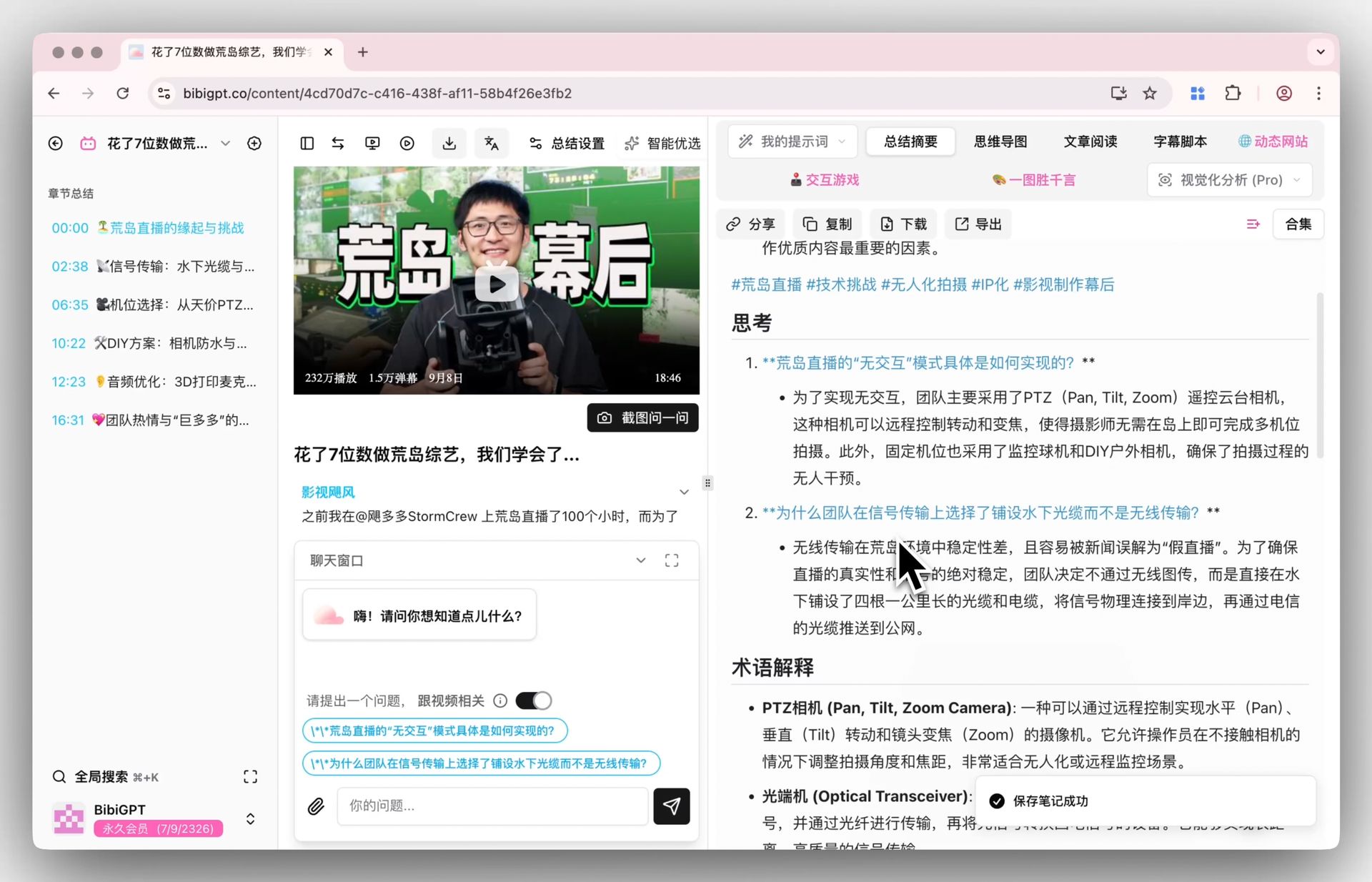
Start by pasting the video link into BibiGPT. It works across 30+ platforms — YouTube lectures, recorded online courses, documentaries, podcasts, and local files you upload yourself. Within seconds you get an outline of chapters, key points, and the questions worth asking, each tied to a clickable timestamp.
The interactive demo below lets you paste a link and watch a video become readable key points:
Summarize any video in seconds
Pick a sample below to see the AI summary — TL;DR, key points, and jump-to timestamps.
TL;DR: Karpathy builds a GPT-style language model from scratch in code, explaining every piece — from a tiny character-level model up to the full Transformer.
Key points
- Start with a bigram model, then add self-attention so tokens can "talk" to each other
- A Transformer block = multi-head attention + feed-forward + residual connections + layer norm
- Training is just predicting the next token; scale and data do the rest
- The same architecture behind nanoGPT is what scales up to ChatGPT
Jump to
- 00:07 Why build GPT from scratch
- 08:23 Self-attention, intuitively
- 1:00:00 Assembling the Transformer block
- 1:35:00 From nanoGPT to ChatGPT
Demo: BibiGPT video summary feature
The first deliverable is a smart summary with thinking questions. Those questions aren’t decoration — they’re the seeds of your flashcards, which matters in Step 3.
Practical rule: Read the summary before you decide whether to watch the full video. Half the time the structure alone tells you it isn’t worth two hours.
Step 2: See the whole argument as a mind map
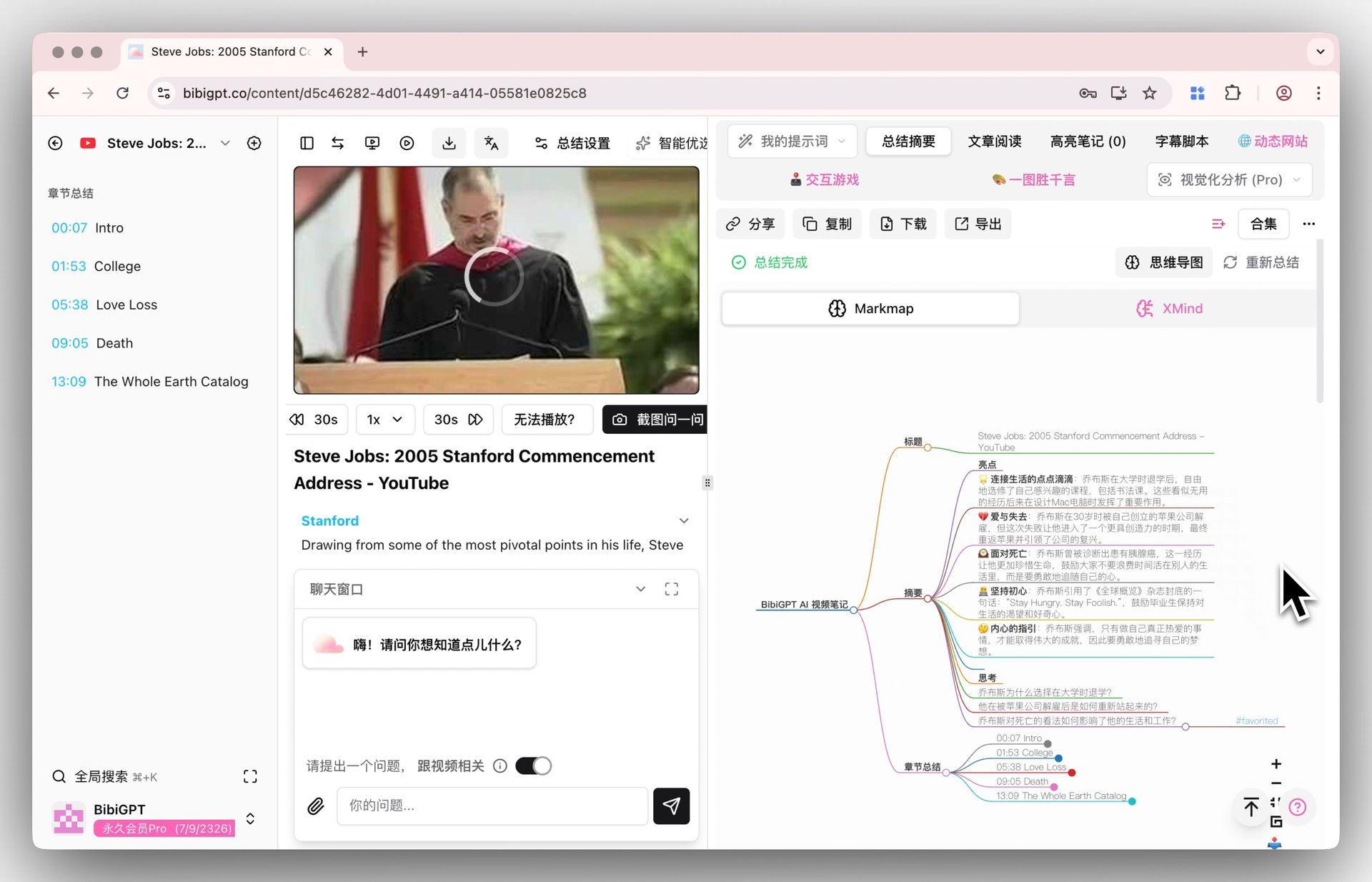
A flat list of bullet points hides how ideas connect. For anything conceptual — a maths lecture, a strategy talk, a documentary thesis — generate a mind map and you see the entire skeleton on one screen: main claim, supporting branches, and where the evidence sits.
This is the single most underused study technique in 2026. The night before an exam, one map of the whole course beats flipping through fifty disconnected notes. Mind map nodes carry timestamps, so when a branch looks shaky you click straight back to that moment in the video to verify.
Practical rule: If you can’t redraw the mind map from memory, you don’t understand the video yet — you’ve only watched it.
Here’s a strong example to practise on. Andrej Karpathy’s two-hour “Let’s build GPT” lecture is dense, technical, and exactly the kind of long video where AI structuring pays off most:
Run that video through Steps 1 and 2 and a two-hour wall of code becomes a navigable map you can study in pieces.
Step 3: Convert key points into active recall
Watching and re-reading feel productive but barely move long-term memory. Active recall — forcing yourself to retrieve an answer from a blank — is what actually writes knowledge in. Your brain consolidates during retrieval, not during input.
This is why the thinking questions from Step 1 are so valuable: each one is a ready-made card front. Take the 3–5 most useful points from a video and rewrite them as questions you have to answer cold.
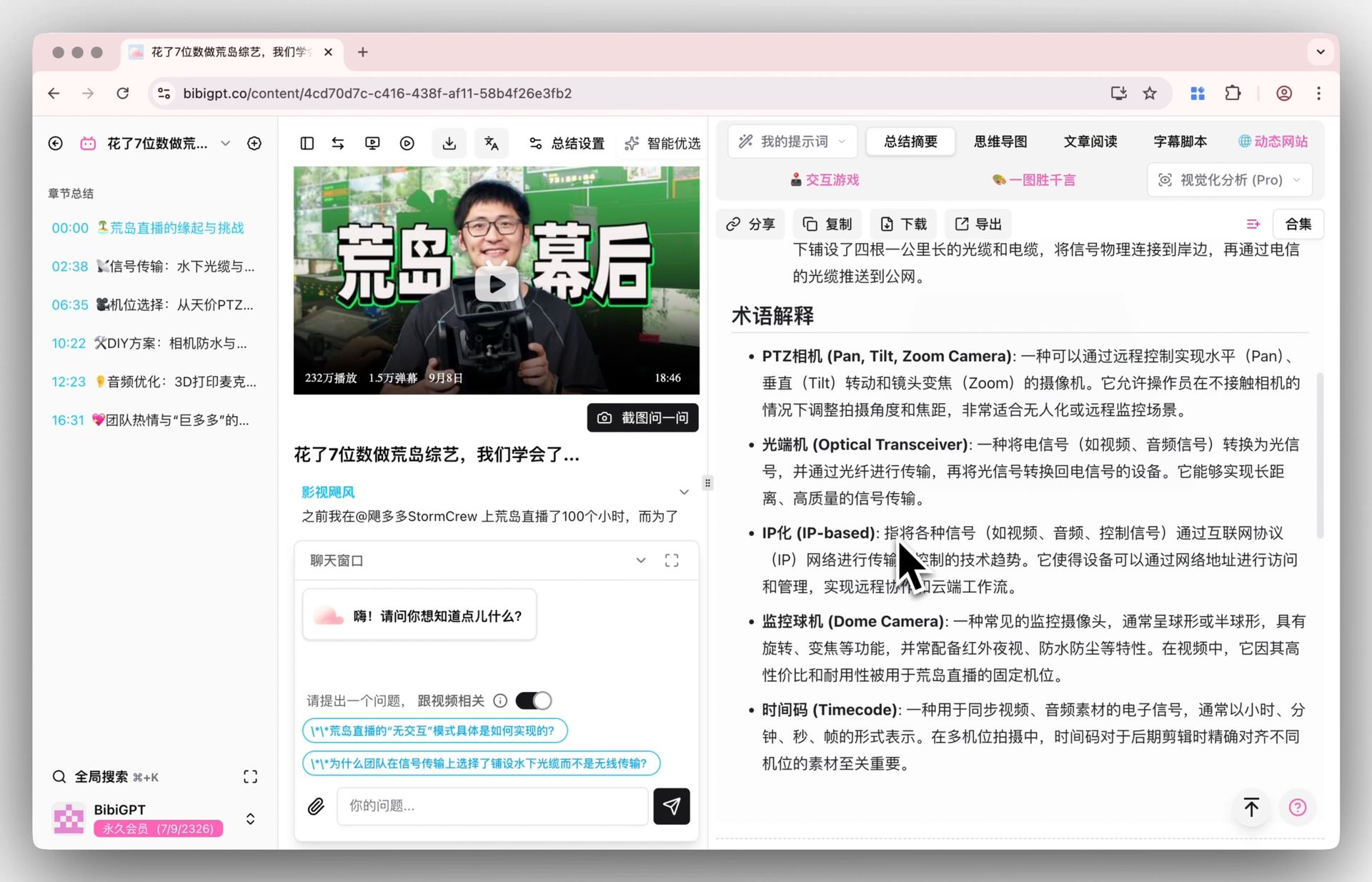
Use AI chat to follow up on anything unclear — ask the AI to rephrase a point as a test question, or to explain a term you didn’t catch. The demo below shows that back-and-forth:
Ask the video a question
Watched it but still unsure? Ask follow-ups and get answers grounded in the transcript.
Tap a question:
Demo: BibiGPT AI follow-up chat
Practical rule: A statement you can re-read is not a card. A question you have to answer from memory is. Convert every keeper into question form.
Step 4: Sync notes into Notion, Obsidian, or Anki
Knowledge you can’t find again is knowledge you’ve lost. Once a video is summarised, export it into the notebook you already live in:
- Notion — drop the structured summary and mind map into a database row per video, tagged by topic, so your whole course becomes one searchable table.
- Obsidian — paste the markdown notes and let backlinks connect related lectures into a personal knowledge graph.
- Anki — export the question–answer pairs as flashcards (CSV) and let spaced repetition schedule your reviews automatically.
Because every key point keeps its source timestamp, your notes stay traceable: months later you can click any claim and land on the exact second of the original video. If your source is a transcript rather than a link, a video-to-text converter gets you clean text to paste into any of these tools.
Practical rule: Pick one home for your notes and route everything there. Knowledge scattered across five apps is knowledge you’ll never review.
Step 5: Build a repeatable weekly loop
The workflow only compounds if it becomes a habit. A realistic loop for a self-learner watching ten videos a week:
- Paste each video link and generate a summary the moment you finish watching — the recall window is strongest in the first five minutes.
- Generate a mind map for anything conceptual; skip it for pure how-to clips.
- Pull 3–5 keepers per video and rewrite them as recall questions.
- Export cards to Anki and notes to Notion or Obsidian in one batch on Friday.
- Let Anki ping you daily; spend ten minutes answering, then close the app.
Over a year that’s roughly 500 brain-verified knowledge points instead of a vague memory of “videos I once watched.” That gap — between passive consumption and structured retention — is the entire return on this method.
What to learn from video, and what to skip
AI makes summarising cheap, which tempts you to summarise everything. Don’t. Reserve the full workflow for material you’ll actually use in the next twelve months: courses in your field, lectures tied to an exam, documentaries you’ll cite. Skip entertainment, three-month-old news, and the fourth video on a topic you already understand.
Practical rule: After watching, answer in thirty seconds: “Will I use this within six months?” Yes means make cards. No means close the tab and move on.
The whole point of AI here is leverage. It removes the grunt work of distillation so your scarce attention goes to the two things only you can do: deciding what’s worth remembering, and doing the retrieval that makes it stick.
Keep going
For platform-specific walkthroughs, see how to summarize YouTube videos with BibiGPT and the Baidu Cloud Drive video-to-text note workflow.
Open a video you actually want to remember, run the five steps, and ten minutes later you’ll have your first AI-structured, recall-ready set of notes.
—— BibiGPT Team