Multi-Video Research with AI: A Method for Aggregating Knowledge from a Dozen Videos (2026)
Multi-Video Research with AI: A Method for Aggregating Knowledge from a Dozen Videos (2026)
You want to understand a topic — maybe an investment thesis, a technical principle, a historical event. You open YouTube and find a dozen related videos: someone explains the framework, someone gives cases, someone raises objections. The biggest confusion after watching is usually not “I didn’t get one of them,” but “I can’t stitch the dozen viewpoints together to see where they agree and where they contradict.”
A single video summary can’t solve this. Real research is cross-video: you have to compare, merge, and question across multiple sources, then distill a conclusion of your own. This guide gives you a reusable method that turns “watched a pile of videos but can’t piece them together” into “a set of videos = one conversational knowledge base.”
Table of Contents
1. Why a single video summary isn’t enough: research is cross-source
Summarizing a single video well is only the first step of research. The hard part is “between” — do different videos say the same thing about the same question? Whose argument is more solid? Which points are consensus and which are contested? None of these can be answered by a single summary.
According to aitooldiscovery’s review of video summary tools, the most valuable capability when handling educational videos is bringing in multiple sources (YouTube links, PDFs, recordings) and then interacting with them as a unified knowledge base — exactly the key to upgrading from “single summary” to “cross-video research.”
Practical rule: When researching a topic, don’t settle for “I’ve summarized every video” — keep asking “put together, what do these videos actually settle, and where do they clash?”
The demo below shows the idea of aggregating multiple video sources into one knowledge base — watch it once:
Source: YouTube · multi-video knowledge base tutorial
2. Step one: capture — gather videos around one question
Research starts from a clear question, not “just browsing.” Write the question down first, then gather videos around it.
How to do it
- Write your core question in one sentence
- Around that question, gather 8–15 related videos (covering different stances)
- Deliberately include “opposing views,” don’t only gather what supports your hunch
- Put them in one group, ready for unified processing
According to Taskade’s multi-video research workflow, after converting each video in a playlist into notes, you can have the AI build a study plan across all videos, with the result landing in a board or mind map with milestones and linked timestamps — showing that “gather first, then process together” is a validated starting point.
Practical rule: When gathering videos, deliberately drop in a few that “oppose your hunch”; research quality depends on how many different voices you include.
3. Step two: merge — turn a set of videos into one overall synthesis
After gathering, the second step is to flatten them into one overall understanding. Opening them one by one is too slow; you need a synthesis grounded in the content of all the videos.
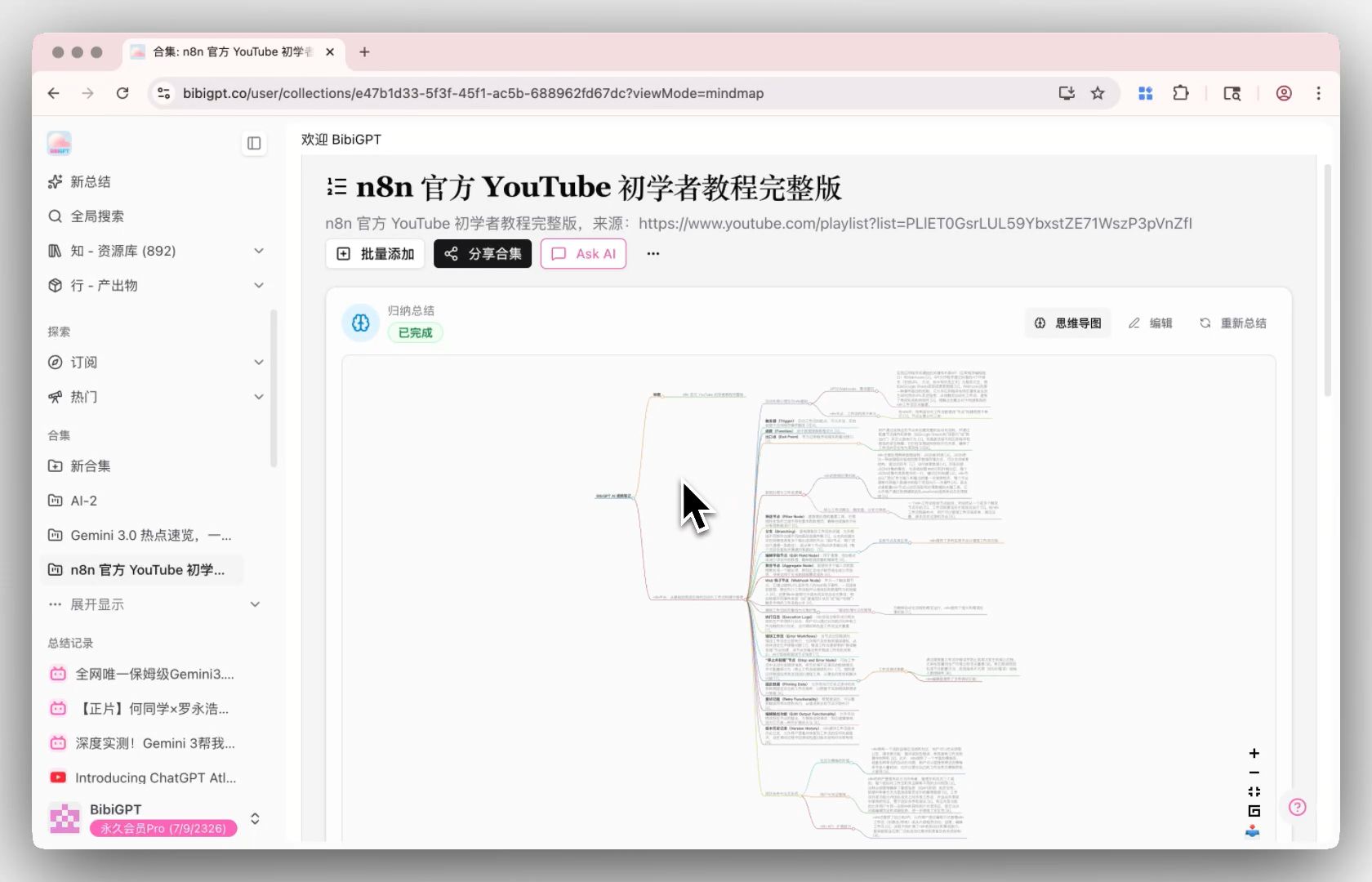
BibiGPT’s Collection Summary does exactly this: add related videos into a collection, click “Summarize now” at the top of the collection page, and the system generates a structured overall synthesis based on all videos in the collection, marking clickable citation sources so you can trace back to the original video’s position anytime.
The shot below is the mind map generated by collection summary, so you can see the overall thread of a set of videos once it’s been “flattened”:
Screenshot: BibiGPT · collection summary demo
You can first build several related videos into a collection and run a summary. The interactive demo below lets you experience video-to-mind-map directly:
Turn a video into a mind map
A linear talk becomes a structured tree. Drag to pan, click nodes to fold.
Demo: BibiGPT video-to-mind-map
When to use it
- You’ve already gathered a set of same-topic videos
- You need an “overall understanding” before drilling into details
- You want a synthesis with citations that traces back to original videos
Practical rule: Before drilling into a single video’s details, do a cross-video overall synthesis first — without a global view, details easily lose you.
4. Step three: question — ask the whole video collection
With an overall synthesis in hand, research enters its most crucial step: questioning. You’ll have plenty of specific questions — “Do video A and video B agree on this point?” “Does any video mention a counterexample?” These all need cross-video answers.
BibiGPT’s Collection AI Chat turns your video collection into a conversational dedicated knowledge base. Click “Ask AI” in the collection, and the AI integrates the content of all videos in the collection, giving you precise cross-video Q&A, viewpoint comparison, and information distillation.
The interactive demo below lets you experience asking a video a follow-up and getting a sourced answer:
Ask the video a question
Watched it but still unsure? Ask follow-ups and get answers grounded in the transcript.
Tap a question:
Demo: BibiGPT AI follow-up feature
According to clipmind’s guide to turning video into structured knowledge, the ideal flow for turning video into knowledge follows a clear architecture of “capture → structure → connect → create” — and the “connect” step relies precisely on cross-source questioning and comparison.
Practical rule: Good questions are scarcer than good answers — throw your real confusions about the topic, one by one, at the whole video collection.
5. Step four: distill — turn research results into a reusable knowledge base
Research shouldn’t be one-off. The work you put in this time to understand a topic should distill into an asset you can call up directly next time.
How to distill
- Note down the key conclusions from your questioning, together with citation moments
- Keep this set of videos as a long-term collection you can re-question anytime
- Export the synthesis to your note tool and connect it with existing knowledge
Research also backs “active retrieval + repeated organizing” being more effective than passively watching once: a randomized controlled trial published on PubMed found students doing active-retrieval review retained knowledge significantly better than the passive-learning group. In other words, the loop of cross-video questioning, organizing, and questioning again is itself a research-validated, efficient way to learn.
A practical cross-video research combo
- Gather 8–15 videos around one question into a collection
- Run a collection summary first to build an overall understanding
- Use collection AI chat to question point by point, comparing sources
- Distill conclusions + citation moments into notes, keep the collection long-term
6. From “watched a pile” to “figured it out”: a workflow you can actually run
Models are no longer scarce; whether you can quickly aggregate viewpoints scattered across a dozen videos into one clear conclusion is the real watershed of research efficiency. Compress this method into 5 steps:
- Write your core question in one sentence
- Gather 8–15 videos around it (including opposing views) into a collection
- Run a collection summary to build an overall understanding first
- Use collection AI chat to question point by point, comparing sources and finding contradictions
- Distill conclusions and citation moments into notes, keep the collection long-term for reuse
People who really do research don’t watch more, they connect more — weaving isolated videos into a knowledge net you can converse with, question, and reuse. Turn a set of videos into one knowledge base, and every “watch a video” of yours genuinely becomes “doing research.”
Try it now
Next time you want to understand a topic, gather a few related videos into a collection and let BibiGPT do the cross-video synthesis and questioning for you.
Turn a set of videos into a conversational knowledge base for free
BibiGPT Team