Best Video Summarizer & YouTube Transcript MCP Servers for AI Agents (2026)

Best Video Summarizer & YouTube Transcript MCP Servers for AI Agents (2026)
You are in the middle of a research session in Claude Code or Cursor. The agent has already read three docs pages and a GitHub issue for you. Then you paste a 70-minute conference talk, ask “what did they say about rate limits?”, and the agent stalls. It fetches the YouTube page, gets a wall of player JavaScript, and admits it cannot see the video. You open the talk in another tab, drag the playhead around, and do the agent’s job by hand.
That gap is what a YouTube transcript MCP or video summarizer MCP server closes. It gives the agent a tool that turns a video URL into text, timestamps, and sometimes a finished summary, so the model can reason over what was said instead of guessing from the page title.
Most “best video MCP servers” lists skip this category entirely. The recent revid.ai roundup of 18 video MCP servers (October 22, 2026) covers only video generation and editing tools, from HeyGen to Runway to Descript. None of the 18 is a transcript or summarizer server for an arbitrary video link. This guide covers that missing half: ten servers that help an agent understand video, checked against their own READMEs and pricing pages, including where our own product falls short.
Table of Contents
- Why does an AI agent need a transcript or summarizer MCP?
- Which open-source YouTube transcript MCP servers can you run locally?
- Which hosted video summarizer MCP servers need no local setup?
- How do the video MCP servers compare side by side?
- What about podcasts, Bilibili, TikTok and local files?
- FAQ: YouTube transcript and video summarizer MCP servers
- How do you set up a video summarizer MCP in five minutes?
Why does an AI agent need a transcript or summarizer MCP?
An agent needs a transcript MCP because language models reason over text, and a video URL gives them almost none. A YouTube watch page is mostly player code and recommendations. The words spoken in the video live in a separate caption track, or nowhere at all if the creator never uploaded captions. An MCP server is the cleanest way to hand the model those words: the agent calls a tool such as get_transcript, receives timestamped text, and can then quote, summarize, or compare it like any other document.
The ecosystem is large enough that choosing is now the hard part. According to Anthropic’s December 2025 announcement, there are “more than 10,000 active public MCP servers” and “97M+ monthly SDK downloads across Python and TypeScript.” We ran our own count on October 27, 2026: searching the official MCP Registry API for “youtube” returns 91 servers, and searching for “transcript” returns 74. Many are forks or thin wrappers around the same caption library, which is why a short, verified list is more useful than a long one.
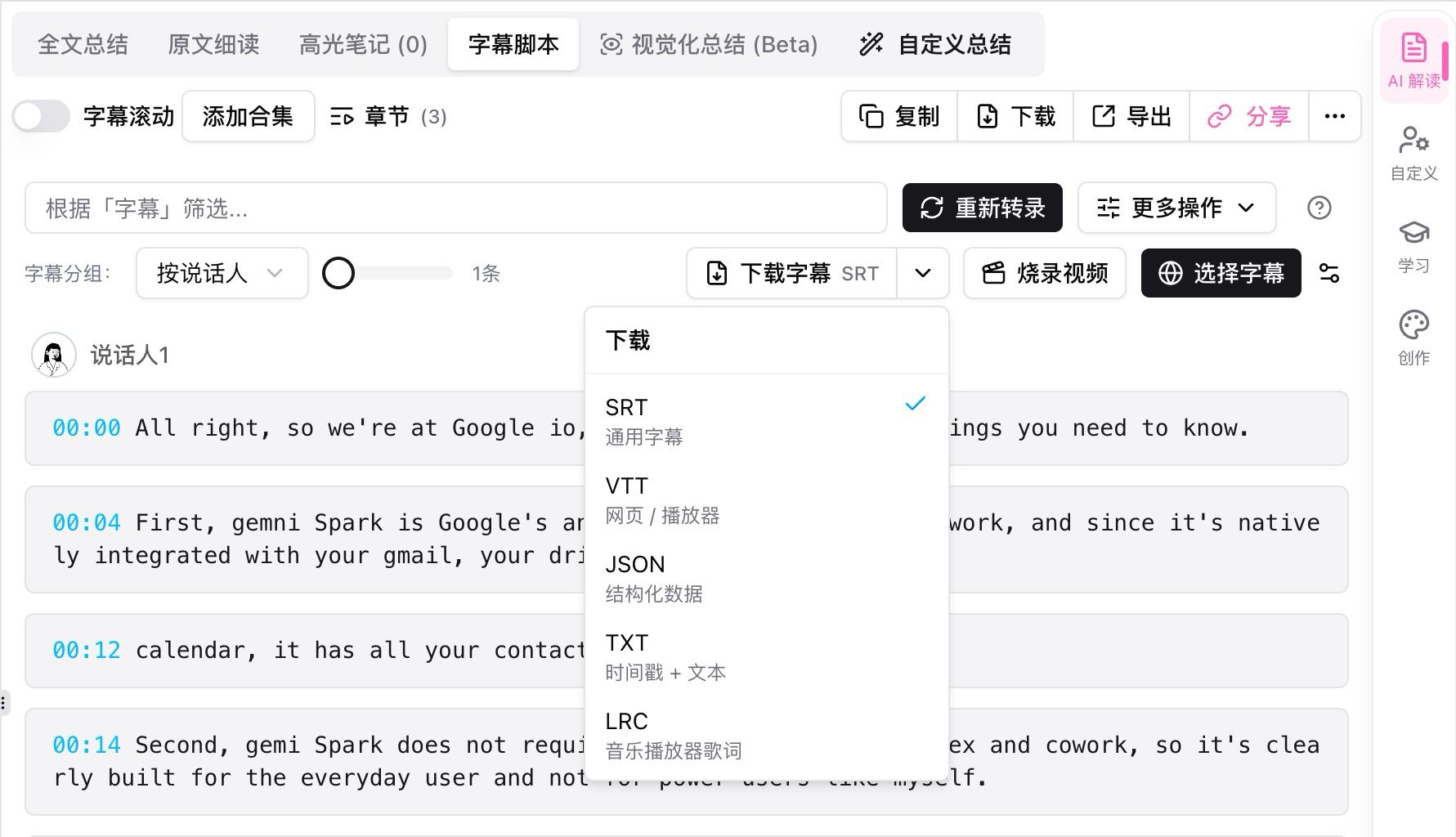
Timestamped, speaker-labeled transcript text is what an agent actually reasons over. Source: BibiGPT transcript view.
Transcript MCP vs. summarizer MCP: what is the difference?
A transcript MCP returns raw text; a summarizer MCP returns text plus processing. The difference matters for your context window. A one-hour talk easily runs to several thousand words, and pasting all of it into every turn is slow and expensive. A transcript server is the right pick when you want the agent to do its own analysis. A summarizer server is the better pick when you want a chaptered digest first and only drill into the raw transcript when needed.
Practical rule: If you only ever ask one question per video, a transcript MCP is enough. If you revisit videos, follow channels, or compare many talks, pick a server that also summarizes and remembers.
Which open-source YouTube transcript MCP servers can you run locally?
The best open-source options are small Node or Python servers that fetch YouTube’s existing captions and return them to the agent, with no account required. They are free, transparent, and easy to audit. What they share is the same two limits: they are YouTube-only, and they depend on captions already existing. If a video has no captions, or YouTube blocks your IP, they return nothing useful.
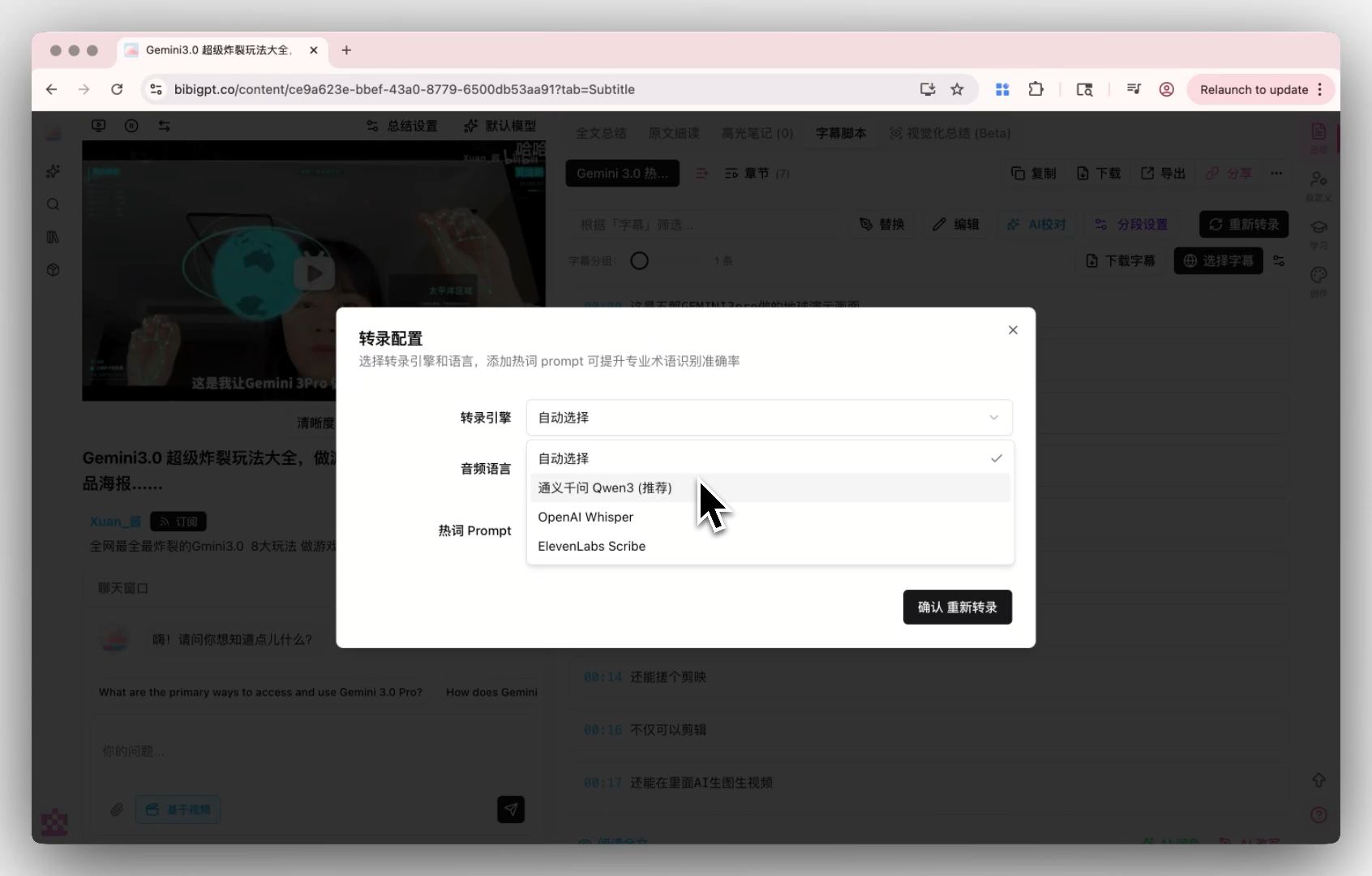
When captions are missing, something has to run speech-to-text. Caption-only MCP servers stop here. Source: BibiGPT transcription settings.
kimtaeyoon83/mcp-server-youtube-transcript
mcp-server-youtube-transcript is the most-starred TypeScript option (about 600 GitHub stars at the time of writing, MIT license). Its get_transcript tool takes a URL, a language, an include_timestamps flag and a strip_ads option that filters sponsor segments using chapter markers. It installs with npx -y @kimtaeyoon83/mcp-server-youtube-transcript and needs no key. An optional analyze_video tool calls TwelveLabs, but it needs a TwelveLabs API key and a direct video file URL; the README notes a YouTube watch page URL will not work for it.
jkawamoto/mcp-youtube-transcript
mcp-youtube-transcript is the most complete Python option (MIT, about 490 stars, actively maintained). It exposes get_transcript, get_timed_transcript, get_available_languages and get_video_info, and it splits long transcripts into pages so a two-hour video does not flood the context. You can run it with uvx, a Claude Desktop .mcpb bundle, or a Docker image. It is also the most honest README in the group: “YouTube aggressively blocks automated transcript requests from cloud providers and data center IPs.” It supports Webshare, ScrapingAnt and plain HTTP proxies to work around that.
anaisbetts/mcp-youtube, ZubeidHendricks/youtube-mcp-server and sinco-lab/mcp-youtube-transcript
Three more are worth knowing. anaisbetts/mcp-youtube is a tiny TypeScript server that downloads subtitles through a separate command-line video downloader, which you have to install yourself. ZubeidHendricks/youtube-mcp-server is broader: ten tools covering video search, channels, playlists and transcripts_getTranscript, but it requires a YouTube Data API key and is closer to a YouTube data tool than a summarizer. sinco-lab/mcp-youtube-transcript is smaller but runs deliberately on your own machine “instead of a remote proxy” and adds an InnerTube fallback.
If you only need a transcript for yourself and not for an agent, a browser-based YouTube transcript generator skips the setup entirely.
Practical rule: Local caption servers work best on your laptop. If your agent runs in the cloud or CI, expect YouTube IP blocks and budget for a proxy or a hosted API.
Which hosted video summarizer MCP servers need no local setup?
Hosted servers run the fetching, speech-to-text and summarizing on their own infrastructure, so your agent connects to a URL instead of installing a package. That solves the IP-block problem and, for some, the missing-caption problem. The tradeoff is an account, usage-based pricing, and sending video URLs to a third party.
BibiGPT MCP: summaries, transcripts and a library across 30+ platforms
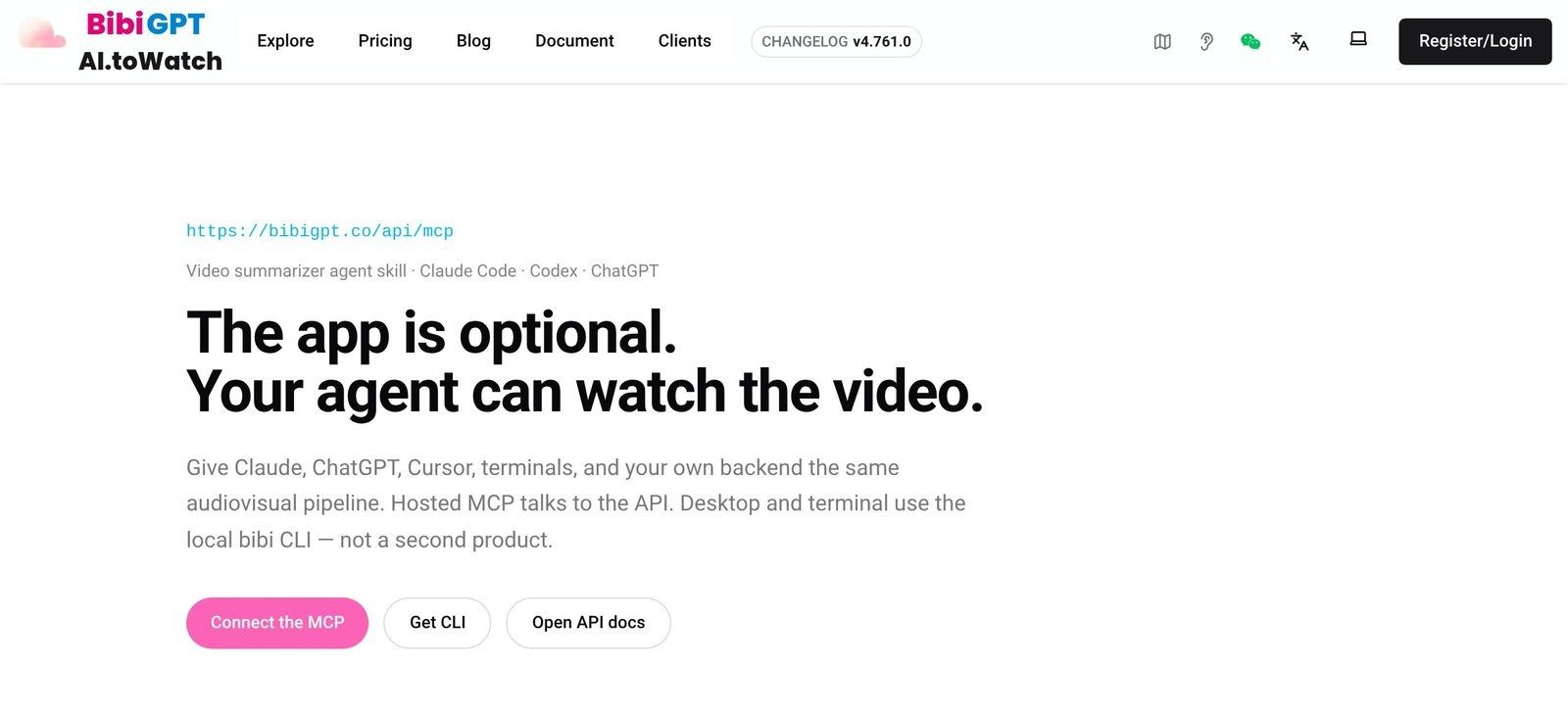
Full disclosure: this is our product, so weigh it accordingly. The BibiGPT MCP is a remote Streamable HTTP server at https://bibigpt.co/api/mcp. OAuth-capable clients like Claude, ChatGPT and Cursor sign in with OAuth 2.1 and dynamic client registration, so there is no key to paste; other clients use a Bearer token from your BibiGPT integration settings. It is listed in the official MCP Registry as io.github.JimmyLv/bibigpt.
The BibiGPT MCP landing page with the hosted endpoint. Source: bibigpt.co/mcp, captured October 2026.
The tools go past transcripts. summarize_video returns a timestamped summary, get_subtitle returns the transcript, generate_summary_by_prompt runs your own prompt, list_saved_videos, search_saved_videos and get_saved_video read your saved library, and subscribe_channel follows a channel for new uploads. It works on YouTube, Bilibili, TikTok, Twitter/X, Xiaohongshu, podcasts and local files, and supports 30+ platforms in total.
The limits, honestly stated: you need a BibiGPT account. The included agent calls come with a membership (Plus gets 100 free calls per day, Pro gets 300), and calls beyond that draw on API balance. Only public videos work unless you add cookies for private ones. For content over about 30 minutes, the server’s own guidance is to use the async or mind-map flow to avoid client timeouts. And it is a closed, hosted service, not something you can self-host.
Supadata MCP
Supadata’s MCP server is the strongest general-purpose transcript API we found. Its tools include supadata_transcript, supadata_metadata and supadata_extract for AI structured extraction, plus web scrape and crawl tools. It covers “YouTube, TikTok, Instagram, Twitter, and file URLs,” and you can run it locally with an API key or connect to its hosted endpoint with OAuth 2.1. Supadata’s pricing page lists a free plan with 100 credits a month and paid plans from $5 a month (billed annually) for 300 credits. Existing captions cost “1 transcript = 1 credit,” while AI-generated transcripts for videos without captions cost “1 generated transcript minute = 2 credits.” It returns transcripts and extractions, not chaptered summaries.
TranscriptAPI and Apify
TranscriptAPI offers a hosted MCP endpoint at transcriptapi.com/mcp with OAuth for Claude and ChatGPT. It is YouTube-focused, with tools for transcripts, search, and channel and playlist listings. Pricing is $5 a month for 1,000 credits, with 100 free credits and no card, and “MCP calls use the same credits as the REST API.” Apify’s YouTube MCP server wraps its YouTube scraper actor as a hosted MCP with OAuth and states you do not need a YouTube API key. It is strongest for bulk metadata and scraping; cost follows your Apify plan rather than a fixed price.
TwelveLabs MCP: video understanding without transcripts
TwelveLabs is a different category. Its hosted MCP indexes the video itself, including visuals, and supports search and Q&A over it. That is powerful for footage with little speech. But media must be at a publicly accessible URL (up to 4 GB), indexing takes minutes per video, and its docs do not mention YouTube links, so it is not a drop-in YouTube transcript MCP.
If MCP itself is new to you, Anthropic’s short explainer is the fastest way in before you connect any of these servers:
Video: “The Model Context Protocol (MCP)” by Anthropic.
How do the video MCP servers compare side by side?
Most of the difference comes down to three questions: does it run locally or hosted, does it work when captions are missing, and does it return a summary or only raw text. The table below compares the servers that are realistic first choices.
| Server | Best for | Setup and auth | Missing captions | Price (own page) |
|---|---|---|---|---|
| jkawamoto / kimtaeyoon83 | Free YouTube transcripts on a laptop | Local uvx / npx, no key | No (captions only) | Free, open source |
| Supadata MCP | Multi-platform transcripts and extraction | Local key or hosted OAuth 2.1 | Yes, AI transcript (2 credits/min) | Free 100 credits; from $5/mo |
| TranscriptAPI | YouTube transcripts plus search at volume | Hosted, OAuth | Not stated | $5/mo for 1,000 credits |
| BibiGPT MCP | Summaries, transcripts, library and feeds across 30+ platforms | Hosted, OAuth 2.1 or Bearer | Yes, speech-to-text | Plus 100 / Pro 300 calls a day, then API balance |
Prices and limits as stated on each vendor’s page on October 27, 2026. Check again before you sign up; they change.
Decision filter: Ask whether your agent runs on your laptop or in the cloud first. That single answer rules out half the list.
Which one should you pick?
The right server depends on where your agent runs and what you do after the transcript. If you are a developer running Claude Code locally and only need captions from YouTube, start with jkawamoto’s server and pay nothing. If you are building a product that needs transcripts from several platforms at volume, Supadata is the most flexible API. If you want the agent to summarize, remember, and follow channels across YouTube, Bilibili, podcasts and local files, BibiGPT is built for that workflow. I would not pick TwelveLabs for talk-heavy YouTube content, but I would for footage where the visuals carry the story.
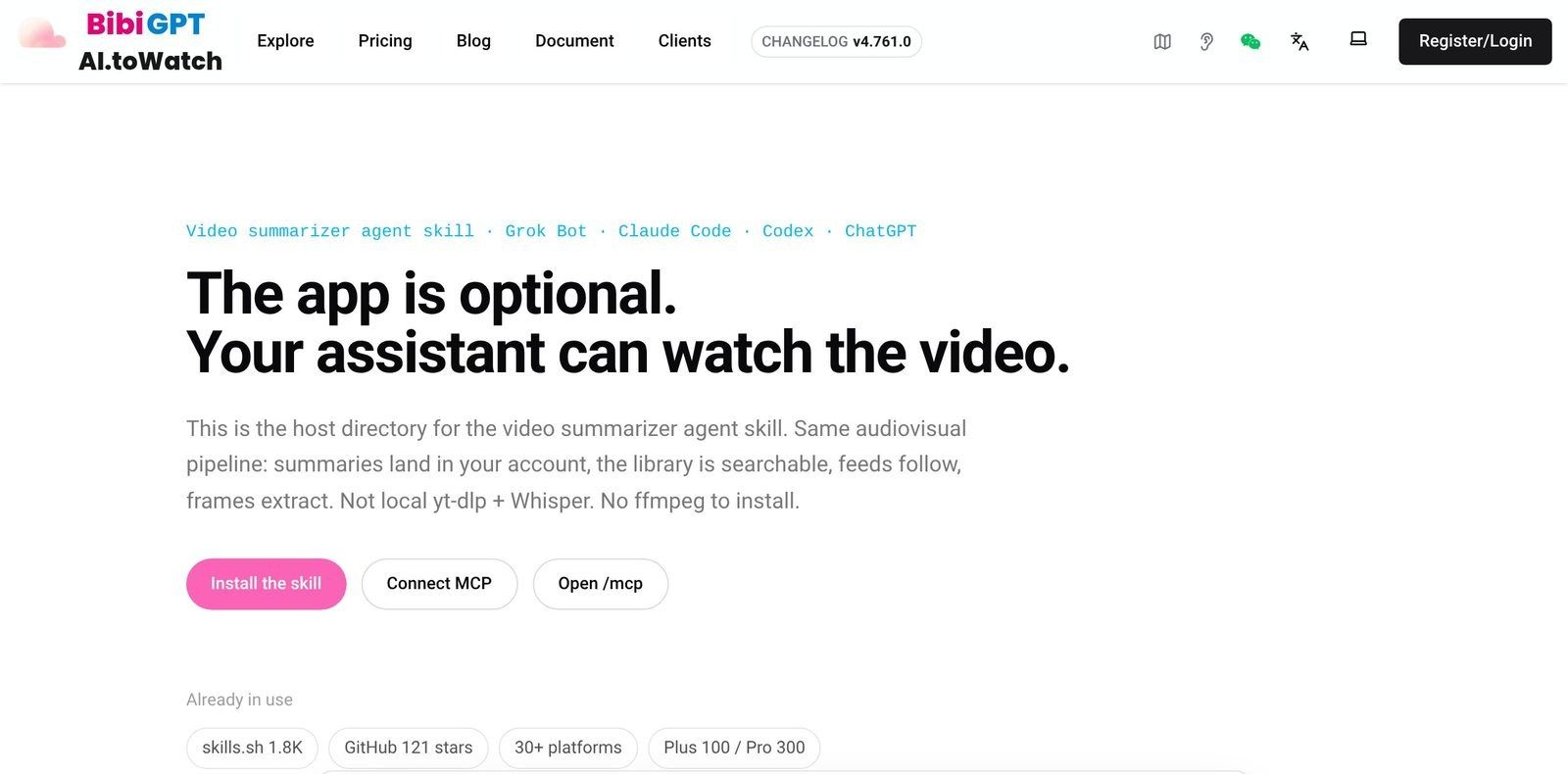
Per-host install pages for the video summarizer agent skill. Source: bibigpt.co/agent, captured October 2026.
What about podcasts, Bilibili, TikTok and local files?
Most YouTube MCP servers cannot help with anything that is not on YouTube, and that is where hosted services pull ahead. We could not find a dedicated, maintained podcast transcript MCP server. In practice, podcast coverage comes from general hosted services that accept audio URLs or files. Supadata accepts file URLs; BibiGPT accepts podcast links and local audio or video files, and can transcribe them when no captions exist, the same engine behind its podcast transcript generator.
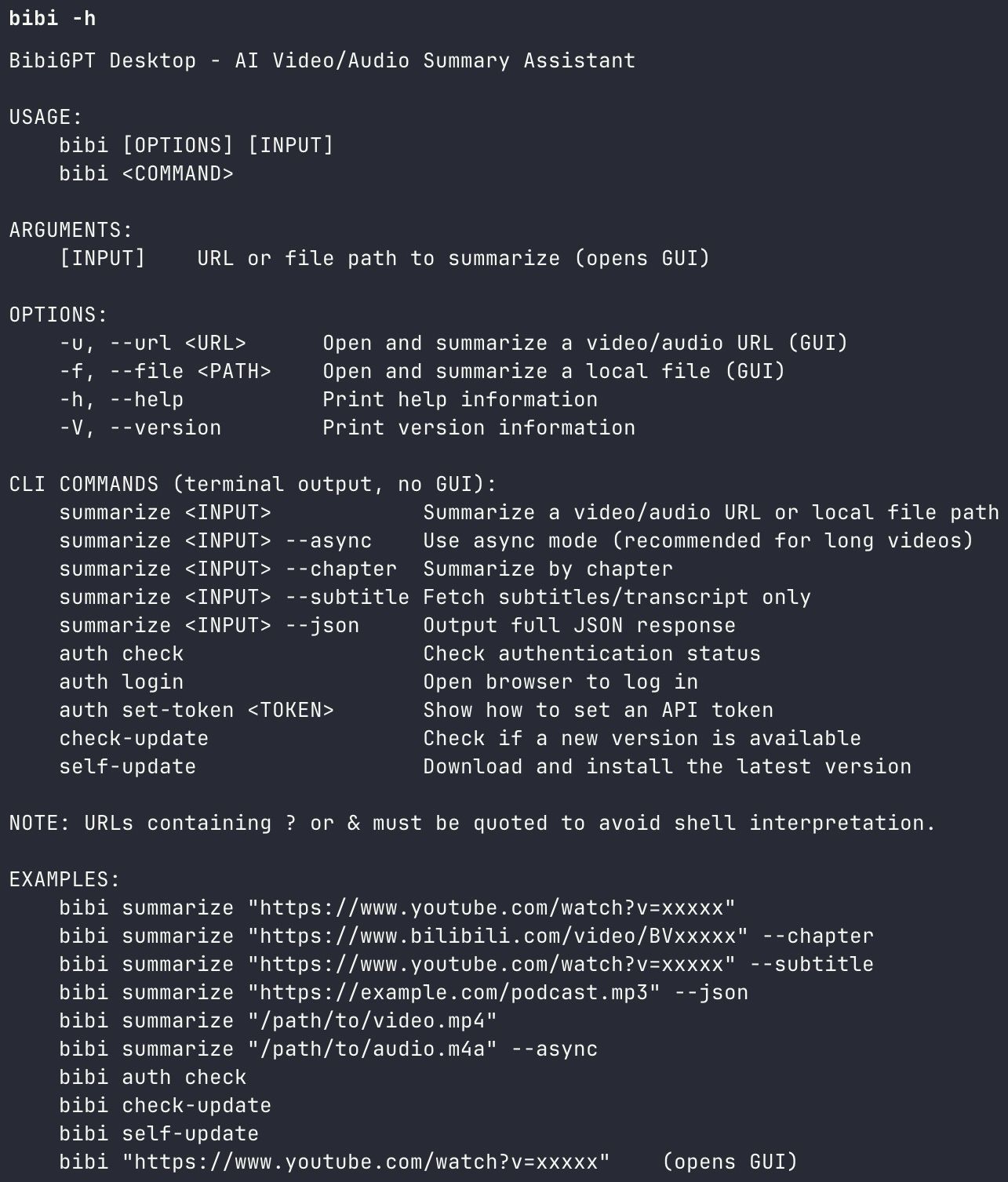
The same pipeline from a terminal: summarize, chapters, transcript-only, and async mode for long files. Source: bibi CLI.
Should you use an MCP server or an agent skill?
An MCP server gives the agent tools; an agent skill also teaches it when and how to use them. That is why a video summarizer agent skill often works better than a bare server in coding agents. BibiGPT ships four skills in the JimmyLv/bibigpt-skill repo: bibi for summaries, transcripts and chapters, bibi-library for saved videos and notes, bibi-feed for channel subscriptions, and bibi-vision for frames, slides and mind maps. One plugin install adds the hosted MCP server plus all four skills.
Ask the video a question
Watched it but still unsure? Ask follow-ups and get answers grounded in the transcript.
Tap a question:
How do you handle long videos and many videos?
Long videos and batches need paging or async jobs, not one giant call. jkawamoto’s server pages transcripts in chunks. BibiGPT recommends its async flow for content over about 30 minutes. For research across many videos, a server with a saved library lets the agent search past summaries instead of re-transcribing. Our earlier guide on getting a YouTube transcript into Claude covers the copy-paste route if you only need one video, and the best YouTube subtitle downloaders roundup covers non-agent tools.
Practical rule: Never re-transcribe a video your agent has already processed. Save the summary once and let the agent search it later.
FAQ: YouTube transcript and video summarizer MCP servers
What is a YouTube transcript MCP server?
A YouTube transcript MCP server is a Model Context Protocol server that exposes a tool, usually called get_transcript, which takes a YouTube URL and returns the spoken text, often with timestamps. Any MCP client, including Claude, Cursor, Codex and VS Code, can call it so the model can read a video’s content.
Are there free YouTube MCP servers?
Yes. Open-source servers such as jkawamoto/mcp-youtube-transcript and kimtaeyoon83/mcp-server-youtube-transcript are free and need no key. They rely on existing captions and can be blocked by YouTube when run from cloud IPs. Hosted services like Supadata and TranscriptAPI offer small free credit allowances.
Can an MCP server transcribe videos without captions?
Only some can. Caption-only servers return nothing when a video has no captions. Supadata can generate an AI transcript for an extra credit cost, and BibiGPT runs speech-to-text on videos and audio without captions.
Which video MCP works with Bilibili or podcasts?
The open-source YouTube servers do not. Among the servers we verified, BibiGPT covers YouTube, Bilibili, TikTok, Twitter/X, Xiaohongshu, podcasts and local files, and Supadata covers YouTube, TikTok, Instagram, Twitter and file URLs.
How do you set up a video summarizer MCP in five minutes?
Setting one up takes a single config line or plugin install in most clients. Here is the workflow we use with the BibiGPT MCP; the shape is the same for any hosted server:
- Add the server. In Claude Code run
/plugin marketplace add JimmyLv/bibigpt-skill, then/plugin install bibi@bibigpt. In Codex runcodex plugin marketplace add JimmyLv/bibigpt-skill, thencodex plugin add bibi@bibigpt. In Gemini CLI rungemini extensions install https://github.com/JimmyLv/bibigpt-skill. Any other client takes{ "mcpServers": { "bibigpt": { "url": "https://bibigpt.co/api/mcp" } } }. - Sign in once. The client opens an OAuth window on first use; no API key to paste.
- Start with one video. Ask “summarize this talk with timestamps” and check the chapters against the video.
- Drill into the transcript. Ask for exact quotes with timecodes when you need to verify a claim.
- Save and subscribe. Keep the summaries you will reuse, and follow the channels you check every week.
The best video MCP server is not the one with the most tools. It is the one that returns text your agent can trust, from the platforms you actually watch, in a form you will reuse next week.
Try the BibiGPT MCP if you want your agent to summarize, transcribe and search videos from YouTube, Bilibili, podcasts and local files with one connection.
How we made this: competitor details were checked against each project’s own README, docs or pricing page on October 27, 2026. Drafting was AI-assisted and reviewed by the BibiGPT team.
BibiGPT Team
Popular tools
More in this series
- Best Free YouTube Transcript Extractor 2026: 7 Tools Compared
- YouTube Subtitle Extractor: Best Downloaders Compared (2026)
- Free YouTube Transcript Generator: Top 5 AI Tools Ranked (2026)
- How to Get a YouTube Transcript for Claude (and Any AI Agent)
- How to Download YouTube Subtitles in 2026: 5 Methods Compared + BibiGPT One-Click Extraction (No Install)