NotebookLM May 2026 Upgrade vs BibiGPT: 1M Token + Chat Goals + Deep Research Full Comparison
NotebookLM May 2026 Upgrade vs BibiGPT: 1M Token + Chat Goals + Deep Research Full Comparison
As of May 24, 2026, NotebookLM has shipped its biggest upgrade in twelve months. Per the Google Workspace announcement, three moves dropped together: Gemini 1M token context for all paid users, Chat Goals for custom objectives, Deep Research for auto cross-web research, and new EPUB / PPTX source types.
Practical rule: NotebookLM is no longer just “upload a PDF and ask questions” — it’s aiming squarely at “research-grade knowledge workflows.” That means the line between it and BibiGPT needs a fresh drawing.
1. What the May Upgrade Actually Ships
Combining the Google Workspace upgrade post with Eastern Herald’s hands-on report:
- 1M token context for all paid tiers: previously gated behind Google AI Ultra, now open to every paying user. 1M tokens is roughly 750K English words — enough for a mid-sized book plus 20 papers
- Chat Goals: users can pin a custom goal per notebook (“write a lit review for this project,” “prep 30 multiple-choice questions for the final”), and every subsequent chat aligns its output to that goal
- Deep Research: the model auto-crawls dozens to hundreds of related sources and synthesizes a structured research report. Google positions this as “let NotebookLM go fetch the material itself”
- EPUB / PPTX source support: previously e-books and decks weren’t accepted — now you drag them in directly
2. Six Dimensions Against BibiGPT
NotebookLM and BibiGPT often get pitched against each other, but their core scenarios diverge: NotebookLM leans into “research / reading / writing,” BibiGPT into “video / audio / multi-platform aggregation.”
| Dimension | NotebookLM (2026-05) | BibiGPT |
|---|---|---|
| Core inputs | PDF / docs / Google Drive / EPUB / PPTX / web pages / YouTube videos | YouTube / Bilibili / Douyin / TikTok / Xiaohongshu / podcasts / local files / 30+ platforms |
| Context length | 1M tokens (~750K words) | Long videos unlimited (chunked via subtitles) |
| Cross-web research | Deep Research auto-crawl | Not offered (stays inside user-chosen content) |
| Native multilingual output | English-first, others translated | Chinese / English / Japanese / Korean native, one subscription syncs all platforms |
| Audio/video depth | YouTube subtitle-level understanding | Subtitles + frame-level visual analysis + timestamp jumping + mind maps |
| Pricing entry | Google AI Plus/Pro/Ultra subscription | Free + Plus + Pro, plus pay-as-you-go credits |
3. When You Should Reach for NotebookLM
The scenarios the May upgrade actually opens up:
- Academic literature reviews: upload 30 papers + set Chat Goal “trace this field’s methodology evolution from 2020-2026,” let the model output by goal. 1M token fits it all at once
- Reading a whole book: drag the EPUB in, take chapter notes, prep for a book club
- Cross-web research reports: let Deep Research crawl 50 related pages and synthesize
- Reverse-engineer slides: upload business slide decks and have the model build talking notes
Practical rule: “Upload a stack of existing material and let the AI synthesize” is NotebookLM’s home turf. The source material has to be gathered before upload.
4. When You Must Reach for BibiGPT
Core scenarios NotebookLM can’t cover:
- Learning from videos every day: you’re not going to pre-download 100 YouTube videos and upload them to NotebookLM. BibiGPT lets you paste a link and get a summary in five seconds
- Aggregating across 30+ platforms: Bilibili / Douyin / TikTok / Xiaohongshu / podcasts — NotebookLM doesn’t connect to any of these. BibiGPT is the only tool in China that ties them together
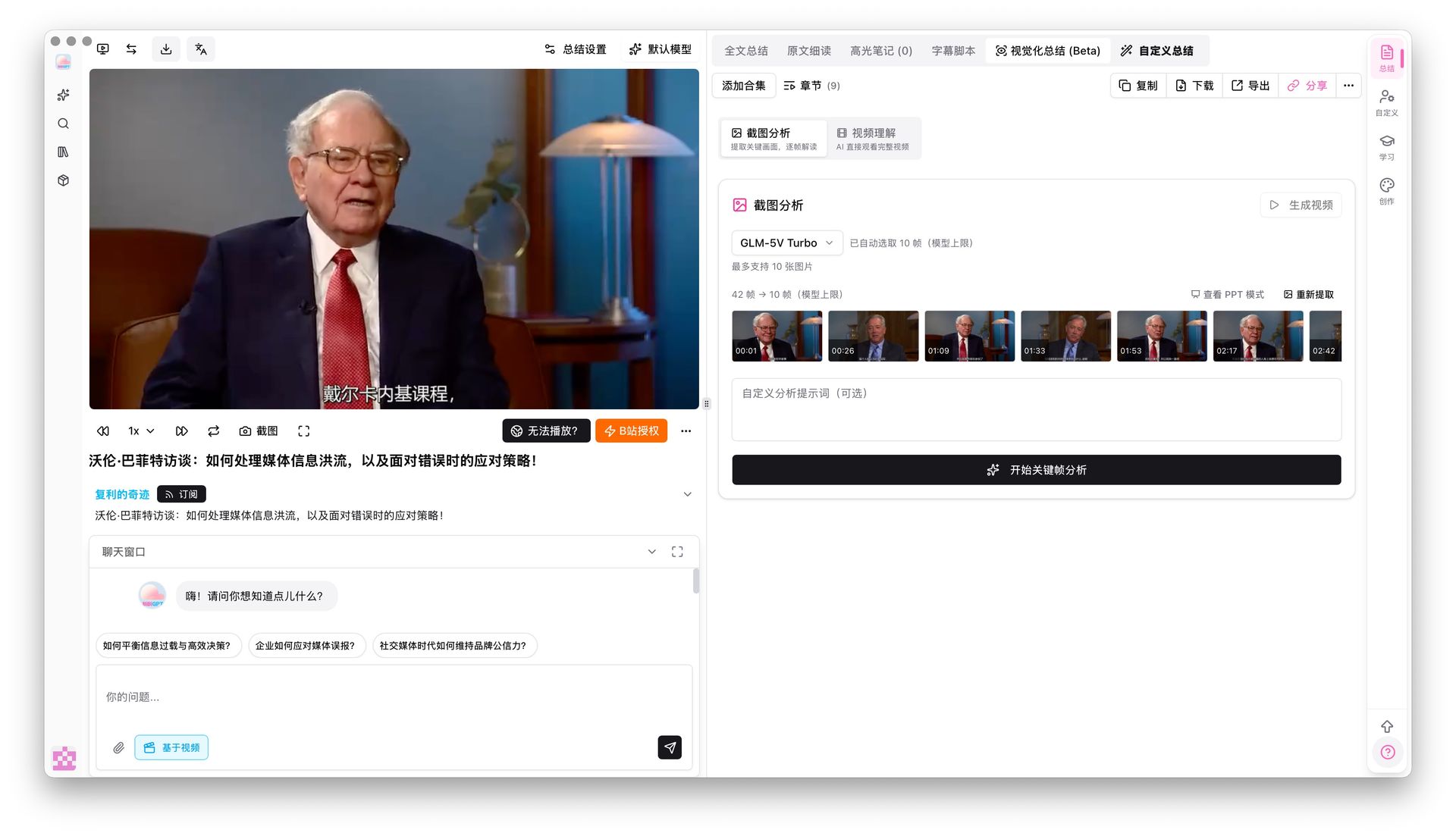
- Visual analysis of video frames: tutorial demos, technical breakdowns, body language — subtitles alone don’t surface this. BibiGPT’s visual analysis reads the frames directly
- Mind maps + timestamp jumping: BibiGPT’s mind map timestamp jumping lets you click a node and land on the exact second in the video
- China-native platforms: Bilibili / Douyin / Xiaohongshu / NetEase Cloud Music — none of these are on NotebookLM’s map
Practical rule: “Paste a link and want to know what’s in it right now” is BibiGPT’s home turf. No need to pre-collect anything — see it, summarize it.
5. Best Combined Workflow
Many users use both: BibiGPT by day to efficiently digest new videos, NotebookLM by night for deep-research synthesis on the most interesting transcripts.
BibiGPT (input end) → one-click summary + transcript export
       ↓
NotebookLM (synthesis end) → cross-source research report
Step-by-step:
- Over a week, use BibiGPT to watch 20 topic-related videos on YouTube / Bilibili / podcasts
- Bulk export the interesting ones as Markdown
- Upload to NotebookLM alongside the field’s paper PDFs
- Set a Chat Goal “consolidate this topic’s core viewpoints + open debates”
- Have NotebookLM output a research review
The advantage: BibiGPT solves the “video consumption” bottleneck, NotebookLM solves the “cross-source synthesis” bottleneck — neither steps on the other.
6. Comparison Summary: Which Fits You
| You are | Pick |
|---|---|
| Student (lit reviews, exam prep) | NotebookLM primary + BibiGPT for course videos |
| Researcher (cross-paper integration) | NotebookLM primary |
| Content creator (topic discovery, content prep) | BibiGPT primary |
| Knowledge worker (industry video / podcast) | BibiGPT primary |
| Student + creator (hybrid) | Both |
| Care about Chinese / Japanese / Korean experience | BibiGPT (native four-language support) |
| Mainly watch English content on YouTube | NotebookLM is enough |
7. FAQ
Q1: Does the NotebookLM May upgrade require payment? A: 1M token + Deep Research require Google AI Plus/Pro/Ultra. The free tier only gets basic Chat Goals.
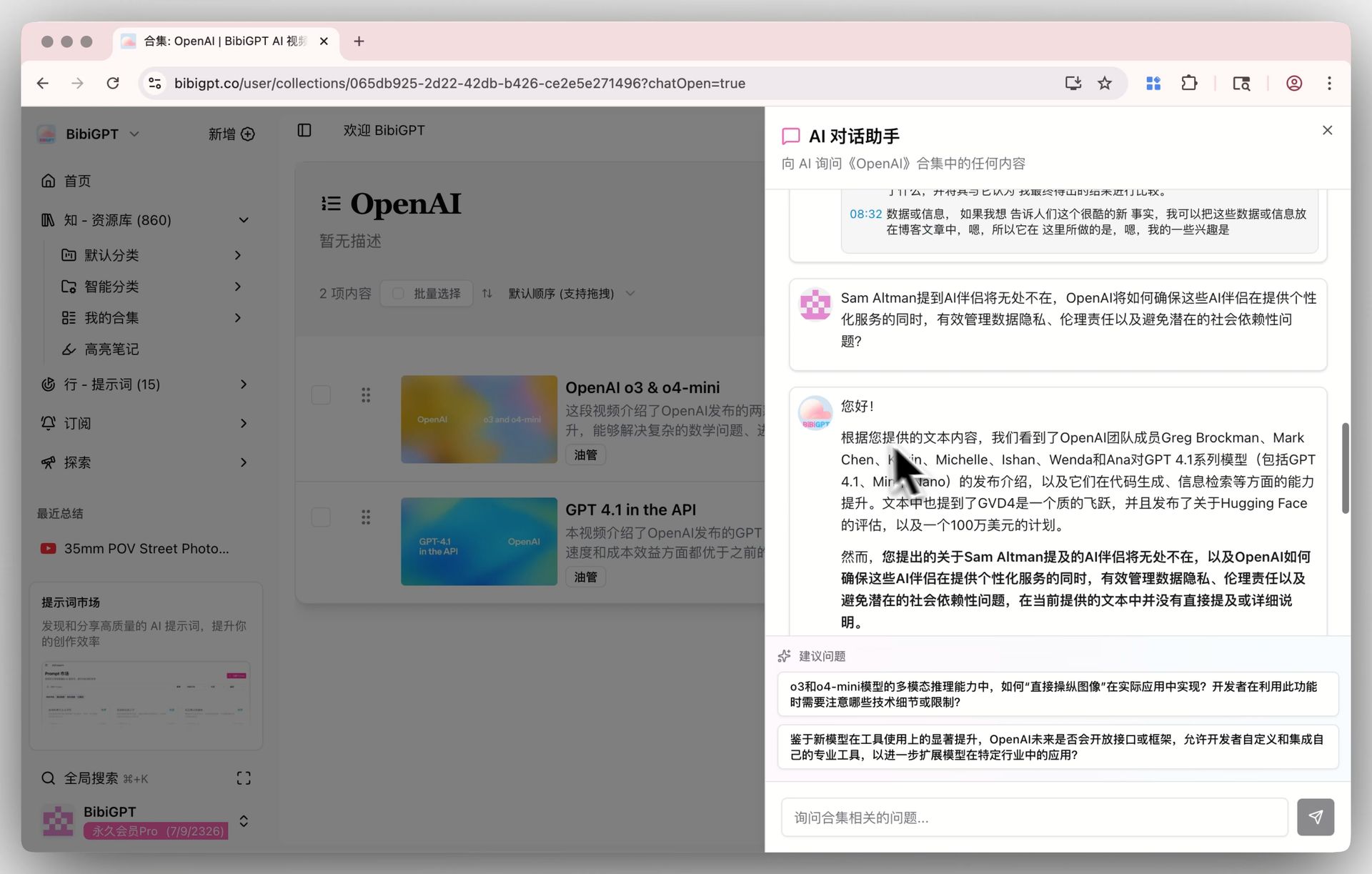
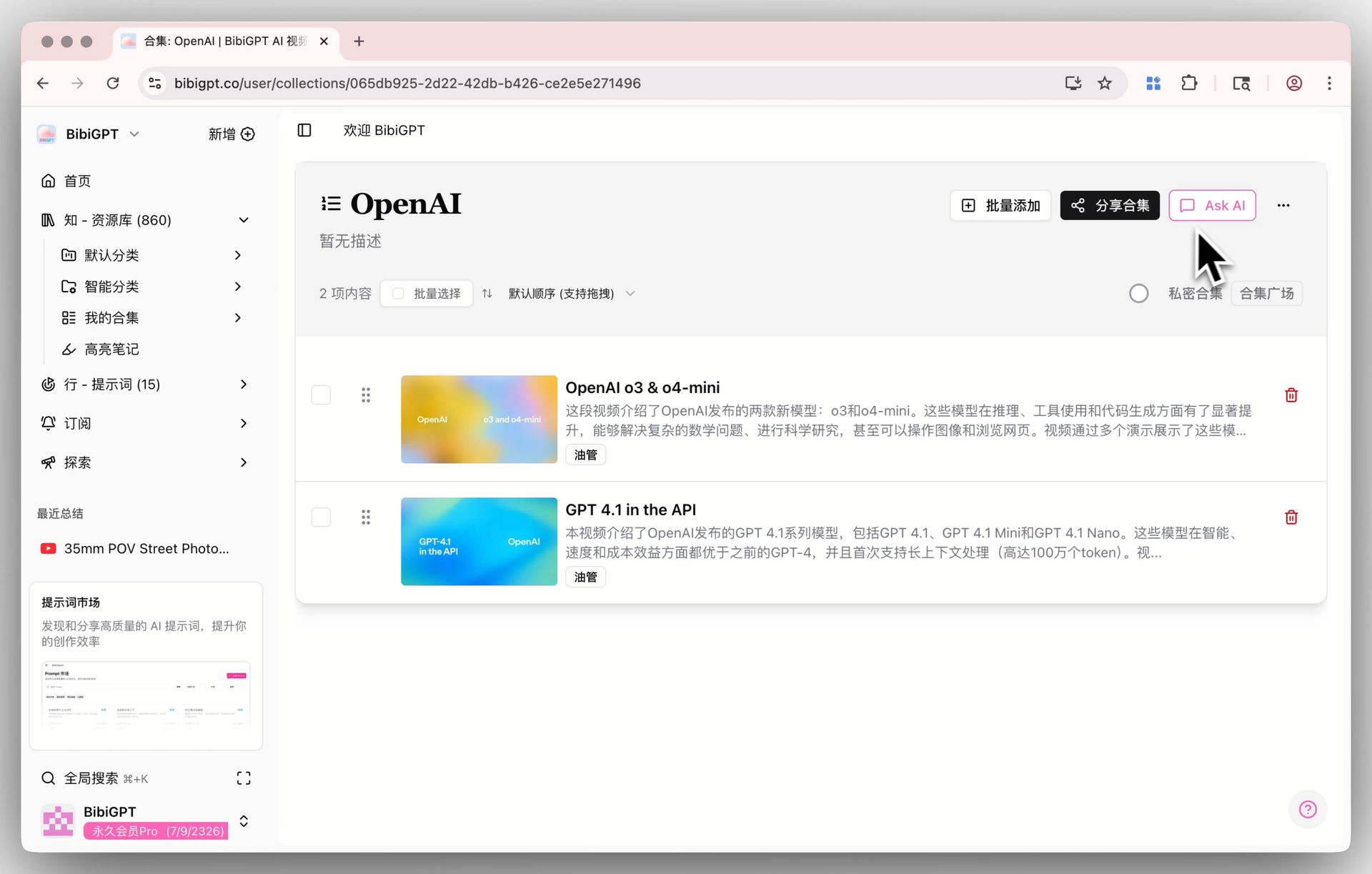
Q2: How does BibiGPT handle ultra-long videos? A: BibiGPT doesn’t stack tokens — it chunks long videos by subtitles, summarizes each chunk, then aggregates. A three-hour livestream gets a structured summary in one minute. See BibiGPT collection summary.
Q3: Can I pipe BibiGPT video summaries directly into NotebookLM? A: Yes. BibiGPT exports to Markdown / EPUB / ZIP — drop the export into NotebookLM and you’re done.
Q4: Will Deep Research cite BibiGPT content? A: NotebookLM’s Deep Research primarily crawls public web pages, not paid-tool outputs. If you upload a BibiGPT summary as a source, NotebookLM will cite that uploaded material.
Q5: How many platforms does BibiGPT support? A: 30+ major audio/video platforms including YouTube / Bilibili / Douyin / TikTok / Xiaohongshu / podcasts / NetEase Cloud Music.
8. Try BibiGPT: A Full Loop from Video Consumption to Knowledge Capture
NotebookLM is a great tool, but it can’t solve the “I have to watch 50 videos a day” problem. BibiGPT turns every video you watch into searchable, usable, integrable structured knowledge.
- Try BibiGPT AI video summary in one click
- See BibiGPT collection AI chat — turn many videos into a queryable knowledge base
- Follow our WeChat channel “魔法司” for weekly AI video industry takes
—— BibiGPT Team