Notion Custom Agents Deep Dive: What the Cross-Database AI Automation Upgrade Means for BibiGPT Users
Notion Custom Agents Deep Dive: What the Cross-Database AI Automation Upgrade Means for BibiGPT Users
If you regularly use BibiGPT to turn Bilibili, YouTube, and podcast videos into structured notes in one click — and then archive them in Notion — then Notion’s wave of releases in May 2026 raised the ceiling on what AI can do inside your Notion. This isn’t a minor feature bump; it’s a capacity expansion at the Agent runtime level.
1. What Happened in Notion in May 2026
In chronological order, Notion shipped eight significant updates in May, four of which are directly related to AI Agent orchestration:
- May 13 · Notion Developer Platform 3.5 — introduced Workers (managed runtime), the External Agents API, data-source sync (Beta), and custom Agent tools
- May 7 · Plan Mode — Agent generates a detailed plan and asks for confirmation before executing major changes
- May 6 · Custom Agent Directory — a dedicated Agent browsing and management interface added to Library
- May 5 · Custom Agent Management Controls — admins can set Agent creation permissions, credit limits, and track Workspace-level usage
- May 1 · Slack Private Channel Agent Support — Custom Agents can now read and reply to private Slack channels
- April 17 · Mail & Calendar Settings Integration — AI can automate scheduling and email handling across apps
- May 26 · Simple Table Cell Merge (minor gap-fill)
Full changelog: Notion Releases
In one sentence: Notion is no longer just “a note-taking app with an AI button” — it is becoming a programmable AI Agent workbench.
2. What It Means for BibiGPT Users — My Take
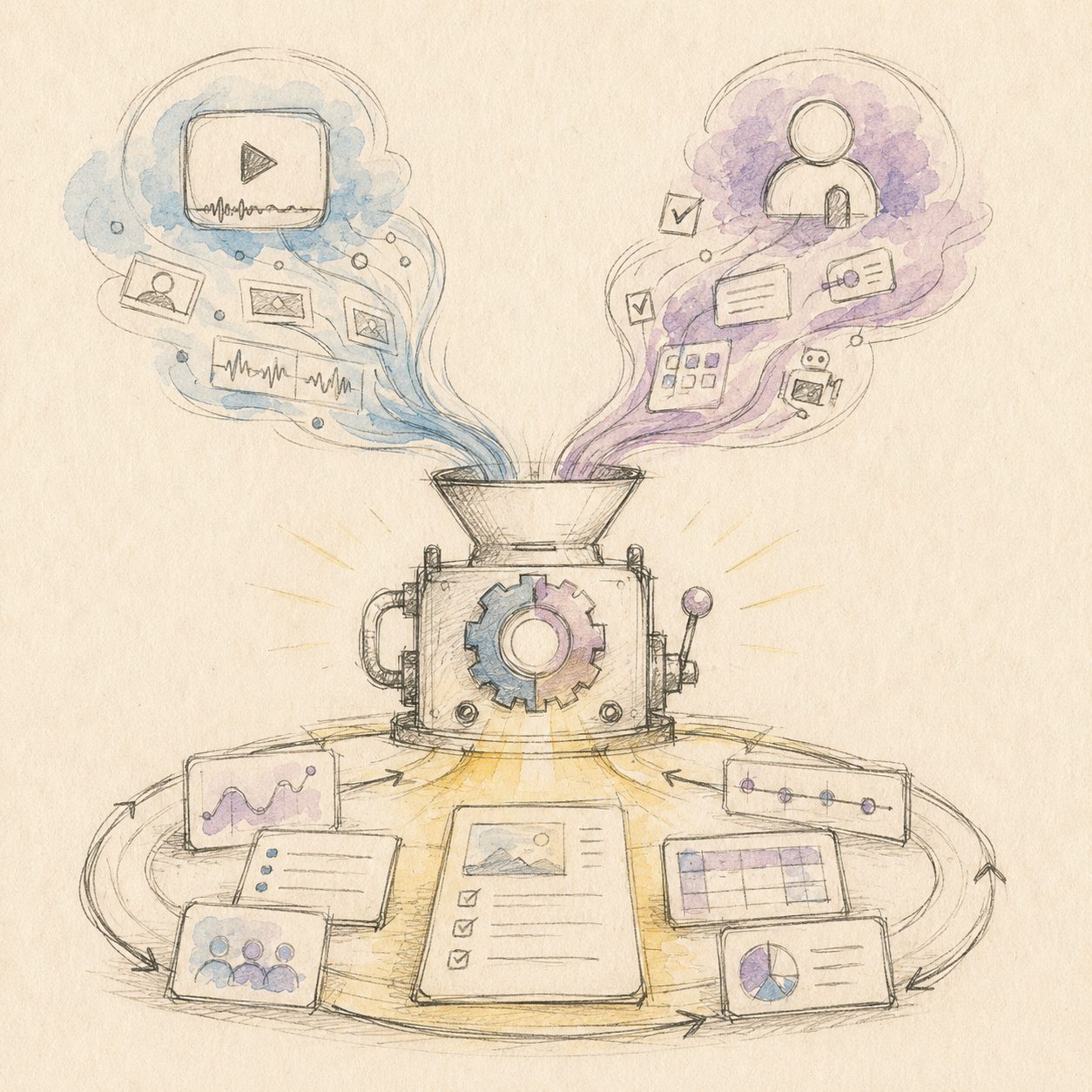
A quick sketch to put the idea on paper — the diagram below maps the key flow:
Illustration: drawn by the BibiGPT team
Many people assume Notion’s AI upgrades and BibiGPT are competing in the same lane. But looking closely at the direction of these May updates, the conclusion is actually the opposite.
What user pain point does this update solve?
If you have already imported 50, 100, or 500 video summaries into Notion, the long-standing pain point is: “These notes are sitting in my library, but I never have time to go back through them one by one.” Notion’s previous AI Block could only summarize content when you had a specific page open — more of a “single-page assistant” than a “library manager.”
The May Custom Agents + External Agents API raised that ceiling considerably: an Agent can periodically traverse your entire database, call BibiGPT using tools you define, extract themes across videos, and write results back to different sub-pages. This isn’t “page-level AI” — it is library-level AI automation.
My take: What Notion is really responding to with Custom Agents is the market pressure of “note-taking apps in the AI era can’t just be passive containers.” Users have grown accustomed to following up inside ChatGPT, and going back to Notion to copy-paste feels like enormous friction. The real goal of Custom Agents isn’t “add another AI button” — it’s to push AI capability to the moment content is created and to the long-term revisiting stage after content has settled.
How it relates to BibiGPT’s existing capabilities: complementary, not overlapping
What BibiGPT does is “source-level video comprehension” — taking a 90-minute YouTube interview, a podcast episode, or an online lecture and using compute to convert it into structured text, chapter outlines, mind maps, and highlight excerpts. Notion doesn’t do this (and doesn’t intend to).
What Notion does is “cross-note aggregation, long-term archiving, and collaborative management” — organizing your 500 video notes by topic, finding recurring ideas across videos, defining tools for an Agent so it can produce a weekly digest for you. BibiGPT doesn’t do this either (and doesn’t intend to).
My take: Notion didn’t build “video comprehension,” and BibiGPT didn’t build “cross-note aggregation” — this is a clear pipeline division of labor, not a replacement relationship. The complete loop is: use BibiGPT to convert 50 YouTube videos into structured notes and import them into Notion, then let a Notion Custom Agent run across them to “automatically produce a weekly topic trends digest.” People worried about Notion encroaching on BibiGPT’s territory may not realize that Notion outsourcing video comprehension to an “upstream” tool like BibiGPT is arguably its smartest move.
What BibiGPT needs to follow up on
Honestly, there is room to improve the current export experience. Right now BibiGPT pushes video summaries to Notion via webhook as full-text, and Notion receives them as a standard page. The new External Agents API gives us an opportunity to do two things: (1) have BibiGPT actively call the user’s Notion Custom Agent tools at export time, writing “original video timestamp → text paragraph” as clickable metadata; and (2) let the Notion Agent call back into BibiGPT to query the original context of a specific video segment. Both directions have been added to the candidate pool for next quarter’s roadmap.
3. A Practical Workflow: The 1+1>2 Approach with BibiGPT × Notion Custom Agents
The following workflow is designed for “pushing video notes from BibiGPT to Notion, then letting a Custom Agent do long-term revisiting.” Five steps:
1. Paste a video link in BibiGPT to generate a structured summary
Open BibiGPT and paste a Bilibili, YouTube, or podcast link — a structured summary, chapter outline, and highlight points are generated in about 30 seconds. This is the source step.
2. One-click export to Notion (automatic after OAuth authorization)
On the BibiGPT summary page, click “Export to Notion.” After the initial authorization, syncing is automatic. Each summary lands as a row in your Notion database, with fields for title, video link, chapter outline, highlight points, and original timestamps.
3. Create a Custom Agent in Notion and define a cross-video task
Go to Notion Library → Agents → New Custom Agent. Define the task as: “Every Monday morning, scan the ‘BibiGPT Video Notes’ database, cluster videos added in the past 7 days by topic, and produce a ‘This Week’s Content Trends’ summary page.” Plan Mode will ask you to confirm its specific steps before running, preventing it from going off-script.
4. Use the External Agents API to let Agents collaborate across tools
Advanced usage: via the External Agents API, have the Notion Agent call back into BibiGPT while generating a digest to retrieve the original context of a specific video segment (e.g., “at what timestamp did this guest mention X”), then write the verified citation back into the digest. This layer positions Notion as the orchestrator and BibiGPT as the factual retrieval backend.
5. Use the Mail & Calendar integration for weekly reminders
Finally, take the digest page produced by the Notion Agent and use the new Mail & Calendar integration to automatically email yourself a summary — completing the full loop of “video consumption → archiving → weekly revisiting → action.”
If you haven’t tried BibiGPT yet, you can try BibiGPT for free to experience the full loop from video to structured notes in Notion — paste a link and get results in 30 seconds.
4. The Next Generation of the Video Learning Loop
Think of BibiGPT as the “video comprehension layer” and Notion Custom Agents as the “long-term memory and orchestration layer” — this is the most worthwhile pair of tools to invest in for note-taking workflows in 2026. Notion’s May upgrade gives “long-term revisiting” its first genuinely usable AI orchestration capability, while BibiGPT solves the upstream problem of “how content enters Notion with high quality.”
Want to see more note-taking app × BibiGPT workflows? Check out our Note Apps blog category — every app has its own dedicated 1+1>2 workflow breakdown.
How do you use BibiGPT × Notion? Feel free to leave a comment and share your workflow.