
OpenAI Realtime API Goes GA: MCP Tool Calling + 90% Fewer Hallucinations — How BibiGPT Bridges the Last Mile for Audio-Video Users
OpenAI's gpt-realtime API went GA on August 28, 2025 with MCP remote server support, image input, and SIP phone integration. This guide covers the three new capabilities, pricing changes, 90% hallucination reduction in transcription, and how BibiGPT as an MCP tool helps users summarize 30+ platform audio-video content instantly.
OpenAI Realtime API Goes GA: MCP Tool Calling + 90% Fewer Hallucinations — How BibiGPT Bridges the Last Mile for Audio-Video Users
OpenAI's gpt-realtime API officially reached General Availability on August 28, 2025. As a speech-to-speech model, it gained three major capabilities: remote MCP server support, image input, and SIP phone integration, plus two new voices (Cedar and Marin). The companion transcription model now produces approximately 90% fewer hallucinations compared to Whisper v2. But for most users, the Realtime API remains a developer tool — expensive, code-required, and blind to non-English platforms. BibiGPT, serving 1M+ users as an all-platform AI audio-video assistant, bridges the gap between cutting-edge voice AI and everyday content consumption.
Three Breakthroughs in OpenAI Realtime API: MCP, Image Input, SIP Calling
Try pasting your video link
Supports YouTube, Bilibili, TikTok, Xiaohongshu and 30+ platforms
On August 28, 2025, OpenAI announced the gpt-realtime API's transition from beta to GA (beta deprecation scheduled for May 7, 2026). As a speech-to-speech model, its core purpose is enabling AI to "hear" and "speak" — no text intermediary needed. Here are the three key new capabilities:
1. Remote MCP Server Support
The Realtime API now natively supports calling remote MCP (Model Context Protocol) servers. This means voice agents can invoke external tools mid-conversation — querying databases, calling APIs, fetching real-time data — achieving true "talk and act" workflows. For developers, this is an infrastructure-level upgrade for building complex voice pipelines.
2. Image Input
gpt-realtime now supports multimodal input. Users can send images during voice conversations, and the model combines visual and audio context for understanding and response. This adds "sight" to voice assistants.
3. SIP Phone Integration
Through integration with Twilio and Voximplant, the Realtime API connects directly to traditional phone networks. Businesses can rapidly deploy AI phone support, automated outbound calling, and voice workflows without additional voice gateways.
Performance gains are equally significant: The S2S model improved 26-48% across benchmarks (BigBench Audio 82.8%, MultChallenge 30.5%, ComplexFuncBench 66.5%).
Pricing and Transcription: The Numbers Developers Need
Core answer: GA pricing is 20% cheaper than preview — audio input at $32/1M tokens, output at $64/1M tokens, cached input at just $0.40/1M tokens (98.75% savings). The mini model is available at $10/$20 per 1M tokens. The companion transcription model reduces hallucinations by approximately 90% versus Whisper v2.
Detailed pricing structure:
| Model | Audio Input | Audio Output | Cached Input |
|---|---|---|---|
| gpt-realtime | $32/1M tokens | $64/1M tokens | $0.40/1M tokens |
| gpt-realtime-mini | $10/1M tokens | $20/1M tokens | Lower |
The 98.75% discount on cached input is highly attractive for high-frequency calling scenarios.
On transcription quality, OpenAI's new transcription model reduces hallucinations by approximately 90% compared to Whisper v2. This is a major win for applications dependent on transcription accuracy — subtitle generation, meeting notes, podcast-to-text workflows.
However, note that this is still developer API pricing. End users cannot access the Realtime API directly — they experience it through developer-built applications. This is precisely the gap discussed in the next section.
What This Means for Regular Users: Three Reality Gaps
The Realtime API is genuinely powerful, but for audio-video consumers, three gaps remain:
- Developer tool, not a consumer product. You need to write code to use the Realtime API. There is no UI, no "paste a link and go" experience.
- Not cheap for individuals. Even with a 20% GA discount, audio output at $64/1M tokens adds up fast. Processing a 30-minute podcast could cost several dollars.
- Zero coverage for non-English platforms. The Realtime API will not summarize Bilibili videos, Xiaohongshu posts, or Douyin short videos — it does not know these platforms exist.
This is not criticism of the Realtime API — it was designed as developer infrastructure. But it highlights exactly why you need a consumer-facing "translation layer" that converts raw AI capabilities into a paste-a-link product experience.
For platform-specific AI summaries, explore: YouTube AI Summary, Bilibili AI Summary, and Podcast AI Summary.
How BibiGPT Bridges the Last Mile: From API to One-Click Summary
See BibiGPT's AI Summary in Action

Let's build GPT: from scratch, in code, spelled out
Andrej Karpathy walks through building a tiny GPT in PyTorch — tokenizer, attention, transformer block, training loop.
Want to summarize your own videos?
BibiGPT supports YouTube, Bilibili, TikTok and 30+ platforms with one-click AI summaries
Try BibiGPT FreeCore answer: BibiGPT covers 30+ audio-video platforms, has generated 5M+ AI summaries, and serves as the consumer product connecting cutting-edge voice AI with daily content consumption. Through bibigpt-skill (an MCP tool), voice agents can also call BibiGPT directly for video understanding.
BibiGPT delivers value at three levels:
Level 1: All-Platform Coverage
The Realtime API does not recognize Bilibili, Xiaohongshu, or Douyin. BibiGPT covers 30+ platforms — YouTube, Bilibili, Xiaohongshu, Douyin, podcasts (Apple Podcasts/Spotify), local files — paste a link and get an AI summary. Zero code required.
Level 2: Consumer-Grade Experience
From pasting a link to receiving a structured summary takes 30 seconds. Advanced features include mind maps, AI chat with timestamp tracing, flashcard export to Anki, and subtitle translation. A product experience validated by 1M+ users.
Level 3: bibigpt-skill as an MCP Tool
This is the most direct connection to Realtime API + MCP: BibiGPT itself is an MCP tool. When your voice agent has MCP capabilities via the Realtime API, it can invoke bibigpt-skill to access BibiGPT's video summarization:
- Voice agent hears: "Summarize this YouTube video for me"
- Agent calls bibigpt-skill via MCP
- BibiGPT returns a structured summary
- Agent speaks the summary back to you
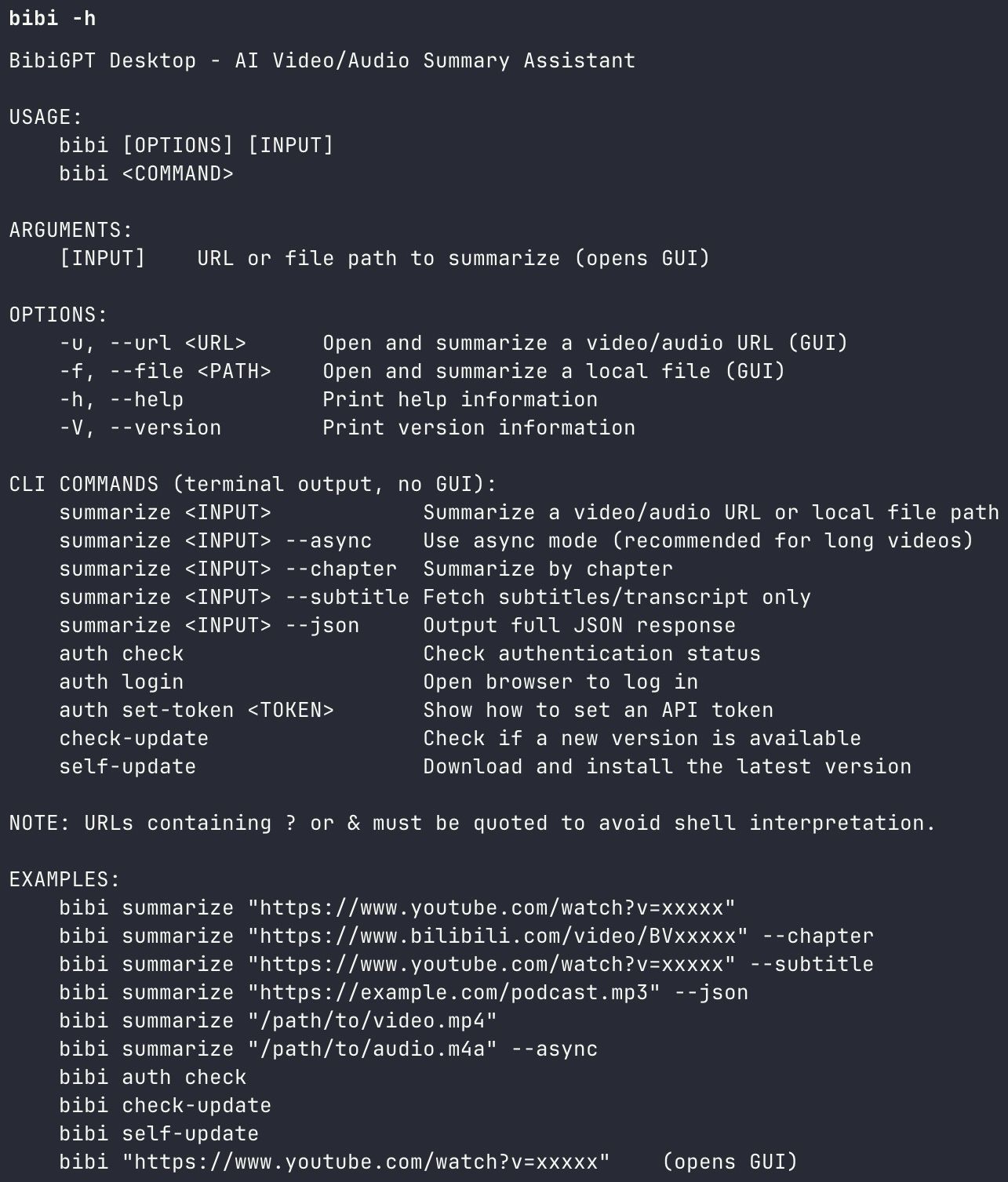 BibiGPT Agent Skill CLI
This means Realtime API's voice capabilities and BibiGPT's video understanding can seamlessly combine — the former handles "hearing and speaking," the latter handles "watching videos." Learn more about Agent Skill workflows in our Claude Code + BibiGPT Agent Skill Guide.
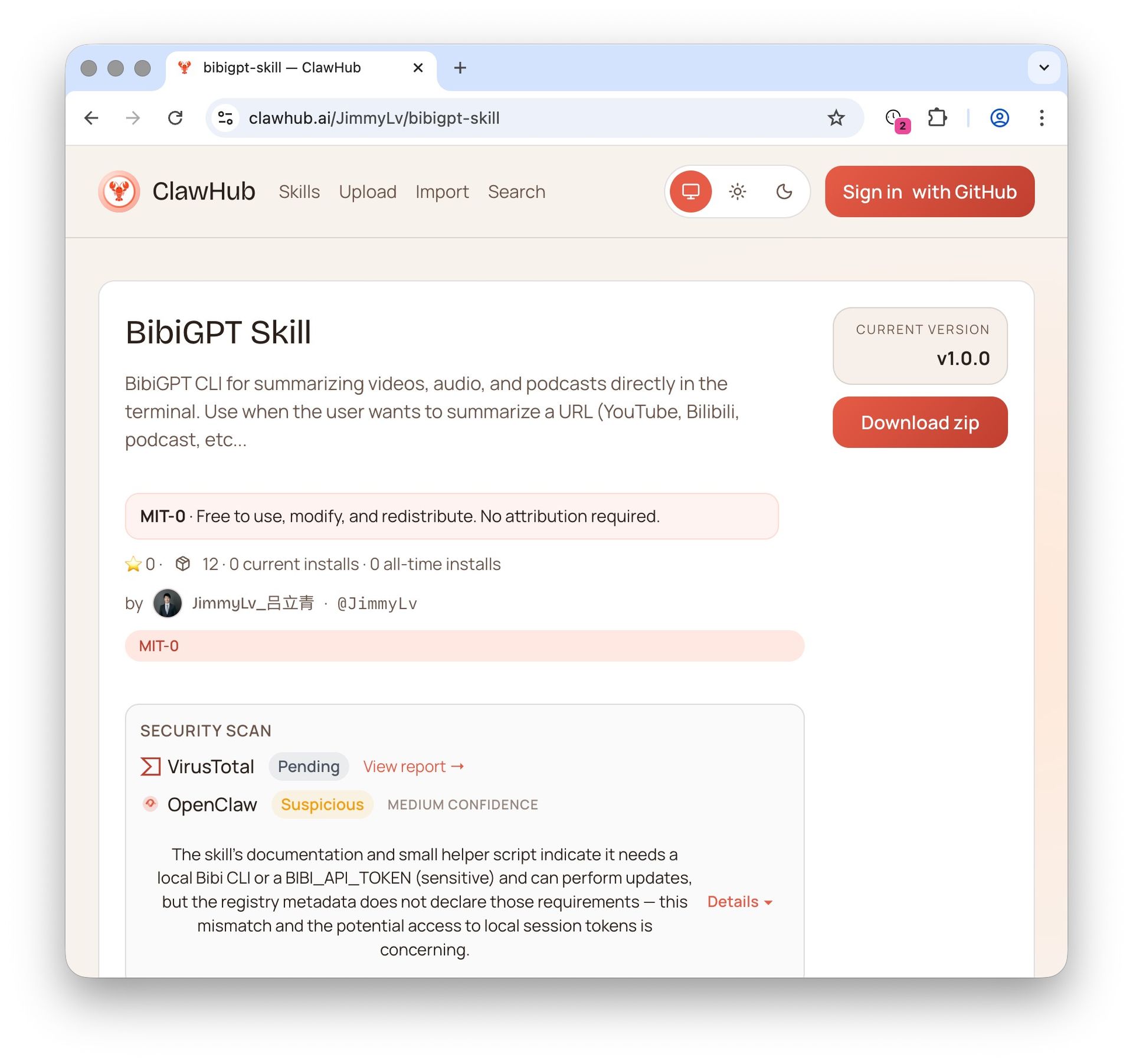 BibiGPT on ClawHub
Practical Scenarios: Combining Realtime API with BibiGPT
Here are three concrete use cases for combining these tools:
Scenario 1: Voice-Driven Video Learning
While driving, tell your voice assistant: "Summarize the three latest AI tutorial videos from my YouTube Watch Later." The voice agent calls bibigpt-skill via MCP for batch processing, then narrates the key takeaways. From collection to digestion, no screen needed.
Scenario 2: Meeting Recording + Video References in One Pass
Use the Realtime API's transcription (90% fewer hallucinations) for meeting recording, while bibigpt-skill processes reference video links mentioned during the meeting. The output: a single structured report combining meeting minutes and video summaries.
Scenario 3: Podcast Creator Efficiency
A podcast host records a remote interview via SIP phone integration, Realtime API transcribes in real-time, then BibiGPT's Podcast AI Summary generates show notes and a timeline automatically. Post-production drops from 2 hours to 10 minutes.
For more Agent workflows, read the OpenClaw + BibiGPT Agent Skill Guide.
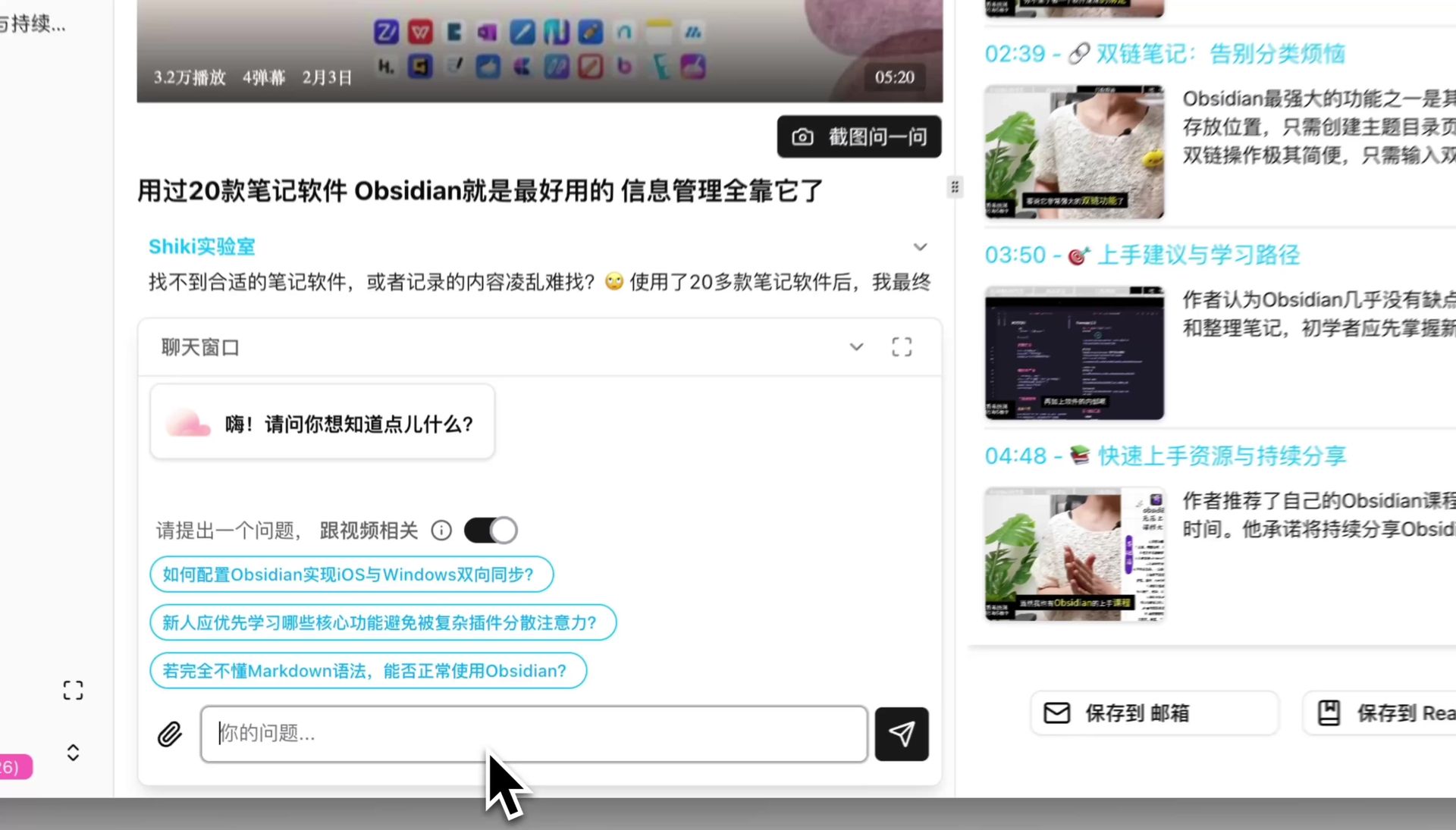 BibiGPT AI Chat
FAQ
What is the difference between the Realtime API and ChatGPT Voice?
The Realtime API is a developer API for building voice applications — it is a speech-to-speech model. ChatGPT's voice feature is a consumer product built on similar technology. The relationship is like "engine" versus "car" — you cannot drive an engine on the road.
Will BibiGPT use the Realtime API?
BibiGPT continuously evaluates the latest AI model capabilities. The Realtime API's improved transcription quality (90% fewer hallucinations) and MCP tool-calling abilities are both candidates for integration into BibiGPT's tech stack to further improve summary accuracy and agent collaboration.
Does using bibigpt-skill as an MCP tool cost extra?
bibigpt-skill is available to BibiGPT subscribers (Plus/Pro), with 100 daily Agent Skill calls included as a membership benefit. No additional MCP-related fees are required.
When will the Realtime API beta be deprecated?
OpenAI plans to deprecate the beta version on May 7, 2026. Developers currently using the beta API should migrate to the GA version promptly.
What platforms does BibiGPT support for audio-video summaries?
BibiGPT supports 30+ platforms including YouTube, Bilibili, Xiaohongshu, Douyin, podcasts (Apple Podcasts/Spotify), Twitter/X videos, local audio-video files, and more. See our BibiGPT AI Audio-Video Summary Introduction for full details.
Conclusion
The OpenAI Realtime API's GA release pushes the developer experience for voice AI to new heights — MCP tool calling, multimodal input, and SIP integration each expand what voice agents can do. But for the vast majority of users who need to quickly digest audio-video content, the answer is not an API — it is a product you can use by pasting a link. BibiGPT covers 30+ platforms, has delivered 5M+ summaries, and works as an MCP tool — it is the bridge that turns cutting-edge AI into everyday productivity.
Start using BibiGPT today:
- Website: https://aitodo.co
- Mobile App: https://aitodo.co/app
- Desktop App: https://aitodo.co/download/desktop
- All Features: https://aitodo.co/features
BibiGPT Team