Youdao LectMate vs BibiGPT: Live Lecture Capture or Post-Class Recording Review—Which One Do You Need? (2026 Review)
Youdao LectMate vs BibiGPT: Live Lecture Capture or Post-Class Recording Review—Which One Do You Need? (2026 Review)
Quick answer: They solve two different stages of studying abroad. Youdao LectMate excels at the “live, in-class” moment: real-time voice translation, camera translation, and 71-language in-class transcription to help you keep up when you can’t follow the lecturer. BibiGPT excels at “post-class review”: paste a full Zoom, Coursera, or edX recording and turn it into a summary, timestamps, and revision points in one click. If your pain is “I can’t follow in class,” pick LectMate; if it’s “I have no time for the recorded lectures,” pick BibiGPT. To try post-class review first, paste a recording into BibiGPT and see the result.
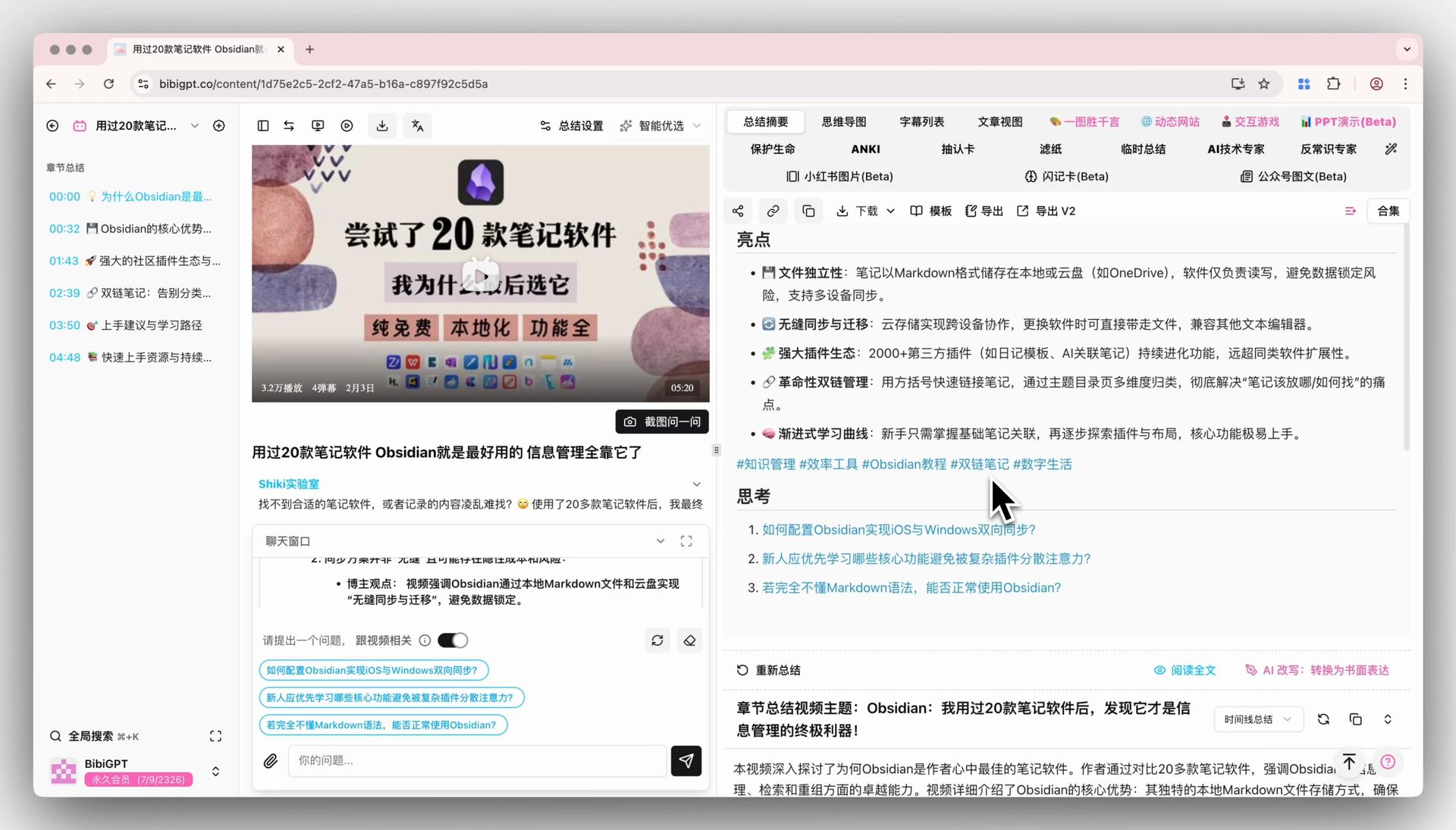
The demo below shows the “paste a recording link → get a summary” flow:
Summarize any video in seconds
Pick a sample below to see the AI summary — TL;DR, key points, and jump-to timestamps.
TL;DR: Karpathy builds a GPT-style language model from scratch in code, explaining every piece — from a tiny character-level model up to the full Transformer.
Key points
- Start with a bigram model, then add self-attention so tokens can "talk" to each other
- A Transformer block = multi-head attention + feed-forward + residual connections + layer norm
- Training is just predicting the next token; scale and data do the rest
- The same architecture behind nanoGPT is what scales up to ChatGPT
Jump to
- 00:07 Why build GPT from scratch
- 08:23 Self-attention, intuitively
- 1:00:00 Assembling the Transformer block
- 1:35:00 From nanoGPT to ChatGPT
Demo: BibiGPT one-click video summary
1. Each Tool Solves a Different Half of Studying Abroad
The pain of attending lectures abroad splits into two stages: in class, you can’t follow; after class, a pile of recordings sits un-reviewed. Many assume one tool covers both, then find each has its focus.
Youdao LectMate’s positioning is crystal clear—it serves the “live, in-class” moment. Per its official App Store listing, the 2.x version centers on real-time voice translation, camera translation (Camera/Voice Translate), 71-language in-class transcription, AI class summaries, and smart notes, with 180 free transcription minutes per month—aimed at “busy translating in class, hard to take notes after.”
BibiGPT’s positioning is “post-class review”—you don’t use it live in the classroom; after class you paste the recording link and get a structured summary in seconds. They aren’t substitutes—more like a “live interpreter” and a “post-class revision assistant” splitting the work.
Practical rule: Before choosing, ask yourself—is your bottleneck “can’t follow in class” or “no time after class”? The answer decides which to install.
2. A Four-Dimension Differentiated Comparison
To put the point above into a single picture, the sketch below captures the gist:
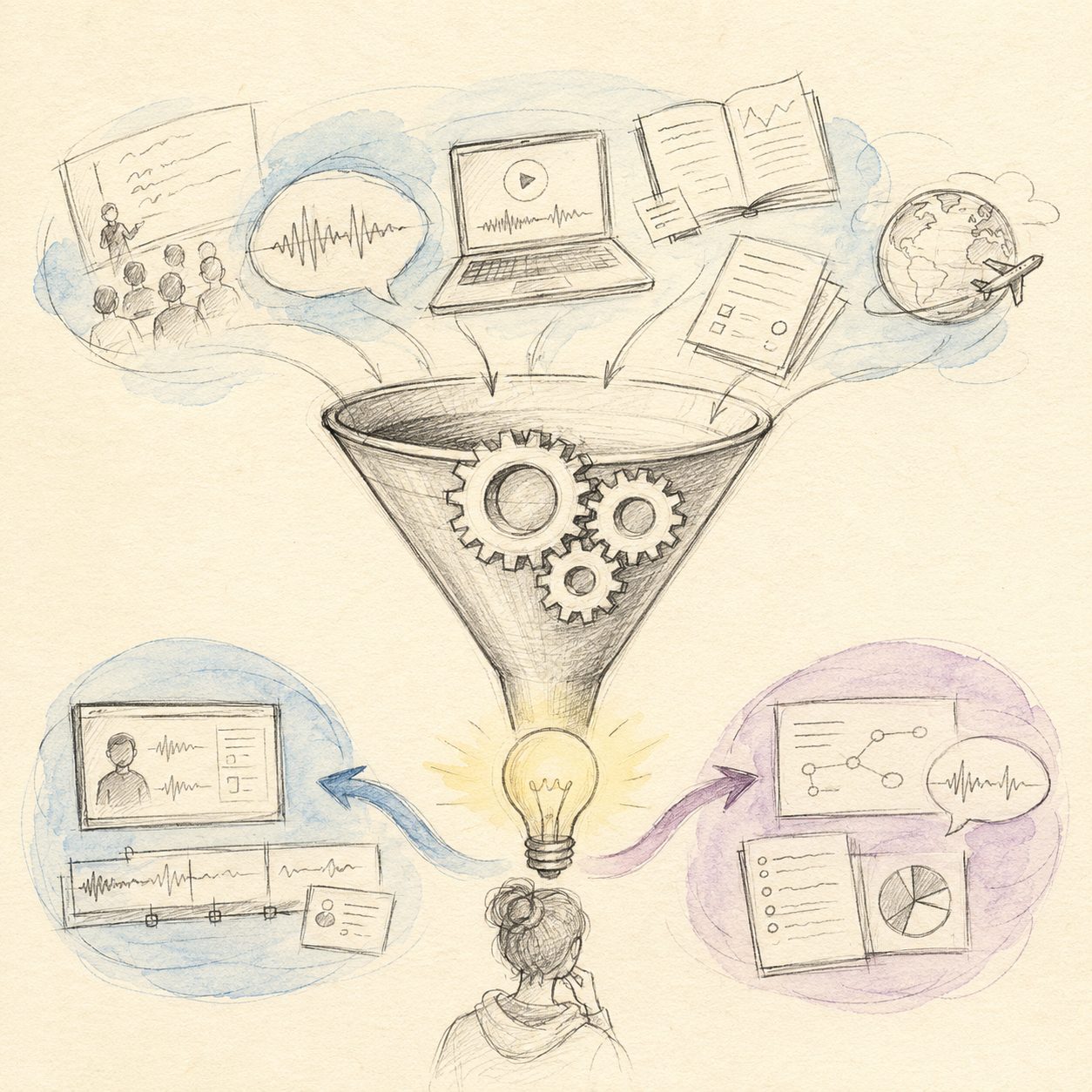
Illustration: drawn by the BibiGPT team for this article (hand-drawn style)
Put them in one table and the differences pop (all competitor details below come from Youdao LectMate’s official public listing):
| Dimension | Youdao LectMate | BibiGPT |
|---|---|---|
| Core scenario | Live, in-class following | Post-class full-recording review |
| Translation | Real-time voice + camera translation, 71 languages | Cross-language recording straight to a summary |
| Input | Live in-class audio / photo | Paste a recording link (Zoom/Coursera/edX/YouTube, etc.) |
| Revision deliverables | In-class transcript + smart notes | Summary + chapter takeaways + timestamps + mind map |
| Best timing | While class is happening | After class, during exam revision |
LectMate’s strength is “real-time”; BibiGPT’s is “reviewing the finished recording.” For the international-student staple of “five or six recordings piled up in a week, only reviewed before the exam,” BibiGPT’s one-click recording summary fills exactly the stage LectMate doesn’t focus on.
For a different angle on turning a recording into revision notes, the video below demonstrates it:
Video source: YouTube · AI recording summary demo
3. BibiGPT’s Concrete Edge in Post-Class Recording Review
Why is BibiGPT the better pick for post-class review? Three concrete points:
- One-click for a whole recording—a two-hour Zoom recording becomes a TL;DR, chapter takeaways, and timestamps in seconds; no replaying from the top, no live audio capture.
- Cross-language straight to your language—an English-taught recording generates structured takeaways directly, removing the listen-and-look-up burden—ideal for course-heavy international students.
- More complete revision output—beyond a summary, it produces a mind map, exports to Notion / Obsidian, and lets you keep asking AI follow-ups, turning a single review into a reusable knowledge base.
For courses with complex structure, a mind map lays out the whole thread at a glance:
Turn a video into a mind map
A linear talk becomes a structured tree. Drag to pan, click nodes to fold.
Demo: BibiGPT turning a lecture recording into a structured outline
Practical rule: Live translation solves “understanding this moment”; post-class summaries solve “remembering the whole course.” Two jobs, two tools—don’t conflate them.
4. How to Choose: Match Your Real Bottleneck
Advice for three typical international students:
- Struggling with listening, hardest in the live class: prioritize LectMate to solve “follow in class”; add BibiGPT later if you still have recordings to review.
- Can follow class, but recordings pile up and you panic before exams: use BibiGPT directly—paste the backlog one by one for takeaways, then sprint with outlines and flashcards (see our exam-cram method).
- Want to follow in class and revise efficiently after: use both—clear division of labor: LectMate handles class, BibiGPT handles after, no conflict.
Ultimately this isn’t a zero-sum “either/or”—it’s “which half do you lack more right now?” On a tight budget, patch the most painful stage first.
5. Frequently Asked Questions
Q1: Can BibiGPT do live in-class translation like LectMate? That’s not its focus. BibiGPT specializes in post-class recording review, turning a full recording into a summary; live in-class translation is LectMate’s strength.
Q2: Can LectMate turn a full Zoom recording into a summary in one click like BibiGPT? LectMate’s core is live in-class transcription, translation, and smart notes; “paste a recording link straight to a structured summary + timestamps” is BibiGPT’s signature recording-review capability.
Q3: Can I use both? Yes, and it’s recommended. Use LectMate to follow class, BibiGPT to review recordings after—covering both stages of attending lectures.
Q4: Which recording sources does BibiGPT support? Zoom cloud recordings, Coursera, edX, YouTube open courses, and more—copy the share link and paste it in, no download needed.
Q5: Can BibiGPT produce takeaways in my language from English-taught recordings? Yes. Cross-language content generates structured takeaways directly, helping you skip the language barrier—especially handy for revising heavy courses.
Review One of Those Recordings with BibiGPT First
If your bottleneck is “can follow class, but no time for recordings,” don’t let them pile up. Paste a Zoom or Coursera recording into BibiGPT now, get a summary and timestamps in seconds, and experience “a whole recording reviewed in ten minutes.” New users can try it free—start with your most urgent course.
Further reading: Exam Cram: Condense a Semester of Courses into a Sprint Outline · Cross-Platform AI Video Summary Guide
BibiGPT Team