
BibiGPT v4.329.0 Update: Time to Refresh Your Productivity Toolkit, Plus Sharing Rewards Await
BibiGPT v4.329.0 brings Windows CLI support, optimized Obsidian auto-sync, SRT subtitle export, a revamped sharing rewards system, and major performance improvements across the board.
BibiGPT v4.329.0 Update: Time to Refresh Your Productivity Toolkit, Plus Sharing Rewards Await
Dear BibiGPT users,
Another week, another round of updates. This time we focused on making things feel more seamless — fewer unnecessary clicks, smoother knowledge archiving. We also tackled some performance bottlenecks that came with recent traffic growth, so the overall experience should feel noticeably snappier.
👀 Quick View
Windows CLI Tool Now Available
If you prefer working in the terminal, good news — the bibi command now works on Windows too. Install it with one click from the desktop app, and you can summarize links or transcribe local files straight from the command line. For power users, this beats switching between windows all day.
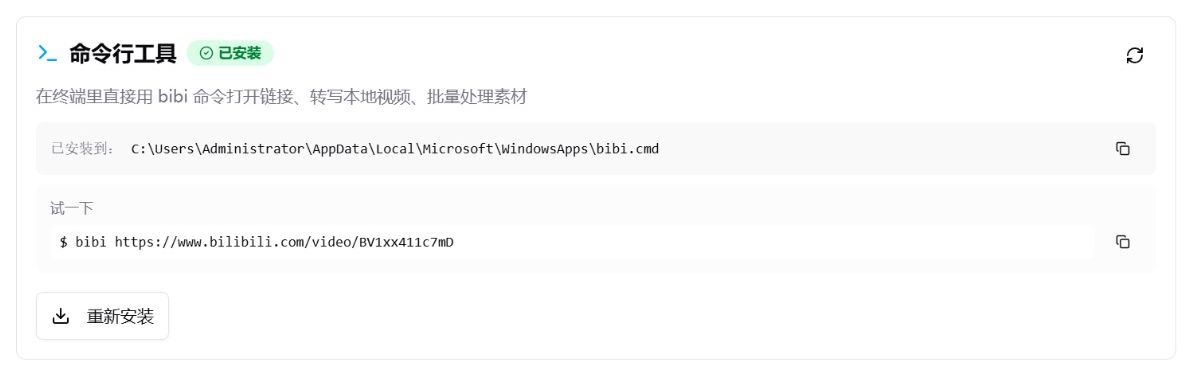 BibiGPT Windows CLI tool installation and status detection interface
🔍 Easy Search
Obsidian Auto-Save Optimization: More Stable, More Direct
The previous Obsidian sync relied on URL Scheme redirects, which could be flaky — if Obsidian wasn't in the foreground, it sometimes missed the handoff. We've rebuilt the integration from the ground up. Now it writes directly to your local Vault path. When a summary is done, it just quietly appears in your library. True silent sync.
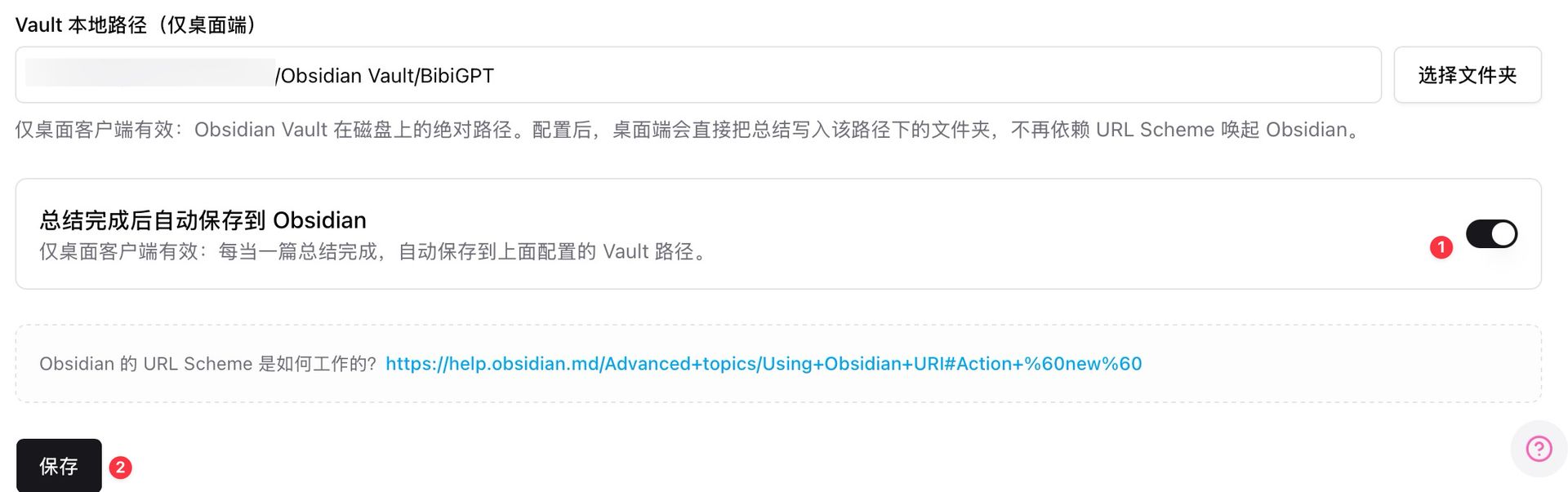 BibiGPT Obsidian Vault local path auto-sync settings
SRT Subtitle Sync Export: Less Work for Editors
Enable the new toggle in your Local Folder settings, and SRT files will automatically sync to your designated location whenever a summary completes. If you frequently subtitle or re-edit videos, this eliminates the manual export step entirely — a smooth, uninterrupted workflow.
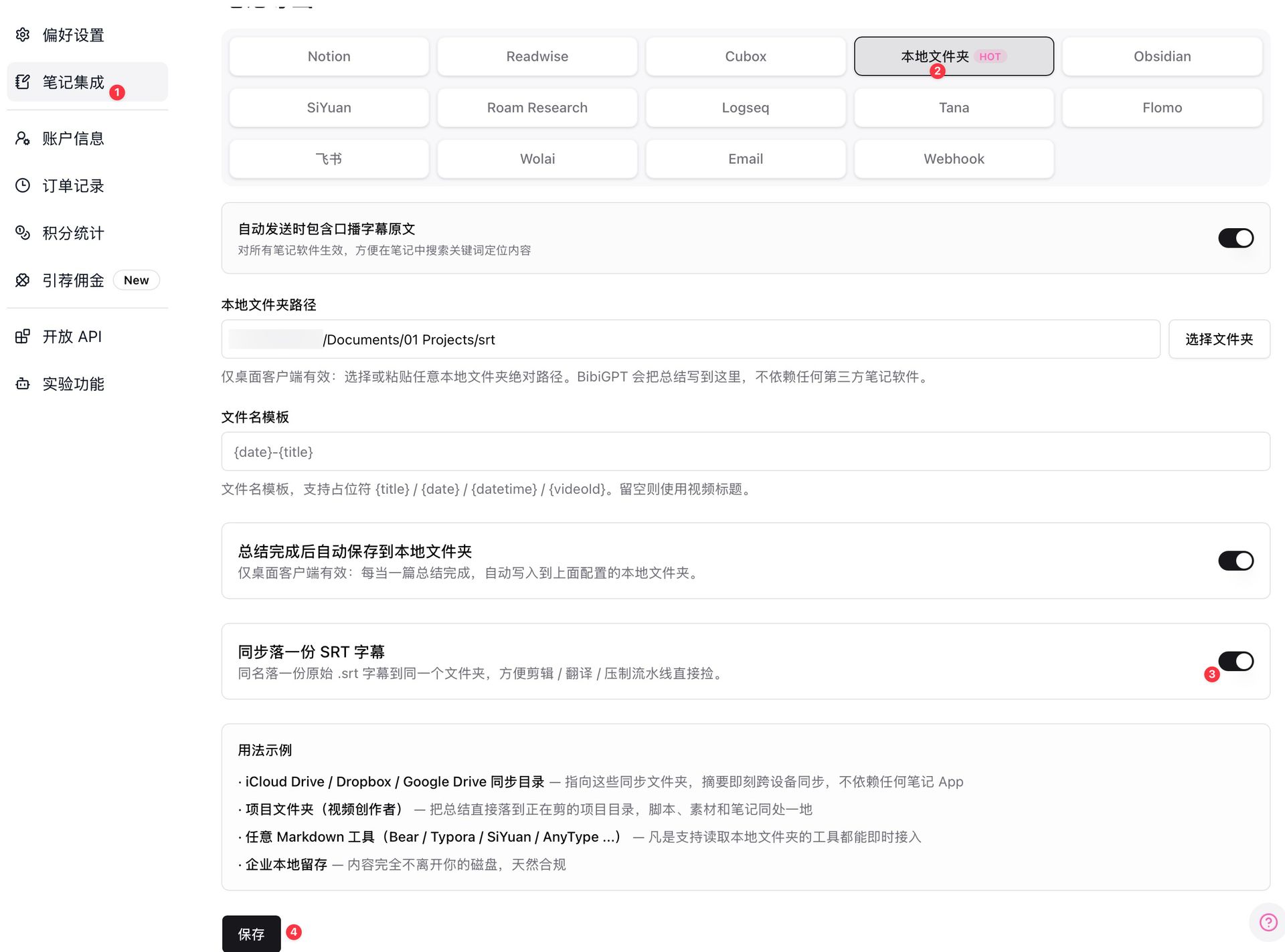 BibiGPT local folder SRT subtitle auto-sync export settings
Want to explore more subtitle extraction options? See our AI video-to-SRT subtitle tools comparison guide.
🛠️ Better Use
Revamped Sharing & Invite Poster: Refer Friends, Earn Rewards
Great tools deserve a wider audience. The new sharing poster not only looks better — it also showcases your usage stats. Invite friends to sign up and unlock Plus membership days and extra quota directly. The cashback incentives have been boosted too — every friend you refer earns you more usage time.
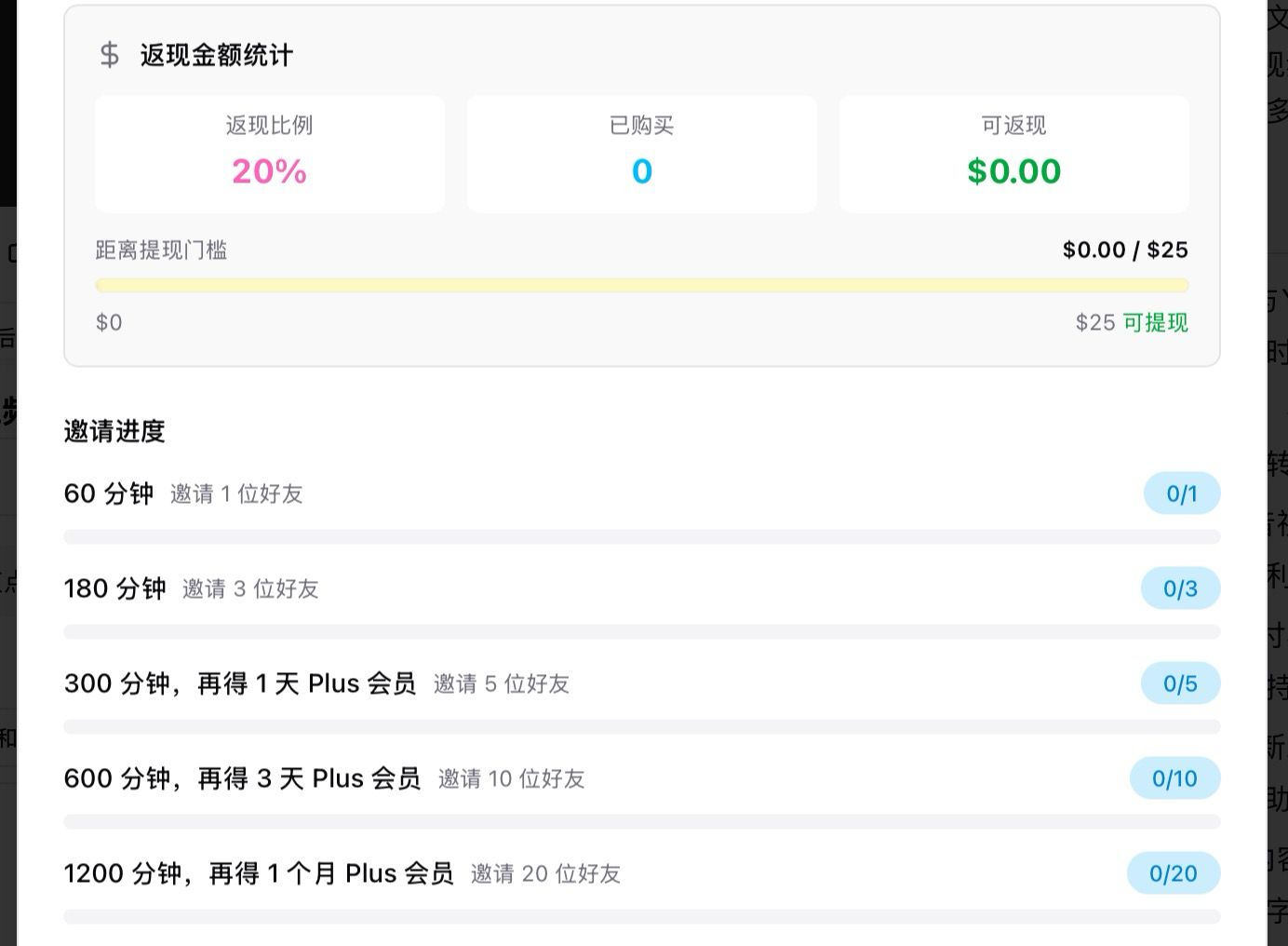 BibiGPT invitation rewards progress and sharing poster
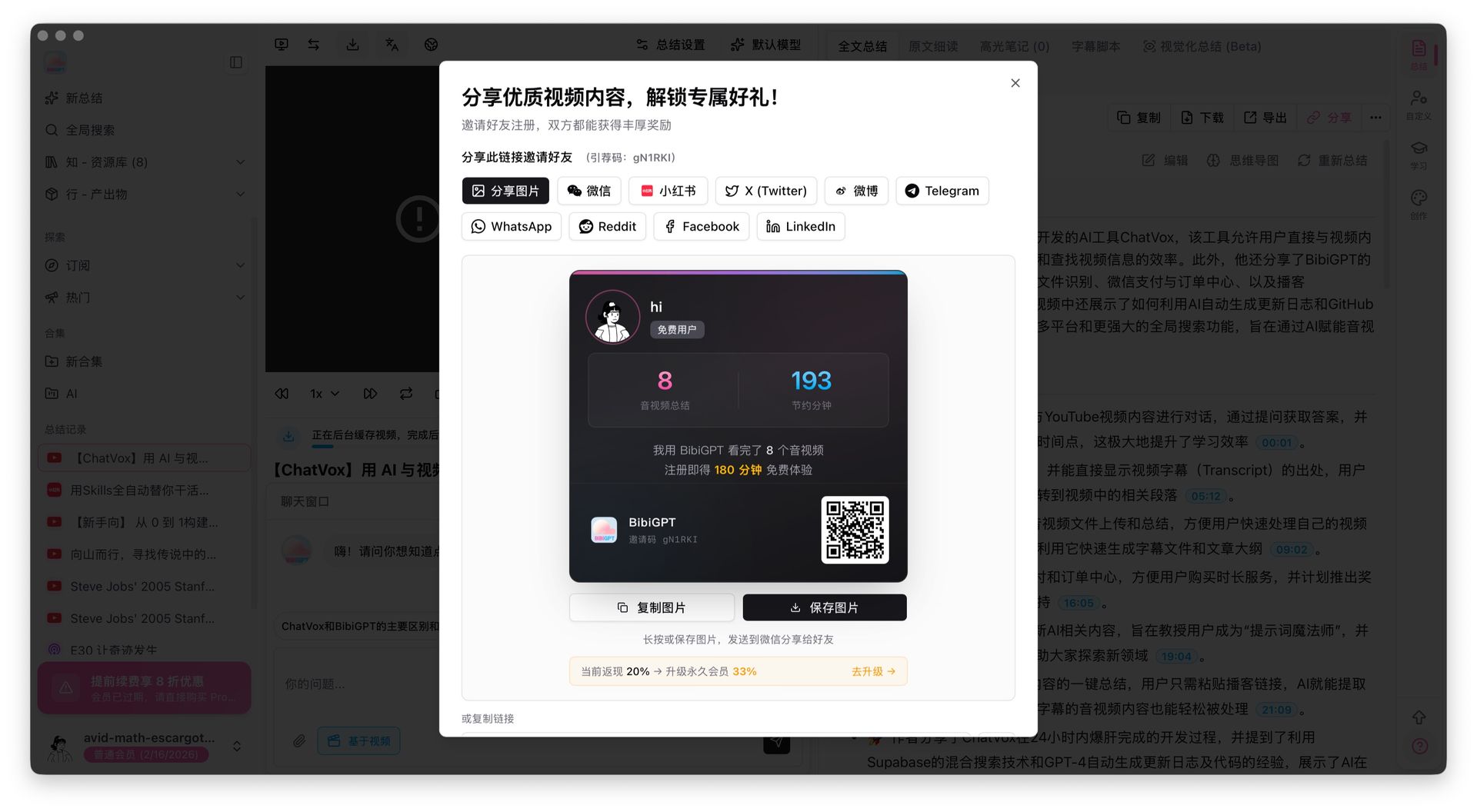 BibiGPT sharing dialog with one-click sharing to WeChat, Twitter, and more
More Recent Improvements
- Homepage loading dramatically faster — logged-in users skip redundant queries, pages load noticeably quicker
- History records switching optimized — pagination and switching between summaries is now much smoother
- Cached summaries load almost instantly — opening previously summarized content is nearly instant
- Custom summaries no longer return blank — fixed an issue where submitting custom prompts before subtitles were ready produced empty responses
- Free video tools launched — new online video cropping, vocal separation, and rotation tools, no installation required
- Windows local speech recognition more stable — fixed an intermittent model extraction failure in privacy mode
- Email delivery guaranteed — automatic failover to backup delivery channel during peak times
Honestly, the recent growth in users put real pressure on our infrastructure. We invested significant effort into backend optimization. Not every change is visible on the surface, but if things have felt smoother lately — that's exactly what we were going for.
Summary
This week's updates are all about making things effortless — Windows CLI brings terminal users into the fold, silent Obsidian sync and automatic SRT export make knowledge archiving invisible, and the sharing rewards system got a meaningful upgrade. Combined with a round of performance optimization, the overall experience should feel meaningfully smoother.
Start your AI efficient learning journey now:
- 🌐 Official Website: https://aitodo.co
- 📱 Mobile Download: https://aitodo.co/app
- 💻 Desktop Download: https://aitodo.co/download/desktop
- ✨ Learn More Features: https://aitodo.co/features
Enjoy!
BibiGPT Team