
YouTube Veo AI Avatar Video Creation 2026: What It Means for Creators and How BibiGPT Summarizes Any Veo Video
YouTube's new Veo-powered AI Avatar video creation removes the on-camera bottleneck. Here is what the April 2026 rollout actually does, how viewers can keep up with the flood of AI videos, and how BibiGPT summarizes, translates, and repurposes any Veo YouTube video in one click.
YouTube Veo AI Avatar Video Creation 2026: What It Means for Creators and How BibiGPT Summarizes Any Veo Video
The April 2026 bottom line: YouTube is rolling out Google Veo-powered AI Avatar video generation. Creators can upload a photo, paste a script, and get a short or long video with a synced virtual presenter, multilingual dubbing, and automatic captions. Good news for creators who can now ship 5–10× faster. Harder news for viewers and researchers: "AI-generated explainers" will flood the feed, and the real pain becomes how to extract value, translate, and repurpose these Veo videos efficiently. BibiGPT handles that whole downstream workflow by accepting any YouTube link directly.
試試貼上你的影片連結
支援 YouTube、B站、抖音、小紅書等 30+ 平台
What YouTube Veo AI Avatar Actually Does
Since Google launched the Veo video model in 2024, its integration into YouTube has been one of the most-watched storylines in the creator economy. In 2026 the creator-facing piece is shipping inside YouTube Studio and the Shorts creation flow. You can:
- Upload a photo of yourself or pick a preset avatar
- Paste a script or even a blog post as the source
- Choose a target language (English, Chinese, Japanese, Korean, Spanish, and more)
- Get a Shorts or long-form video with a lip-synced AI Avatar, background music, and captions
What does this unlock?
- Creator side: "shoot → edit → post-process" collapses into "write → generate." Solo channels can ship 5–10× more content.
- Viewer side: AI-generated "fake host" explainers will fill feeds at an exponential rate.
- Platform side: Tightly coupling Veo with YouTube's distribution engine is Google's response to TikTok's short-form dominance.
For Creators: What Veo Can and Cannot Do
Veo's AI Avatar shines at "low-prep output." But not every format fits full auto-generation.
Good fits
- Knowledge and explainer content: turn a long blog post or a research note into a 3–5 minute explainer
- Multilingual publishing: one Chinese script can generate English + Japanese + Korean variants, all lip-synced
- Fast response to trends: see a hot story, ship a video 30 minutes later
- On-camera-averse creators: professionals who want a channel without showing their face
Bad fits
- High-emotion content: vlogs, interviews, and life recordings where the uncanny valley still matters
- Precise shot language: film analysis or product reviews that need real prop interaction
- Live or reactive content: Veo is still an async generator, it does not support real-time facial driving
看看 BibiGPT 的 AI 總結效果

Bilibili: GPT-4 & Workflow Revolution
A deep-dive explainer on how GPT-4 transforms work, covering model internals, training stages, and the societal shift ahead.
For Viewers: How to Keep Up With AI-Generated Videos
Once 20% of your feed is AI Avatar content, your consumption habits need to evolve. A common pain point: a Veo-generated "8-minute breakdown of 5 trends" is often something you could have read in 2 minutes — why spend 8 minutes watching it?
That's exactly where tools like BibiGPT get more valuable in the Veo era:
- Paste the YouTube link → drop it straight into BibiGPT's AI YouTube summary
- Get a structured, timestamped summary in 30 seconds — core takeaways, key arguments, and term definitions
- Switch to the mind map view with one click — understand the logical spine of the video
- Click any timestamp — jump straight to the segment that actually interests you
If you're sourcing from English, Japanese, and Korean channels every day, this flow easily buys you 1–2 hours back.
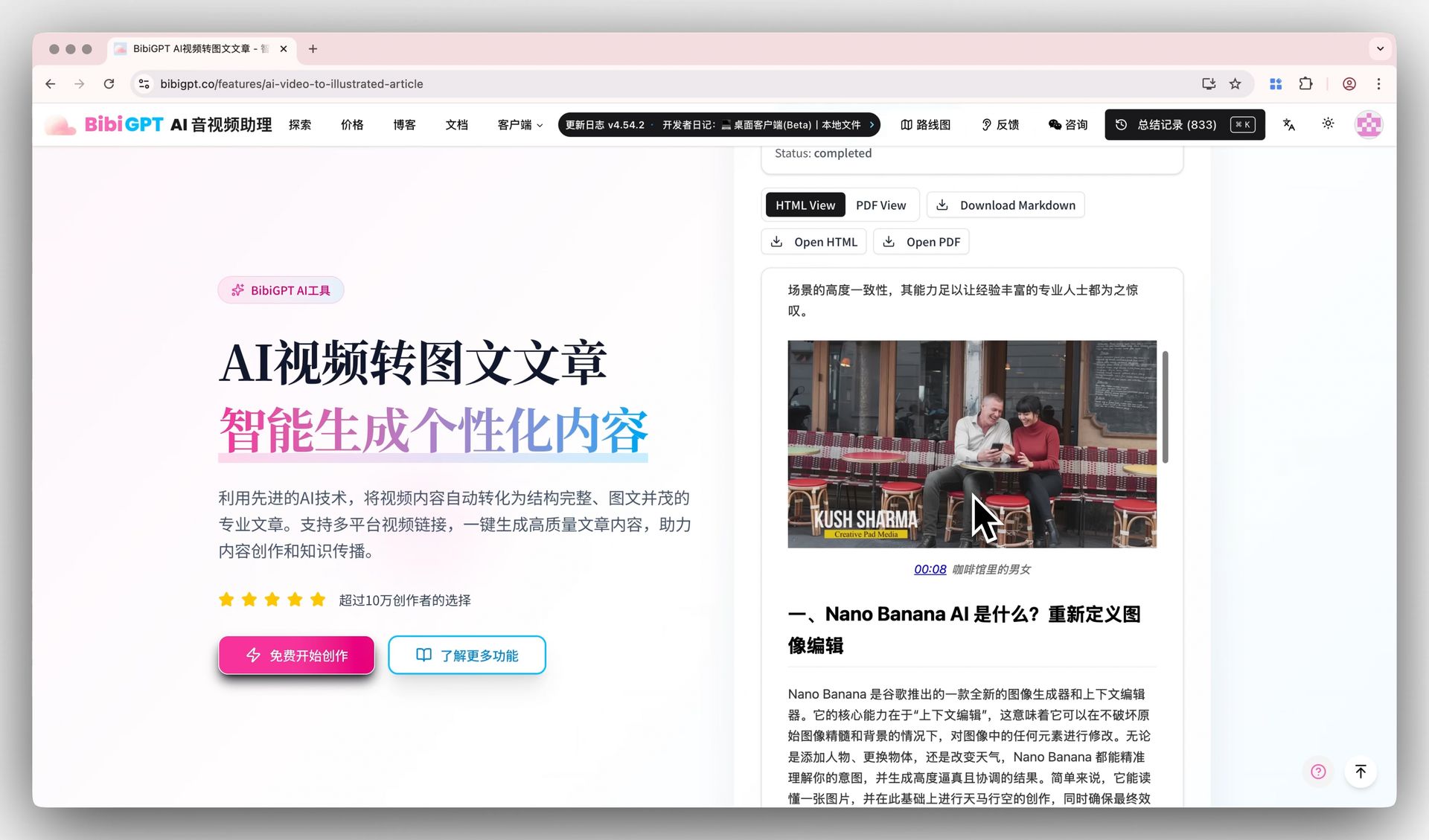 BibiGPT AI video-to-article demo
For Repurposers: Turn Veo Videos Into Long-Form Articles
Veo will also spark a wave of "take this English Veo video and turn it into a Chinese blog post / newsletter / X thread" requests. BibiGPT's AI video-to-illustrated-article feature is the cleanest path:
- Paste the YouTube URL → BibiGPT captures key frames and a structured transcript
- One click generates an illustrated article in Markdown, PDF, or HTML
- Copy-paste directly into your blog, newsletter, or knowledge base
If you prefer the podcast format, BibiGPT's dual-host podcast generation can turn the same Veo video into a two-person audio episode. Source video → summary → article → podcast — one pipeline, all covered.
For a fuller walkthrough, see the complete video-to-article workflow and the structured AI video note-taking workflow.
Authenticity and Source Checking
Veo AI Avatar is going to make "real host vs synthetic host" much harder to tell at a glance. YouTube already requires creators to flag AI-generated content, but viewers still need a personal toolkit:
- Check the disclosure: look for "Made with AI" or "Veo generated" in the description
- Cross-check sources: Veo scripts tend to use generic "academic filler." BibiGPT's AI chat can be asked to "find the source behind this claim"
- Timestamp tracing: BibiGPT's AI dialog with source tracing attaches clickable timestamps to every answer, which helps verify exactly where a specific claim came from in the video
For deep learners and course note-takers, treating BibiGPT as "a reverse filter for AI-generated video" is very reasonable — Veo videos still carry information, you just need to strip the filler more efficiently.
FAQ
Q1: Is YouTube Veo AI Avatar available worldwide?
A: The Veo/YouTube integration is rolling out region by region. BibiGPT's global version (aitodo.co) already supports any YouTube URL natively, so regardless of where Veo itself is available, you can paste a YouTube link and get a summary immediately.
Q2: Can BibiGPT handle Veo-generated Shorts?
A: Yes. BibiGPT supports both long-form YouTube videos and Shorts, including AI-generated content. Shorts get a dedicated three-block summary format (core point / supporting argument / CTA) so even 30-second Veo videos produce structured notes.
Q3: When Veo creates multilingual versions of the same video, which one should I give BibiGPT?
A: Use the version that matches the original script language — captions from the "native" Veo output are usually cleanest. BibiGPT will auto-detect and adapt to the caption language regardless.
Q4: Does BibiGPT detect AI-generated vs. real-person videos?
A: BibiGPT does not run a dedicated "AI detector" — it focuses on extraction and structuring. Veo-generated content and real-person recordings both carry information value. If you want to judge authenticity, ask BibiGPT's chat something like "what signs suggest this video is AI-generated" and it will pull timestamped evidence from the transcript.
Wrap-Up
YouTube Veo AI Avatar lowers creator friction, but it also sharply raises the signal-filtering burden on viewers. BibiGPT's role in this shift is clear: attach a 30-second structured summary, a one-click mind map, a source-traceable AI chat, and a ready-to-publish article version to every Veo video. Creators use Veo to scale production, viewers use BibiGPT to scale filtering — that pairing is the most realistic loop for the next 12 months of YouTube content consumption.
Start your AI efficient learning journey now:
- 🌐 Official Website: https://aitodo.co
- 📱 Mobile Download: https://aitodo.co/app
- 💻 Desktop Download: https://aitodo.co/download/desktop
- ✨ Learn More Features: https://aitodo.co/features
BibiGPT Team