
BibiGPT Weekly Update · December 13, 2024 – Smart Tags, Collections, Precise Subtitle Navigation
New this week: pinpoint subtitles, karaoke mode, autoplay controls, auto-generated tags, a collections hub, todo markers, refined upload forms, short-link conversion, and Markdown fixes.
BibiGPT Team
BibiGPT Weekly Update · December 13, 2024 – Smart Tags, Collections, Precise Subtitle Navigation
Watch Faster
Precise Subtitle Navigation
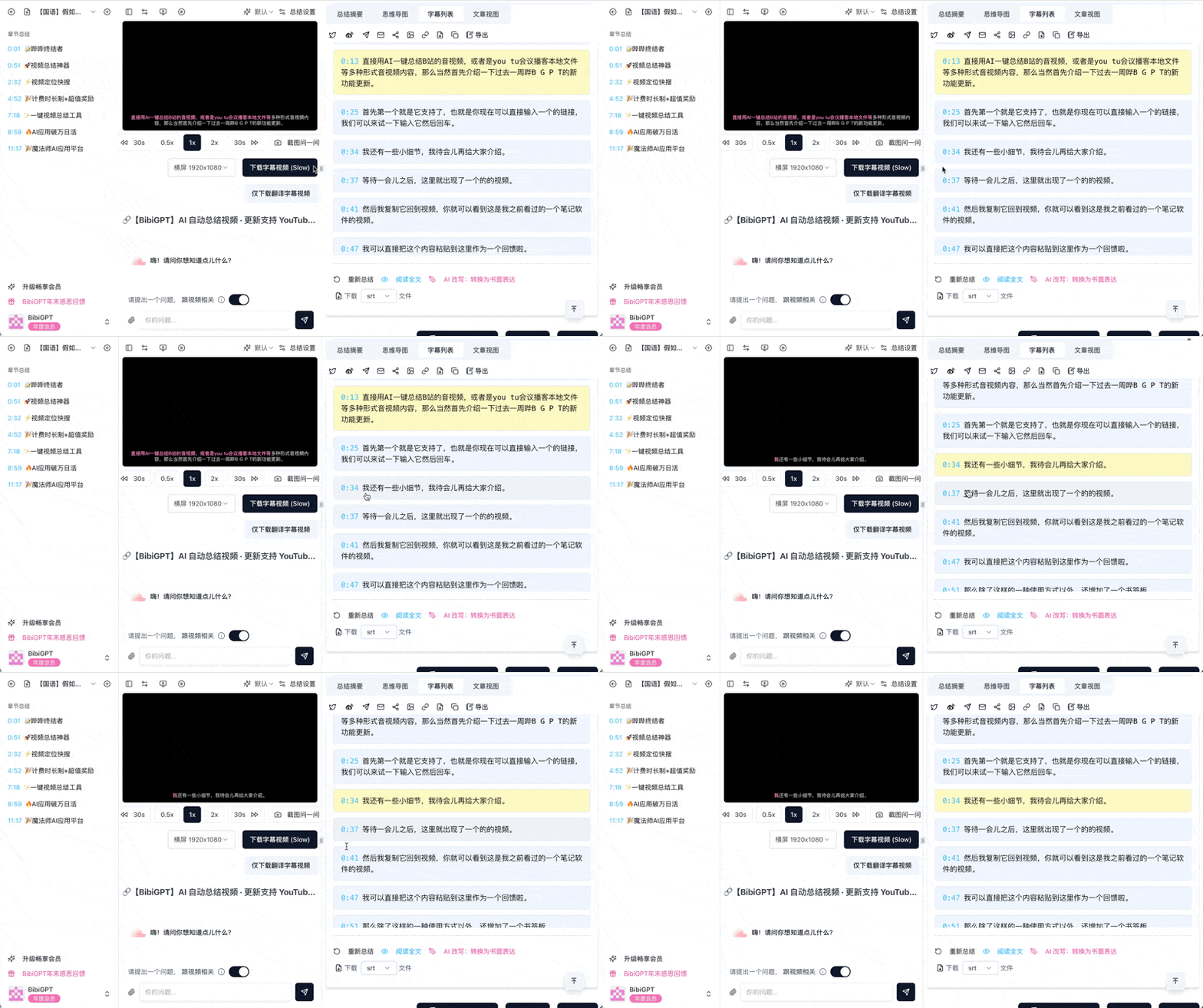
- Click any character to jump to the exact frame.
- Ideal for revisiting key ideas, meeting notes, or memorable quotes.
Karaoke Mode
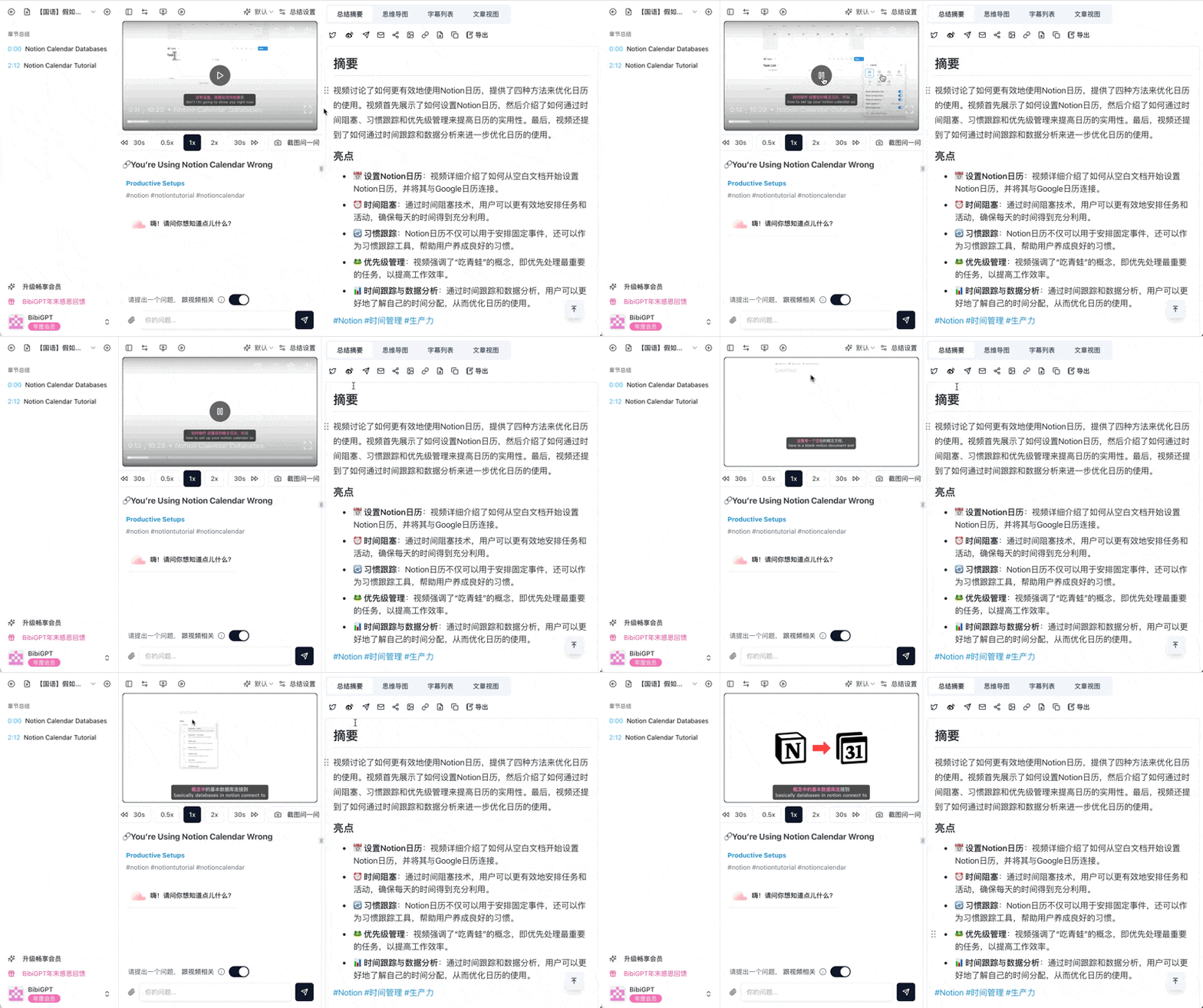
- Color-coded subtitles keep pace with the speaker.
- Great for language practice, sing-alongs, or mirroring presentation cadence.
Player Refinements
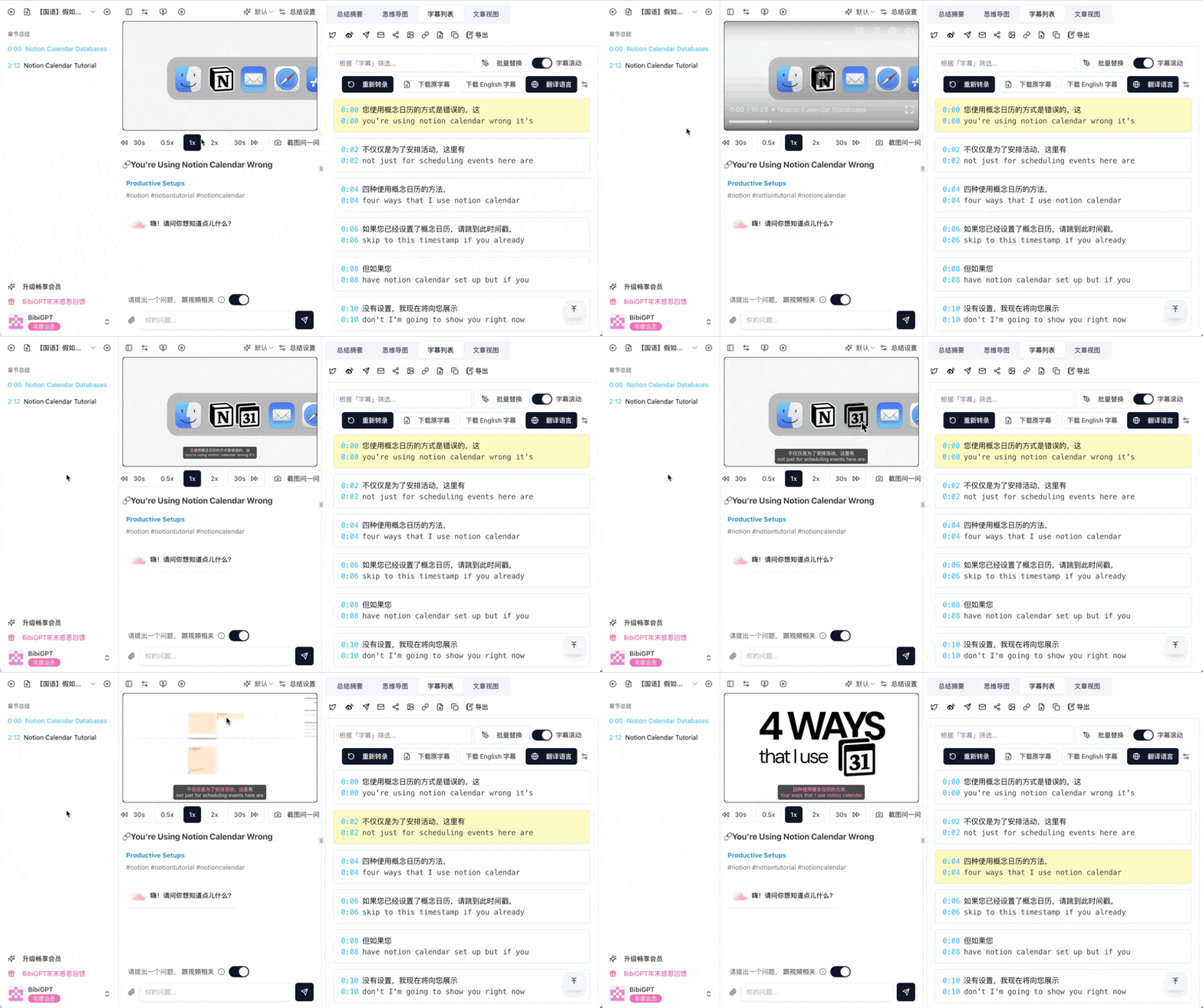
- Smoother scrolling, tighter sync between captions and video.
- Adjust autoplay to match your workflow—leave it off when skimming multiple clips or turn it on for deep dives.
Find Smarter
Smart Tagging

- We generate topical tags automatically so you can filter by theme, discover related content, and map out your knowledge base.
Collections
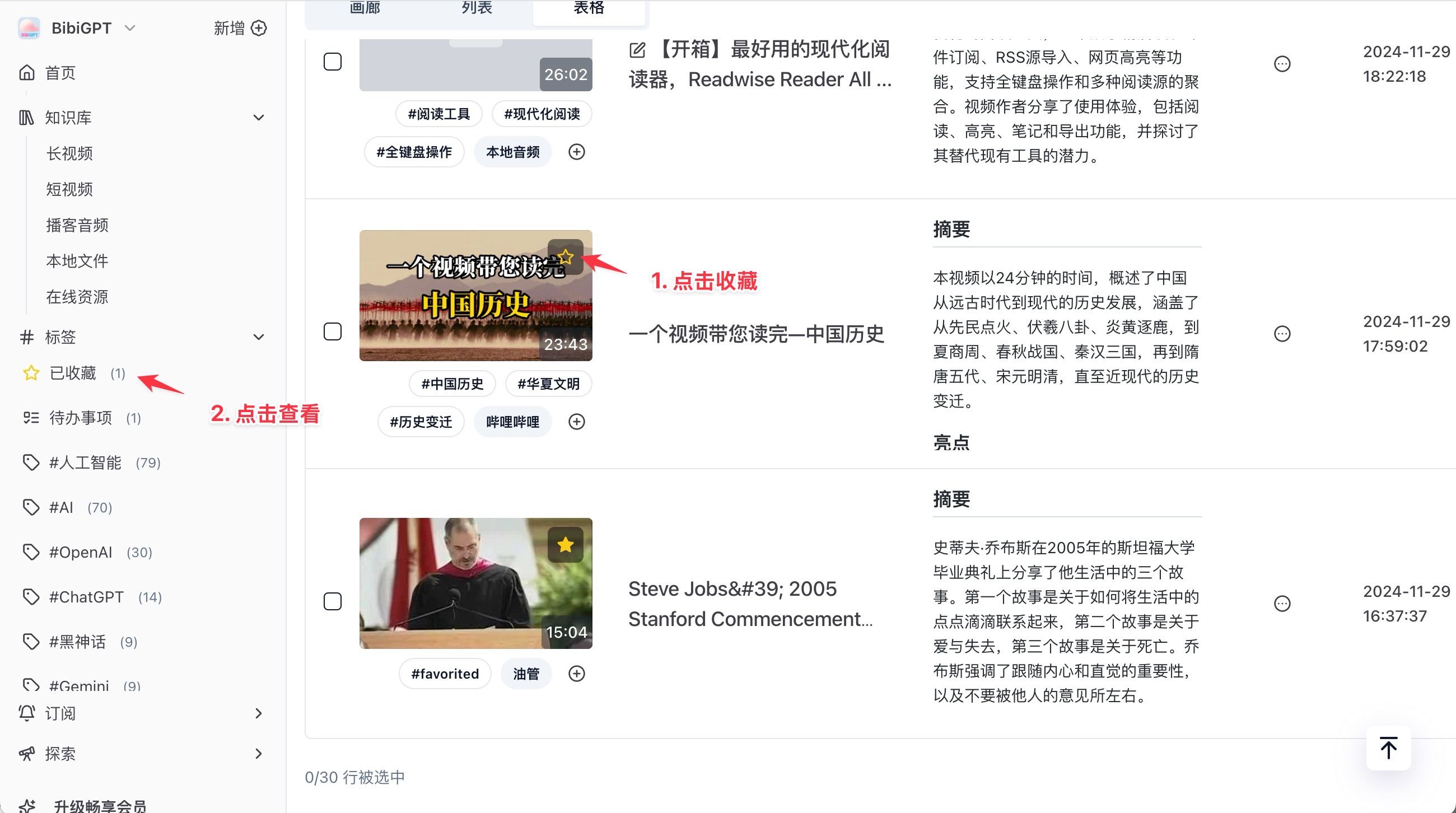
- Save favorite videos to a personal library—organize coursework, reference material, or inspiration in one place.
Todo Labels

- Surface summaries with actionable items the moment you need them—perfect for project tracking or study plans.
Library Categories
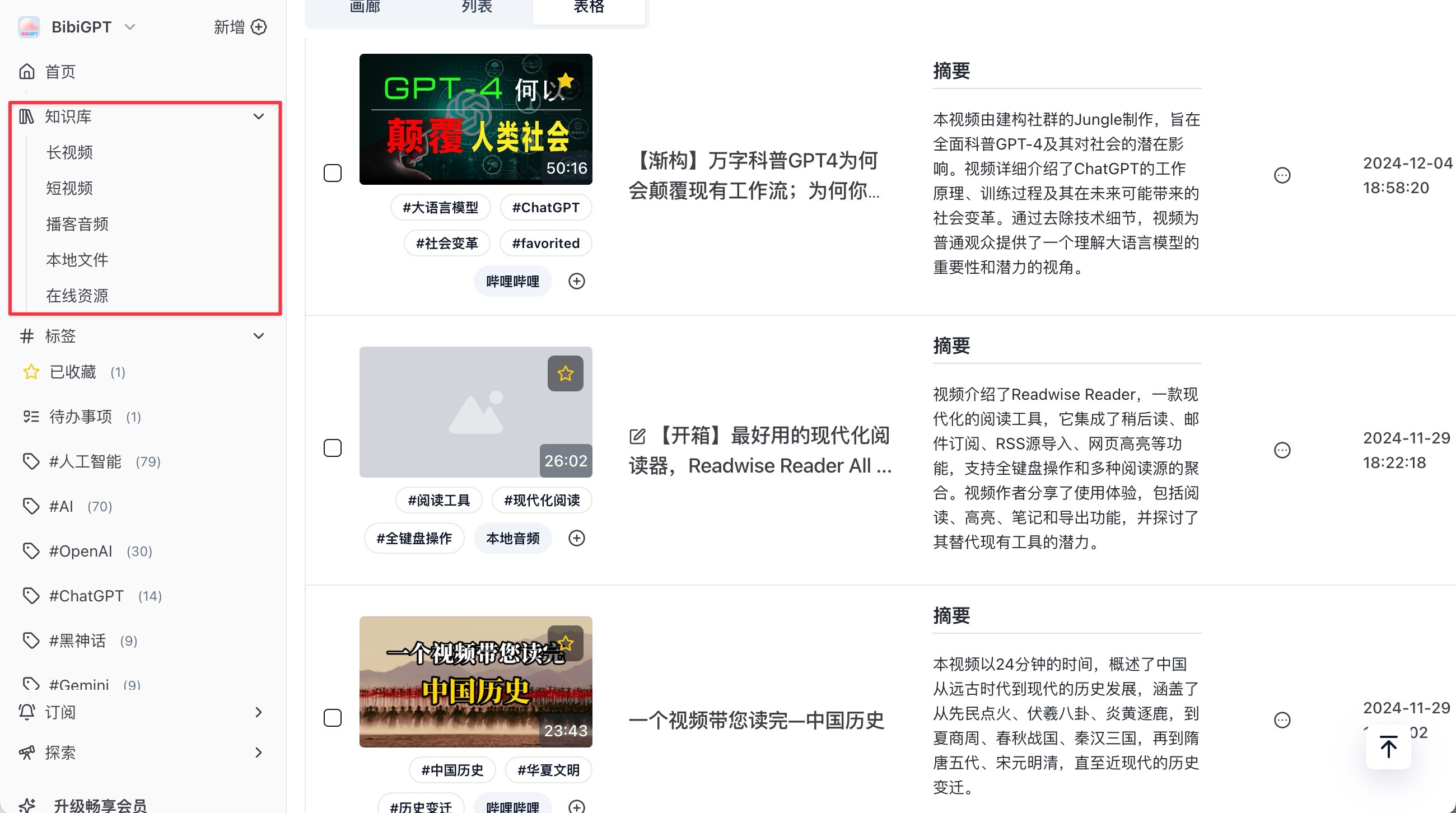
- Sort by long-form videos, shorts, podcasts, and more so you pick content that fits your schedule.
Use Better
New Upload Flow
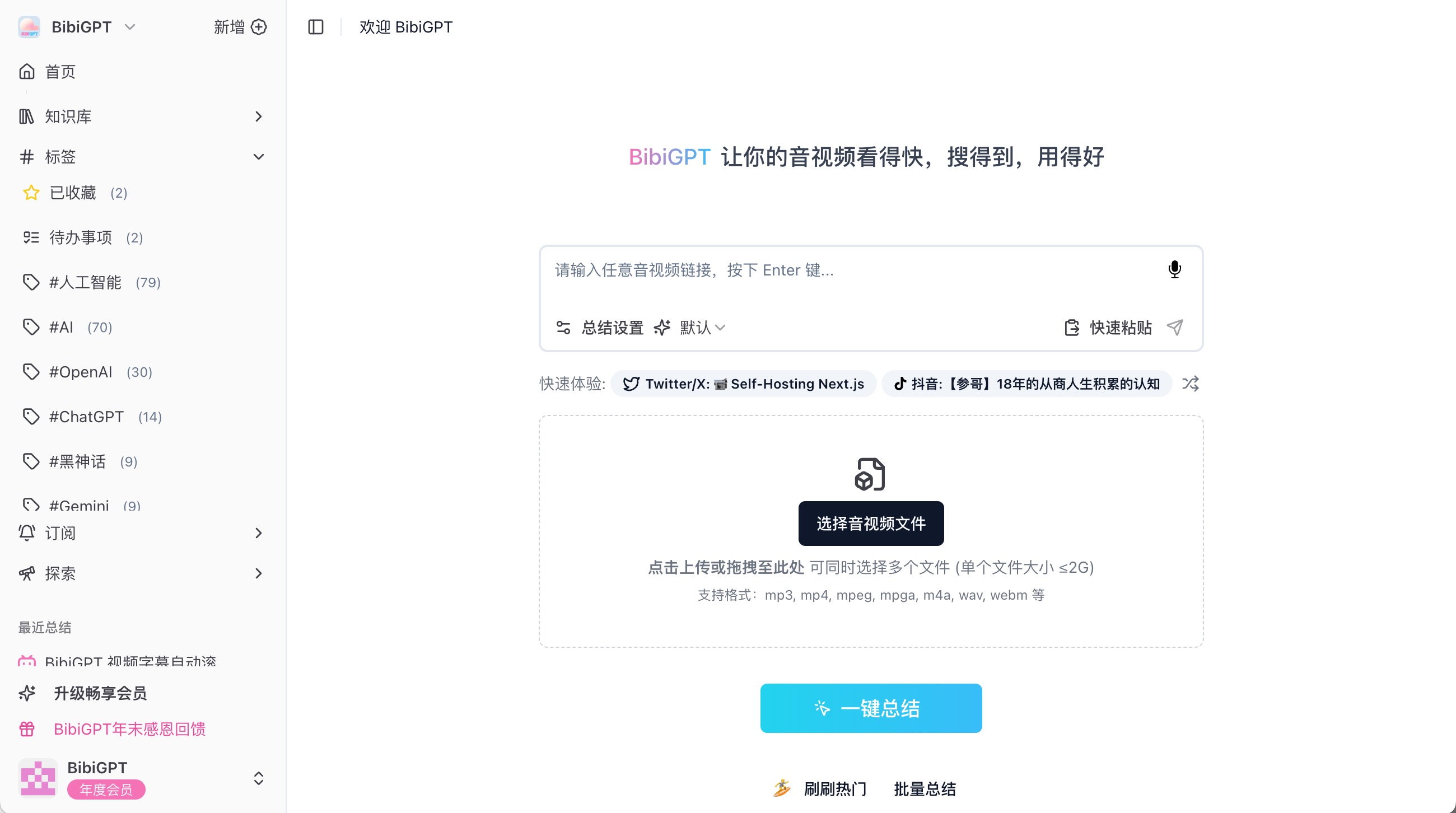
- Streamlined form makes batch uploads and metadata edits easier than ever.
Short-Link Converter
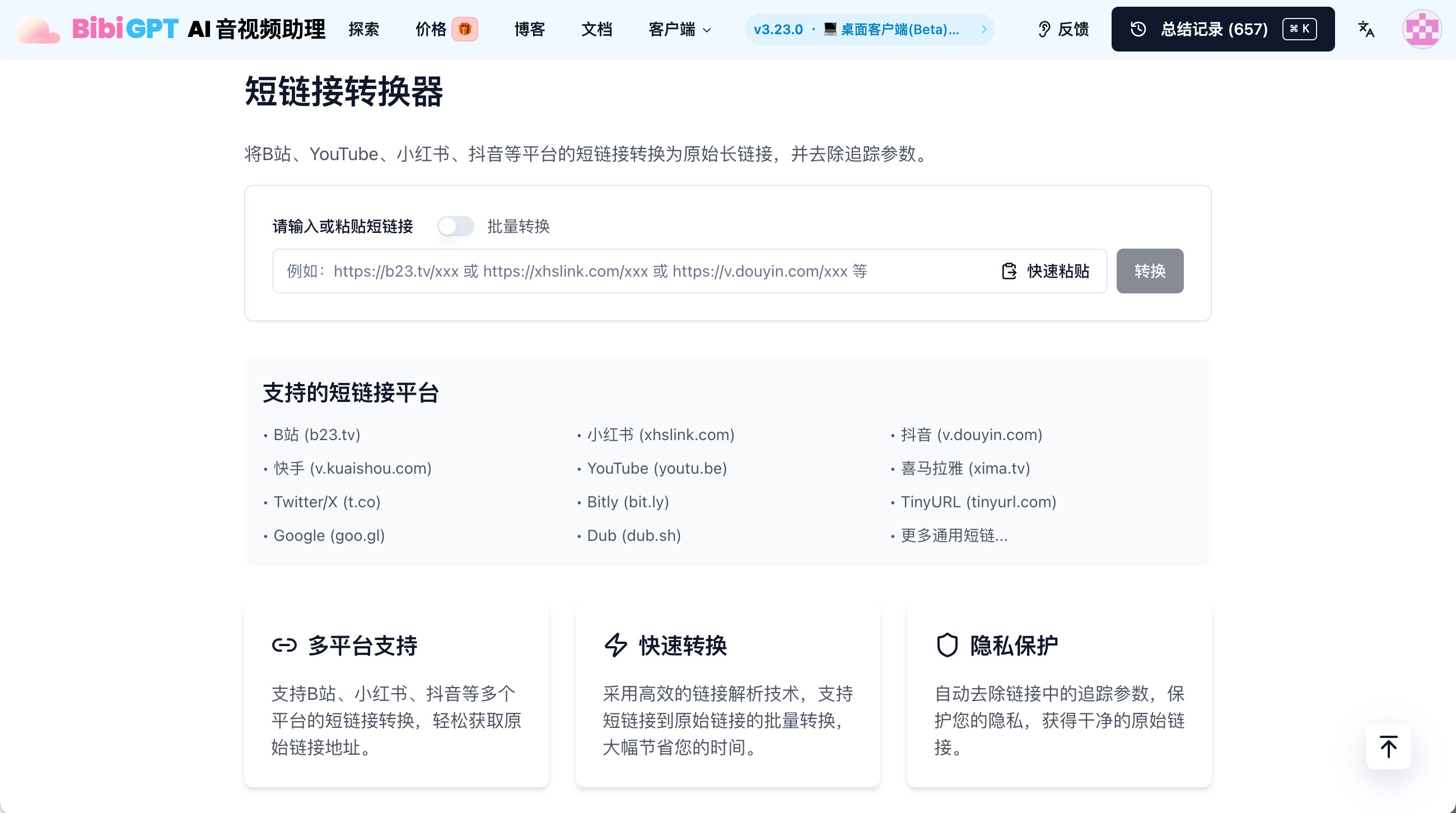
- Expand shortened URLs automatically to keep links valid in exports and knowledge bases.
Markdown & Code Fixes
- AI chats now render Markdown correctly with better code block widths—no more squished snippets or misaligned tables.
Curious about previous releases? Revisit the September 27 update or the October 28 roundup. Want to see what’s next? Check out December 20’s iteration report.
Thanks for being part of BibiGPT—where media stays fast to watch, searchable, and ready to apply.
— BibiGPT Team