
BibiGPT v4.130.0 Updates: Output Center Upgrade, AI Highlight Notes, and Intelligent Source Tracing Dialog
BibiGPT v4.130.0 brings major feature upgrades! New AI highlight notes with intelligent topic classification, AI video dialog with source tracing, and unified output center management—making your audio-video learning experience more efficient and reliable.
BibiGPT v4.130.0 Updates: Output Center Upgrade, AI Highlight Notes, and Intelligent Source Tracing Dialog
Dear BibiGPT Users,
Thank you for your continued support and trust in BibiGPT. We remain committed to our mission of making your audio and video content "fast to watch, easy to search, and ready to use," continuously optimizing and expanding features to help you manage and leverage your knowledge assets more efficiently.
This update focuses on centralized knowledge output management, rapid capture of key information, and reliable AI Q&A, delivering a smoother and deeper learning experience.
Fast to Watch: One-Click Access to Key Insights
We've elevated our video essence extraction capabilities to new heights, enabling you to quickly locate and grasp core content even in vast amounts of information.
「AI Highlight Notes」: Intelligent Topic Classification
-
Core Value: Automatically analyze and extract all key information segments from videos with one click, eliminating the need for manual searching.
-
New Feature: AI not only generates highlight lists but also intelligently analyzes video content and automatically identifies different thematic categories. Whether it's academic videos, industry interviews, or course reviews, AI will generate relevant topic classifications based on the video's characteristics. More importantly, you can customize topics of interest, allowing AI to categorize content according to your needs, enabling you to quickly filter and locate content with significantly improved efficiency.
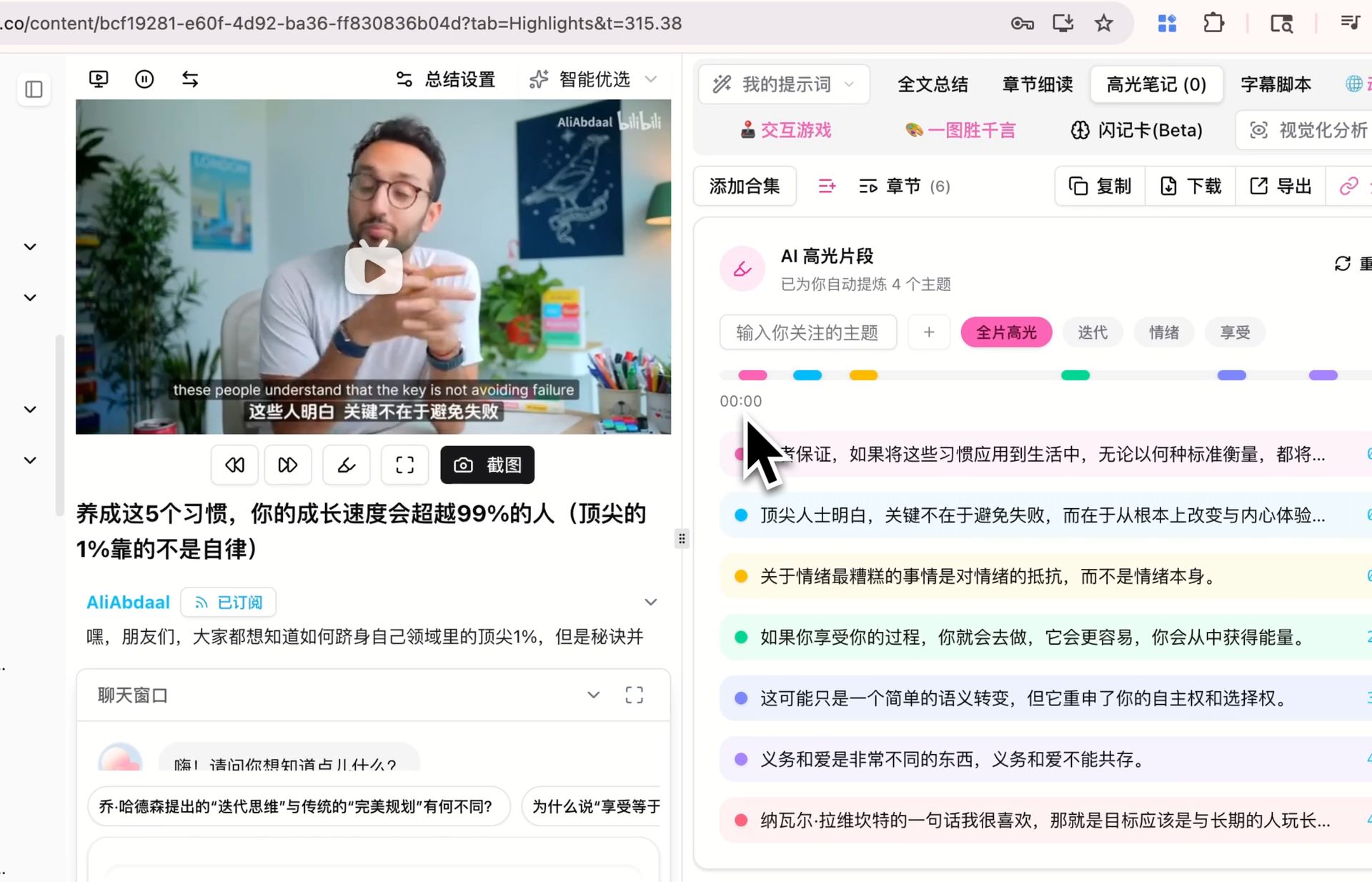 AI Highlight Notes Classification Demo
Easy to Search: Smarter Dialog, More Reliable Knowledge
We've comprehensively upgraded the AI dialog window, not only improving interaction but also implementing information source tracing to ensure the knowledge you receive is accurate and reliable.
「AI Video Dialog with Intelligent Source Tracing」: A Trustworthy AI Assistant
-
Core Value: The new chat window UI supports maximization and free dragging, providing a cleaner and more flexible interaction experience.
-
New Feature: When AI answers your questions, it provides clickable timestamps and citation sources. Hover over timestamps to preview the corresponding video source text, making every AI response traceable and ensuring information accuracy and reliability.
-
Enhanced Interaction: Supports asking questions based on video screenshots, uploading files, and seamlessly switching between general AI dialog and video Q&A.
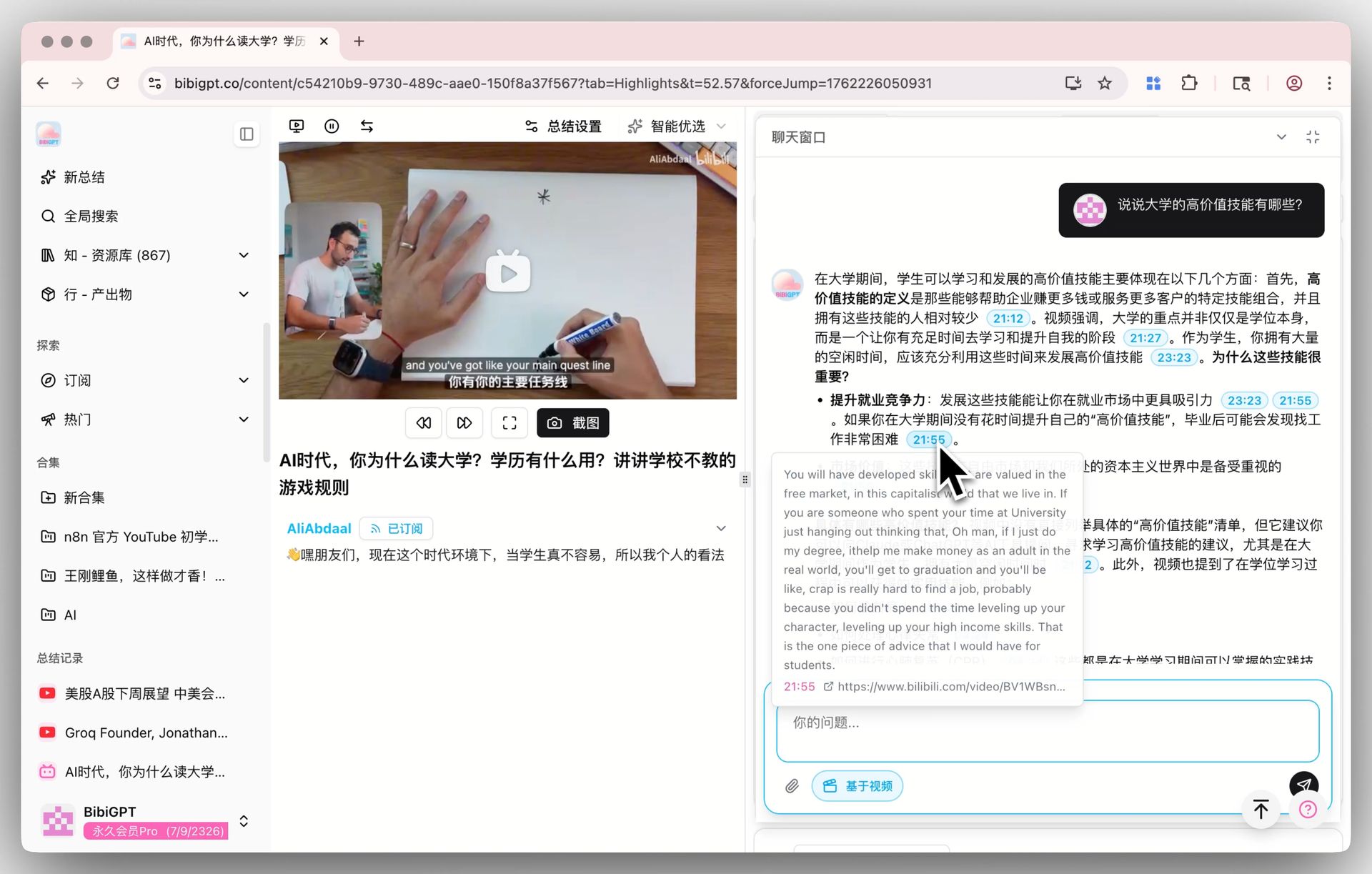 AI Dialog Window Source Tracing Demo
Ready to Use: Unified Knowledge Output Management
Your learning outcomes are valuable knowledge assets. We've launched a new "Output" center that centralizes all your knowledge outputs, truly achieving "knowledge in action."
「Output Center」: The Intelligent Warehouse for Knowledge Outputs
-
Core Value: Say goodbye to scattered outputs. All content generated from videos is unified and centrally managed.
-
New Feature: Whether you generate content through custom prompts, official prompt applications, highlight notes, AI dialog, image generation, visual summaries, AI article rewriting, or WeChat article graphics, everything will be automatically categorized and unified under the "Output" menu in the sidebar, making it easy to find, filter, and review at any time.
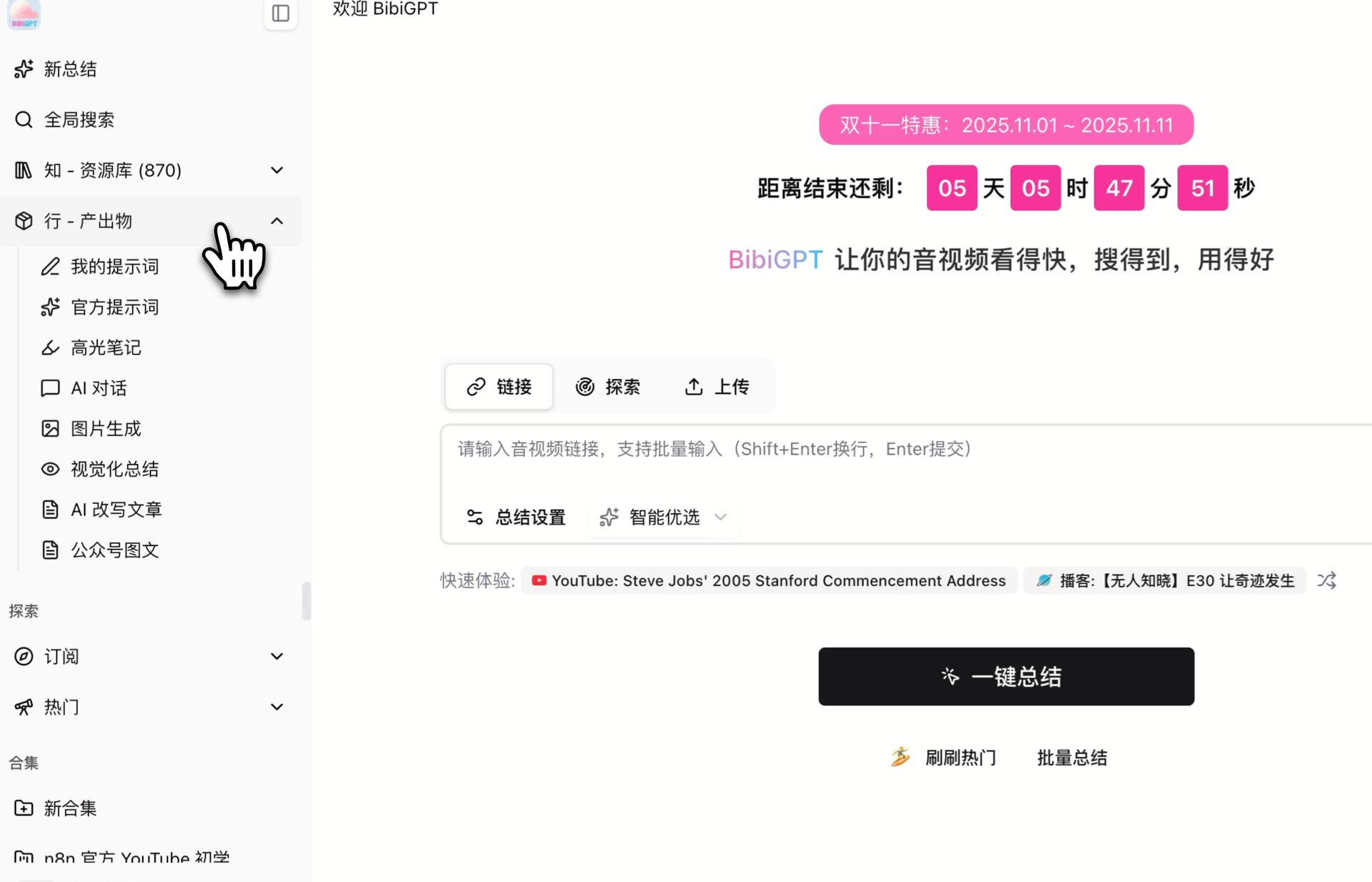 Output Center Sidebar Overview
Summary
We believe these upgrades will greatly optimize your AI audio-video learning experience, making knowledge acquisition and management more efficient and effortless.
Experience the latest BibiGPT now and unlock the infinite value of audio-video content!
Wishing you a pleasant experience!
Special Promotion: 50% Off Until November 11
We're currently running a special promotion with 50% off all memberships! This offer is valid until November 11 and is our last site-wide discount of the year. Plus Annual memberships are now just $5.94/month, and Pro Annual memberships are only $10.44/month. Learn more about this promotion in our Double 11 Sale article.
Join the promotion and enjoy 50% off
BibiGPT Team