
BibiGPT v4.138.0 Update: Deep Search, Douyin Shorts, and Gift Card Sharing
Built from real user feedback, this update enhances BibiGPT’s AI audio and video summary workflows with Douyin short video generation, gift card sharing, and global deep search—so you can watch faster, find smarter, and use better every day.
BibiGPT v4.138.0 Update: Deep Search, Douyin Shorts, and Gift Card Sharing
Hi BibiGPT users,
Over the past weeks, your real-world use cases and thoughtful feedback have shaped how we think about BibiGPT. Every message and suggestion reinforces one simple truth: what really matters is an AI audio and video summary assistant that helps you watch faster, find smarter, and use better in your daily work and learning.
This update continues to strengthen our core promise: help you watch faster, find smarter, and use better.
👀 Watch Faster: Turn Long Videos into Douyin Shorts
Many of you already rely on BibiGPT to turn long videos into structured knowledge. But when it comes to sharing those ideas on social platforms, you still had to manually edit clips, add voice-over, and manage subtitles.
Douyin Short Video Generation
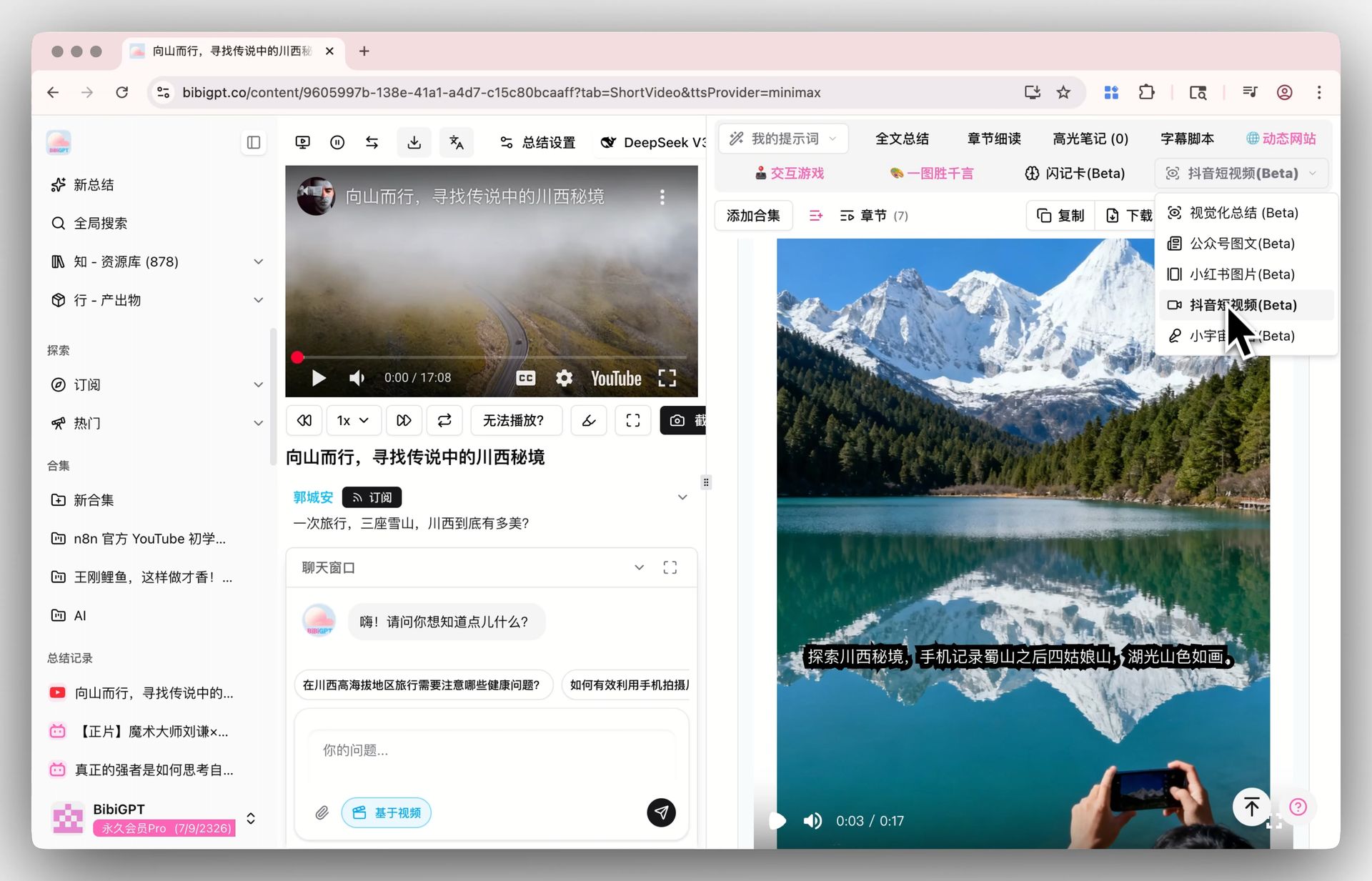 Douyin short video generation entry
- When you want to quickly share highlights from a long video, you can now generate Douyin-style short videos directly from the summary page.
- Voice-over, subtitles, and basic pacing are automatically handled, turning manual editing into a one-click workflow.
- BibiGPT integrates with multiple speech service providers so you can choose a voice and tone that matches your style.
- The entry is available on the audio/video summary detail page for eligible users.
Today, this feature is already being used for content teasers, knowledge sharing, course marketing, and internal training. We’ll continue to refine timing, copy rhythm, and subtitle layout so your short clips look better and take less time to produce.
🔍 Find Smarter: Global Deep Search for the Exact Line You Remember
As more audio and video content flows into BibiGPT, your expectations for search keep rising—especially when you just remember “that one sentence” from a long session.
Deep Search Mode in Global Search
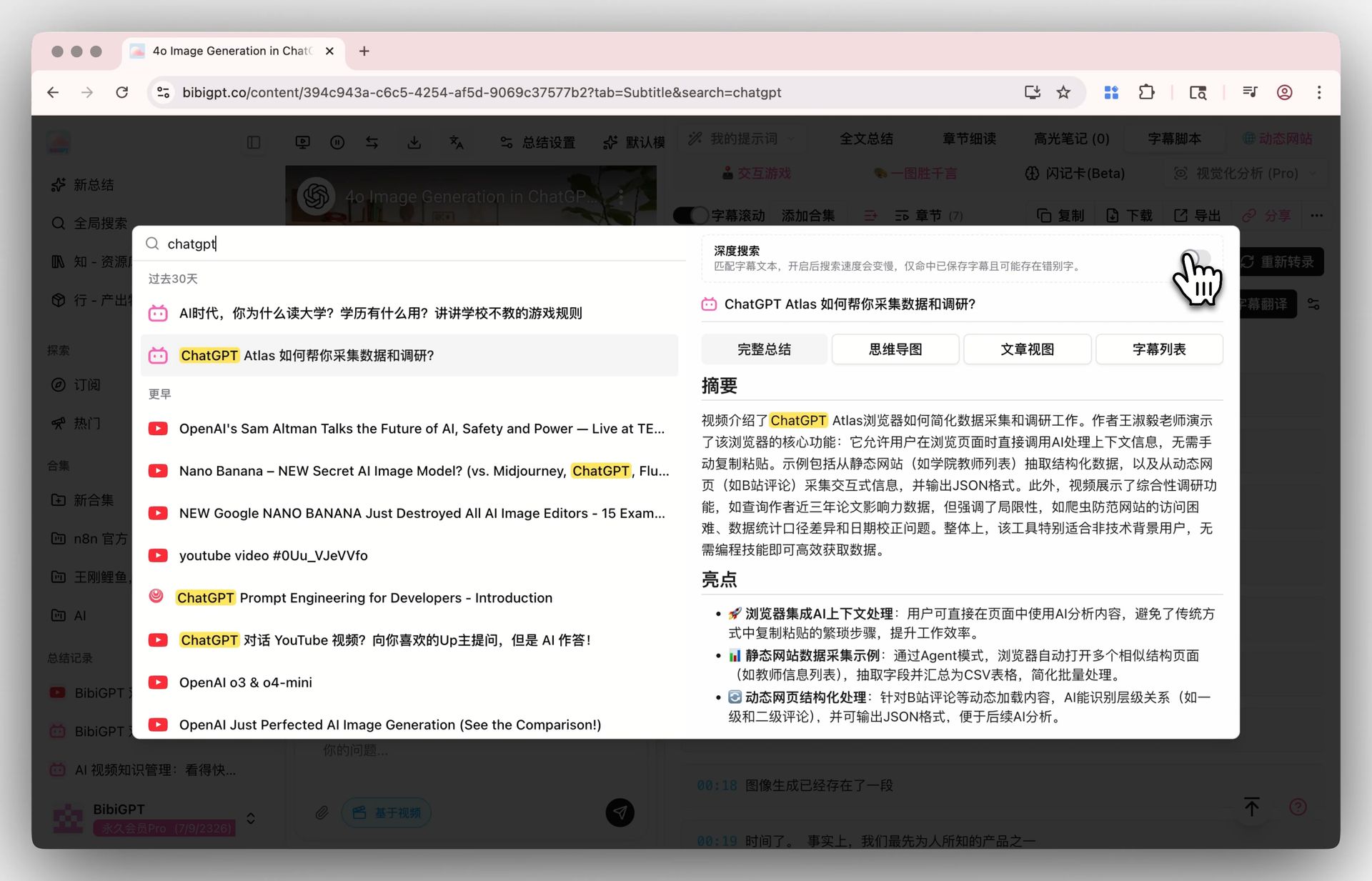 Global search deep search toggle
- Some users told us, “I’m sure I heard it in the video, but I can’t search it back.” In many cases, those phrases only appeared in the transcript, not in the title or summary.
- Deep search mode was created exactly for this: when enabled, BibiGPT matches across the full transcript instead of just metadata, helping you rediscover deeply buried moments.
- Because the scan scope is broader, deep search can take slightly longer, but the hit rate improves significantly.
- You can enable it directly in the global search interface, or summon search via keyboard shortcut (Command K / Control K) and toggle deep search as needed.
This isn’t a “flashy” feature—it’s a practical response to real problems you run into when turning hours of audio and video into reusable knowledge.
🛠 Use Better: Gift Cards for Shared Learning and Collaboration
Beyond individual productivity, many of you are now using BibiGPT as something to share—with teammates, classmates, and friends who also work heavily with audio and video.
Gift Card Purchase Entry
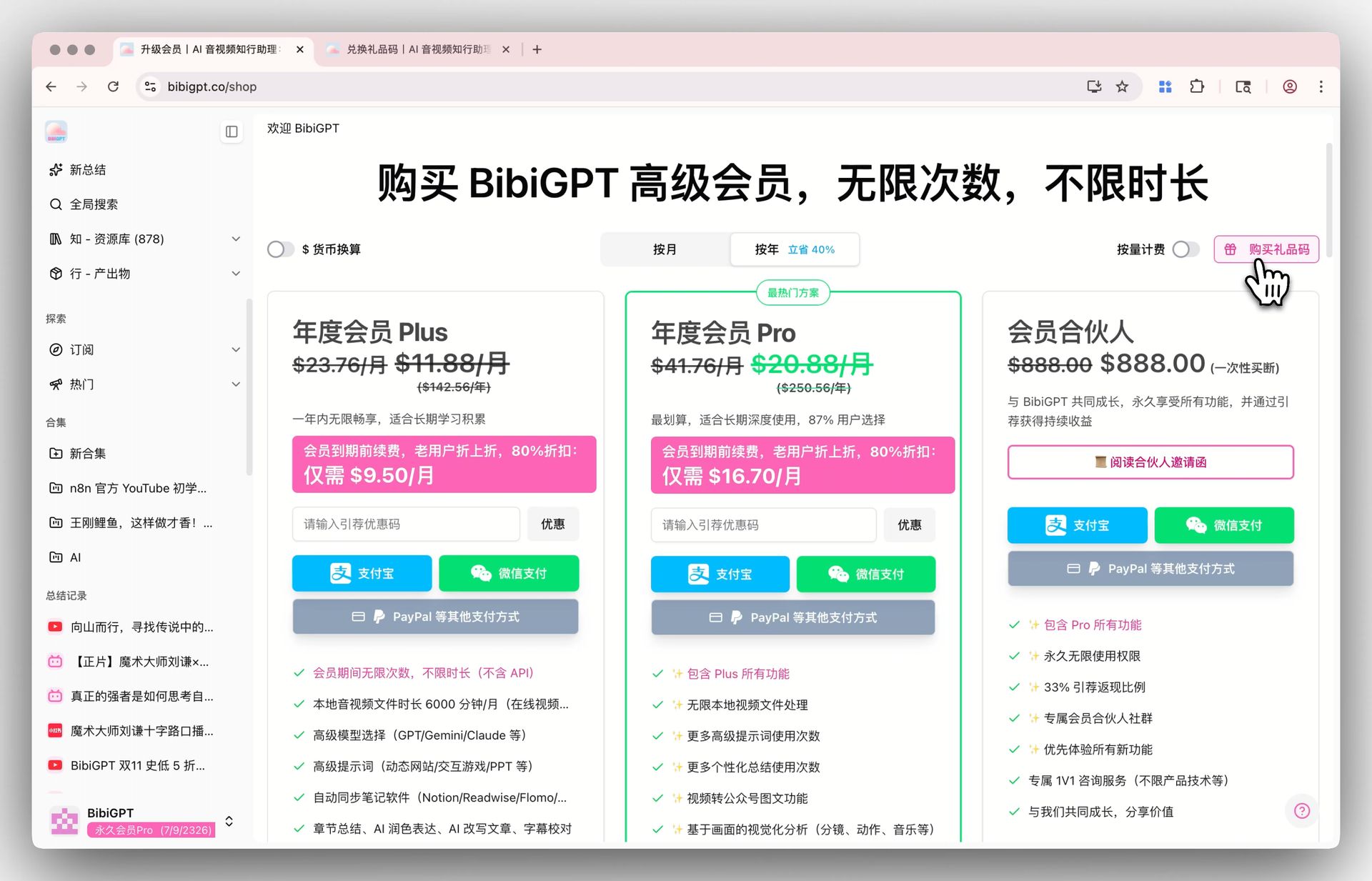 BibiGPT gift card purchase entry
- On the Upgrade page, you’ll now find a Gift Code entry. Choose a monthly or yearly plan and send BibiGPT as a gift.
- You can apply discount options before checkout so your gift is both thoughtful and cost-effective.
- The purchase flow is intentionally streamlined so you can complete it quickly in different scenarios—from team budgets to personal thank-you gifts.
A Simple Activation Experience
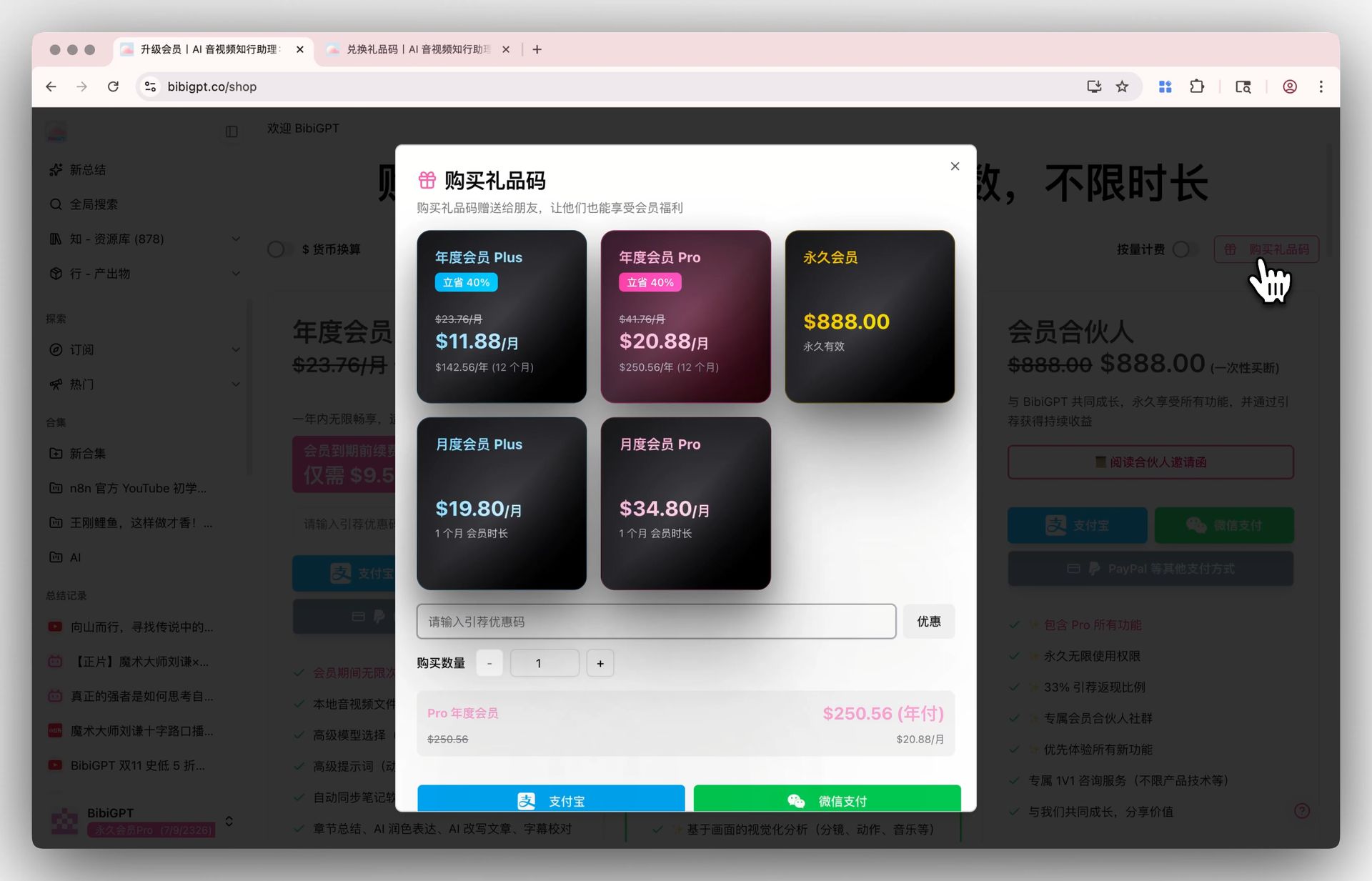 Gift card purchase and activation modal
- After completing the purchase, you’ll receive a unique gift code together with a dedicated activation link. You can simply share this link with your friend or teammate.
- When the recipient opens the link, the gift code is already pre-filled on the activation page—they just need to confirm and click the activate button to unlock membership, with no extra setup.
- The flow is intentionally lightweight so they can go straight to summarizing audio and video content with BibiGPT. We’ve already seen gift cards used as team learning perks, course companions, gratitude gifts, and friendly recommendations between peers.
Seeing BibiGPT naturally appear in these relationships and contexts further strengthens our commitment to building a tool that’s both powerful and warm.
💬 Your Feedback: Tools Don’t Exist in Isolation
Recently, we’ve received a lot of thoughtful feedback through chats, comments, and emails—encouragement, critique, and detailed usage stories.
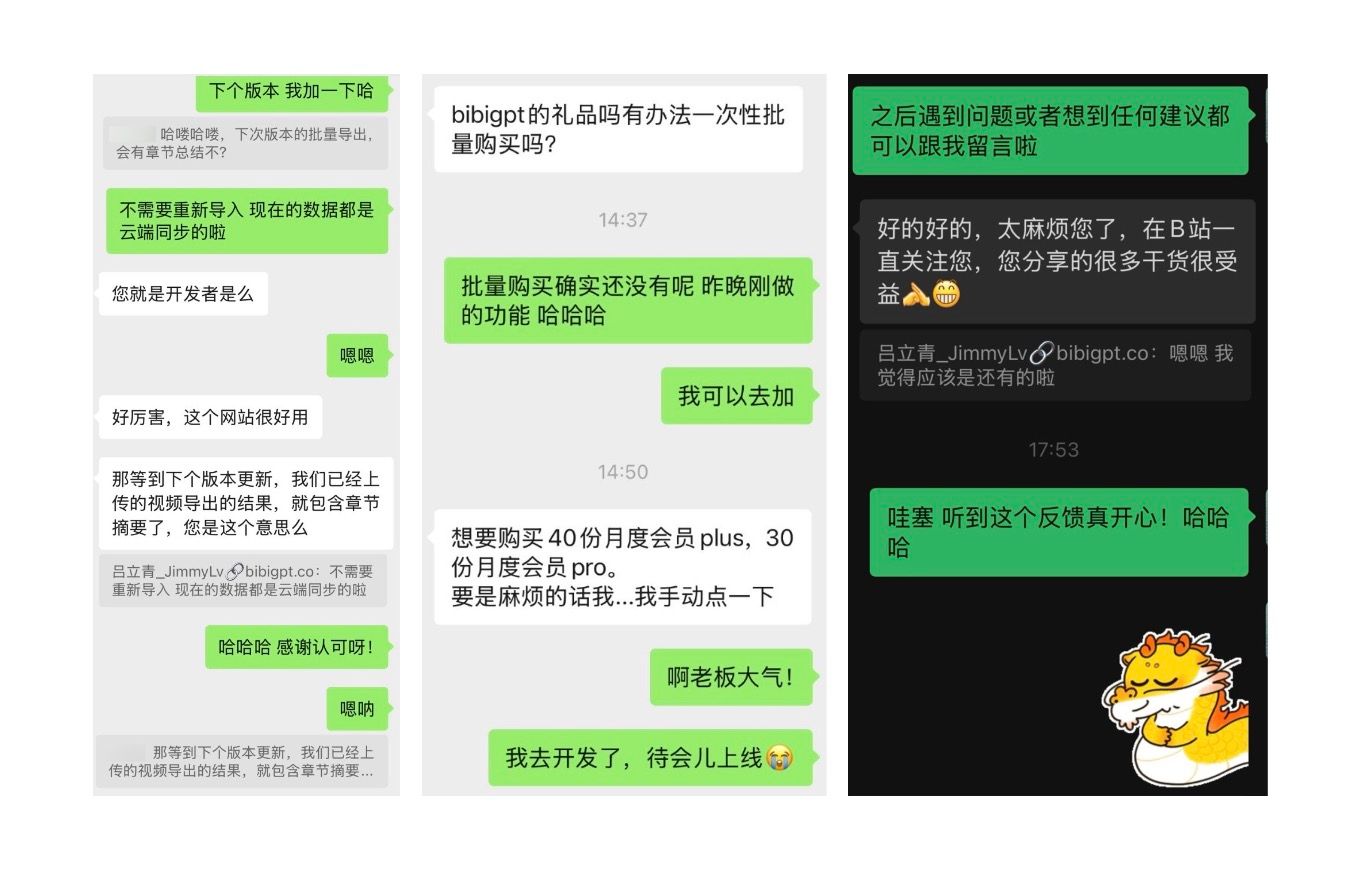 User feedback examples
All of this reminds us:
A good tool is not just a bundle of features—it’s a bridge between you, your ideas, and the world of content.
Behind every update is a group of people taking their learning and work seriously. Often, a single message from you becomes the seed of the next release.
Summary: Let AI Audio and Video Summaries Support Your Everyday Workflow
This release focuses on three essential questions:
- How do we share insights from long videos faster?
Douyin short video generation turns your long-form content into shareable short clips. - How do we find that one line inside hours of material?
Global deep search brings transcript-level content back into reach. - How do we use BibiGPT together with others?
Gift cards make it easier to share this AI audio and video summary assistant with people you care about.
Our goal is for BibiGPT to become your “second brain” for audio and video—helping you turn scattered media into a structured, searchable knowledge library.
If you’d like your audio and video content to be easier to watch, search, and reuse, try these new features today:
Start using BibiGPT for AI audio and video summaries
Enjoy the updates,
The BibiGPT Team