
BibiGPT v4.144.0 Update: Model Library, Video Collections, and Podcast Generation
BibiGPT v4.144.0 strengthens AI audio and video summary workflows with model library upgrades, video collection details, and podcast-style generation to help you summarize and manage content more efficiently.
BibiGPT v4.144.0 Update: Model Library, Video Collections, and Podcast Generation
Dear BibiGPT users,
This week, we continue to refine BibiGPT as your AI assistant for audio & video summaries. From model library capabilities and video collection learning flows to podcast-style generation, we want to make it easier for you to turn long videos and recordings into structured, searchable knowledge.
If you are new to BibiGPT, you can visit our AI audio & video assistant page to see how it helps you summarize long videos and audio in one click, extract key points, and keep everything traceable back to the original content.
Here are this week’s key updates:
🔍 Watch faster: video collection details
- Video Collection Details
When you are learning from a long course or a multi-part series, you no longer need to jump back and forth just to find the next episode. BibiGPT can now automatically detect which collection a video belongs to and show all episodes in a side panel, so you can switch between AI summaries of different episodes with a single click.
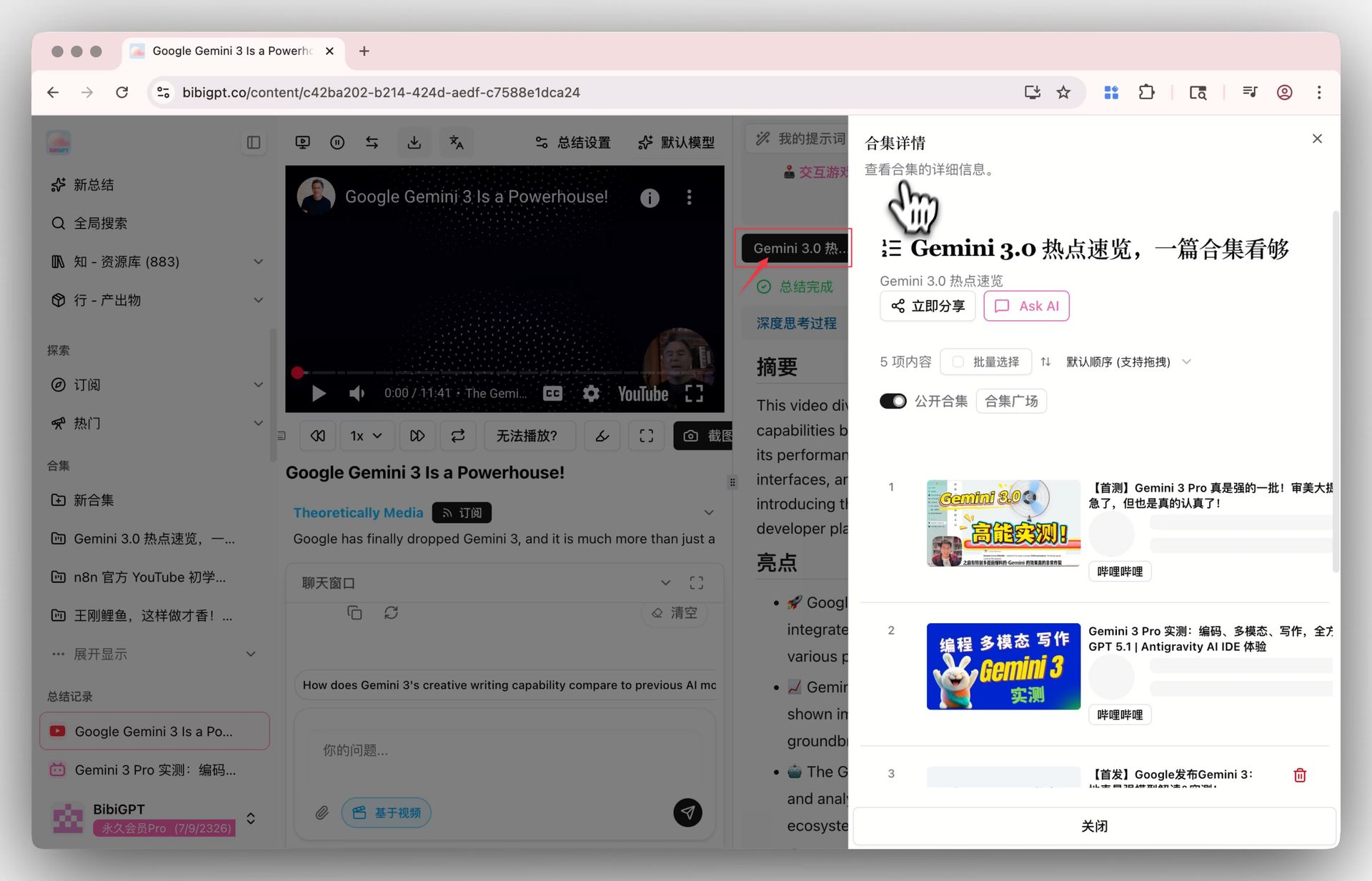 BibiGPT video collection quick switch feature
Whether it is a structured course, a knowledge series, or a long-form interview, BibiGPT helps you scan each episode’s summary first, then decide which parts are worth watching in full—so you truly watch faster instead of getting lost in a playlist.
💼 Use better: upgraded model library and podcast-style generation
- Upgraded model library for long-form understanding
For users in supported regions, BibiGPT now offers an upgraded model library with multiple advanced multimodal AI options. You can switch between different capabilities in Settings to better match your use case—from deep video understanding to document processing and creative writing.
These models work together with BibiGPT’s AI audio & video summary pipeline to deliver more stable, fine-grained understanding of long content, turning dense courses, in-depth talks, and meeting recordings into structured key points and timelines you can easily revisit.
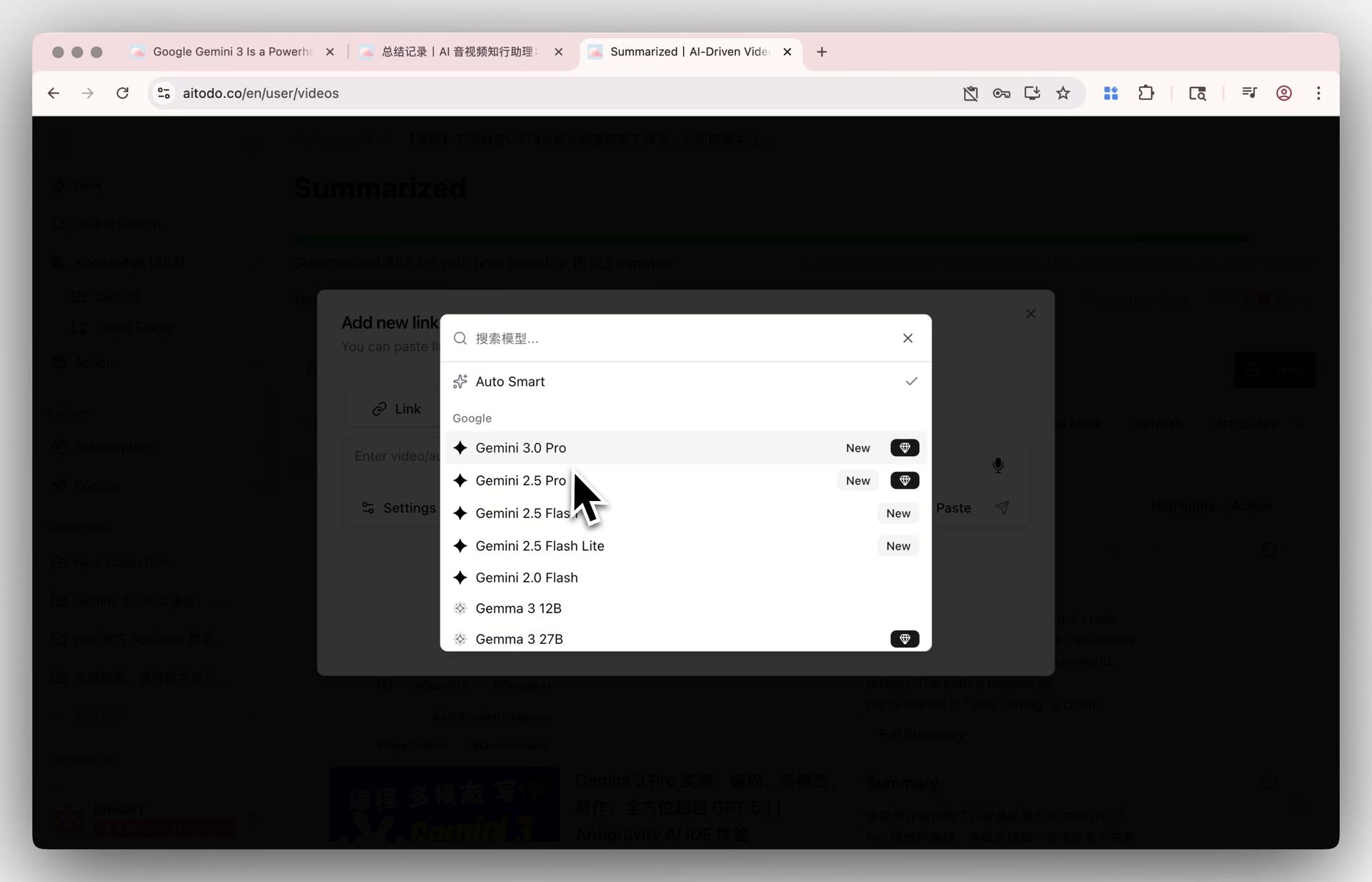 BibiGPT model library update interface 1
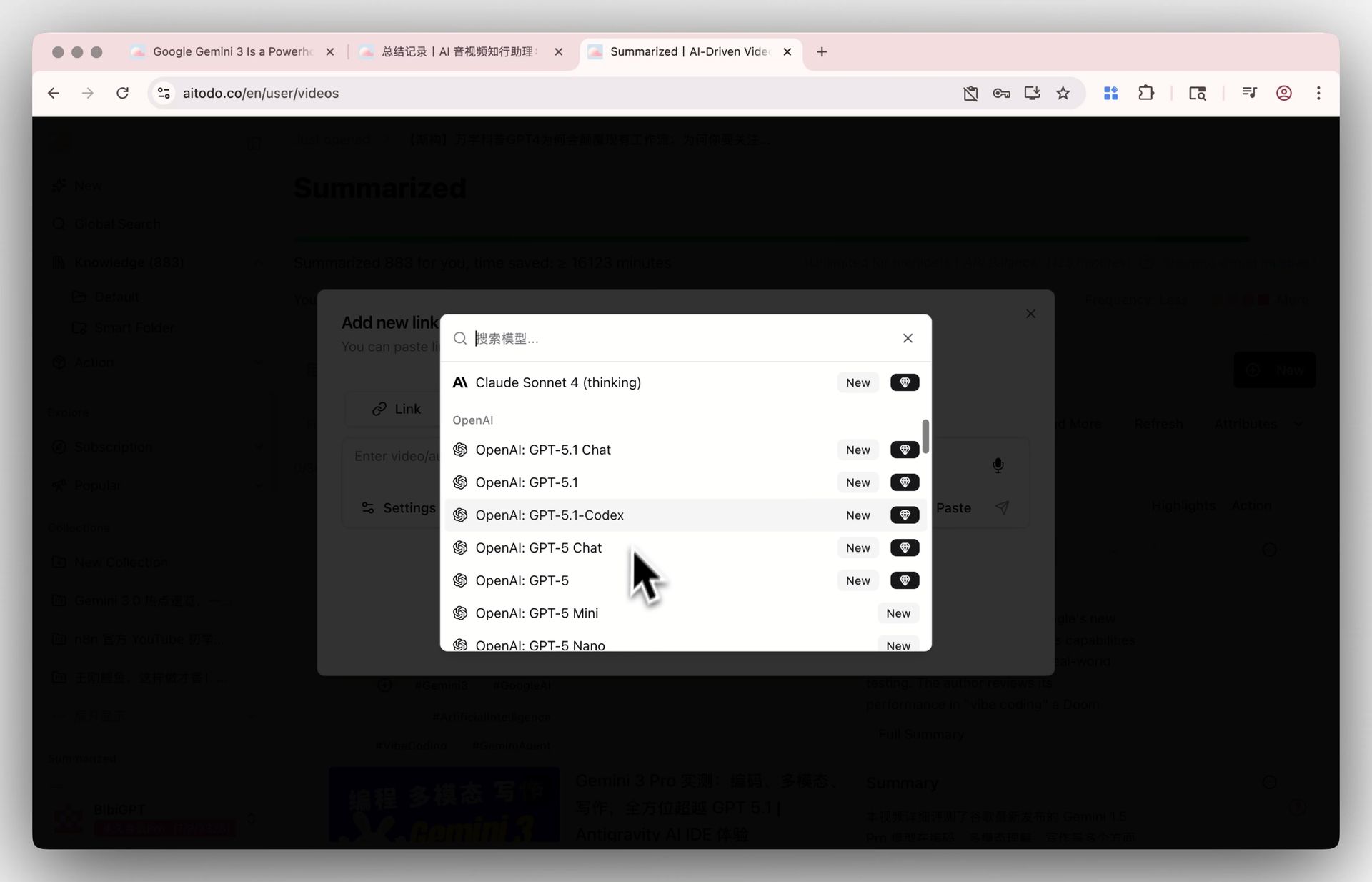 BibiGPT model library update interface 2
- Podcast-style generation for any video
You can now turn almost any long video into a high-quality two-speaker podcast, so you can listen through content that used to require a lot of on-screen time. BibiGPT supports multiple audio formats, sample rate options, and voice combinations, so the final podcast sounds natural and comfortable to follow.
We’ve added a new voice pairing that combines a calm narrator with a more energetic partner—great for knowledge-heavy content, debriefs, and conversational-style recaps.
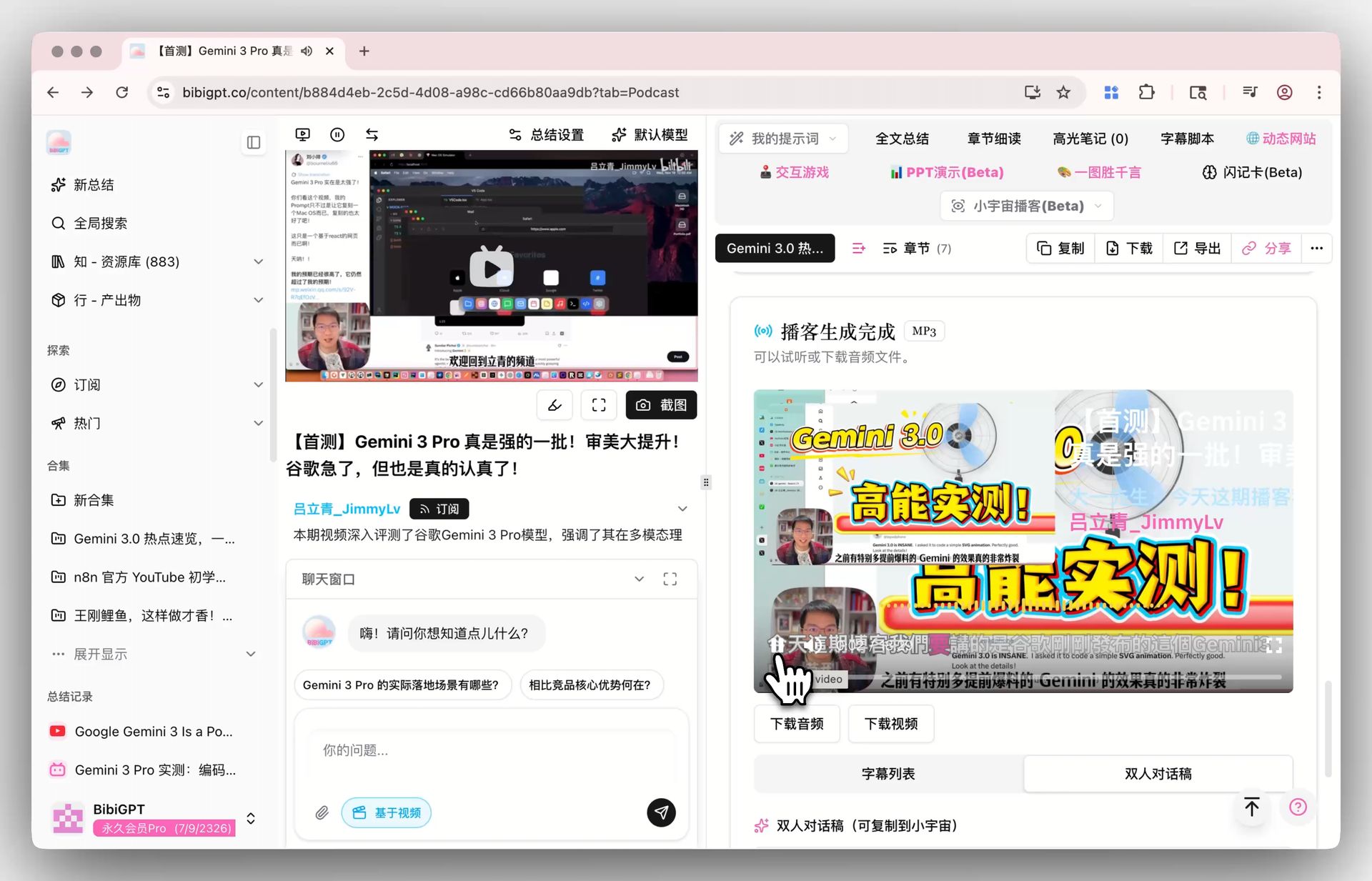 BibiGPT podcast generation feature screenshot
Generated podcasts come with online playback, subtitle lists, and auto-generated dialogue transcripts, and you can also export video with subtitles when needed. If your workflow is podcast-first, make sure to check out our dedicated podcast summary feature to build a more complete audio knowledge system.
😊 Real user feedback
We’ve also received a lot of warm feedback from users this week, and every real-world use case helps us refine BibiGPT further:
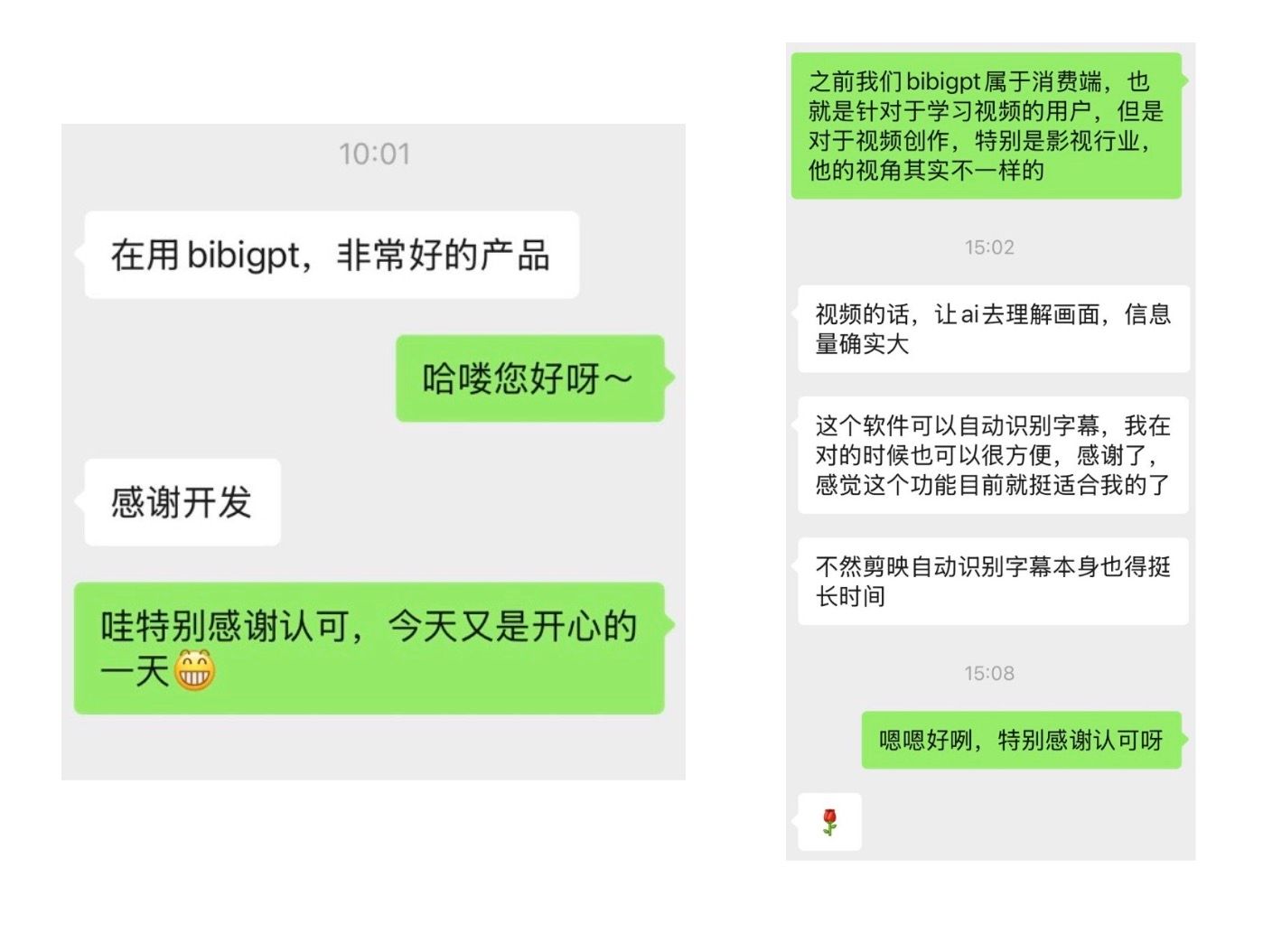 BibiGPT user feedback positive reviews
Going forward, we will keep doubling down on AI audio & video summaries across different scenarios: long-form learning, podcast creation, course review, meeting notes, and more.
Wrap-up: Try BibiGPT for AI audio & video summaries
Whether you are a student, a knowledge worker, or a content creator, BibiGPT aims to be your everyday AI assistant for audio & video—helping you turn long videos and recordings into searchable, reviewable, and reusable knowledge.
Start with a course video you’ve been meaning to watch, or convert a recorded talk into a podcast-style recap. Step by step, you can rebuild your learning and working routines around a faster, AI-assisted summary-first workflow.
You can learn more from our AI audio & video assistant hub page, which showcases how BibiGPT supports different platforms and scenarios such as YouTube summaries, meeting recaps, and more.
Ready to experience BibiGPT? Turn your audio & video into knowledge that you can truly “watch faster, find easily, and use well”.
Best wishes,
The BibiGPT Team