
Video to Text Complete Guide (2026 Updated): YouTube Subtitle Download, Cloud Drives, Bilibili Courses & Multi-Source Solutions
Best video-to-text and YouTube subtitle download solution in 2026. BibiGPT supports 30+ platforms including YouTube, Bilibili, Baidu Cloud, and Alibaba Cloud Drive for video-to-text conversion, subtitle extraction, and AI summary with one-click sync to Notion and Obsidian.
Video to Text Complete Guide (2026 Updated): YouTube Subtitle Download, Cloud Drives, Bilibili Courses & Multi-Source Solutions
Last Updated: March 2026
In recent years, more and more people rely on videos for learning, work, and creation, including course videos, meeting recordings, Bilibili/YouTube/Xiaohongshu/Douyin tutorials, podcast recordings, interviews and public lectures, teacher-recorded classroom videos, and personal phone recordings and screen captures.
However, there's a real problem: These video content sources are highly fragmented, not on the same platform, nor in the same format or ecosystem. Some are in cloud drives (Baidu/Alibaba/Dropbox/Box), others are on video platforms (Bilibili, YouTube, training platforms), and some are on local devices (screen recordings, courses, meetings).
This leads to a core challenge: Users aren't looking for 'a single platform's text conversion feature', but rather 'a systematic tool that can handle all video content sources and provide unified management'.
This article will provide you with a complete solution, divided into three parts: a comparative analysis of text conversion capabilities of major cloud drives, why users still struggle with efficiency even when each platform has transcription features, and how to build a video-to-text workflow covering all sources (BibiGPT solution).
1. Video-to-Text Capabilities of Major Cloud Drives (Comparative Analysis)
Baidu Cloud Drive: Simple Audio Notes (Stable Structured Information Extraction)
Baidu Cloud Drive's Simple Audio Notes feature is suitable for most lightweight content transcription scenarios. The feature is easy to operate, supports audio and video transcription, and can generate summaries to help users quickly extract key information.
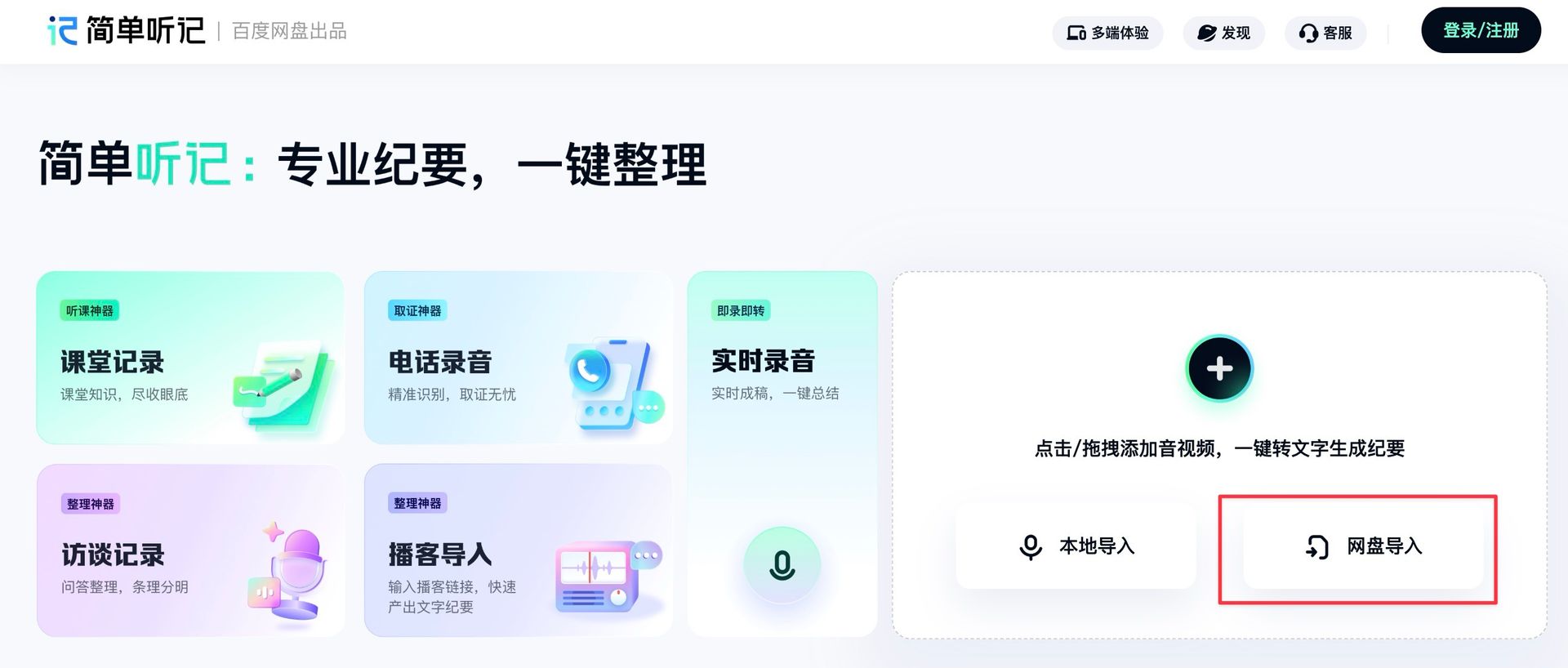 Baidu Cloud Drive Simple Audio Notes Import Entry
Advantages: Simple operation, supports audio/video transcription, supports summary generation.
Limitations: Only processes files within Baidu Cloud Drive, content is not easily exported or used across platforms, which creates obvious limitations for users who need to integrate content from multiple platforms.
Alibaba Cloud Drive: Integrated Tongyi Tingwu (Stronger Content Understanding)
Alibaba Cloud Drive's integrated Tongyi Tingwu can not only convert to text but also extract key points, generate structured summaries, and provide Q&A analysis. The service has good parsing capability for long videos, can automatically extract content, and provides multi-dimensional summaries, performing better in content understanding.
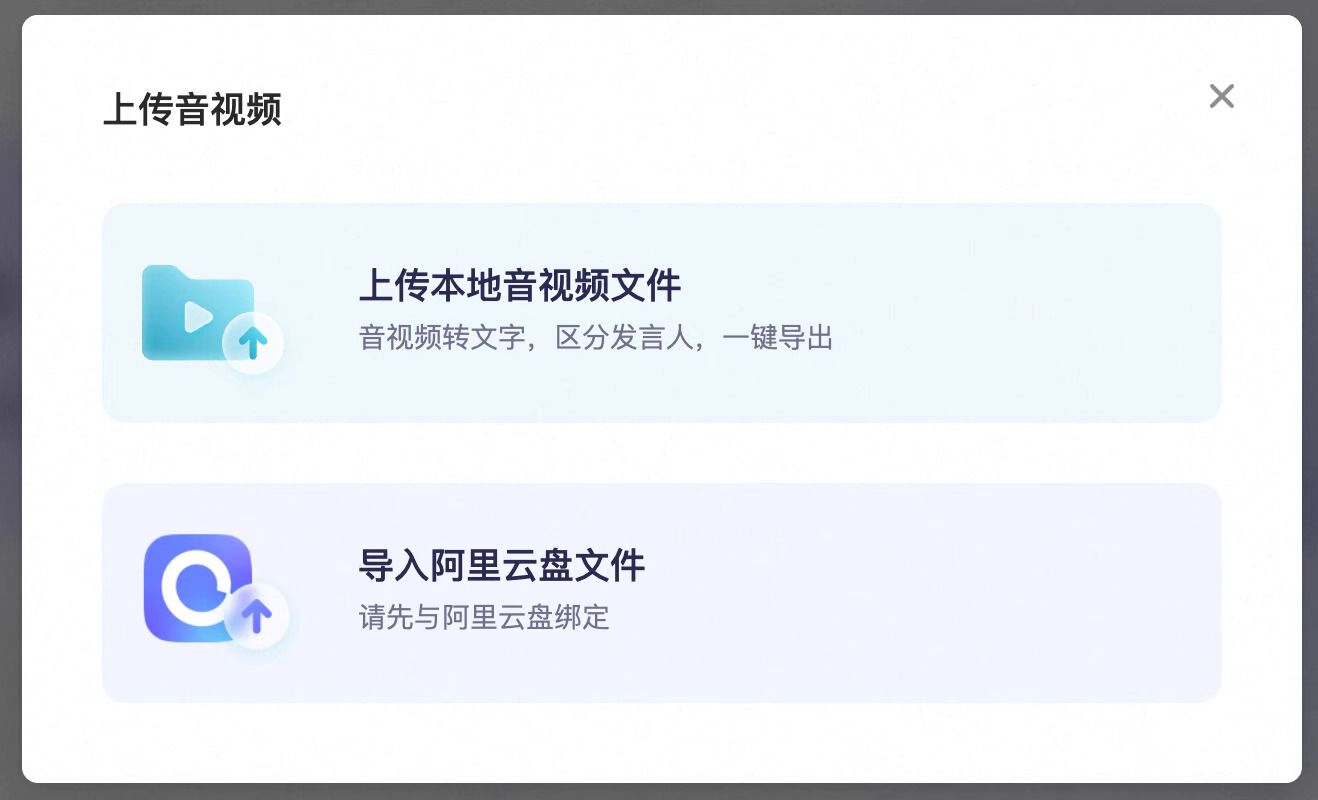 Tongyi Tingwu Cloud Drive Upload Entry
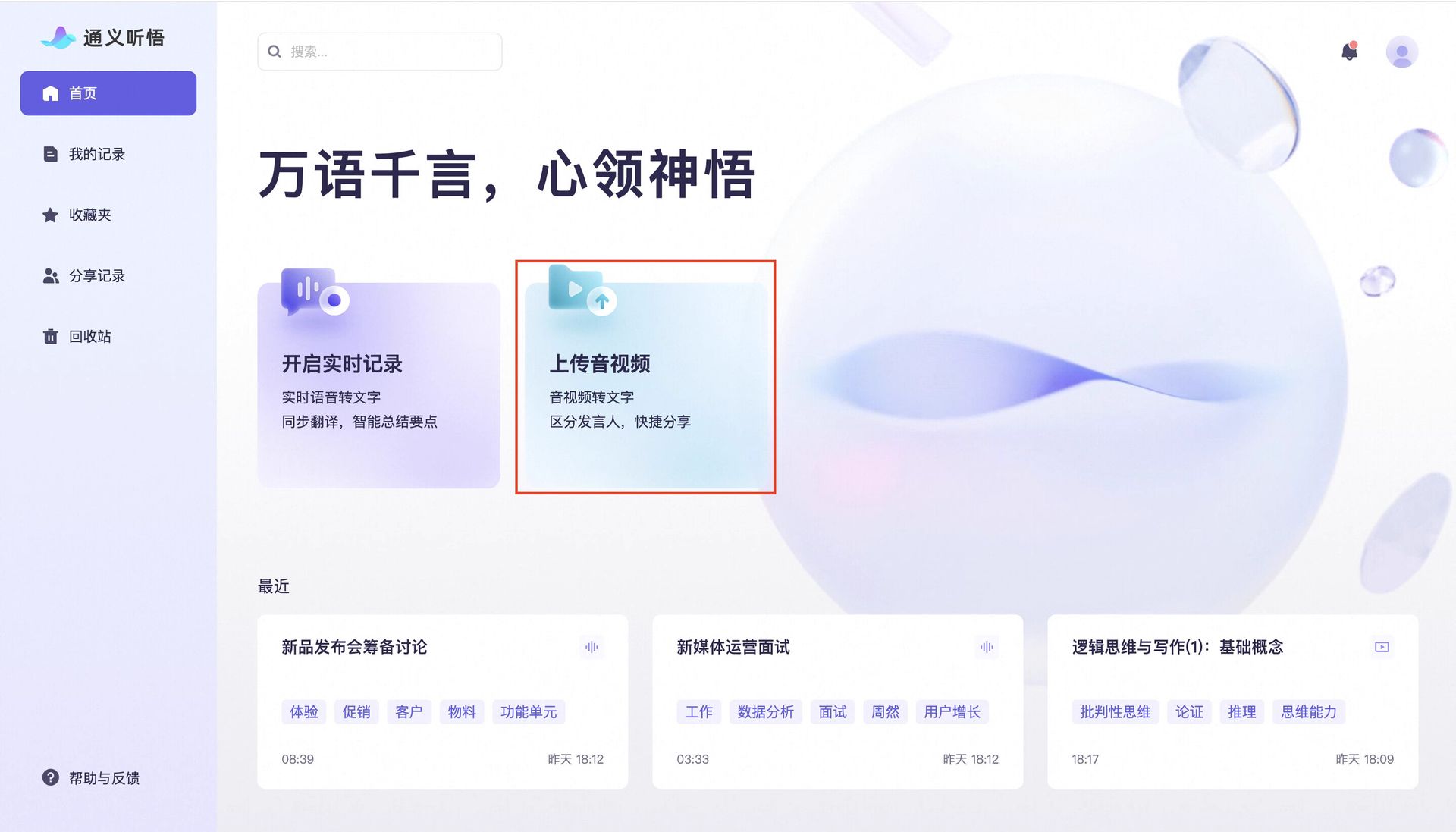 Tongyi Tingwu Transcription Result
Advantages: Good parsing capability for long videos, automated content extraction, multi-dimensional summaries.
Limitations: Output is fragmented from Baidu/Dropbox and other platforms, not suitable for unified multi-platform content management, users still need to manually integrate content from different platforms.
Dropbox: Native Video Transcription (Lightweight, Direct)
Dropbox's native video transcription feature is suitable for overseas teams and educational scenarios. The feature requires no third-party services, has a simple and direct interface, and can quickly complete basic transcription tasks.
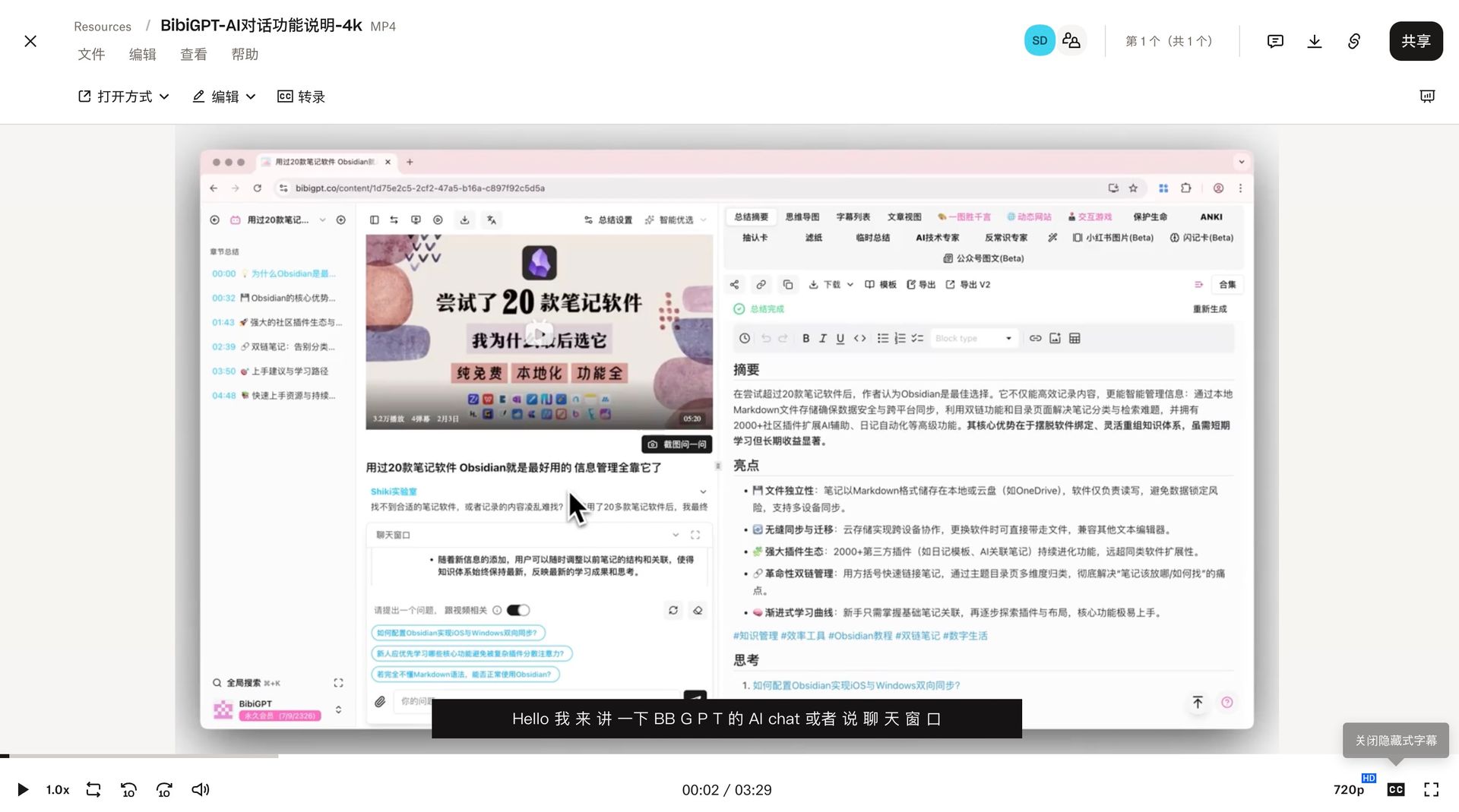 Dropbox Transcription Result
Advantages: No third-party required, simple and direct interface.
Limitations: Output is primarily basic text, content can only be stored within Dropbox, not user-friendly for knowledge base users, lacks advanced analysis and integration capabilities.
Box: Commonly Used in Enterprise Scenarios, but Transcription Depends on Third Parties
Box is commonly used in enterprise scenarios, but its transcription functionality depends on third-party services. Most teams complete transcription through third-party services, which is suitable for enterprise collaboration but not simple enough for individual users, with a higher barrier to entry.
2. Why Users Still Struggle with Efficiency Even When Each Platform Has Transcription Features?
2.1 Video Sources Are Inherently 'Multi-Channel'
In actual use, users' video sources extend far beyond cloud drives. You might simultaneously have training course videos on Baidu Cloud Drive, work meeting recordings on Alibaba Cloud Drive, team materials on Dropbox, teachers' public lectures on Bilibili, foreign tutorials on YouTube, internal training from phone screen recordings, auto-recorded files from Zoom or Feishu meetings, and various podcast MP3 files. Users don't use just one entry point—they use all of them, which leads to complexity in content management.
2.2 Multiple Sources → Multiple Processes → Multiple Formats → Complete Fragmentation
Videos from different sources require different processing workflows: Bilibili links need download plugins, YouTube videos need to be transferred to cloud drives, Baidu Cloud Drive uses Simple Audio Notes, Alibaba Cloud Drive uses Tongyi Tingwu, Dropbox uses native transcription, phone screen recordings require manual upload, and meeting recordings exist in platform-specific formats.
Finally, content accumulates like this: text scattered across seven or eight platforms, some in doc format, some in Baidu Cloud Drive's "summary section", some as Tingwu's "structured results", some in Dropbox subtitle files. For users, this means: No unified search, no unified classification, no unified management, no unified review. Knowledge is scattered across various corners of the internet, unable to form an effective knowledge system.
2.3 Different User Roles, Different Needs, but Same Pain Points
Users in different roles face the same pain points. Learners want to quickly extract key points and build a knowledge system, but videos come from different course platforms and different cloud drives; Content Creators need extensive material sources, including cloud drives, Bilibili, YouTube, and screen recordings; Teachers/Trainers have large amounts of self-recorded courses, teaching explanations, demonstration videos, and other materials; Workplace Content Producers face chaotic formats in meeting recordings, reviews, and cross-department sharing content.
Although these users have different goals, their pain points are completely consistent: Content sources are fragmented and difficult to manage uniformly. This is not something a single cloud drive can solve—it requires a higher-dimensional solution.
3. Cross-Platform, Multi-Source Systematic Solution: BibiGPT
BibiGPT's role is not to replace each cloud drive's transcription capabilities, but to solve a higher-level problem: How to integrate video content from multiple cloud drives and multiple content platforms into a unified format, unified process, reviewable knowledge system?
3.1 BibiGPT Supports Two Methods: Direct Cloud Drive Download and Sync Drive Auto-Monitoring
BibiGPT provides two flexible methods to process video files from cloud drives, meeting different users' usage habits and needs.
Method One: Direct Cloud Drive Download
BibiGPT supports direct download from major cloud drives such as Baidu Cloud Drive, Alibaba Cloud Drive, Dropbox, and Box. You can select the corresponding cloud drive service in BibiGPT, browse and select video files that need processing, and the system will automatically download and perform AI audio-video summarization.
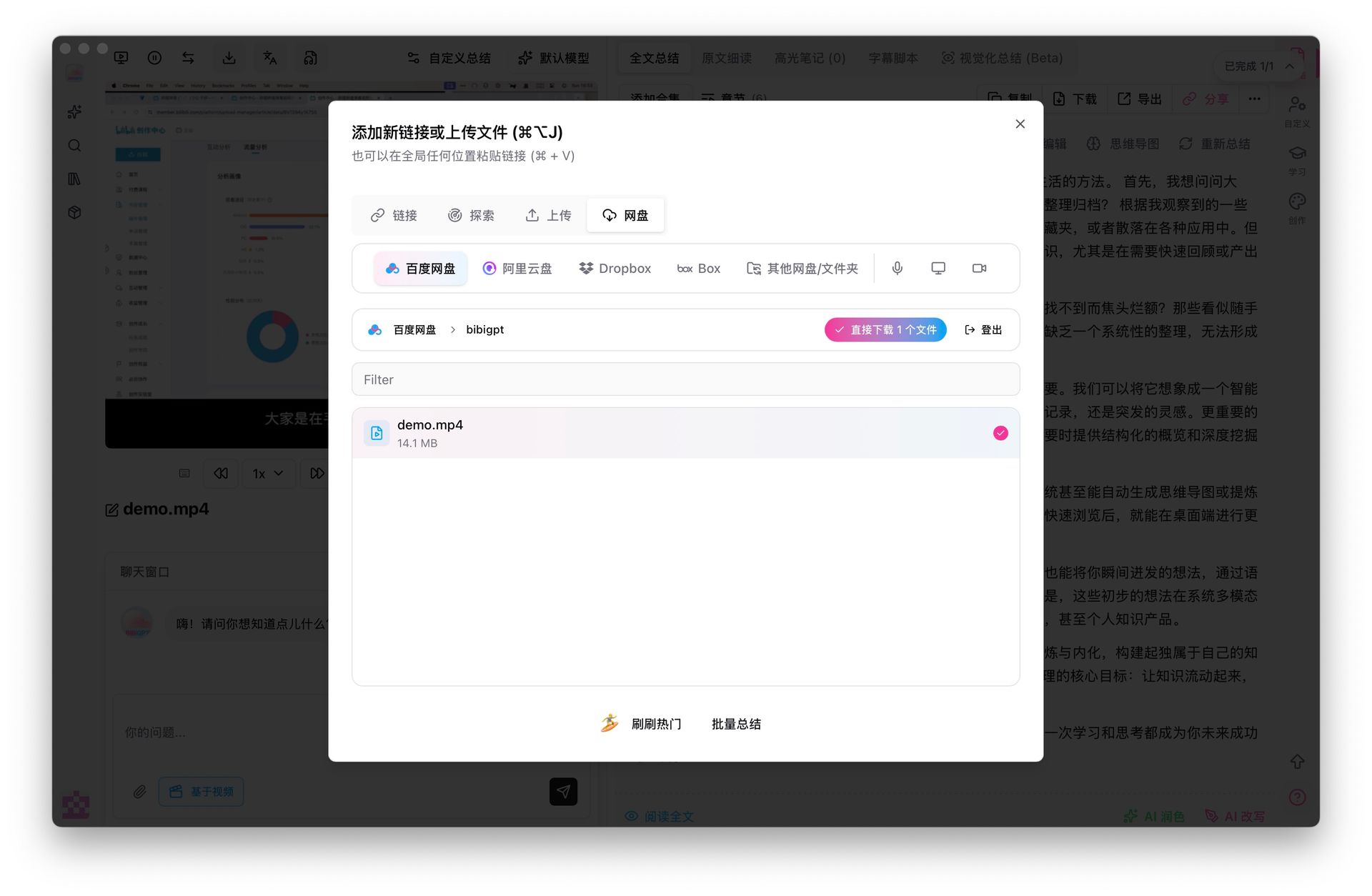 BibiGPT Baidu Cloud Download Screenshot
This method is suitable for scenarios where you need to process specific files immediately, with simple and direct operation requiring no additional configuration.
Method Two: Sync Drive Auto-Monitoring
If you want to achieve a fully automated processing workflow, you can use the cloud drive sync feature. Whether it's Baidu, Alibaba, Dropbox, or Box, you can use sync clients to automatically sync files to local storage. BibiGPT can monitor specified local folders, and once new audio-video files are detected, it will automatically trigger the upload, transcription, and summarization process.
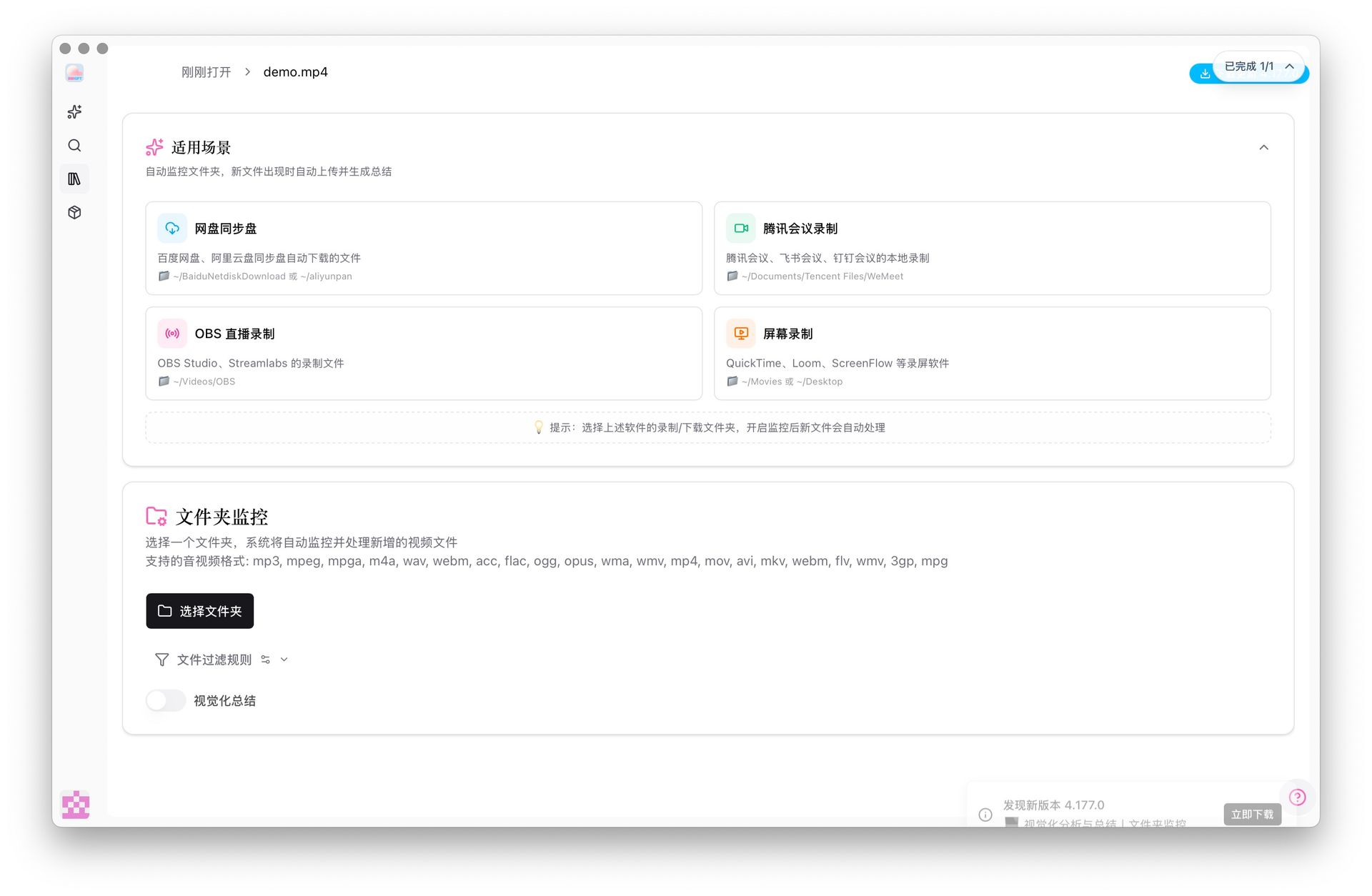 BibiGPT Folder Monitoring Audio-Video Files
This method is suitable for scenarios requiring batch processing and continuous monitoring. When files from cloud drives are automatically synced to local storage through sync clients, BibiGPT will immediately detect and process them. The entire process is fully automated, requiring no manual intervention.
3.2 BibiGPT Auto-Processing Workflow: Upload → Transcribe → Summarize
Regardless of which method you choose, BibiGPT's processing workflow is consistent: automatically identify videos, auto-upload, auto-generate transcripts, auto-generate structured summaries, auto-generate key points, and auto-output unified format.
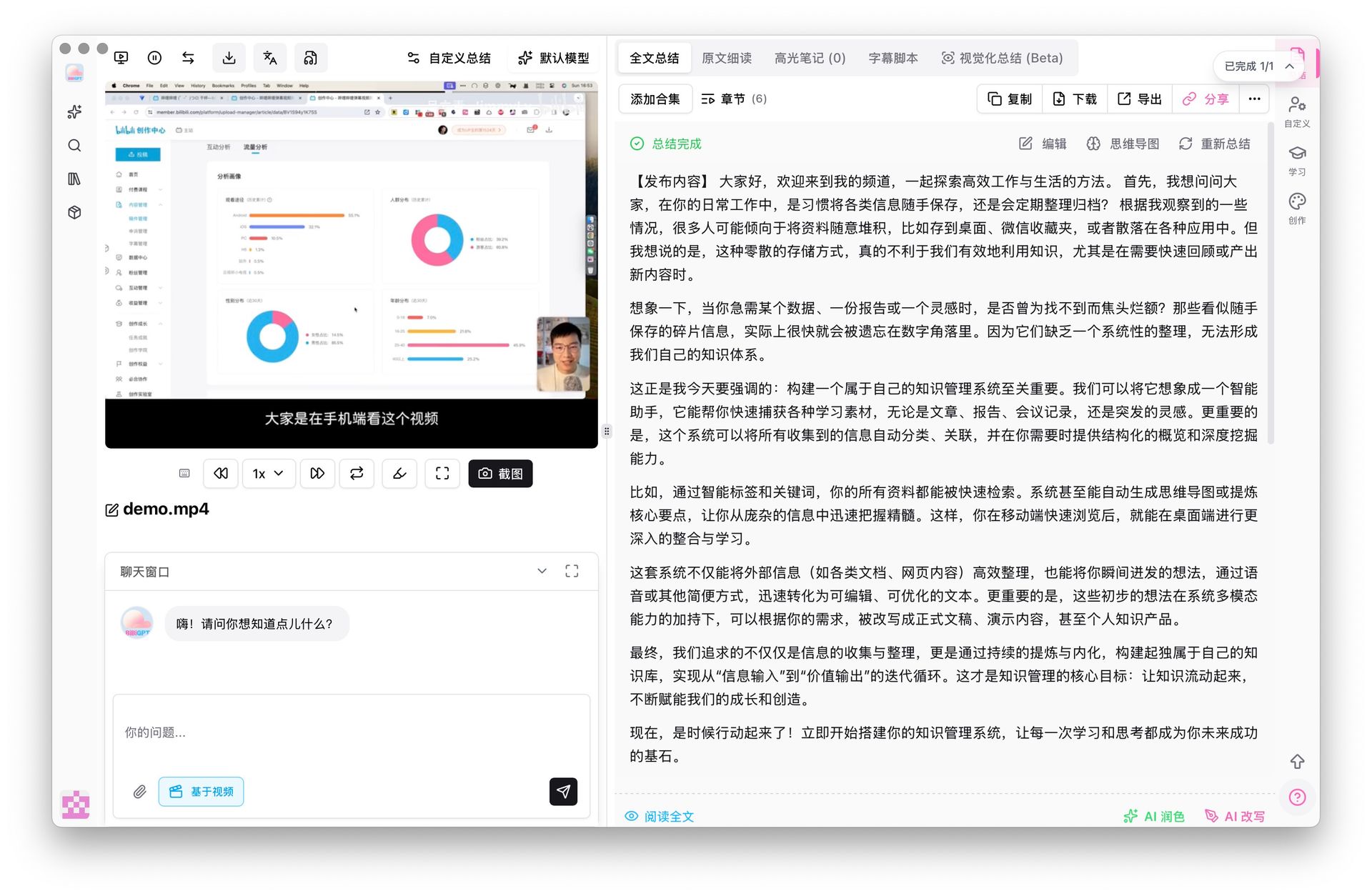 BibiGPT Cloud Drive Transcription Success Demo
The entire process is fully automated, requiring no manual intervention, greatly improving work efficiency. You can choose between direct cloud drive download or sync drive monitoring based on your actual needs, and BibiGPT will provide you with efficient AI audio-video summarization services.
3.3 BibiGPT Supports More Sources (Not Just Cloud Drives)
Additionally, BibiGPT can process local videos you drag in manually, Bilibili links, YouTube links, podcast audio, phone screen recordings, course platform resources, and various MP3/MP4/MOV files. Therefore, it's not "a supplement to one cloud drive", but rather a unified content engine for all video sources, truly achieving cross-platform, multi-source unified management.
BibiGPT also includes built-in YouTube subtitle download and video-to-text conversion, supporting multi-language subtitle extraction and export in SRT, TXT, and other formats. If you frequently need to download YouTube subtitles or convert videos to text transcripts, this is the most efficient choice.
To learn more about BibiGPT's features, check out our AI audio-video summary tools to see how to efficiently process video content from various sources. You can also use the AI YouTube video summary feature to quickly get structured summaries of any YouTube video.
4. Why Does This Solution Address Users' Core Needs?
① Unified Entry Point
Regardless of where videos come from, they all end up in BibiGPT. Whether from cloud drives, video platforms, or local files, everything can be processed through a unified entry point, completely solving the problem of switching between multiple platforms.
② Unified Format
All content becomes structured transcripts and summaries. The unified format makes content easier to manage and use, whether for subsequent search, classification, or sharing, everything becomes more convenient.
③ Unified Knowledge Base
Can sync to Notion, Obsidian, folder systems, and other platforms. To learn more about sync solutions, check out our AI Summary Sync Guide: Complete Tutorial for 10 Platforms. The unified knowledge base allows all content to be found in one place, forming a complete knowledge system.
④ Unified Search
All video content can be full-text searched. Regardless of which platform the content comes from, it can be quickly found through unified search functionality, greatly improving knowledge retrieval efficiency.
⑤ Adapts to Multiple Roles
BibiGPT adapts to multiple user roles: learners can build note systems, creators can extract scripts and inspiration, teachers can create course content, and workplace professionals can organize meeting minutes and review files. Users in different roles can all find their own way to use BibiGPT.
Frequently Asked Questions
Q: If I only use one cloud drive, do I still need BibiGPT?
If your content is concentrated on a single platform, native transcription features are sufficient for primary tasks. But if your content comes from multiple platforms (which is very common), BibiGPT is better suited for unified organization and can help you build a more complete knowledge management system.
Q: Will videos be uploaded?
Videos will be uploaded from the local client to BibiGPT's cloud for processing. We follow strict privacy policies and data deletion mechanisms. BibiGPT values your privacy and data security, and all processing follows strict privacy protection standards.
Q: Will sync drive speed be faster than API?
Different cloud drives have different strategies, but sync drives are usually more suitable for continuous, stable automated workflows. For users who need to batch process large amounts of videos, the sync drive solution is more efficient and reliable.
Summary
In 2026, there are already many ways to convert videos to text, including Baidu Cloud Drive Simple Audio Notes, Alibaba Cloud Drive plus Tongyi Tingwu, Dropbox native transcription, Box plus third-party services, course platforms' respective subtitle systems, and Bilibili/YouTube subtitle download features. These tools themselves can satisfy the task of "converting videos to text".
But the real challenge users face is: Too many video sources, too fragmented, distributed across different platforms, causing the entire knowledge organization process to be fragmented.
What BibiGPT provides is: A unified video content processing solution covering 'multiple cloud drives, multiple platforms, multiple channels', enabling all videos to be transcribed, summarized, classified, searched, and ultimately accumulated into a reviewable knowledge system.
It's not competing with any single platform, but helping you solve higher-dimensional needs: Integrating all video content into your own knowledge framework.
Experience BibiGPT's powerful features now and elevate your audio-video learning efficiency to new heights!
Whether your content comes from Baidu Cloud Drive, Alibaba Cloud Drive, Dropbox, Bilibili, or local screen recordings, BibiGPT can help you process it uniformly, achieving efficient AI audio-video summaries. Visit BibiGPT now to start your unified video content management journey!
After converting videos to text, how do you organize notes and manage content long-term? Read our Guide to Organizing Notes After Converting Baidu Cloud Drive Videos to Text to learn how to efficiently accumulate knowledge through AI audio-video summary tools.
BibiGPT Team