
BibiGPT V4.178.0 Update: More Export Freedom, No More Repeated Summary Selection, Clearer Cloud Drive Usage
Explore BibiGPT V4.178.0's important updates, including custom summary pinning, optimized cloud drive usage, and enhanced export capabilities, comprehensively improving your AI audio-video summary experience.
BibiGPT V4.178.0 Update: More Export Freedom, No More Repeated Summary Selection, Clearer Cloud Drive Usage
Dear BibiGPT users,
This V4.178.0 update has a very clear origin: real user feedback. Whether it's "I want to export this way," "I'm tired of selecting the same summary every time," or "How should I use cloud drives properly?"—we've heard all these voices, and we've been carefully organizing and gradually optimizing.
1. Custom Summaries Can Now Be Pinned
Feature Overview
Many people encounter this scenario: You already know exactly what kind of summary you want—maybe just "key quotes," only "core points," or a custom prompt you've refined through repeated use. But in the past, every time you opened a new video, you had to switch the summary mode again. This repetitive action constantly interrupts your workflow over long-term use.
What's New
- Custom Summary Pin Default: You can pin your most frequently used prompt
- Smart Default: Whenever you open any new video, the system will default to generating summaries in that way first
- Easy Switching: The original general summary is still retained for easy switching
Use Cases
This feature is especially suitable for users who have already developed fixed reading habits. It doesn't solve "can it summarize," but rather a very real problem: When you already know what you want, the tool shouldn't make you repeatedly choose.
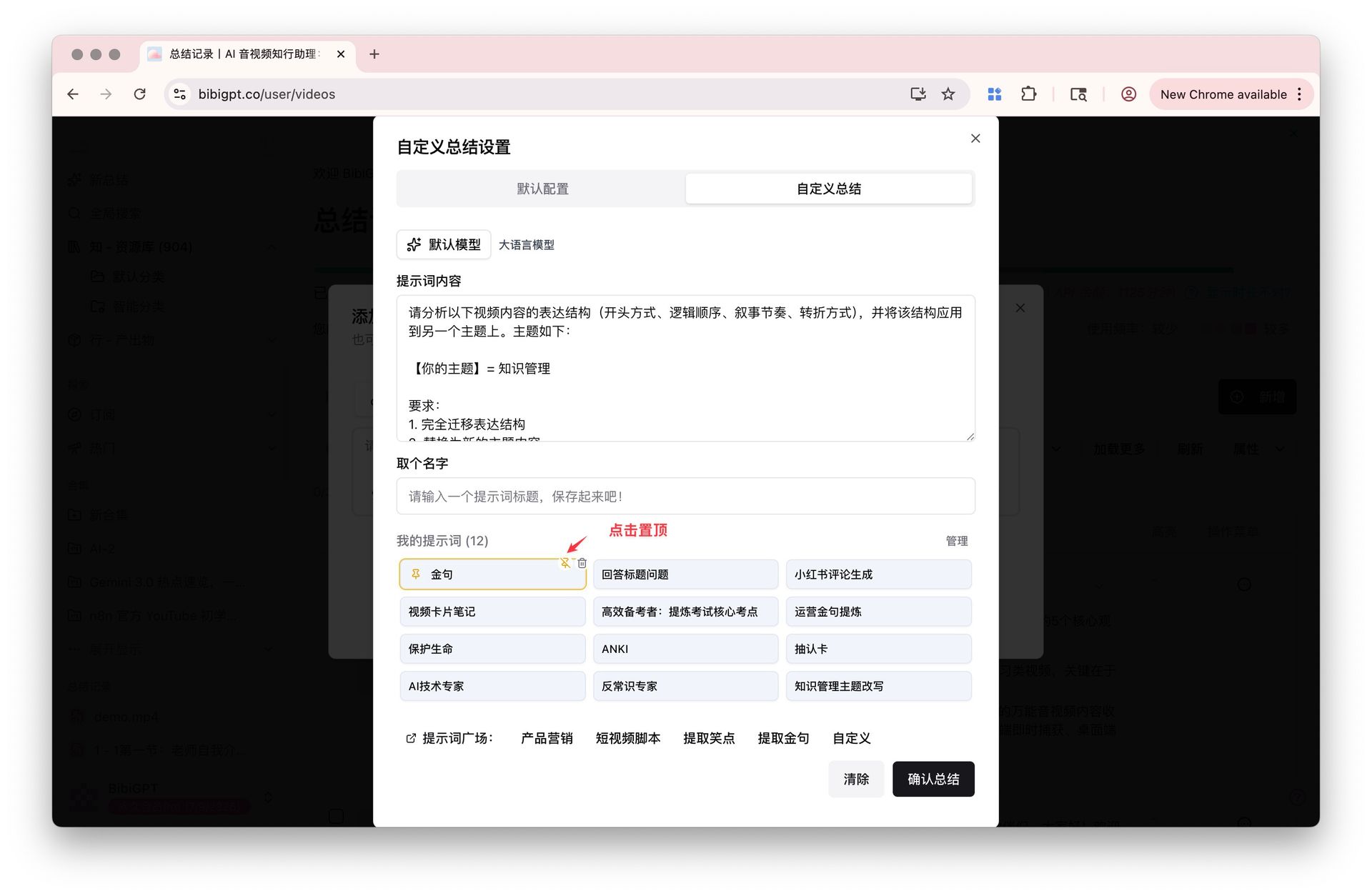 Custom Summary Pin Position
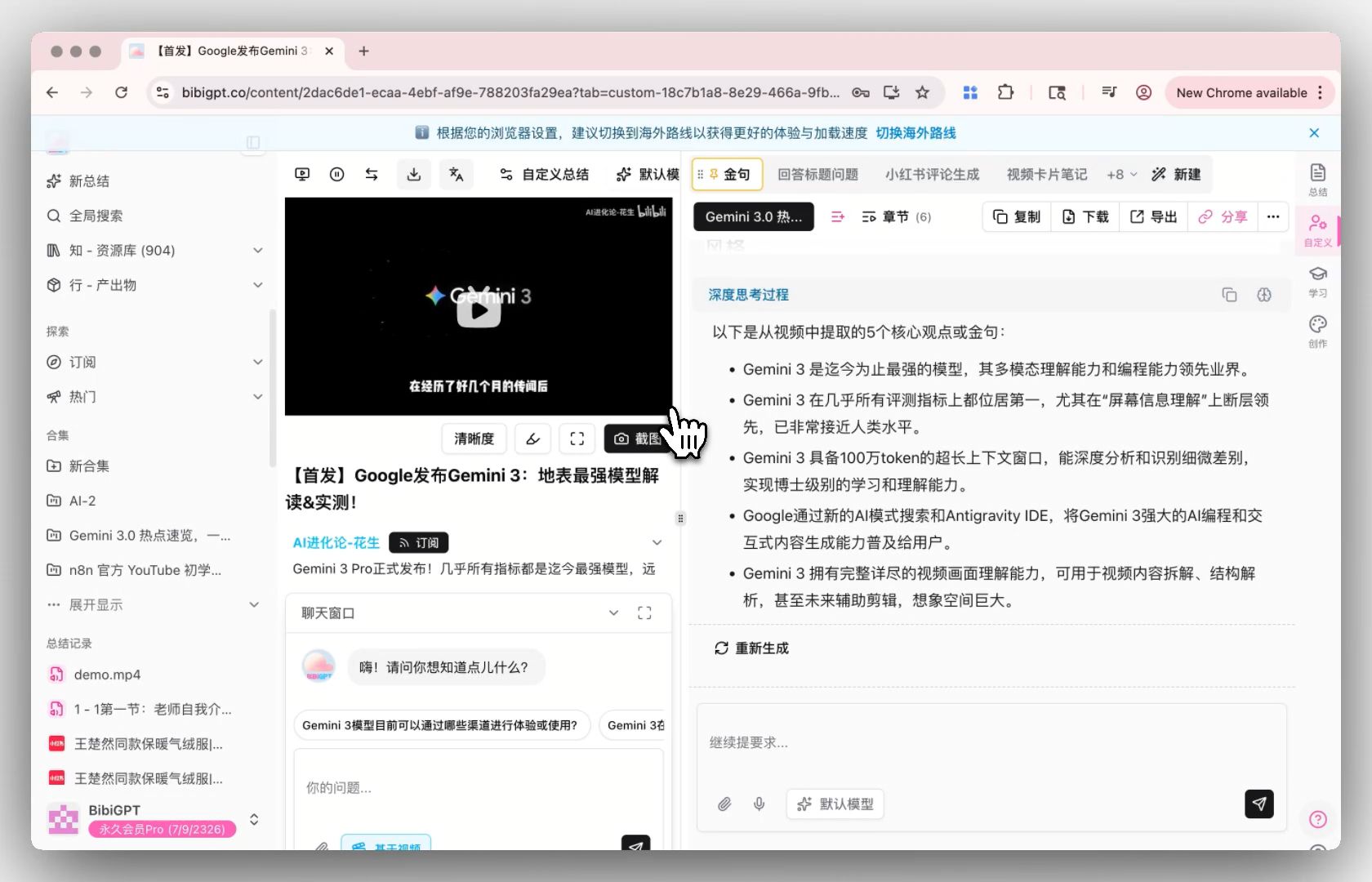 Pinned Summary Result
2. Cloud Drive Usage Optimization
Two Usage Methods
BibiGPT now provides two different cloud drive usage methods, each corresponding to different usage scenarios and cycles.
Method 1: Cloud Drive Integration (For Temporary Use)
Features:
- Directly connect Baidu Netdisk, Alibaba Cloud Drive, Dropbox, Box, etc., in new summaries
- Select the audio-video files you need, and the system will first download the files to local storage through the interface, then proceed with the summary process
Notes:
- This method is significantly limited by the cloud drive interface's own speed, and the download process may be relatively slow
- This isn't something BibiGPT alone can completely solve
- Suitable for temporary, small-volume usage scenarios
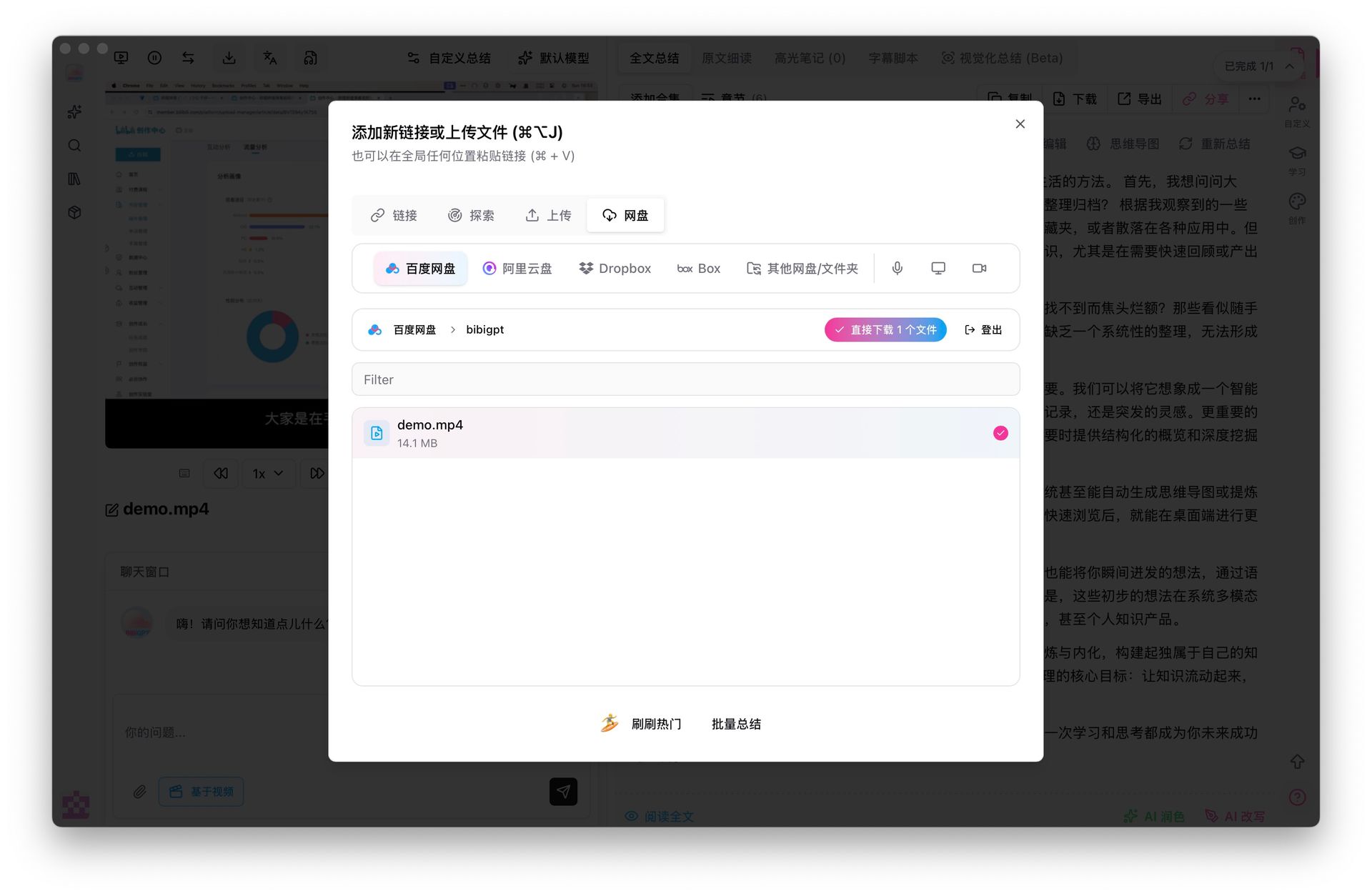 Cloud Drive Download Screenshot
Method 2: Sync Drive Auto-Monitoring (Recommended for Long-term Use)
Features:
- Sync files to a local specified folder through the cloud drive's official client
- BibiGPT continuously monitors this directory, and once it detects new audio-video files, it automatically starts summarizing
- Supports file type filtering and whether to enable visual summaries
Advantages:
- Directly leverages the cloud drive client's own download capabilities, making it more stable overall
- More suitable for users who want to accumulate learning materials, course videos, or meeting recordings over the long term
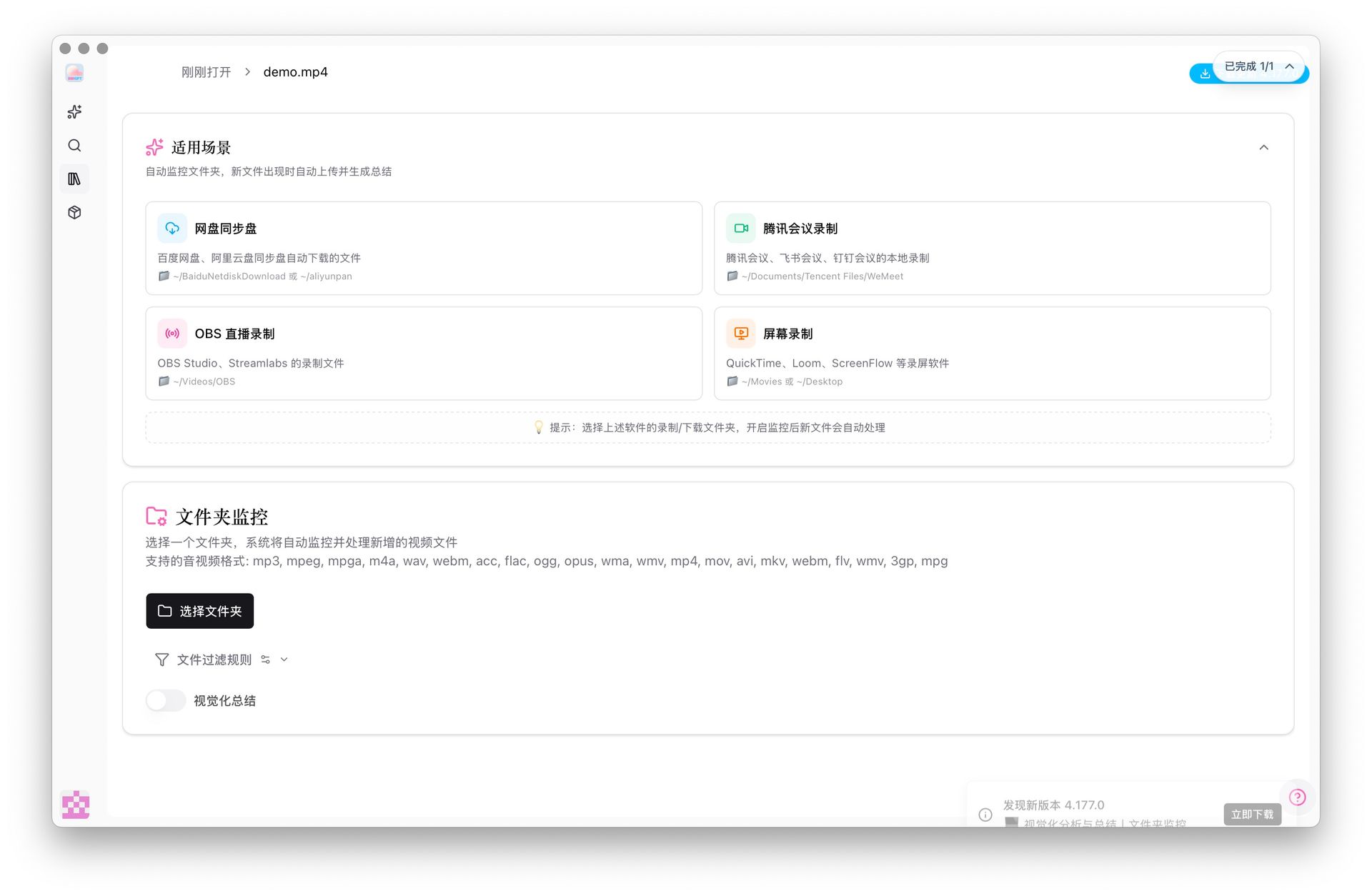 Audio-Video File Monitoring Screenshot
Recommendations
If you find the first method slow, we highly recommend trying the sync drive approach. These two paths aren't about "good vs. bad," but rather different usage cycles and stability preferences. Regardless of which you choose, our goal remains the same: to turn the materials already in your cloud drive into usable notes with as few detours as possible.
3. Enhanced Export Capabilities
Update Background
The enhancement of export capabilities comes almost entirely from direct user feedback. We've received many similar voices:
- "I don't just want the results, I also want to keep the AI's thinking process"
- "When exporting subtitles, can you distinguish who's speaking?"
- "I've already had the AI polish it, but when exporting, I can only get the raw text"
These are all real usage scenarios.
New Export Options
In this update, we've made exports more detailed and controllable:
- Summary Abstracts: You can now choose to export "Include Thinking Process," making it convenient for review and secondary organization
- Article Scripts: Export AI-rewritten and polished versions, rather than unprocessed drafts
- Subtitle Lists: Directly export structured subtitles "Including Speaker," making it easy for subsequent organization, editing, or collaboration
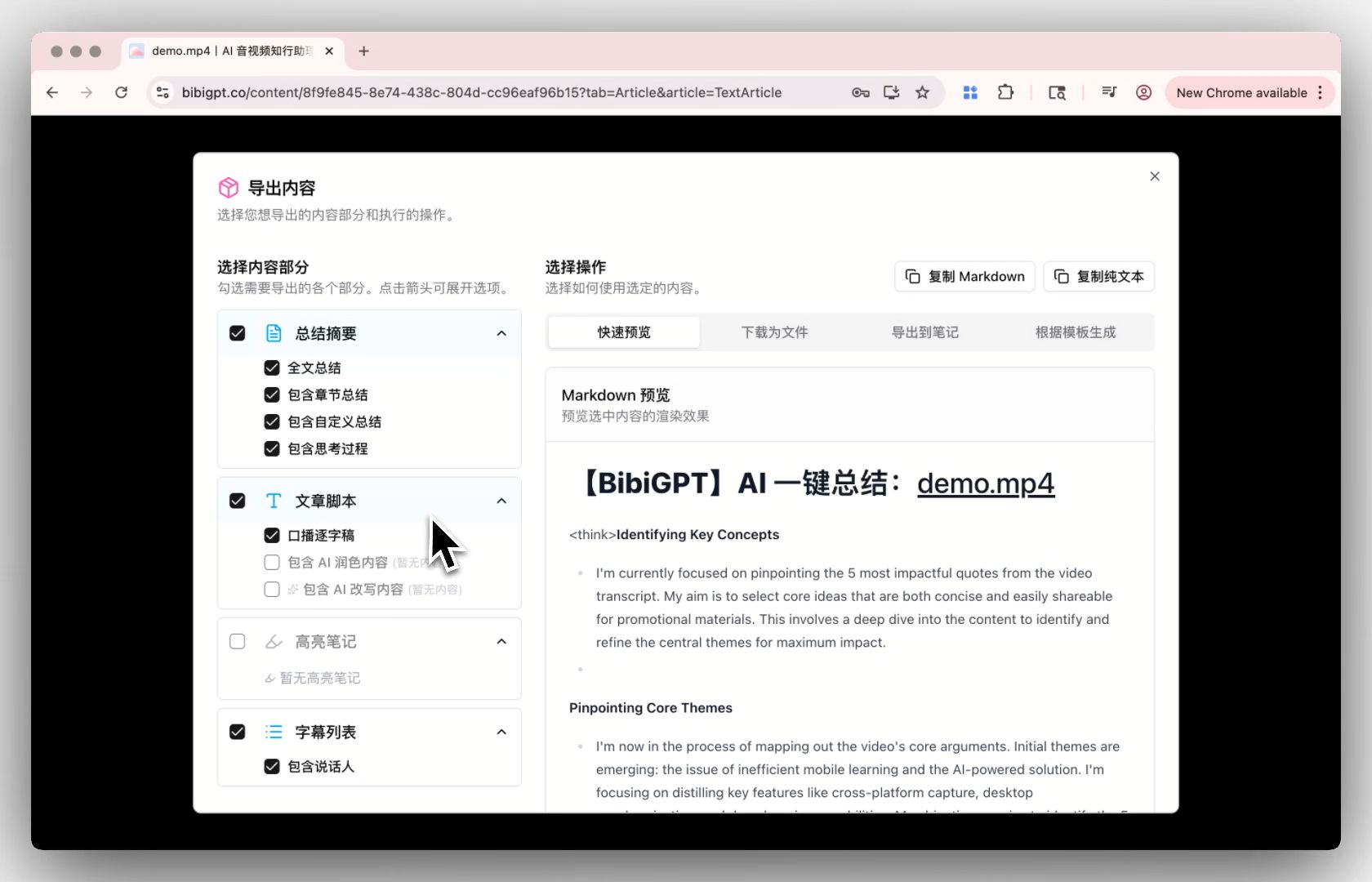 Export Enhancement Demo
Use Cases
This capability becomes very important when you need to deliver content to others, organize it into formal notes, or use it for secondary creation. What it solves isn't "can it export," but rather: Does the exported content already approach the version you actually want to use?
💡 Further Reading: In the latest BibiGPT v4.249.0 Update: Instant Large File Loading, Enhanced Mobile Experience, Cleaner Exports, we've further optimized the export functionality, supporting optional exclusion of custom prompts when exporting, making exported content even more pure.
User Feedback
 User Feedback
Thank you for your continued feedback! This feedback is gradually becoming the product experience you see now.
BibiGPT, as a professional AI audio-video summary tool, is always committed to making your audio-video content watch faster, find smarter, and use better. Whether you're quickly summarizing video highlights or deeply exploring audio-video information, BibiGPT can meet your diverse needs.
Experience BibiGPT's powerful features now and elevate your audio-video learning efficiency to new heights!
Happy using!
BibiGPT Team