
OpenClaw + bibigpt-skill Complete Guide: Collection Summary, Flashcards & Advanced Workflows for Bilibili/YouTube AI Summarization
OpenClaw went viral with 180K+ Stars. bibigpt-skill lets your OpenClaw or Claude Code AI-summarize Bilibili, Xiaohongshu, YouTube and more. This complete guide covers installation, structured output (--json/--chapter), collection summaries, flashcard + Anki integration, and 3 advanced workflow paths.
OpenClaw + bibigpt-skill Complete Guide: Collection Summary, Flashcards & Advanced Workflows for Bilibili/YouTube AI Summarization
Dear BibiGPT users,
OpenClaw has taken the world by storm — 180K+ GitHub Stars, 10 days to go viral, and "raising your crayfish" has become the new geek culture meme. OpenClaw gives AI agents real-world hands: sending emails, managing calendars, operating files. But for Chinese-speaking users, there's a critical gap: its native summarize command simply can't process Bilibili, Xiaohongshu, or Douyin videos.
BibiGPT v4.263.2's bibigpt-skill Agent Skill fills that gap — and goes far beyond it. This guide covers everything: from basic installation to advanced workflows, from structured output to collection summaries, flashcards, and Anki integration.
Part 1: Installing bibigpt-skill — The Agent-Native Way
Method 1: Let AI Install It
Tell your OpenClaw or Claude Code directly:
@OpenClaw Please read and install https://github.com/JimmyLv/bibigpt-skill
Claude Code reads the README and executes all setup steps automatically. No manual intervention required.
Method 2: CLI Installation
npx skills add JimmyLv/bibigpt-skill
Then in OpenClaw / Claude Code:
@OpenClaw Use the bibi skill to summarize https://www.bilibili.com/video/BV1Sk4y1x7r2
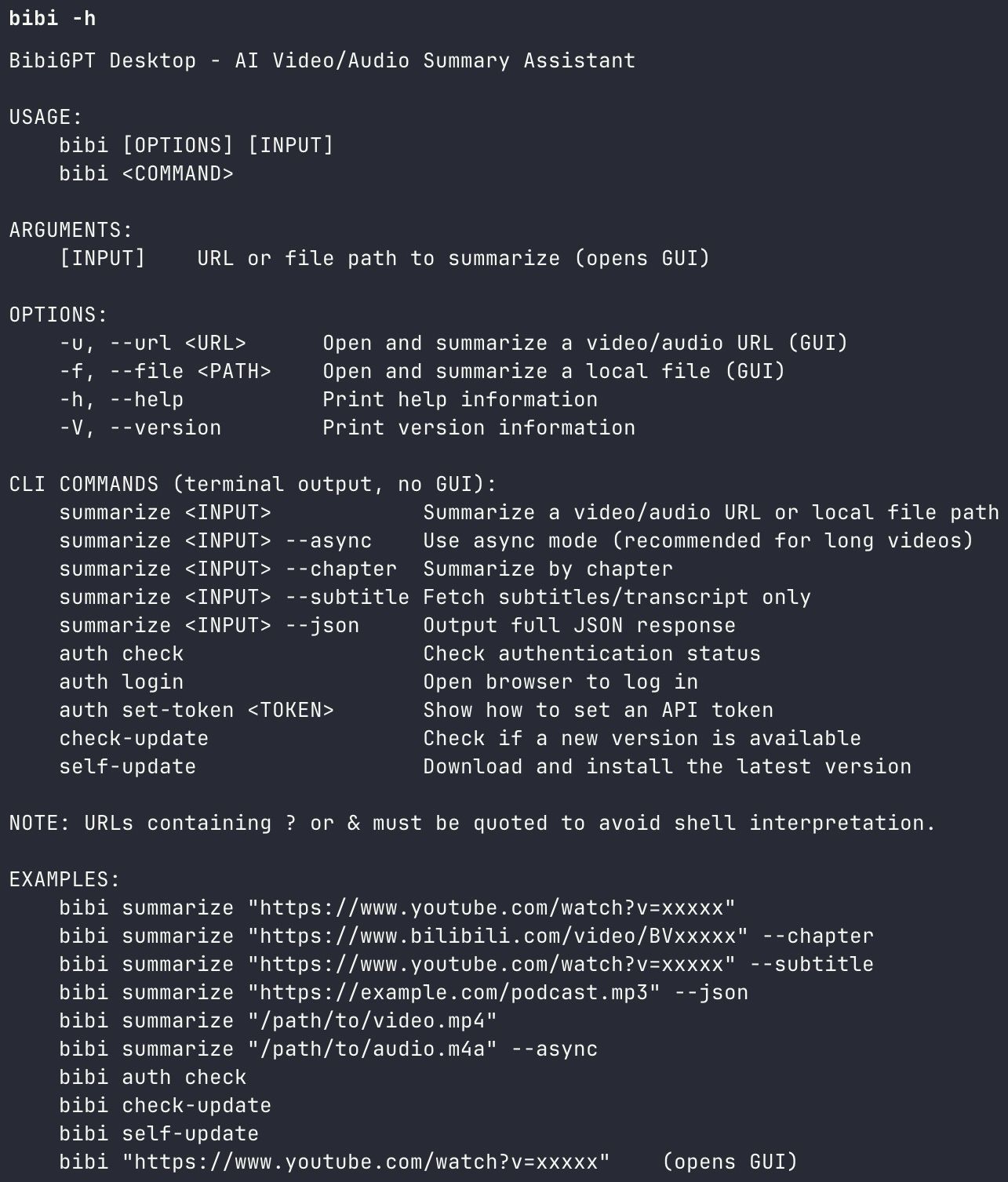 BibiGPT Agent Skill - bibi CLI demo
Supported platforms: Bilibili ✅ · Xiaohongshu ✅ · Douyin ✅ · YouTube ✅ · Podcasts ✅ · Local media files ✅
Full installation guide and API configuration: aitodo.co/user/integration
Part 2: Structured Output — Make Agent Workflows Programmable
Regular summary tools give you a wall of text. bibigpt-skill gives you programmable structured data that integrates natively into OpenClaw's task pipelines:
| Flag | Output Format | Best Agent Use Case |
|---|---|---|
| Default | Markdown summary | Reading, conversation output |
--chapter | Chapter-by-chapter breakdown | Course knowledge mapping |
--json | Machine-readable JSON | Batch processing, databases, reports |
--subtitle | Full subtitle text | Precise quotes, secondary AI processing |
Real workflow example:
You: Batch-process this 50-episode Python course, output --json for each, save to Notion
OpenClaw: [calls bibi --json in parallel for each episode]
          [parses JSON, formats and saves to Notion API]
For developer users, --json turns bibigpt-skill into a native data source for agent workflows — not just human-readable summaries.
Part 3: Collection Summary × OpenClaw — Master an Entire Course in Hours
This is the most powerful combination of bibigpt-skill and BibiGPT's advanced features: Collection Summary.
Once you've added a creator's series (e.g., 30-episode Java course) to a BibiGPT collection, click "Summarize Now" and the system:
- Analyzes all videos in the collection (not individual episodes)
- Generates a structured knowledge system overview for the entire series
- Outputs an interactive mind map (expandable/collapsible nodes)
- Every reference point links back to the original video timestamp
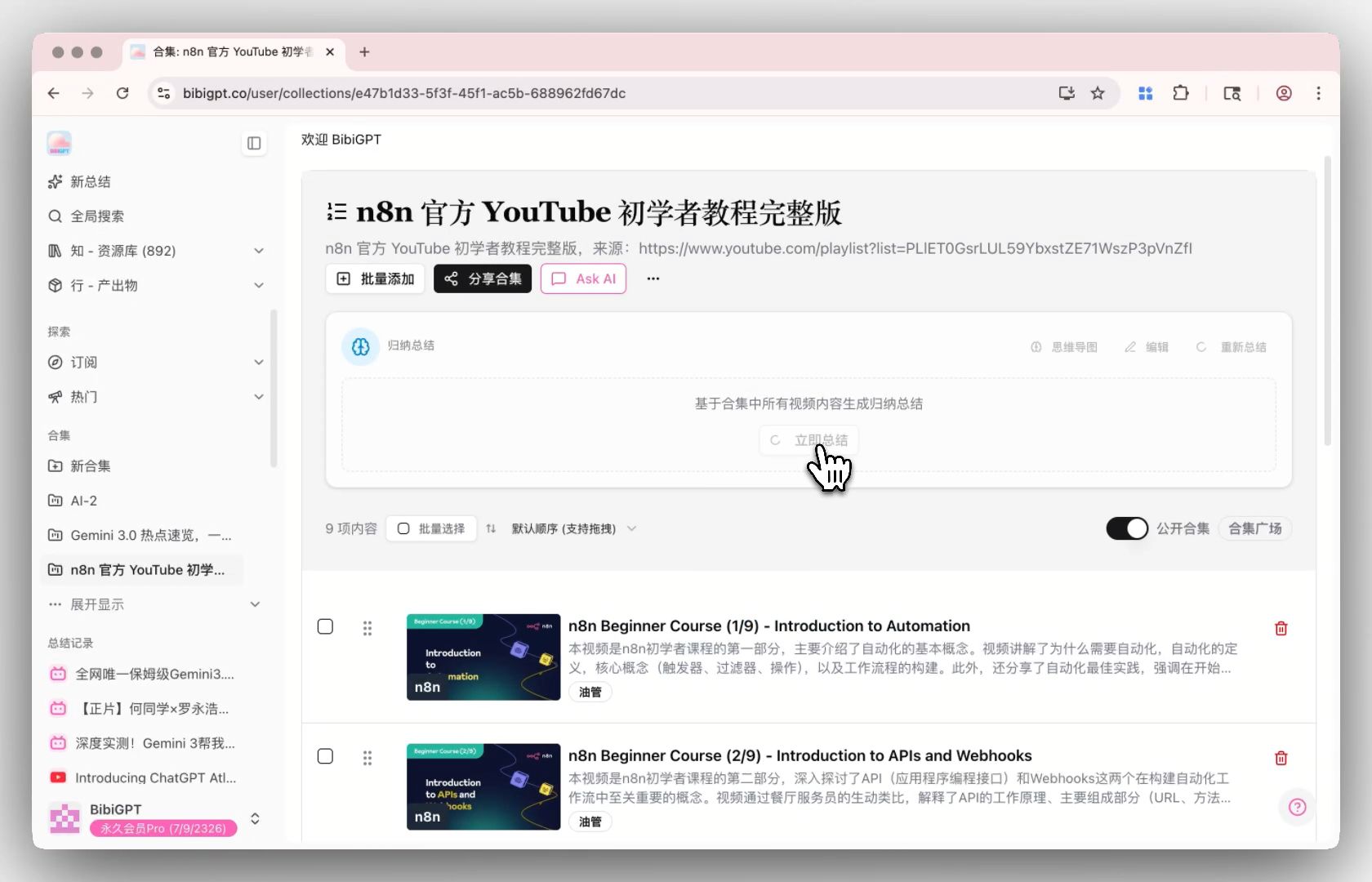 Collection Summary entry point
Full OpenClaw × Collection Summary workflow:
Step 1: Targeted collection
You: Add the first 30 episodes of this Java tutorial to my "Java Learning" collection
OpenClaw: [calls bibi for each episode sequentially]
          ✅ Episodes 1-30 complete

Step 2: Generate holistic knowledge system
You: Generate a summary for the "Java Learning" collection
BibiGPT: Analyzing 30 episodes...
         ✅ Structured knowledge map generated
         ✅ Mind map with 23 core themes
         ✅ High-frequency concept extraction
         ✅ Every point links to source video
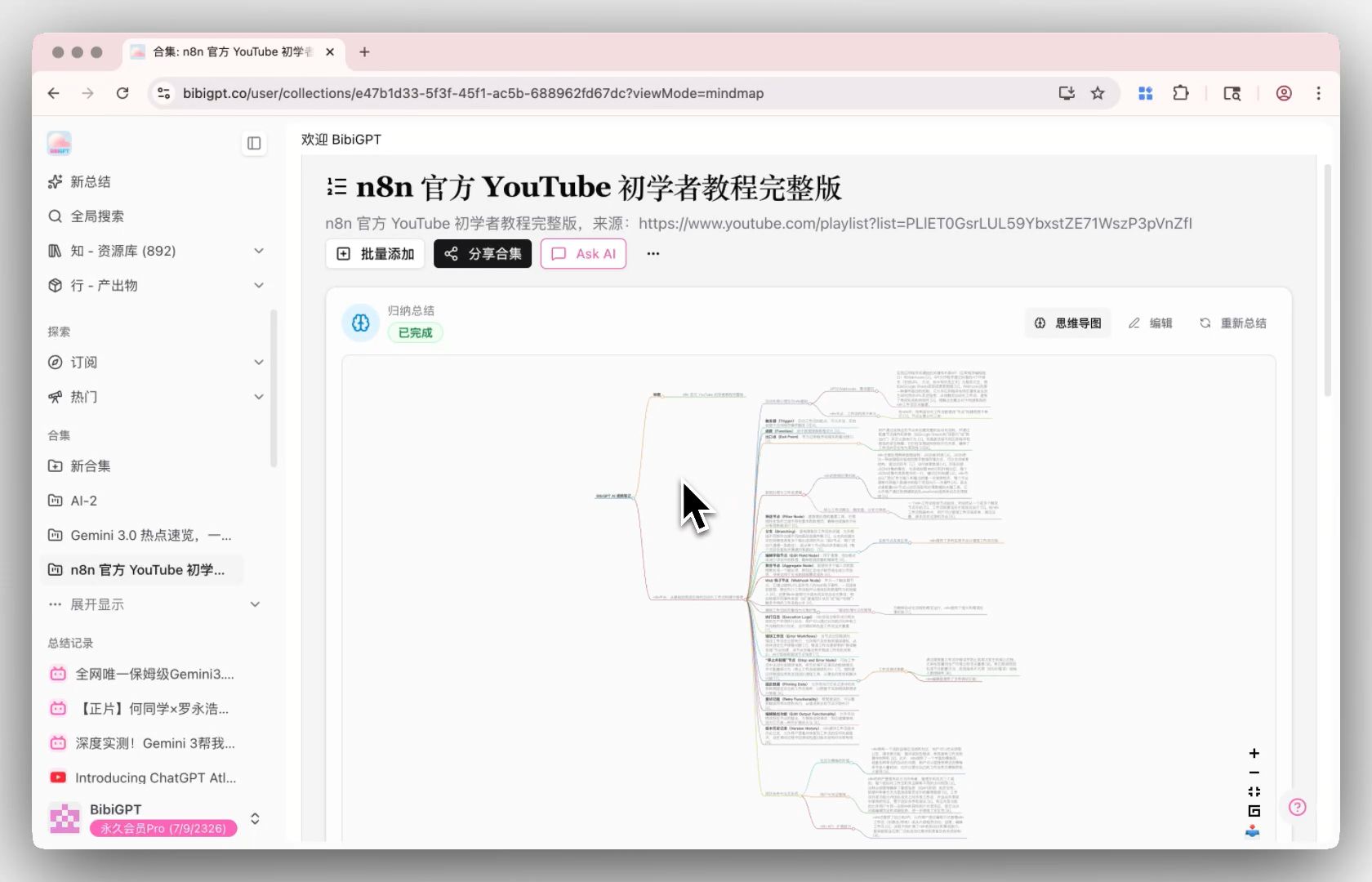 Collection summary mind map
What used to require 25+ hours of course preview now takes: 2 hours reading the structured summary + focused review of key episodes.
Part 4: Flashcard + Anki Integration — Auto-Generate Memory Cards
BibiGPT's Flashcard feature automatically generates question-answer cards from video content and exports them as CSV for direct import into Anki.
Combined with OpenClaw, you get a fully automated "watch video → generate flashcards → import to Anki" pipeline:
You: Summarize this English listening video and generate Anki flashcards
OpenClaw: [calls bibi to summarize video]
          [triggers BibiGPT flashcard generation]
          [exports CSV]
          ✅ Generated 18 memory cards, ready to import to Anki
 BibiGPT Flashcard interface
For language learners and exam prep, this workflow is a multiplier on AI learning efficiency. For more active recall techniques with BibiGPT, see: Active Recall AI Video Learning Method: Reshape Your Study Efficiency with BibiGPT.
Part 5: Three Advanced OpenClaw Workflow Paths
Path 1: Developer Daily — On-Demand Summaries
The lightest use case. In any Claude Code or OpenClaw conversation:
Summarize this Bilibili tech video: https://www.bilibili.com/video/BV1xxx
Structured summary in 30 seconds. Your coding flow stays uninterrupted.
Path 2: Spawn Mode — Parallel Batch Research
OpenClaw supports spawning parallel subprocesses:
You: Process these 10 videos in parallel, each with --json output
OpenClaw: [spawns 10 subprocesses, calls bibi concurrently]
          [waits for all to complete, merges results]
          [generates comprehensive research report]
10 videos, 10 parallel processes: from "10 × 30 seconds" to "~30 seconds."
Path 3: Heartbeat Tasks — Fully Automated Information Digest
Set up a timed heartbeat for hands-free content digestion:
Every morning at 7:30, auto-summarize new videos added to my "AI Frontier"
collection in the last 24 hours. Format: 3 key points + priority recommendation.
Send to my Slack/Telegram.
Completely autonomous information pipeline. Every morning you get AI-processed insights — not an unread video list.
For deep-dive on the Bilibili-specific workflows, see: OpenClaw Can't Summarize Bilibili? bibigpt-skill Collection Summary Fixes That.
Part 6: Four Feature Upgrades at a Glance
Windows winget Installation
winget install BibiGPT
macOS users: Homebrew still available:
brew install --cask jimmylv/bibigpt/bibigpt
 winget installation success
Siyuan Notes Integration Overhaul
AI-generated video summaries, outlines, and subtitles now sync directly to your Siyuan Notes library. Configure at: aitodo.co/user/accounts?tab=siyuan
Mobile Image Creation
Generate AI images from video content directly on mobile in the "Create" tab. Multiple AI models (Seedream, Nano Banana), multi-image batch generation, instant save to album or share.
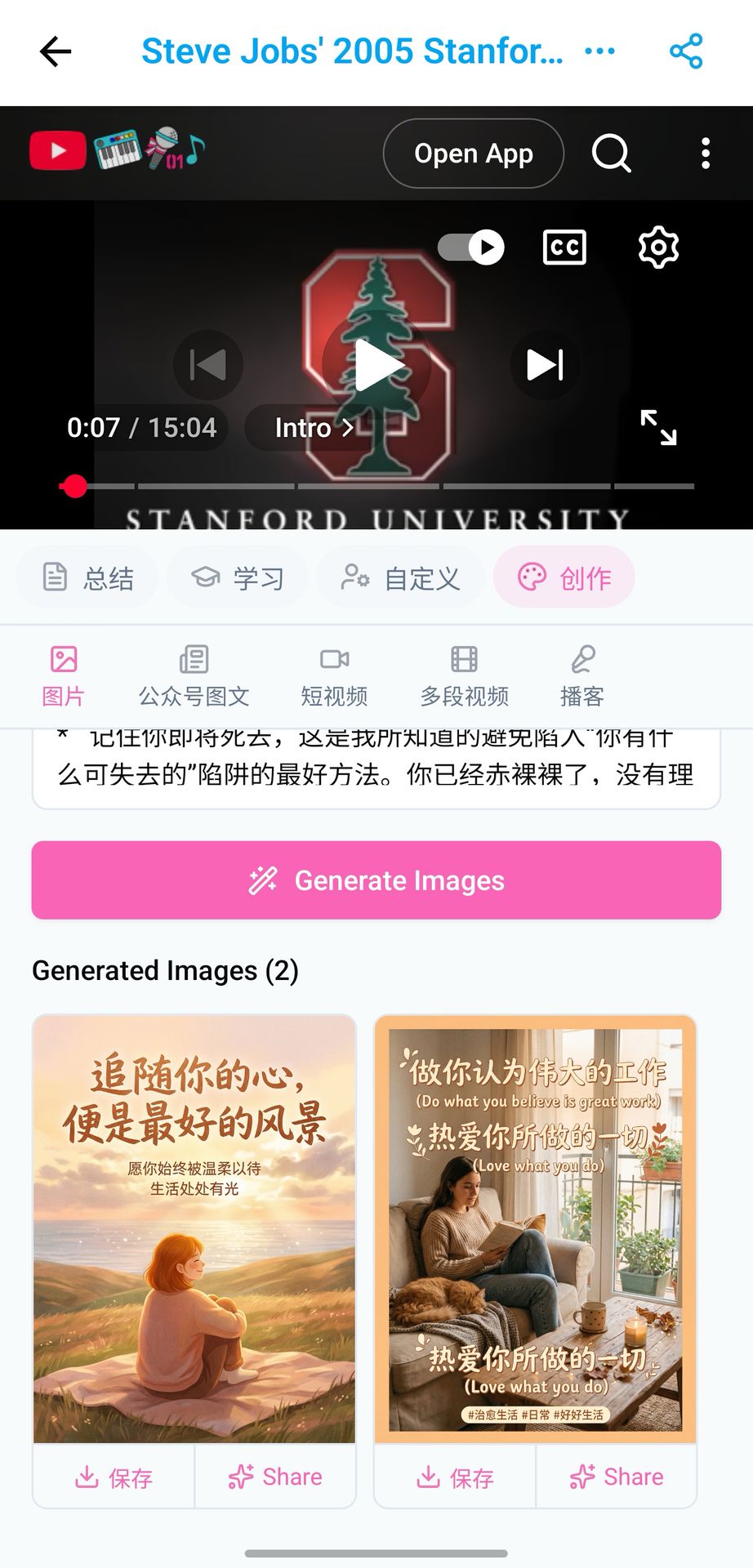 Mobile AI image generation
Part 7: Full Capability Comparison
| Capability | OpenClaw Native | bibigpt-skill + BibiGPT |
|---|---|---|
| YouTube summaries | ✅ | ✅ More accurate (6 years optimized) |
| Bilibili summaries | ❌ | ✅ 3 subtitle sources, >98% success rate |
| Xiaohongshu summaries | ❌ | ✅ Full support |
| Douyin summaries | ❌ | ✅ Full support |
| Podcast summaries | ❌ | ✅ Audio transcription |
| Collection mind map summary | ❌ | ✅ Cross-video knowledge system |
| Flashcards / Anki export | ❌ | ✅ One-click CSV export |
| Structured JSON output | ❌ | ✅ Agent-programmable |
| Siyuan Notes / Notion sync | ❌ | ✅ Native integration |
bibigpt-skill resources:
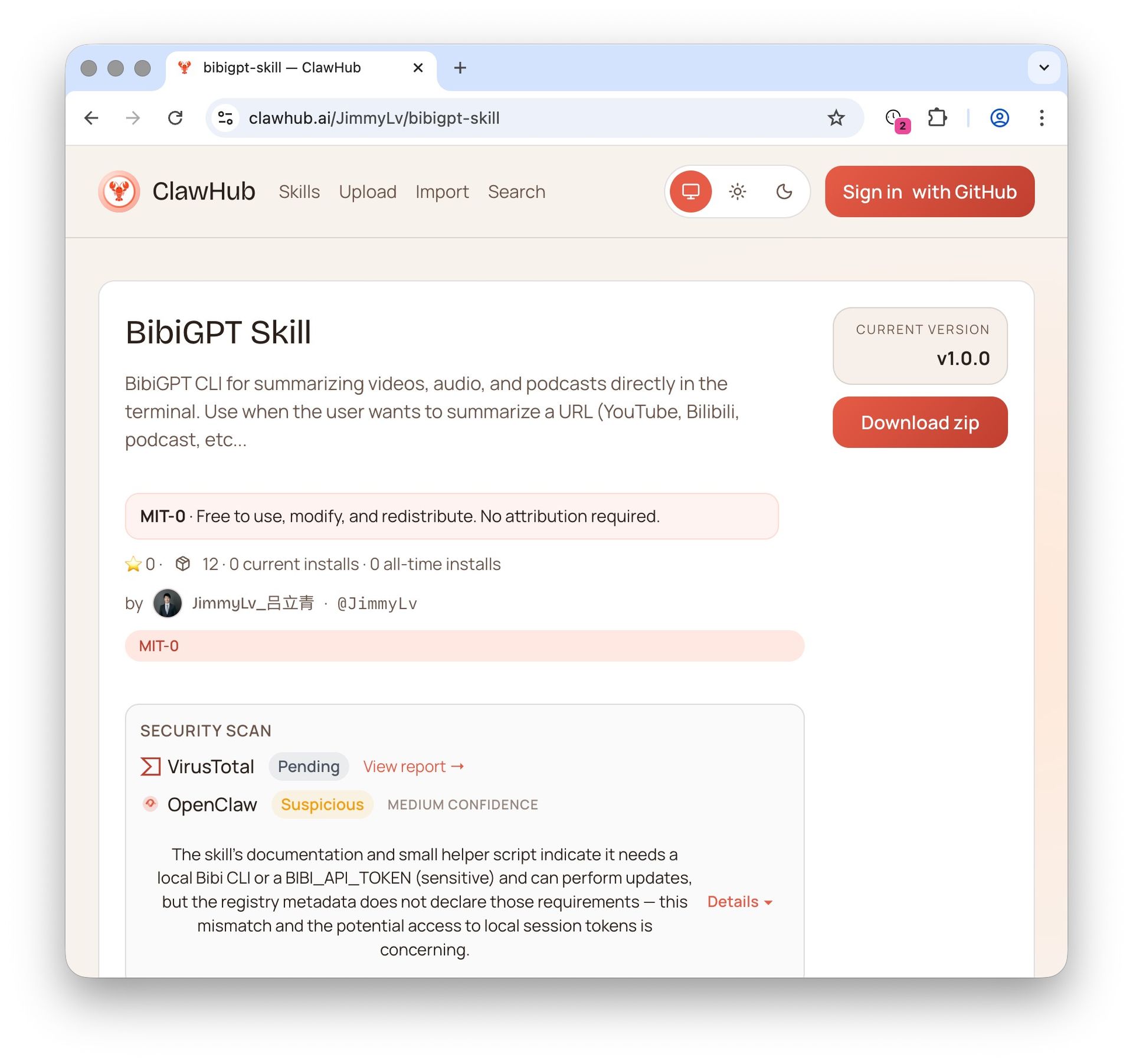 ClawHub skill page
Always shipping. Thank you for being with us 🙏
Visit BibiGPT today and start your AI-powered video workflow:
- 🌐 Website: https://aitodo.co
- 📱 Mobile: https://aitodo.co/app
- 💻 Desktop: https://aitodo.co/download/desktop
- ✨ All features: https://aitodo.co/features
BibiGPT Team