
From Translation to a Learning Vault: Why BibiGPT Beats Browser Plugins for Video Mastery
Compare lightweight translation plugins with BibiGPT’s AI-first video knowledge base. Learn how long-video handling, bilingual subtitles, timestamp navigation, and Notion/Readwise integrations turn every recap into reusable knowledge.
When Long Videos Meet Learning Goals
Browser translation plugins are great for a quick skim, but they crumble when you want to study a dense YouTube lecture or Bilibili documentary. They translate captions line by line, lack context, and leave you jumping between tabs trying to stitch insight together.
Long-form learning asks for more: structure, searchability, and a way to keep insights once the tab is closed. That’s exactly where BibiGPT steps in.
Why Plugins Fall Short
- Literal translations only – no grasp of narrative flow or speaker intent.
- Fragmented experience – nothing ever lands in your notes or knowledge system.
- No personalization – you can’t tune the output to your workflow or learning style.
If you just want to “kind of understand,” plugins are fine. If you want to own the knowledge, you need a smarter copilot.
Meet BibiGPT: Your AI Media Knowledge Base
BibiGPT was built to treat every video as reusable knowledge. It combines best-in-class speech recognition with large language models such as DeepSeek to generate summaries that feel authored, not machine-translated.
Built for Long Videos
Whether it’s a 2-hour keynote or a 30-minute interview, BibiGPT processes the entire file smoothly, adds context, and keeps latency low.
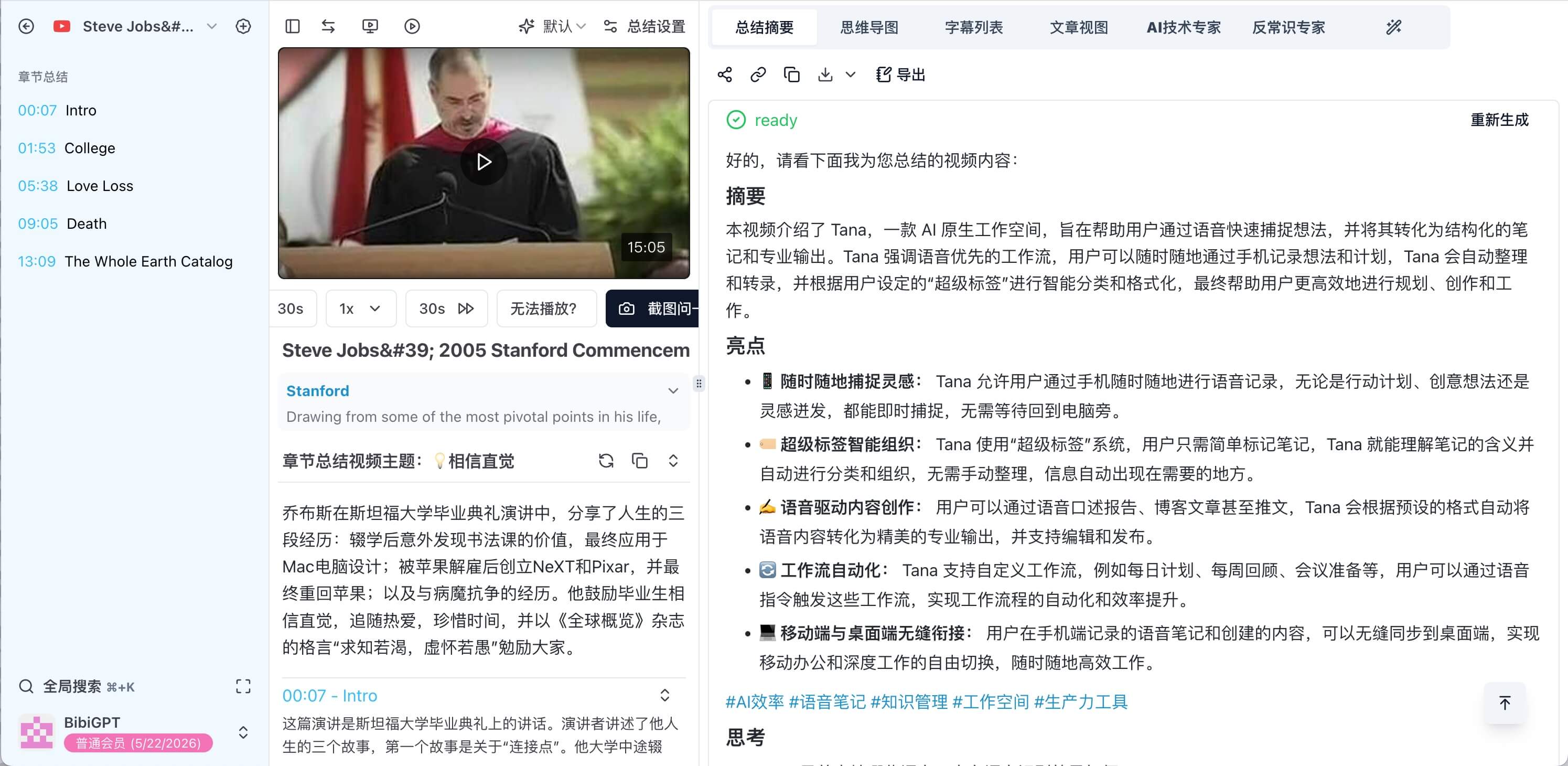 BibiGPT summary UI
Immersive, Bilingual Learning
- Dual-language subtitles with karaoke-style highlighting
- Clickable transcript list for instant timestamp jumps
- Optional visual intelligence (scene detection, structure analysis, soundtrack cues)
- Speaker separation for interviews and roundtables
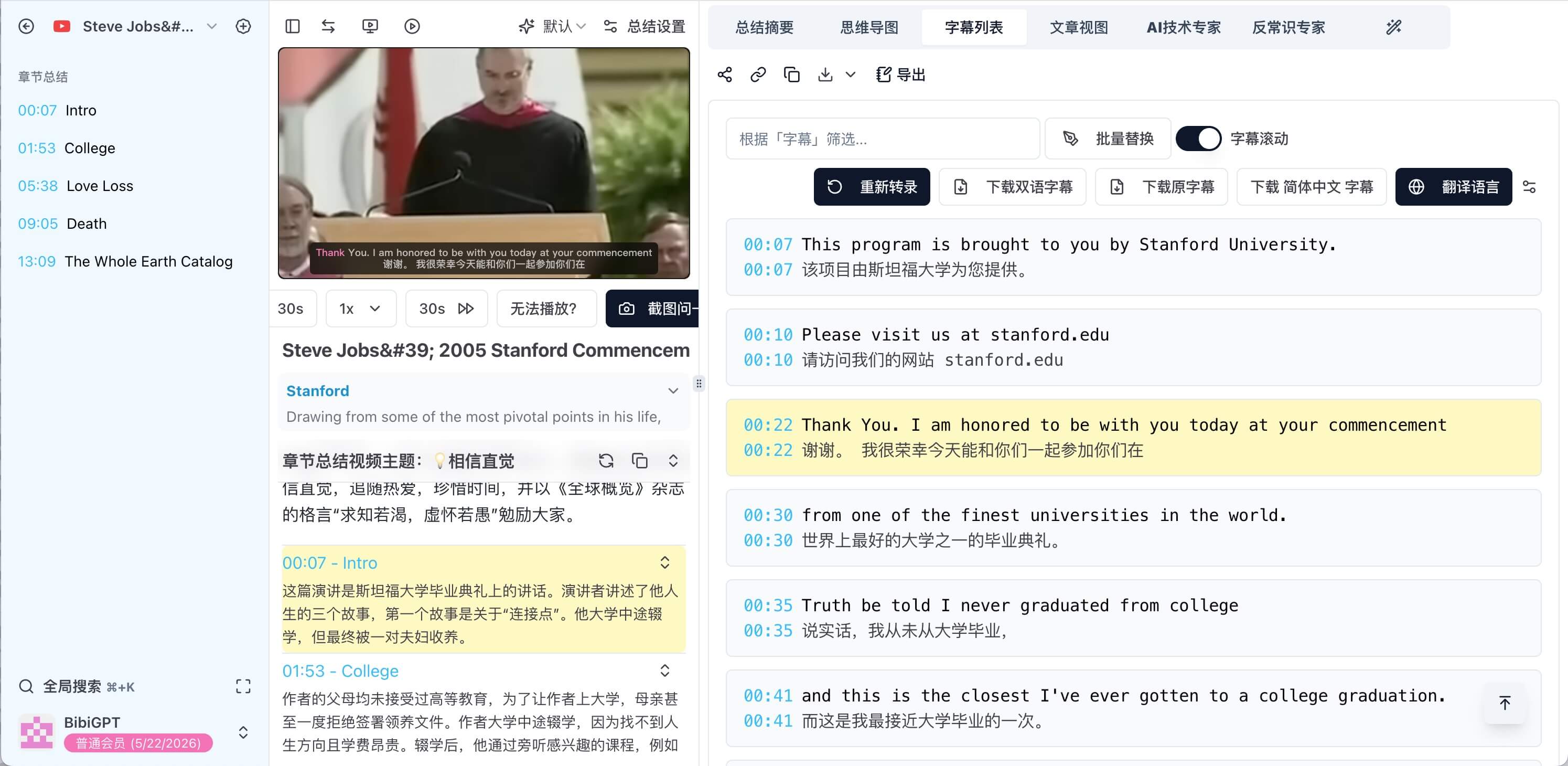 Bilingual subtitles with word-level highlight
Knowledge That Sticks
- One-click sync to Notion, Readwise, Flomo, and more
- Tags, favorites, and to-dos to track learning progress
- Local desktop client when you prefer offline processing
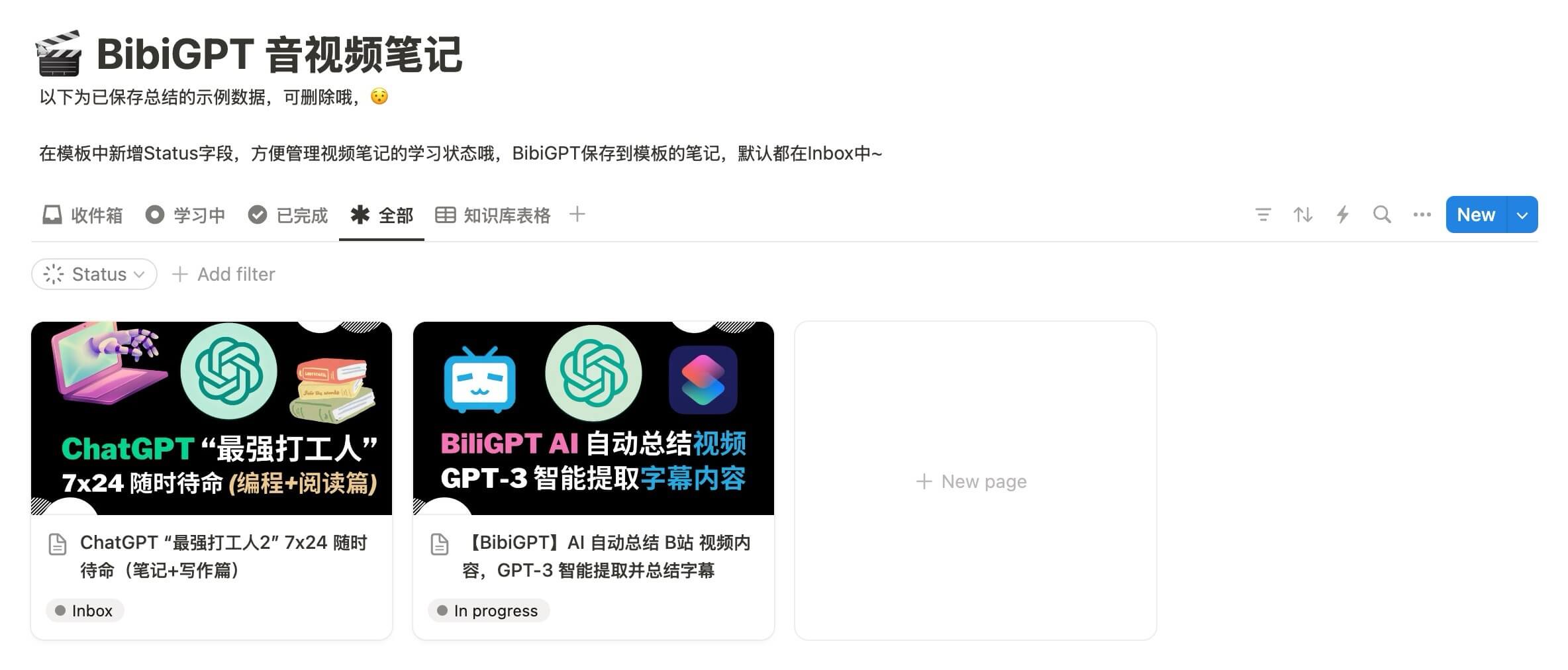 Notion integration screenshot
Want the full workflow? Read the companion guide: Build an Efficient Video Study System: Notion + BibiGPT.
Perfect for Every Learning Scenario
- Language learners – grow vocabulary with native-speed content.
- Students & researchers – digest lectures, seminars, and conference talks faster.
- Curious explorers – archive insights from documentaries and interviews.
- Professionals – speed through training videos and industry briefings.
Start Your BibiGPT Journey
BibiGPT turns every foreign-language video into curated notes, mind maps, and transcripts. Register at BibiGPT, upload a long video, enable bilingual captions, try a custom prompt like “Summarize as a UX researcher,” and sync the output to Notion. A single session will show why BibiGPT is more than a translation plugin—it’s your personal media knowledge base.