
Claude Hits #1 on the App Store as 1.5M Users Quit ChatGPT: How Claude Code Users Can Summarize Bilibili & YouTube Videos with bibigpt-skill
Claude skyrocketed to App Store
Claude Hits #1 on the App Store as 1.5M Users Quit ChatGPT: How Claude Code Users Can Summarize Bilibili & YouTube Videos with bibigpt-skill
In early March 2026, something remarkable happened: Anthropic refused to loosen AI safety restrictions for Pentagon military surveillance projects and got blacklisted by the US Department of Defense. The result? Claude shot from #42 to #1 on the App Store in under 7 days, hitting 11 million daily active users.
Meanwhile, ChatGPT faced the largest AI user revolt in history — 1.5 million users deleted the app in the #QuitGPT movement, with uninstalls spiking 295% week-over-week.
For Claude Code users making the switch, there's one critical gap: Claude Code can't natively read Bilibili, Xiaohongshu (RedNote), or Douyin videos. Chinese video platforms are the biggest knowledge repository in the world — and they're completely invisible to Claude out of the box.
bibigpt-skill fixes that in one command.
Why This Migration Isn't Just Protest
Skeptics called #QuitGPT a "political meme." But the numbers tell a different story:
- Claude's enterprise market share: 18% (2024) → 29% (2025) — growing before this incident
- App Store #1 position held for 5+ days
- Anthropic's refusal aligns with its long-standing "beneficial, harmless, honest" AI policy
Users are choosing Claude because it's a more trustworthy tool, not just because they're angry at OpenAI. That trust translates into sustained adoption — which means building real workflows on Claude Code.
The Real Gap: Chinese Video Platforms Are Claude's Blind Spot
Claude Code is powerful. It can write code, call APIs, manage files, run automation tasks. But ask it to summarize a Bilibili video:
"Sorry, I cannot access Bilibili video content."
The reason is technical: Chinese video platforms use complex authentication layers, dynamic URL generation, and proprietary subtitle formats that no general-purpose AI agent handles well:
- Bilibili: Three subtitle sources (user-uploaded CC, AI auto-generated, danmaku), each requiring specific API headers
- Xiaohongshu: Video content completely locked behind login, no public API
- Douyin: Short-link URL obfuscation blocks direct access
BibiGPT has spent 6 years building the extraction pipeline for these platforms. Success rate: >98% across all Chinese platforms.
Install bibigpt-skill: One Command, Full Platform Coverage
The Agent-Native Way (Recommended)
Tell your Claude Code directly:
@ClaudeCode Please read and install https://github.com/JimmyLv/bibigpt-skill
Claude Code reads the README, executes setup steps automatically. Zero manual intervention.
CLI Installation
npx skills add JimmyLv/bibigpt-skill
Then in Claude Code:
Summarize this Bilibili video: https://www.bilibili.com/video/BV1Sk4y1x7r2
Claude Code calls the bibi command, returns structured summary, chapters, and timestamps — in 30 seconds.
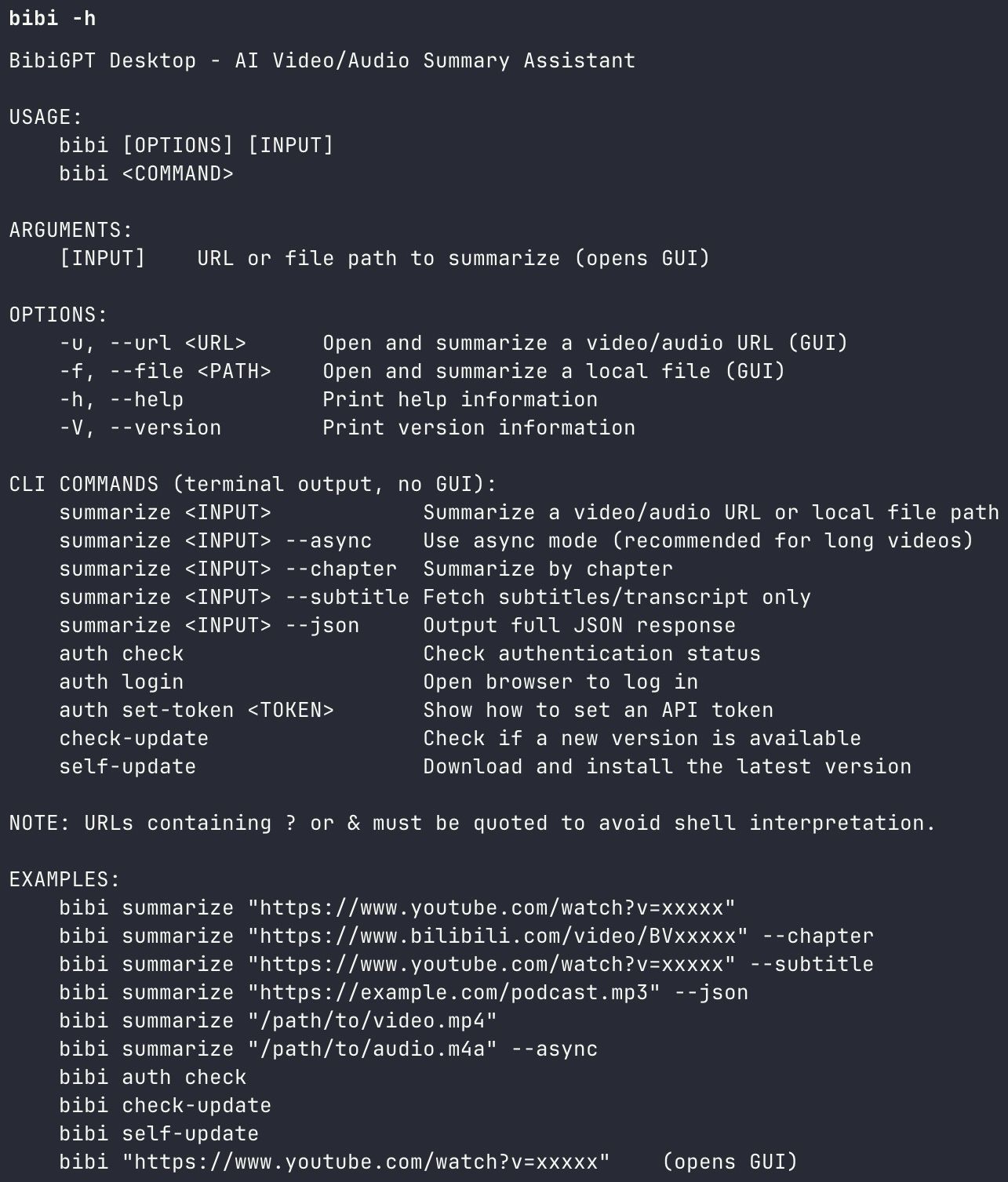 BibiGPT Agent Skill - bibi CLI demo
Three Real-World Workflows for Claude Code + bibigpt-skill
Workflow 1: Development Research
You're building a project and need to quickly understand a technical video:
Summarize this React Server Components tutorial from Bilibili and extract
the key code patterns: https://www.bilibili.com/video/BV1xxx
Claude Code returns structured technical notes in your conversation context — your coding flow stays unbroken.
Workflow 2: Batch Research
For competitive analysis or topic research across multiple videos:
Summarize these 5 AI Agent videos from Bilibili, output as JSON:
[url1]
[url2]
...
The --json flag gives Claude Code machine-readable output it can pipe directly into databases or reports.
Workflow 3: Automated Daily Digest (OpenClaw Heartbeat)
The most agent-native setup — a daily scheduled task:
Every morning at 8am, summarize new videos from the "极客湾" Bilibili channel
published in the last 24 hours. Format: 3 key points + watch recommendation.
OpenClaw heartbeat tasks + bibigpt-skill = fully autonomous information digest.
Structured Output Options
bibigpt-skill returns programmable structured data, not just raw text:
| Flag | Output | Best for |
|---|---|---|
| Default | Markdown summary | Reading, notes |
--chapter | Chapter-by-chapter breakdown | Deep learning, courses |
--json | Machine-readable JSON | Databases, automation |
--subtitle | Full subtitle text | Precise quotes, translation |
For Claude Code users, --json and --chapter integrate cleanly into agent workflows.
Platform Support: No More Blind Spots
After installing bibigpt-skill, your Claude Code handles:
| Platform | Status | Notes |
|---|---|---|
| Bilibili (B站) | ✅ Full | 3 subtitle sources, collection summaries |
| Xiaohongshu (RedNote) | ✅ Full | Video note extraction |
| Douyin / TikTok | ✅ Full | Short video batch processing |
| YouTube | ✅ Full | Multi-language subtitles, chapters |
| Podcasts | ✅ Full | Audio transcription + summary |
| Local video/audio | ✅ Full | MP4, MP3, WAV and more |
For the full technical deep-dive on Claude Code × bibigpt-skill integration, see: OpenClaw Can't Summarize Bilibili? bibigpt-skill Fixes That.
Migration Checklist: ChatGPT → Claude Code
If you're moving your workflow from ChatGPT:
- Install Claude Code (official website)
- Add bibigpt-skill:
npx skills add JimmyLv/bibigpt-skill - Verify connection:
bibi auth check - Test your first summary: paste any Bilibili URL into Claude Code
- Advanced setup: visit aitodo.co/user/integration for API token config
After migration, your Claude Code has something ChatGPT never gave you: complete Chinese video platform coverage.
Claude Earned the Trust. bibigpt-skill Completes the Toolkit.
The #QuitGPT movement wasn't just about politics — it was users voting for AI they can trust. But choosing Claude doesn't mean leaving your information sources behind. Chinese video content is the world's largest knowledge repository in Mandarin, and it deserves a place in your AI workflow.
bibigpt-skill is the essential Claude Code extension for Chinese video. One command to install. Instant access to everything.
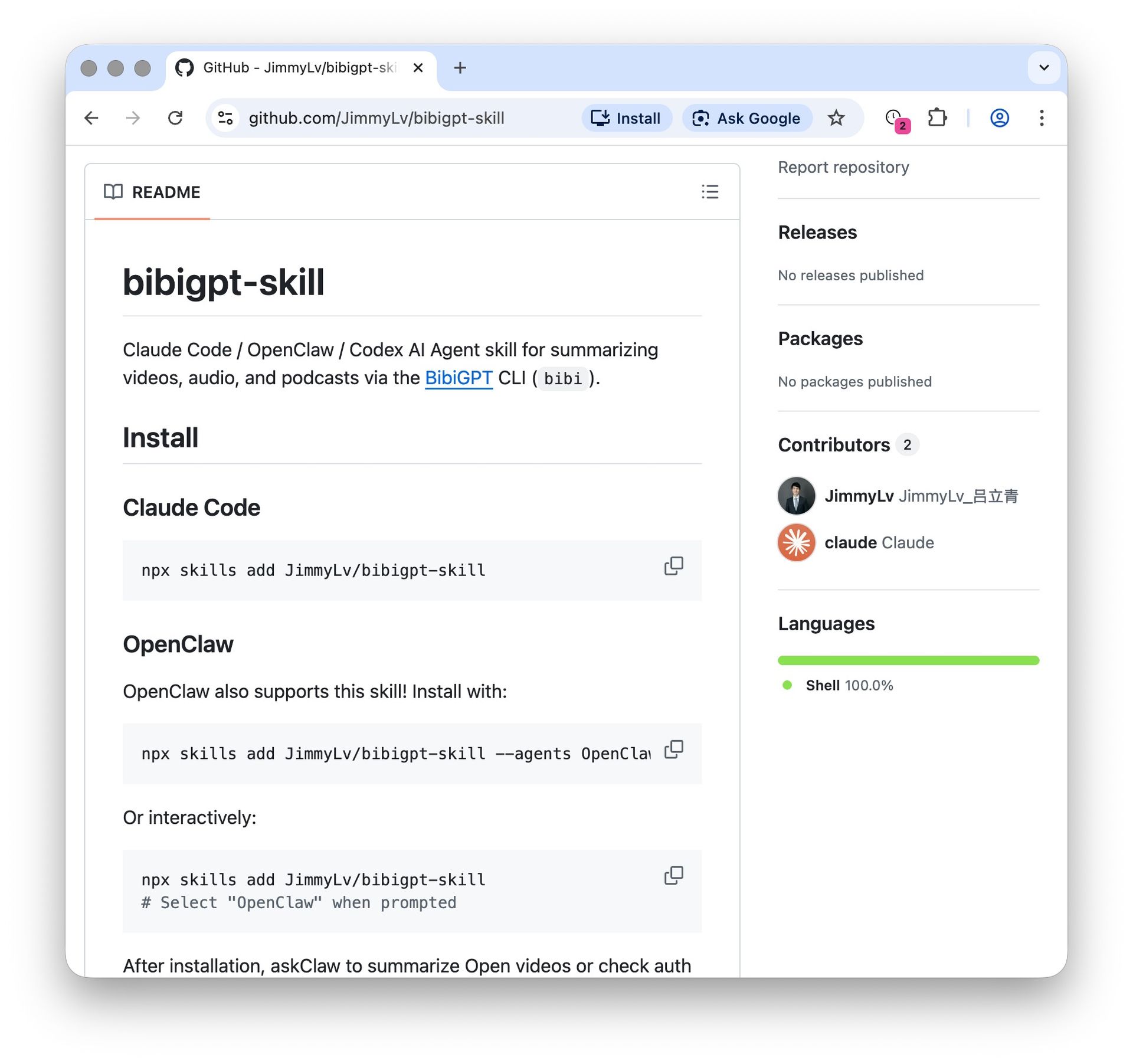 bibigpt-skill on GitHub
Get bibigpt-skill:
Start your Claude Code video workflow today:
- 🌐 Website: https://aitodo.co
- 📱 Mobile: https://aitodo.co/app
- 💻 Desktop: https://aitodo.co/download/desktop
- 🔧 API Integration: https://aitodo.co/user/integration
BibiGPT Team