
Best TikTok Caption Downloader in 2026: 7 Tools Compared (AI Summary + Subtitle Export in One, BibiGPT Approach)
2026 roundup of TikTok caption downloaders: from plain SRT extraction to integrated AI summary. Compares BibiGPT, YouSubtitles, SaveSubs, SnapTik and more to pick the right tiktok caption downloader for creators and cross-border teams.
Best TikTok Caption Downloader in 2026: 7 Tools Compared (AI Summary + Subtitle Export in One, BibiGPT Approach)
Direct answer (as of 2026-04): If you only need the SRT file of a TikTok video, SaveSubs or YouSubtitles is enough. If you also want AI summary + chapter timestamps + multilingual translation + note export in a single flow, an all-in-one tool like BibiGPT is the shortest path — no more hopping between four different websites.
The comparison below is written for content creators, short-video researchers, and cross-border teams. The 7 tools we benchmark fall into two camps: plain subtitle extraction, and AI-summary + subtitle integrated.
1. Three typical TikTok caption needs
Before picking a tool, match your actual job:
- Just download the caption: You want an SRT / TXT for re-editing, translation, or dataset.
- Caption + AI summary: You don't have time to watch every video; you want the gist fast.
- Batch caption + content rewrite: Repurposing TikTok content to blog posts or other platforms.
Different needs, different tools. For need 1 a lightweight tool is fine; for needs 2 and 3 an integrated tool saves huge amounts of time.
2. 7-tool comparison
| Tool | Core capability | TikTok support | AI summary | Batch | Price | Best for |
|---|---|---|---|---|---|---|
| BibiGPT | Captions + AI summary + chapters + translation + export | Yes | Yes | Yes | Free tier generous, Plus subscription | Covers 1 + 2 + 3 |
| YouSubtitles | Plain caption extraction, multi-format | Yes | No | Manual | Free | Need 1 |
| SaveSubs | Captions + auto-translate (Google Translate) | Yes | No | Manual | Free + no-ads tier | Need 1 |
| SnapTik | Video downloader with caption bundle | Yes | No | No | Free | Need 1 (video + caption) |
| Downsub | Multi-platform caption grabber | Partial | No | Manual | Free | Need 1 |
| Happy Scribe | Human/AI transcription, high accuracy | Upload video | Partial | Yes | Per-minute | High-accuracy captioning |
| Rev | Professional transcription | Upload video | Partial | Yes | Per-minute | Commercial-grade captions |
Quick notes per tool
BibiGPT (recommended): Differentiates via integrated "captions + AI summary". Paste a TikTok URL, get chapter timestamps + AI summary + full captions within ~10 seconds. Export to Markdown / PDF / SRT / TXT / EPUB. Caveat: very short TikToks (under 15 seconds) don't benefit much from AI summary.
YouSubtitles: A classic lightweight caption downloader. Input URL, get SRT in multiple languages. Downsides: no AI summary, dated UI, ads.
SaveSubs: Can auto-translate captions to other languages via Google Translate. Useful for cross-border localization first drafts. Caveat: machine translation, don't use verbatim without review.
SnapTik: Primarily a TikTok video downloader that can also grab captions. Good for "I want video + caption together". Caveat: limited caption format options.
Downsub: Classic multi-platform caption grabber. TikTok support is spotty; some videos return nothing.
Happy Scribe / Rev: Not "downloaders" but "transcription services". You upload the video, they run AI or human transcribers and return higher-accuracy captions. Paid and slower — fit for professional captioning, not casual browsing.
3. Why BibiGPT is the recommended "captions + AI summary" solution
For most creators and cross-border teams, the need is never just "give me an SRT" — you want to understand the video fast AND get the structured text. BibiGPT's integrated flow eliminates three context switches:
Caption export + chapter timestamps in one pass
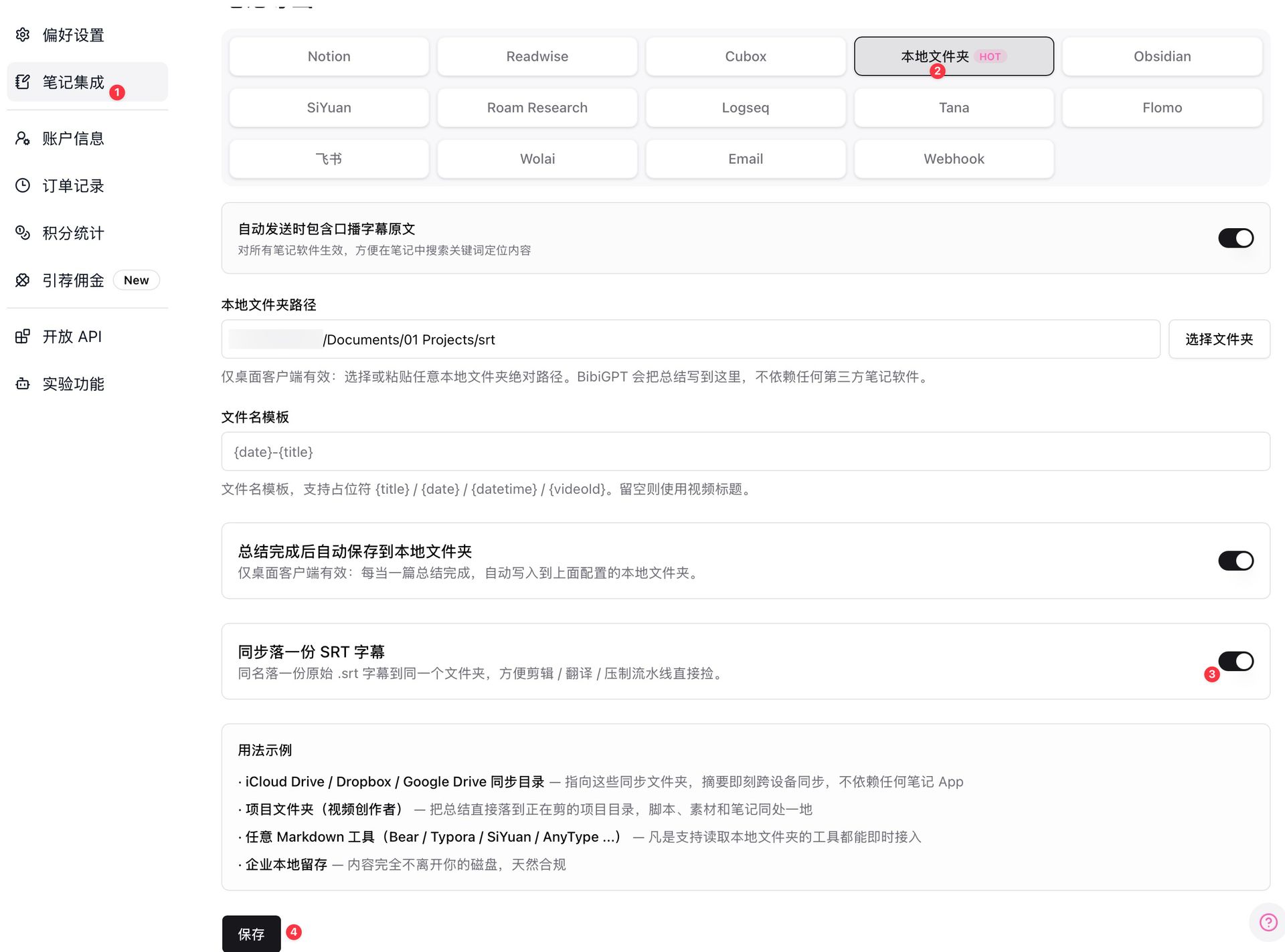 SRT caption export panel
The SRT is aligned to the timeline; the AI summary jumps via chapter timestamps. Both reuse the same processed result — no re-upload.
Custom prompt summary for multiple perspectives
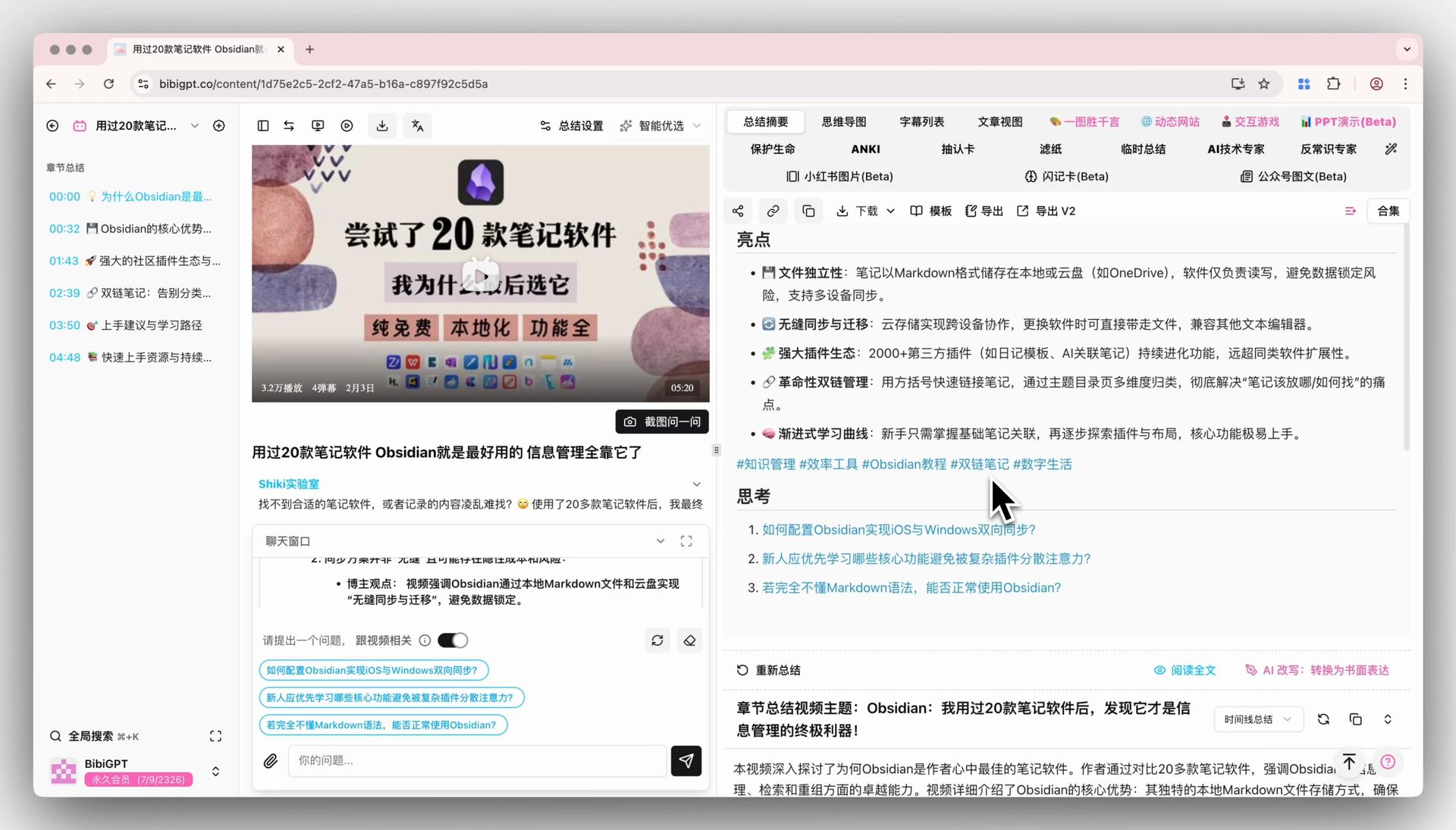 Custom prompt summary
TikTok researchers often analyze the same video from multiple angles (hook formula, emotional arc, BGM tempo, script structure). BibiGPT's custom prompts let you run the same video through different prompts to get different summaries. Upload once, output many times.
Collections for same-theme batch processing
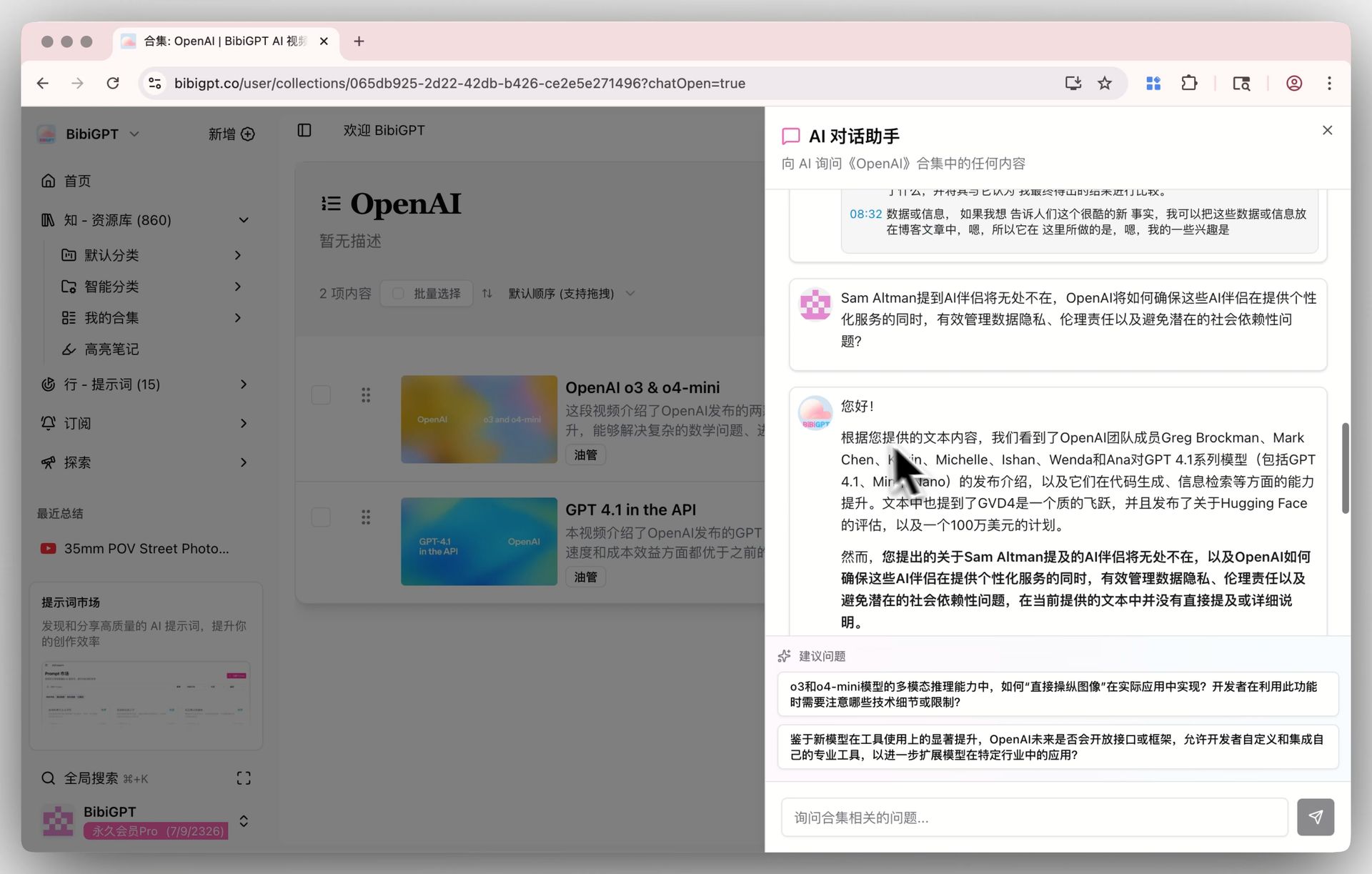 Collections AI chat
Drop a batch of same-niche TikToks (e.g. "2026 beauty hook videos") into one Collection, then ask "what's the common hook pattern across these?" — this depth of cross-video analysis isn't possible with a plain caption downloader.
4. Decision tree by scenario
Scenario A — Re-creation with caption translation (EN→other languages) → Primary: BibiGPT (built-in translation + AI polish). Secondary: SaveSubs (free machine-translation draft).
Scenario B — Researching TikTok hook formulas → BibiGPT (cross-video collection analysis + custom prompts).
Scenario C — Just give captions to an editor → YouSubtitles or SaveSubs, lightweight and fast.
Scenario D — Repurpose TikTok content to long-form platforms → BibiGPT's "AI video to article" generates a 500-word post in one click.
Scenario E — Commercial-grade caption accuracy (legal / medical / finance) → Happy Scribe / Rev, but budget required.
5. Workflow example: a 3-person cross-border short-video team
- Research: paste 20 competitor TikToks into one BibiGPT Collection, ask "what's the hook pattern across these?"
- Caption export: export SRT for 5 selected videos, hand to the editor for re-creation.
- Script rewrite: "rewrite this TikTok script into a 500-word Xiaohongshu caption" via custom prompt → instant draft.
- Multilingual: auto-translate English TikTok captions to Chinese / Japanese, local team polishes.
- Knowledge base: export the whole Collection to Obsidian or Lark — your TikTok idea bank is born.
This workflow used to span 4–5 tools. Now one BibiGPT account covers it.
6. FAQ
Q1: Is BibiGPT free?
A generous free tier for TikTok caption download + AI summary. Plus/Pro subscriptions unlock higher quotas, batch processing, custom prompt libraries, etc. See bibigpt.co/pricing.
Q2: What if a TikTok has no auto-caption?
BibiGPT runs speech recognition even when TikTok doesn't provide captions. Multi-language — EN/CN/JA/KO and more. Pure scraper tools like YouSubtitles fail on videos without embedded captions.
Q3: Can I use downloaded captions commercially?
Captions are part of the original TikTok content — commercial use must respect TikTok's terms and original creator copyright. BibiGPT only provides extraction, not legal repurposing rights.
Q4: Can I batch-download captions from a whole TikTok account?
BibiGPT Collections support bulk URL import and bulk export — dozens of videos per batch. Plus/Pro tiers have higher limits.
Q5: How accurate are the timestamps?
BibiGPT timestamps are accurate within one second. SRT aligns directly to the video timeline — good enough for editing and re-creation.
Q6: Both TikTok International and Douyin supported?
Yes, both tiktok.com and douyin.com. BibiGPT also covers Bilibili, YouTube, Xiaohongshu, Xiaoyuzhou podcasts, and more — one-stop workflow.
Q7: What output languages does the AI summary support?
Chinese, English, Japanese, Korean, Traditional Chinese, and more. You can even summarize an English video directly in Chinese — great for cross-border teams.
Try it: the shortest path from TikTok to structured content
试试粘贴你的视频链接
支持 YouTube、B站、抖音、小红书等 30+ 平台
See a real output — what does a 60-sec TikTok look like after BibiGPT processes it?
看看 BibiGPT 的 AI 总结效果

Let's build GPT: from scratch, in code, spelled out
Andrej Karpathy walks through building a tiny GPT in PyTorch — tokenizer, attention, transformer block, training loop.
More playbooks:
- AI Video to Article Complete Guide 2026
- Top 10 YouTube AI Video Summary Tools
- AI Video Summary Productivity Workflows
Core features: AI Video to Article, SRT Caption Sync Export, Collections AI Chat.
BibiGPT Team