
Free AI Lyric Image Generator: Nano Banana 2 in BibiGPT — 4K MV Covers Without API Key
Free AI lyric image generator for music videos: Nano Banana 2 (Gemini 3.1 Flash Image) integrated into BibiGPT. No API key needed — generate 4K AI lyric images, MV covers, and video thumbnails in 3-5 seconds.
Free AI Lyric Image Generator: Nano Banana 2 in BibiGPT — 4K MV Covers Without API Key
Looking for the fastest free AI image generator for lyric videos and MV covers? BibiGPT integrates Nano Banana 2 (Gemini 3.1 Flash Image) — no API key required, 3-5 seconds per image, up to 4K resolution with 14 aspect ratios. It's the easiest way to create AI music video visuals and lyric images from any video content.
Google launched Nano Banana 2 on February 26, 2026, delivering Pro-level image quality at Flash-level speed. BibiGPT integrated it immediately — no API key, no Google AI Studio setup, no credit card. Just open BibiGPT, switch to the model in the creation panel, and start generating.
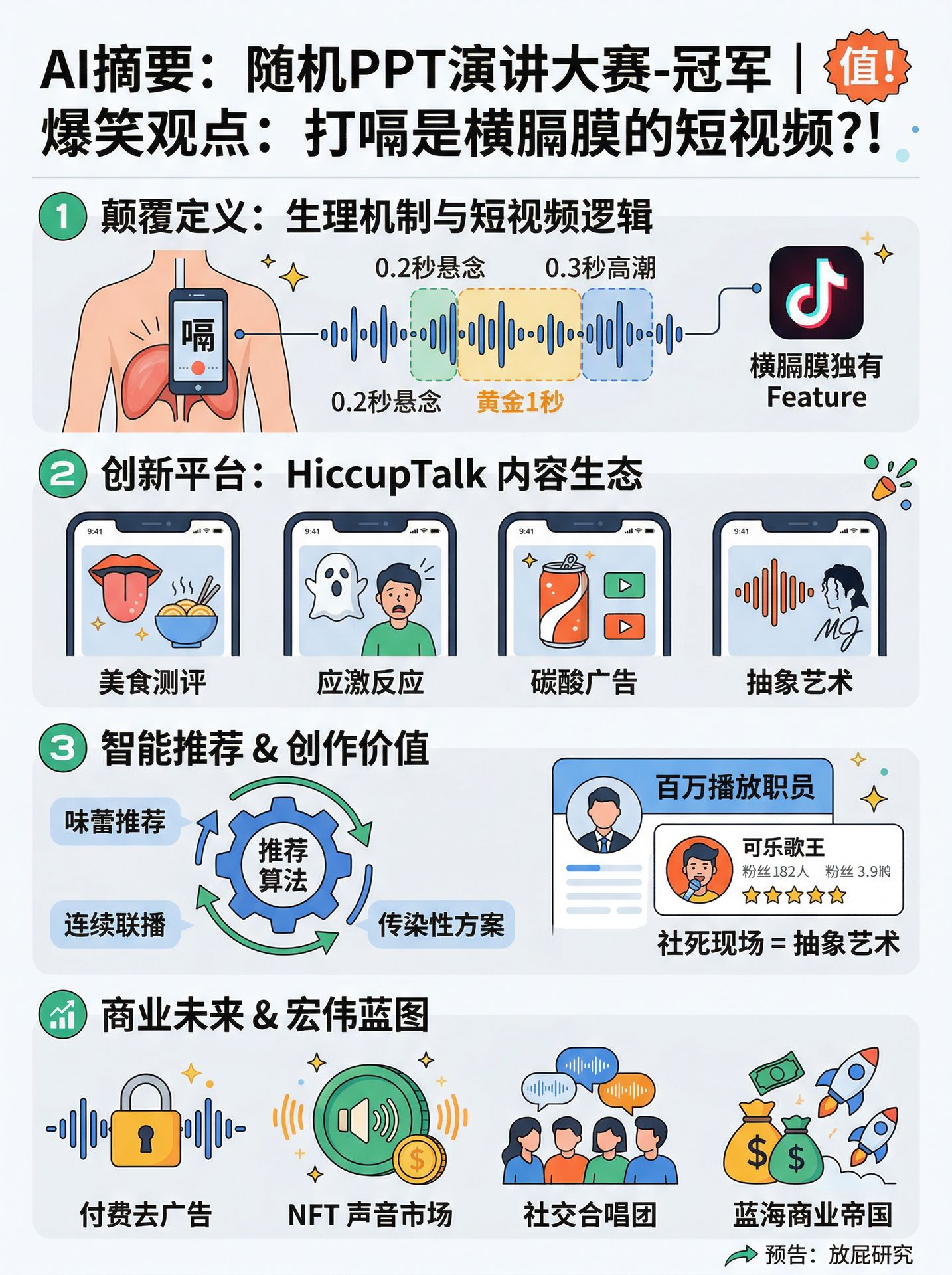 Nano Banana 2 image generation in BibiGPT
What Is Nano Banana 2 (Gemini 3.1 Flash Image)?
Nano Banana is Google's consumer-facing name for its image generation model family. The lineup:
- Nano Banana → Gemini 2.5 Flash Image (August 2025)
- Nano Banana Pro → Gemini 3.0 Pro Image (November 2025)
- Nano Banana 2 → Gemini 3.1 Flash Image (February 2026)
Nano Banana 2 sits between Pro quality and Flash speed — it's faster than Pro, more capable than the original, and priced far below Midjourney.
Key specs:
- Generation speed: 3-5 seconds (standard), ~6 seconds (4K)
- Resolution: 512px to 4096px (4K)
- Aspect ratios: 14 options including 9:16, 16:9, 1:1, 3:4, and extreme ratios like 4:1
- Text rendering accuracy: ~90% — logos, subtitles, and UI text stay readable
- Character consistency: up to 5 characters in a single workflow
- Web search integration: pulls real-time brand assets and trending visual styles from Google Search
For creators making lyric videos or music visuals, the text rendering accuracy is the killer feature — lyric text in images just works.
How Nano Banana 2 Is Integrated in BibiGPT
BibiGPT's creation panel generates images directly from video content. In the latest update, Nano Banana 2 (new) appears as a selectable model in the image generation model selector.
Under the hood:
- Model key:
nano-banana-2 - Calls:
generateImageByGemini→ Google Gemini 3.1 Flash Image API - Supported resolutions: 1K / 2K / 4K (via Advanced Settings)
- Supported aspect ratios: 1:1 / 3:4 / 4:3 / 9:16 / 16:9 / 21:9
For end users, the flow is simple:
- Open BibiGPT and load any video
- Open the creation panel on the right side
- Select the Gemini 3.1 Flash Image model from the dropdown
- Review or edit the AI-generated prompt, then click Generate
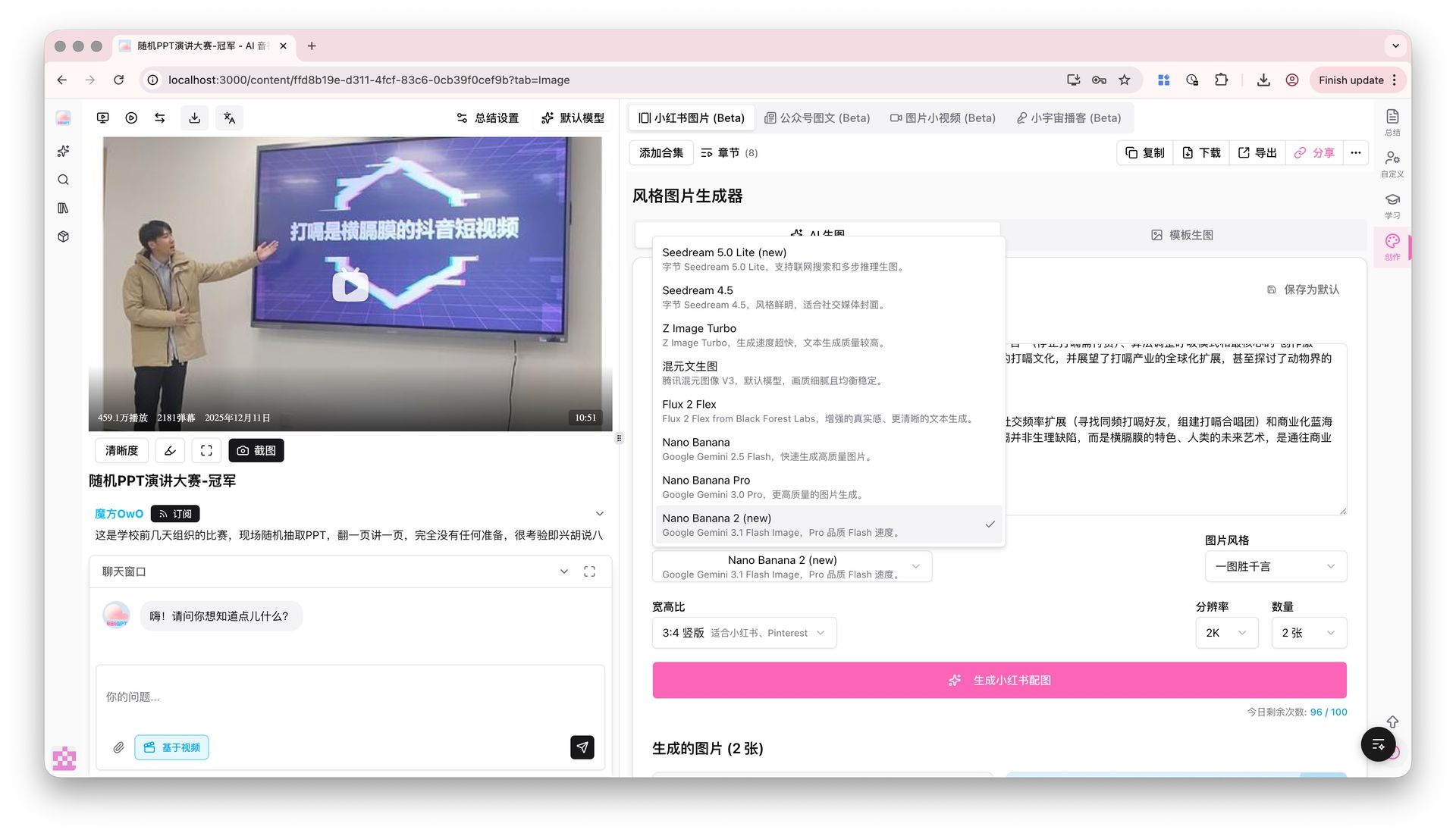 How to access Nano Banana 2 in BibiGPT
No configuration needed — BibiGPT handles API authentication, rate limiting, and image storage automatically.
How to Create AI Lyric Video Images with Nano Banana 2
Here's a practical workflow for generating lyric video visuals using BibiGPT and Nano Banana 2:
Step 1: Load your music video or audio file
Paste a YouTube or Bilibili URL, or upload a local audio file. BibiGPT transcribes the audio and generates a summary with timestamps — giving you the full lyric/script text to work from.
Step 2: Switch to Nano Banana 2
In the creation panel, select the Gemini 3.1 Flash Image model. Open Advanced Settings to choose:
- Aspect ratio:
16:9for widescreen MV frames,9:16for vertical video,1:1for album covers - Resolution:
2Kfor social media,4Kfor print-quality exports
Step 3: Generate images for each lyric segment
For a 3-minute song with 10 lyric sections, Nano Banana 2 generates all 10 images in under a minute. Each image is stored in your BibiGPT library for direct download or further editing.
Step 4: Export and publish
Download individual images or use BibiGPT's batch export to get all visuals in one ZIP file. These assets are ready for Adobe Premiere, CapCut, or any video editing tool.
Nano Banana 2 vs. Other Models in BibiGPT
BibiGPT offers several AI image models. Here's how they compare:
| Model | Speed | Max Resolution | Visual Style | Best For |
|---|---|---|---|---|
| Nano Banana 2 | ⚡ 3-5s | 4K | Photorealistic, accurate text | Lyric MV, brand covers, poster text |
| Nano Banana Pro | 8-12s | 4K | Ultra-detailed, artistic | High-end illustration, editorial |
| Seedream 5.0 Lite | 6-10s | 4K | East Asian aesthetics | Chinese social media, Xiaohongshu |
| Flux 2 Flex | 4-6s | Standard | Western creative style | Concept art, experimental |
Bottom line: For lyric video images where text accuracy matters, Nano Banana 2 is the clear choice. It's also the best model if you need consistent 4K output at high volume — no other model in BibiGPT matches its speed-to-quality ratio.
Other Creative Use Cases for Nano Banana 2 in BibiGPT
Beyond lyric videos, the same workflow applies to:
- Podcast cover art — summarize an episode → generate a thematic cover image
- YouTube thumbnail concepts — use the AI video thumbnail generator to extract key moments and visualize them as thumbnail options
- Course materials — redraw complex diagrams from lecture videos as clean, print-ready graphics
- Product demo screenshots — turn screen recording summaries into polished feature illustration cards
- Social media posts from video — convert video summaries into Xiaohongshu-style visual posts with matching cover images
Each of these pipelines starts with a video summary from BibiGPT and ends with a Nano Banana 2 generated image — no Photoshop, no Midjourney subscription required.
Summary
Nano Banana 2 (Gemini 3.1 Flash Image) delivers the rare combination of speed, quality, and text accuracy that lyric video creators need. BibiGPT removes the only remaining friction — API setup — by integrating the model directly into the creation panel.
If you've been waiting for an AI image generator that actually gets the text right and doesn't require a $30/month subscription, this is it.
Start your AI efficient learning journey now:
- 🌐 Official Website: https://aitodo.co
- 📱 Mobile Download: https://aitodo.co/app
- 💻 Desktop Download: https://aitodo.co/download/desktop
- ✨ Learn More Features: https://aitodo.co/features
BibiGPT Team