
AI Video Learning Science Guide: How BibiGPT Combines Spaced Repetition, Feynman Technique & Active Recall Into One System
Why do you forget most of what you watch on YouTube and Bilibili? Learning science has the answer. This complete guide shows how to combine spaced repetition, Feynman technique, active recall, and concept mapping using BibiGPT's flashcards, AI chat, chapter reading, and collection summaries.
AI Video Learning Science Guide: How BibiGPT Combines Spaced Repetition, Feynman Technique & Active Recall Into One System
You've probably felt this before:
You saved 300 videos on YouTube, watched 50, can actually recall the content of maybe 5. You crammed 20 hours of course videos before an exam and forgot most of it within a week. You follow knowledge creators religiously, feel like you're "learning a lot," but when you need to apply something — blank.
This isn't a memory problem. It's a learning method problem.
In 2026, content isn't scarce — YouTube alone uploads 500 hours of video every minute. What's scarce is a system that moves content into long-term memory.
This guide maps the four core methods of learning science (spaced repetition, Feynman technique, active recall, concept mapping) directly to BibiGPT's features, giving you a complete video learning workflow — not scattered tips, but a system you can run indefinitely.
Part 1: Why You Forget Video Content — The Learning Science Answer
1.1 Passive Watching Creates "Fluency Illusion"
Cognitive psychology has documented a consistent finding: passively receiving information creates an illusion of understanding — the content feels familiar, but familiarity is not memory. Video makes this worse because flowing visuals and guided narration generate false confidence.
You feel like you "got it." But what you really got was dependence on external cues. Remove the video, and the memory disappears with it.
1.2 The Forgetting Curve: 70% Gone in 24 Hours
Ebbinghaus's forgetting curve shows that without review, you forget ~70% of new information within 24 hours, ~90% within a week.
The mistake most video learners make: watching = learning. Watching is one exposure. Getting something into long-term memory requires 3-4 spaced reviews.
1.3 Information Density Overload
A 40-minute course video may contain 15-20 distinct knowledge points. Human working memory holds roughly 7 chunks — it cannot simultaneously process and encode that density.
This is why BibiGPT's core value isn't just "faster viewing" — it's reducing cognitive overload by restructuring dense video content into digestible formats.
Part 2: Four Learning Science Pillars × BibiGPT Feature Mapping
Pillar 1: Spaced Repetition × Flashcards
Principle: Reviewing information at increasing intervals — just before forgetting occurs — increases long-term retention by 2-3x (University of Toronto Cognitive Neuroscience, 2024).
BibiGPT implementation:
BibiGPT's Flashcard feature automatically generates Q&A cards from video content:
- After a video is summarized, click the "Flashcard" tab
- The system extracts key concepts and generates question-answer pairs
- Review in-app: see the question, recall the answer, flip to verify
- Export as CSV and import into Anki for a professional spaced repetition system
 BibiGPT Flashcard interface
Example:
Watch Java lecture 5 → BibiGPT generates 12 flashcards → import to Anki → system schedules review on day 3, 7, 14 → these 12 concepts are now in long-term memory
Pillar 2: Feynman Technique × AI Chat
Principle: Richard Feynman's method: explain a concept in the simplest possible terms, as if teaching it to someone with no background. This process exposes the exact boundaries of your understanding.
BibiGPT implementation:
BibiGPT's AI Chat window lets you have deep Q&A conversations directly below the video:
You: Explain "recursion" in the simplest possible terms.
    Assume I know nothing about programming.
AI: Imagine you're standing between two mirrors facing each other…[deep explanation]

You: OK, what's the fundamental difference between recursion and iteration?
AI: The core difference is in how they handle state…[comparative explanation]
This is the AI version of the Feynman method: you don't need a human "student" — AI is always available, always patient, never judges.
Pillar 3: Active Recall × Chapter Deep Reading
Principle: Actively retrieving information from memory, rather than re-reading material. Each successful retrieval strengthens the memory trace.
BibiGPT implementation:
BibiGPT's Chapter Deep Reading feature provides an immersive reading environment for video content:
- Read the chapter summary first — without looking at subtitles — and try to recall key points
- When you can't recall something, navigate to the exact subtitle to find the answer
- Use "AI Polish" to rewrite subtitles into more memorable formulations
- Click timestamps to return to the exact video position for review
 Chapter Deep Reading feature
For more active recall techniques, see: Stop Forgetting Bilibili & YouTube Videos: BibiGPT Active Recall Method.
Pillar 4: Concept Mapping × Collection Summary
Principle: Visualizing knowledge as nodes and relationships helps the brain build connections between concepts, rather than memorizing isolated facts.
BibiGPT implementation:
BibiGPT's Collection Summary is the most systemic of the four pillars:
- Add related series videos to the same collection
- Click "Summarize Now" — the system analyzes all video content
- An interactive mind map is automatically generated: nodes represent core concepts, connections show relationships
- Expand any node for detailed summary; click to jump to original video timestamp
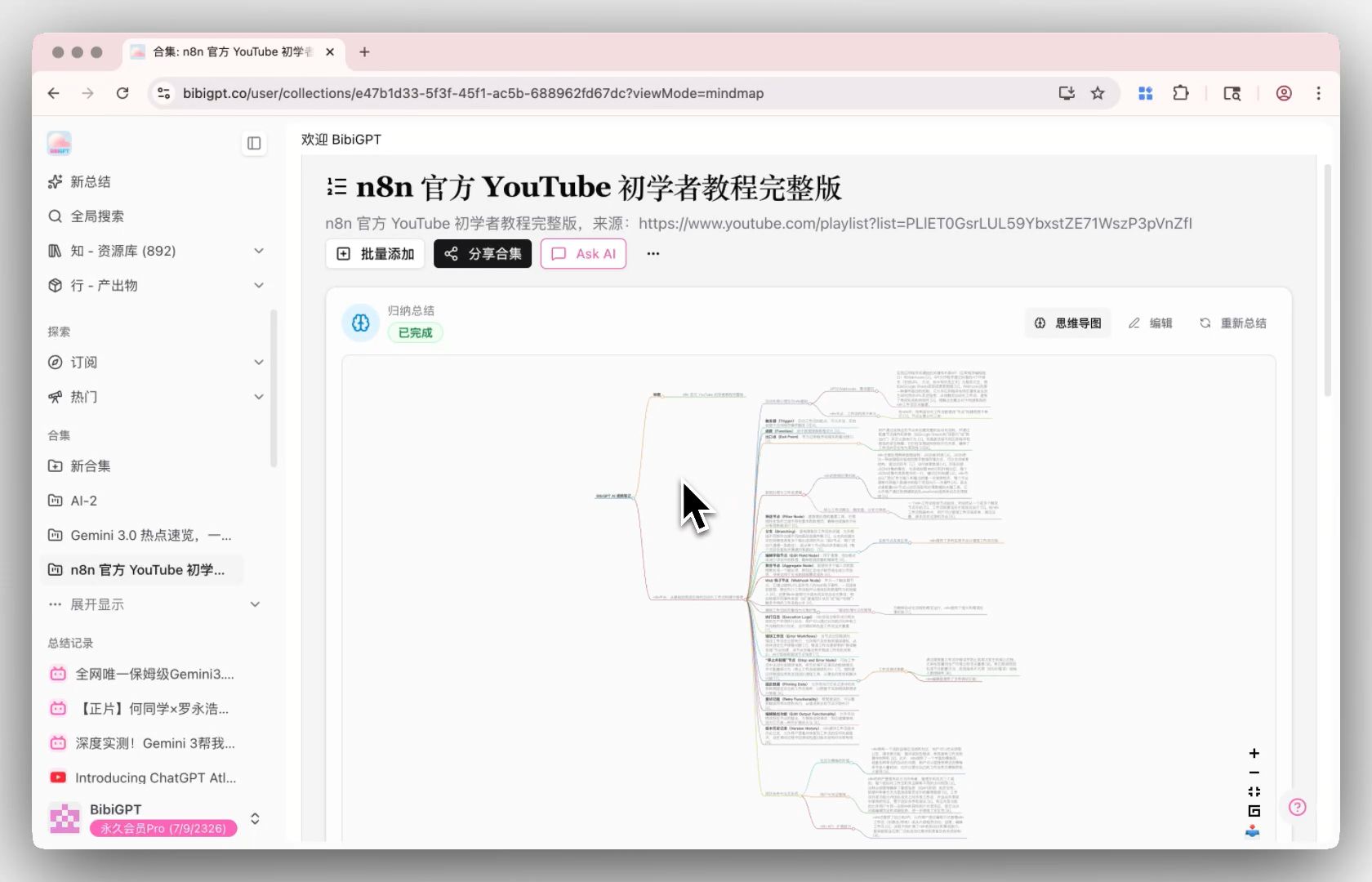 Collection summary mind map
When you build a mind map from 20 course episodes, you're no longer memorizing "20 separate videos" — you're encoding "a knowledge system with internal logic."
Part 3: The Complete Workflow — From Video to Second Brain
Integrating all four pillars into a unified system:
Step 1: Rapid Assessment (5 minutes)
- Paste the video URL into BibiGPT
- Get AI summary and mind map
- Decide: does this video warrant the full workflow?
Key principle: Not every video deserves the full treatment. BibiGPT's AI summary lets you make that decision in 5 minutes — preventing you from investing 45 minutes in content that turns out to be surface-level.
Step 2: Chapter Deep Reading (15-30 minutes)
- Open Chapter Deep Reading view
- Read summaries first, actively try to recall (active recall pillar)
- Use AI Chat to deepen understanding — explain concepts in your own words (Feynman pillar)
- Highlight knowledge points you're uncertain about
Step 3: Generate Memory Cards (5 minutes)
- Open the Flashcard tab, review auto-generated questions
- Edit/delete low-value cards
- Add your own supplemental cards
- Export to Anki (spaced repetition pillar)
Step 4: Build Knowledge Architecture (Weekly, 30 minutes)
- Group related series videos into a collection
- Trigger Collection Summary
- Review the mind map — check that knowledge connections are complete (concept mapping pillar)
- Use Highlight Notes sidebar to review key notes across videos
Step 5: Spaced Review (Anki Auto-Scheduled)
Anki automatically schedules reviews at optimal intervals based on your recall performance. 10-15 minutes per day systematically maintains retention of everything you've learned.
Part 4: Methods × Workflow Summary Table
| Learning Method | BibiGPT Feature | When to Use | Time Investment |
|---|---|---|---|
| Spaced Repetition | Flashcards → Anki export | After each video | Daily: 10-15 min |
| Feynman Technique | AI Chat window | During deep reading | 5-10 min per concept |
| Active Recall | Chapter Deep Reading | Deep reading phase | 15-30 min per video |
| Concept Mapping | Collection Summary | Weekly review | 30 min/week |
Part 5: Case Study — Preparing for a Professional Certification
Scenario: A student preparing for a CPA exam using a Bilibili course series.
Week 1: Assessment Phase
- BibiGPT scans 20 course episodes, AI summary helps quickly assess each episode's value
- Tag 12 episodes for deep reading (60%), 8 for summary only
- Time saved vs. watching all: ~12 hours
Weeks 2-4: Deep Reading Phase
2-3 episodes per day:
- Chapter Deep Reading + AI Chat (Feynman)
- Generate 8-12 flashcards per episode, import to Anki
Every Sunday: Systemization Phase
- Collection Summary generates that week's content mind map
- Review mind map, verify knowledge connections
- Process Anki daily review cards (~15 minutes)
Week 5+: Maintenance Phase
- New content continues through the full workflow
- Anki handles 15 min/day (auto-scheduled)
- Projected forgetting rate: <15% (vs. 85%+ with traditional passive watching)
Part 6: FAQ
Q1: Do I need the full workflow for every video?
A: No. Match depth to video value:
- Entertainment/casual: AI summary only
- Useful but not urgent: summarize + bookmark, decide later
- Core learning content: full four-step workflow
Q2: What if the video has no subtitles?
A: BibiGPT has three-level fallback: CC subtitles → AI auto-generated subtitles → Whisper/ElevenLabs audio transcription. Even subtitle-free videos get processed for summary.
Q3: How many videos should be in a collection before triggering summary?
A: 3-30 is the optimal range. Fewer than 3 has limited synthesis value; more than 30 is best split into themed sub-collections.
Q4: How does this work with note apps like Notion or Obsidian?
A: BibiGPT exports summaries, highlights, and collection content to Notion, Obsidian, and Siyuan Notes. Recommended division: BibiGPT handles raw video processing; your note app handles long-term knowledge architecture and cross-linking.
Start building your video learning second brain with BibiGPT:
- 🌐 Website: https://aitodo.co
- 📱 Mobile: https://aitodo.co/app
- 💻 Desktop: https://aitodo.co/download/desktop
- 📚 Related guides:
BibiGPT Team