
Twemex = Tweet + Memex
Struggling to find Tweets? Twemex AI Search handles the hunt for you.
Understands the page context, builds advanced queries, and streams results into the sidebar in real time.
- Describe in natural language and let AI craft advanced Twitter queries.
- Context-aware presets match the view you’re on—no manual filters needed.
- Save custom queries and reuse them with one click.

A search flow tailored for power users on X
Twemex works in four beats: detect context → suggest presets → let AI expand syntax → stream results back. Pain points solved in one go.
Never stare at an empty search box again
Open Twemex from any view and get context-aware presets instantly. Want a sharper angle? Describe it in plain Chinese or English and AI rewrites it into reusable syntax.
Our Talks
Jump back into conversations with a creator in one click.
On this day
Review historical posts from this date to recap trends or revisit missed highlights.
Popular videos
Keep tabs on the latest videos and viral moments from accounts you follow.
By Images
Filter to Tweets with images to collect visual references fast.
By Links
Surface Tweets containing external links for articles, resources, and newsletters.
English Only
Focus on global discussions by limiting results to English.
Chinese Only
Locate Chinese community updates and conversations instantly.
AI custom preset
Specify language, engagement thresholds, or time windows in plain text—AI writes the syntax for you.
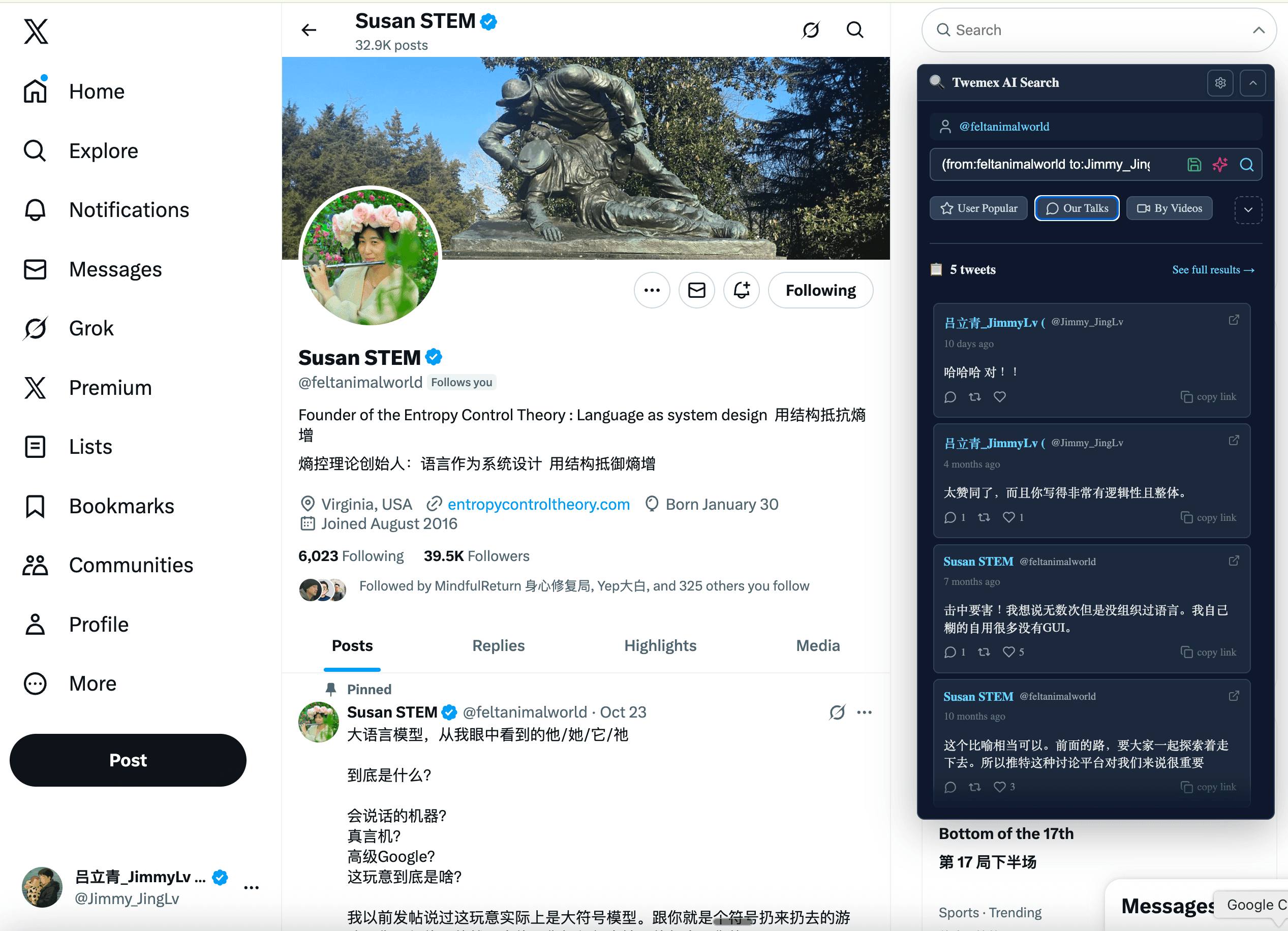
The sidebar refreshes as you scroll—no tab switching or repeated queries.
Store AI-generated or manual queries as personal presets for instant reuse.
Describe complex ideas in one sentence and let AI stitch together advanced operators.

Three steps to master advanced search on X
Intention → Describe → Save. Tell Twemex what you need; the sidebar and AI handle the rest.
Configure your Twemex AI provider
Timeline, Profiles, Lists, single Tweets—the sidebar detects context automatically.
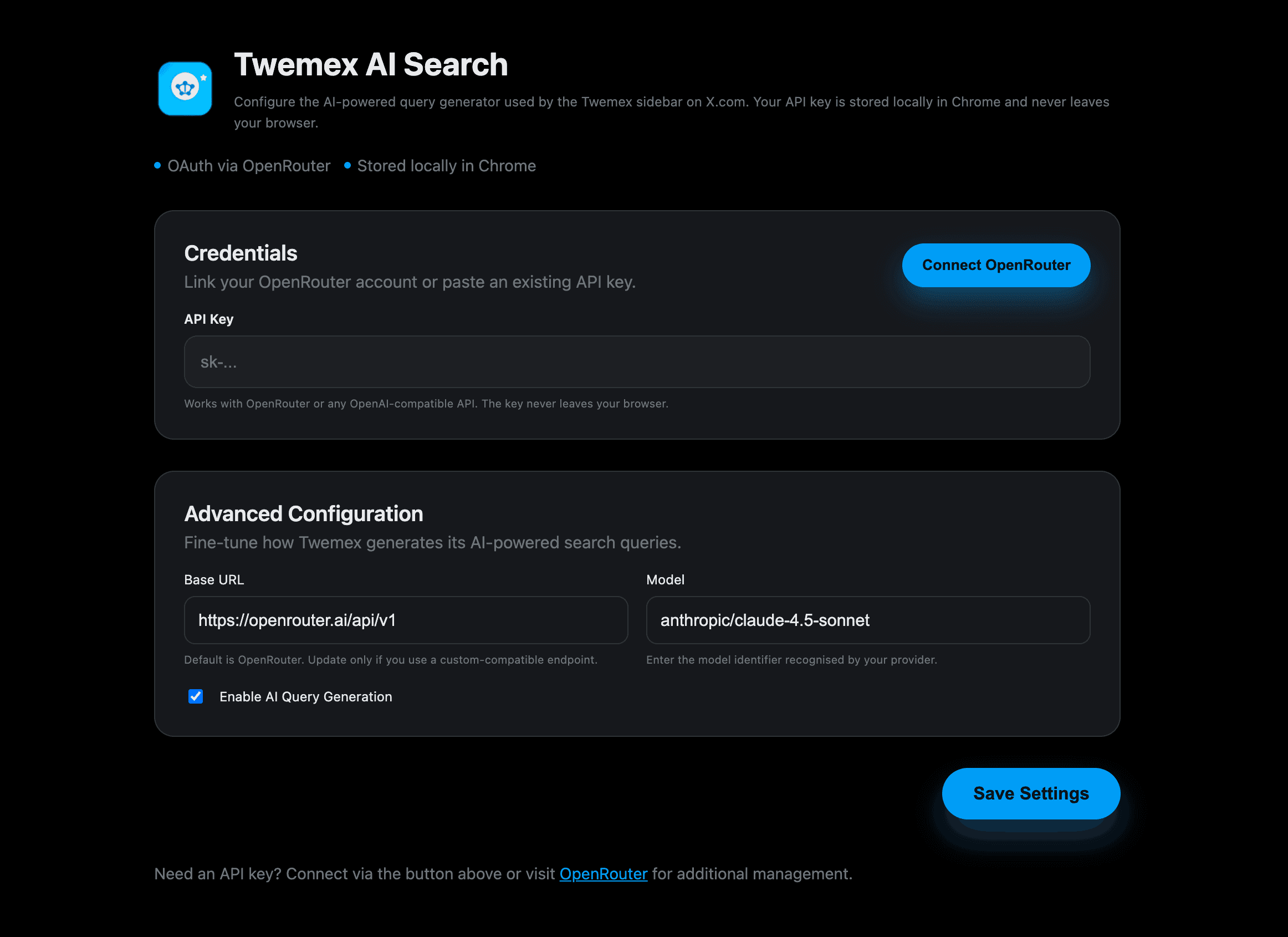
Pick a preset or ask AI to write one
Click a ready-made context preset or describe your intent and let AI assemble the syntax.
Review results live in the sidebar
Twemex opens background tabs and streams results back—save favorites and reuse with a click.
Twemex AI Search
Turn Twitter search into an AI-powered, preset-first workflow. Install Twemex to surface the Tweet you need in one click.