
Feature Update: Prompt Marketplace, Collection Export, and Smarter Global Search
Discover the newest BibiGPT upgrades—an official Prompt Marketplace, batch export for collections, and category filters in global search—to supercharge your audio/video workflows.
Feature Update: Prompt Marketplace, Collection Export, and Smarter Global Search
Hi BibiGPT community,
Thank you for all the feedback and support. We’re continually refining BibiGPT so you can watch faster, find smarter, and use better. This release adds three powerful upgrades across search, prompts, and knowledge management.
Experience BibiGPT now
Ready to try these powerful features? Visit BibiGPT and start your intelligent audio/video summarization journey!
Get startedWatch Faster: Global Search with Categories
Your library keeps growing—search should keep pace. Global search (⌘+K) now includes category tabs (long-form video, short-form, podcasts, web resources, etc.) to pinpoint results instantly.
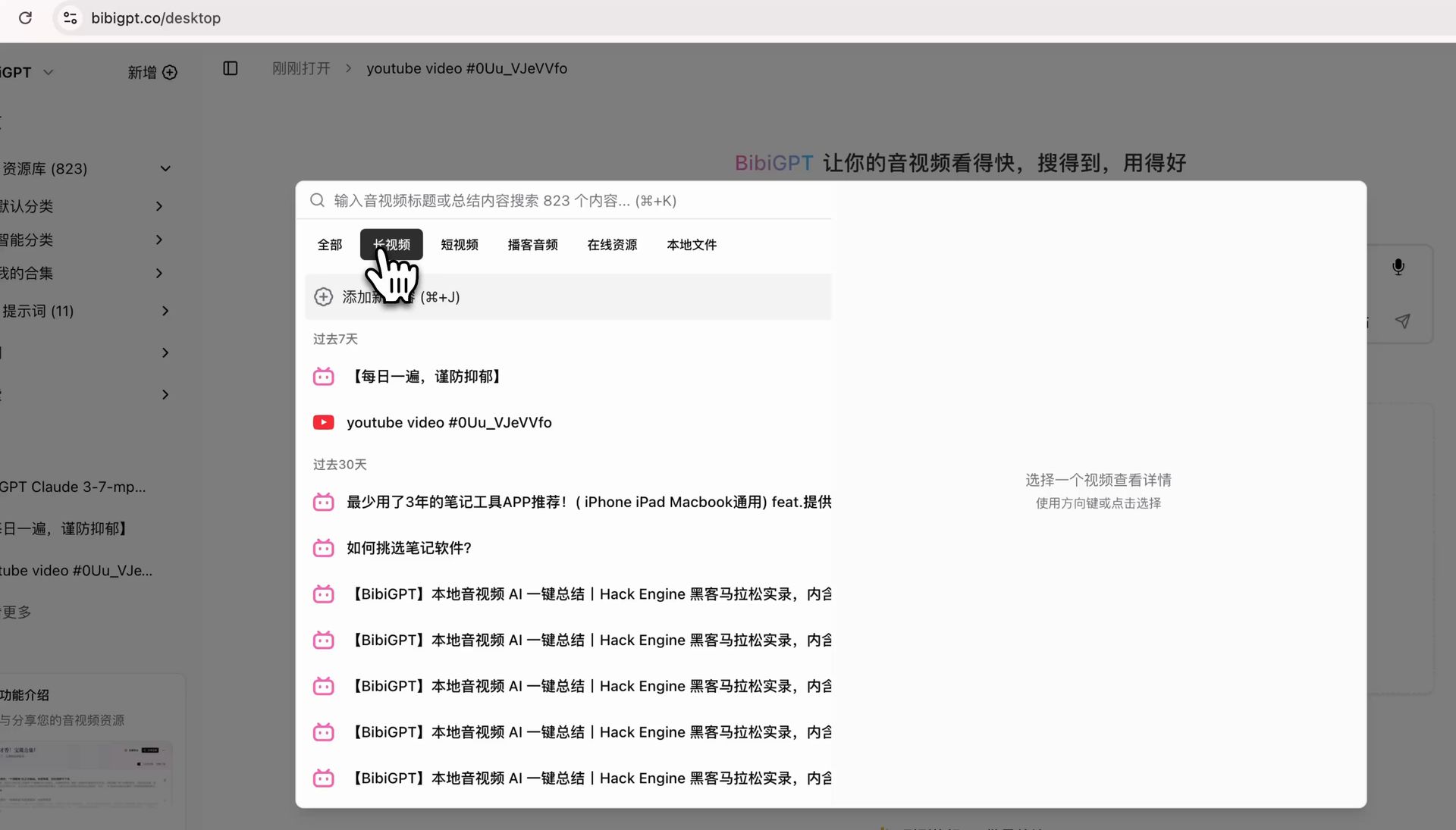 Global search filter
Use the new filters to:
- Surface long-form lectures and deep dives fast.
- Jump to short clips and highlight reels.
- Focus specifically on podcast audio.
- Spend less time hunting, more time learning.
Find Smarter: Introducing the Prompt Marketplace
Struggling to craft the perfect prompt? We’ve launched an official Prompt Marketplace with curated prompts from the BibiGPT team and community creators.
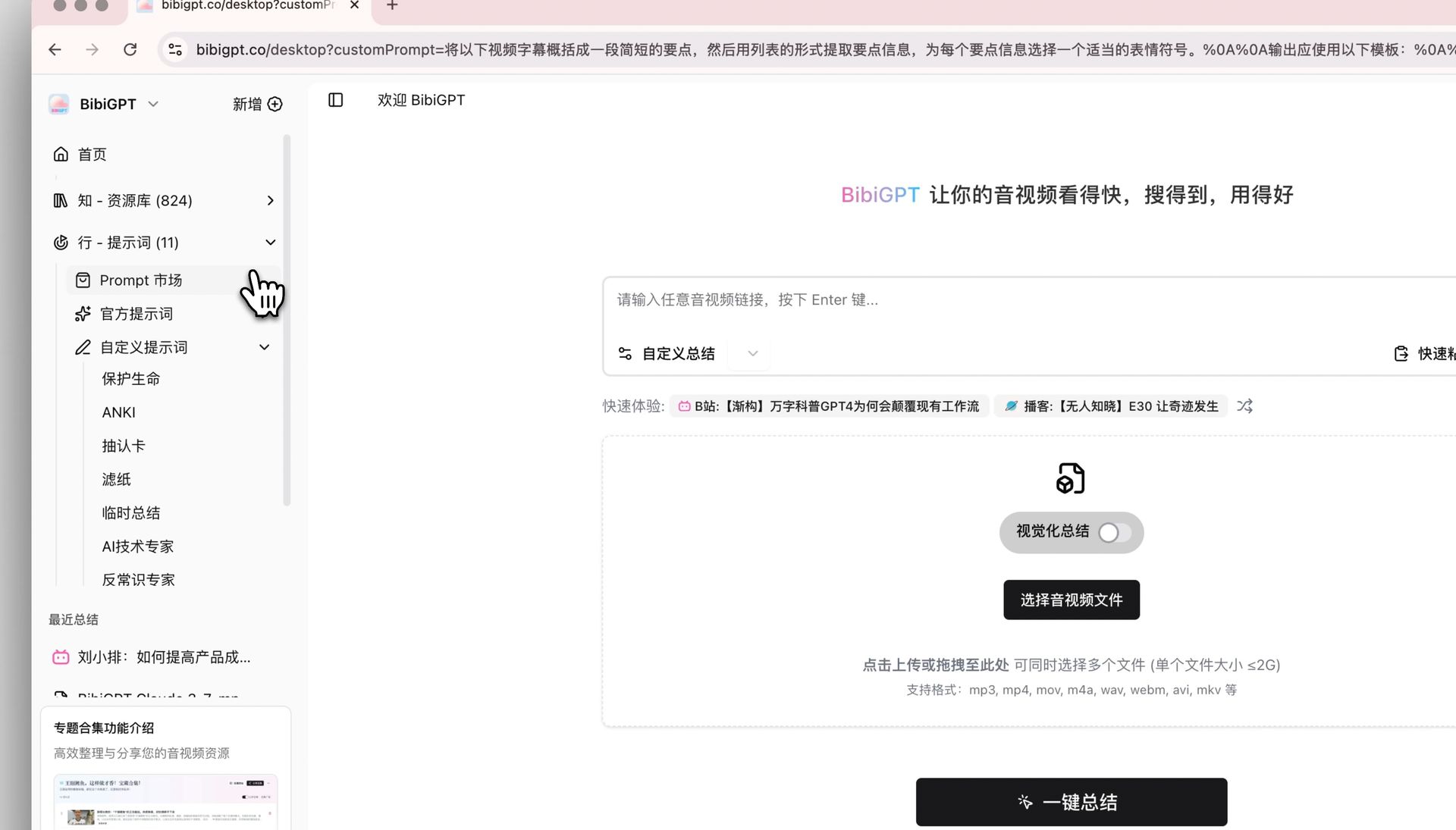 Marketplace entrance
What’s Inside
1. Official collections
Ready-made prompts for learning, business, content creation, marketing, and more—each tested and tuned for high-quality results.
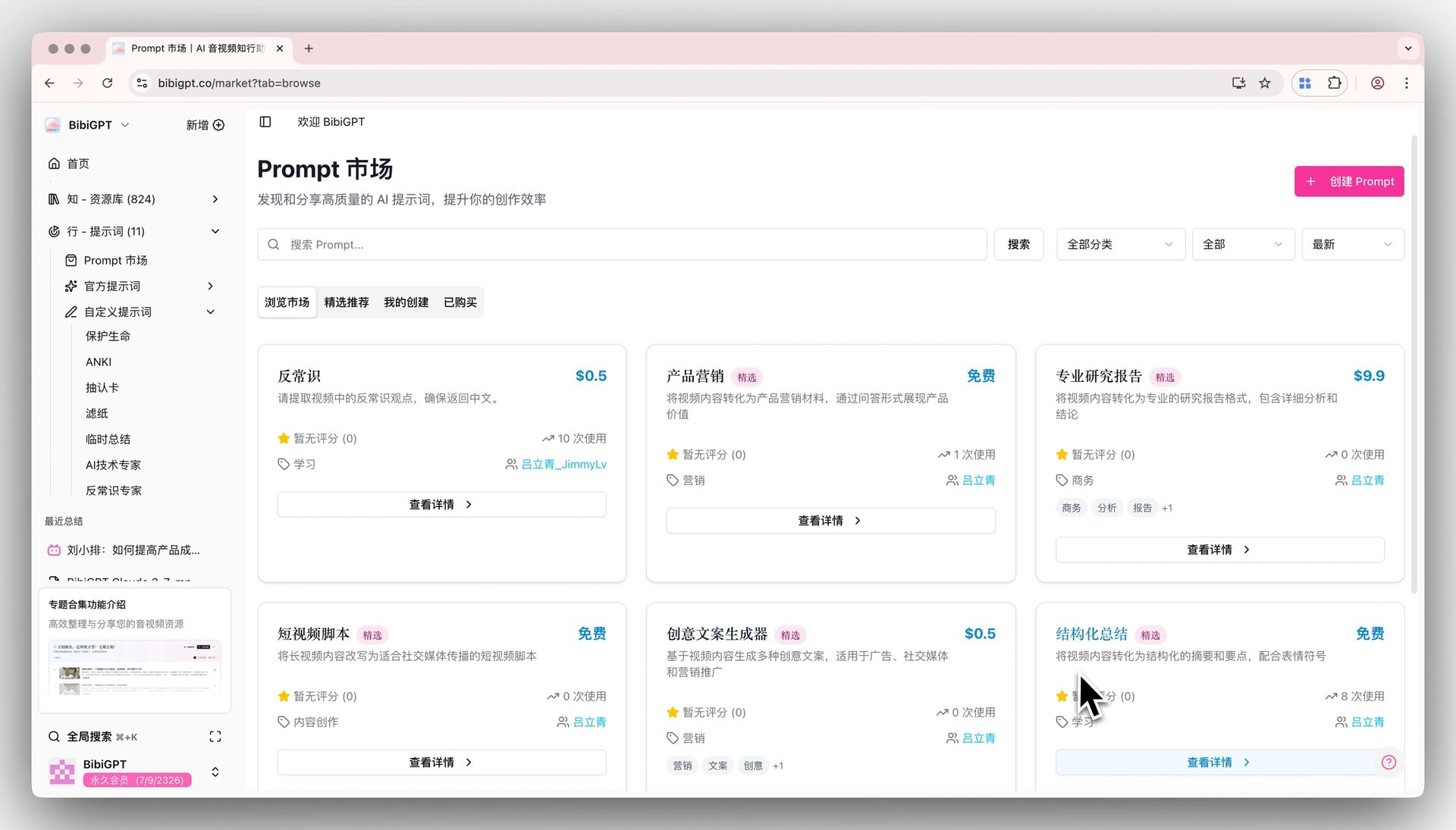 Marketplace overview
2. Community sharing
Publish or sell your own prompts so others can benefit from your workflow.
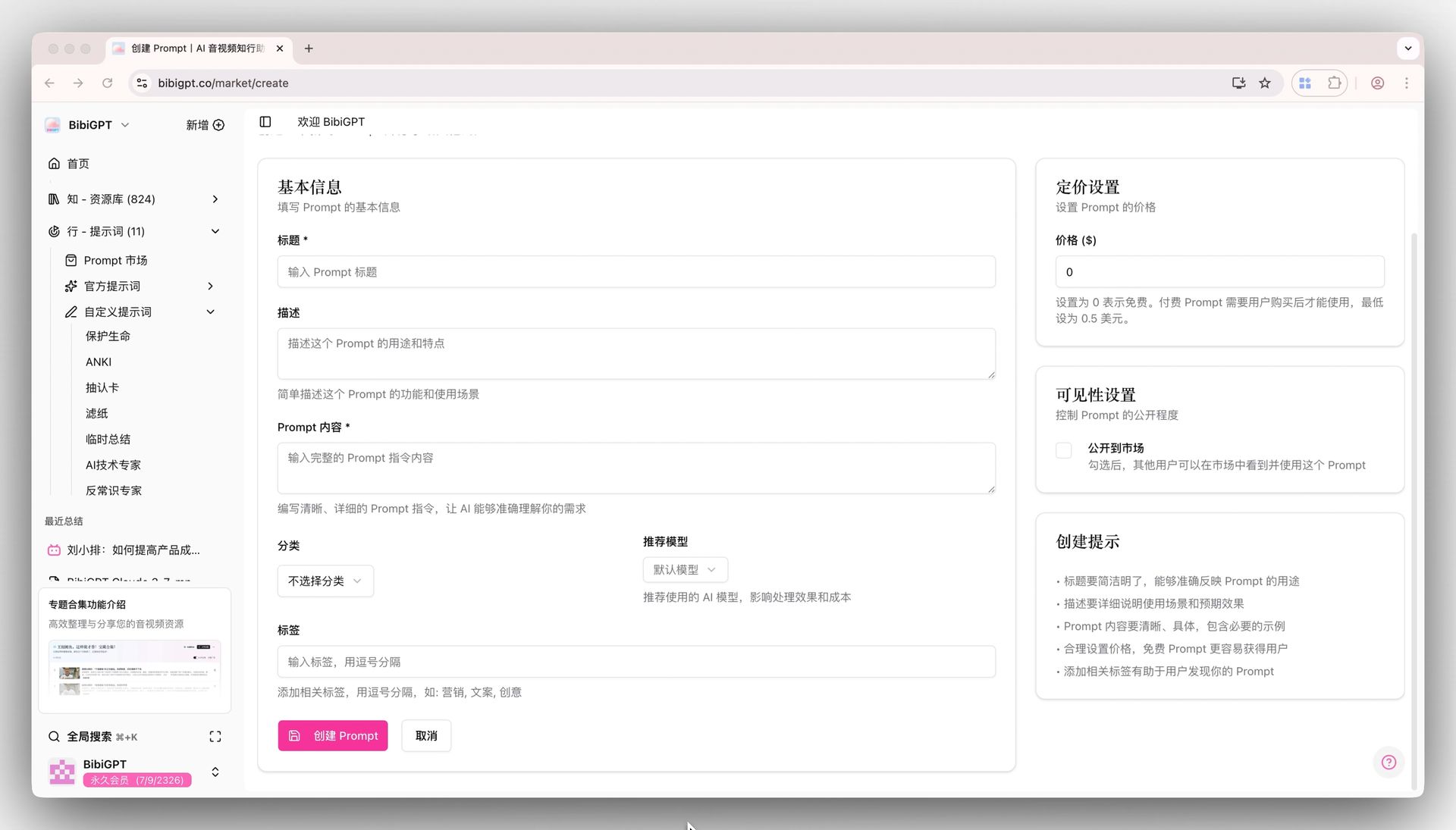 Create prompt
3. One-click apply
Found something you like? Apply it directly to your current summary—no copy/paste required.
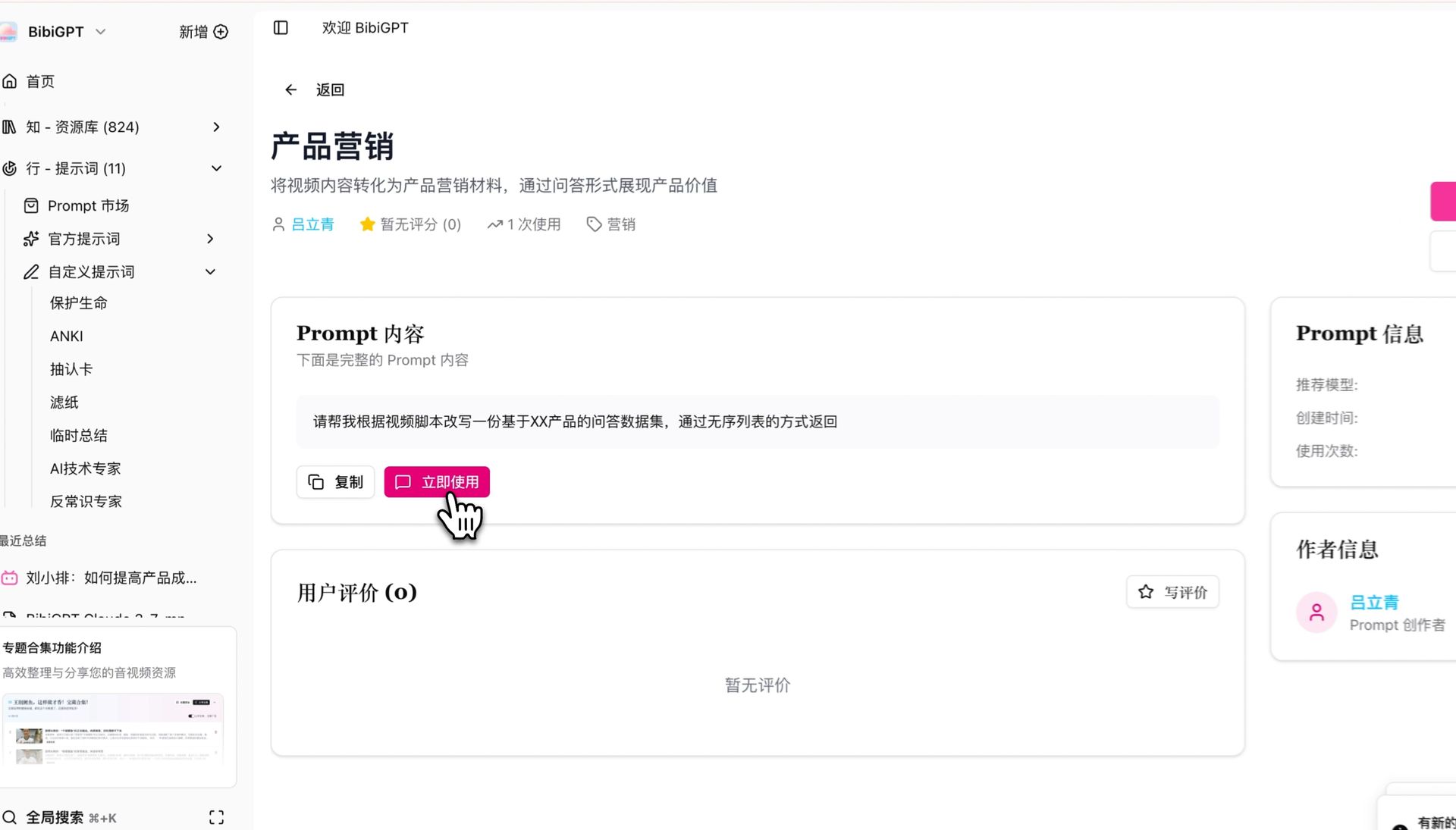 Use prompt instantly
4. Premium prompts
Support expert creators by purchasing advanced prompts tailored to specialties. Invest once, reuse often.
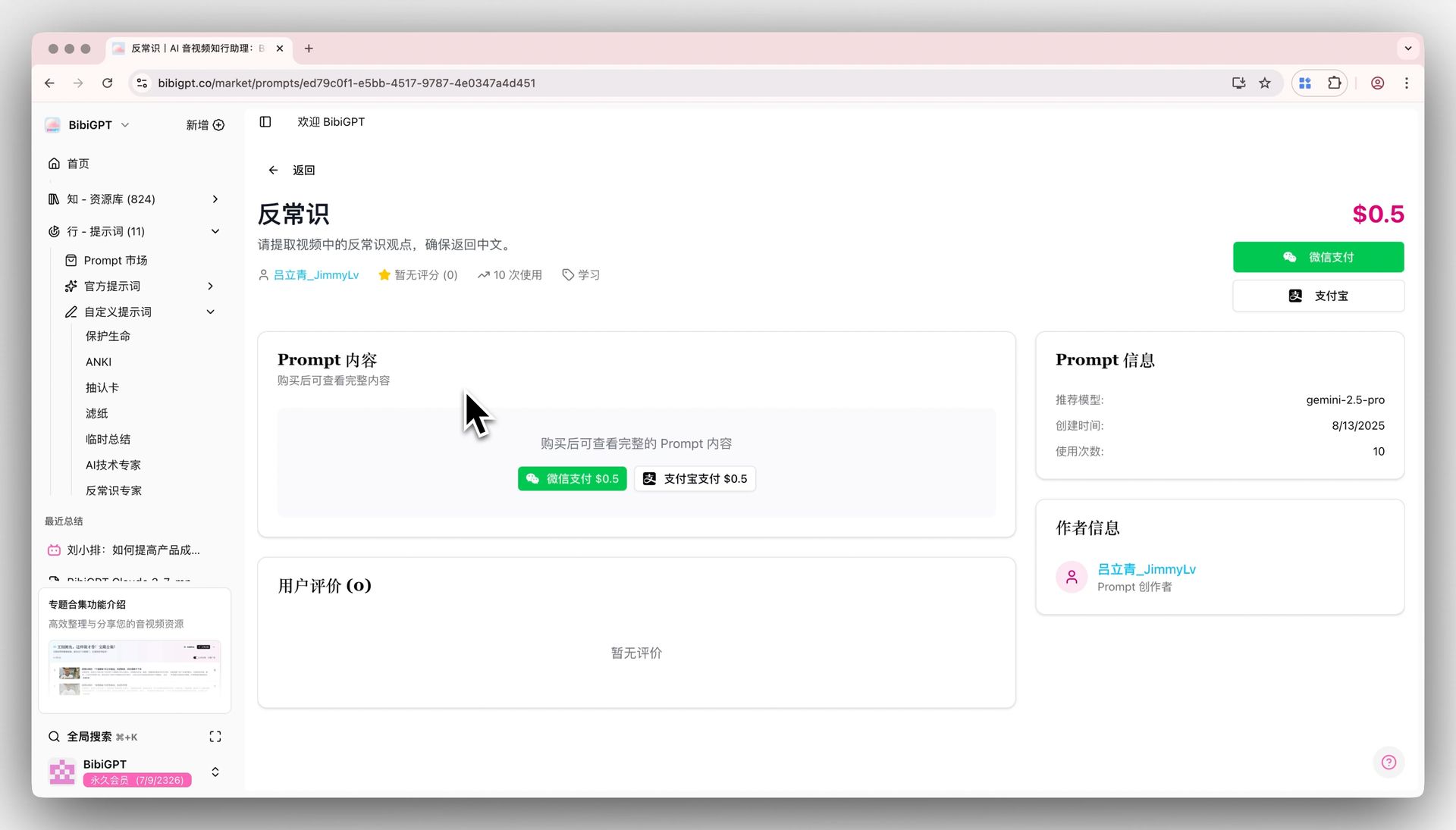 Premium prompt details
Tips
- Start with free official prompts to learn the ropes.
- Choose paid prompts when you need precision or niche expertise.
- Rate and review prompts so the marketplace improves over time.
- Have a great idea? Share it with the community.
Use Better: Batch Export for Collections
Knowledge is only useful when you can move it. Collections now support batch export in multiple formats.
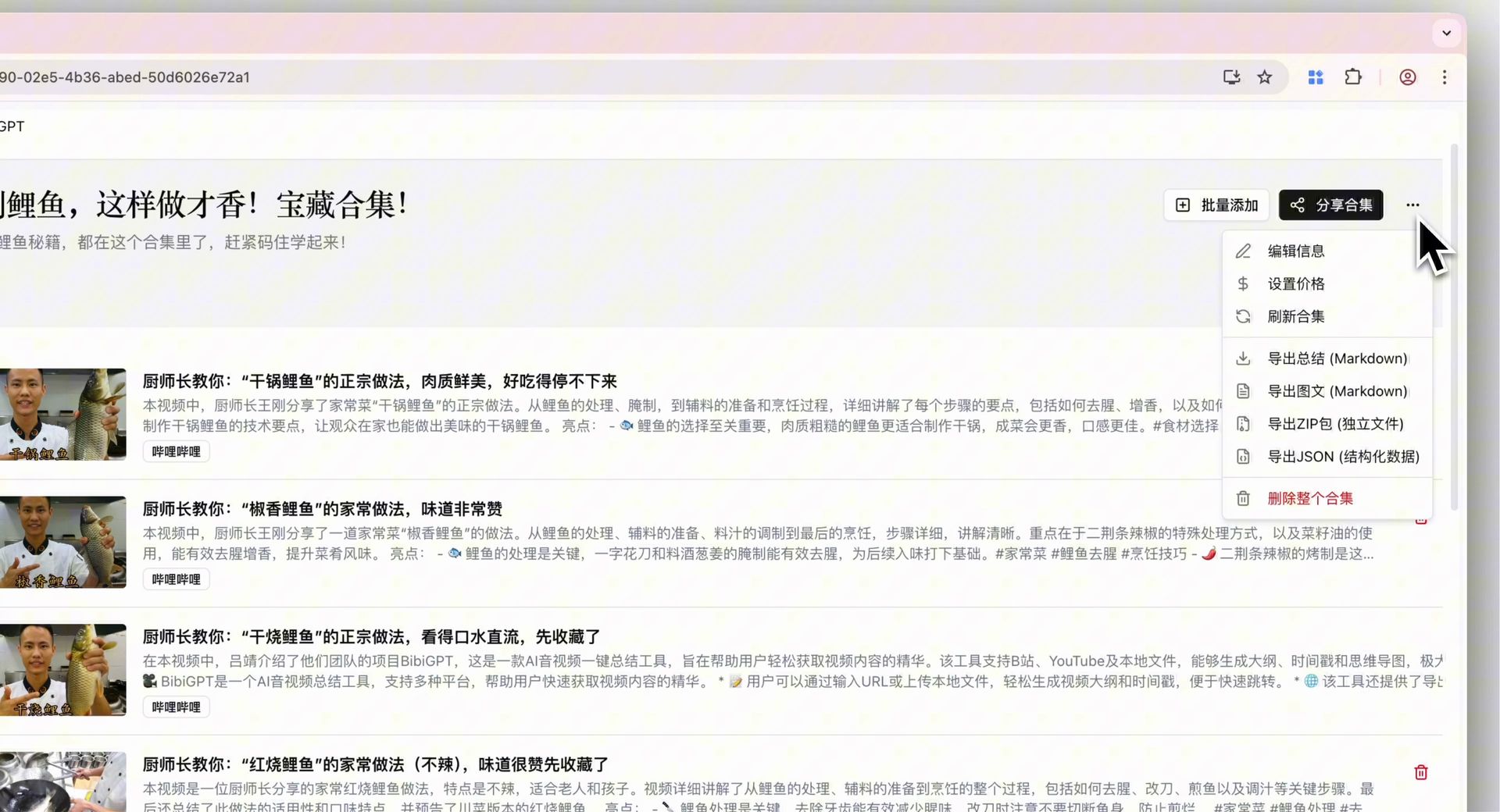 Batch export entry
Why You’ll Love It
Multi-format support
- Markdown for Obsidian, Notion, and other note apps.
- ZIP archives for easy sharing or backup.
- JSON for data analysis or integrations.
- Plain text for universal compatibility.
One-click workflow
Select a collection, choose “Batch Export,” and download everything in seconds.
Structured output
Exports preserve ordering and categories so your knowledge stays organized.
Have feedback or ideas?
We value your input! If you encounter issues or have suggestions, please let us know anytime.
Submit feedbackRecommended Workflow
- Discover: Use global search filters to find relevant content fast.
- Process: Grab a prompt from the marketplace for the right analysis style.
- Organize: Build thematic collections for related videos, articles, or podcasts.
- Archive: Export collections for local backups, team sharing, or second-brain storage.
Perfect for
- Students keeping lecture notes and research material tidy.
- Professionals tracking meetings, briefings, and industry news.
- Creators organizing source material and inspiration.
- Researchers managing literature reviews and interviews.
Try It Now
Ready to test the new tools? Visit BibiGPT and upgrade your workflow today. Whether you’re learning, working, or creating, these features help you move faster and think deeper.
Happy summarizing!
Experience BibiGPT now
Ready to try these powerful features? Visit BibiGPT and start your intelligent audio/video summarization journey!
Get startedThe BibiGPT Team