
BibiGPT v4.165.0 Update: Clearer Sidebar, Coherent Subtitles, Flexible Transcription, and Better AI Video Summary Creation Tools
BibiGPT v4.165.0 focuses on three core principles—watch faster, find smarter, use better—with enhanced AI video summary experience, including sidebar grouping optimization, intelligent subtitle segmentation, new transcription configuration, and AI stylized image generation features to help you acquire information more efficiently in learning, note-taking, and content creation.
BibiGPT v4.165.0 Update: Clearer Sidebar, Coherent Subtitles, Flexible Transcription, and Better AI Video Summary Creation Tools
Dear BibiGPT users,
Hello! Thank you for your continued trust and feedback, which helps us continuously refine our product. This week's update continues to focus on our three core principles—watch faster, find smarter, use better—with special emphasis on enhancing the AI video summary experience, hoping to help you acquire information more efficiently in learning, note-taking, and content creation.
Experience BibiGPT now
Ready to try these powerful features? Visit BibiGPT and start your intelligent audio/video summarization journey!
Get startedWatch Faster: Clearer Interface, More Convenient AI Video Summary
Sidebar Grouping Optimization: Act by Goal, More Intuitive
To improve the overall operation experience of AI video summary, we've reorganized the right-side tools into groups:
- Summary: Quickly understand content
- Customize: Flexibly adjust generation methods
- Learn: Assist in deeper absorption
- Create: Content creation based on videos
In the "Customize" group, drag-and-drop sorting is supported, allowing you to place the most frequently used tools in your most convenient position. The "Back to Top" arrow button in the bottom-right corner of the page also makes viewing long pages easier.
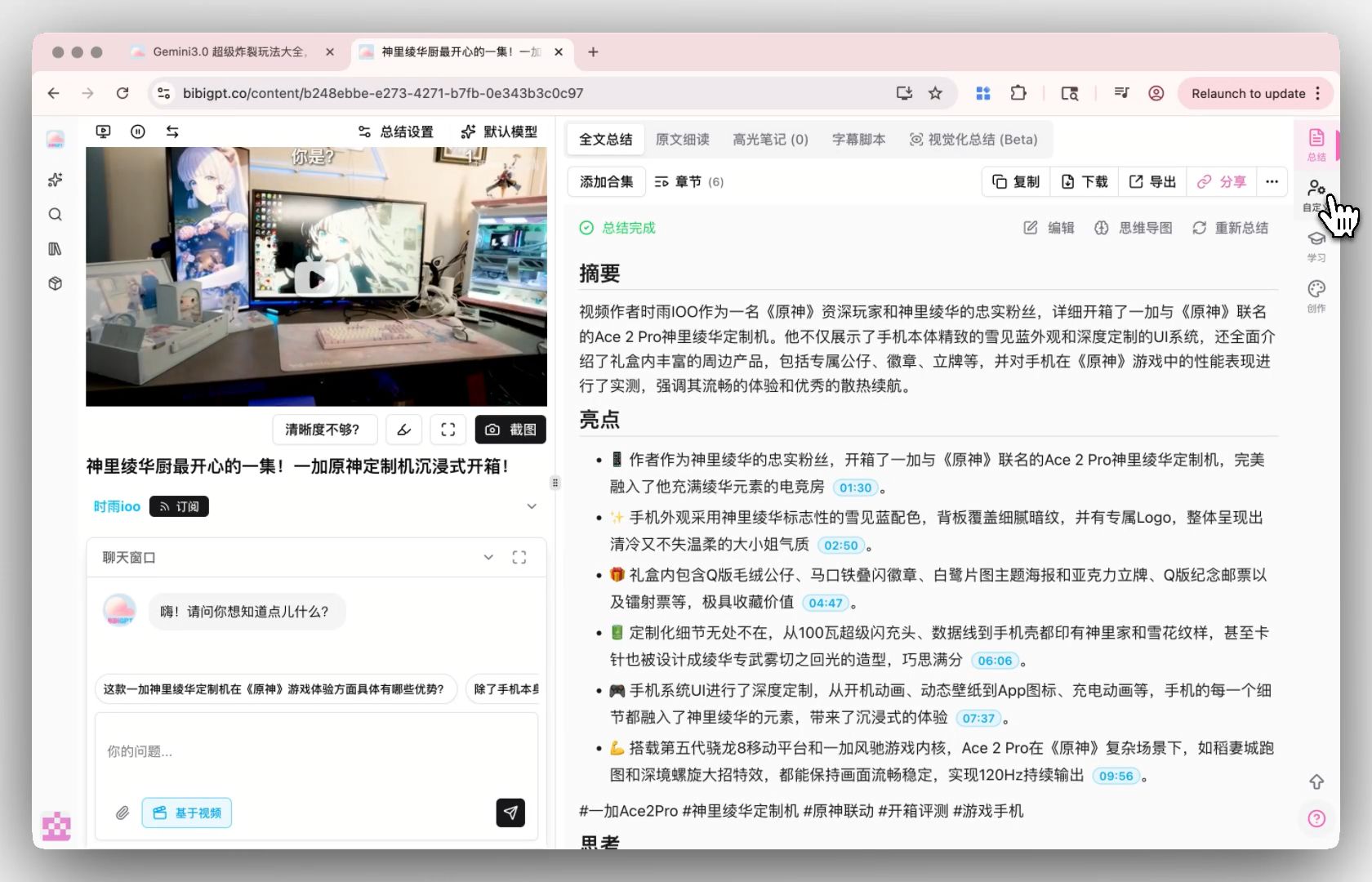 Sidebar grouping optimization entry
This structure allows users to start from "what I want to do" without needing to remember where specific features are located, making the AI video summary workflow more natural.
Intelligent Subtitle Segmentation: Make Subtitles More Coherent and Easier to Read
The effectiveness of AI video summary depends on clear subtitle structure. Now you can:
- Set word count, character count, or duration per segment
- Use presets like short sentences, long sentences, CJK optimization, etc.
- Preview effects in real-time before applying
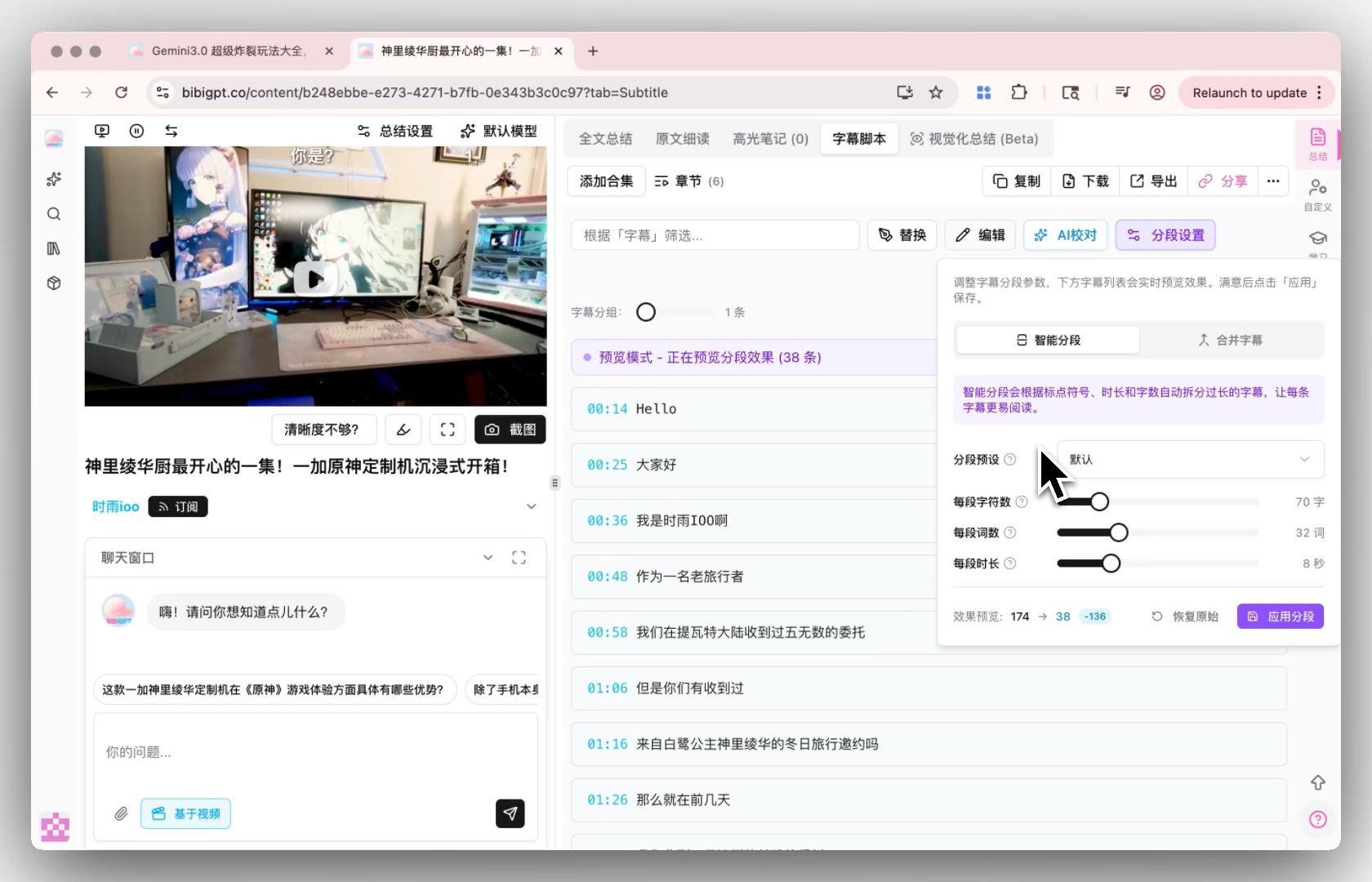 Subtitle segmentation feature entry
Subtitles won't become articles, but will be more convenient for continuous reading, making summary extraction and knowledge organization more efficient and accurate.
Find Smarter: More Flexible and Controllable Transcription Methods for More Accurate AI Video Summary
New Transcription Configuration: Default Auto Mode for Convenience, Also Customizable
To make the foundation of AI video summary more solid, we've added switchable transcription configurations, including:
- Transcription Engine: Auto-select / OpenAI Whisper / Qwen3 / ElevenLabs Scribe
- Audio Language: Auto-detect or manually specify
- Hotword Prompt: Add proper nouns to improve accuracy
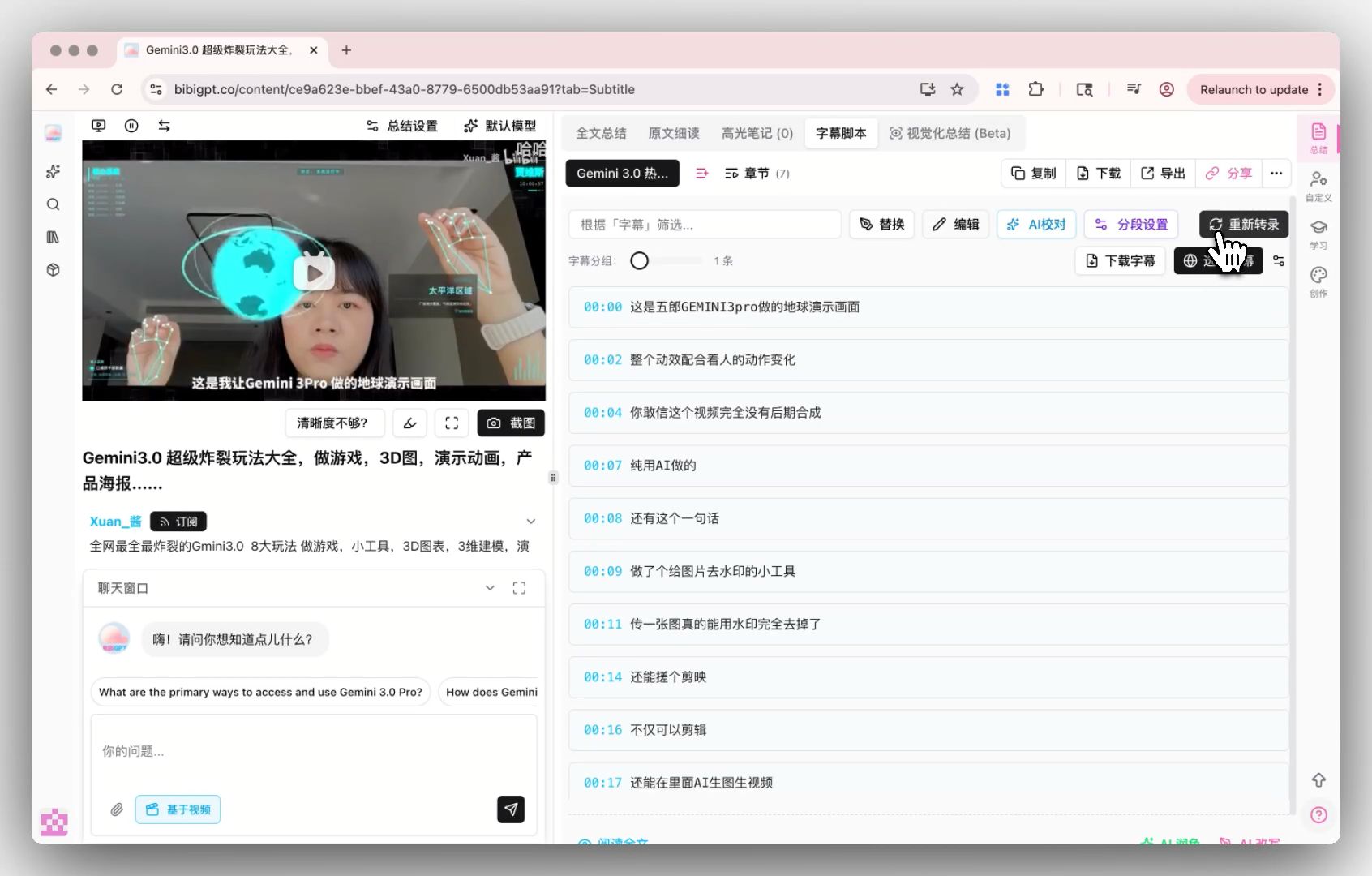 Transcription service provider configuration entry
In most cases, you don't need to change settings; the default "Auto-select" can meet your daily AI video summary transcription needs.
If you have specific professional requirements, you can also manually select an engine; ElevenLabs Scribe requires configuring your own API Key to use.
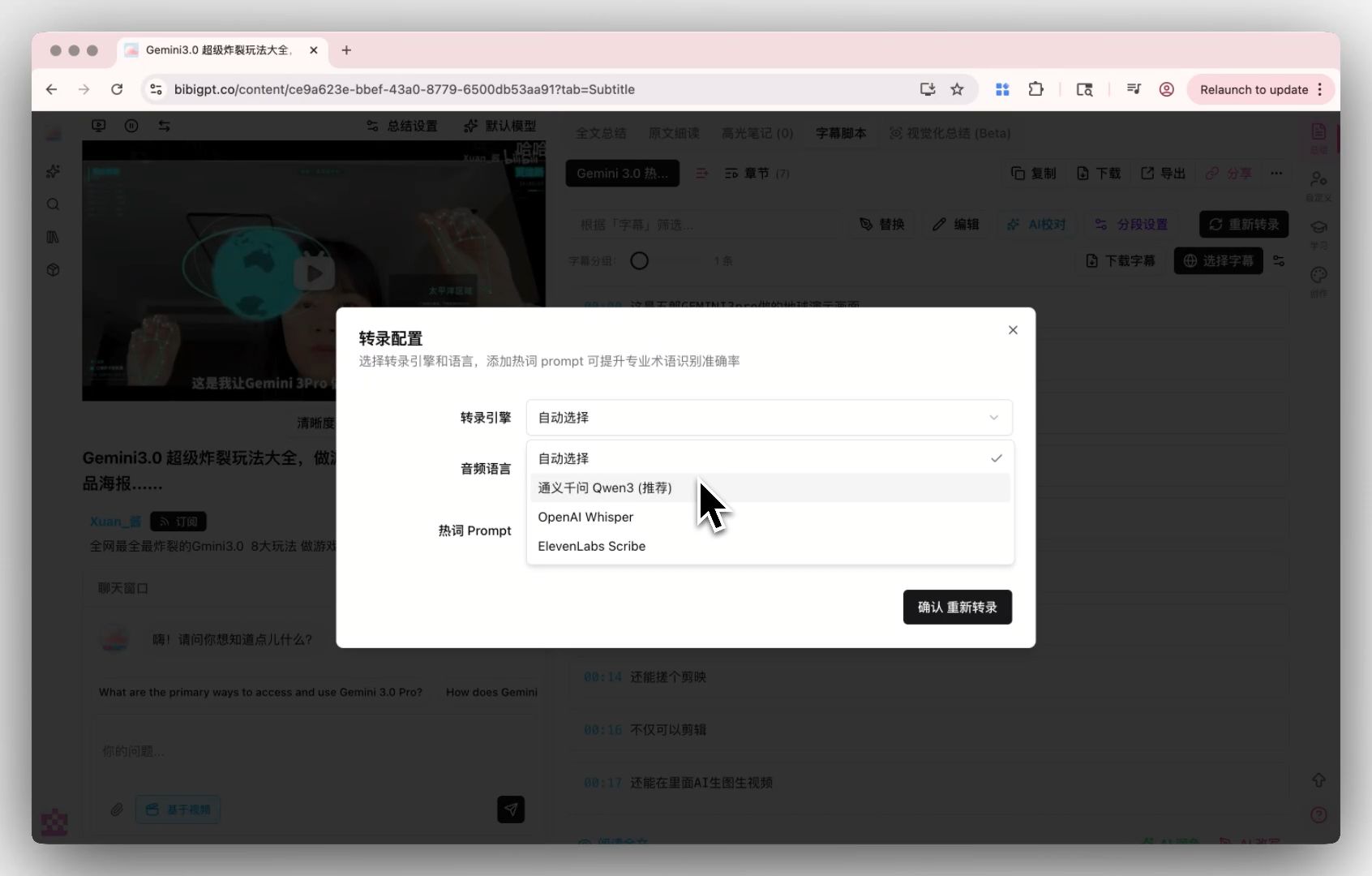 Transcription service providers
Use Better: Richer Creation Tools, Making AI Video Summary More Than Just Summary
AI Stylized Image Generation (Nano Banana Pro)
In "Create → Xiaohongshu Images", you can now use Nano Banana Pro to generate high-quality cover images with support for multiple theme styles, including:
- Japanese anime style
- 3D立体
- Cyberpunk
- Minimalist design
and many more styles to choose from, meeting diverse creative needs.
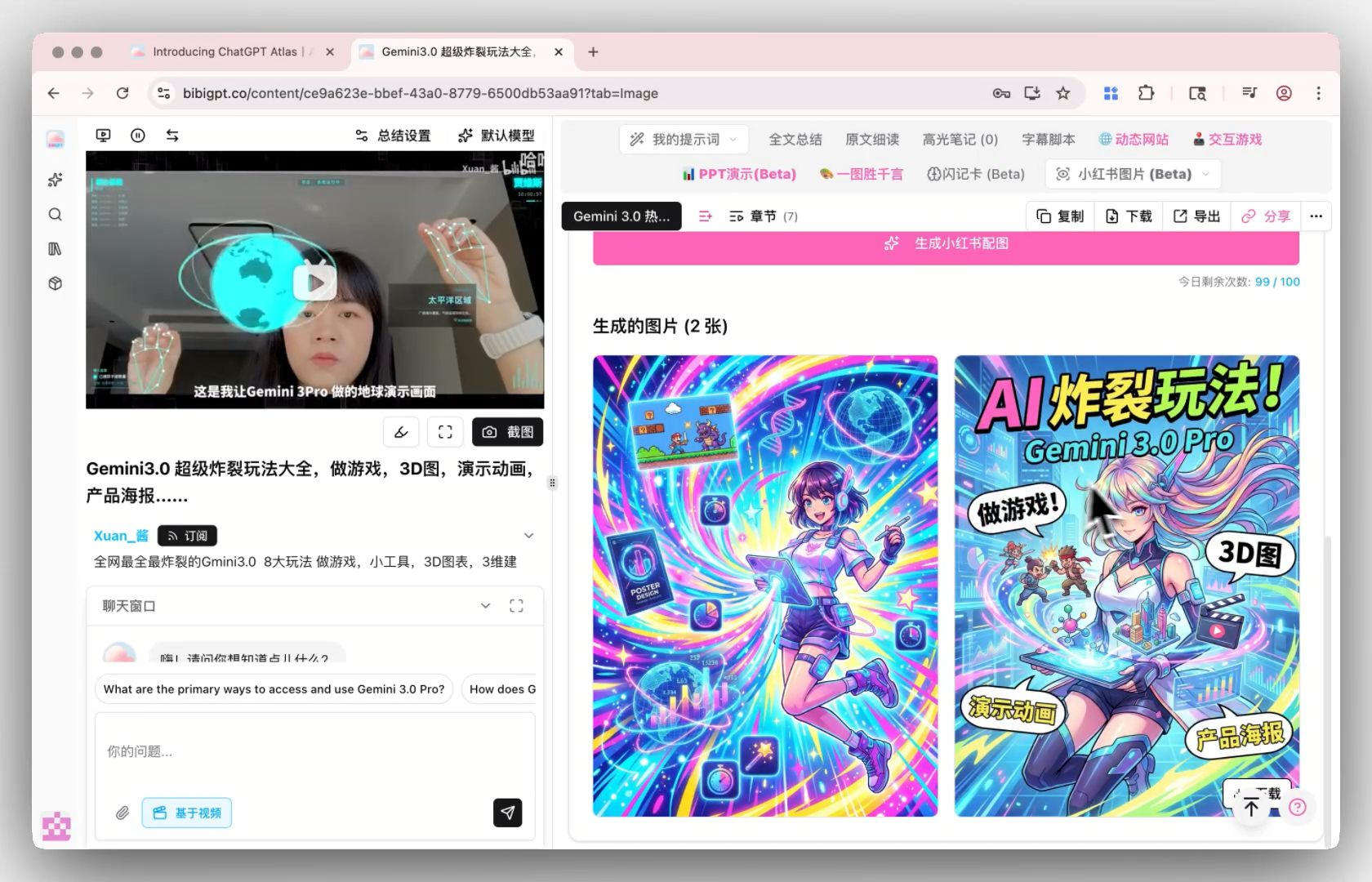 Xiaohongshu image generation result
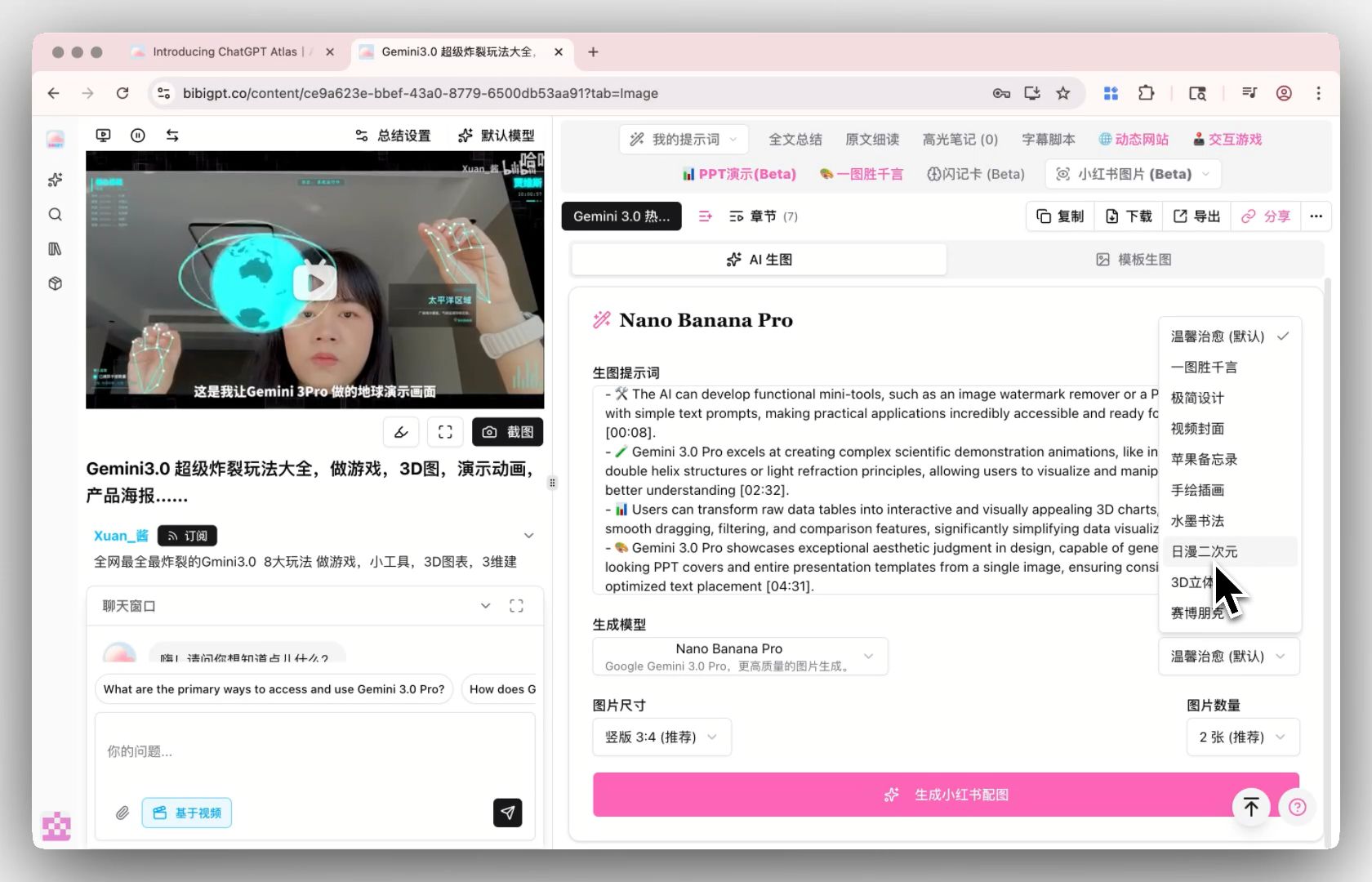 Xiaohongshu image generation different styles
These images can be used for your study notes, AI video summary content sharing, social media article covers, and more. Making information presentation more professional and eye-catching.
Thank You to Every User Who Gave Us Feedback
This week we also received many affirmations and encouragements about the product. Thank you for your honest feedback on your daily use of AI video summary, note organization, and content creation.
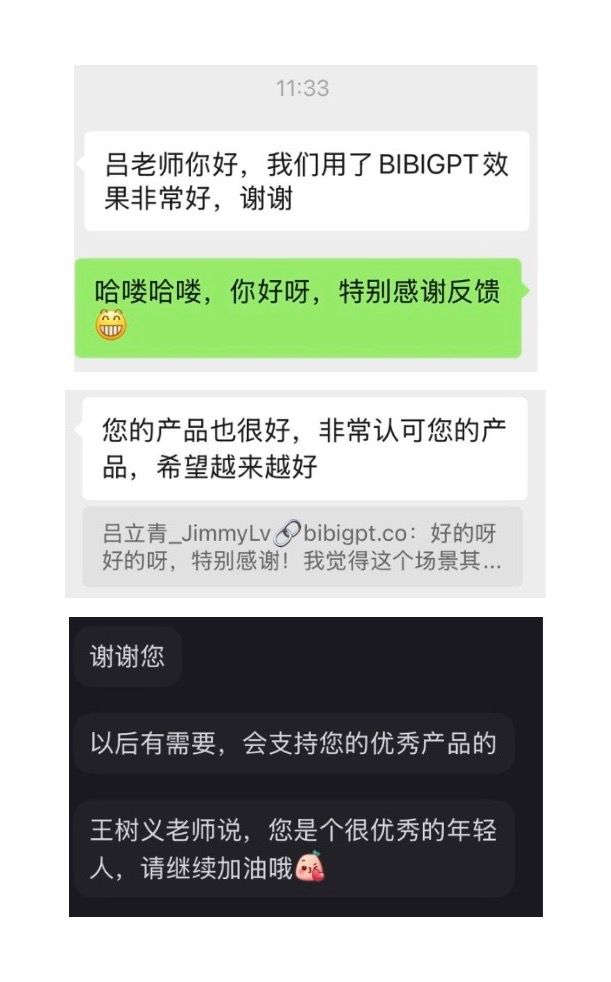 User feedback
These voices give us more motivation to continue refining the product.
Have feedback or ideas?
We value your input! If you encounter issues or have suggestions, please let us know anytime.
Submit feedbackSummary
This update focuses on three core principles—watch faster, find smarter, use better—with special emphasis on enhancing the AI video summary experience:
- Watch Faster: Sidebar grouping optimization makes operations more intuitive, intelligent subtitle segmentation makes content easier to read
- Find Smarter: New transcription configuration makes the foundation more solid, summaries more accurate
- Use Better: AI stylized image generation enriches creation tools, making AI video summary more than just summary
We will continue to upgrade BibiGPT's AI video summary capabilities to help you acquire information faster, build knowledge, and improve productivity.
Open BibiGPT now and try these updates to take your audio and video learning efficiency to new heights!
Start Using BibiGPT for AI Audio and Video Summaries
Enjoy using BibiGPT!
The BibiGPT Team
Experience BibiGPT now
Ready to try these powerful features? Visit BibiGPT and start your intelligent audio/video summarization journey!
Get started