
BibiGPT v4.194.0 Update: Multi-File Summary, Video Quality Control, and Enhanced Note Export
Explore BibiGPT v4.194.0's important updates, including multi-file merge summary, video platform authorization fixes, quality switching, Douyin data source integration, Cubox note integration, and membership upgrade optimization—comprehensively improving your AI audio-video summary experience.
BibiGPT v4.194.0 Update: Multi-File Summary, Video Quality Control, and Enhanced Note Export
Dear BibiGPT users,
In version v4.194.0, we've focused on optimizing multiple high-frequency usage scenarios for AI audio-video summary.
This update primarily addresses video playback and authorization issues while enhancing multi-file summary, content search, and note export workflows, making AI audio-video summary more stable, smooth, and sustainable.
Experience BibiGPT now
Ready to try these powerful features? Visit BibiGPT and start your intelligent audio/video summarization journey!
Get startedMulti-File Merge Summary
You can now upload multiple audio-video files at once and select "Merge Summary" mode to process segmented content into a unified, complete AI audio-video summary.
You can freely adjust file order by dragging, and the system will transcribe and analyze according to the set order, ultimately outputting a structurally coherent summary, timeline, and subtitle script. This capability is particularly suitable for course episodes, multi-segment meeting recordings, or series content organization.
💡 Further Reading: In the latest BibiGPT v4.249.0 Update, we've deeply optimized the underlying performance of the local client. Even videos over 4 hours long can achieve instant response, significantly enhancing the browsing and analysis experience for large files.
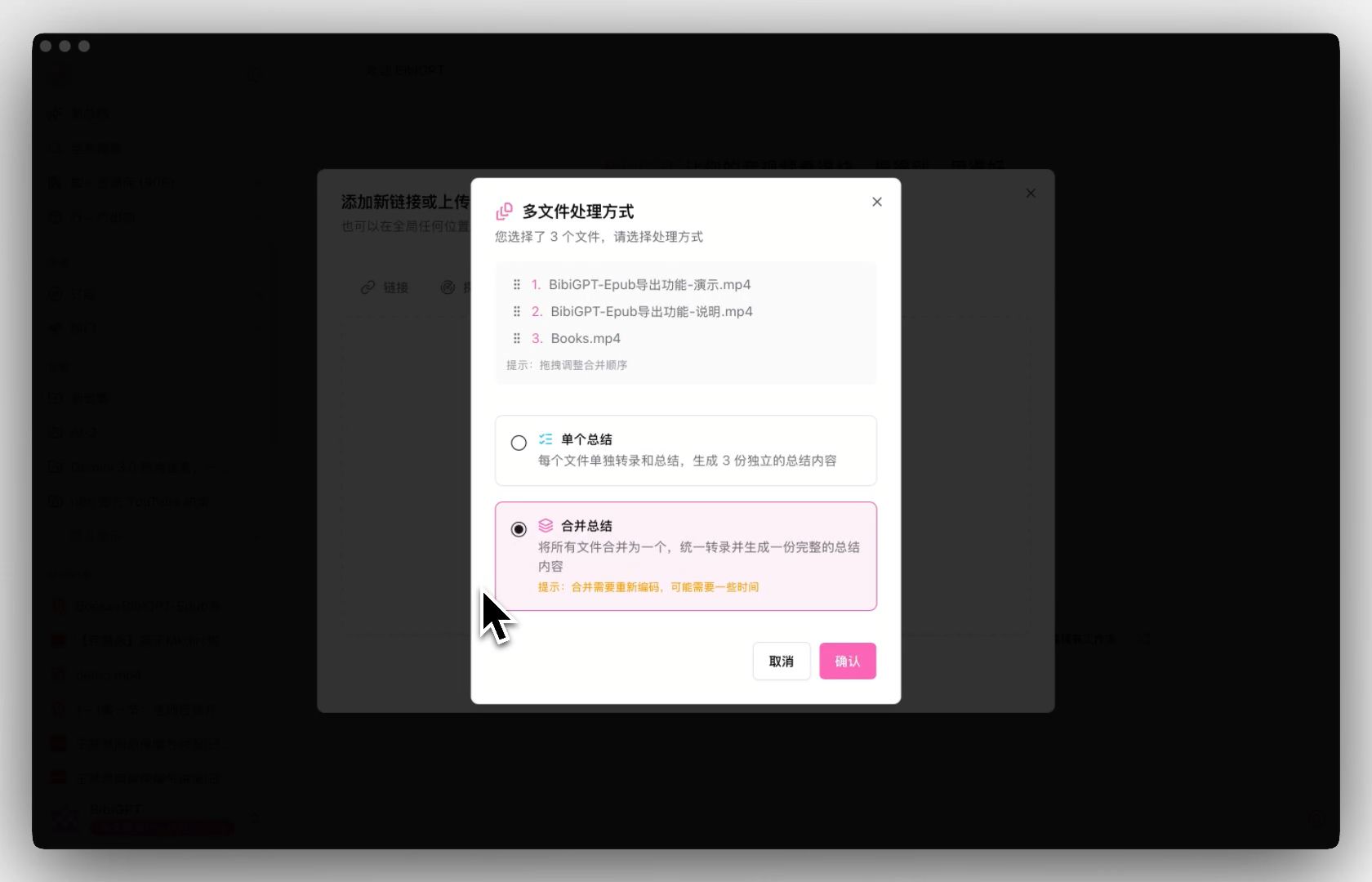 Multi-file merge summary feature demo
YouTube / Bilibili Authorization Fix and Video Quality Switching
We've fixed the issue where YouTube videos couldn't play, and the AI audio-video summary workflow is now stable again.
After completing YouTube or Bilibili authorization in the desktop client, you can play videos normally and freely switch cached video quality (e.g., 720P, 1080P) as needed. While ensuring stable playback, this further enhances video review and recap experiences.
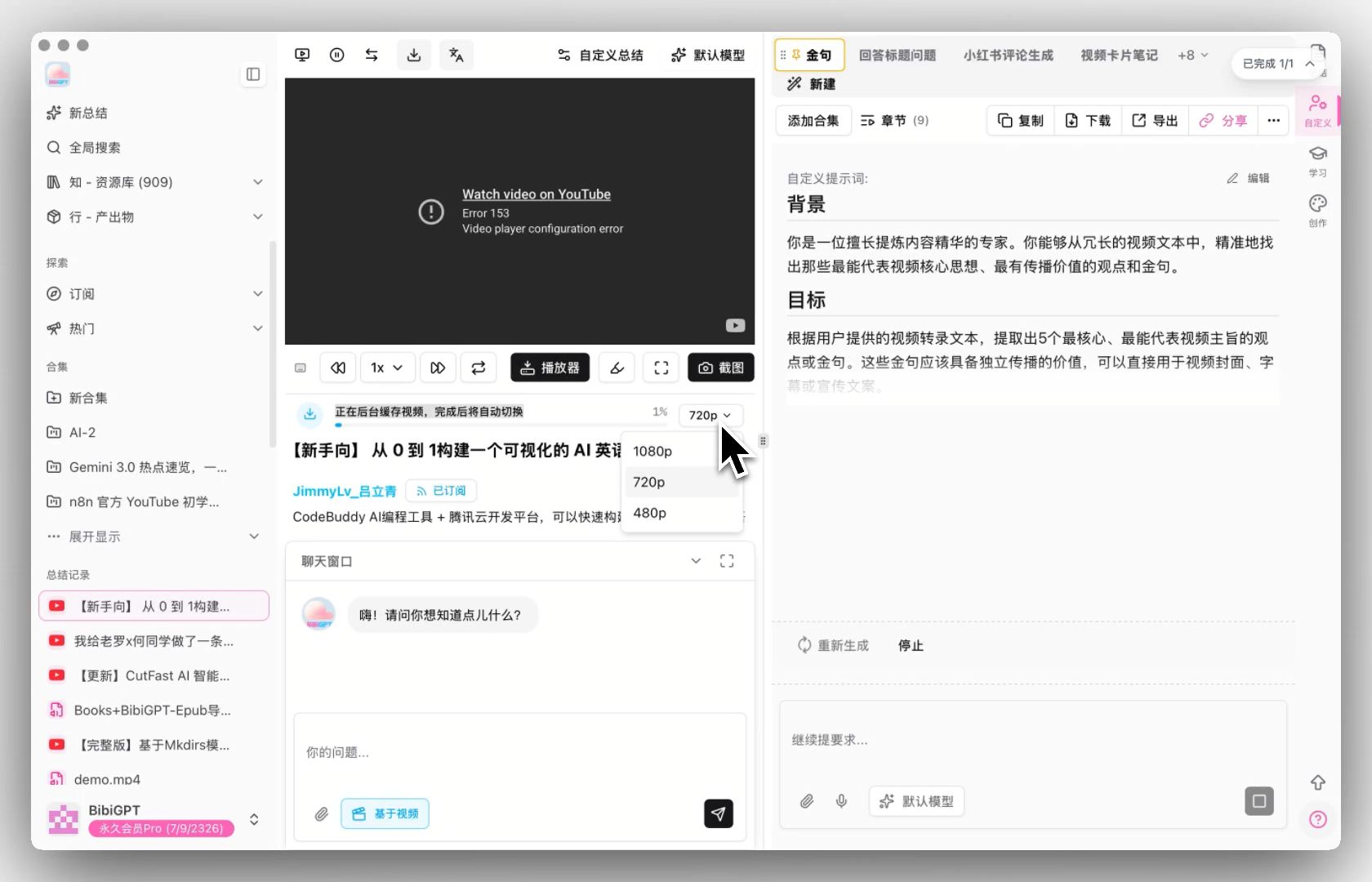 Video platform authorization and quality switching
Additional Notes on Video Platform Authorization
YouTube and Bilibili playback and authorization issues have been resolved in this version.
Please ensure you're using the desktop client and complete platform authorization in "Preferences → Website Settings". Once done, you can play videos normally and switch different cached quality levels for AI audio-video summary and review.
Douyin Data Source Added to Global Search (Pro Feature)
Douyin has been added as a content source in the "Explore" page's global search.
After entering keywords, you can directly browse related Douyin videos and add them to the AI audio-video summary workflow with one click, suitable for quickly capturing viewpoints, methods, or trend information from short videos.
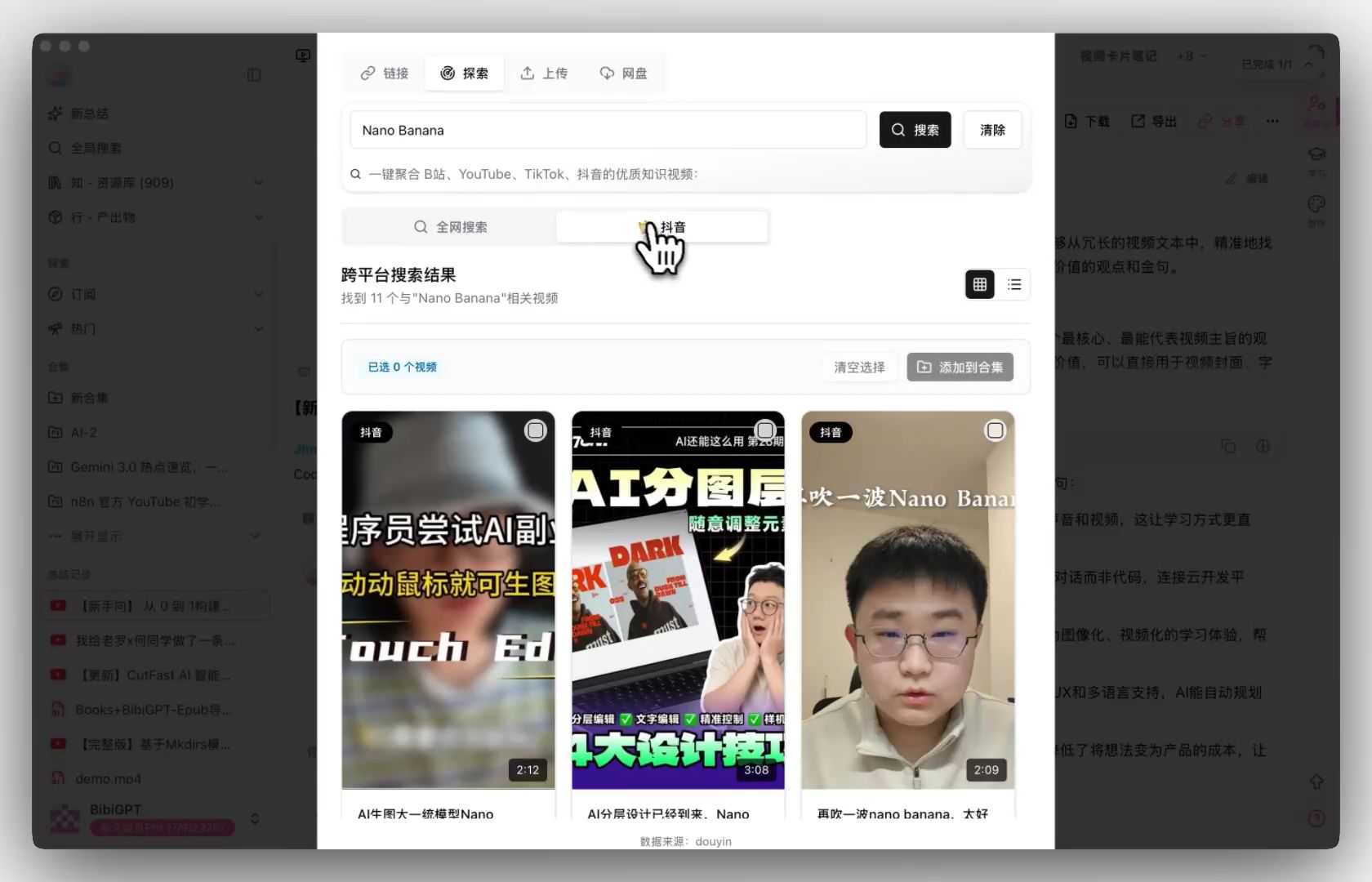 Douyin exploration feature entry
Cubox Note Integration
BibiGPT now supports integration with Cubox, allowing you to export AI audio-video summary results to your Cubox knowledge base with one click.
After completing API configuration in settings, you can choose manual export or enable automatic sending, making every summary naturally accumulate into searchable and reusable content.
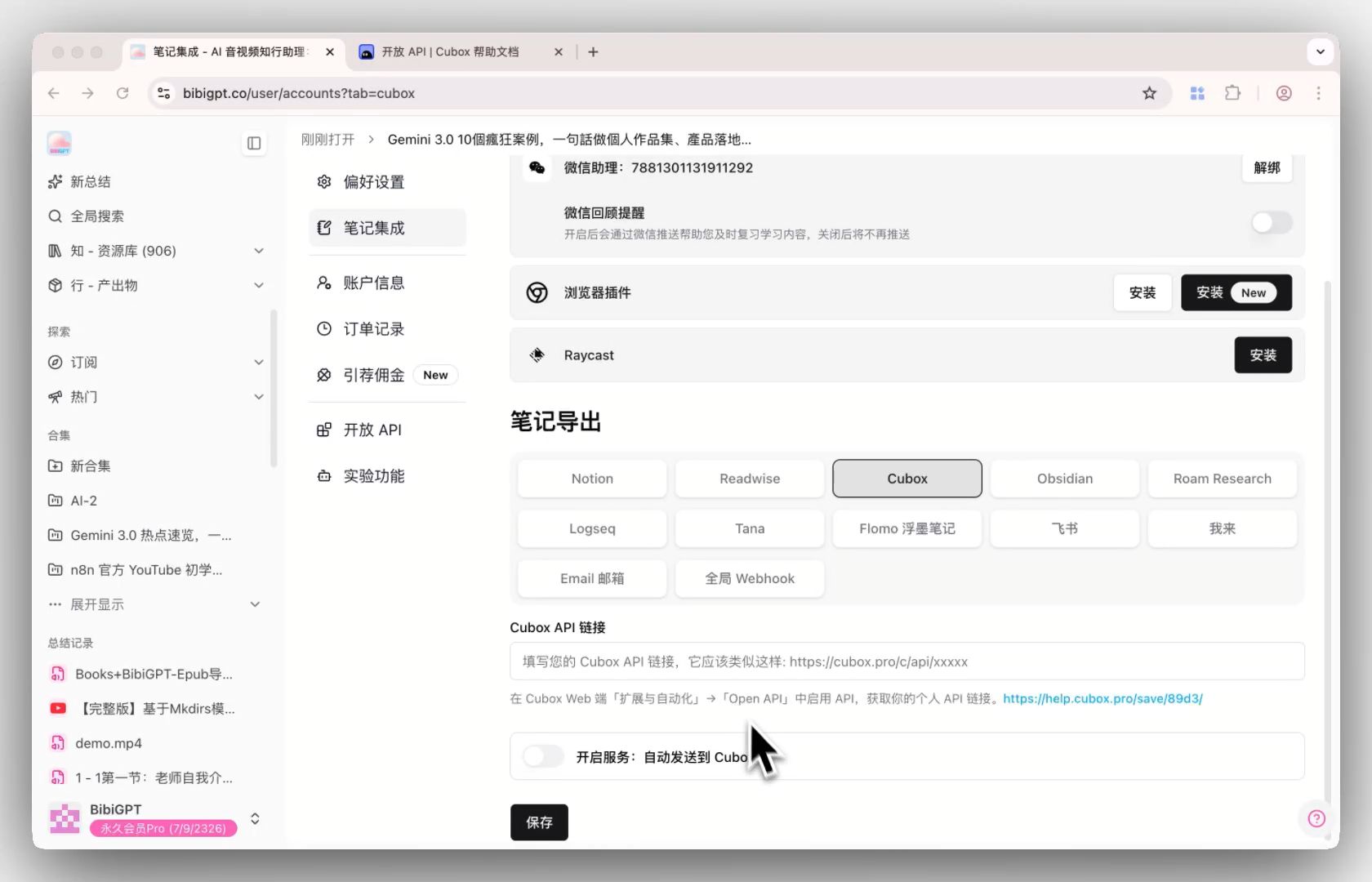 Cubox note integration entry
Self-Service Membership Upgrade with Price Difference
Plus subscribers can now directly upgrade to Pro or Partner membership by paying the price difference.
The system automatically calculates the amount based on remaining days, and the upgrade takes effect immediately after payment, without manual processing, making unlocking advanced AI audio-video summary capabilities more flexible.
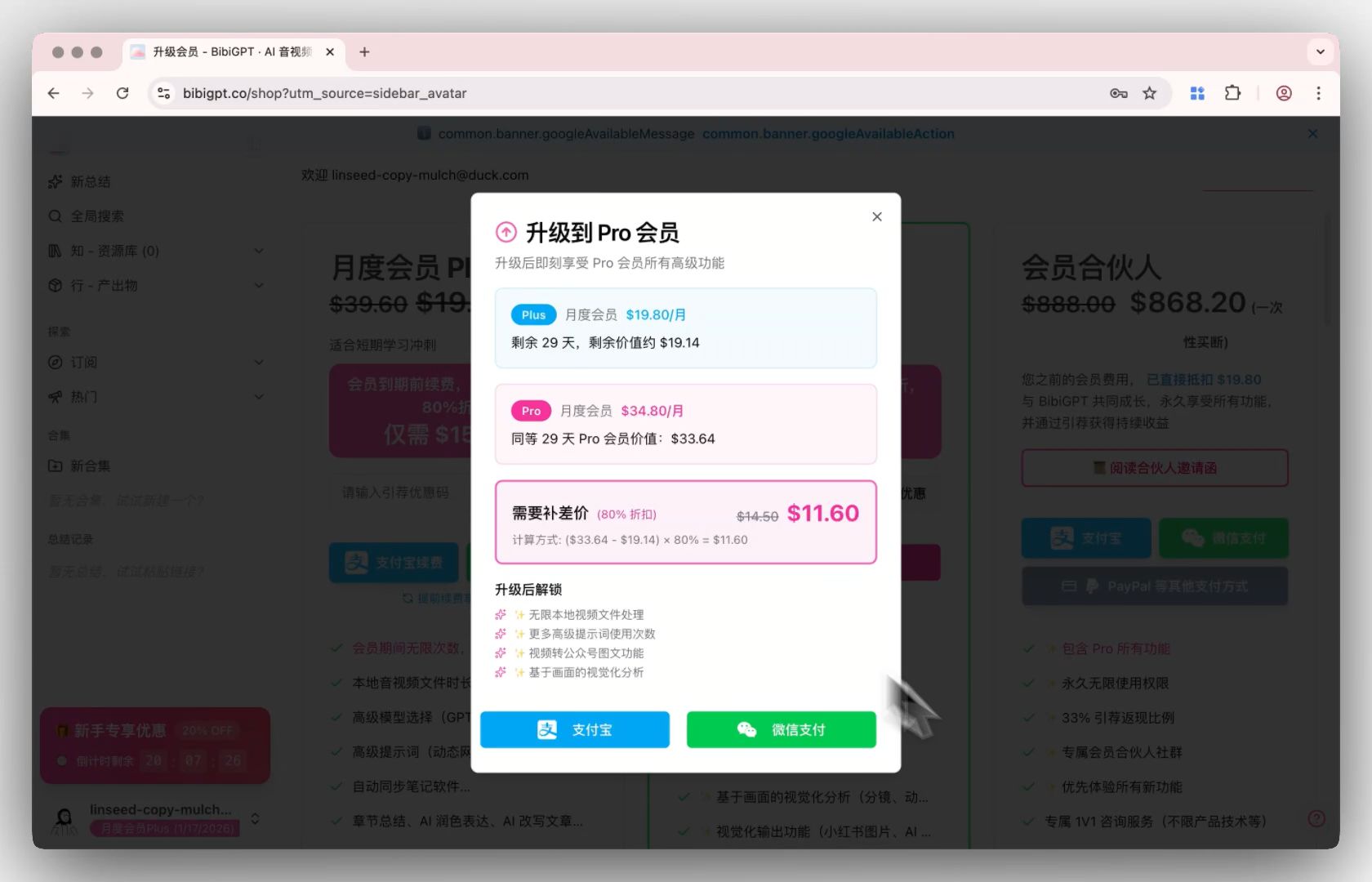 Membership upgrade dialog
Have feedback or ideas?
We value your input! If you encounter issues or have suggestions, please let us know anytime.
Submit feedbackSummary
BibiGPT, as a professional AI audio-video summary tool, is always committed to making your audio-video content "watch faster, search smarter, use better". Whether quickly summarizing video highlights or deeply exploring audio-video information, BibiGPT can meet your diverse needs.
Experience BibiGPT's powerful features now and elevate your audio-video learning efficiency to new heights!
Happy using!
BibiGPT Team
Experience BibiGPT now
Ready to try these powerful features? Visit BibiGPT and start your intelligent audio/video summarization journey!
Get started