
BibiGPT Update v4.218.0: Smarter Library Management, More Creative AI Images, Enhanced Service Guarantee
BibiGPT v4.218.0 brings library attribute configuration and sorting, custom AI image styles, export option persistence, and an optimized self-service refund process to enhance your audio and video learning and creation experience.
BibiGPT Update v4.218.0: Smarter Library Management, More Creative AI Images, Enhanced Service Guarantee
Hey BibiGPT users! 👋 It's time for another weekly update! This week, we've prepared a batch of practical and thoughtful new features and optimizations to take your audio and video learning and creation experience to the next level. We remain committed to providing stable, reliable products and excellent service guarantees, ensuring a worry-free journey as you explore knowledge.
Experience BibiGPT now
Ready to try these powerful features? Visit BibiGPT and start your intelligent audio/video summarization journey!
Get startedWatch Faster
Library Attribute Configuration (with Sorting)
BibiGPT Library is now smarter! We've launched the "Attribute Configuration" feature to solve the challenge of managing too many video summaries. Now, you can freely choose to show or hide columns like cover, title, update time, and publish time in the right-side "Attributes" button. Plus, the table now supports sorting—just click the "Update Time" or "Create Time" header to sort in ascending or descending order. Cleaner interface, easier content discovery, and boosted efficiency!
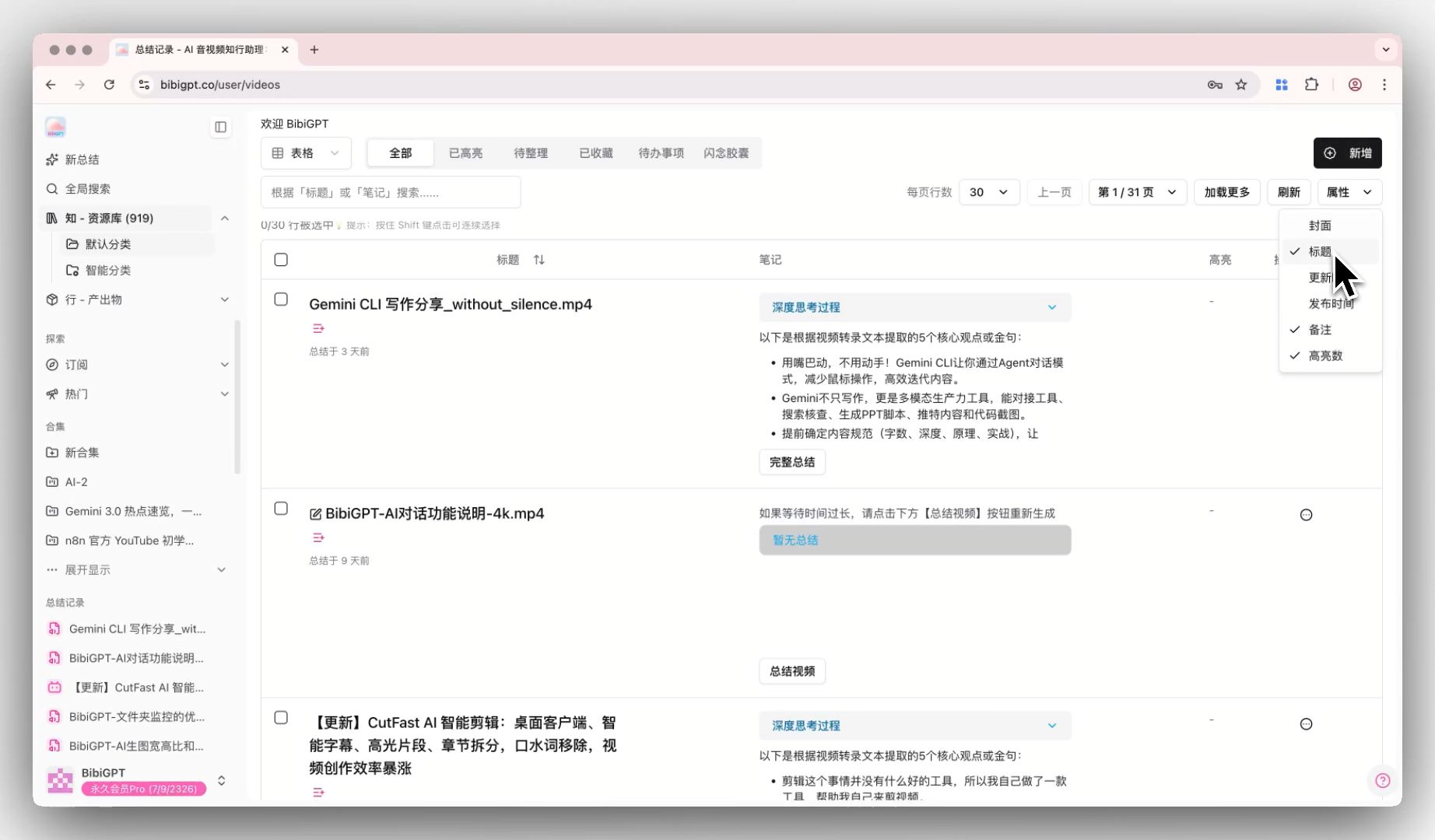 library-attribute-configuration-entry-point
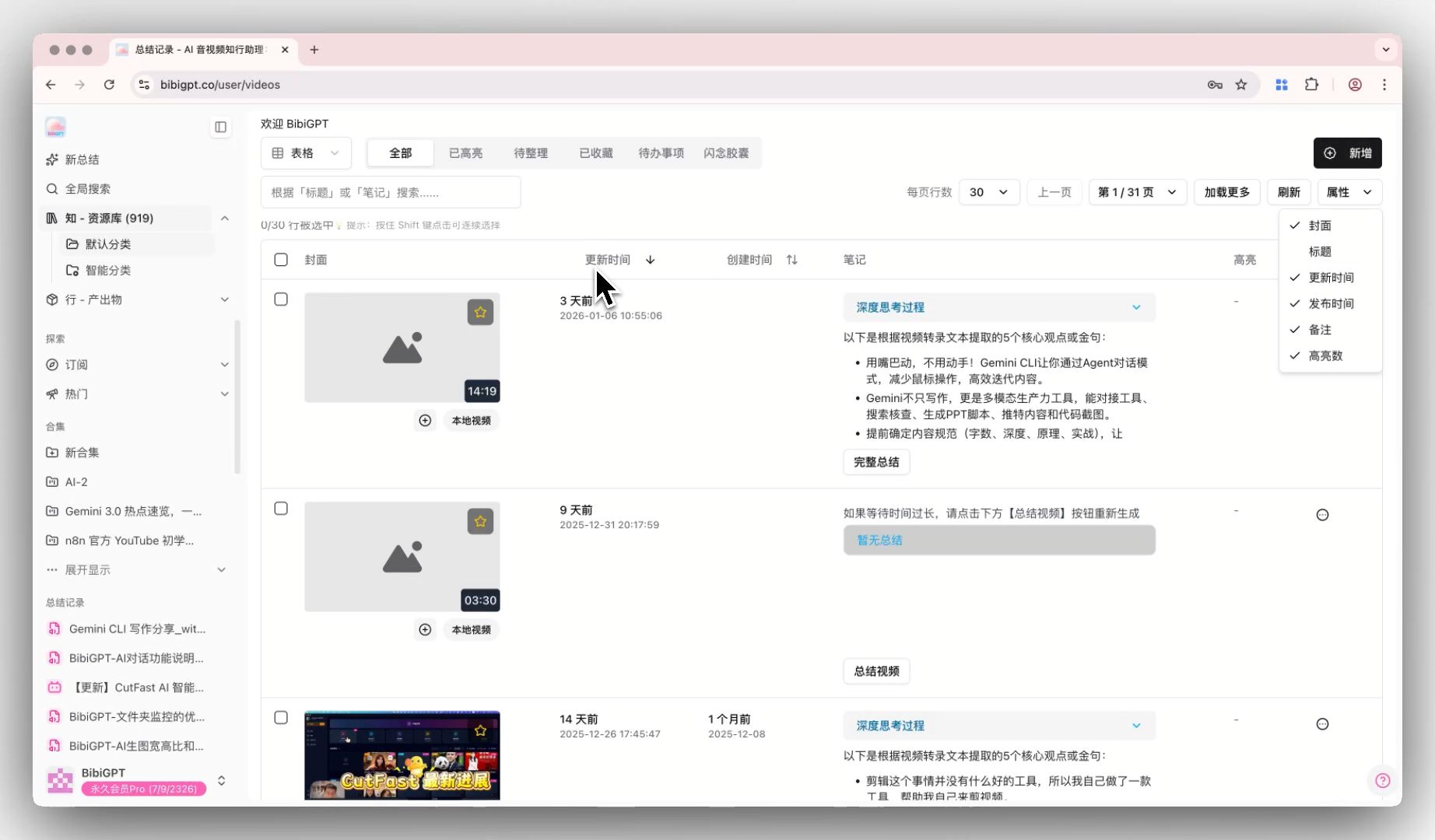 library-attribute-configuration-sorting-demo
Find Smarter
Custom AI Image Style
Want to make your shared covers more unique? BibiGPT's "Custom AI Image Style" feature gives you greater creative freedom! Now, you can select "Custom Style" in the AI image tool in the right-side creation panel, enter any prompt you want (like "anime-style cover image"), and adjust image ratio and generation count. The system not only generates highly accurate images for you but also automatically saves your custom descriptions for easy reuse next time—super convenient!
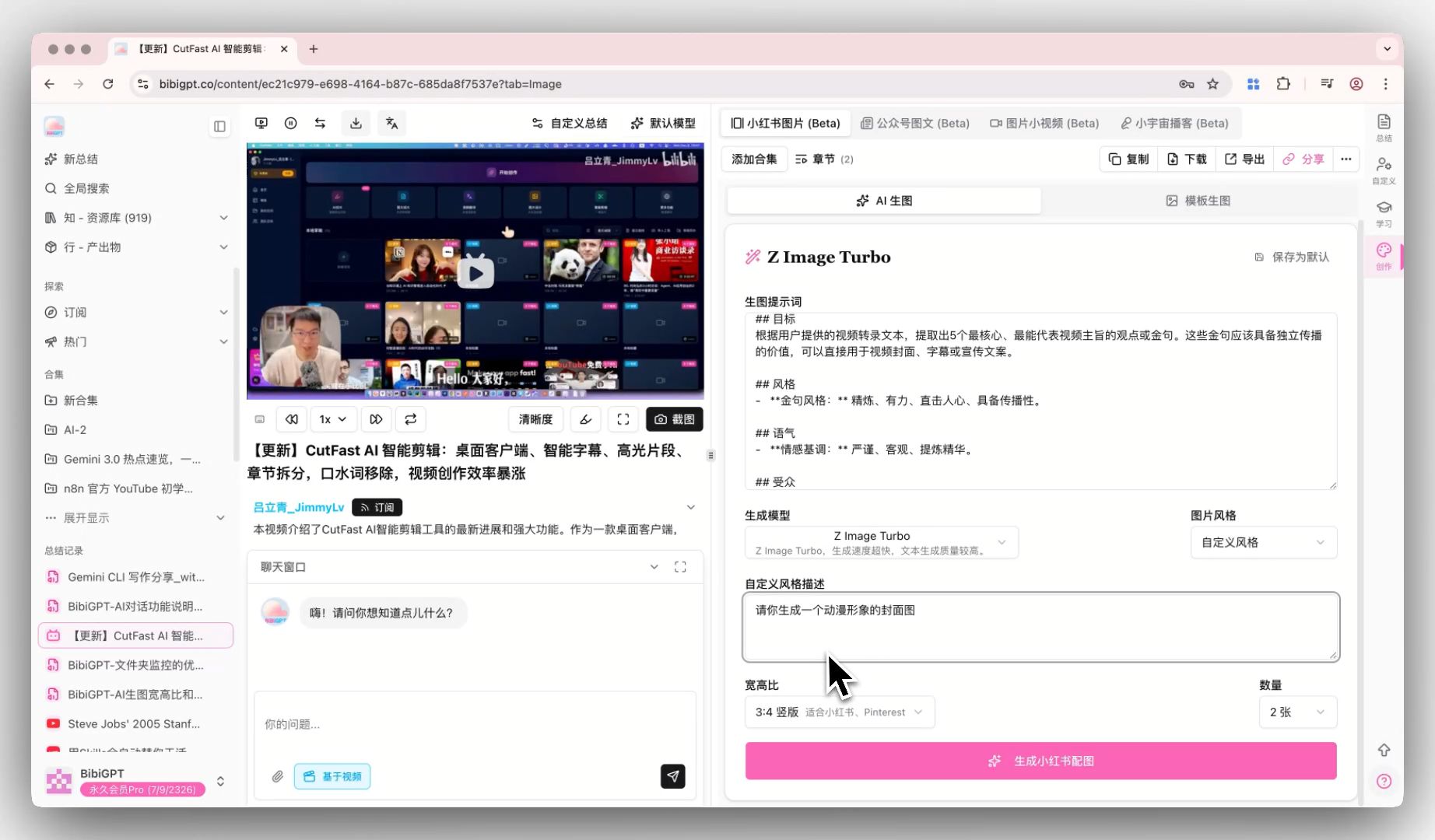 ai-image-custom-style-config
Use Better
Export Option Persistence
Tired of re-checking export options every time? BibiGPT has solved this pain point! We've launched the "Option Persistence" feature in the export panel. Your last selected preferences (like whether to include "thinking process") are automatically remembered. Whether you reopen the panel or switch to a new video summary, these options are automatically preserved, greatly reducing repetitive operations and instantly boosting efficiency!
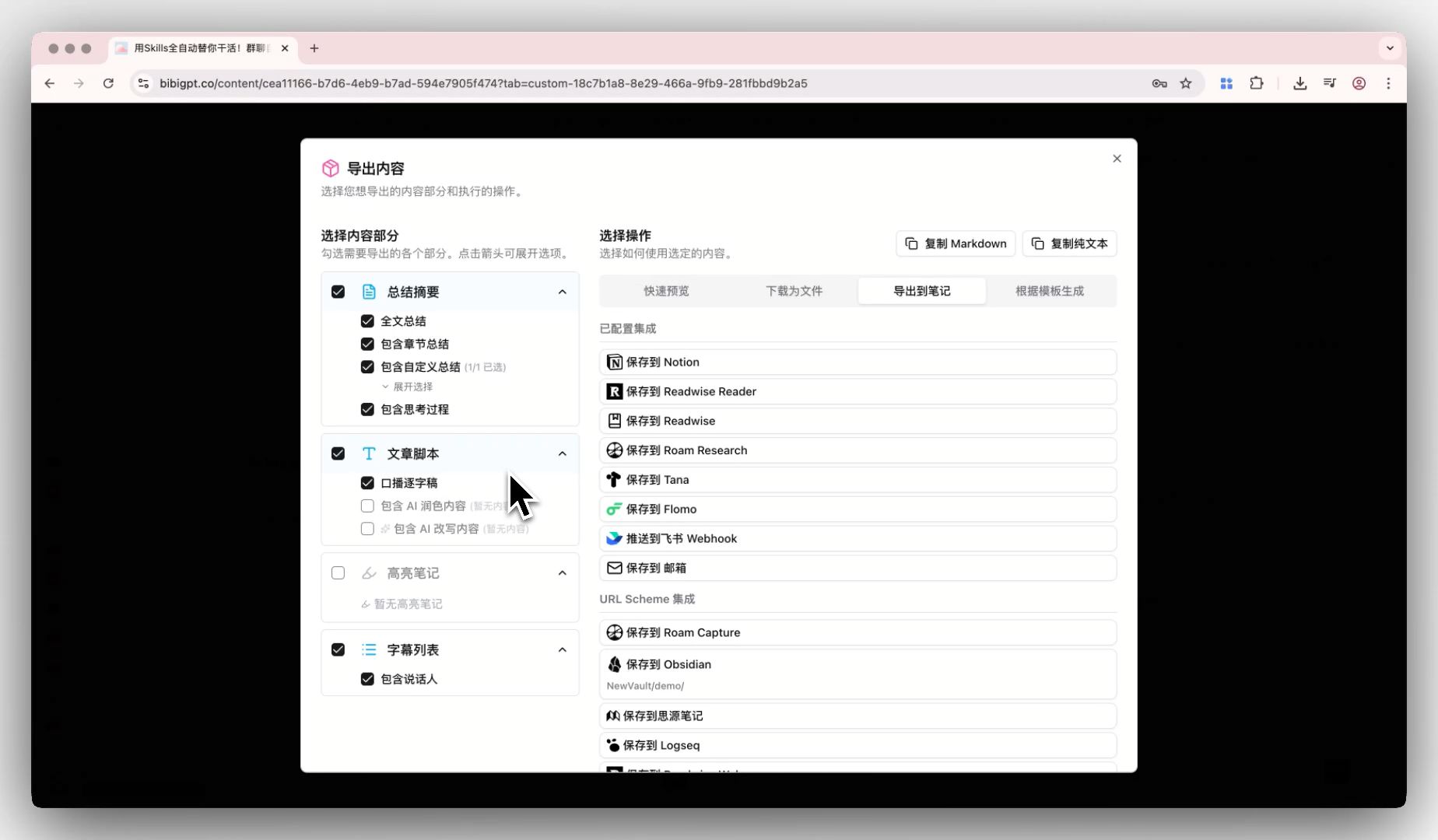 export-options-persistence-dialog-demo
Optimized Self-Service Refund Process
BibiGPT always puts user satisfaction and peace of mind first. We've once again upgraded our after-sales service with significant optimizations to the refund process! Now, whether you access it through FAQ or directly visit the "Order History" page, you can clearly see the order status. The system automatically determines whether an order is within the "7-day risk-free refund" period, and when eligible, the "Refund" button lights up. After clicking, the system automatically opens your email client with a pre-filled refund request draft containing key order information. You just need to add the refund reason (feedback suggestions are always welcome! 😉) and send it to easily complete the application. We hope that through this more convenient and transparent after-sales process, you'll have even more confidence in BibiGPT's products and services!
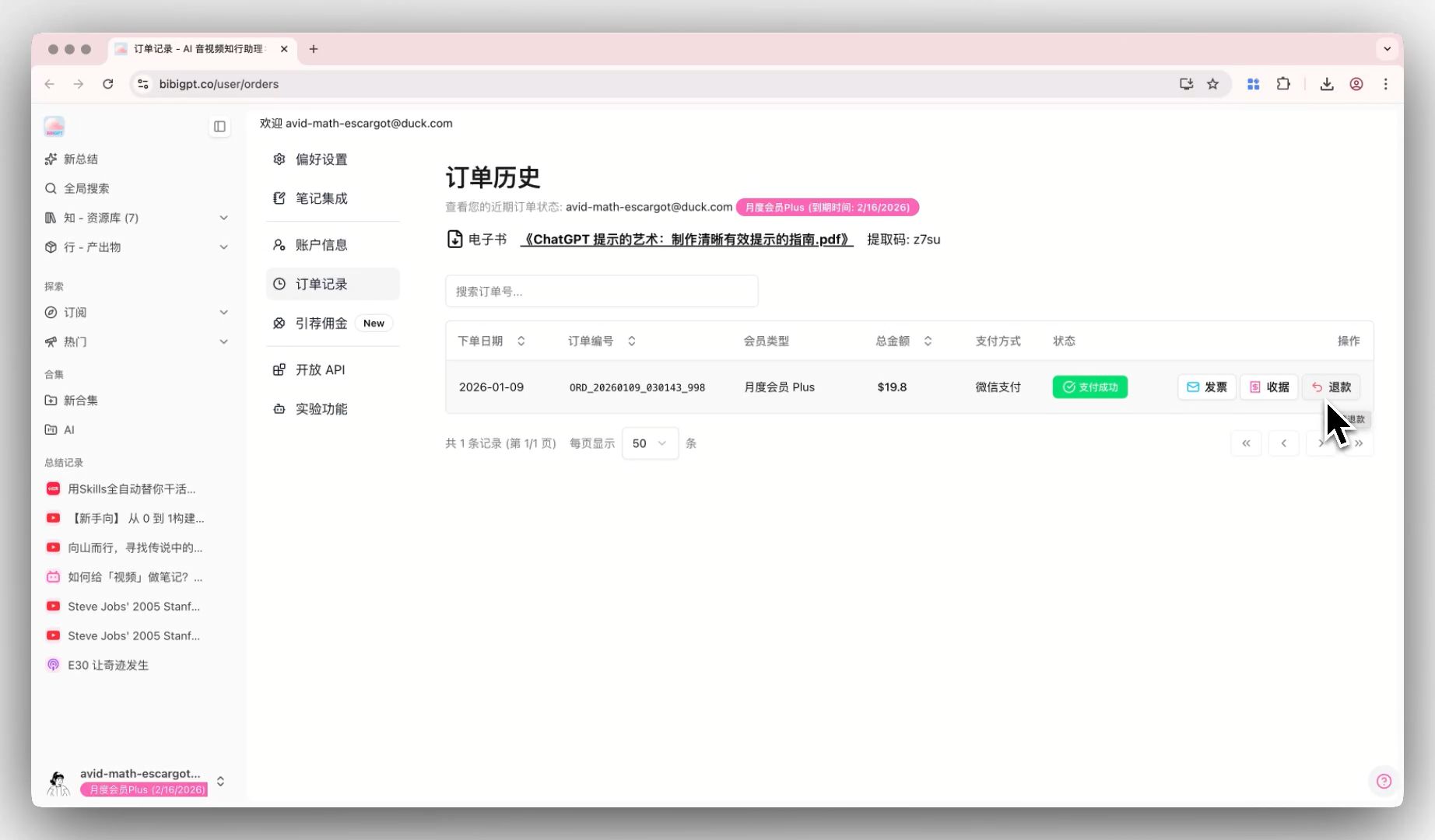 self-service-refund-button-demo
Comprehensive Optimizations and Experience Improvements
In addition to the major updates above, we've also made a series of optimizations behind the scenes to make BibiGPT more user-friendly:
- Note Export Quality Improvements: PDF and DOCX now support bold hyperlinks, PNG images in PDFs automatically get white backgrounds (no more transparency issues). We've also disabled PDF compression and fixed image aspect ratio issues, ensuring your exported notes remain beautiful and clear.
- WeChat Login Experience Upgrade: We've comprehensively optimized and enhanced the WeChat login process, making your login experience more stable and reliable, saying goodbye to various minor issues, and starting your learning journey with just one click!
- Language and Theme Switch Improvements: The user menu is now cleaner! Language selector and theme switching features are integrated into a unified dropdown menu for smoother interaction and a cleaner interface.
Thank you for your continued support and feedback! Every suggestion you provide drives us to keep improving and optimizing. We look forward to BibiGPT better accompanying you as you explore the joy of knowledge!
Have feedback or ideas?
We value your input! If you encounter issues or have suggestions, please let us know anytime.
Submit feedbackVisit BibiGPT Official Website to experience these new features!
Happy using!
Experience BibiGPT now
Ready to try these powerful features? Visit BibiGPT and start your intelligent audio/video summarization journey!
Get startedBibiGPT Team