
[BibiGPT Growth Series] Episode 1 | How AI Summaries for Bilibili Were Born
Rewind to the origins of BibiGPT—how an idea to summarize Bilibili videos with AI evolved into today’s audio/video learning assistant, plus the early challenges and insights that shaped the product.
[BibiGPT Growth Series] Episode 1 | How AI Summaries for Bilibili Were Born
Welcome to Episode 1 of the BibiGPT Growth Series!
This series documents the evolution of BibiGPT, shedding light on the behind-the-scenes decisions, technical experiments, and iterations that brought the product to life. Today we travel back to the early days, revisiting the video “BibiGPT: AI Summarizes Bilibili Videos Automatically.”
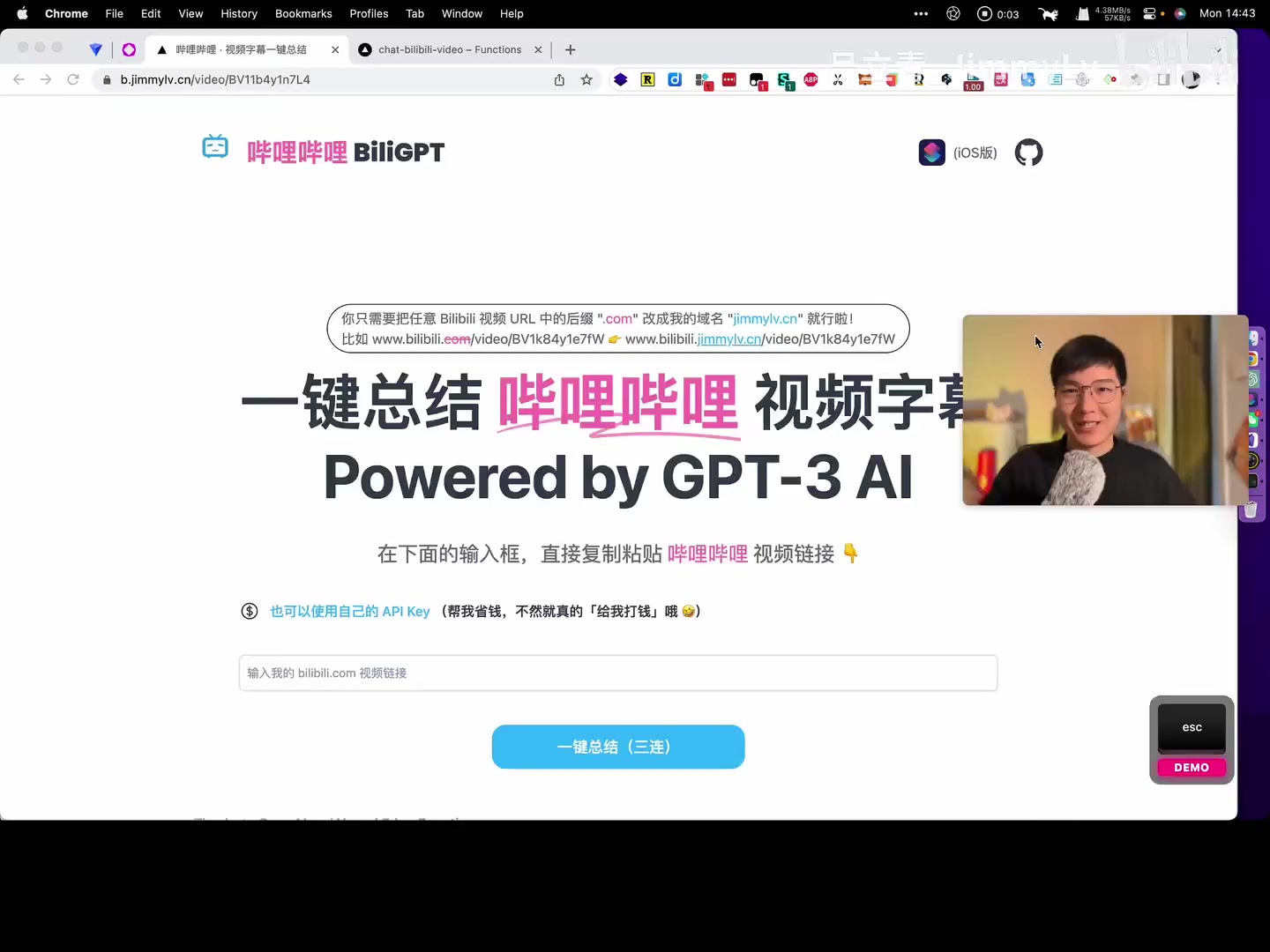 Early interface
Although BibiGPT has since undergone major redesigns, the ideas and lessons from that first release still matter. Let’s rewind to where it all began.
The Birth of BiliGPT: AI Summaries for Bilibili
When GPT started making headlines, I (Jimmy) felt compelled to build something tangible. Bilibili was overflowing with high-quality content, but extracting key insights wasn’t easy. That sparked the idea: What if AI could automatically summarize Bilibili videos?
The result was BiliGPT (Bilibili GPT), powered by GPT-3, created to help people grasp video highlights quickly.
BiliGPT early interface
Two Ways to Summarize
In the original demo we showcased two workflows:
-
Copy & Paste the URL
Paste any Bilibili link into BiliGPT’s input box, click “Summarize,” and wait a few seconds. The tool grabbed subtitles (if available) and generated a concise summary.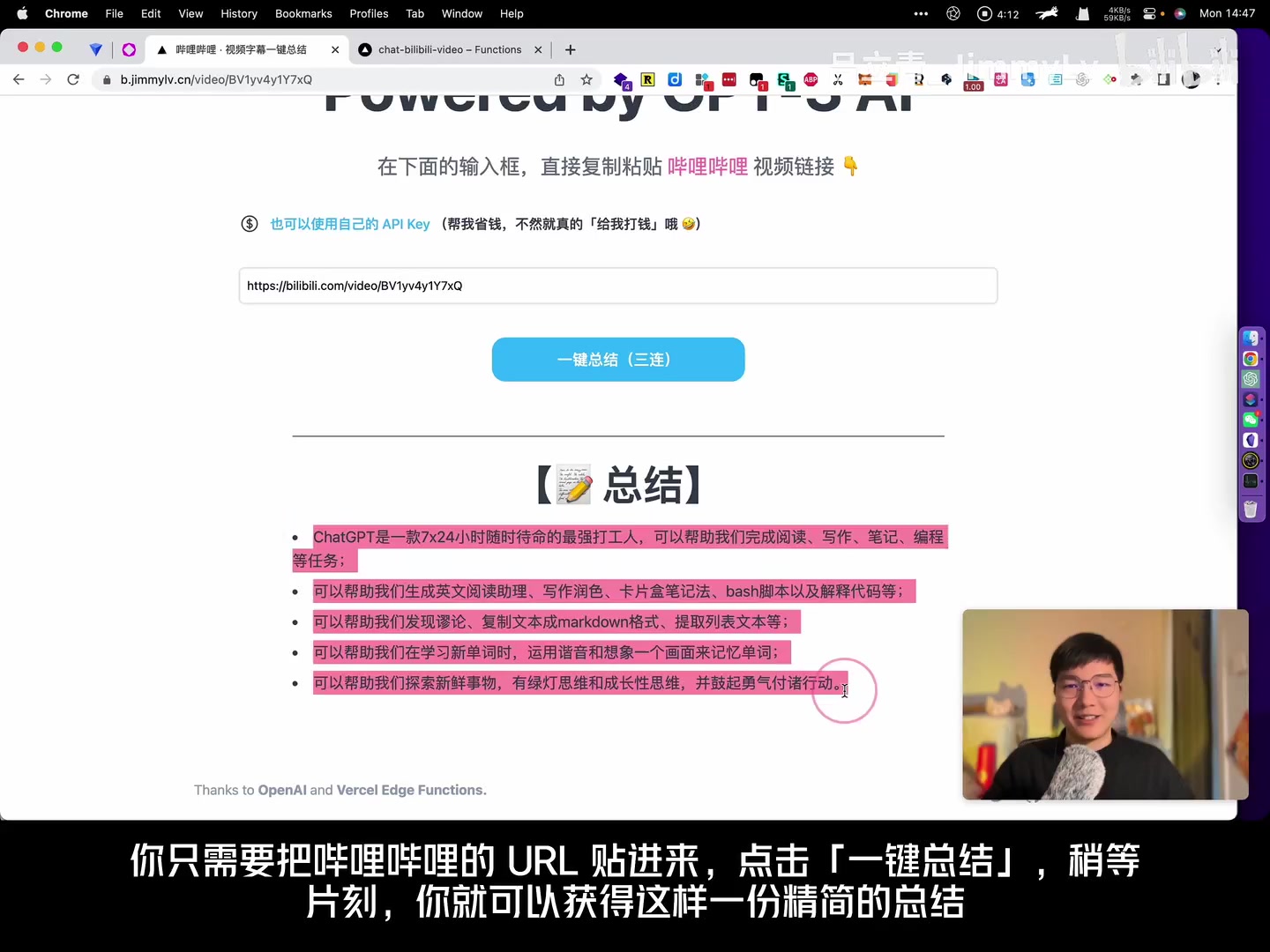 Paste URL
In the video we summarized a clip about using ChatGPT as the “ultimate coworker,” capturing points on reading, writing, note-taking, coding, and more.
-
URL Hack
Changebilibili.comin the address bar tojimmylv.cnwhile watching a video.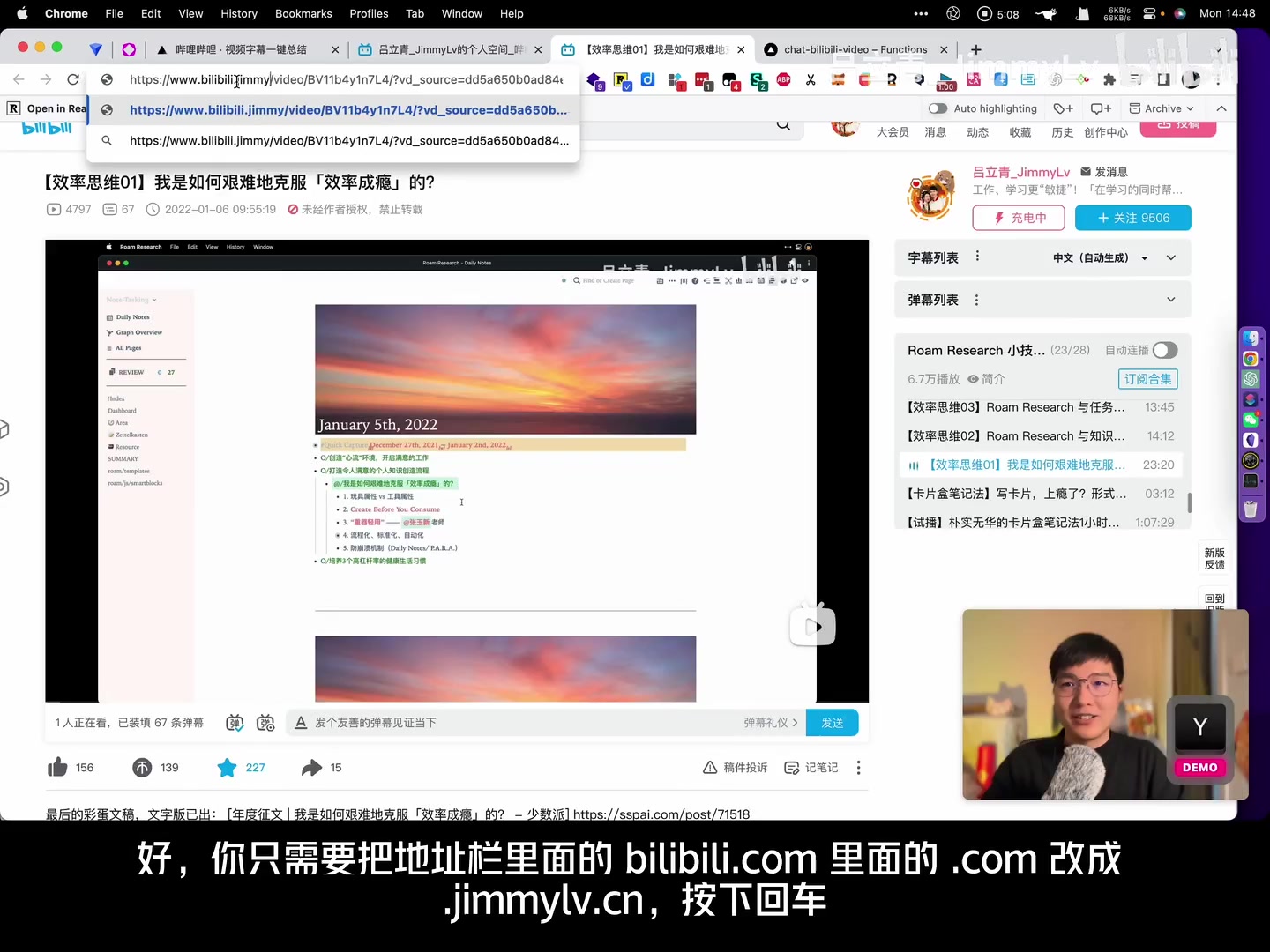 URL hack
Hit enter, and the page redirected to BiliGPT, automatically launching a summary job. We demoed it on a video about “productivity addiction,” and it worked like magic—highlighting concepts like play vs. tool modes, protecting attention, and automation.
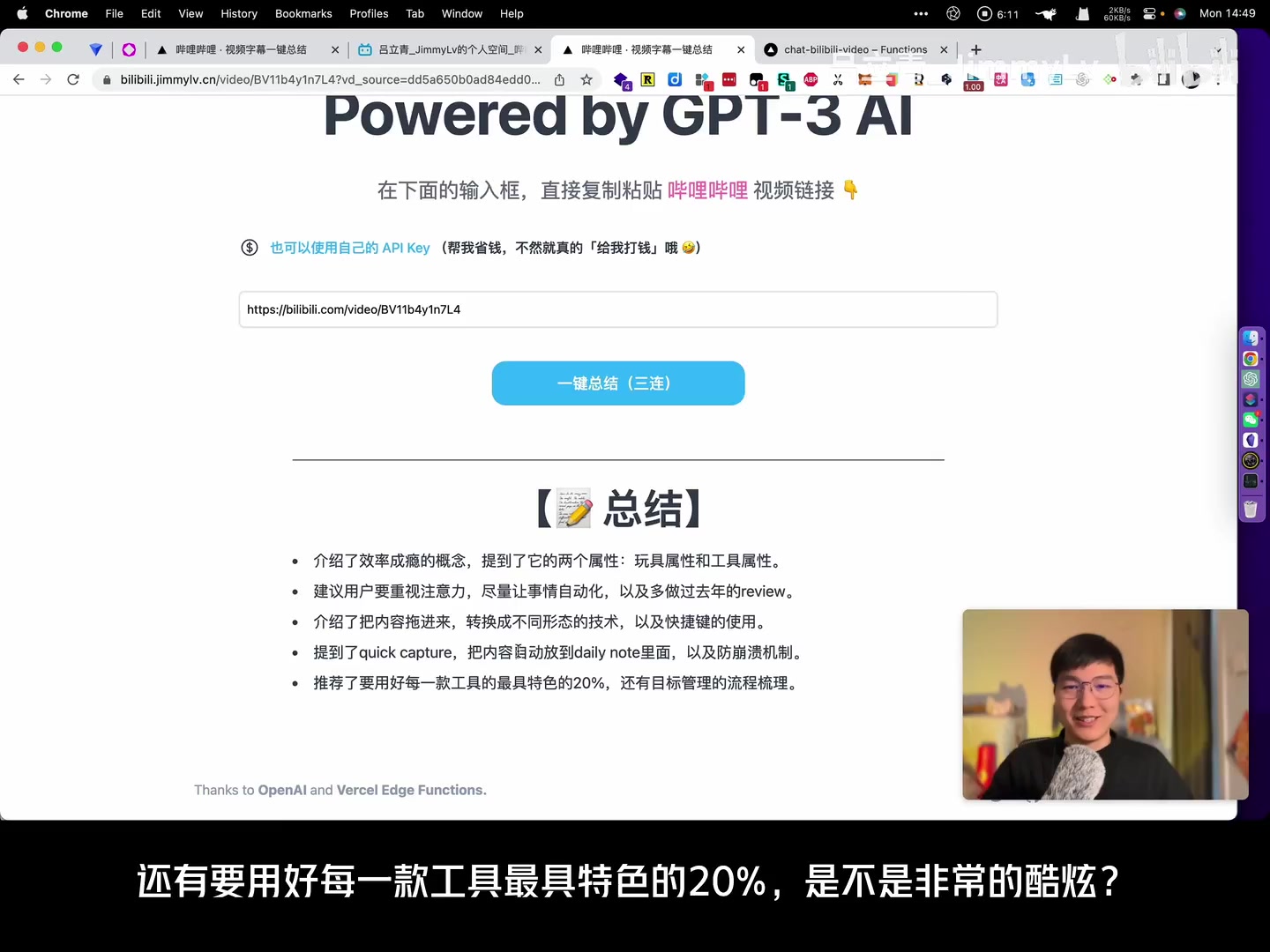 Summary results
Managing API Keys and Costs
Calling OpenAI APIs incurs real costs, especially as usage grows. Back then, my $18 free credit evaporated quickly. To make BiliGPT sustainable, we added an option for users to provide their own OpenAI API key.
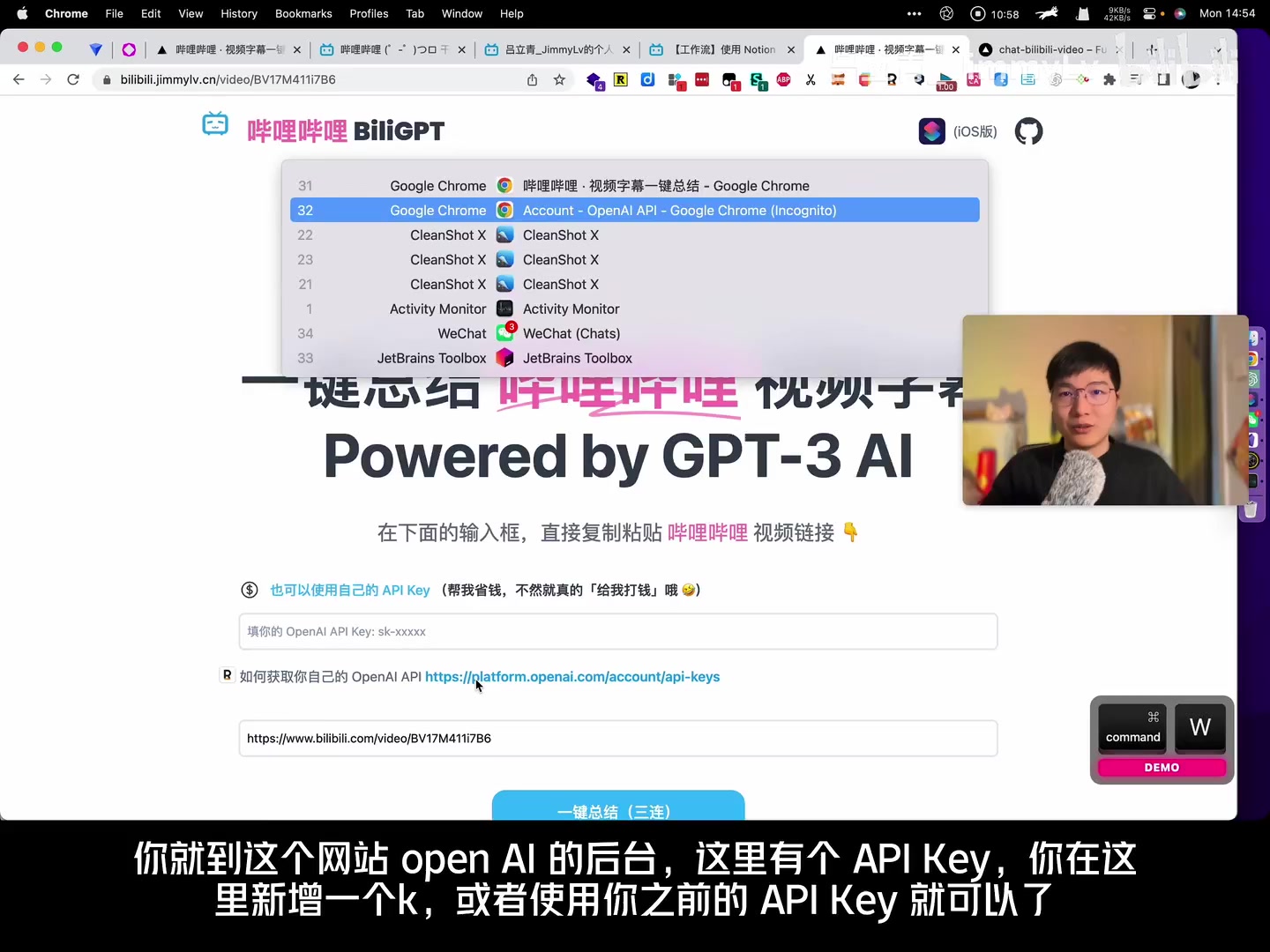 User API key field
Keys were stored locally in the browser—never on the server—giving heavy users full control while easing cost pressure on the project.
Mobile Convenience: iOS Shortcuts & Web Hacks
Many people watch Bilibili on their phones, so we built mobile-friendly solutions:
-
iOS Shortcut – Install it from the BiliGPT site (
b.jimmylv.cn), then use the Bilibili share sheet to run “Summarize Bilibili Video.” The shortcut sent the link straight to BiliGPT—no app switching required.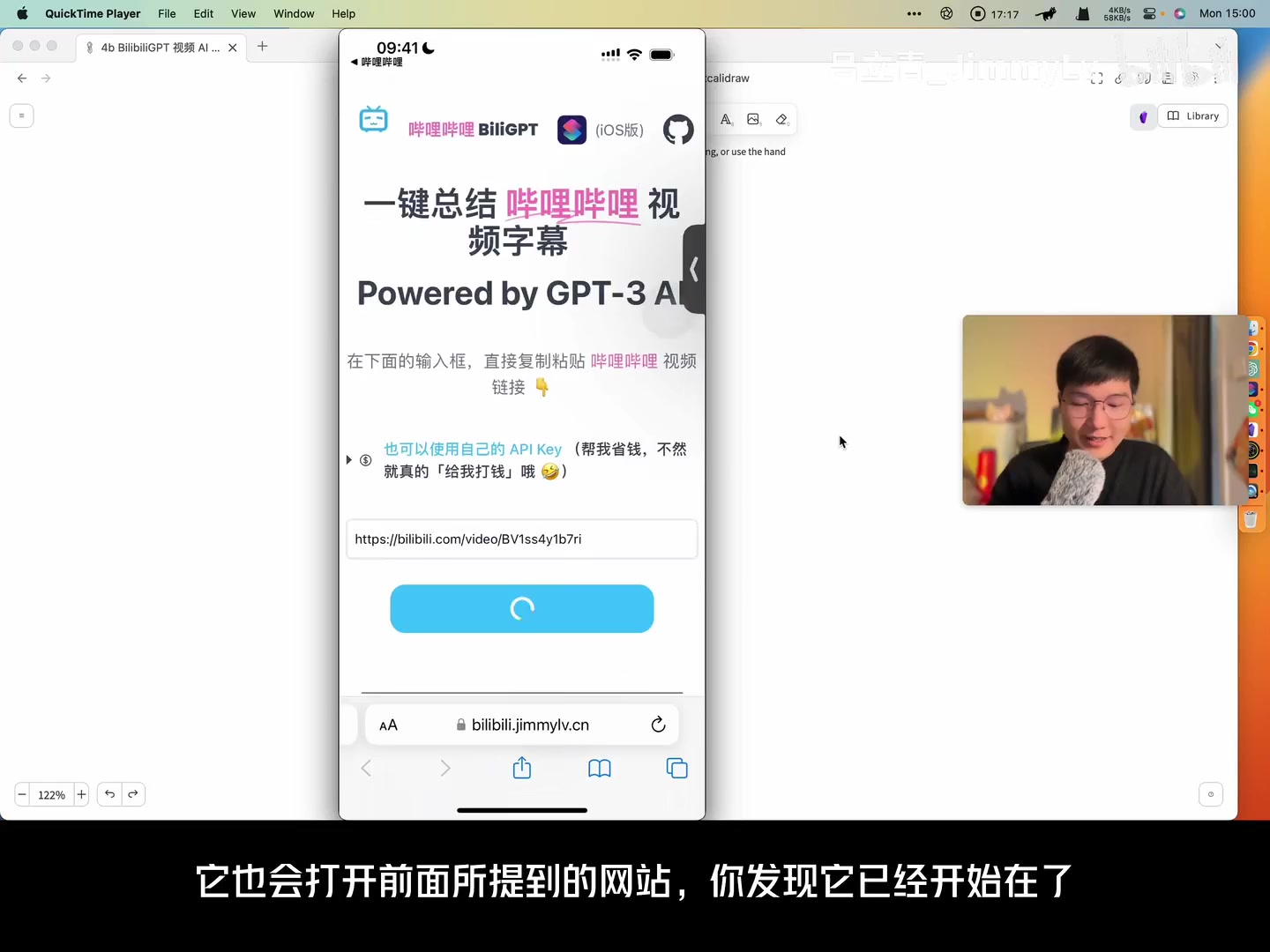 iOS shortcut flow
 -
Android Web Trick – Change
m.bilibili.comtojimmylv.cnin the browser address bar to trigger the same flow. Simple and effective.
Early Roadmap & Vision
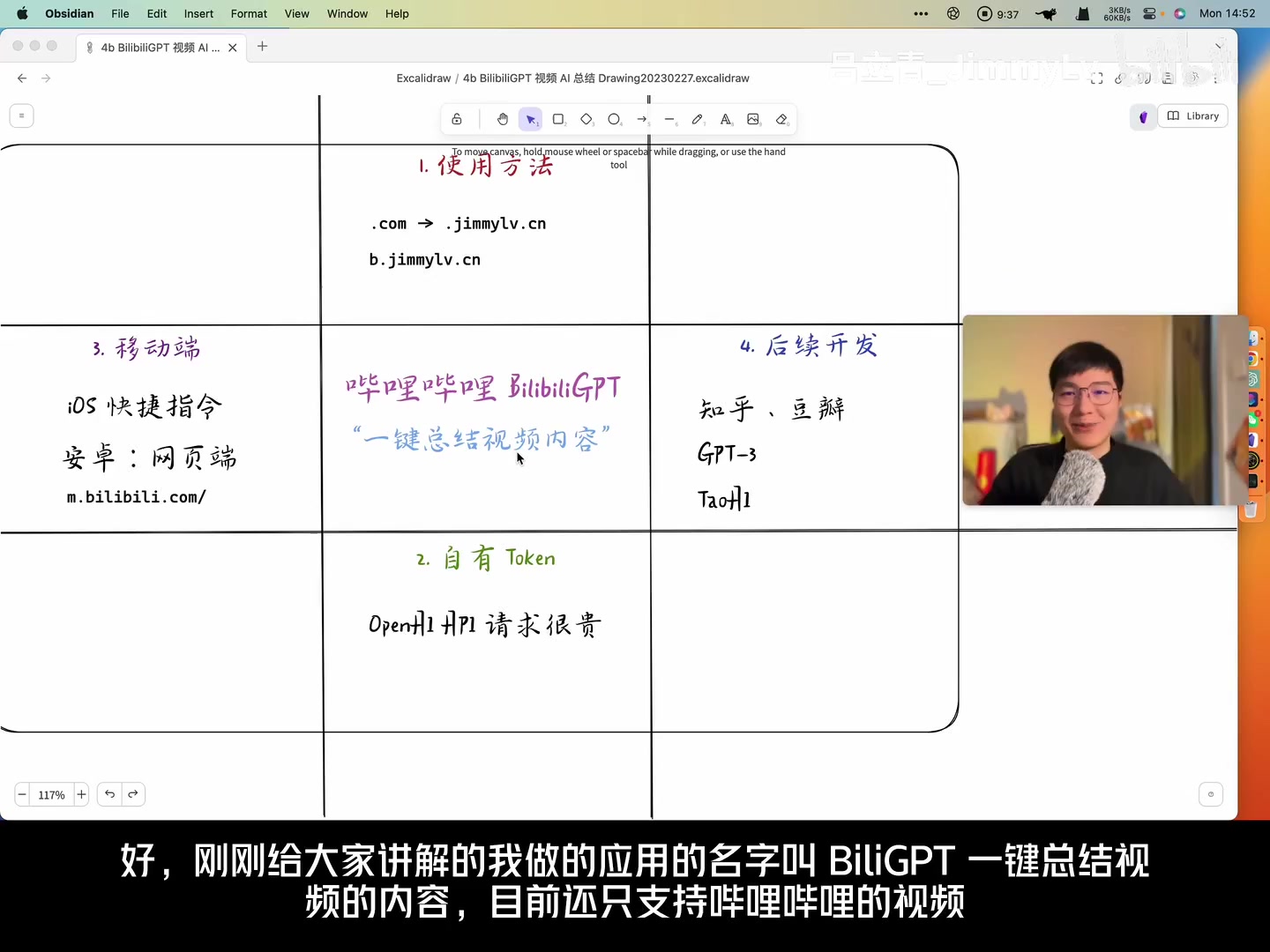 Whiteboard sketch
While shipping the demo, we already had a wishlist:
- Support more platforms (Zhihu, Douban) and content types.
- Explore deeper GPT-3 applications, including prompt engineering and private data integrations.
- Empower more people to harness AI in daily workflows.
Even then, the vision was clear: make AI-powered knowledge extraction accessible to everyone.
Looking Back
That first release captured the excitement of tapping into GPT and applying it to a real-world pain point. BiliGPT has since matured into today’s BibiGPT with multi-platform support, advanced models, and robust integrations—but the mission is unchanged: help people learn faster, with less friction.
Thanks for joining us on this flashback. Up next in the Growth Series:
[BibiGPT Growth Series] Episode 2 | YouTube Support, Smart Timestamps, and Notion Login
Related episodes:
- [BibiGPT Growth Series] Episode 3 | One-Click AI Apps: ChayaCha and OpenGPT
- [BibiGPT Growth Series] Episode 4 | Local Audio/Video AI Summaries: Hack Engine Hackathon Recap
Original video: https://www.bilibili.com/video/BV1fX4y1Q7Ux/