
BibiGPT Beginner Guide: How AI Makes Your Video Knowledge Management "Fast to Watch, Easy to Search, Good to Use"?
Explore how to use BibiGPT for efficient video knowledge management. Learn about AI video summarization under the CODA framework, from information capture to knowledge expression, making your video learning twice as effective.
BibiGPT Beginner Guide: How AI Makes Your Video Knowledge Management "Fast to Watch, Easy to Search, Good to Use"?
In the age of information explosion, we encounter massive amounts of audio and video content daily. How to efficiently extract knowledge from this content and transform it into our own reserves has become a challenge. Today, I'll introduce a powerful AI tool - BibiGPT, which helps us achieve fast viewing, precise searching, and efficient utilization of audio-video content, systematically managing our video knowledge.
By the way, it’s Double 11 and BibiGPT is running its biggest annual discount event. If you’ve been meaning to turn “watching videos” into “keeping and using knowledge,” this is a good moment to start.
Today is the final day — prices return to normal on the 12th. If you plan to start, now is the best value.
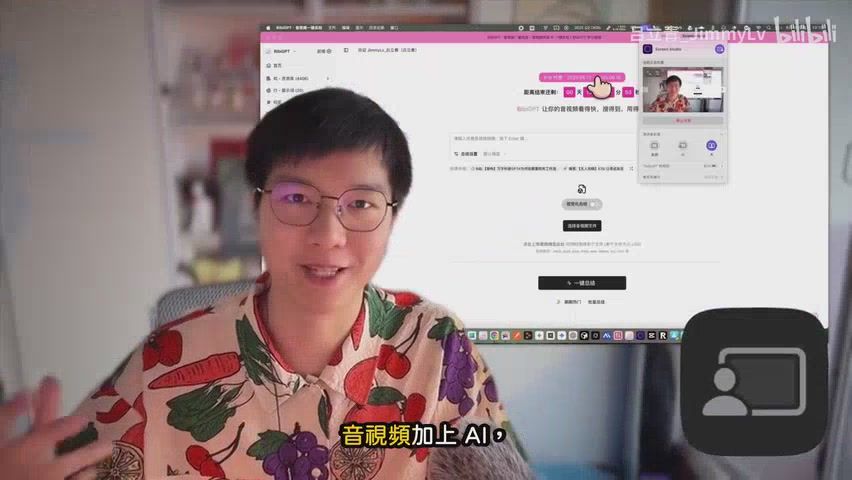 BibiGPT Feature Introduction
Challenges in the Information Flood: Why Do We Need Video Knowledge Management?
We browse large amounts of high-quality audio-video content daily on platforms like Bilibili, YouTube, and Xiaoyuzhou, but often face the dilemma of "can't keep up with watching." How to leverage tools to efficiently consume this quality content and settle it as part of our personal knowledge system is a problem we need to solve.
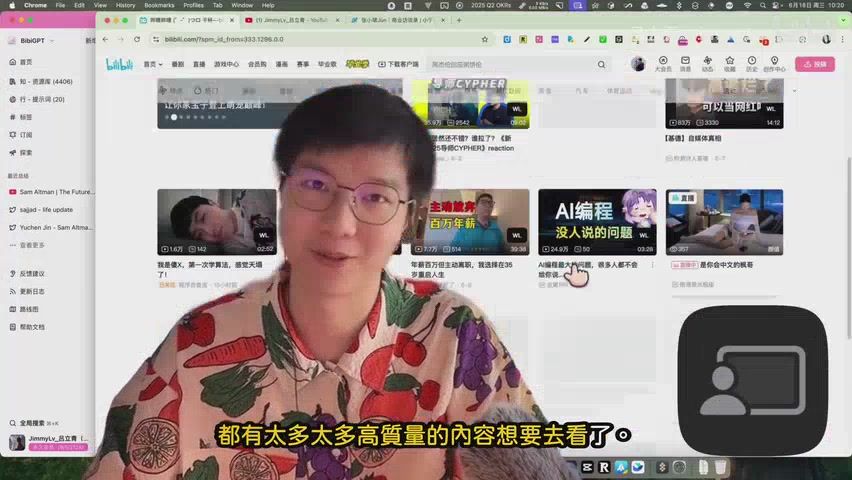 Rich Content on Major Video Platforms
BibiGPT Under the CODA Framework: Systematic Video Knowledge Management
To systematically introduce BibiGPT's role in personal knowledge management, I'll reference the CODA framework proposed by Tiago Forte in "Building a Second Brain." This framework divides knowledge management into four steps: Capture, Organize, Distill, and Express. BibiGPT doesn't aim to replace your first brain, but rather enhance it through AI technology, helping you better complete these four steps.
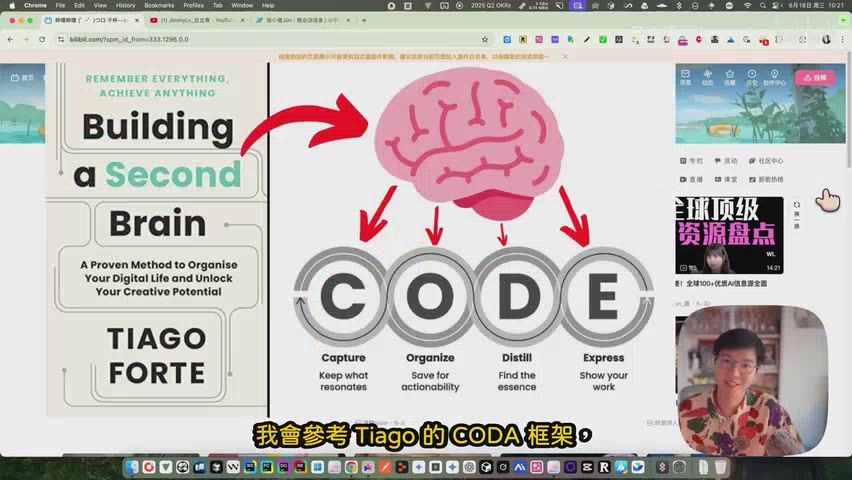 CODA Knowledge Management Framework
BibiGPT's Core Role: Connecting Information Sources with Personal Knowledge Base
BibiGPT's core role is like a bridge. One end connects to various audio-video information sources like YouTube, Bilibili, TikTok, while the other end connects to note-taking software we commonly use like Notion, Obsidian, Roam Research. As a personal knowledge management enthusiast, I deeply understand the importance of effectively accumulating learned content. BibiGPT helps us digest and absorb audio-video content through AI, seamlessly integrating knowledge into our note-taking software.
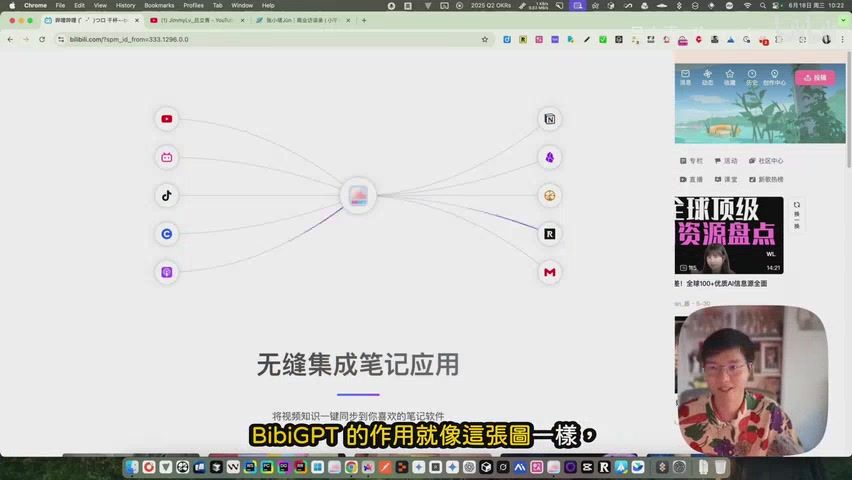 BibiGPT as Information Bridge
Additionally, BibiGPT can assist in content creation. For example, when recording videos, it can help generate relatively standardized draft scripts; after editing is complete, it can efficiently proofread subtitles and generate corresponding copy for various platforms, greatly improving creative efficiency.
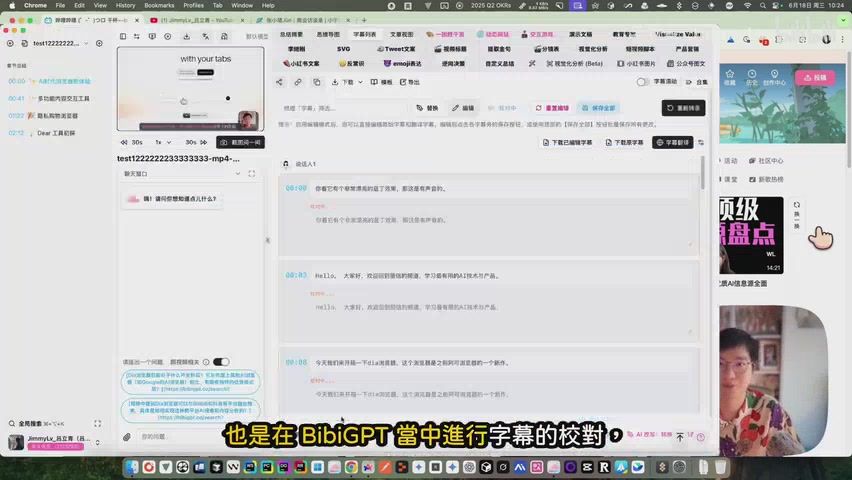 BibiGPT's Subtitle Correction Feature
Practical Operation: How to Use BibiGPT to Capture and Organize Knowledge
In the first Capture stage of the CODA framework, BibiGPT keeps things simple: paste a link, click "One‑Click Summary," and get structured highlights, chapters, and key moments you can jump to. Exact steps may vary slightly by platform—we focus on a lightweight, smooth flow rather than an exhaustive step‑by‑step tutorial.
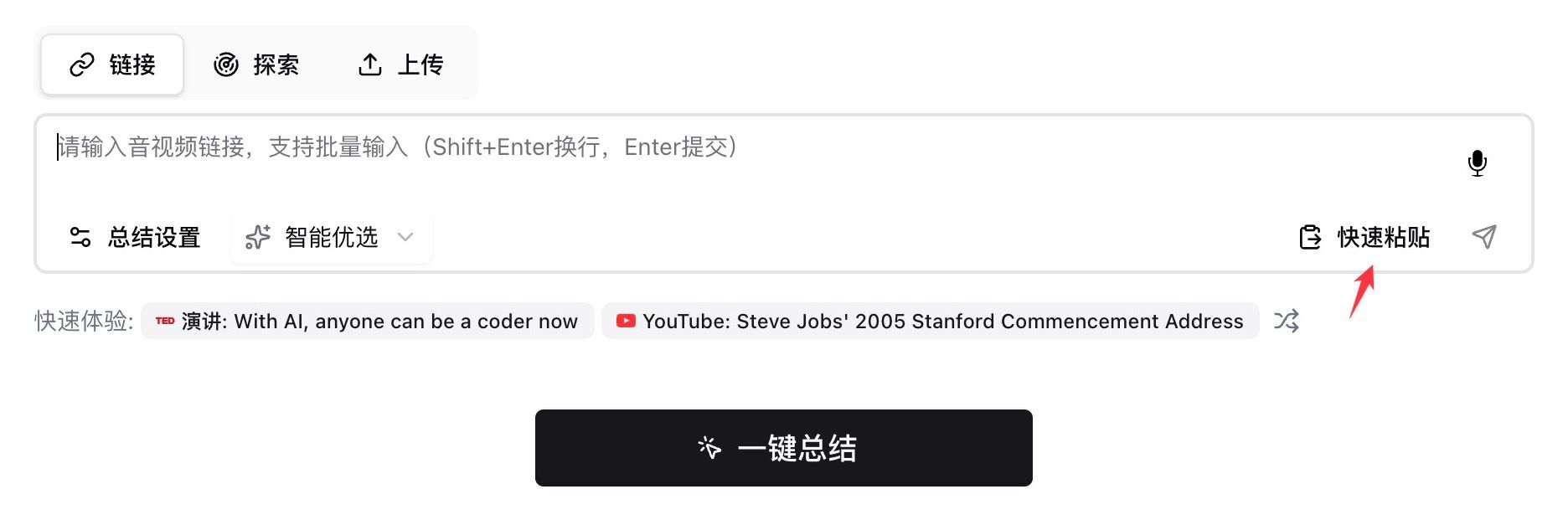 Paste link and click "One‑Click Summary"
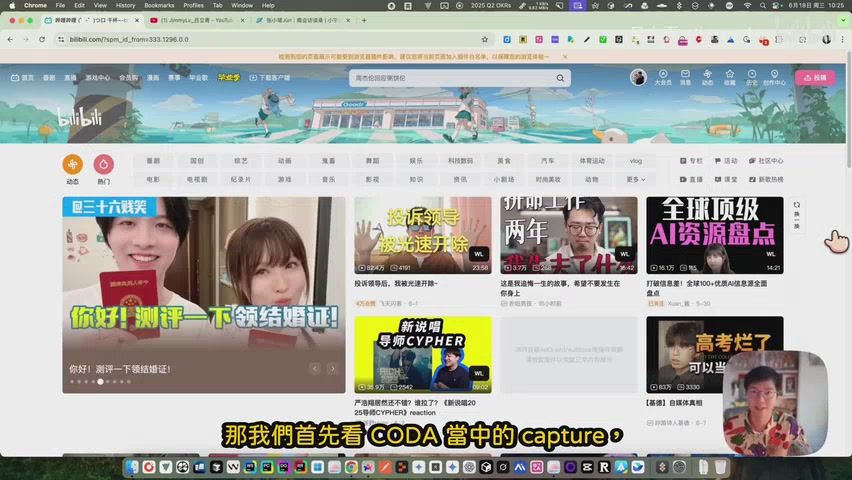
For more efficient batch information capture, I also developed a Chrome extension called "AI Watch Later." When browsing Bilibili or YouTube, just click the "WL" button on the video thumbnail, and the video will be automatically added to the watch later list and summarized in the background. This way, you can concentrate on processing and reviewing this content during free time, with all information synchronized and saved in BibiGPT's summary records, even automatically saved to Notion, achieving true "speed above all."
Install the AI Watch Later Chrome extension (Chrome Web Store): AI Watch Later
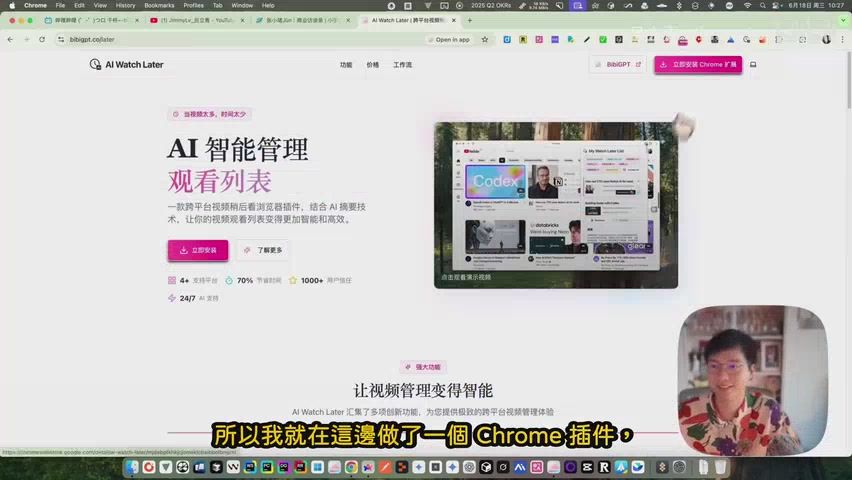 AI Watch Later Browser Extension
Step-by-step example: from link to summary
- Copy a video link, paste it into BibiGPT, and click "One‑Click Summary"
 Start capture with pasted link
- Review the generated chapters and summary; jump to key moments instantly
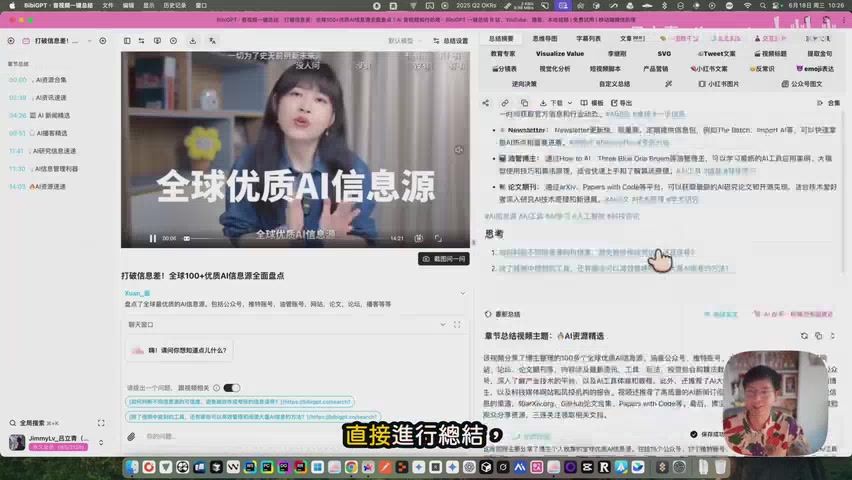 Summary result with chapters
- Batch review and organize via the "Summary Records" view
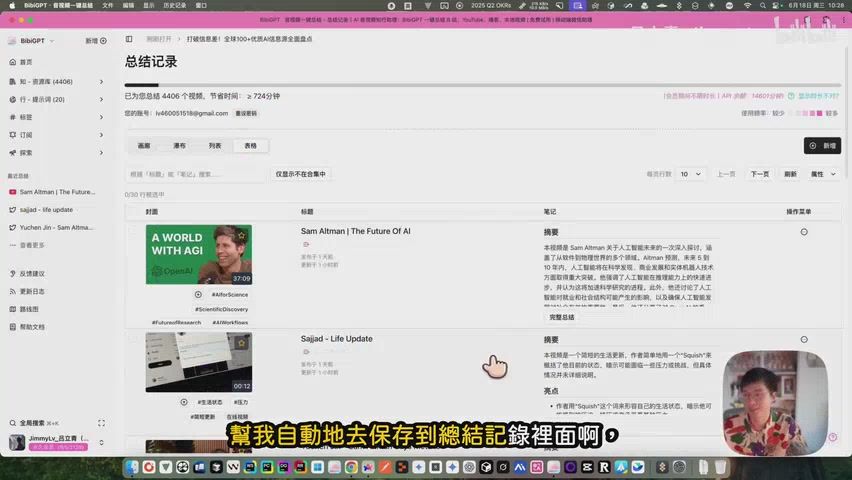 Summary Records page
- Use "AI Watch Later" to add interesting videos while browsing; summaries are created in the background
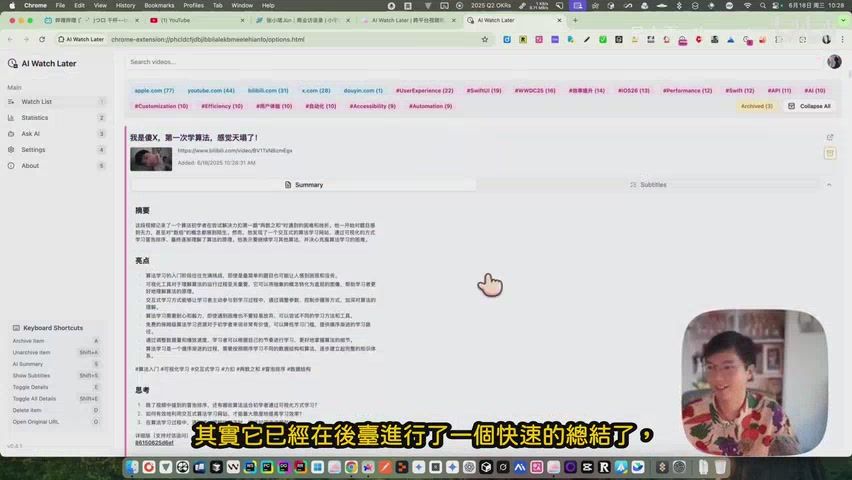 AI Watch Later list
- For a more systematic workflow, refer to the "Workflow Diagram" as a quick mental map
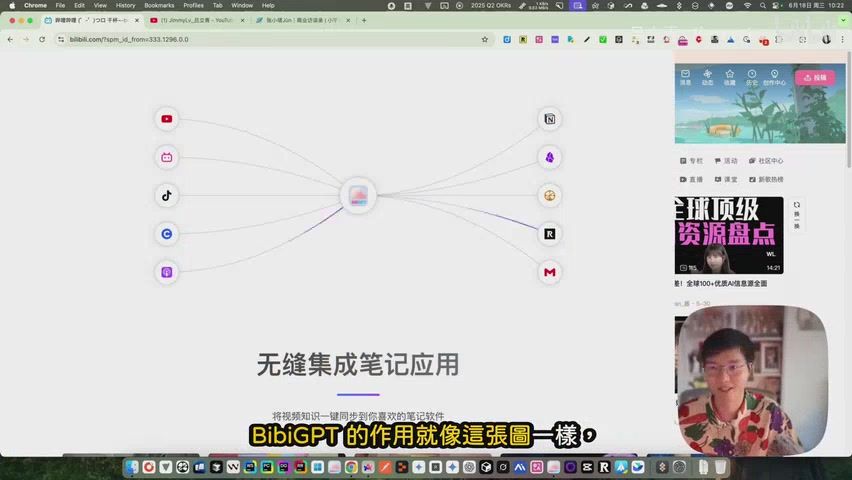 BibiGPT workflow diagram
Why Choose BibiGPT for Video Knowledge Management?
Intelligent Content Understanding
Beyond transcription, BibiGPT analyzes on‑screen visuals and narrative structure to surface key shots, context, and takeaways. It can also produce rich long‑form summaries, concept maps, and interactive outputs that make ideas easier to grasp and share.
Broad Platforms and Real‑World Scenarios
From Bilibili and YouTube to podcasts and local/cloud files, BibiGPT covers long and short content across multiple languages. It fits creators, students, and professionals—supporting research, review, and content workflows in one place.
Deep Note‑Taking Integration
Smoothly connects with Notion, Obsidian, and Readwise to turn insights into structured, searchable notes—so “fast to watch” naturally extends to “easy to find and good to use.”
Thoughtful Feature: Gift Cards Make Knowledge Sharing Easier
BibiGPT has also launched a gift card feature, allowing you to share this powerful AI tool with friends and colleagues. After successful purchase, you will receive a gift code that can be directly shared with friends.
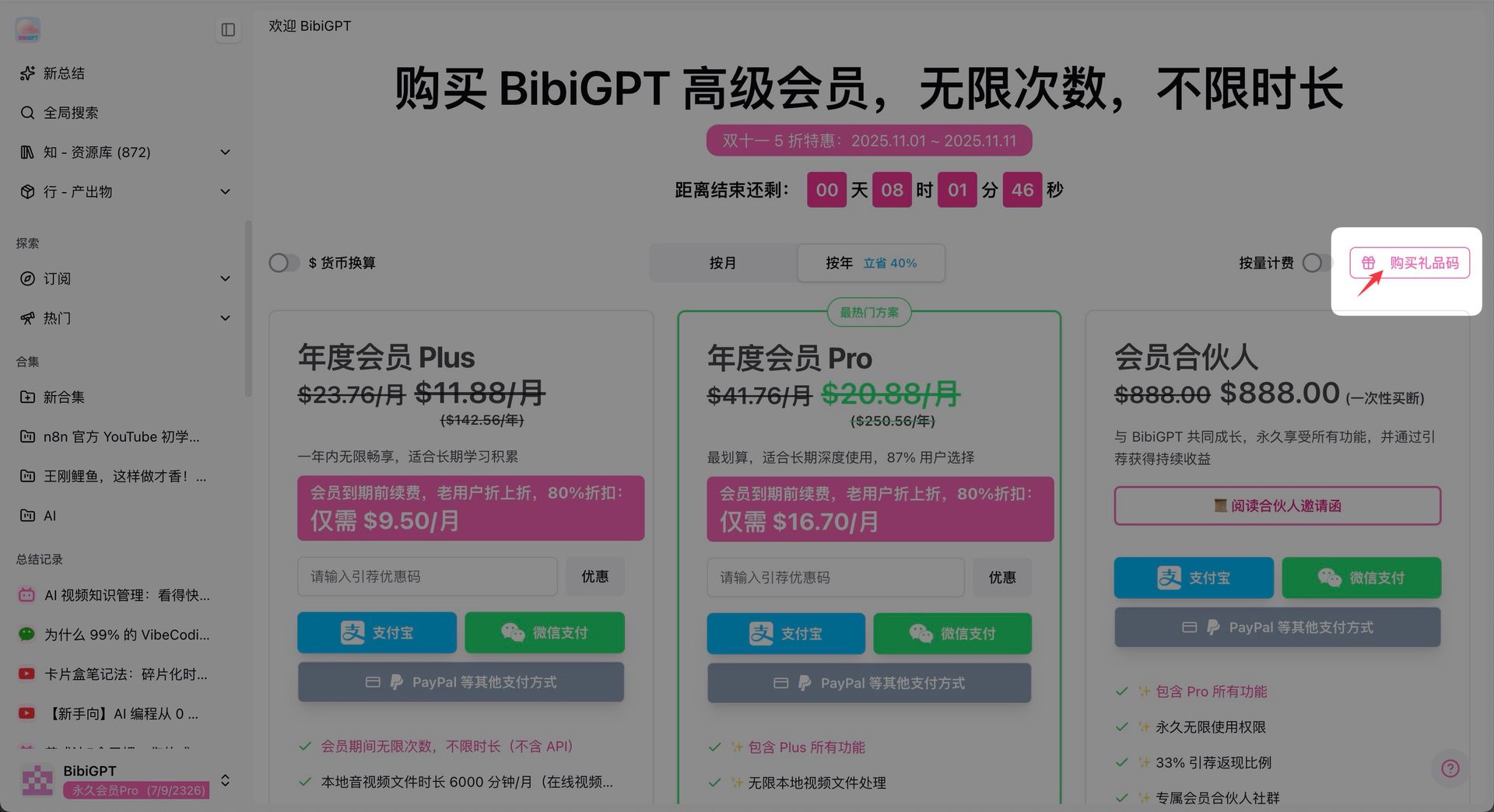 BibiGPT Gift Card Purchase Entrance
How to Purchase and Use Gift Cards?
- Purchase Gift Card: Click the "Purchase Gift Card" button on BibiGPT's membership page
- Select Package: Choose different membership packages as gifts according to your needs
- Complete Payment: After successful payment, the system will generate a unique gift code
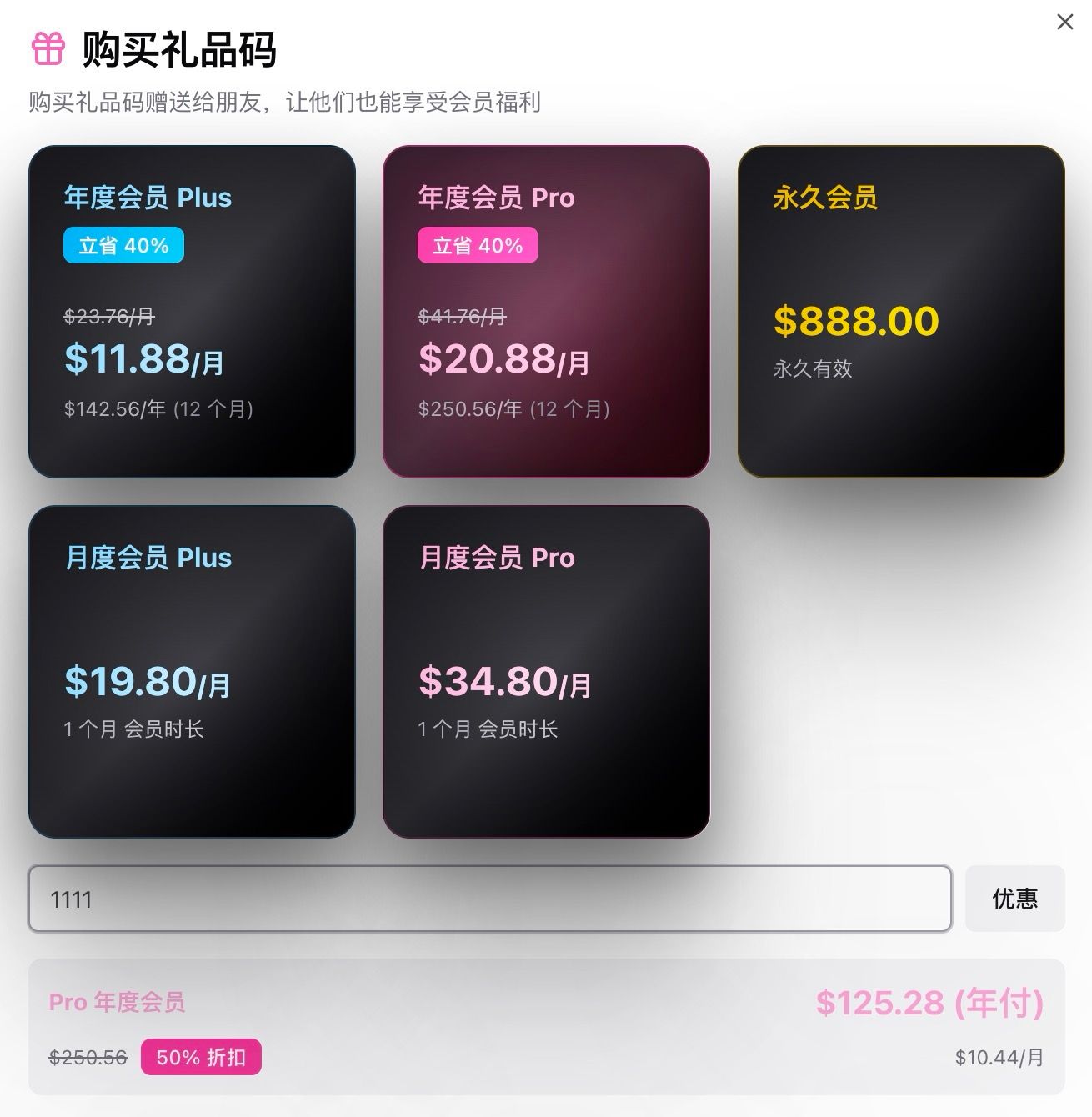 BibiGPT Gift Card Purchase Dialog
How Can Friends Use the Gift Code?
Friends who receive the gift code only need to:
- Register and Login: First register and login to an account on BibiGPT's official website
- Visit Redemption Page: Go to https://aitodo.co/gift for redemption
- Enter Gift Code: Enter the received gift code on the redemption page
- Immediate Effect: After successful redemption, membership duration will be immediately added to the account
This feature is particularly suitable for:
- Team Collaboration: Purchasing AI tools for team members uniformly
- Holiday Gifts: As meaningful learning tool gifts
- Knowledge Sharing: Recommending to friends with learning needs
Make Video Learning Feel Lighter
With BibiGPT, you don’t need to juggle tabs or rewatch segments endlessly. Let the tool handle the heavy lifting so you can focus on thinking and creating. Even ten spare minutes can turn into clear notes and real progress.
If you often feel overwhelmed by information or want a smoother learning routine, give yourself a gentler start. May BibiGPT help you save time and energy—and turn “watched it” into “kept it and used it.”
🎉 Double 11 Special Offer, Start Now for the Best Deal!
During Double 11, BibiGPT is launching its biggest annual discount event, making it the perfect time to experience AI video knowledge management. Whether for personal learning or team collaboration, purchasing now allows you to enjoy exceptional value. Today is the last day — prices go back to normal on the 12th. Don’t miss it.
Join the Double 11 Event Now: https://bibigpt.co/shop?ref=1111
Don't miss this opportunity to make learning smarter and more efficient. Start your AI video knowledge management journey and turn every video into a valuable asset in your knowledge base!