
Stop Passive Watching: Turn Any Video into Lasting Memory with BibiGPT + Anki
Use BibiGPT’s custom prompts to auto-generate Anki-ready Q&A tables, review them quickly, and batch import as flashcards—so video knowledge sticks for good.
Stop Passive Watching: Turn Any Video into Lasting Memory with BibiGPT + Anki
Why Most Lessons Fade
We binge tutorials, interviews, and lectures—and a week later the concepts are gone. It’s not a focus problem; it’s that passive viewing doesn’t anchor ideas. Spaced repetition (SRS) tools like Anki solve that, but building cards manually is tedious enough to stop most learners.
The Real Bottleneck
Translating a two-hour video into high-quality flashcards used to mean constant pausing, transcribing, and formatting. BibiGPT’s custom prompt feature eliminates the friction by letting AI draft the cards for you.
The Three-Step Workflow
-
Generate a Q&A table with a custom prompt
- Open any summary in BibiGPT.
- Click Custom Prompt and pick the prebuilt ANKI template (or tailor your own).
- BibiGPT produces a Markdown table with columns
QuestionandAnswer.
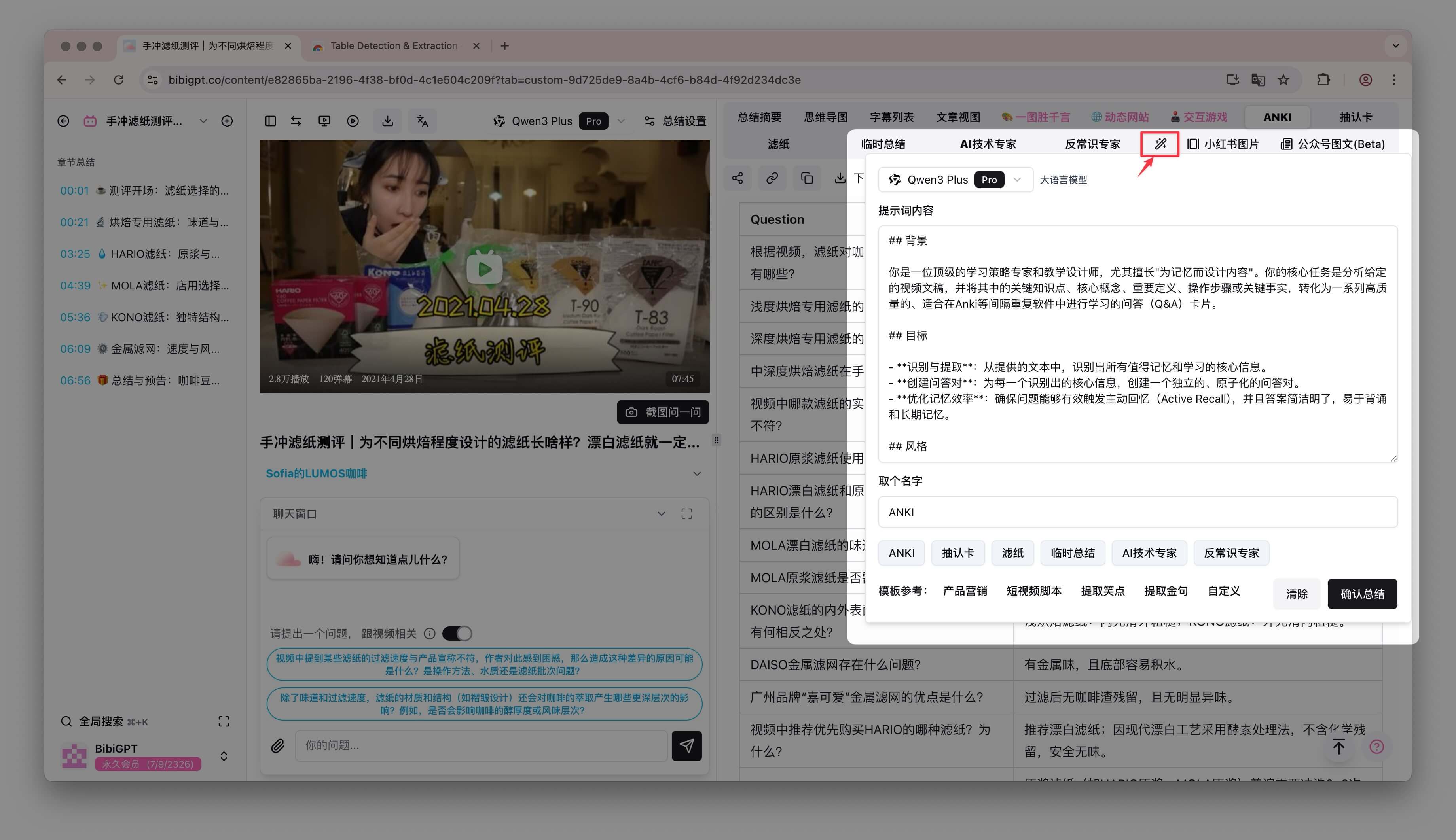 Setup
Setup
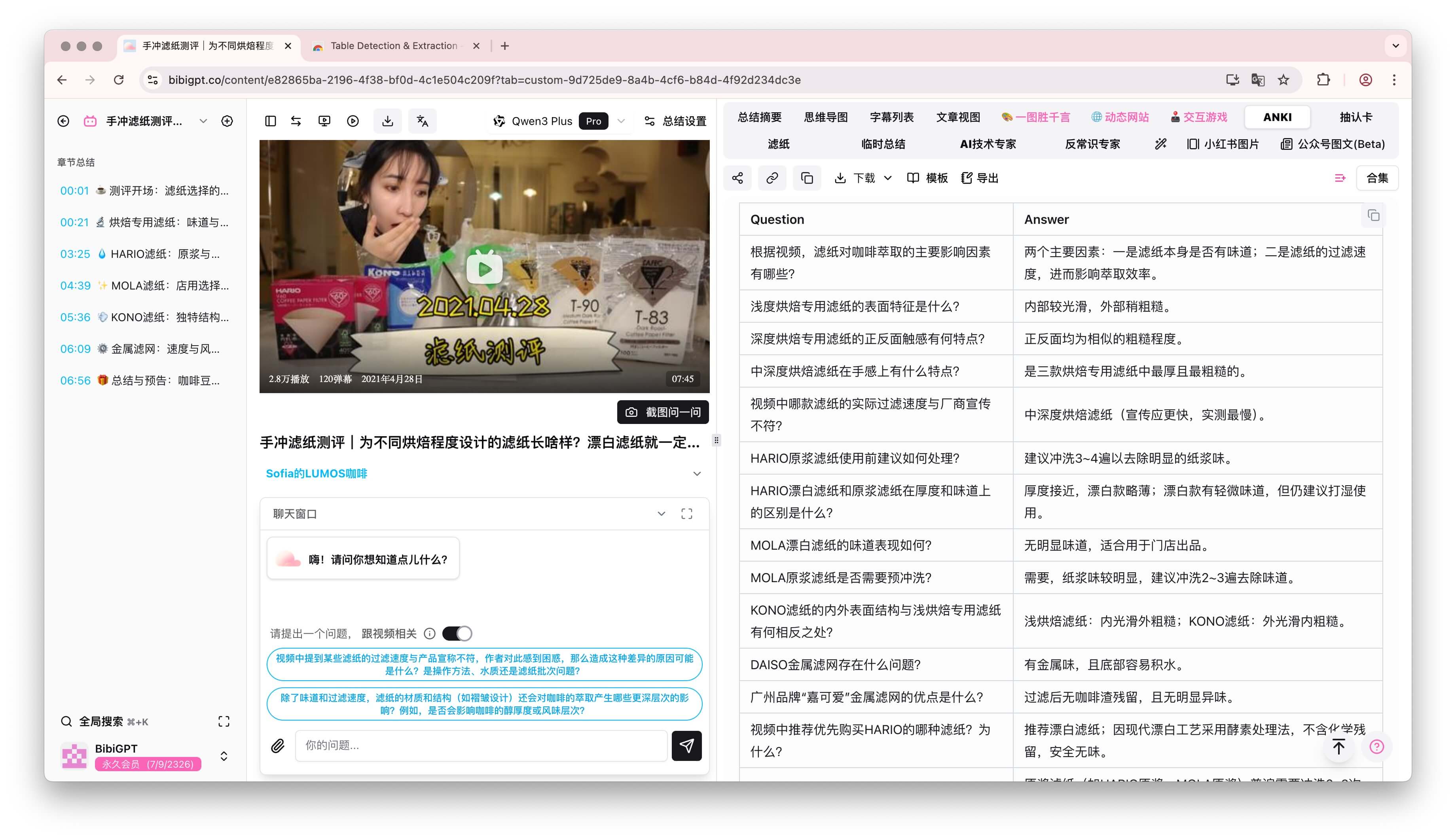 Table
Table
-
Review & refine
- Spend a minute trimming, rewriting, or adding notes so each card is atomic, precise, and useful.
-
Download & import
- Click Download Markdown (or CSV).
- In Anki, use File → Import and map
Questionto the front,Answerto the back.
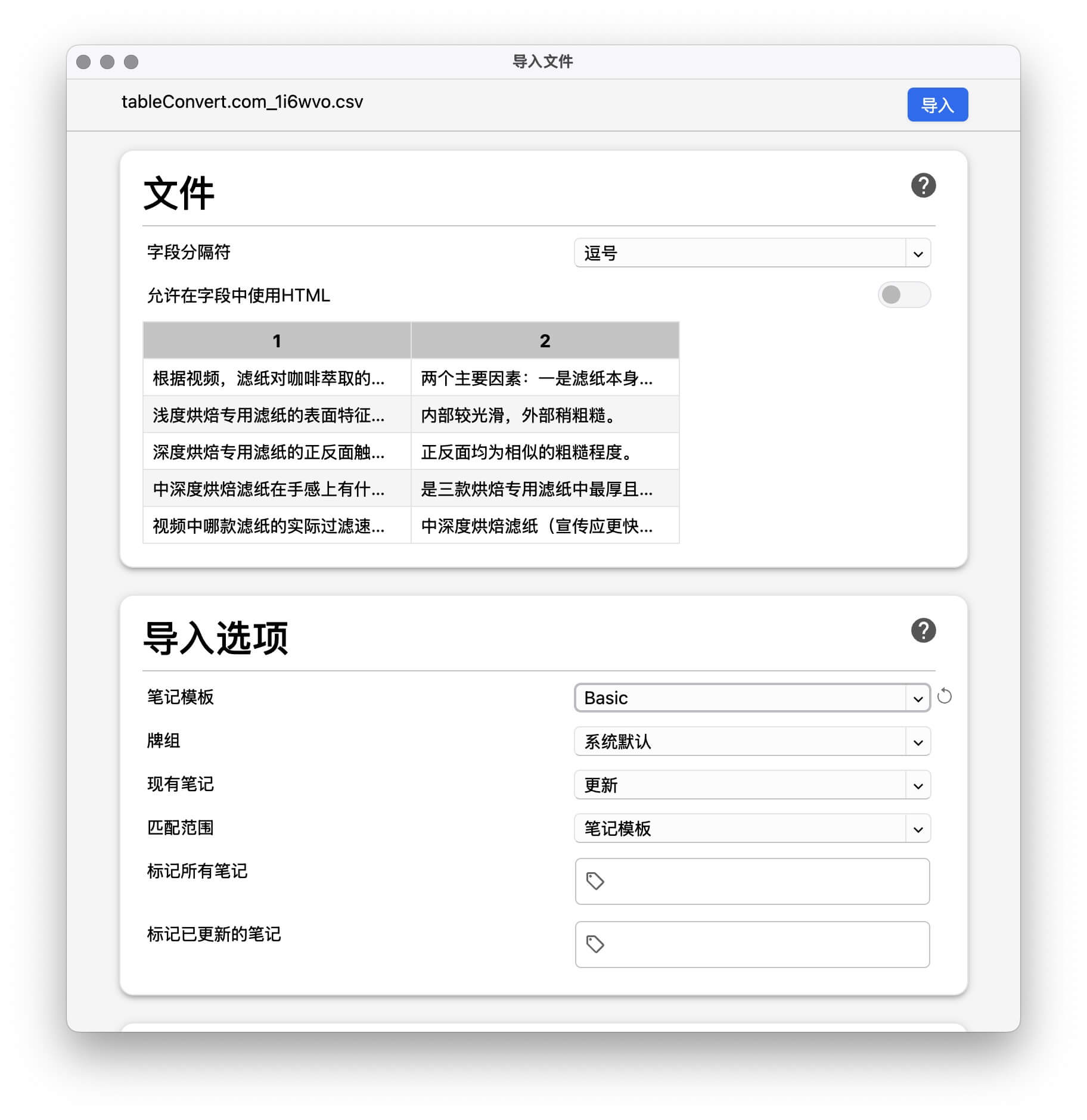 Import
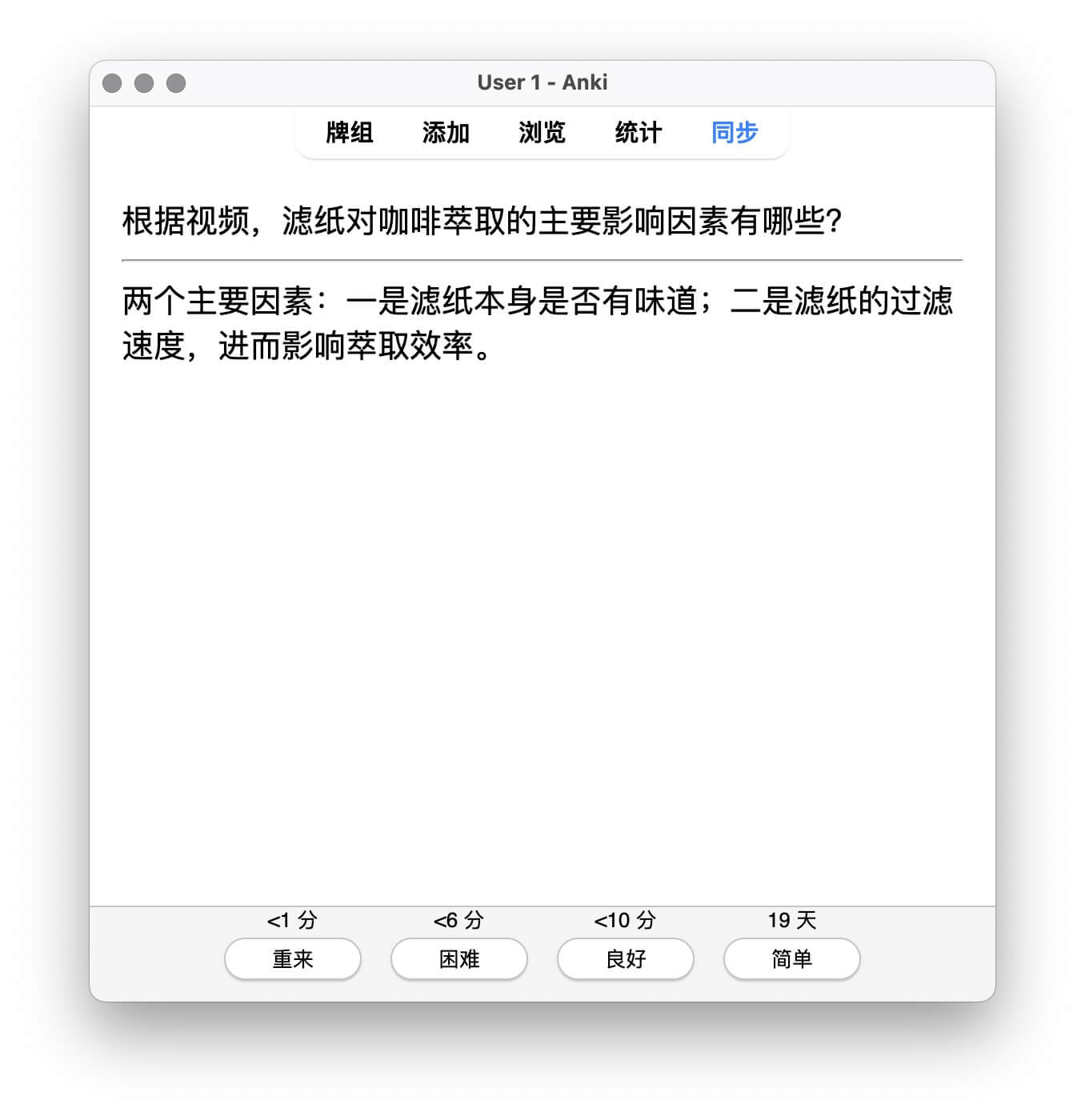 Cards
Cards
In under five minutes, a dense video becomes dozens of flashcards ready for spaced repetition.
Bonus: A Built-In Review Hub
Every time you run the ANKI prompt, BibiGPT logs it. Open the custom prompt list and you’ll see all videos you’ve Anki-fied—perfect for planning review sessions.
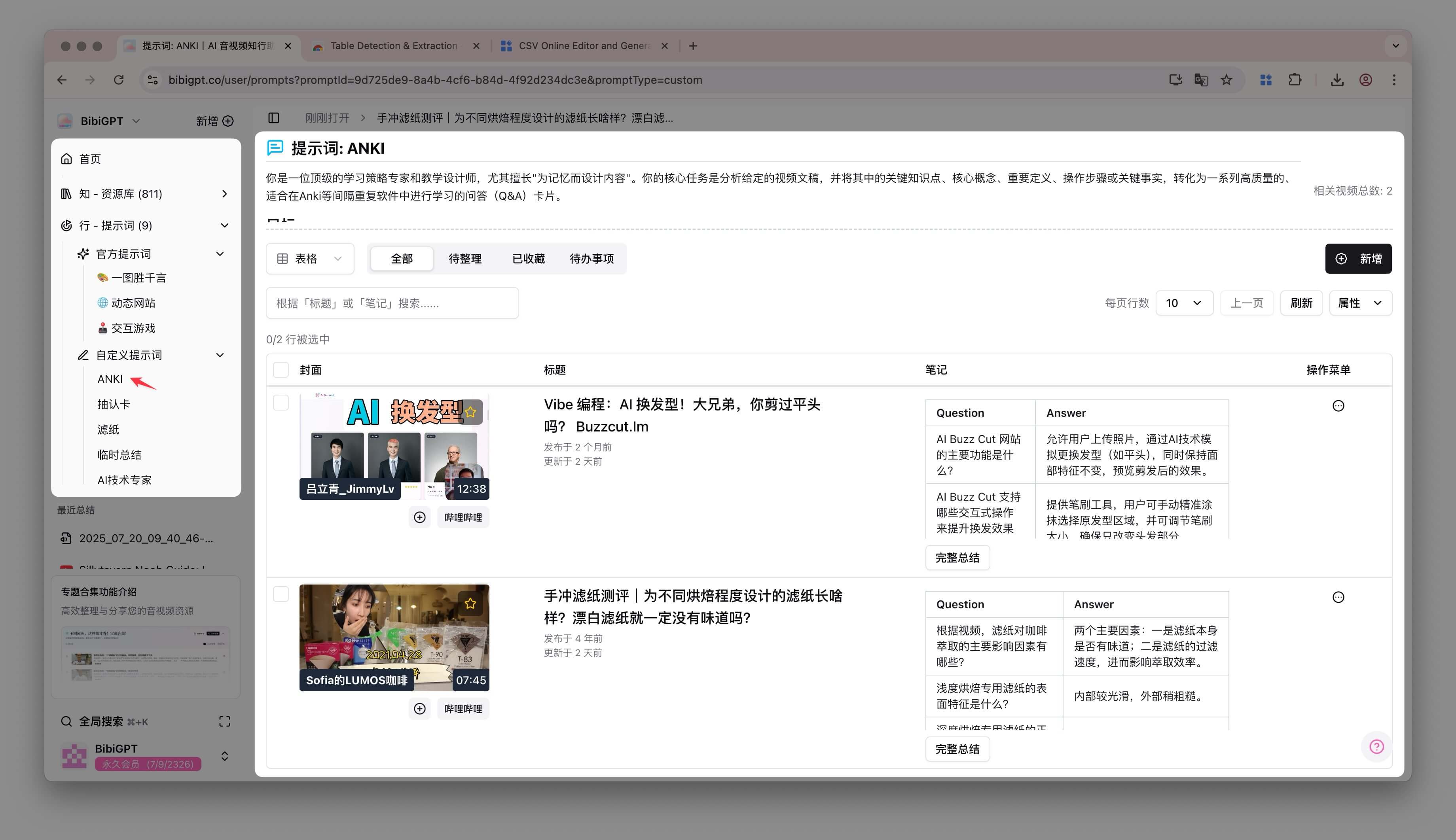 Sidebar filter
FAQ
- Which platforms can BibiGPT summarize? YouTube, Bilibili, Douyin, Xiaohongshu, podcasts, meetings, plus local files.
- Are the cards ready out of the box? They’re strong starting points—we recommend a quick edit to match your style.
- Do I need Anki? No. You can export to any SRS (SuperMemo, RemNote, etc.) or keep the table as study notes.
- Is it free? Basic summaries are free; custom prompts require membership. The time saved is worth it.
Conclusion: Build Knowledge You Can Recall
Watching alone doesn’t build memory. With BibiGPT + Anki, every video can become a structured learning experience. Generate cards, review them, and let spaced repetition do the rest.
Try BibiGPT now and run your next video through the ANKI prompt—you’ll never treat video learning the same way again.
Appendix: ANKI Prompt Template
## Role
Act as a learning architect who converts transcripts into active-recall flashcards.

## Goals
- Extract core concepts, definitions, steps, and facts.
- Produce atomic Q&A pairs for spaced repetition.
- Ensure questions trigger retrieval; keep answers concise.

## Output
- Markdown table with columns: Question | Answer
- Focus on clarity, specificity, and relevancy.