
Interactive Video Learning Guide: Turn Any Video into Playable Knowledge with BibiGPT
How do you turn a 60-minute video into knowledge you actually retain? BibiGPT offers Picture Perfect, Dynamic Site, Interactive Game, AI Video Chat, Flashcards with Anki export, Collection Summaries, and Mind Maps to make video learning truly interactive.
Interactive Video Learning Guide: Turn Any Video into Playable Knowledge with BibiGPT
How do you turn a 60-minute video into knowledge you actually retain? Stop watching passively and start playing. BibiGPT provides a complete interactive video learning toolkit — from Picture Perfect, Dynamic Site, and Interactive Game to AI Video Chat, Flashcards, and Collection Summaries — that transforms any video into tactile, buildable, testable knowledge blocks. Trusted by over 1 million users with over 5 million AI summaries generated, BibiGPT is redefining how people learn from video.
You're Not Learning — You're Fighting a Progress Bar
Scrubbing back and forth to find "that one insight" shatters flow. Video shouldn't be a one-way timeline trap. True mastery means liberating ideas from time and rebuilding them as mental Lego bricks.
BibiGPT introduces an immersive deconstruction method that turns any video into tactile knowledge. If you're new to BibiGPT, explore the AI video summary and visual content feature to see why we obsess over video comprehension.
Stage 1: Picture Perfect — Catch the Signal
Smart learners don't dive into chaos — they step back and find the thread.
Example: an "AI hairstyle generator" video claims 5x developer efficiency. Text alone feels abstract. But when you click Picture Perfect, the magic happens:
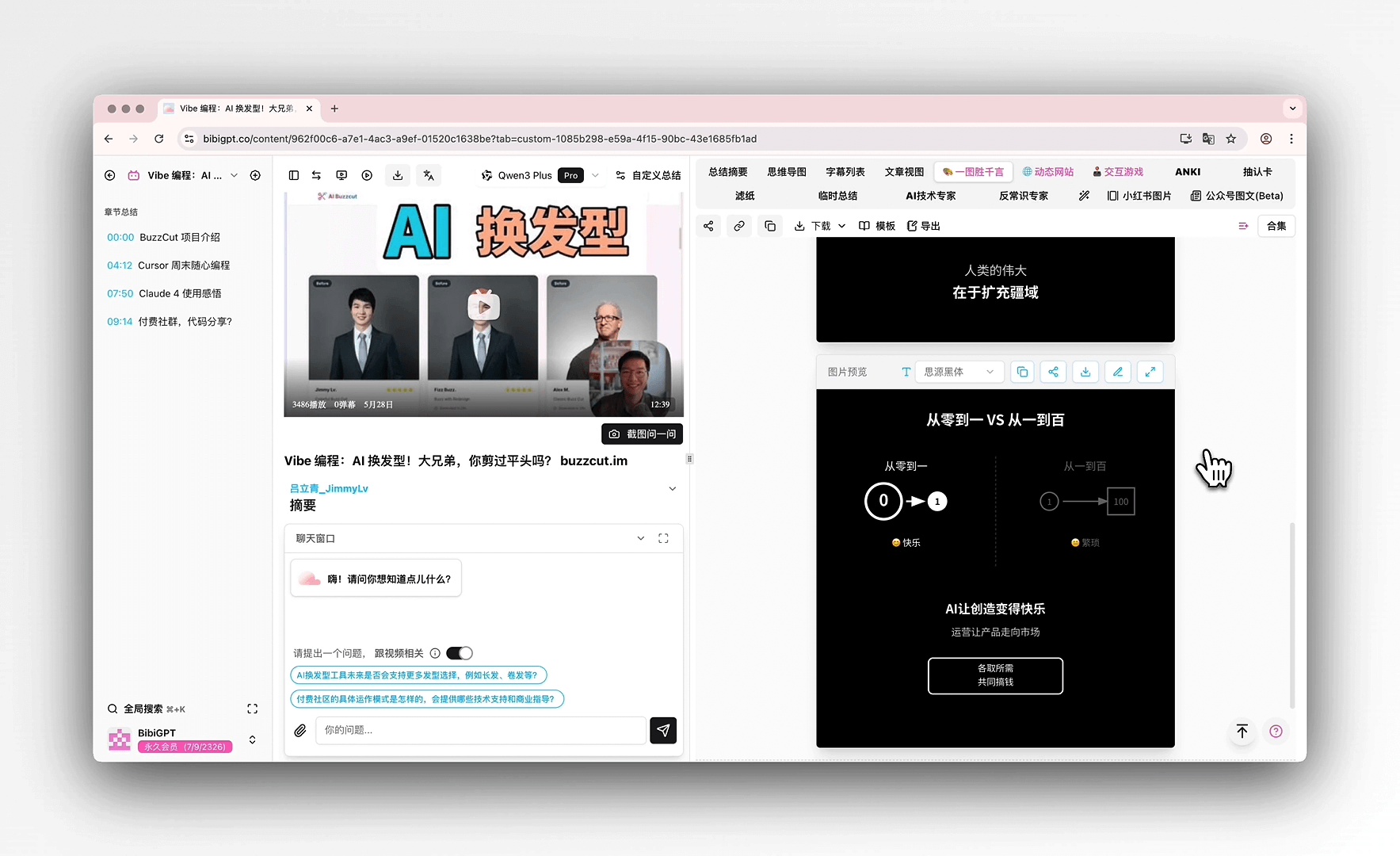 Concept map tab
AI renders a bespoke concept diagram — ten dots on one side, two on the other, a bold arrow reading "From 10 to 2: not 80% less cost, but 500% more output."
What does this really mean? That abstract "5x efficiency" becomes an unforgettable visual impact. No more willpower battles against information overload. The diagram illuminates the entire knowledge landscape at a glance.
Pro tip: Picture Perfect doubles as your personal visual asset library. Download as PNG for sharing, enter the SVG editor to recolor for your brand, or drop it into a keynote deck.
Stage 2: Dynamic Site — Connect the Constellation
After finding the core signal, the next step is mapping how ideas connect. Dynamic Site rebuilds scattered video takeaways into a structured, beautiful microsite.
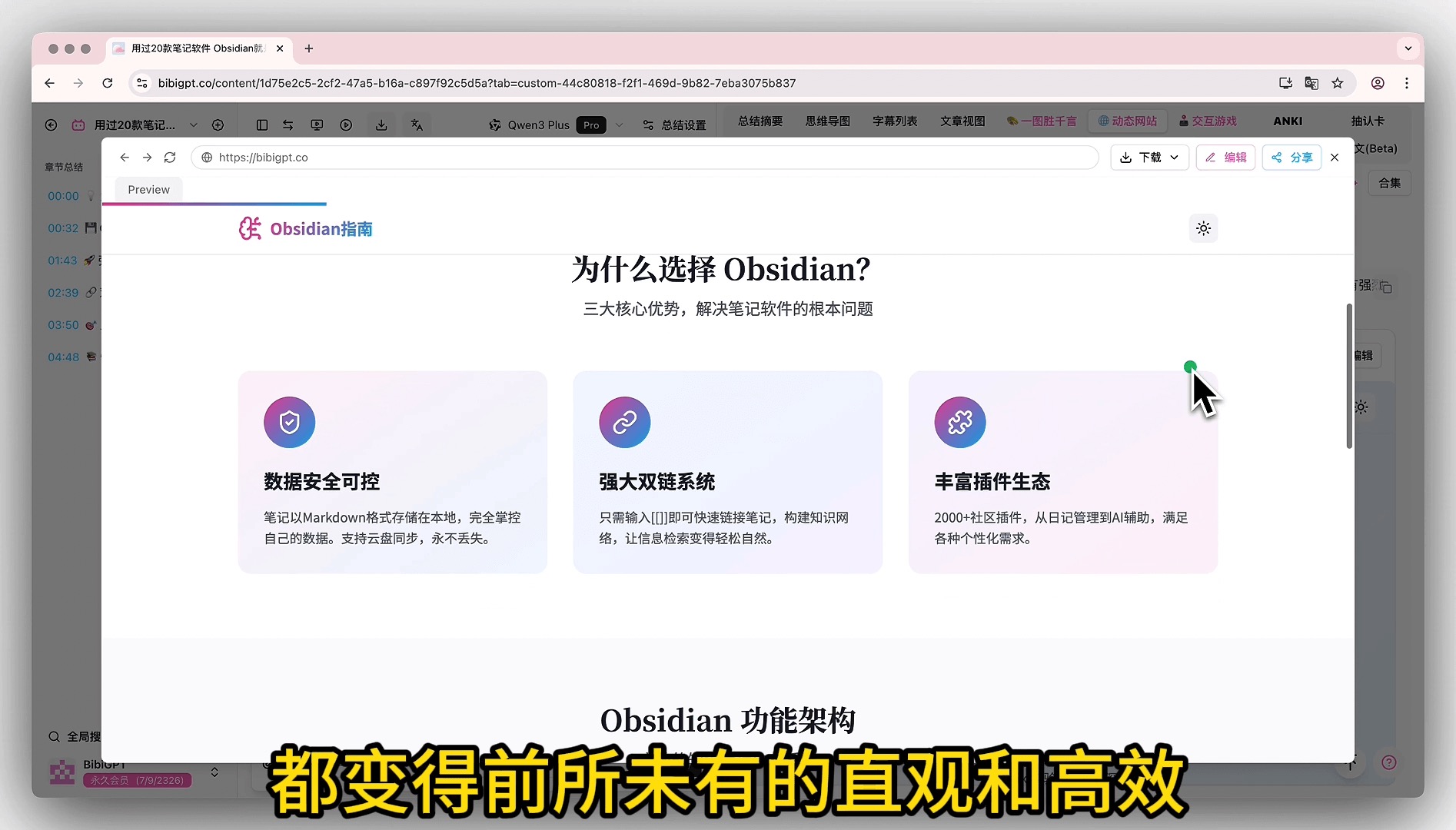 Dynamic site preview
Example: "Tried 20 note-taking apps, why I chose Obsidian." BibiGPT rebuilds the talk into a responsive microsite with:
- Icon cards summarizing core advantages
- A knowledge architecture mind map showing the full system
- Comparison tables vs. other tools
What does this really mean? You become the map's owner, not time's prisoner. Explore the structure freely, enter edit mode to add your thoughts, and build a unique knowledge center around any topic.
Stage 3: Interactive Game — Play Your Way to Mastery
You have the concept map and the knowledge atlas. But between "knowing" and "doing" lies the critical gap — hands-on experience.
You can't learn to swim by watching videos. Interactive Game is your digital swimming pool — it turns core mechanisms into playable micro-simulators.
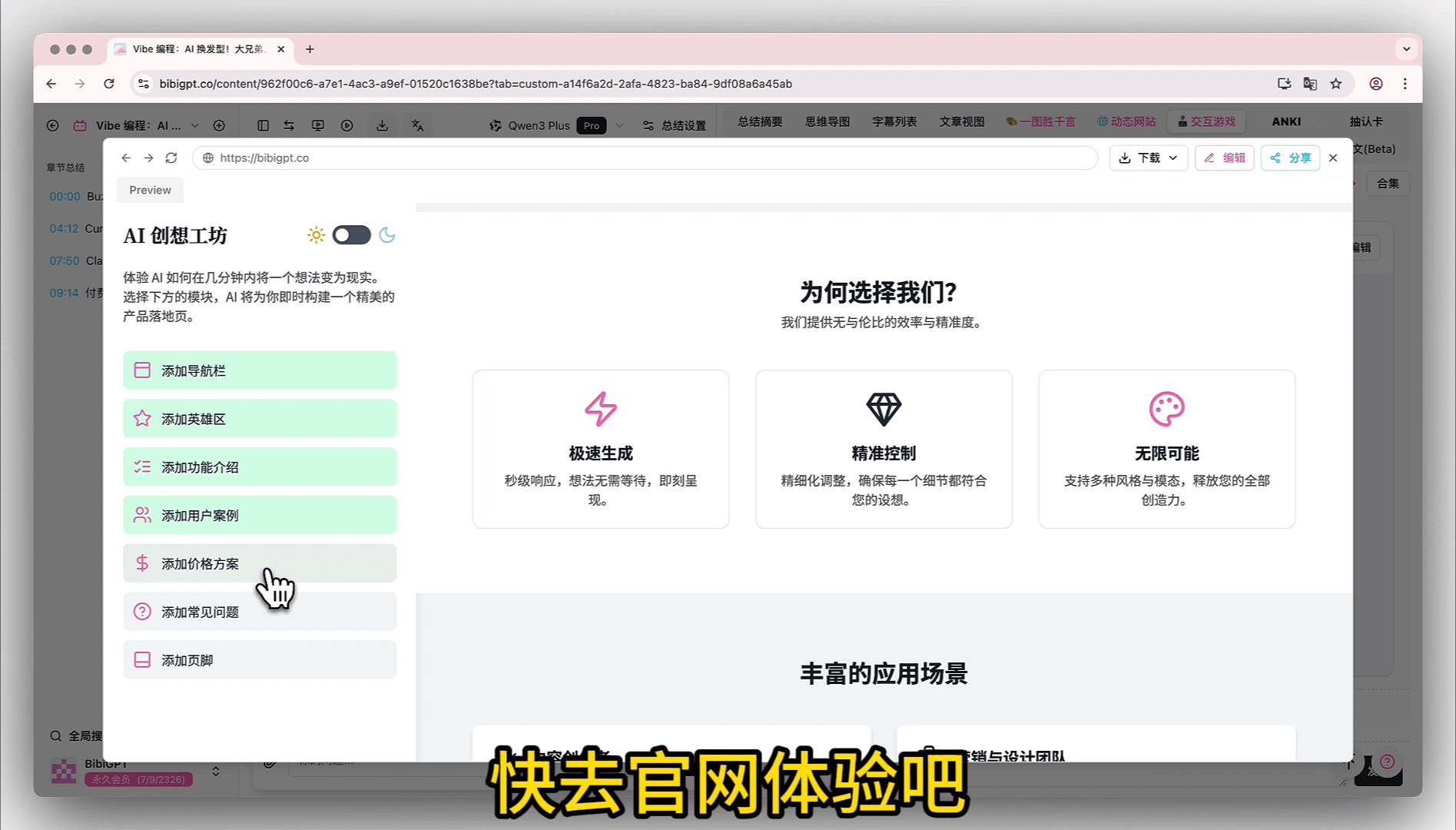 Game tab
Example: A pour-over coffee filter review video compares flavor profiles across brands. Interactive Game generates a virtual coffee bar where you select filter brands (Hario V60 or Kalita Wave) and brewing parameters, receiving instant flavor feedback.
What does this really mean? Knowledge comes alive at your fingertips. The "aha!" moments from hands-on interaction with instant feedback are something no passive learning can match.
2026 New Arsenal: Deeper, Broader, and More Lasting Video Learning
The three-stage deconstruction method is already powerful. In 2026, BibiGPT expands the interactive learning frontier with an entirely new set of capabilities.
AI Video Chat: Ask Questions, Get Source-Traced Answers
Finished a long video full of unanswered questions? AI Video Chat lets you interact with the content through intelligent Q&A. Every answer comes with clickable timestamps that let you trace back to the original video source. Want to explore this AI-powered video Q&A and source-tracing capability further? Visit the feature page.
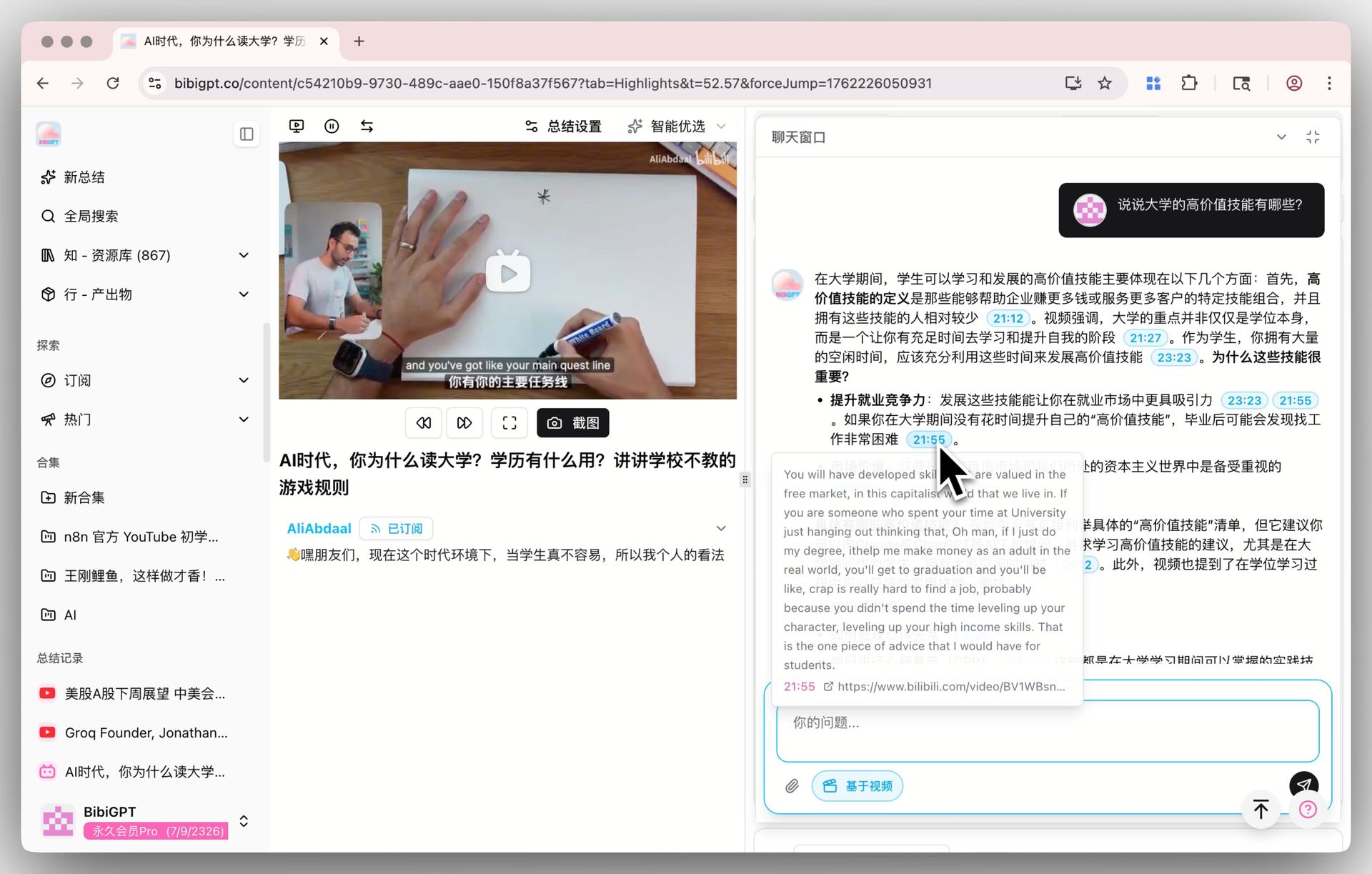 AI video chat source tracing demo
Flashcards + Anki Integration: From "Watched" to "Remembered"
Active recall is a scientifically proven memory technique. Flashcards automatically generate Q&A cards from video content. Review them inside BibiGPT or export as CSV for Anki, leveraging spaced repetition for long-term retention. From "watched and forgot" to "truly remembered" — it takes just one step. Learn more in our guide on reshaping video learning with active recall.
 Flashcard Q&A interface
Collection Summaries: Master an Entire Series at a Glance
Added a 20-episode course to a collection? No need to watch every single one. Collection Summary analyzes all videos within a collection and generates a structured overview with a detailed mind map and expandable citation sources. Grasp the knowledge framework of an entire series in one click.
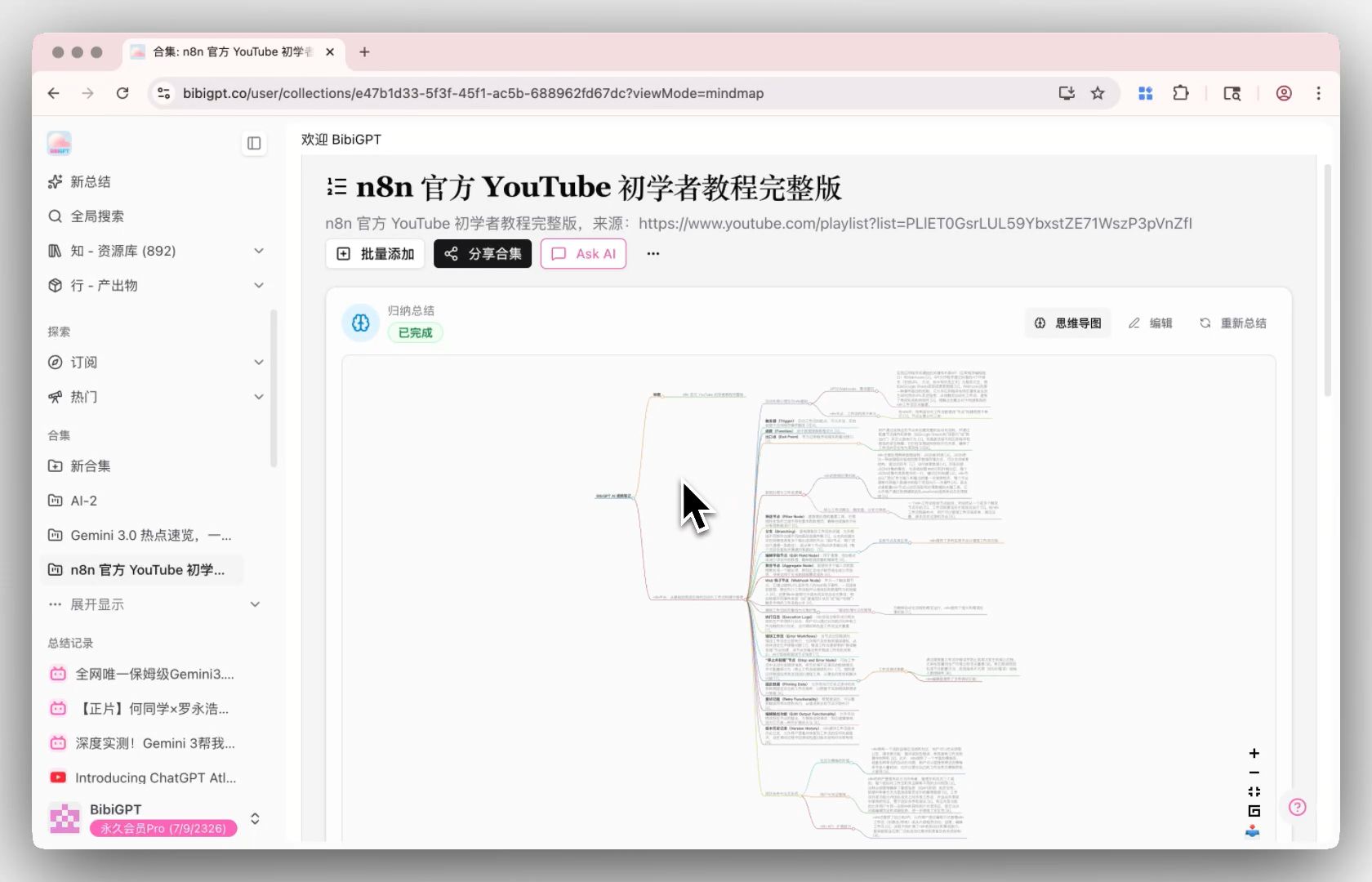 Collection summary mind map
Enhanced Mind Maps: Seamless Switching Between Summary and Overview
BibiGPT integrates mind maps directly into the summary view. No more tab-switching — just click a button to toggle between text summaries and Markmap/XMind mind maps, keeping your reading flow unbroken.
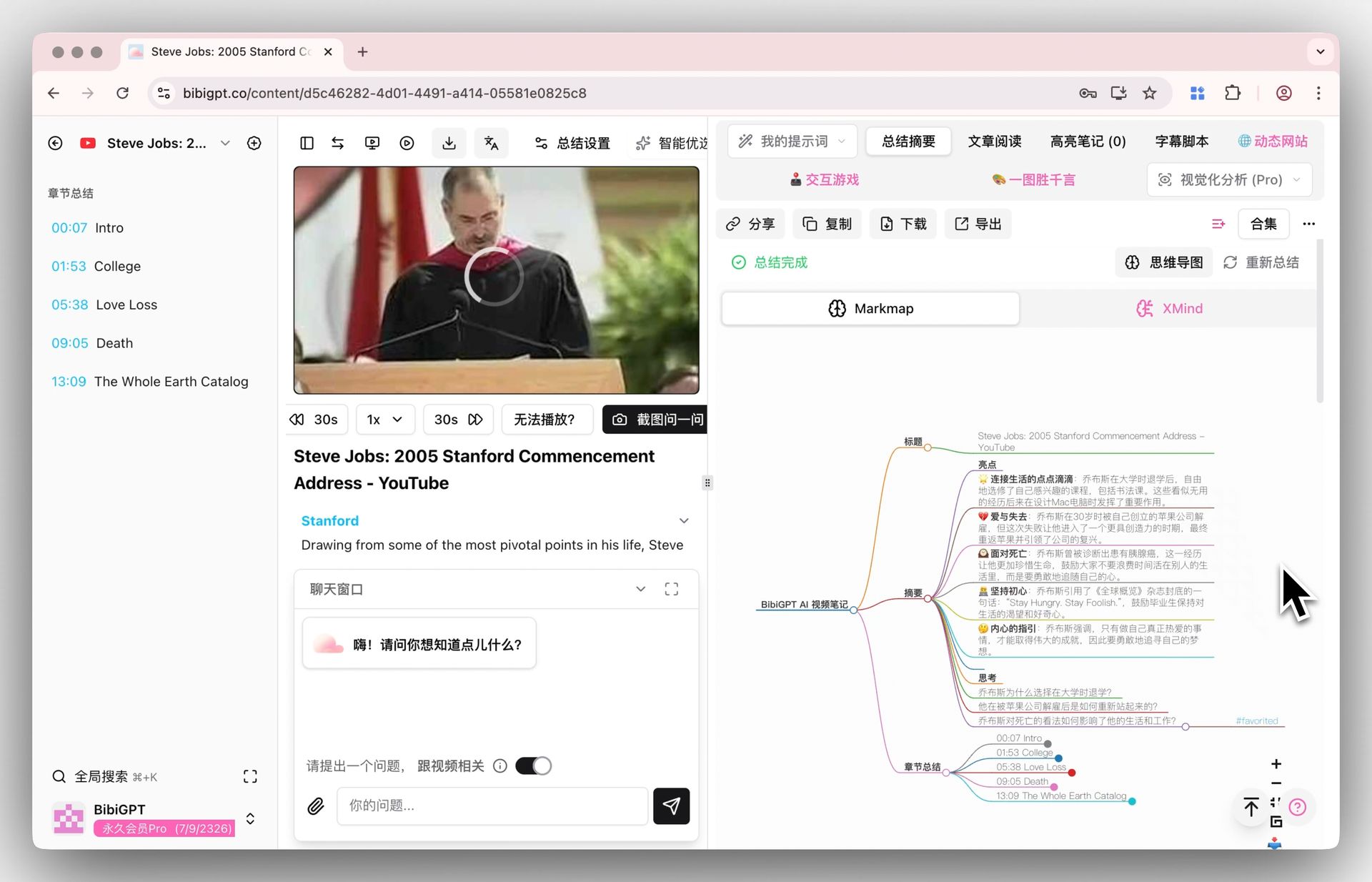 Mind map display
Agent Skills: Automate Your Video Learning Workflow
With BibiGPT Agent Skills, your AI agents can handle video summarization automatically. Whether through CLI tools or agent platforms, you can batch-process video content at scale. If you're already using AI Agent automated video summary workflows, this feature takes your efficiency to the next level.
Your Personal Inspiration Vault
Best of all, none of this is a one-time experience.
In the left sidebar of your BibiGPT homepage, navigate to Actions → Prompts → Official Prompts. You'll find Picture Perfect, Dynamic Site, and Interactive Game waiting for you.
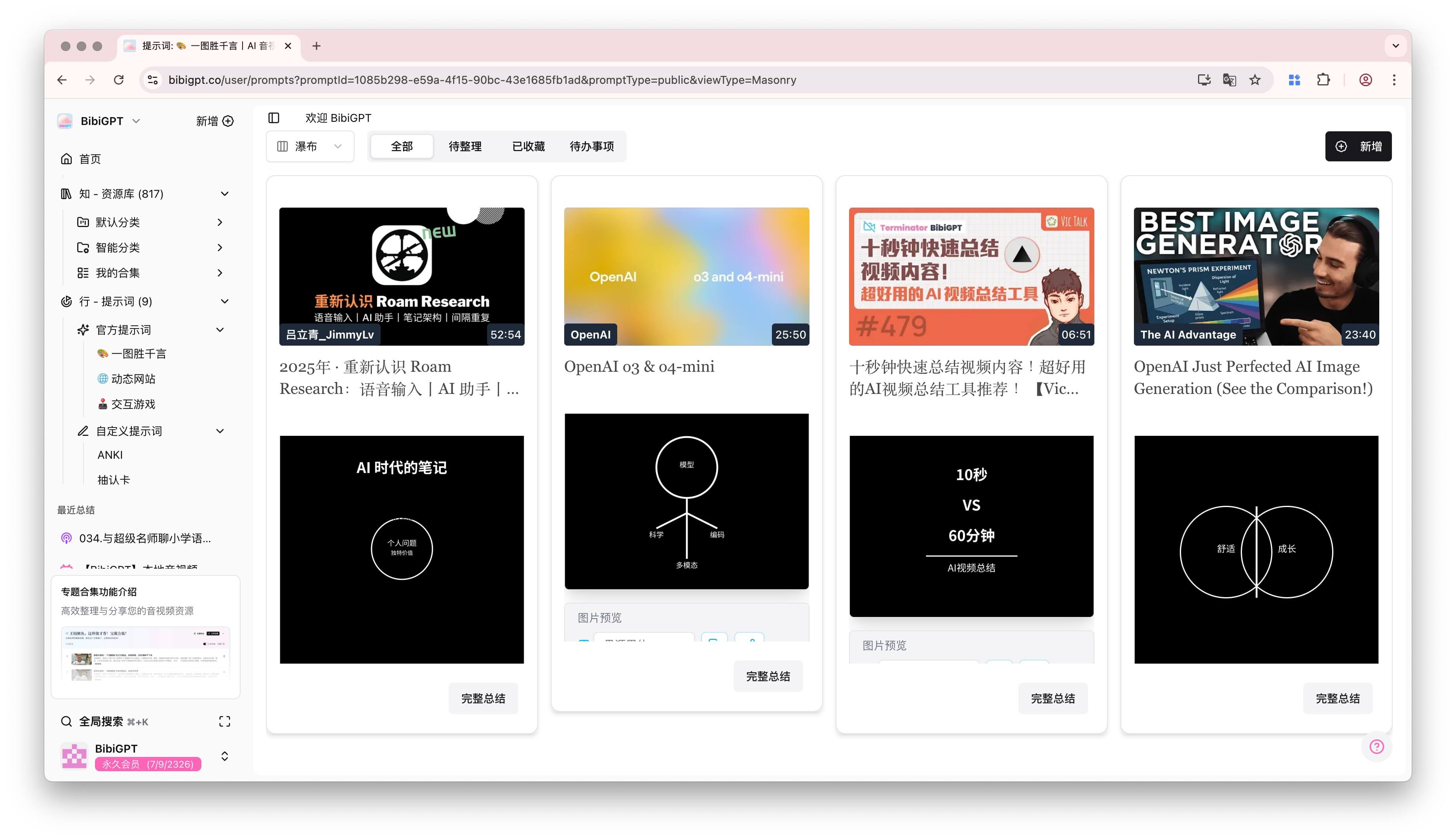 Prompt collection
Click any of them to summon every video you've ever transformed with that "spell." This isn't a cold history log — it's a curated inspiration library organized by learning mode.
- Need inspiration? Browse the Picture Perfect gallery.
- Want to review a framework? Revisit the Dynamic Site archive.
- Craving an "aha!" moment? Replay an Interactive Game session.
- Need to reinforce memory? Run through your Flashcard deck.
Become a Player, Not a Spectator
Learning isn't about passively consuming information — it's about actively deconstructing, connecting, and creating.
From the classic three-stage workflow — spotlight, map, simulate — to the 2026 arsenal — AI Chat, Flashcards, Collection Summaries — BibiGPT offers a complete path from audience to stage. To learn how BibiGPT can help you build a second-brain video learning system, check out our in-depth guide.
The best learning always comes with the joy of play.
FAQ
-
Which videos benefit most from interactive learning? Picture Perfect excels at conceptual/explainer content, Dynamic Site shines with long-form analysis, Interactive Game suits tutorials, and AI Video Chat works with any video where you want to dig deeper.
-
Can flashcards be exported to Anki? Yes. Flashcards export as CSV with one click, ready for import into Anki or any spaced repetition tool.
-
How many videos can Collection Summary handle? It processes all videos within a collection — from 10-video mini-series to full courses with dozens of episodes.
-
Which platforms are supported? YouTube, Bilibili, Xiaohongshu, Douyin, and 30+ more. Visit the YouTube AI video summary feature page for details.
-
Are AI Video Chat answers accurate? Every answer includes clickable timestamps and source snippet previews. You can jump directly to the original video to verify.
Start your AI efficient learning journey now:
- 🌐 Official Website: https://aitodo.co
- 📱 Mobile Download: https://aitodo.co/app
- 💻 Desktop Download: https://aitodo.co/download/desktop
- ✨ Learn More Features: https://aitodo.co/features
BibiGPT Team