
BibiGPT v4.293.0 Update: Local Privacy Mode Launches, Members Get 100 Daily AI Summaries via WeChat ClawBot
BibiGPT v4.293.0 introduces Local Privacy Mode for browser-based processing, mobile chat tab redesign, browser-based TTS, and 100 daily Agent Skill calls for members — perfectly timed with WeChat ClawBot's launch.
BibiGPT v4.293.0 Update: Local Privacy Mode Launches, Members Get 100 Daily AI Summaries via WeChat ClawBot
Dear BibiGPT users,
Yesterday, WeChat officially launched ClawBot — an AI Agent plugin that lets WeChat users invoke AI skills directly from their chat window. Our bibigpt-skill is already fully compatible, and BibiGPT members now enjoy 100 daily Agent Skill calls as part of their subscription — summarize videos anytime via ClawBot. Meanwhile, v4.293.0 brings a major privacy breakthrough: Local Privacy Mode, where your files are processed entirely in your browser — no uploads, no storage, no servers involved.
Experience BibiGPT now
Ready to try these powerful features? Visit BibiGPT and start your intelligent audio/video summarization journey!
Get started👀 Quick View: Local Privacy Processing & Mobile Chat
Local Privacy Mode
Ever hesitated to use AI on a meeting recording because of sensitive content? BibiGPT's Local Privacy Mode eliminates that concern entirely. After uploading a file, simply choose "Local Processing" and everything happens in your browser:
- Speech Recognition: Choose from multiple models (Whisper / SenseVoice) running locally in your browser — zero server involvement
- AI Summary: Intelligent summaries generated in-browser, nothing stored in any database
- No Login Required: Use it without an account for truly zero-barrier privacy protection
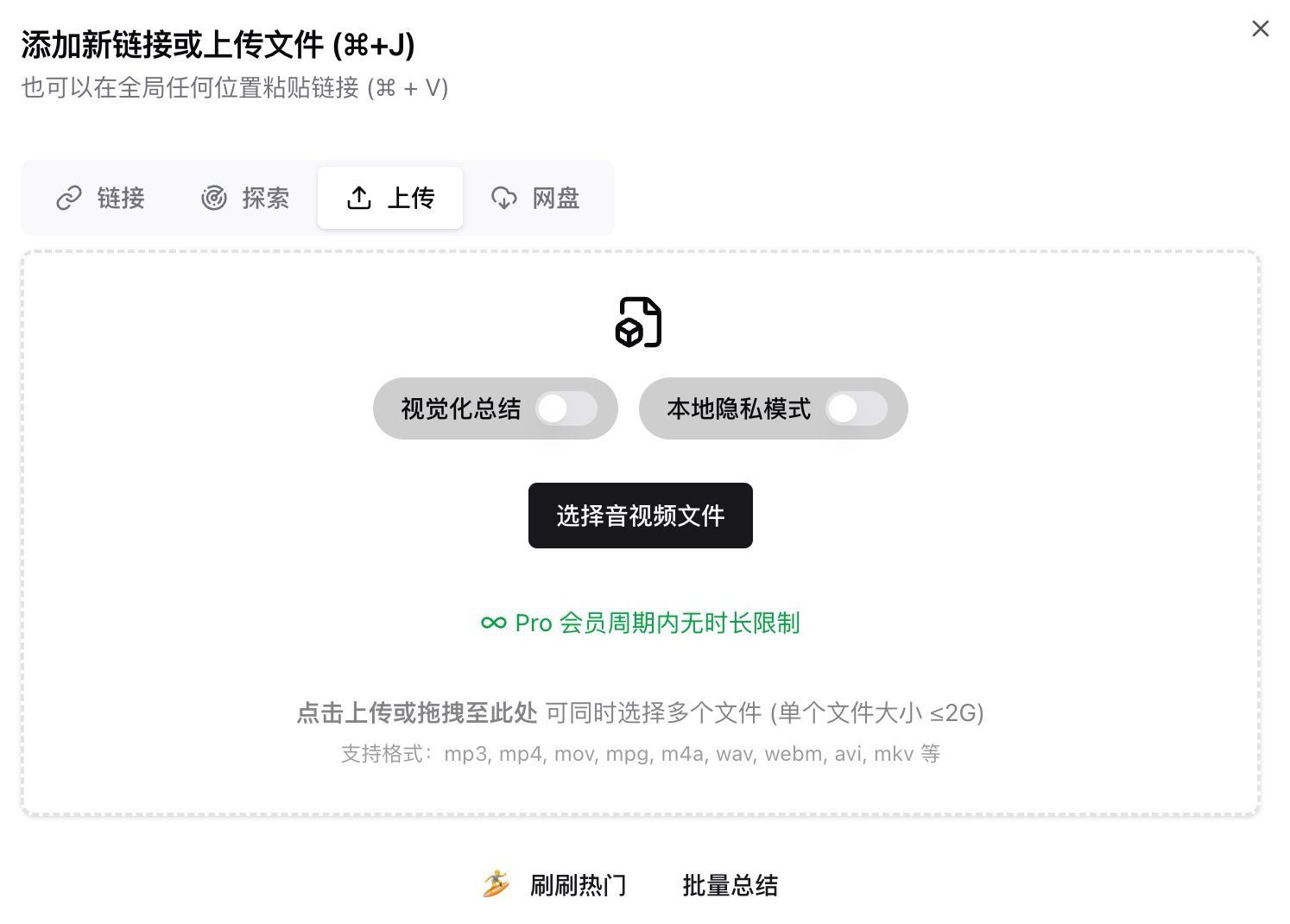 Local Privacy Mode upload toggle
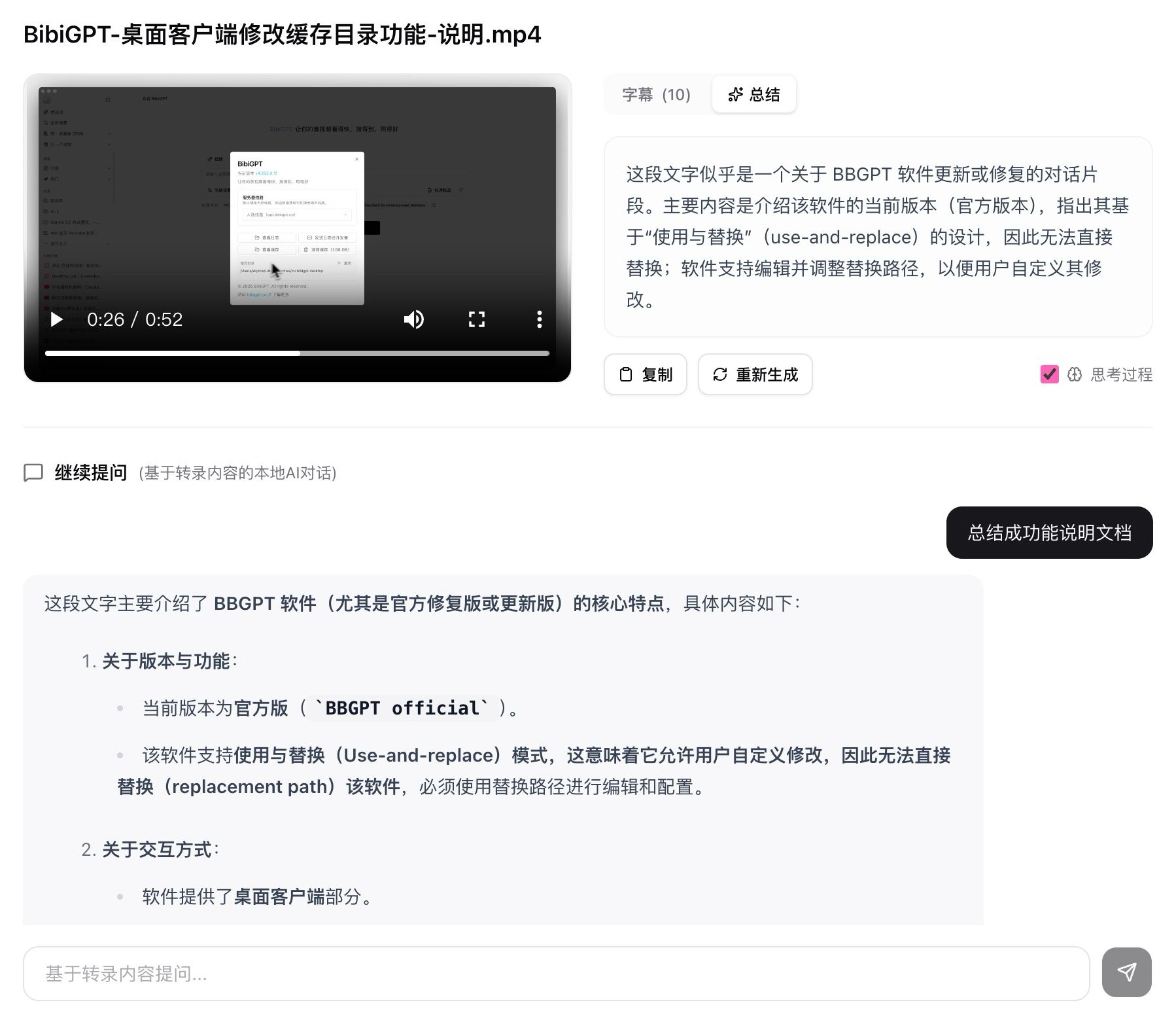 Local result page
After local processing completes, you can continue asking questions right on the result page — conversations are powered by your transcript and summary. The entire process stays off the cloud.
Mobile Chat Tab
The mobile summary detail page gets a major overhaul! A new horizontal scrollable tab bar replaces the old layout, with an independent "Chat" tab for follow-up questions. Now you can seamlessly switch between summary, subtitles, and AI chat on your phone — perfect for learning during your commute.
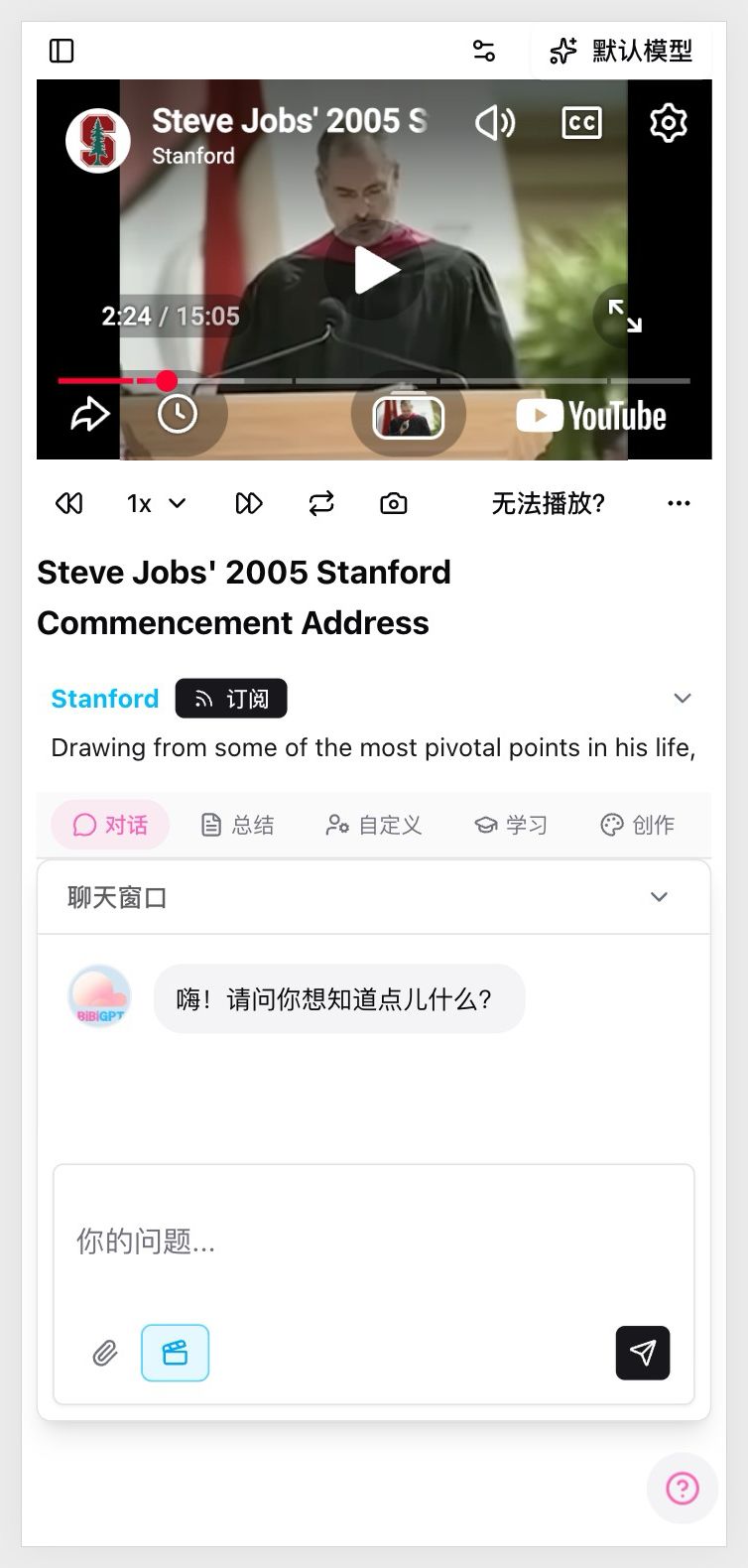 Mobile chat tab
Desktop-only controls (like subtitle embedding and layout switching) are automatically hidden on mobile for a cleaner experience.
🛠️ Better Use: WeChat ClawBot Integration & Member Skill Quota
Trending: WeChat ClawBot + bibigpt-skill
Yesterday (March 22), WeChat launched ClawBot, the mobile entry point for Tencent's OpenClaw AI Agent ecosystem. ClawBot lets you invoke AI skills directly from any WeChat conversation.
However, ClawBot natively only supports YouTube — it can't summarize Bilibili, Douyin, Xiaohongshu, or podcast content. With bibigpt-skill installed, you unlock 30+ platforms instantly. One message in WeChat, and you get a full AI summary.
How to install: Send Install bibigpt-skill in your ClawBot chat, or run npx skills add JimmyLv/bibigpt-skill in your terminal.
For a complete setup guide, check out our detailed tutorial: WeChat ClawBot + bibigpt-skill: AI Video Summary Guide.
Member Benefit: 100 Daily Agent Skill Calls
Timed with ClawBot's launch, BibiGPT members now enjoy 100 daily Agent Skill calls included in their subscription. Whether you're using ClawBot, QClaw, or any MCP client:
- Covers video summary, chapter breakdown, subtitle extraction and more
- Standard billing applies beyond the daily quota
- Ready to use immediately — no extra setup needed
We previously shared a complete Agent Skill integration guide — now is the perfect time to get started.
✨ More Updates This Week
Beyond the highlights above, we also launched browser-based text-to-speech (supporting Chinese, English, and Japanese voices, fully offline), added a Prompt Market entry in the sidebar for quickly switching AI summary templates, moved the loop playback control to the main player toolbar for one-click access, and added a quick settings shortcut for Bilibili paid videos on desktop. Login stability, large file uploads, and speech recognition accuracy have also been noticeably improved.
Have feedback or ideas?
We value your input! If you encounter issues or have suggestions, please let us know anytime.
Submit feedbackTry These Updates Now
From quick local privacy processing and mobile chat to WeChat ClawBot integration and member Skill quota, every improvement in BibiGPT v4.293.0 serves one goal: helping you extract knowledge from audio and video content more freely and securely.
- 🌐 Website: https://aitodo.co
- 📱 Mobile Download: https://aitodo.co/app
- 💻 Desktop Download: https://aitodo.co/download/desktop
- ✨ Explore Features: https://aitodo.co/features
Enjoy!
Experience BibiGPT now
Ready to try these powerful features? Visit BibiGPT and start your intelligent audio/video summarization journey!
Get startedBibiGPT Team