
Google Meet Gemini AI Notes for Offline Meetings vs BibiGPT (2026 Deep Dive)
Google Meet Gemini AI Notes for Offline Meetings vs BibiGPT (2026 Deep Dive)
As of 2026-04-27, Google Workspace has confirmed that starting 2026-04-23, Google Meet’s Gemini AI notes have officially expanded to in-person offline meetings. Android users get it first, with iOS and Web following shortly after. Three other key upgrades shipped at the same time: auto-generated Next Steps sections, one-click timestamp jumping inside the notes, and notes output in 7 languages (source: tl;dv industry analysis).
This is the most important Google Meet product expansion in the past 12 months, because it pushes “AI meeting notes” beyond online meetings into any spoken conversation. This post breaks down the impact from both product and market angles, and contrasts BibiGPT’s differentiation across Chinese meetings, Bilibili videos, podcasts, long lectures, and the much wider audio-video world.
1. Background: What Google Meet actually shipped
This update is not a single feature but a coordinated bundle:
- From 2026-04-23: The Google Meet Android app supports an “offline meeting” mode. Place the phone on the table and Gemini will process the captured audio in real time and turn it into structured notes.
- At the same time: A Next Steps section is auto-generated. After the meeting, the notes call out who needs to do what, by when, instead of just listing topics.
- At the same time: Key turning points in the notes are clickable to jump back to the matching audio segment (when recording is enabled).
- At the same time: Notes output supports 7 languages including English, Spanish, Portuguese, French, German, Italian, and Japanese.
For long-time Google Workspace users, this turns Gemini AI notes from a meeting feature into a default capability for everyday conversation. The cost of putting a phone on the table is zero.
2. Deep Dive: Three impacts on the meeting summary market
2.1 Technical impact: On-device audio and the privacy boundary
Offline meeting notes are different from online meeting notes in one critical way: there is no Meet audio stream to read from. Gemini has to process the raw audio captured by the phone microphone. Google has not published full implementation details, but the product behavior suggests a hybrid on-device + cloud speech-recognition pipeline. This blurs the privacy boundary: users have to actively turn on offline mode, and the app shows a clear recording prompt.
For Chinese users, two friction points remain: Google Meet availability inside mainland China, and Gemini’s historically uneven accuracy on informal Chinese conversations. That leaves a clear opportunity window for upload-based, locally optimized products like BibiGPT.
2.2 Market impact: The boundary of the meeting summary market is being redrawn
For the past three years, meeting summary products competed mostly inside the online meeting lane: tl;dv, Otter.ai, Fireflies.ai, Fellow, and Read.ai built plugins for Zoom, Meet, and Teams. With Google Meet pulling in-person meetings inside its own product boundary, two shifts happen:
- First, the moat for plugin-style products narrows. If Meet’s native notes are good enough and now cover offline scenarios, users no longer need a third-party extension.
- Second, the post-event organization lane actually opens up wider. Many spoken scenarios will never be recorded inside Google Meet — leadership 1:1s, client visits, workshops, interviews, self-recorded podcasts, lecture audio. Their core need is “I already have a recording or video file, please structure it for me.” Google Meet does not solve that segment.
One-line takeaway: Google Meet now scores 80 on “in-meeting capture”, but the entire universe of “audio-video that lives outside Meet” remains an open battlefield.
2.3 Ecosystem impact: Next Steps and timestamp jump are becoming defaults
The Next Steps section and timestamp jump are two product decisions worth watching across the whole space. They share a signal: the value of meeting notes is shifting from text summary toward executable actions plus traceable evidence. A flat “I wrote you a recap” no longer feels magical. Users want to see “what to do next” and “which second of the recording produced this conclusion.”
That is exactly what BibiGPT’s chapter timestamps, AI chat traceback, and mind maps have been solving — only that BibiGPT applies these capabilities to longer, more complex content like lectures, podcasts, and full interviews.
3. What this means for BibiGPT users
Creators
If you are a self-publisher, podcaster, or content creator, this update has limited impact on you. Your core scenario is recorded shows, edits, and long-form content production — none of which are “meetings.” BibiGPT’s core capabilities here (video-to-article, chapter splitting, mind maps, multilingual translation) remain irreplaceable.
Students and researchers
If you are a student or researcher organizing class recordings, lectures, reading groups, or interviews, Google Meet’s offline mode is mildly useful for “today’s class,” but you will quickly hit two problems: first, your professor is not going to record into Gemini for you; second, your sources are not just live recordings — they include Bilibili and YouTube lecture videos, Apple Podcasts episodes, and more. BibiGPT’s “upload any audio/video or paste any URL” remains the more universal entry point.
Enterprise users
If you are an enterprise team, sales, consultant, or HR rep doing client visits, internal 1:1s, or training sessions: this update is worth testing, but watch out for Chinese accuracy, compliance, and data retention. For sensitive Chinese meetings, long interviews, and cross-platform audio-video organization, an upload-based cloud-processing product like BibiGPT remains the safer default.
4. BibiGPT in practice: Catch the 80% Gemini misses
Google Meet Gemini owns “real-time capture during the meeting” — about 20% of the audio-video organization need. The remaining 80% — long interviews, Bilibili courses, podcasts, local recording files, English videos that need a Chinese summary — is BibiGPT’s home turf. Below are four hands-on workflows that complement Gemini.
Workflow 1: Online meeting captured by Gemini, deeper analysis in BibiGPT
Use case: You ran an important Google Meet, Gemini gave you basic notes, but you need to connect this meeting to past ones and produce an external report.
Steps:
- After the meeting, export the recording from Google Meet (MP4/MP3)
- Upload it to BibiGPT and pick the “Meeting Minutes” custom prompt
- Set the target language in the upload dialog (e.g., Chinese summary for an English meeting)
- Use the meeting AI chat to ask: “Are the customer pain points raised here the same ones we discussed last week?”
- Export to Notion / Cubox / Markdown in one click
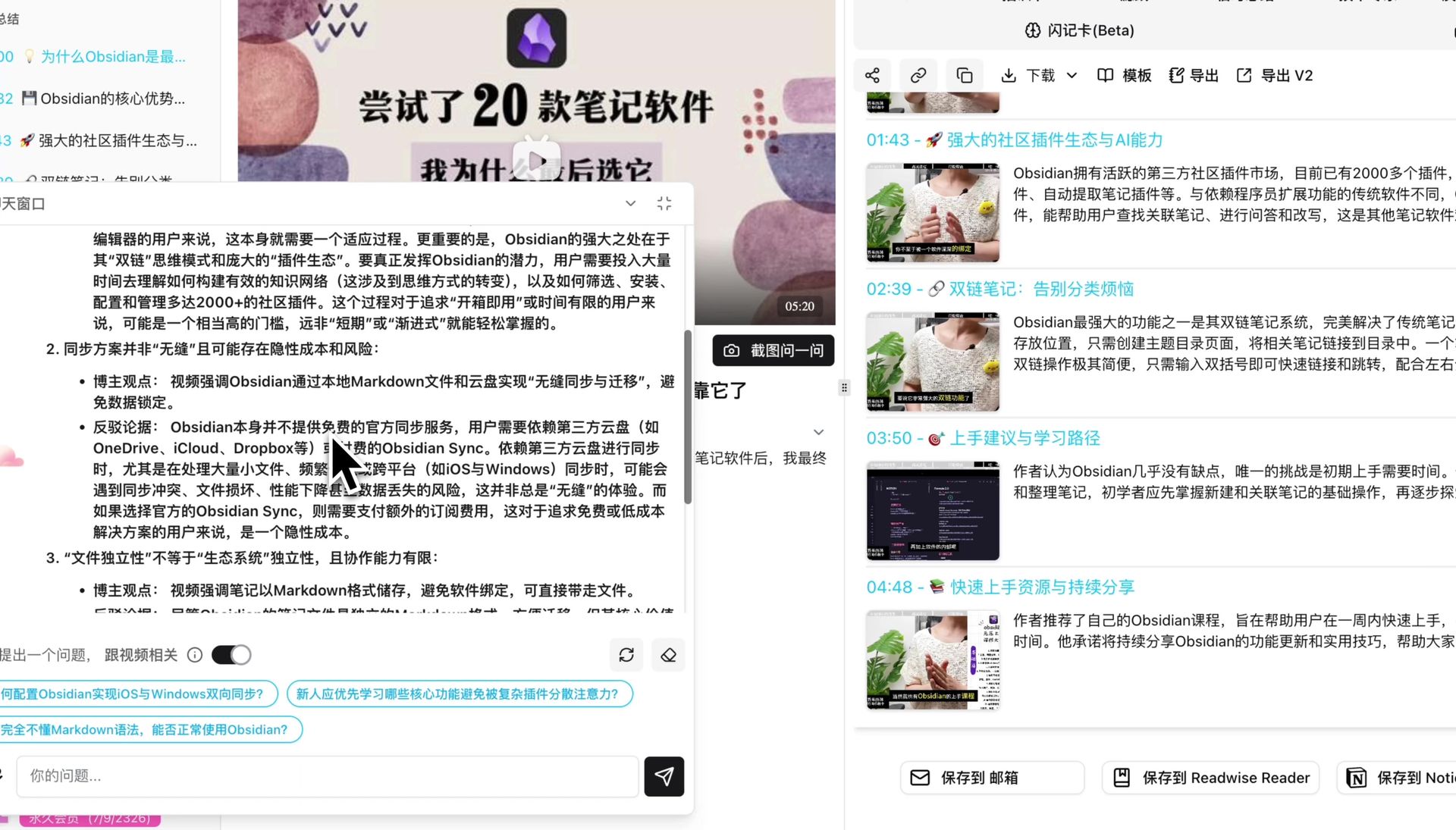
Workflow 2: Offline meeting recorded on phone, organized by BibiGPT
Use case: Client visits, leadership 1:1s, workshops. A phone recorder is less intrusive than starting a Google Meet, but you still need post-event structure.
Steps:
- Record with the built-in phone app (iOS Voice Memos, etc.)
- Upload the audio file to BibiGPT and pick the “Interview Minutes” template
- Let BibiGPT generate chapter summaries, key terms, and action items
- Use Smart Deep Summary to get structured notes with deep Q&A
Workflow 3: Bilibili / YouTube / podcast as “meeting-like” content
Use case: A researcher extracting viewpoints from a YouTube industry interview; a student turning a Bilibili online course into notes; a creator turning a podcast episode into a written article.
Steps:
- Paste the URL straight into BibiGPT
- Pick the matching prompt (industry interview / course notes / podcast show notes)
- Use mind map with timestamp jumping to navigate key segments
- Generate a Chinese summary even if the source video is in English
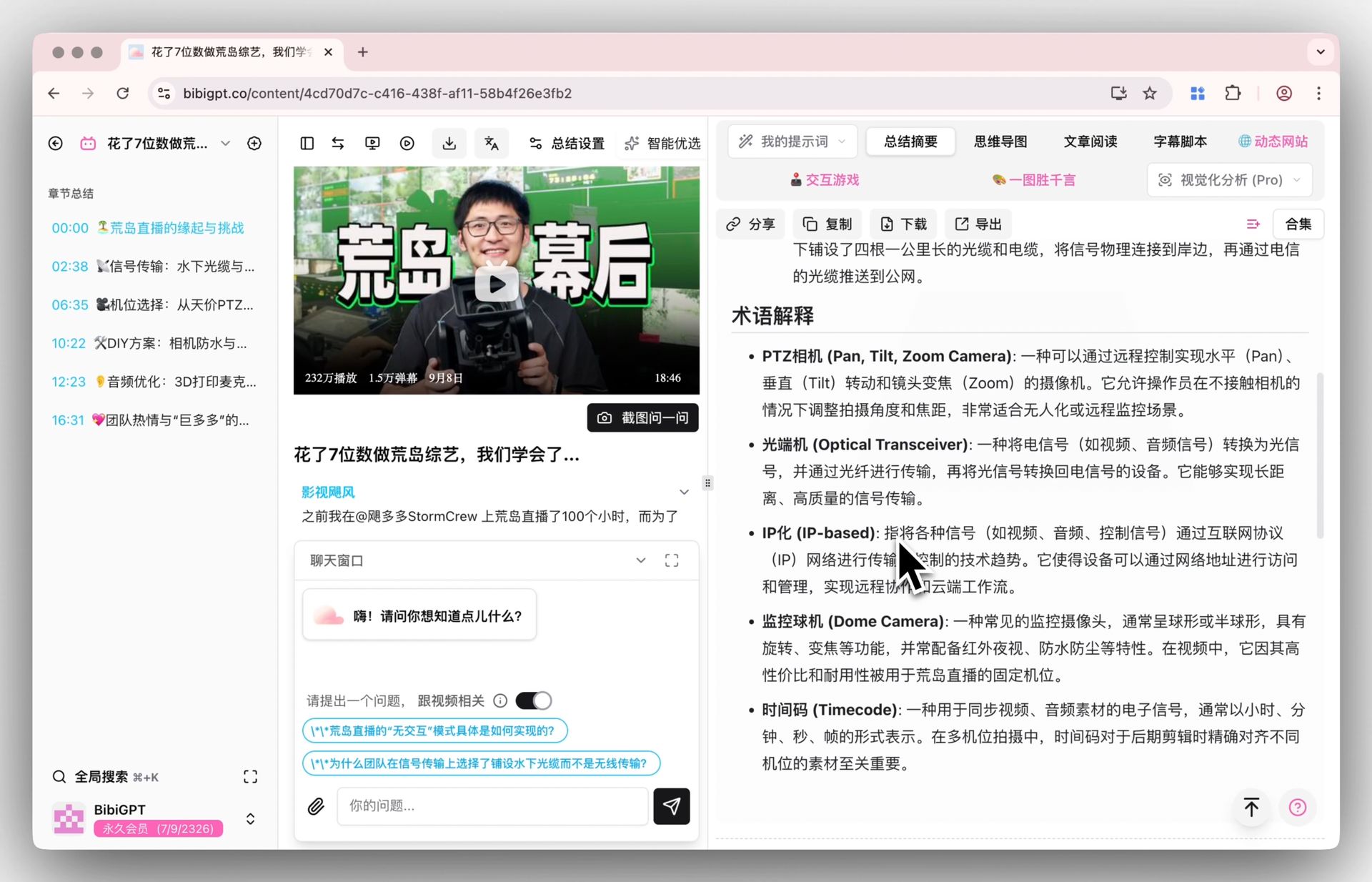
Workflow 4: English meeting, Chinese internal recap
Use case: You ran an English Google Meet with overseas customers, but need an internal Chinese recap.
Steps:
- Export the Google Meet recording
- Upload to BibiGPT, enable auto-translate on upload, set target to Simplified Chinese
- Get a Chinese-English bilingual transcript and Chinese summary
- Paste straight into your Chinese Slack / Lark channel
5. Capability split: Google Meet Gemini vs BibiGPT
| Capability | Google Meet Gemini | BibiGPT |
|---|---|---|
| Live notes inside Google Meet | Native | Not the focus |
| Offline in-person recording notes | Android only (2026-04-23) | Any uploaded recording |
| Chinese meetings / Chinese audio-video | Bound by Gemini Chinese ASR | Chinese is a core optimization target |
| Long videos / recordings (>1 hour) | Designed for daily meetings | Long-form chapter splitting and deep summary |
| YouTube / Bilibili / podcast organization | Not supported | 30+ platforms, paste URL directly |
| Multilingual output | 7 languages | Chinese / English / Japanese / Korean + auto-translate |
| AI chat follow-up / mind map | Basic notes | Full chat + mind map + timestamp jumping |
| Mainland China availability | Bound by Google services | Directly accessible |
In one line: Google Meet Gemini owns inside-and-around the meeting; BibiGPT owns the rest of the audio-video universe.
6. Forecast: Three calls on the meeting summary space
- Post-event organization demand will rise because of this expansion. Users will record more conversations now that offline AI notes work — but real-time notes only solve part of the post-event need, so usage of post-event tools (BibiGPT included) goes up.
- Vertical-domain note-taking remains an open lane. Medical records, legal evidence, research interviews, investigative journalism — these have stricter accuracy and compliance bars and will produce vertical summary products.
- Multi-modal memory and long-term retrieval is the next battlefield. Users will want “all my conversations from the past six months are searchable like a knowledge base,” which requires transcription + vector search + timestamp tracing in one product. BibiGPT collections AI chat is already moving in that direction.
7. FAQ
Q1: What’s the difference between Google Meet’s offline notes and recording the audio for BibiGPT? Google Meet captures and summarizes inside the meeting in real time, which is smoother. BibiGPT processes the recording afterwards, which fits non-Google-Meet scenarios (phone recordings, podcasts, Bilibili videos). The two stack well.
Q2: Can I use Google Meet’s new offline notes from mainland China? It depends on your network environment and Workspace tenant. If access is restricted, BibiGPT offers a directly accessible, Chinese-optimized alternative.
Q3: Does Gemini’s offline meeting recording stay on-device or go to the cloud? Google has stated that the offline mode shows a clear recording prompt, but full on-device vs. cloud breakdown is not public. For sensitive meetings, prefer local processing or self-built pipelines.
Q4: Can BibiGPT turn a Google Meet recording into bilingual subtitles? Yes. After uploading the exported MP4/MP3, enable “auto-translate” in the dialog to get bilingual subtitles plus a translated summary.
Q5: Can BibiGPT auto-list Next Steps the way Google Meet Gemini does? Yes. The “Meeting Minutes” custom prompt in BibiGPT includes Action Items / To-do / Next Steps fields by default.
Q6: How fast is BibiGPT for a 3-hour interview? It depends on the transcription engine you pick. BibiGPT supports custom engines (Whisper, ElevenLabs Scribe, etc.); a 3-hour recording typically completes transcription + summary + chapter splitting in 5-15 minutes.
Q7: How is BibiGPT different from tl;dv or Otter.ai? tl;dv and Otter focus on online meeting plugins. BibiGPT focuses on upload-any-audio-video and paste-any-URL — meetings are just one of many scenarios; YouTube, Bilibili, Xiaoyuzhou podcasts, and local files are all primary entry points.
Conclusion: From “meetings” to “the entire audio-video world”
Google Meet’s Gemini update is a clear signal: AI meeting notes have entered a “scenario expansion” phase — no longer limited to online meetings, every spoken conversation can be structured.
BibiGPT’s differentiation is clear: we don’t compete with Google Meet for the 20% real-time meeting capture; we go all-in on the remaining 80% of audio-video organization needs. From Bilibili online courses to English podcasts, from 3-hour interview recordings to local lecture videos, BibiGPT is trusted by over 1 million users, has generated over 5 million AI summaries, and supports 30+ mainstream platforms.
Want to try BibiGPT on your own recordings, videos, or podcasts?
- Visit: aitodo.co
- Free core features for new users
- Browser extension, desktop, and mobile clients across all platforms
BibiGPT Team