
How to Summarize YouTube Videos with Claude 3.5 and BibiGPT
A step-by-step guide to pairing Anthropic’s Claude 3.5 Sonnet with BibiGPT so you can extract highlights, transcripts, and mind maps from any YouTube video in minutes.
How to Summarize YouTube Videos with Claude 3.5 and BibiGPT
Why Claude?
Anthropic’s Claude 3.5 Sonnet blends fast reasoning with nuanced language understanding. It handles technical topics, multilingual captions, and long context with ease—perfect for digesting YouTube lectures, interviews, or product launches. Curious how it stacks up against other models? See our comparison: 2024’s Best LLM Summary Tools.
Meet BibiGPT
BibiGPT is an AI media assistant that wraps models like Claude, GPT-4o, and Gemini into a single workflow. Paste a YouTube link, choose your model, click Summarize, and receive:
- Multi-level outlines with timestamps
- Full transcripts and speaker attribution
- Mind maps, article rewrites, and Q&A mode
- Quick exports to Notion, Readwise, Markdown, and more
Step-by-Step Workflow
1. Copy the YouTube URL
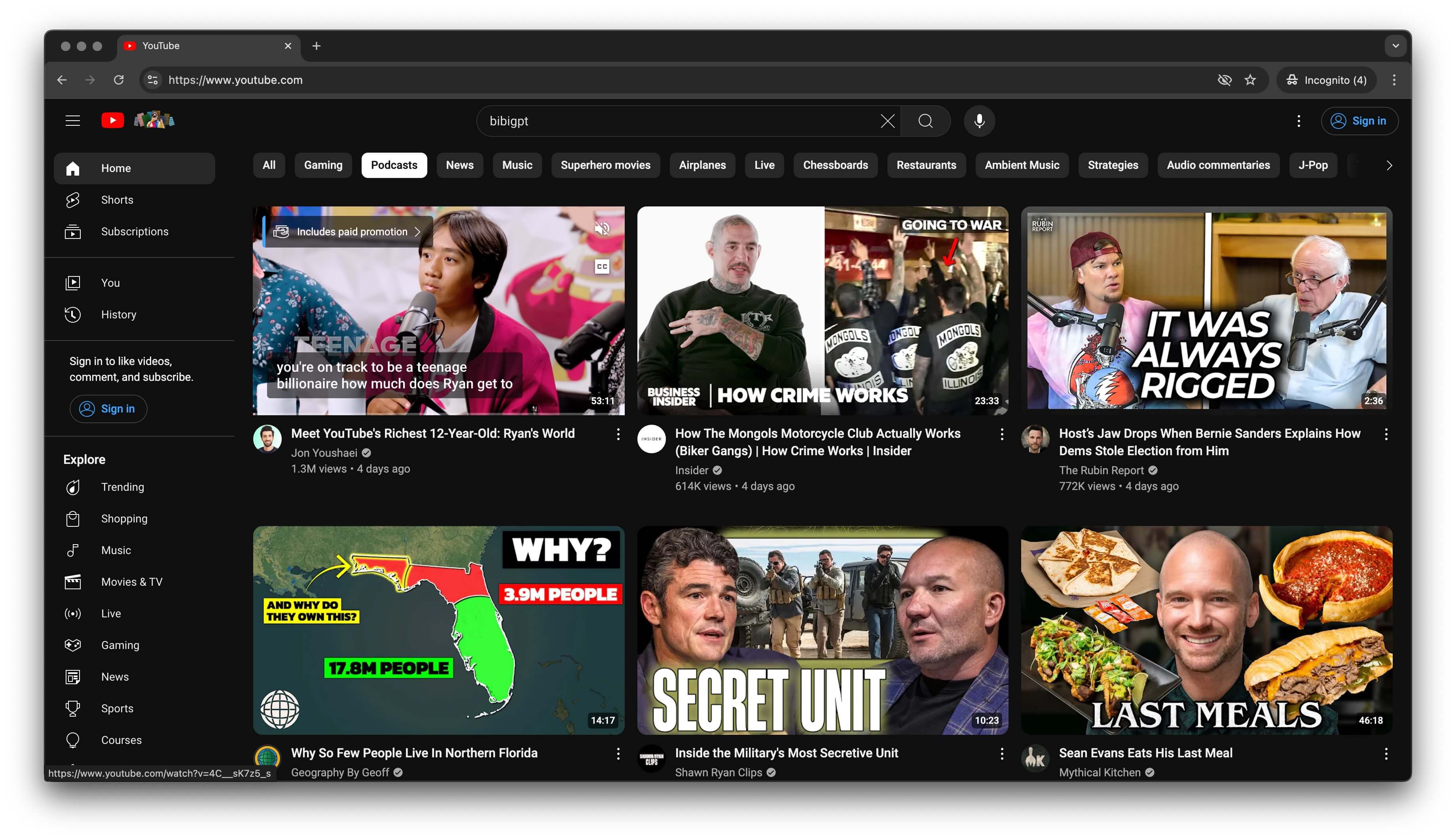 YouTube video screenshot
Find the video and copy the link from your address bar or the Share dialog.
2. Paste into BibiGPT
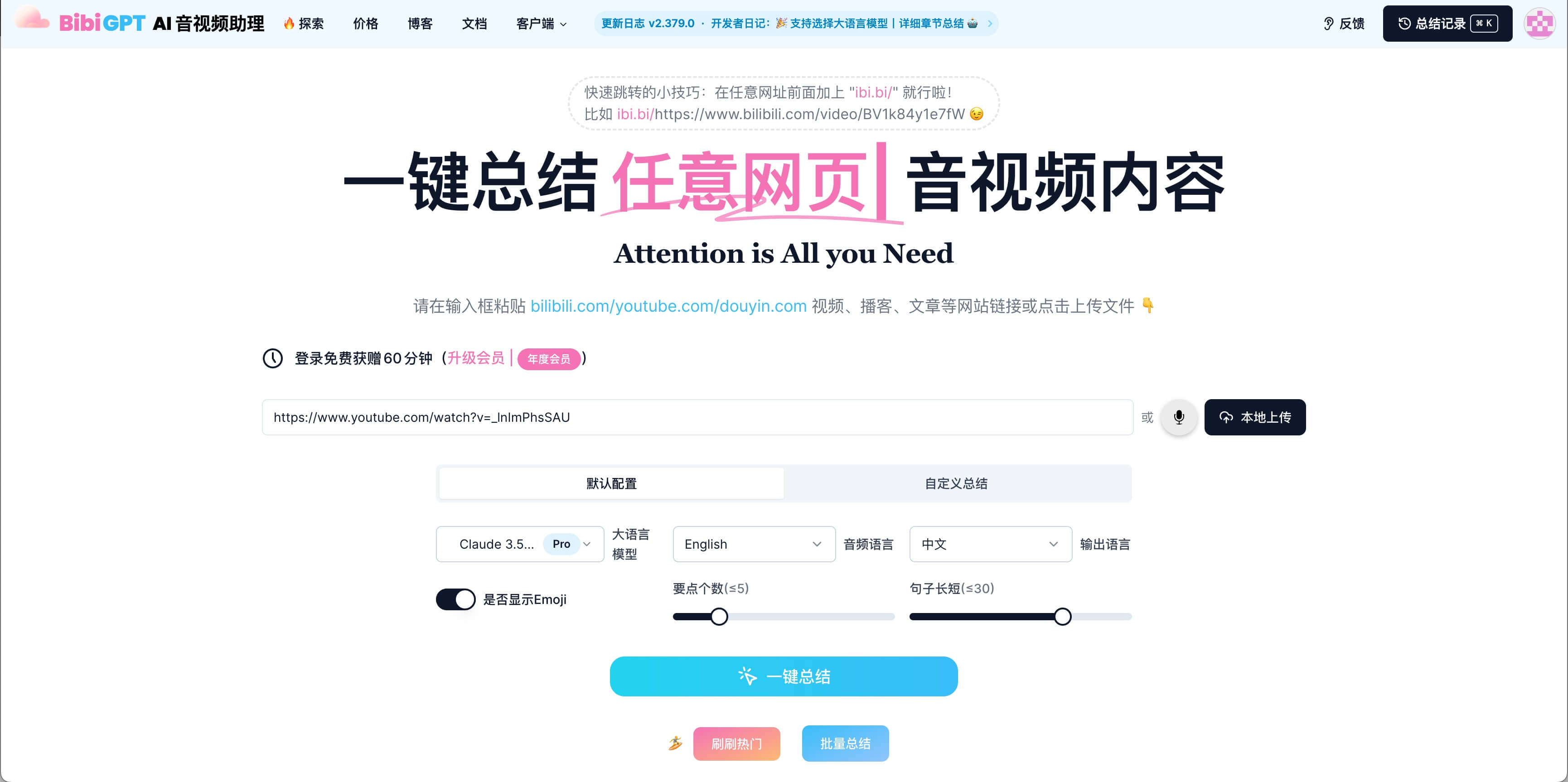 Pasting into BibiGPT
Head to the BibiGPT dashboard and paste the URL into the input field.
3. Select Claude 3.5 Sonnet
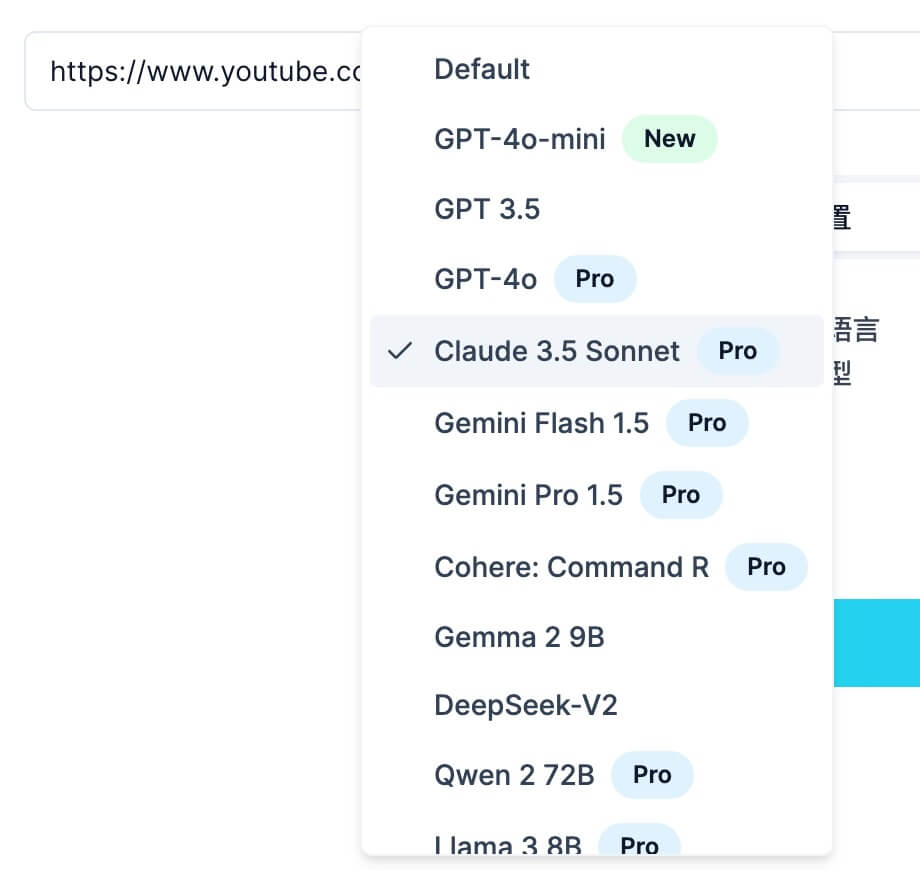 Model selection
Choose Claude 3.5 Sonnet from the model picker, then hit Summarize.
4. Let Claude Do the Heavy Lifting
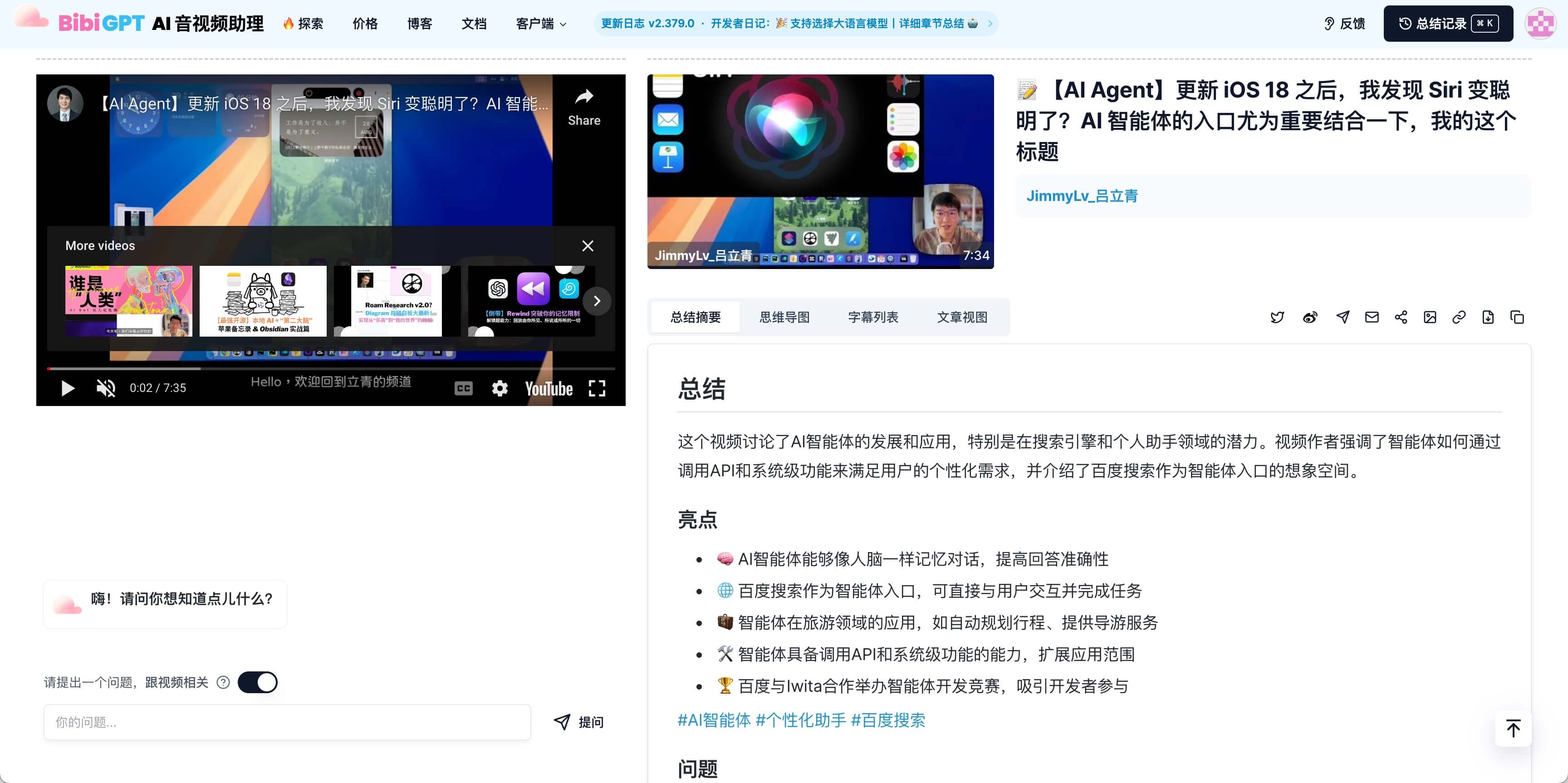 Result view
BibiGPT handles transcription, segmentation, and prompt orchestration. Claude identifies the key themes, extracts action items, and condenses everything into digestible highlights. Toggle between Chinese/English output, enable emojis, or switch to article mode with one click.
5. Refine and Export
Need a different angle? Ask Claude follow-up questions right inside the result panel or regenerate with a custom prompt (e.g., “Summarize from a product manager’s perspective”). When ready, export to Notion, copy markdown, or download the transcript.
Wrap-Up
Combining Claude with BibiGPT turns any YouTube video into structured knowledge. Whether you’re studying, researching, or planning content, you’ll save hours while preserving every important detail.
Ready to try? Visit BibiGPT and make Claude your personal video brief writer.