
[BibiGPT Growth Series] Episode 2 | YouTube Support, Smart Timestamps, and Notion Login: Early Iteration Notes
Look back at the update that expanded BibiGPT from Bilibili to YouTube, added smart timestamps, bookmark shortcuts, and Notion integration—plus the product thinking behind each step.
[BibiGPT Growth Series] Episode 2 | YouTube Support, Smart Timestamps, and Notion Login: Early Iteration Notes
Welcome to episode 2 of the BibiGPT Growth Series. If you missed the origin story, start with Episode 1: How BibiGPT Began Summarising Bilibili Videos.
This chapter recaps a pivotal early update—captured in the video “BibiGPT AI Summaries for YouTube – Massive Update! Notion Login, Bookmark Shortcut, Smart Timestamps, and One-Click English Summaries.” The UI has evolved since then, but the learning remains valuable.
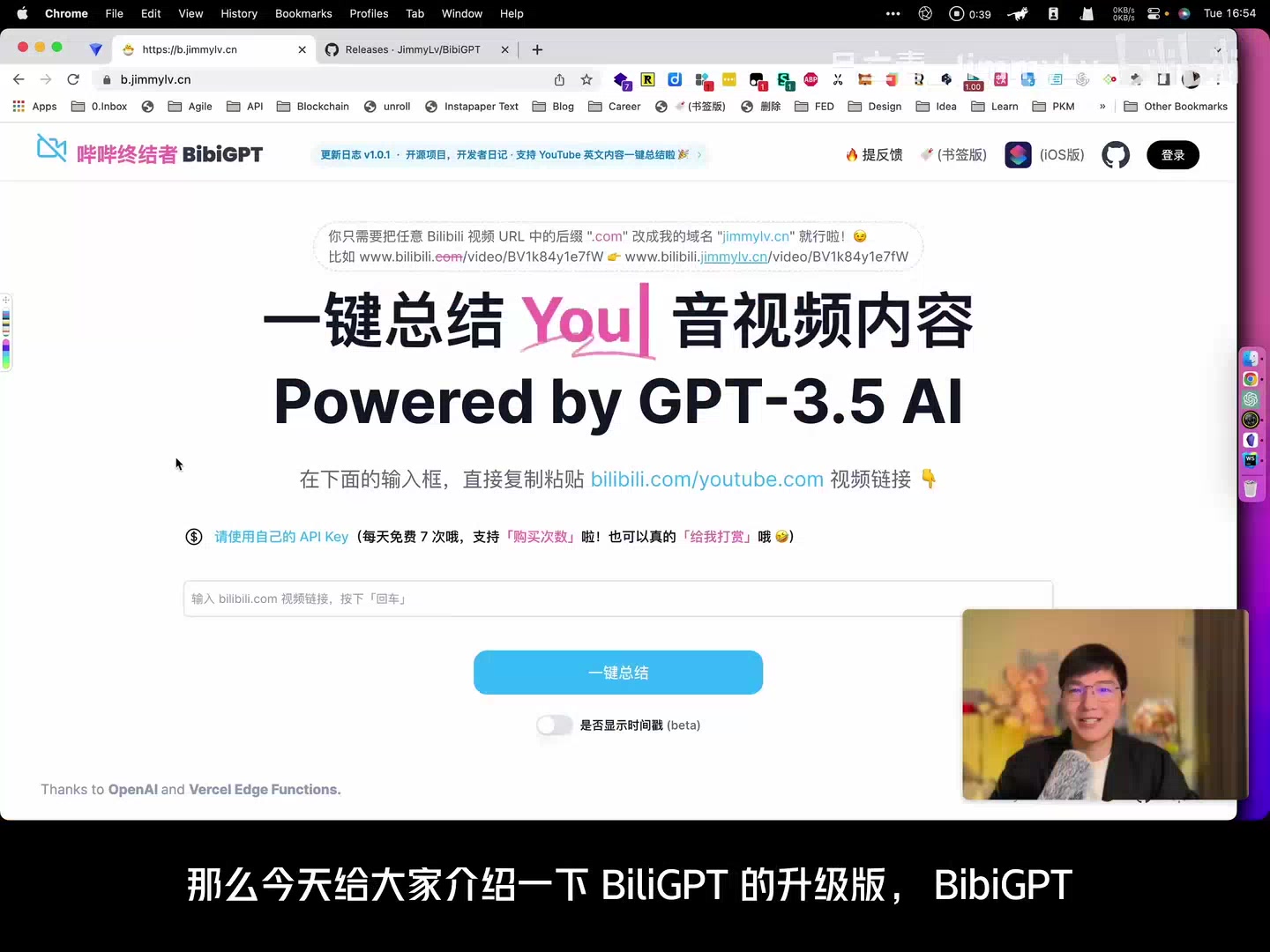 Early interface
What Shipped: YouTube Support and Bookmark Shortcuts
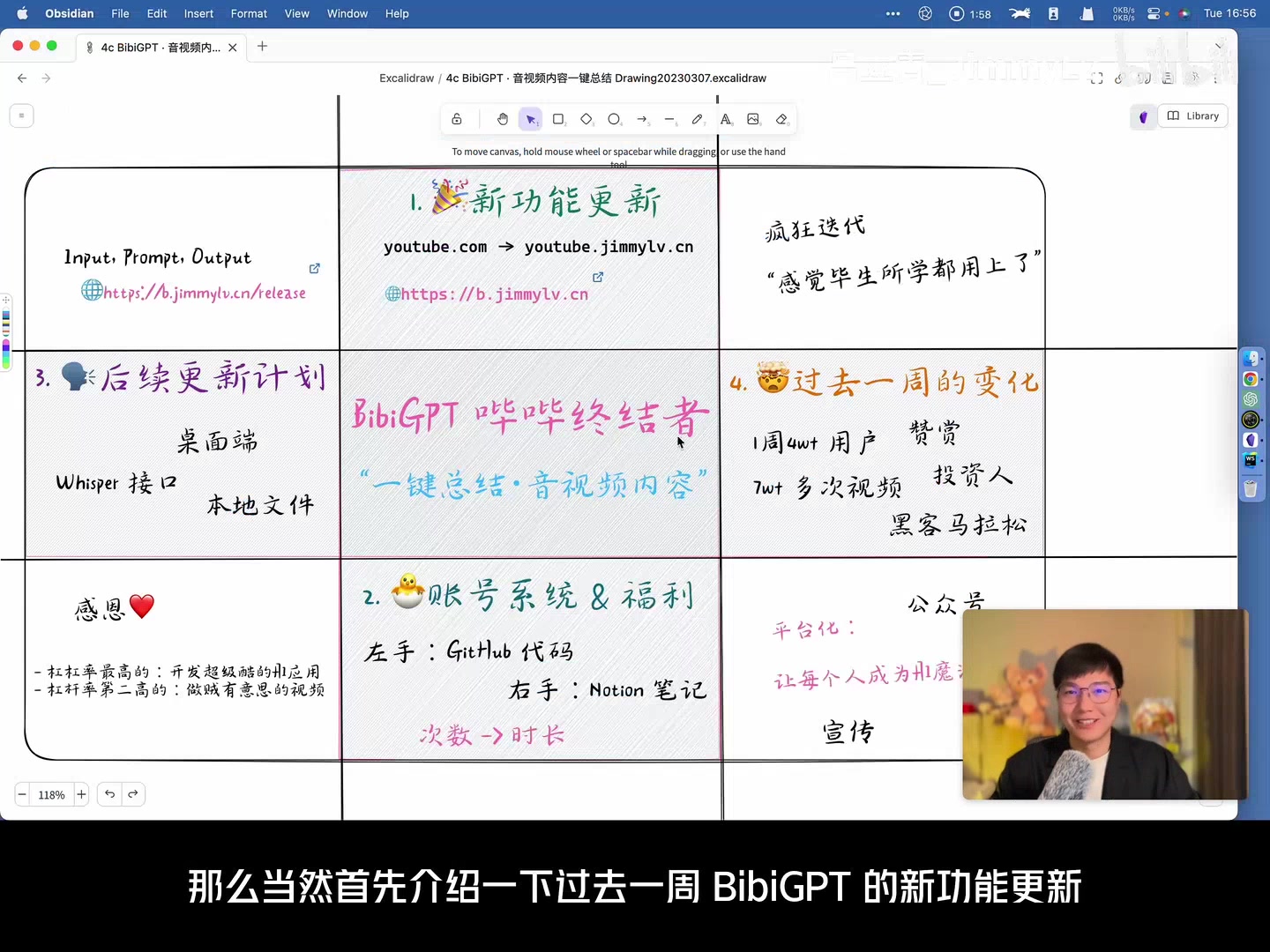 Roadmap whiteboard
- YouTube Summaries – BibiGPT (formerly “BiliGPT”) broke out of its Bilibili-only roots. Paste any YouTube link to generate summaries, outlines, transcripts, and mind maps. This dramatically widened the audience, covering everything from international keynotes to niche tutorials.
- Bookmarklet workflow – Drag a bookmark button into your browser once. While watching a video on Bilibili or YouTube, click it to open BibiGPT with the current URL pre-filled—no copy/paste required. We added caching so repeat visits load in seconds.
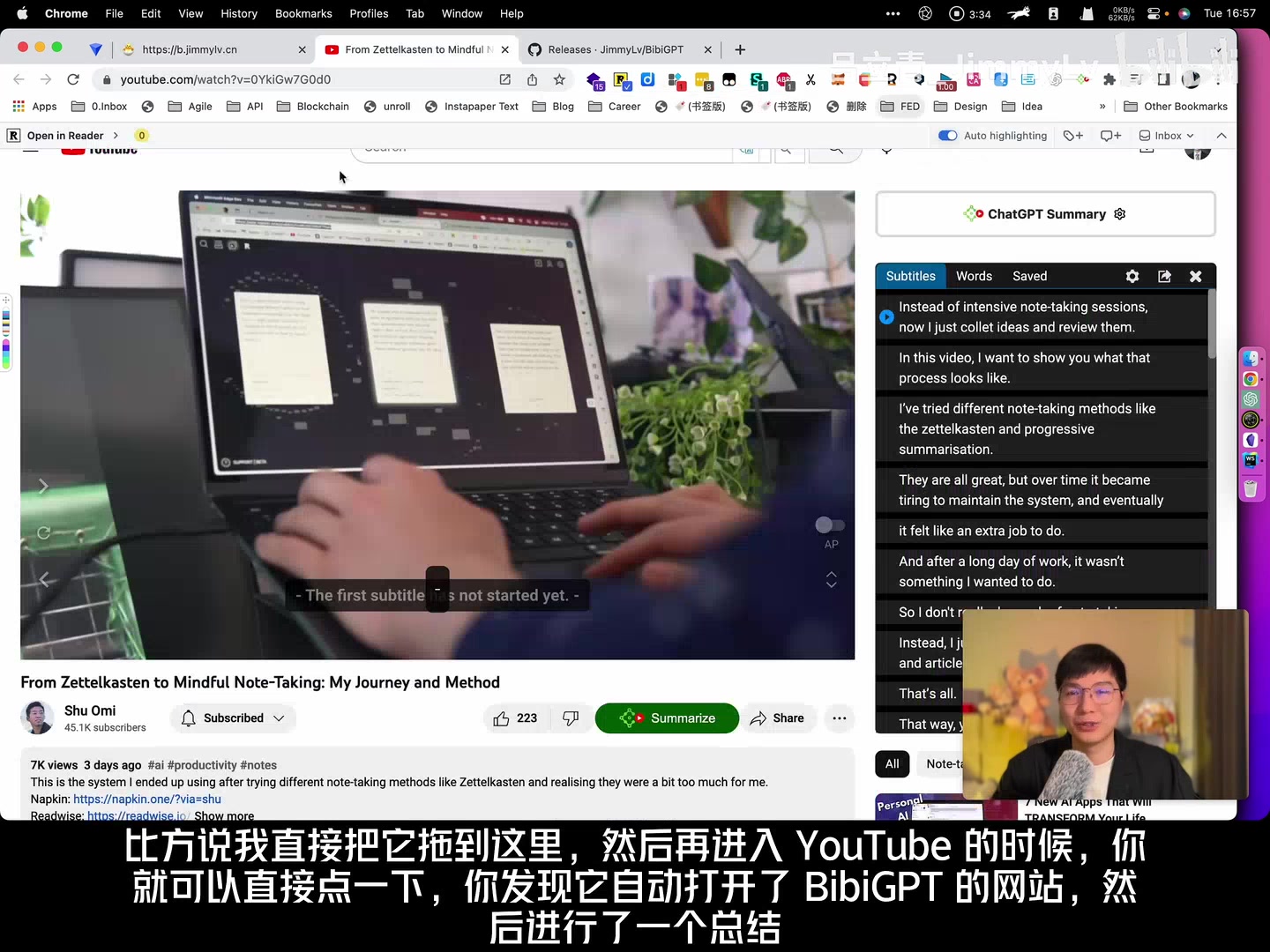 Bookmarklet demo
Need the full walkthrough today? Read How to Summarise YouTube Videos Effectively.
Smart Timestamps for Faster Review
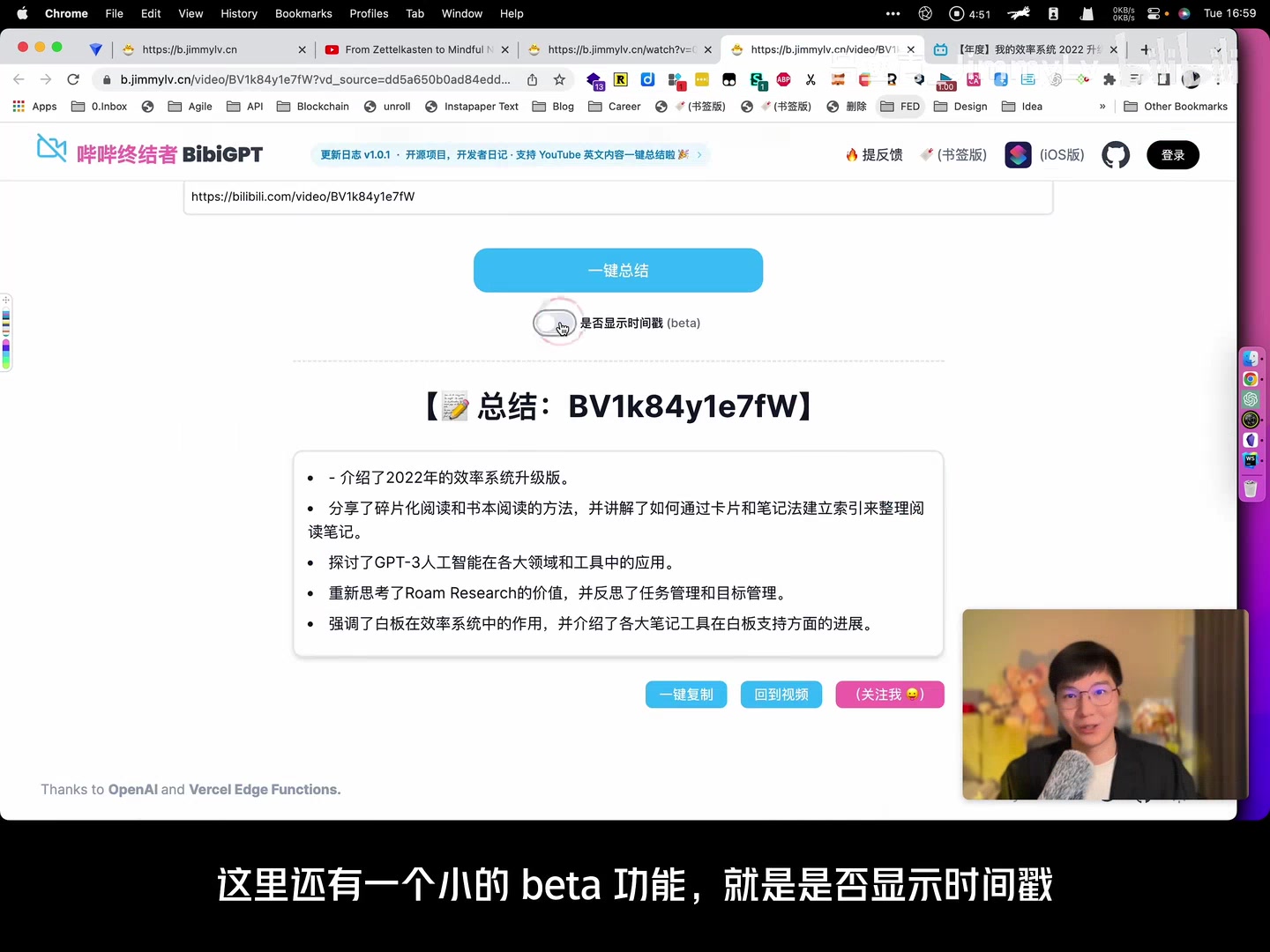 Timestamp toggle
Summaries used to be plain text. We added an optional “Show Timestamps” toggle that inserts jumpable markers next to each highlight. Click the timestamp to open the exact moment inside Bilibili or YouTube—turning summaries into an interactive table of contents.
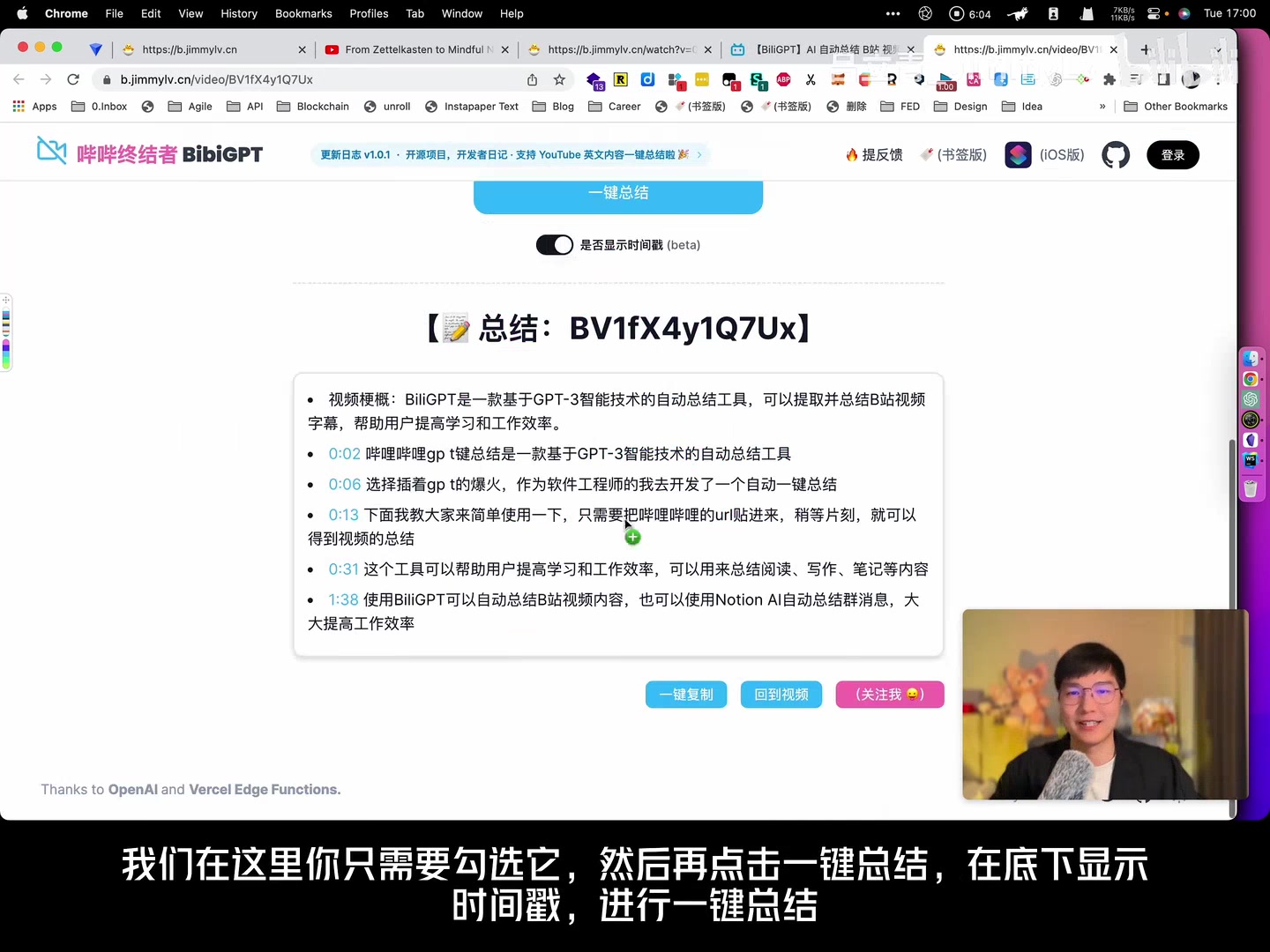 Summary with timestamps
Accounts, Notion Sync, and Fair Usage
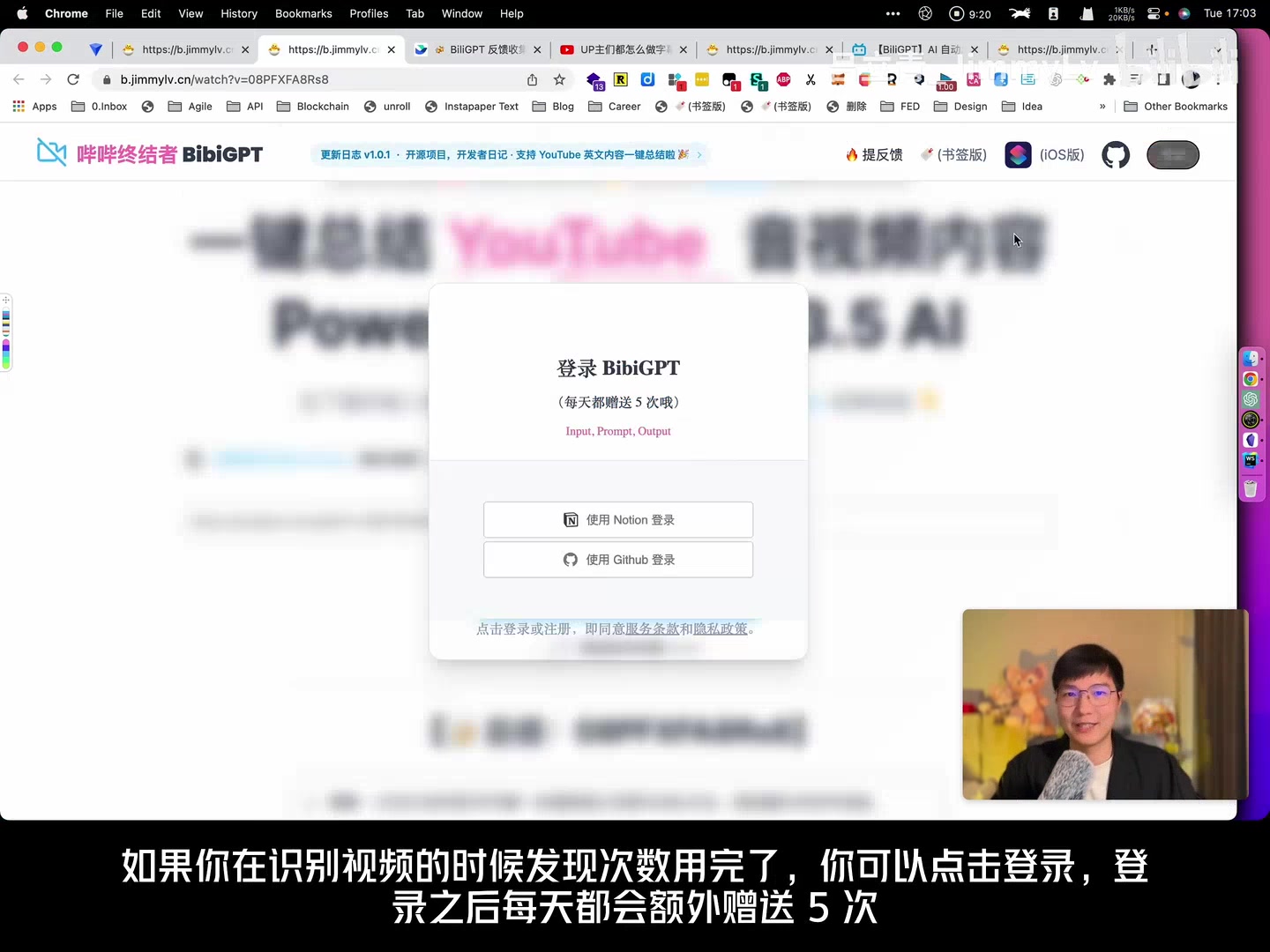 Login options
Growing usage meant we needed lightweight accounts. The first iteration supported Notion and GitHub logins because they matched our “code + notes” audience and offered secure OAuth.
- Logged-in users received extra free credits (five per day at launch).
- We introduced paid top-ups and planned the shift from per-request billing to time-based billing to make long videos more affordable.
Notion integration landed alongside login. Authorise once, pick a database, and BibiGPT auto-saves each summary with metadata. We shipped a starter template containing fields for title, tags, video link, and generated content so users could start building a knowledge base immediately.
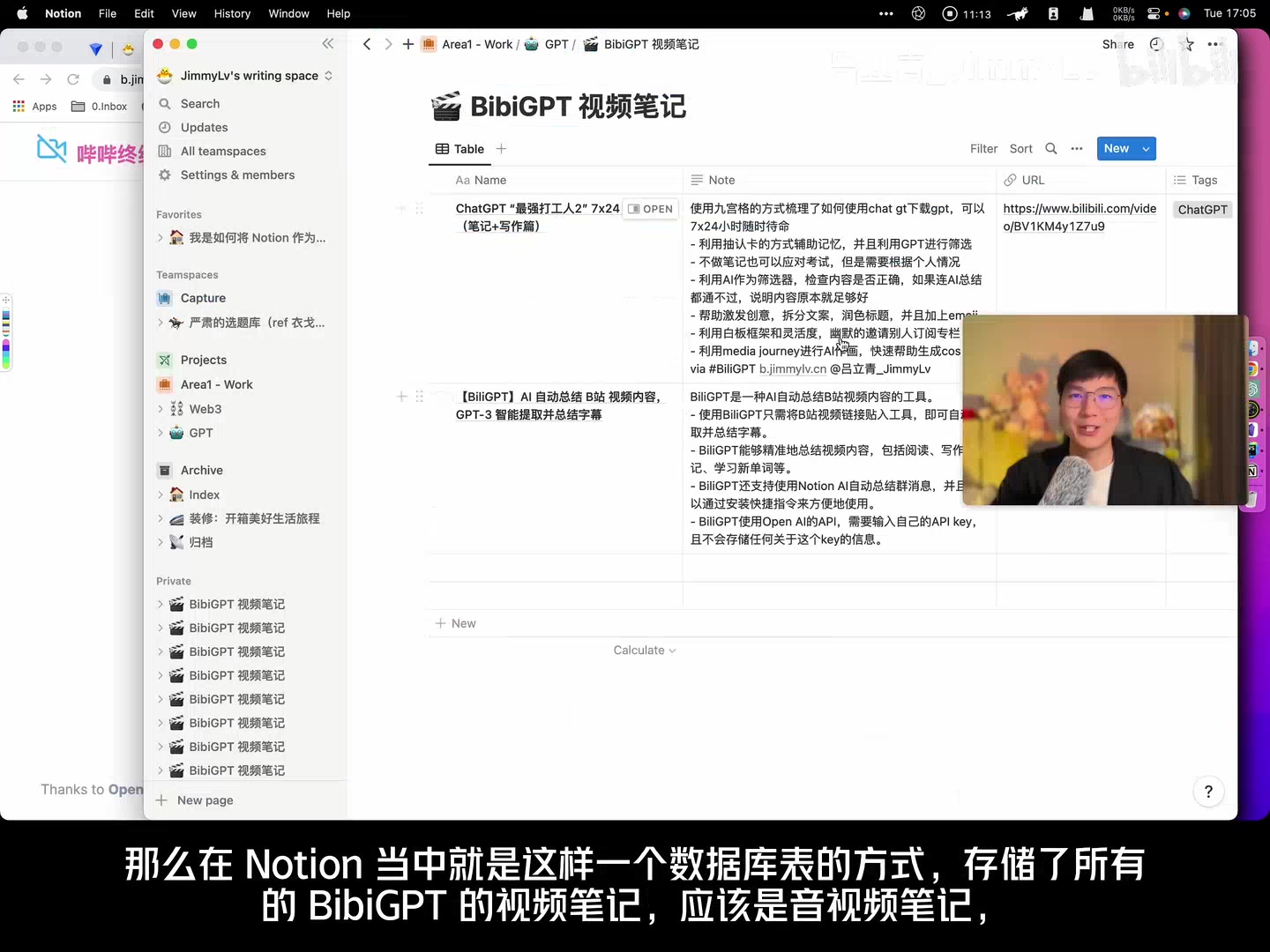 Notion database screenshot
We later expanded exports to Flomo, Readwise, Obsidian, and more—see Sync BibiGPT Summaries to 10+ Platforms.
Roadmap Ideas from That Era
- Support meeting recordings, podcasts, and local media files.
- Build desktop apps for smoother uploads and offline use.
- Integrate Whisper for high-quality speech recognition.
- Keep refining prompts for single-sentence recaps, section insights, and quote extraction.
- Offer more output formats—mind maps, images, maybe even Midjourney-powered visuals.
- Open the platform so users can share prompts and customise AI-powered workflows.
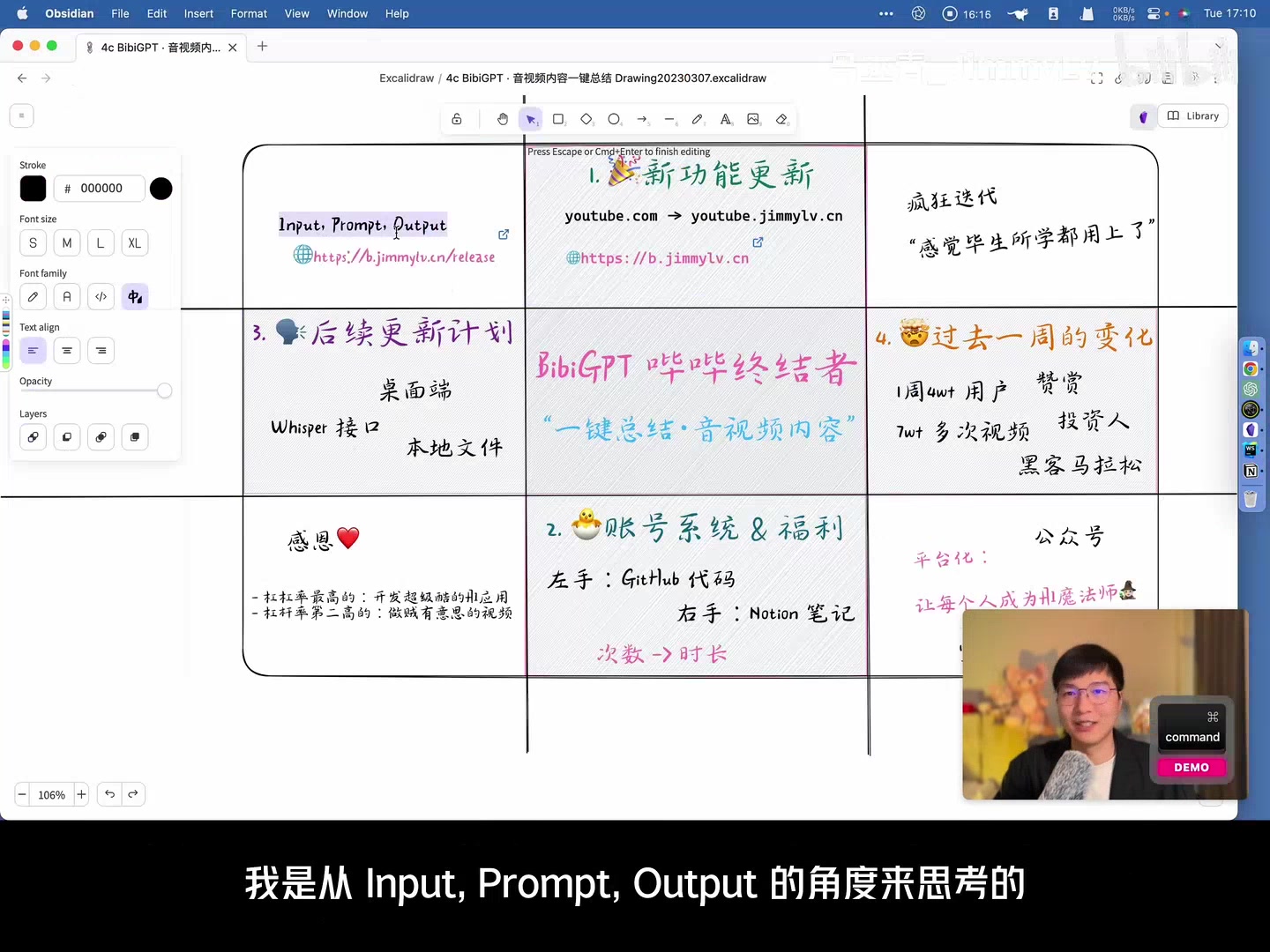 Input > Prompt > Output concept
Community Momentum
The release sparked our first major growth spike—40K new users and 70K processed videos in a single week. Community members shared reviews on Bilibili, Jike, Weibo, and WeChat; some even wrote Tampermonkey scripts to automate their own shortcuts. That enthusiasm kept the team shipping.
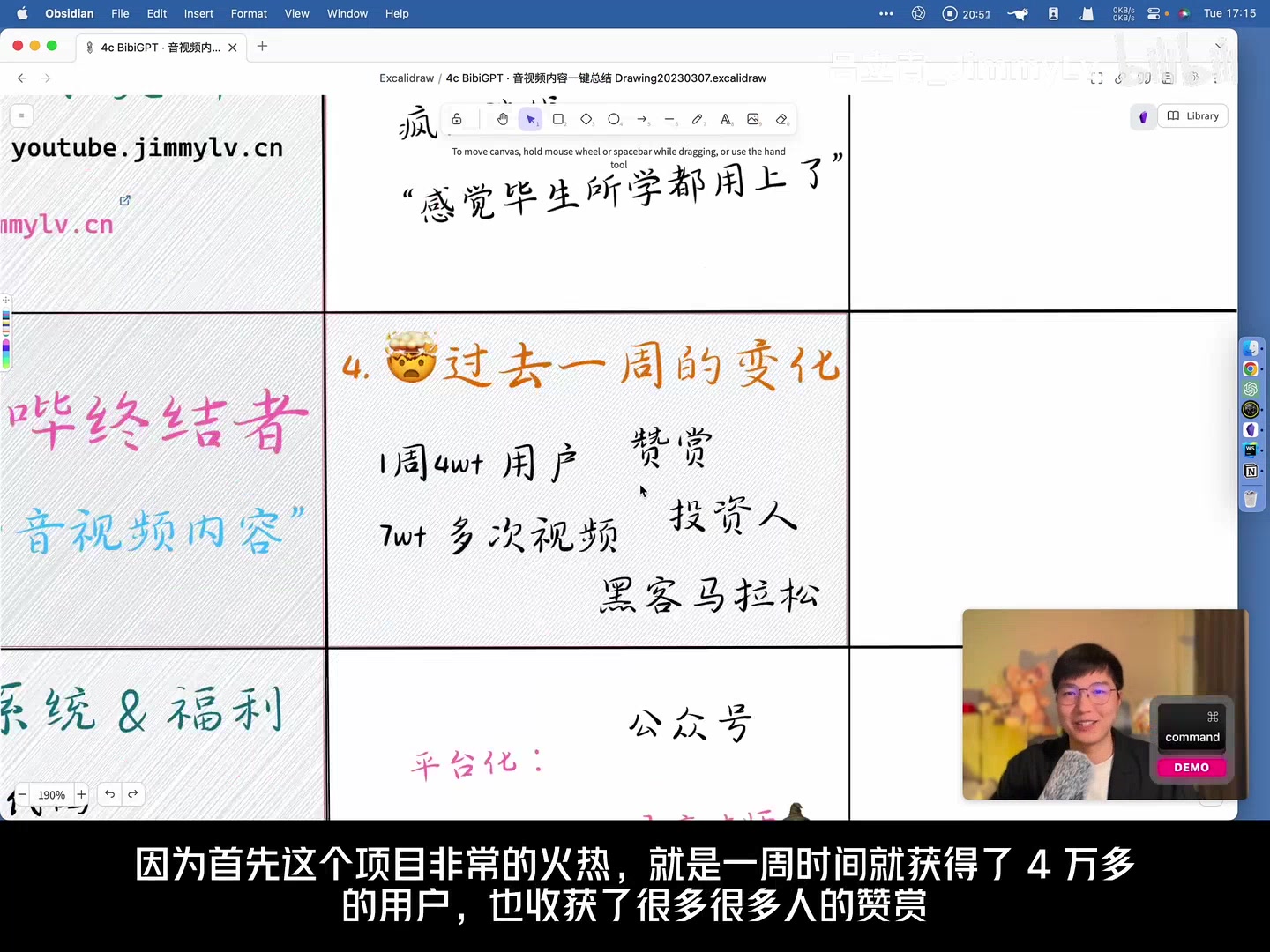 Growth stats
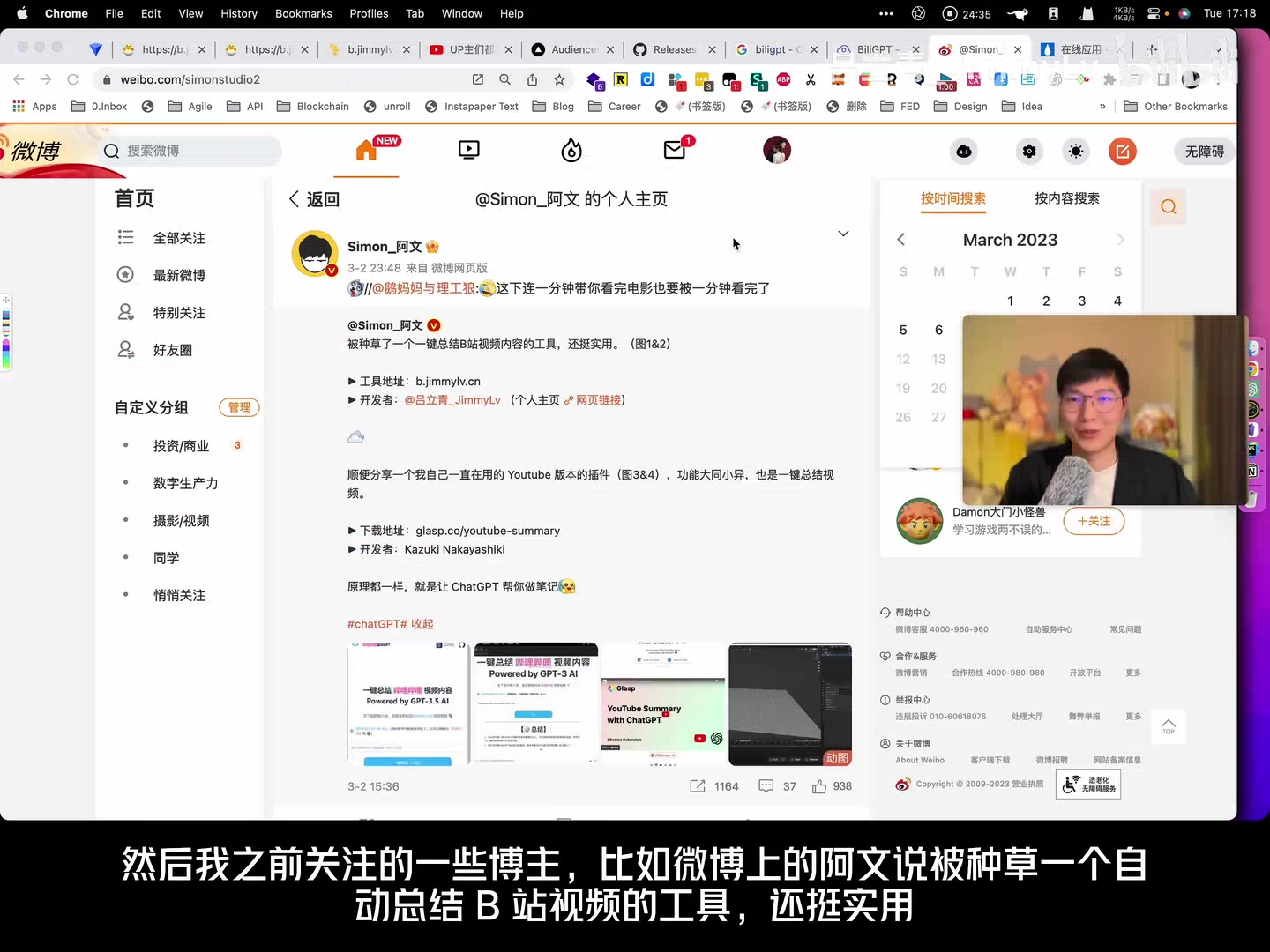 Community feedback collage
Looking Back
Episode 2 shows how we kept iterating on the promise of “watch faster, find faster, use faster.” Support for new platforms, smarter navigation, and smoother exports all emerged from user feedback and our conviction that AI should turn media into knowledge.
Thanks for being part of that journey—more stories to come in future Growth Series episodes.
Video reference: https://www.bilibili.com/video/BV15T411a7bc