Zettelkasten Meets AI Video Notes: A 2026 Workflow to Turn One-Hour Videos Into Permanent Notes (BibiGPT + Obsidian / Notion)
Zettelkasten Meets AI Video Notes: A 2026 Workflow to Turn One-Hour Videos Into Permanent Notes (BibiGPT + Obsidian / Notion)
Short answer: to apply the Zettelkasten method to video notes, use BibiGPT to decompose an hour-long video into structured idea cards (Fleeting Notes), refine them into Literature Notes and Permanent Notes in two passes, and weave them into a knowledge graph with Obsidian or Notion bidirectional links. This post translates Luhmann’s methodology into a 2026 AI video workflow with concrete actions per step.
Table of Contents
- Zettelkasten in 60 seconds
- Why video notes are Zettelkasten’s ideal input
- The 5-step workflow
- Integration map: BibiGPT × Obsidian / Notion
- Common pitfalls
- FAQ
Zettelkasten in 60 seconds
The method (originally by German sociologist Niklas Luhmann, who used it for 70+ books) has three note types:
- Fleeting Notes: raw capture, any format, to be processed within 24 hours
- Literature Notes: what you’re reading/watching, summarized in your own words
- Permanent Notes: one idea per card, each self-standing, linked to at least 2 other cards
The two non-negotiable principles are atomicity (one concept per card) and bidirectional links (every card connects to ≥2 existing cards). After a few hundred cards, knowledge “emerges” — this was Luhmann’s lifelong lever.
Why video notes are Zettelkasten’s ideal input
Videos and podcasts are dense: a one-hour talk equals ~10,000 words of transcript. But most people forget it immediately, because the traditional note-while-watching method is exhausting and unstructured.
AI video summarizers solve exactly this: they break a video into chapterized idea cards automatically. A 90-minute TED talk becomes 7-10 cards with timestamps, theses, and one-line restatements in BibiGPT. These cards are Literature Note drafts — upgrade them by switching from observer voice to first-person voice.
The 5-step workflow
Step 1: Fleeting Notes — let AI produce them
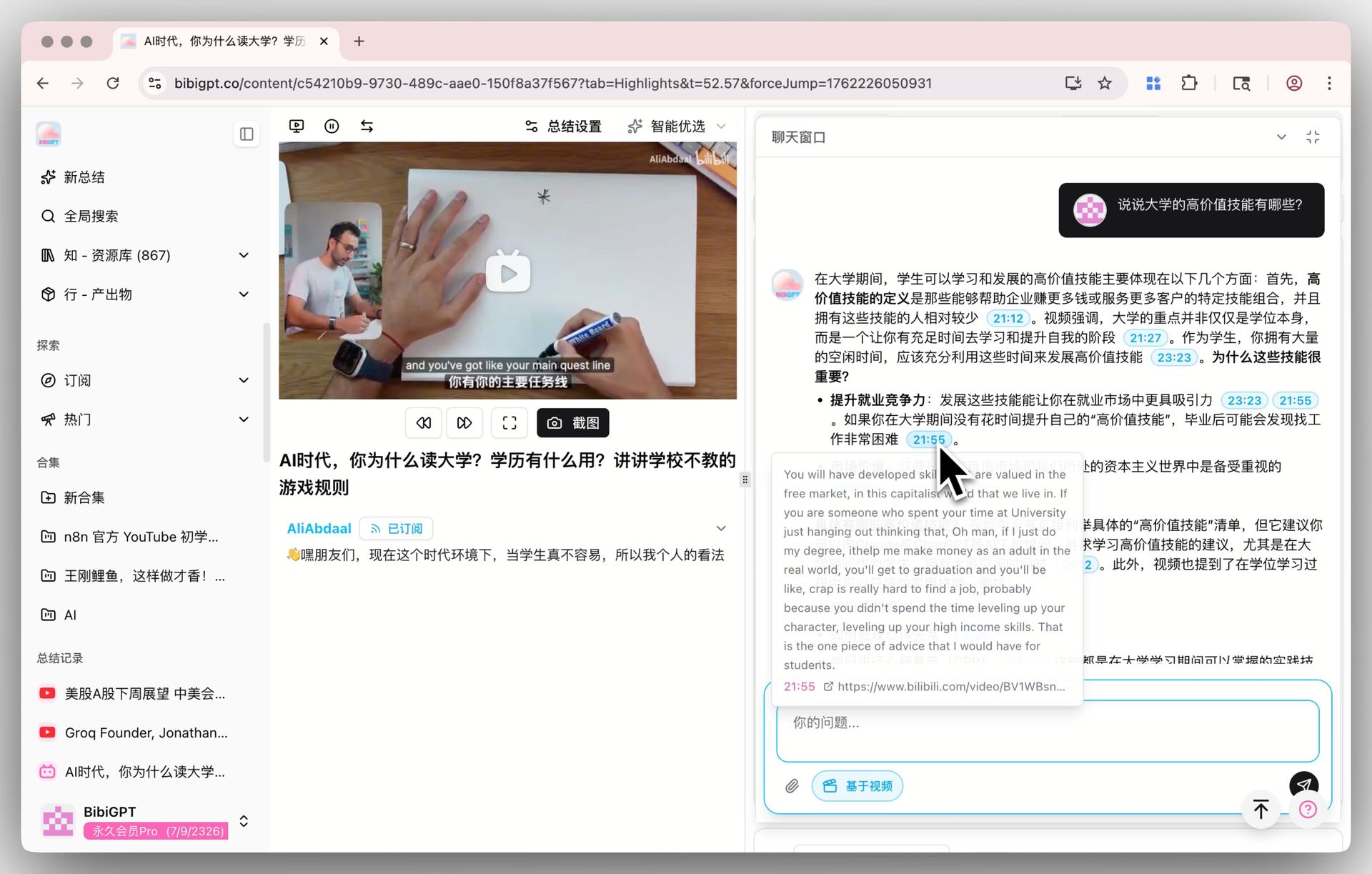
Paste the video/podcast link into BibiGPT. In 30 seconds you get:
- Full captions with timestamps
- Chapterized summary (5-10 segments)
- Structured idea cards with jump-to-time links
- Mindmap
Those are your Fleeting Notes. Try AI YouTube Summary, AI Podcast Summary, or Visual Content Analysis (the last one shines for slide-heavy lectures).

Step 2: Literature Notes — rewrite in your own voice
Pick the 3-5 cards that resonate most and rewrite them in your own words. This is the cognitive step: it forces understanding and reveals gaps. Keep the original video link + timestamp for traceability.
Every BibiGPT card has a one-click “jump to this moment” button — traceability cost is essentially zero, which makes Zettelkasten and AI summaries a natural fit.
Step 3: Atomize — one concept per card
Split Literature Notes into atomic cards:
- If a note covers two independent concepts, split it
- The title is the one-sentence conclusion
- 50-200 words per card, no more
Step 4: Build bidirectional links — promote to Permanent Notes
This is the crux of Zettelkasten. Every new Permanent Note must link to ≥2 existing cards; otherwise it is an isolated island that will be forgotten. Use [[double-brackets]] in Obsidian or @mention in Notion.
Step 5: Maps of Content (MOC) — periodic curation
Weekly or monthly, build a MOC card for a theme (e.g. “Deep-work cards”) aggregating related cards. MOC is not a folder; it is a reading path.
Integration map: BibiGPT × Obsidian / Notion
| Step | Tool | Output |
|---|---|---|
| 1 Fleeting | BibiGPT idea cards | Structured summary JSON/Markdown |
| 2 Literature | Obsidian / Notion hand-written | Note with video + timestamp |
| 3 Atomize | Obsidian / Notion | 1 concept = 1 card |
| 4 Link | Obsidian bidirectional / Notion @mention | Knowledge graph |
| 5 MOC | Obsidian / Notion | Thematic index |
See: Notion × BibiGPT workflow, Bilibili → Notion knowledge base, Obsidian × BibiGPT video notes.
Common pitfalls
- Copying summaries is not Zettelkasten — you must rewrite in your own voice
- Quantity over connectivity — 300 isolated cards lose to 50 highly-linked ones
- Must be daily — the lever comes from compounding, not bursts
- Don’t over-categorize — relying on folders vs links misreads the method
FAQ
Q1: How long before Zettelkasten shows results? 200-300 atomic cards (3-6 months) is when unexpected connections start appearing. A year in, writing feels like ideas raining down.
Q2: Obsidian or Notion? Obsidian for flexible bidirectional links and offline-first; Notion for structured databases and team collaboration.
Q3: Does BibiGPT export to Obsidian? Yes — all summaries export as Markdown. See Obsidian × BibiGPT guide.
Q4: What about podcasts? Same workflow. Use AI Podcast Summary — timestamp navigation is even smoother than video.
Q5: What determines card quality? Video structure (lectures > casual interviews) + model capacity (long videos benefit from million-context, e.g. DeepSeek V4 1M context).
Q6: Can Feynman technique be combined with Zettelkasten? Absolutely. Feynman emphasizes teaching; Zettelkasten emphasizes cards. Together they’re the gold standard for AI video learning. See AI-powered Feynman learning method.
Start now: pick a YouTube video you recently watched, paste the link into BibiGPT, grab the idea cards, and make your first bidirectional link in Obsidian. That’s your first Zettelkasten card.
BibiGPT Team