Build a Second Brain With AI Video & Podcast Summaries: 2026 PKM Workflow Methodology
Build a Second Brain With AI Video & Podcast Summaries: 2026 PKM Workflow Methodology
Last updated: 2026-05-04
TL;DR: The Second Brain workflow is “CODE” — Capture, Organize, Distill, Express. In the AI era, video and audio are the most underused inputs — you subscribe to 50 YouTube channels, follow 30 podcasts, but less than 5% lands in your notes. This methodology slots AI video summaries into CODE as the “Capture + Distill” accelerator, paired with Notion / Obsidian, to close the loop.
The Real Problem: A/V Is the Forgotten Input Source
Tiago Forte’s Second Brain methodology went viral in 2022, but it was mostly designed for text inputs (clipped articles, emails, PDFs). The 2026 reality is:
- 60%+ of what creators consume daily is audio/video (YouTube, podcasts, Bilibili, shorts)
- What lands in note systems is still mostly text
- The gap is the Capture step — you can’t take notes while listening, and AI video summarization closes exactly that
The workflow below is designed to slot AI summarization into CODE so your Second Brain actually receives A/V input.
Workflow Map: CODE × AI Video Summary
| CODE Step | Traditional | AI-Augmented | Tools |
|---|---|---|---|
| Capture | Bookmark / star / screenshot | One-click AI summary + timestamps | BibiGPT / NotebookLM |
| Organize | Folders / PARA | Auto-route by Project / Area | Notion / Obsidian |
| Distill | Progressive highlighting | AI distilled key points + mind map | BibiGPT summary + AI chat |
| Express | Write articles / talk / decide | AI-assisted drafting, card outputs | ChatGPT / Claude / human |
Step 1: Capture — Turn A/V Into Structured Notes
The pain
Subscribed to a lot of channels but “can’t watch + forget what you watched.”
The fix
Treat BibiGPT as your “A/V capture buffer” — simple rule:
- See a video / podcast worth listening to → paste link to BibiGPT first, don’t watch yet
- 30 seconds later you have a structured summary + timestamp list
- Skim the summary; only go back to the original where the info density is real
Try the capture flow on BibiGPT.
Supporting rules
- 30-second rule: if the summary doesn’t earn your interest in 30 seconds, you don’t need the original
- Timestamp fallback: when the summary mentions a keyword vaguely, click the timestamp to jump back
- Weekly cleanup: spend 10 minutes Sunday going through this week’s capture queue
Step 2: Organize — PARA Adapted for A/V
PARA is Tiago Forte’s organization framework: Projects, Areas, Resources, Archives.
A/V notes mapped to PARA
| PARA category | A/V note examples | Where to store |
|---|---|---|
| Projects | Interviews related to a paper you’re writing | Notion project DB / Obsidian project folder |
| Areas | Long-term topics (AI, product, design) | Notion long-term DB / Obsidian Areas folder |
| Resources | ”Maybe useful later” (e.g., a tool tutorial) | Notion resource DB / Obsidian Resources |
| Archives | Wrapped-up project material | Notion archive / Obsidian Archives |
Practical: BibiGPT one-click export to Notion
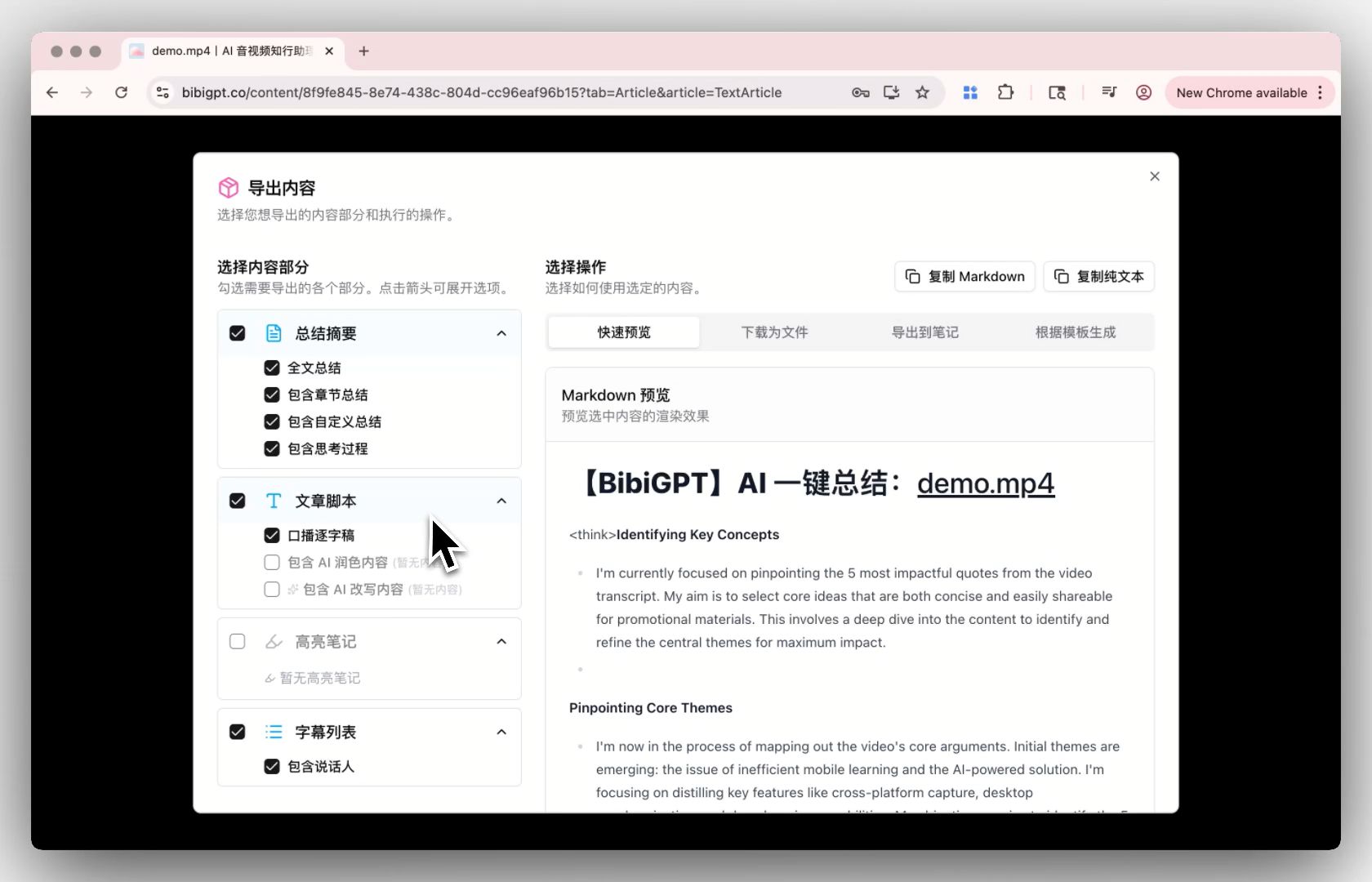
BibiGPT has built-in Notion integration with PARA labeling on export. Each note auto-includes:
- Title + URL of the source
- AI summary body
- Timestamp list (clickable, jumps to the original)
- Mind map (renders standalone)
- Tags (auto + manual)
Step 3: Distill — AI-Accelerated Progressive Summarization
Tiago Forte’s Progressive Summarization wants you to iterate notes — first read → bold → highlight → executive summary — so future-you can grok in seconds.
AI-augmented version
- Layer 1: AI summary (BibiGPT auto-generated)
- Layer 2: human highlight (you only pick 3–5 truly valuable points)
- Layer 3: AI chat follow-up (on top of the summary, ask “does this argument conflict with theory X?”)
- Layer 4: one-sentence distillation (your-own-words sentence card → Anki / Readwise)
Worked example
Listened to a 3-hour Lex Fridman interview:
- BibiGPT generates a structured summary (20 timestamped points)
- I highlight 3 standout quotes
- AI chat: “How does this guest’s main argument relate to classic paper X?”
- Output: an Anki card — “[Guest]‘s core view on [topic] is X, because Y”
Total time ~15 minutes, 3-hour video → 10× efficiency.
Step 4: Express — Closing the Loop From Notes to Output
The whole point of a Second Brain is output — articles, talks, products, decisions.
AI-assisted expression
- Articles: in Notion / Obsidian, gather related notes → let ChatGPT / Claude draft a starter
- Talks: use BibiGPT’s mind map as a slide outline directly (one-click export)
- Cards: extract quote cards for social posts (BibiGPT has built-in copy rewriting)
- Videos: use the summary as your edit script
Notion / Obsidian Integration Setup
Notion setup
- Create a “Second Brain” workspace in Notion
- Build 4 PARA databases: Projects / Areas / Resources / Archives
- Bind Notion in BibiGPT settings, pick default export DB
- Every BibiGPT summary export prompts a DB + tag selector
Obsidian setup
- Create a Vault, folder layout per PARA
- Install the BibiGPT-Obsidian sync plugin (or relay via Readwise)
- Set up a Daily Note template that auto-aggregates today’s captures
- Use Obsidian Canvas to visually connect mind maps and notes
A Real Week of Second Brain Workflow
Mon: paste 5 YouTube / podcast links to BibiGPT, batch capture, export to Notion inbox.
Tue–Thu: read 1–2 summaries each day, move project-relevant ones to the Projects DB, star 1–2 quotes.
Fri: AI-chat deep-dive 3 interesting points from this week, output 3 Anki cards.
Sat: write a weekly digest citing 3–5 of this week’s notes, auto-illustrate (BibiGPT visual analysis).
Sun: clean inbox, archive completed projects, retrospect this week’s PKM rhythm.
FAQ: Second Brain × AI Video
Q1: I’ve never used Second Brain — is the bar high?
The hardest part is “PARA muscle memory” — first two weeks you’ll mis-categorize. Start with a single inbox, then split into PARA once you’ve felt it.
Q2: Are BibiGPT summaries reliable? Errors?
For mainstream videos (with captions, with structure), summary quality is solid. Each point has a timestamp so you can verify against the original — by design.
Q3: Notion or Obsidian?
Need team collab → Notion. Want local-first and never-lose-it → Obsidian. Both integrate with BibiGPT.
Q4: How do I handle cross-language content?
BibiGPT supports multilingual output — feed an English podcast and ask for Chinese summary directly.
Q5: How much A/V per day is reasonable?
Mature Second Brain users handle 5–10 A/V summaries + write 3–5 atomic notes daily. The point isn’t volume, it’s sustainability.
Closing: AI Doesn’t Replace Notes — It Makes Them Pay Off
A Second Brain isn’t about “remembering a lot,” it’s about “putting it to work.” AI video summarization brings the most-ignored input source into your note system; PARA and progressive summarization turn notes into actual assets.
Further reading:
- YouTube Video Summarizer Tools 2026
- Otter.ai Free Alternative — BibiGPT 2026 Comparison
- AI Video Summary Complete Guide
References:
- Tiago Forte — Building a Second Brain
- Forte Labs — PARA Method
- Forte Labs — Progressive Summarization
BibiGPT Team