
Feature Update: Smart Flashcards, Global Search Boosts, and Doubao Seed-1.6 Integration
Discover BibiGPT’s latest enhancements—from AI-generated flashcards and improved global search to Doubao Seed-1.6 model integration and email binding for WeChat users.
Table of Contents
- Introduction: Elevating the Audio/Video Learning Experience
- Watch Faster: Smart Flashcards
- Find Smarter: A Better Global Search
- Use Better: Doubao Seed-1.6 Model Integration
- Experience Upgrade: Email Binding for WeChat Users
- Closing Thoughts
Introduction: Elevating the Audio/Video Learning Experience
Information moves fast. Extracting the essence from audio and video is now a core skill for learners, creators, and knowledge workers. BibiGPT is built for this challenge, and today’s update reinforces our mantra: watch faster, find smarter, use better.
Let’s tour the new features inspired directly by community feedback.
Watch Faster: Smart Flashcards
Interactive Cards Generated Automatically
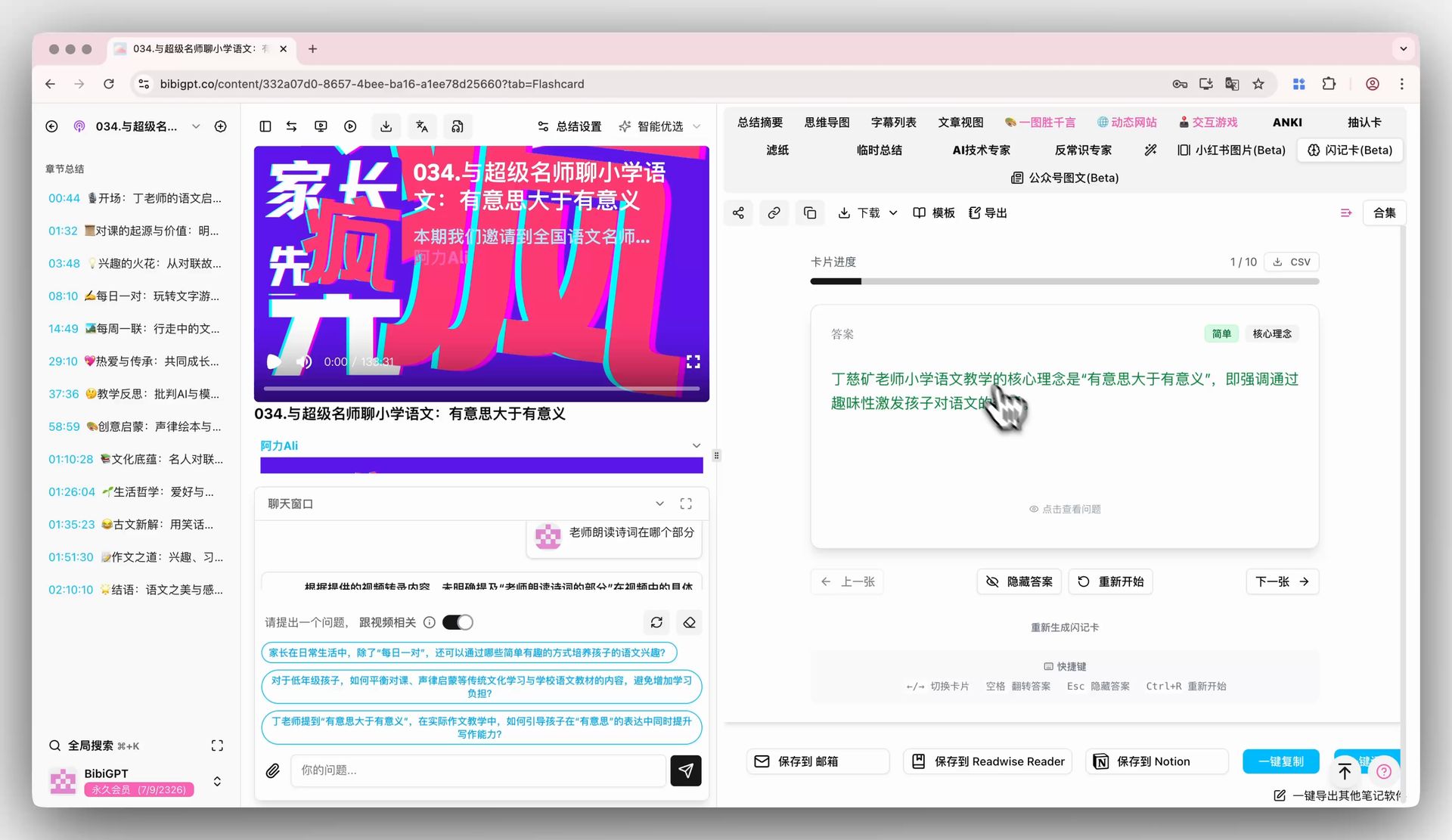 BibiGPT AI flashcard demo
Introducing flashcards (beta): BibiGPT analyzes each video’s key concepts and automatically builds Q&A cards inside the app, helping you:
- Practice active recall through targeted questions.
- Strengthen long-term memory with spaced review.
- Spot blind spots by testing understanding immediately.
One-Click Export for Anki and Beyond
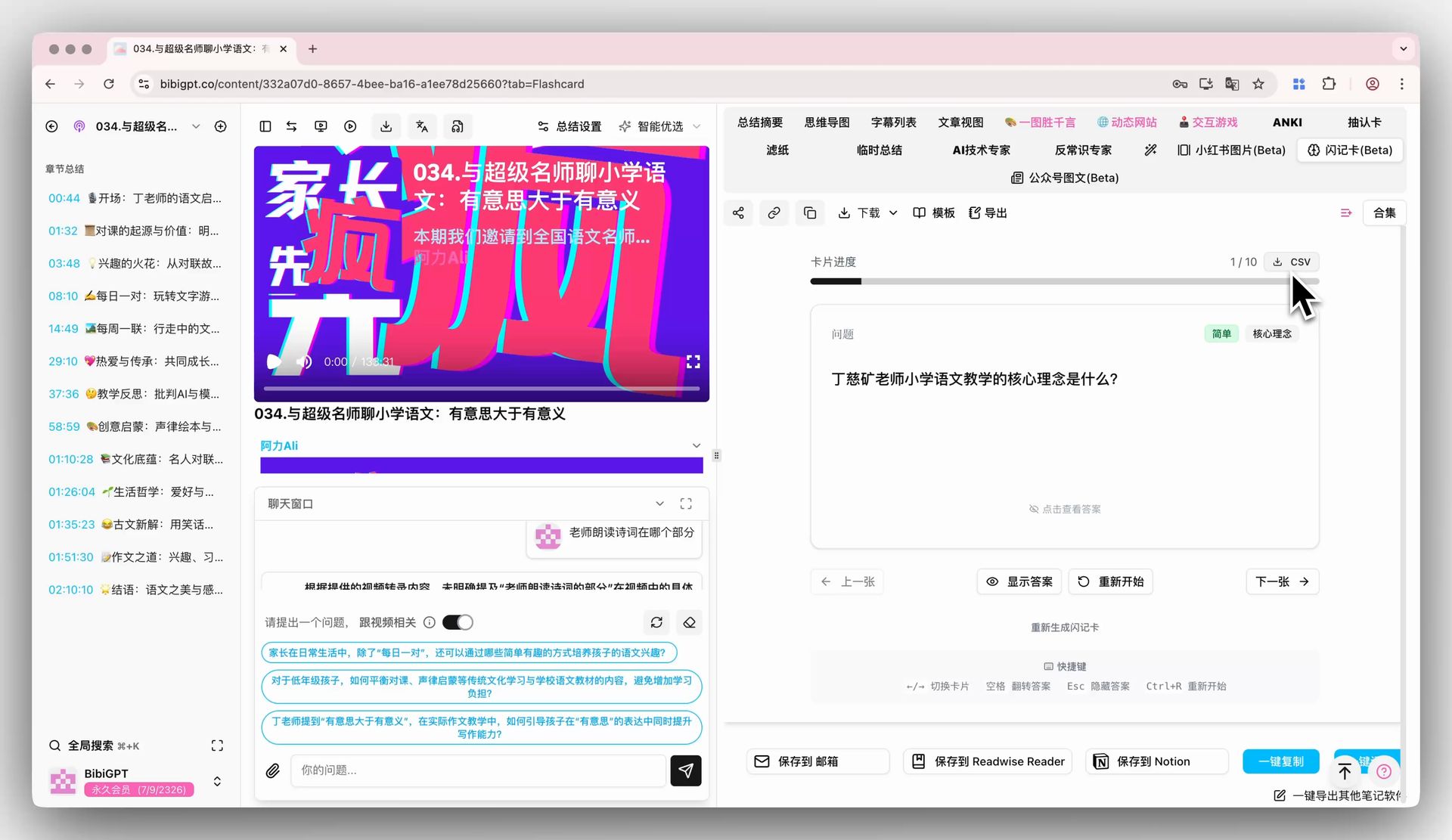 BibiGPT flashcard CSV export
Want to review elsewhere? Export flashcards as CSV and import them into Anki, Quizlet, or your favorite SRS tool. Build a durable knowledge base, merge with existing decks, and manage long-term revision at your own pace.
Find Smarter: A Better Global Search
⌘+K for Instant Recall
When your library grows, search speed determines workflow speed. Our revamped global search launches via:
- The search icon in the sidebar, or
- The
⌘+K(Mac) /Ctrl+K(Windows) shortcut.
Preview Summaries Without Leaving Search
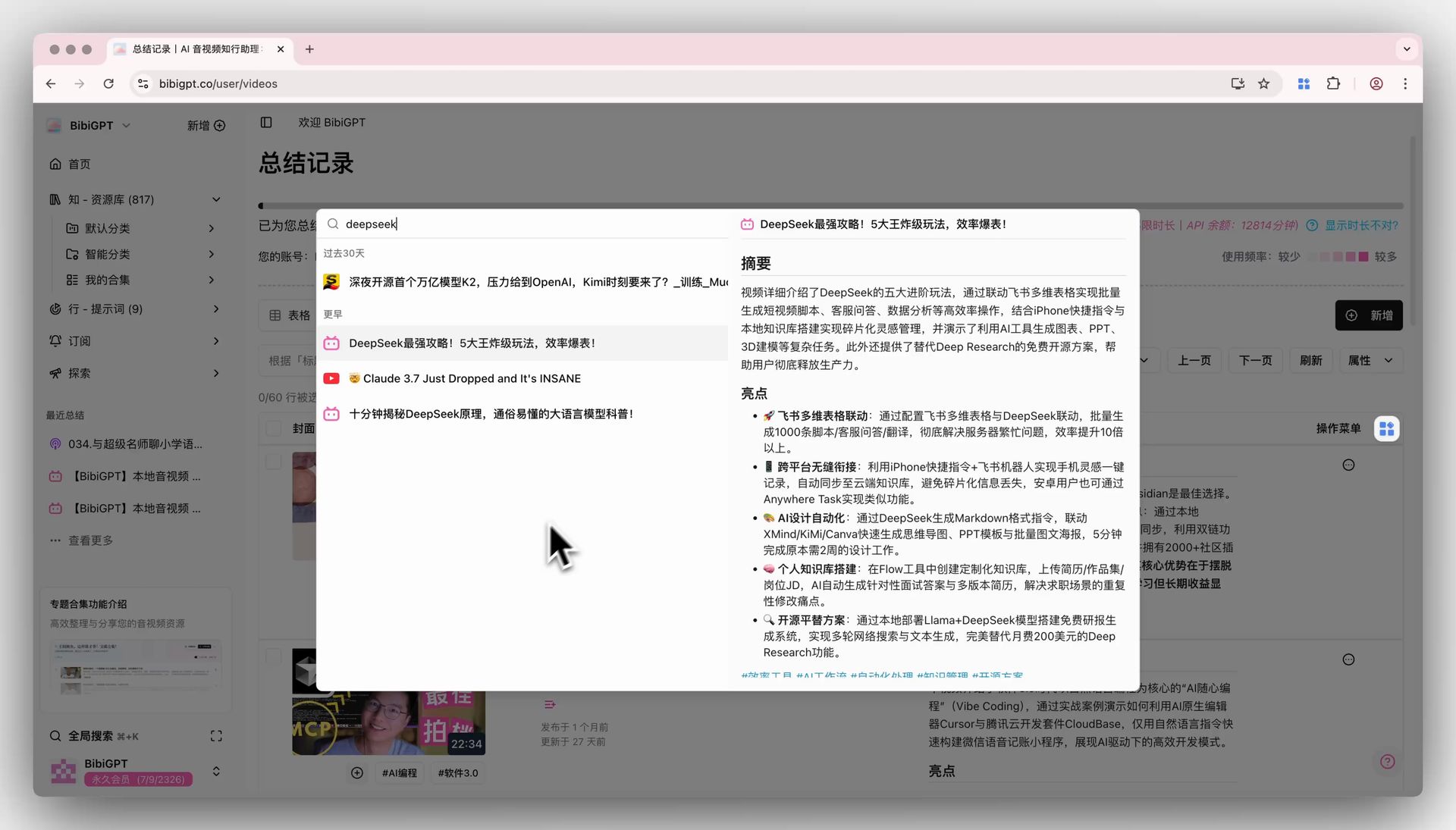 BibiGPT global search preview
Search results now include a right-hand preview pane. Skim the summary, quotes, and timestamps without opening a new page—perfect for referencing or citing on the fly.
Use Better: Doubao Seed-1.6 Model Integration
Multimodal Understanding with 256K Context
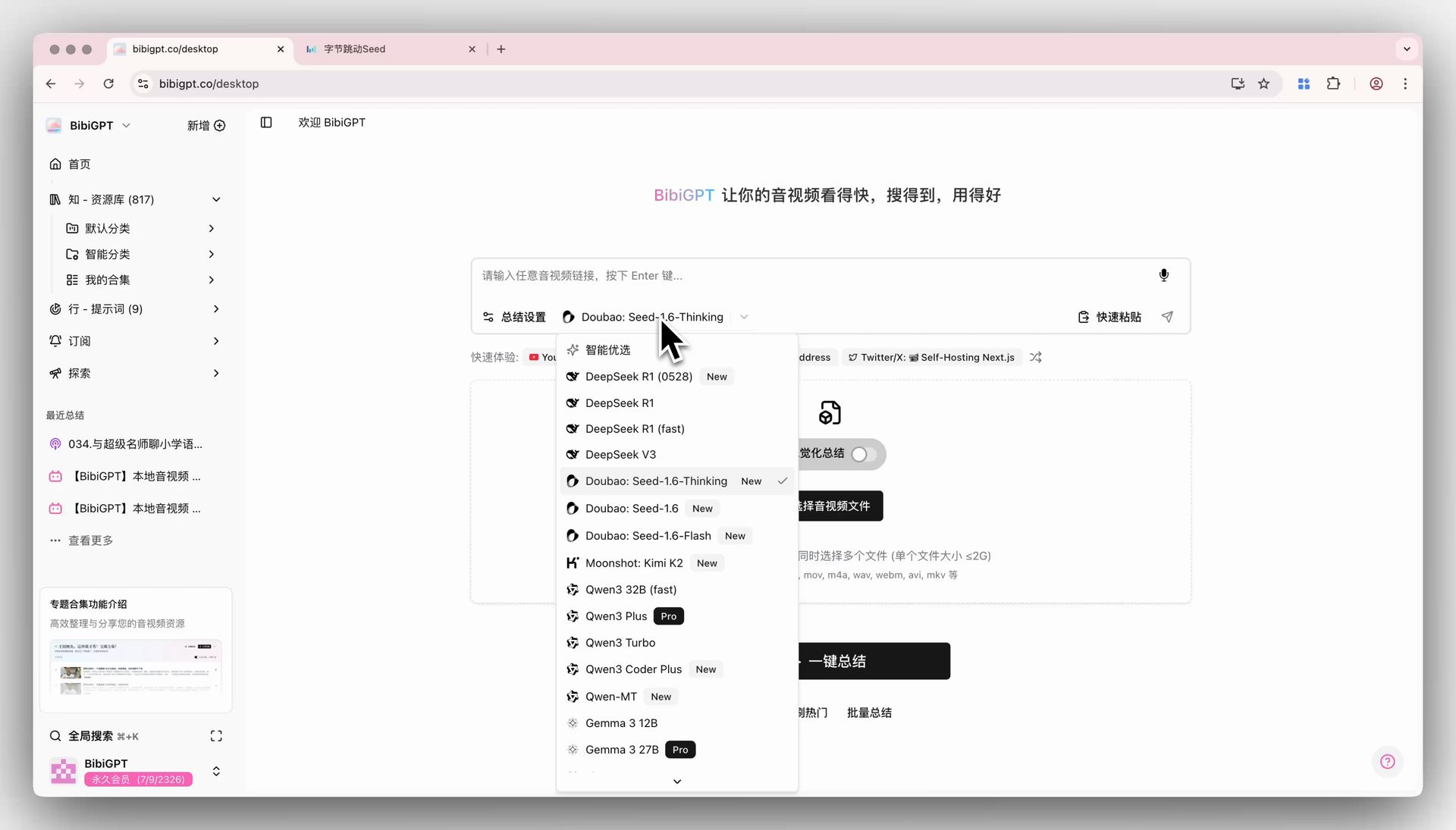 Model selection in BibiGPT
We integrated ByteDance’s Doubao Seed-1.6 family (Thinking, Standard, and Flash variants) to push summarization quality even further:
- Multimodal comprehension spans audio and visuals.
- 256K context window covers ultra-long videos end to end.
- Sharper insights from richer semantic understanding.
Thinking Edition for Deep Reasoning
The Thinking variant excels at:
- Mapping a video’s logic and structure.
- Extracting precise takeaways.
- Generating more thoughtful analysis.
Experience Upgrade: Email Binding for WeChat Users
Convenient Sign-In Anywhere
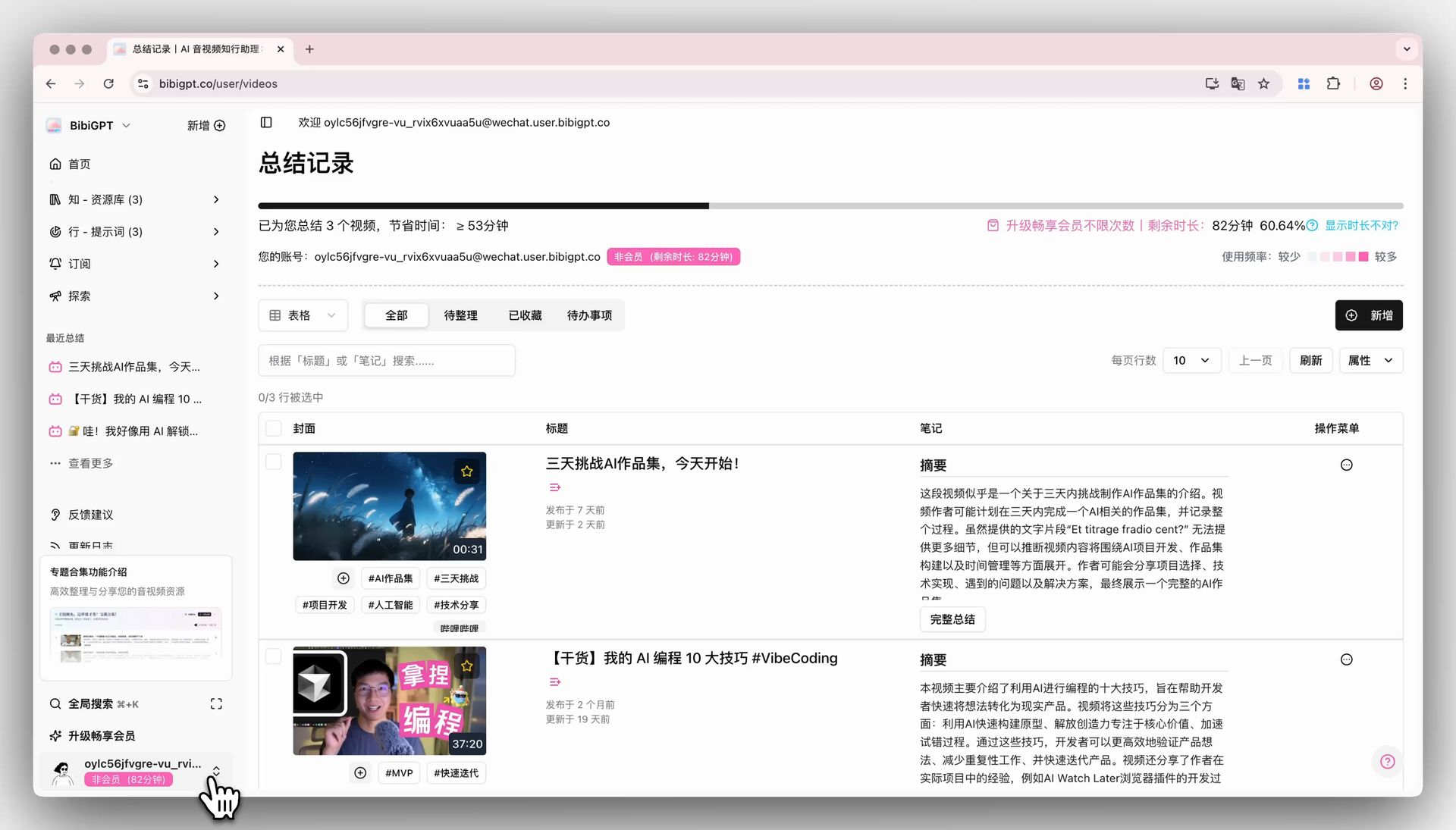 Tap avatar
Some users told us WeChat sign-in isn’t always practical. You can now bind an email and password as a backup:
- Click your avatar (bottom-left).
- Open Profile & Settings.
- Bind an email and set a password.
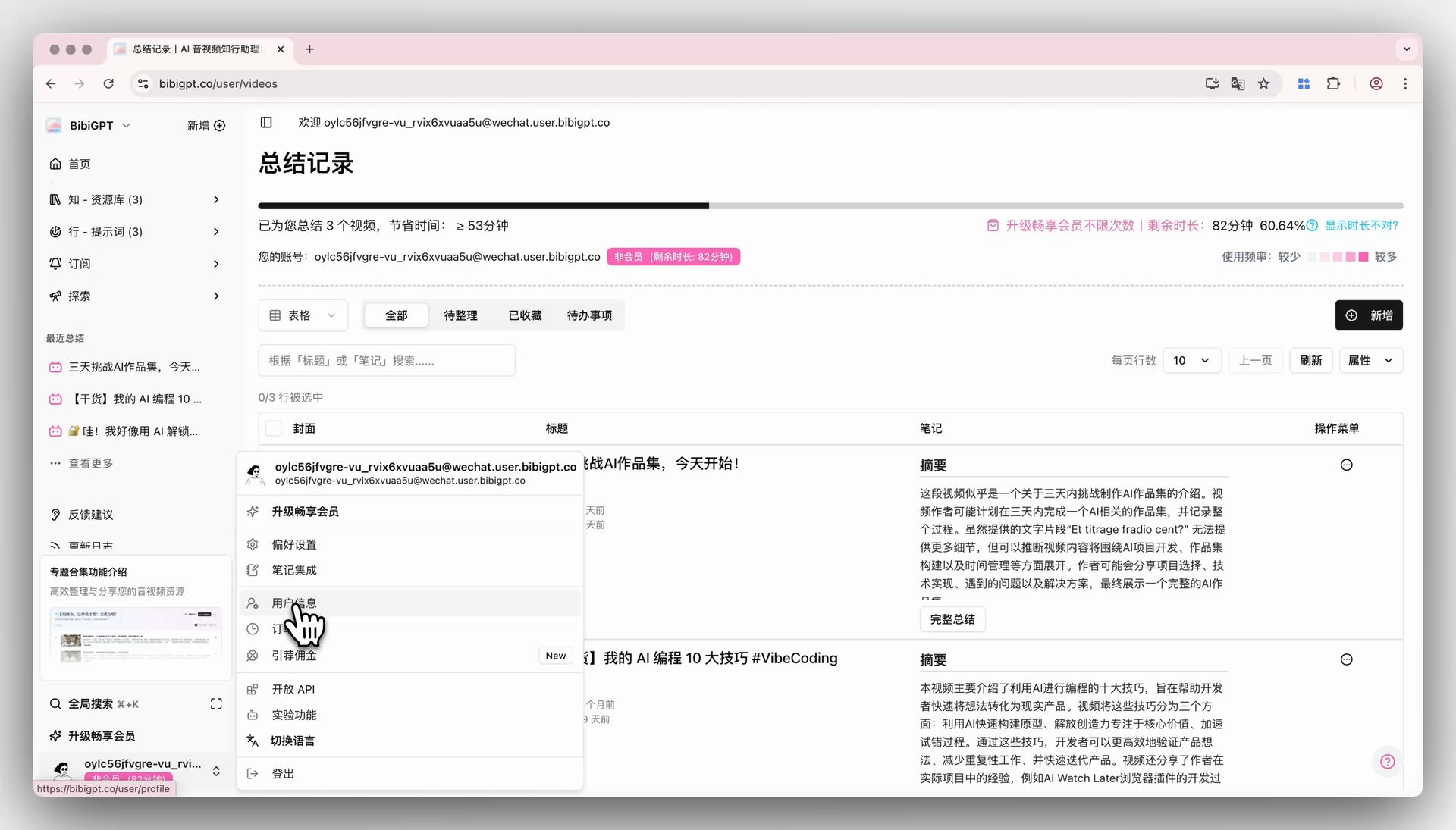 Profile screen
Seamless Access Across Devices
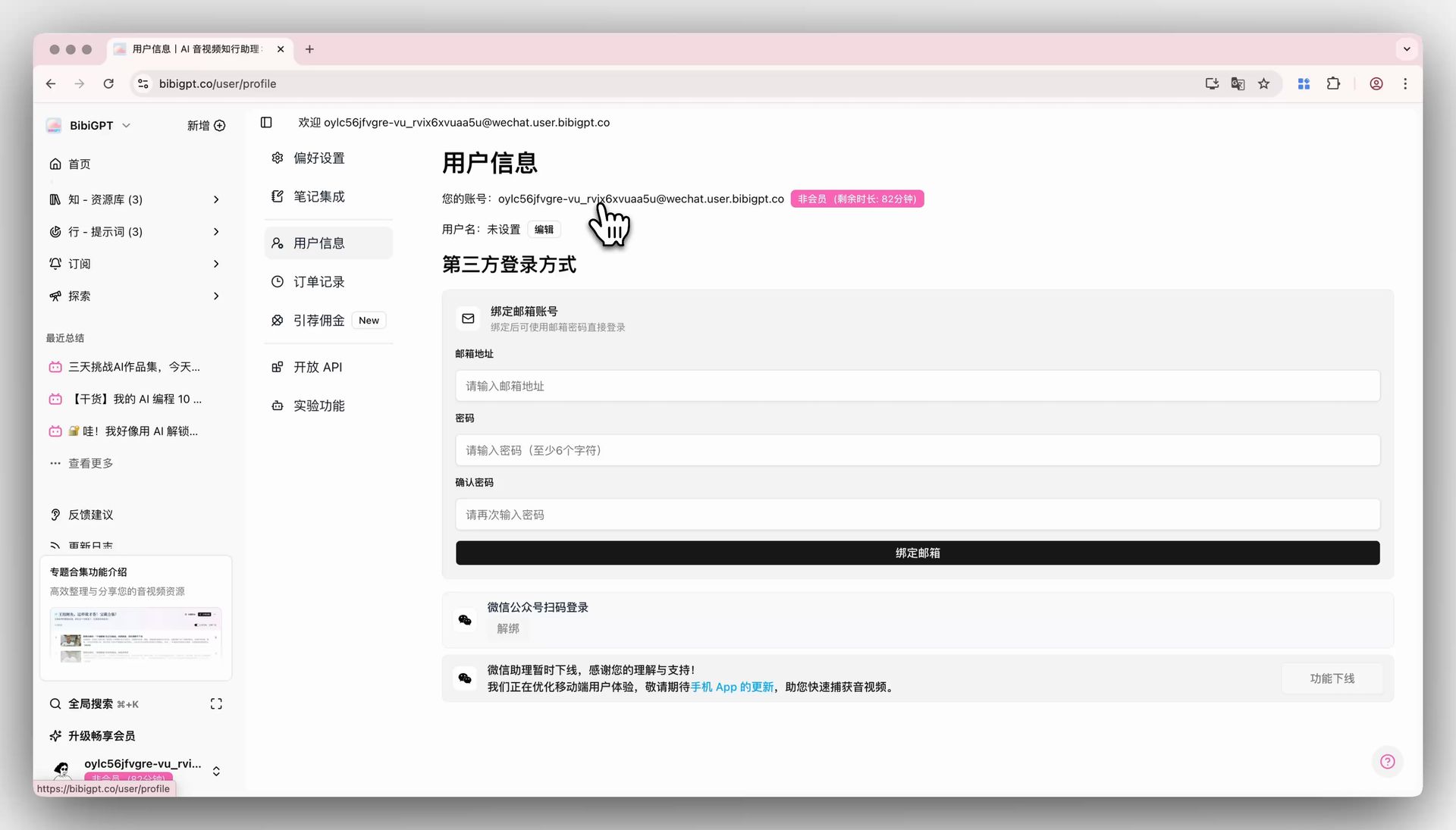 Email binding form
Once bound, you’ll enjoy:
- Reliable logins even without a phone handy.
- Multi-device sync with unified credentials.
- Peace of mind knowing your data stays protected.
Closing Thoughts
This update delivers:
- Smart flashcards for active recall.
- Faster, richer global search.
- Doubao Seed-1.6 integration for cutting-edge AI summaries.
- Email binding to keep WeChat accounts accessible everywhere.
Each addition reinforces our mission to help you watch faster, find smarter, and use better. Thank you for the feedback that keeps BibiGPT evolving.
Experience the new features now at https://bibigpt.co—and keep the ideas coming!
Happy learning,
The BibiGPT Team