Turn Xiaohongshu Videos into Notes with BibiGPT: Stop Letting Your Favorites Collect Dust
Turn Xiaohongshu Videos into Notes with BibiGPT: Stop Letting Your Favorites Collect Dust
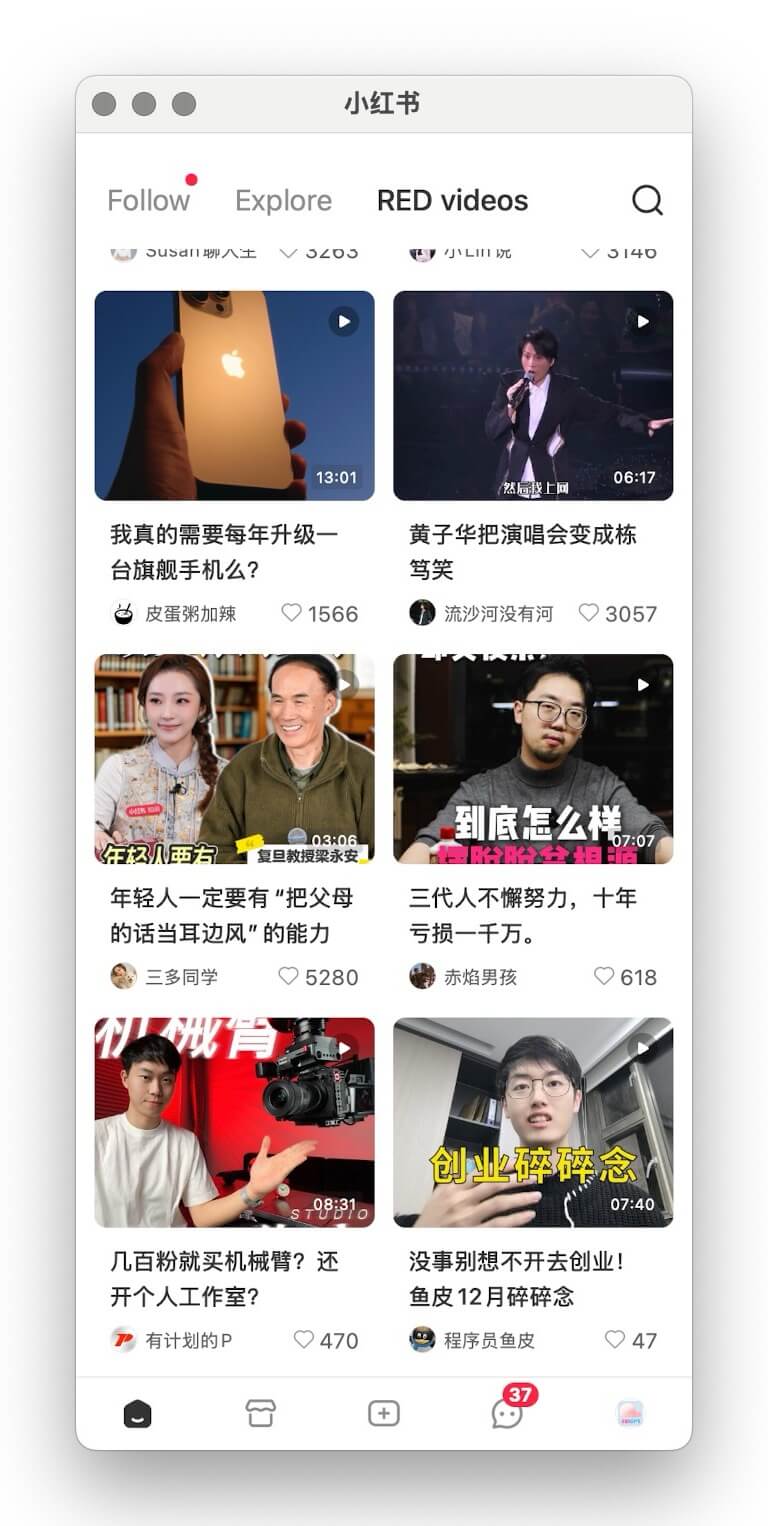
If you’re like most Xiaohongshu users, every valuable tutorial, buying guide, or productivity hack ends up in your Favorites—never to be opened again. Your “save” habit is strong; the follow-through isn’t. Time to break the cycle with BibiGPT, the AI assistant that transforms Xiaohongshu videos into editable text and structured notes in one click.
The “Dusty Favorites” Problem
- Fragmented time – Modern life happens in snippets, making it hard to rewatch long clips.
- Endless feeds – Fresh content buries what you planned to revisit.
- Low replay rate – The more you save, the less you review—creating a guilt-inducing backlog.
Your Favorites tab becomes a graveyard of missed learning opportunities.
Why Video Knowledge Stays Locked
- High replay cost – Scrubbing through a video to find one insight wastes time.
- Hard to capture – Manual transcription is slow and error-prone.
- No structure – Audio-heavy formats don’t map naturally into your knowledge system.
- Low momentum – Overwhelming queues trigger procrastination.
Meet BibiGPT: AI-Powered Xiaohongshu Summaries
We built BibiGPT precisely for this pain. By combining advanced speech-to-text with multilingual models you can:
- Batch transcribe Xiaohongshu video URLs in seconds.
- Get precise transcripts with minimal manual cleanup.
- Export everywhere – Notion, Obsidian, Roam, Readwise, email, Markdown—it’s your choice.
- Support multiple languages – Chinese, English, and beyond for bilingual learning.
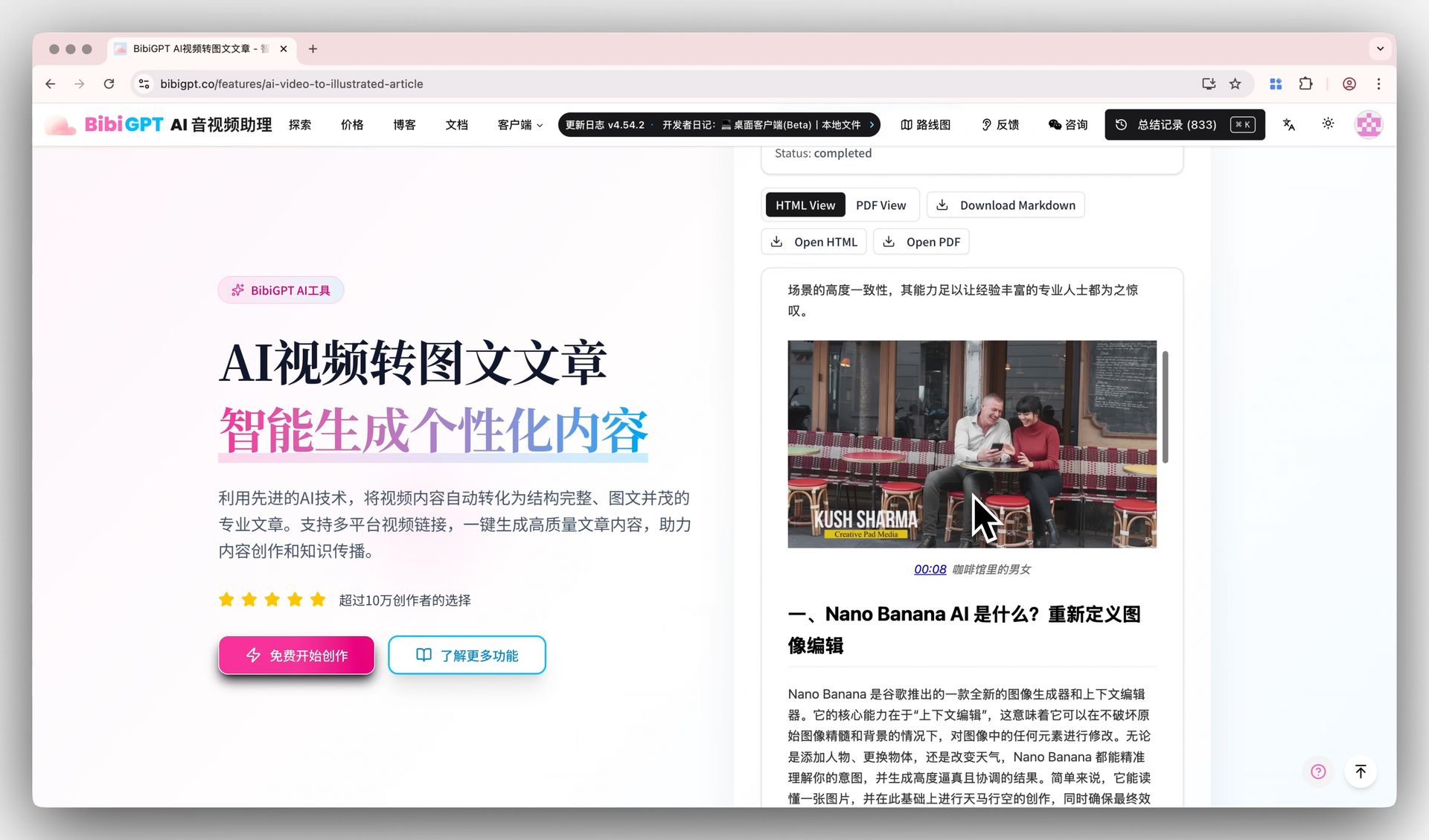
Here’s what it looks like in practice—BibiGPT turning a single Xiaohongshu clip into a ready-to-publish illustrated article, transcript and visuals included:
Four Benefits You’ll Notice Immediately
- Free your Favorites – Process dozens of videos at once and convert them into readable notes.
- Lower learning cost – Text is easier to scan, highlight, search, and repurpose.
- Build a system – Tie videos into your knowledge base with tags, backlinks, and spaced repetition.
- Shift from passive to active – Collection becomes action: read, annotate, and implement.
Three Steps to Rescue Your Xiaohongshu Queue
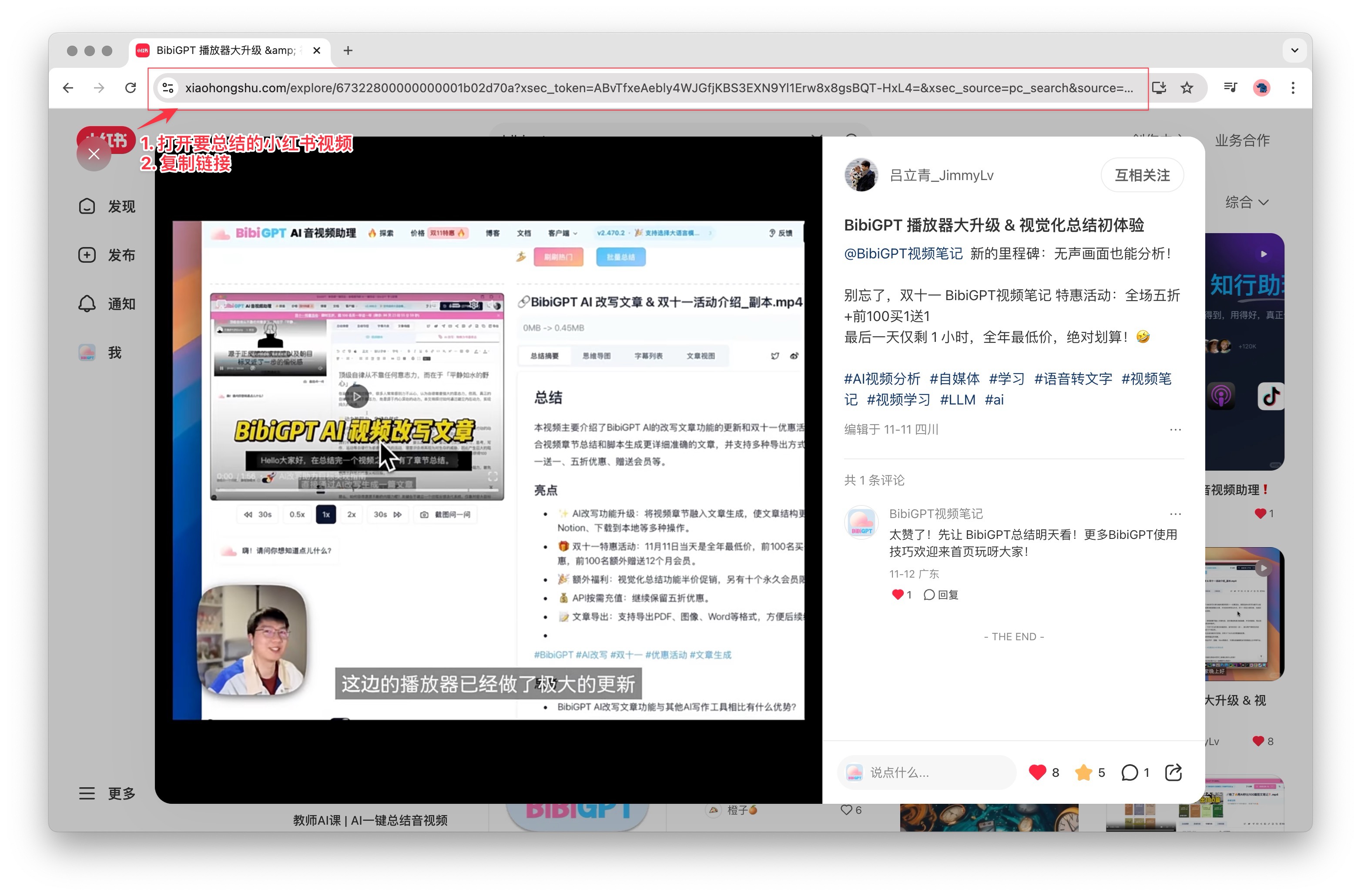
- Grab the link – Copy the share URL from the Xiaohongshu app or web interface.
- Paste into BibiGPT – Drop it into the dashboard and hit Summarise.
- Review results – BibiGPT returns transcripts, chapter highlights, and keywords you can edit or export.
Find the complete walkthrough in our official docs.
Supported Platforms
BibiGPT isn’t limited to Xiaohongshu. It handles:
- Short video – Douyin, TikTok, Kuaishou, Xiaohongshu
- Long-form video – Bilibili, YouTube, Vimeo
- Audio – Spotify, Apple Podcasts, Xiaoyuzhou FM
- Social clips – Twitter/X videos
- Online courses – Including DeepLearning.AI and other MOOC providers
Stuck with an unsupported source? Try the advanced workflow: AI Video Download & Summary Power Tips.
Want to compare more options? See our roundup of Xiaohongshu video-to-text tools and the top 10 YouTube AI video summary tools for 2025.
What Users Are Saying
“I ask the chatbot about key moments, get structured answers, and export straight to Notion. It saves hours.” — @Rubywang.eth
“Video summary is its own workflow. With the browser extension, BibiGPT covers it end-to-end.” — @balconychy
“Bought 400 minutes to support the team. It’s a joy to use—please add quick export for chat-with-video next!” — @Lucas Yan
FAQ
Q1: How do I turn a Xiaohongshu video into text?
A: Open the Xiaohongshu app or website, tap share to copy the video link, then paste it into BibiGPT and hit start. There’s no need to download the video or install extra software — the AI transcribes the speech automatically and returns an editable transcript, keywords, and chapter highlights.
Q2: Can it transcribe Xiaohongshu videos that have no subtitles?
A: Yes. BibiGPT has built-in speech recognition, so even videos with no on-screen captions are transcribed directly from the audio. Talking-head clips, vlogs, and tutorials all work.
Q3: Can I export the text to Notion or Obsidian?
A: Yes. BibiGPT exports transcripts to Notion, Obsidian, and other popular note-taking tools in one click, so you can organize and review them instead of letting them collect dust in your Favorites.
Q4: Which platforms besides Xiaohongshu are supported?
A: BibiGPT also handles Douyin, TikTok, Kuaishou, Bilibili, YouTube, plus audio platforms like Spotify, Apple Podcasts, and Xiaoyuzhou FM, and you can upload local video files too. For a side-by-side comparison, see our roundup of Xiaohongshu video-to-text tools.
Q5: Is it free?
A: BibiGPT offers a free trial allowance, so new users can try Xiaohongshu video-to-text and AI summaries at no cost. Upgrade only when you need batch processing or longer runtimes.
Stop Hoarding, Start Learning
Your Xiaohongshu favorites should be a launchpad, not a graveyard. BibiGPT unlocks the knowledge you’ve already curated so every saved video turns into searchable notes, checklists, and inspiration.
Try BibiGPT today and watch your “save for later” list evolve into a personal knowledge engine.