
Feature Update: Intelligent Deep Summaries, Cleaner UI, and Unified Export Panels
Explore BibiGPT’s latest upgrades—[smarter default summaries](/features/ai-video-summary-visual-content), streamlined navigation, and a consolidated export/download panel for frictionless knowledge workflows.
Feature Update: Intelligent Deep Summaries, Cleaner UI, and Unified Export Panels
Table of Contents
- Watch Faster: Highlights at a Glance
- Find Smarter: Leaner Navigation
- Use Better: Knowledge on the Move
- Summary
Hi BibiGPT community,
You may have noticed things feel lighter around here. We just completed a major “spring cleaning”—polishing the interface, upgrading core features, and smoothing out your entire workflow. The result: a better path to watch faster, find smarter, and use better.
Watch Faster: Highlights at a Glance
Summaries shouldn’t stop at bullet points. The default Summary view now delivers a richer deep dive without any extra prompts.
Intelligent Deep Summaries
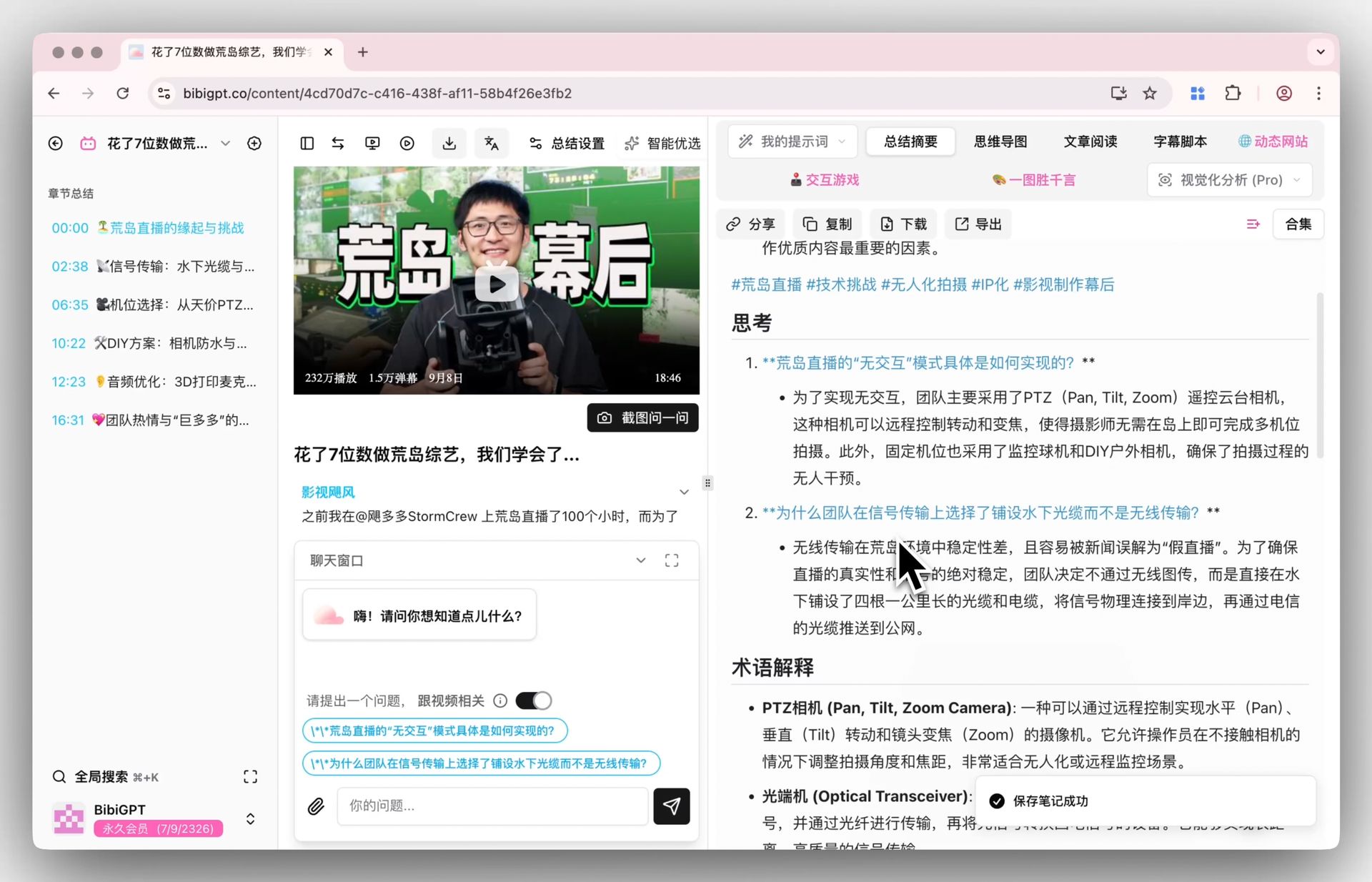 Thinking questions
AI now surfaces:
- Key takeaways and highlight reels.
- Critical thinking questions to encourage deeper reflection.
- Terminology explanations so you grasp every specialized concept.
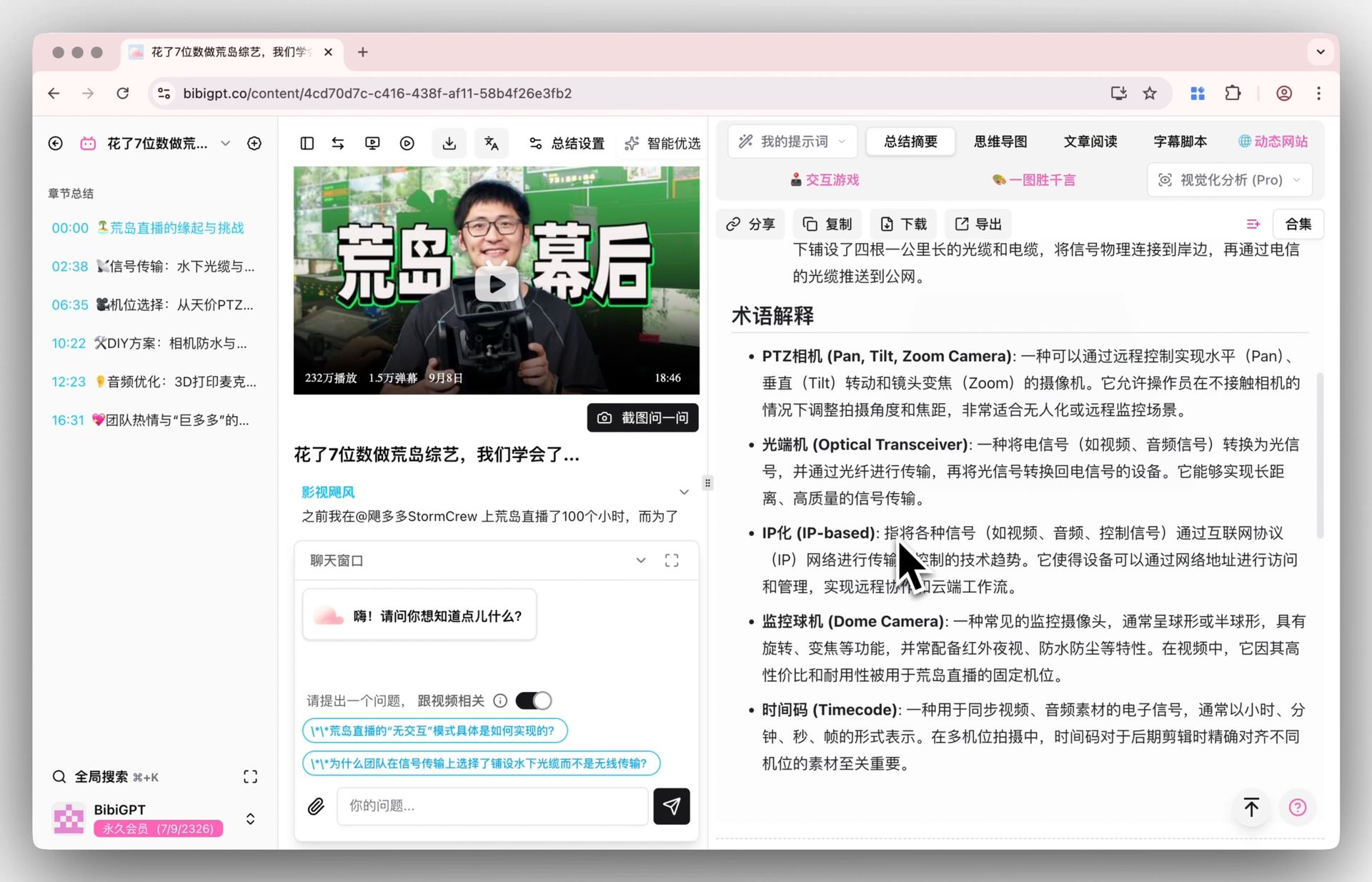 Terminology explanation
It’s like receiving a full report every time—no custom prompt required.
Find Smarter: Leaner Navigation
Menus should help, not hinder. We reorganized the navigation bar so essentials are up front, and advanced tools sit neatly in dropdowns.
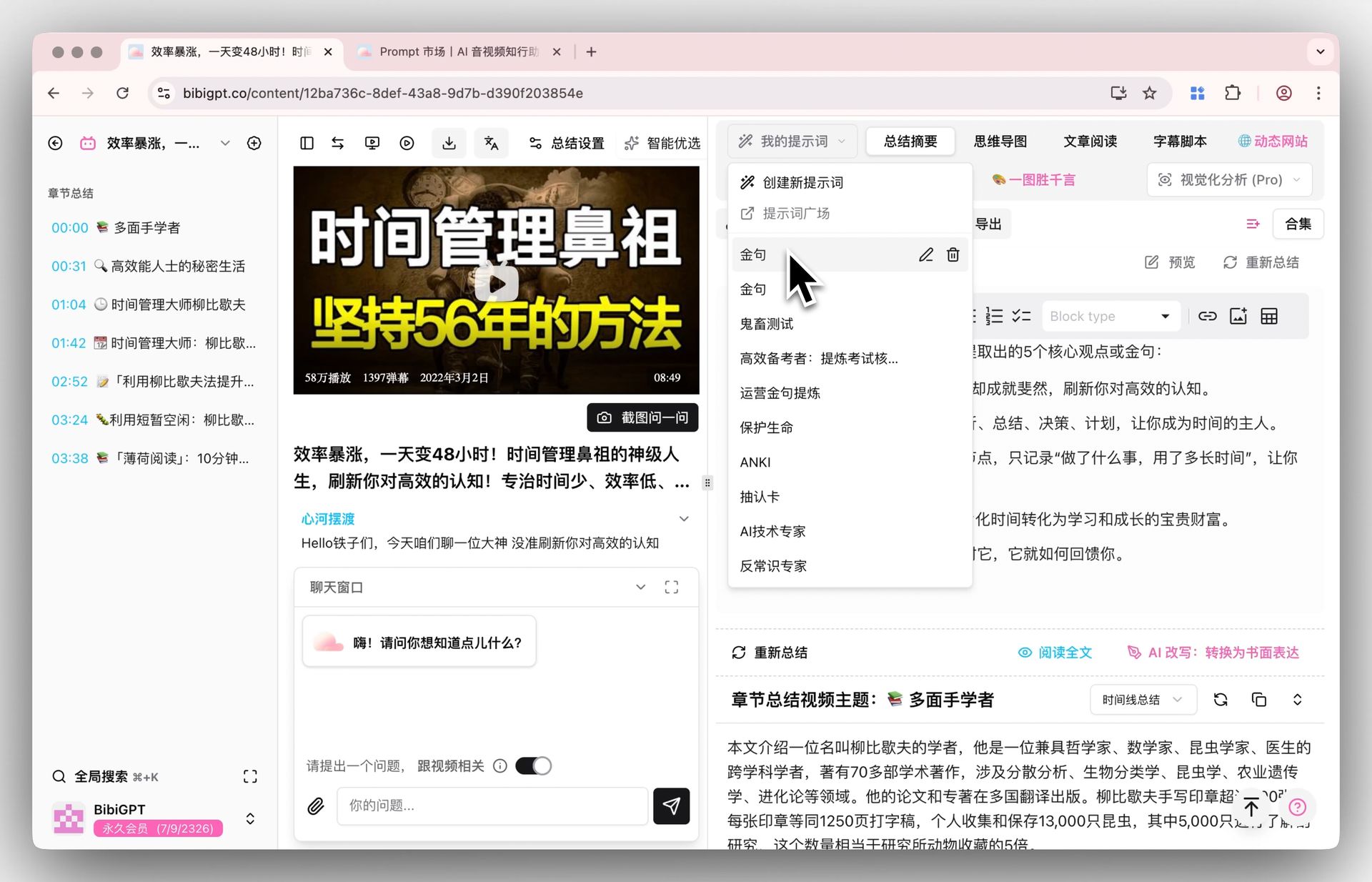 Prompt dropdown
- My Prompts now lives in a dropdown menu, keeping the layout minimal.
- Visualization tools are tucked away but just one click from reach.
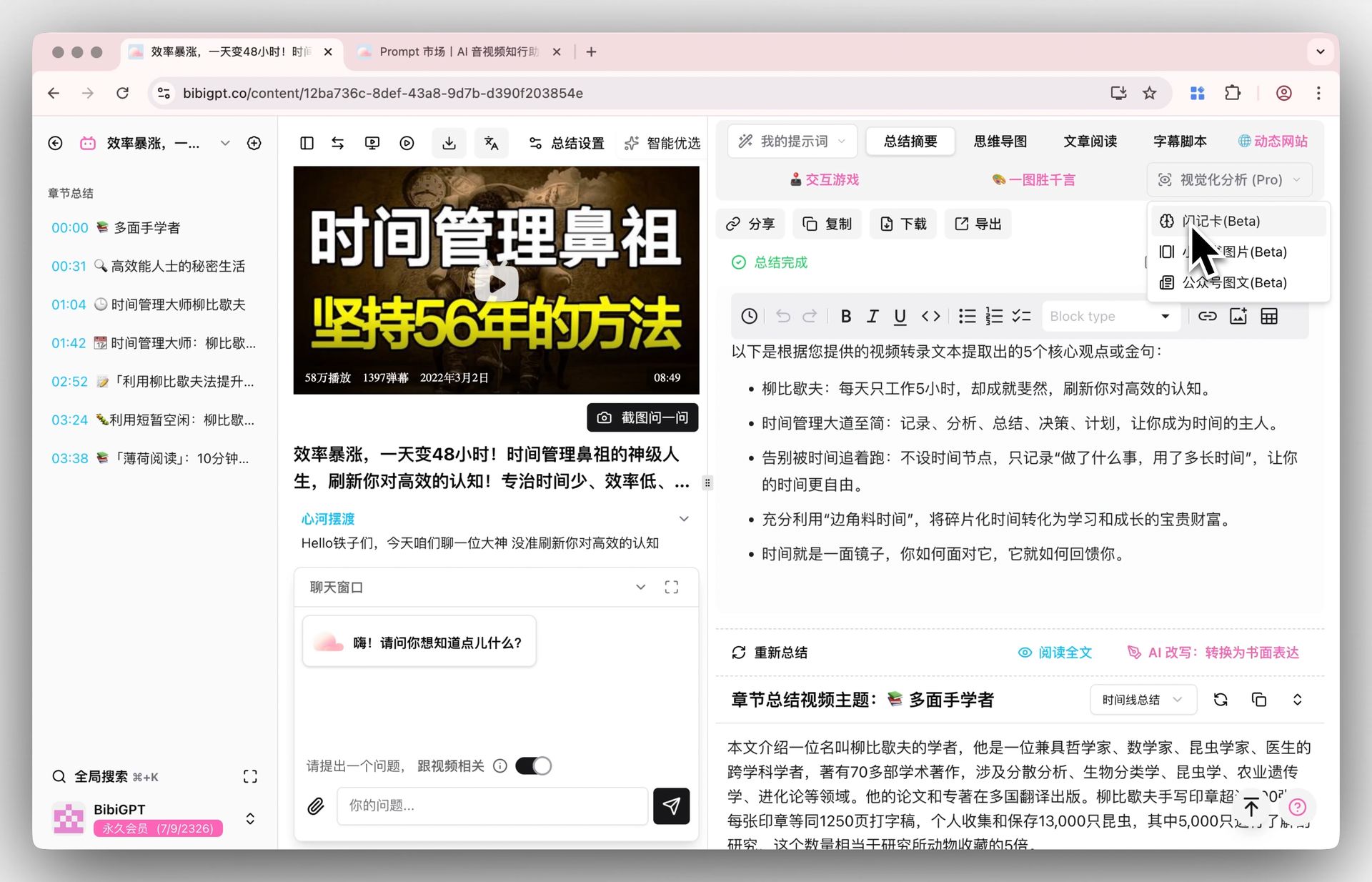 Visualization dropdown
Use Better: Knowledge on the Move
Data silos slow you down. We consolidated export and download options into a single, streamlined panel—making it easier than ever to send knowledge wherever it needs to go.
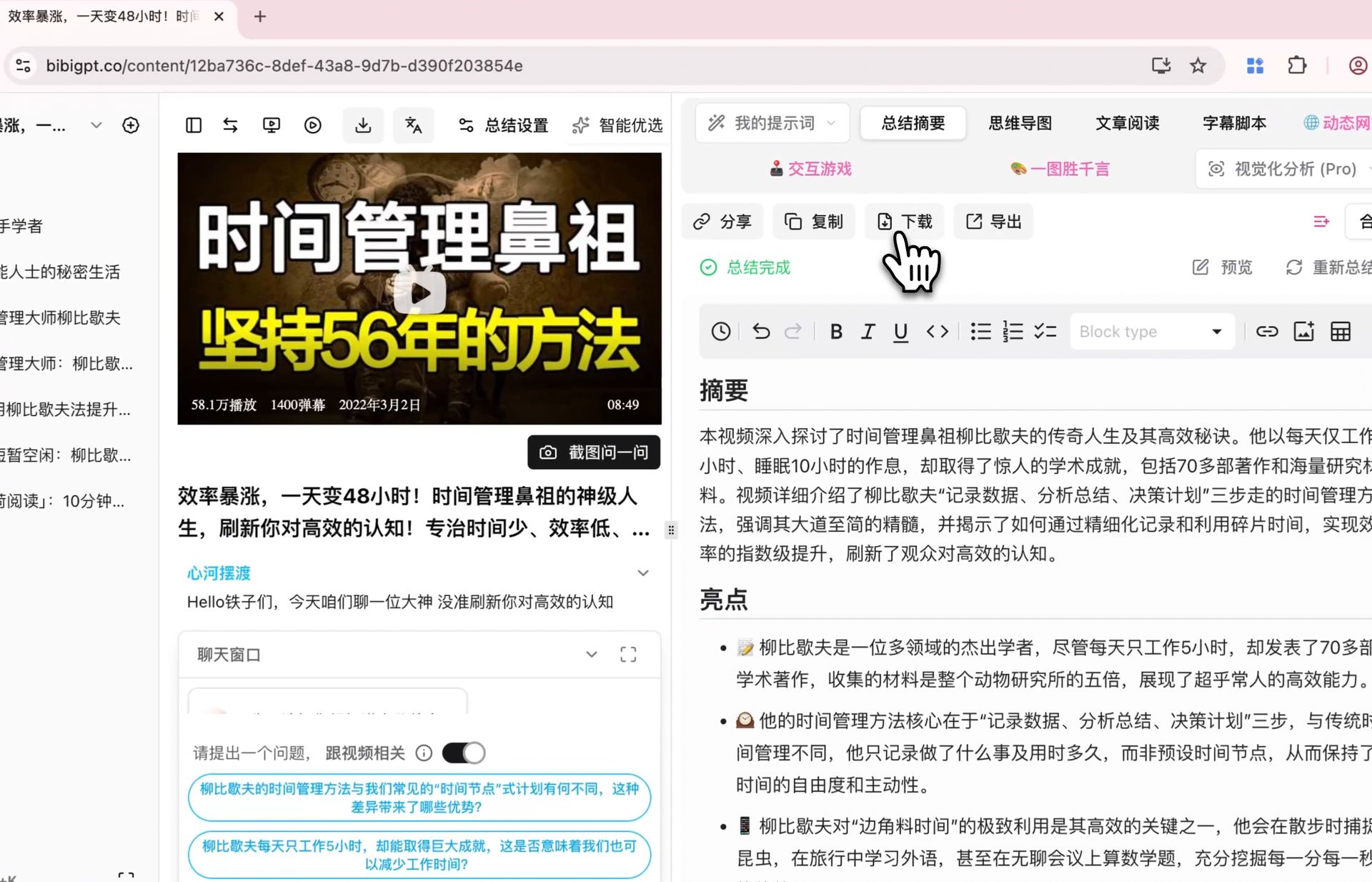 Download entry
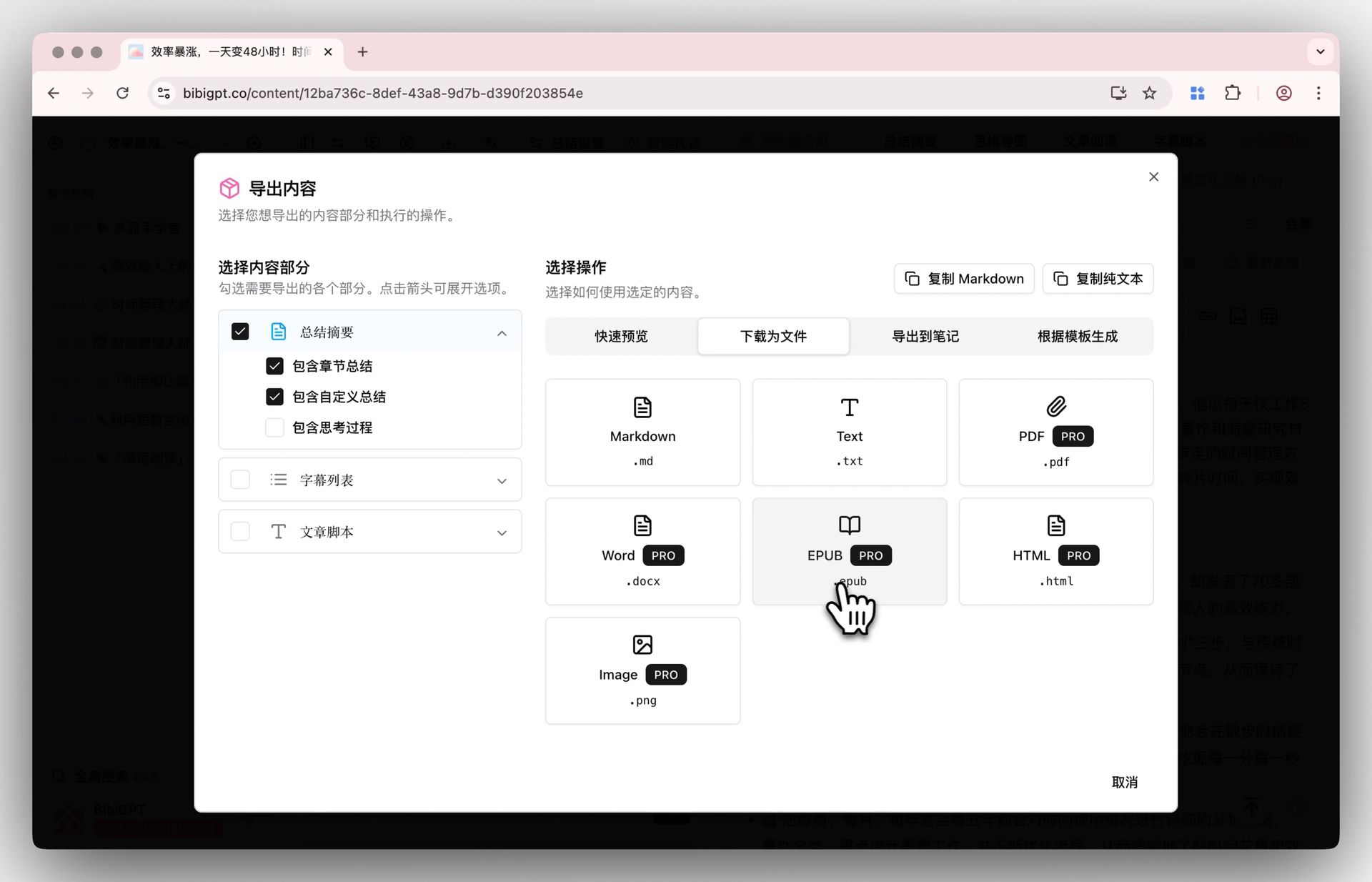 Download panel
From Markdown and PDF files to integrations with Notion, Readwise, and more—you can now manage everything from one cohesive workspace.
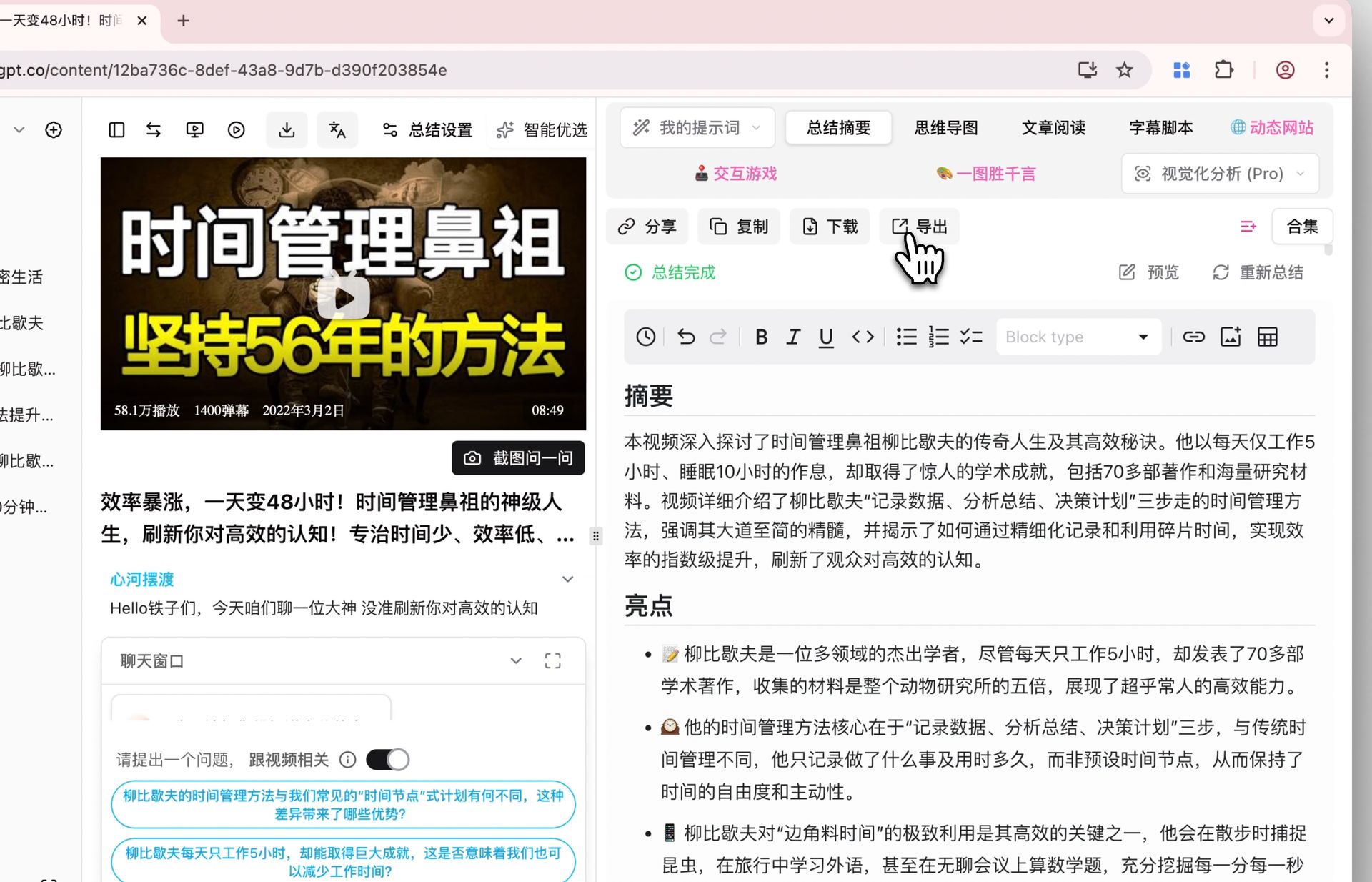 Export entry
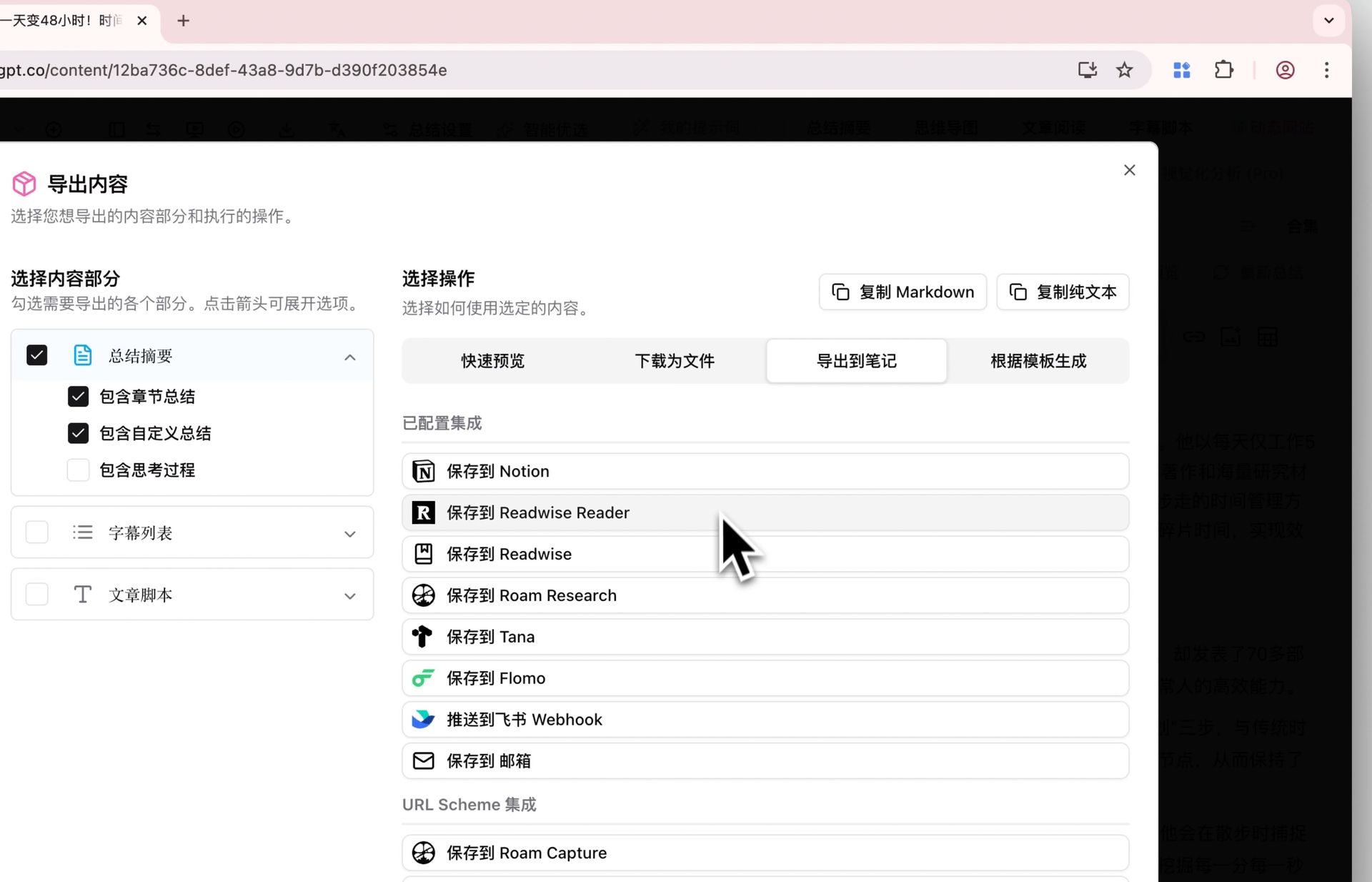 Export panel
Summary
This update delivers:
- Smarter summaries packed with insights and guided reflection.
- Cleaner navigation that surfaces what you need and hides the rest.
- Unified export/download panels so your knowledge flows wherever you work.
Experience the new workflow today at BibiGPT. Whether you’re learning, researching, or creating, we built this release to help you move faster with confidence.
Enjoy the upgrades!
The BibiGPT Team